


.. if “unproxyable” is a word that is ..
I had a recent engagement where I had to look at the network traffic generated by a Windows executable. Unfortunately, it was all TLS, and all TLS1.3 to boot. So from a PCAP all I got was a whole lot of “yup, that’s encrypted”, and since it was TLSv1.3 all I really had to work with was the IP addresses, not even server names in the server hello packets to help out. And the IP addresses involved were those “500 DNS names AWS” shotgun addresses, so no help there.
What I really needed was something to take specific traffic, say traffic from an executable, and redirect that to a proxy. If that proxy is then burp suite, then Bob’s yer Uncle, now I can look at the traffic!! If you’d rather use fiddler or some other proxy, go for it, anything will work.
A few minutes of Googling, and I found Proxifier (https://www.proxifier.com/)
Proxifier allows you set up rules, for instance “send traffic from abc.exe to proxy A”, “send traffic from def.exe to proxy B”, or “send everything else direct”, or any combination. Proxies can be direct or Socks5.
In my case, I was looking at a client executable, and was able to follow all the API calls and data transferred, it was EXACTLY what I needed that day.
I can’t show you the client output - watching the API’s roll by was as cool as it gets though, and the proxy intercept in burp lets you “play” with individual calls if that’s what you need. But I can certainly show you how this works, let’s use curl as our example exe.
Let's start in proxifier. First you need to set up your proxy(s). In this case I'm using Burp Suite Pro running locally, so the proxy is:
.png)
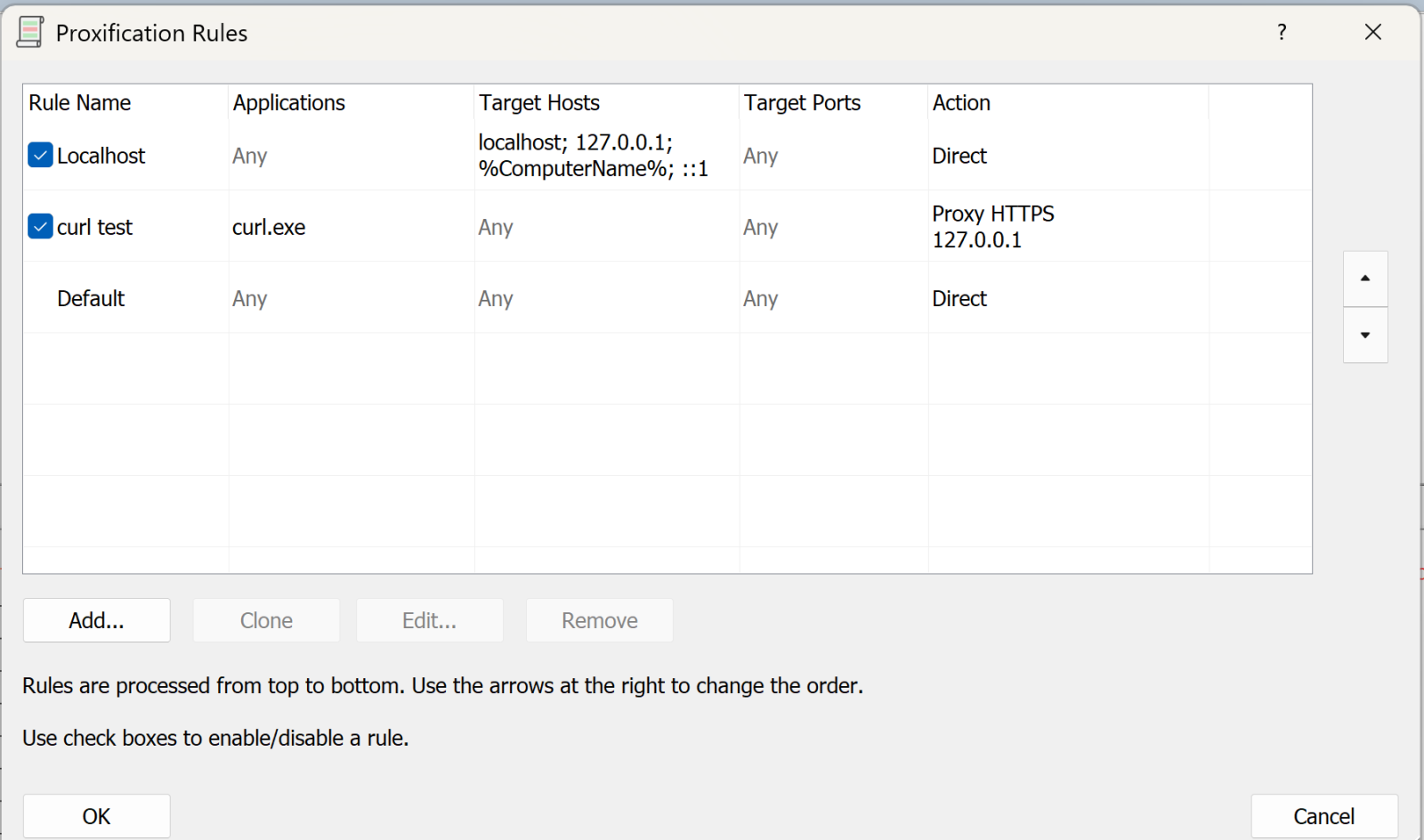
Next, we’ll set up the rules:
The first rule says “anything to my own machine, send direct”. Given how much loopback cruft happens on a typical Windows box, this rule is gold (unless that’s what you are looking for that is).
The second rule is “anything from curl.exe, send to the proxy we just defined” (or whatever your executable is).
You can have multiple of these rules doing different things.
The final rule is “everything else, send direct”
Now, let’s run a test with curl:

(and so on)
On proxifier, you see the transaction happen in real time:
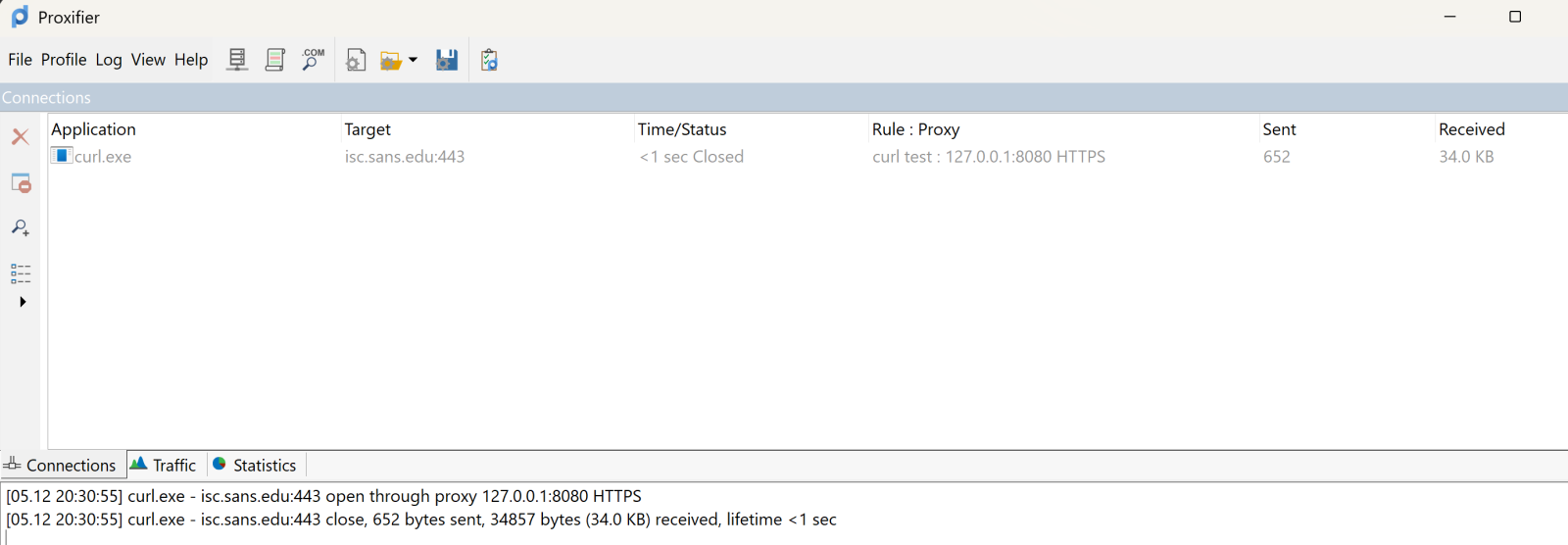
The top pane shows the executable, target and so on. It’s somewhat ephemeral, it’ll show the live view, then will go grey after the transaction complets, then after a few second disappears. The bottom pane scrolls in a more “log like” manner.
Over in Burp, you see all the business that most sites have as their lead page:
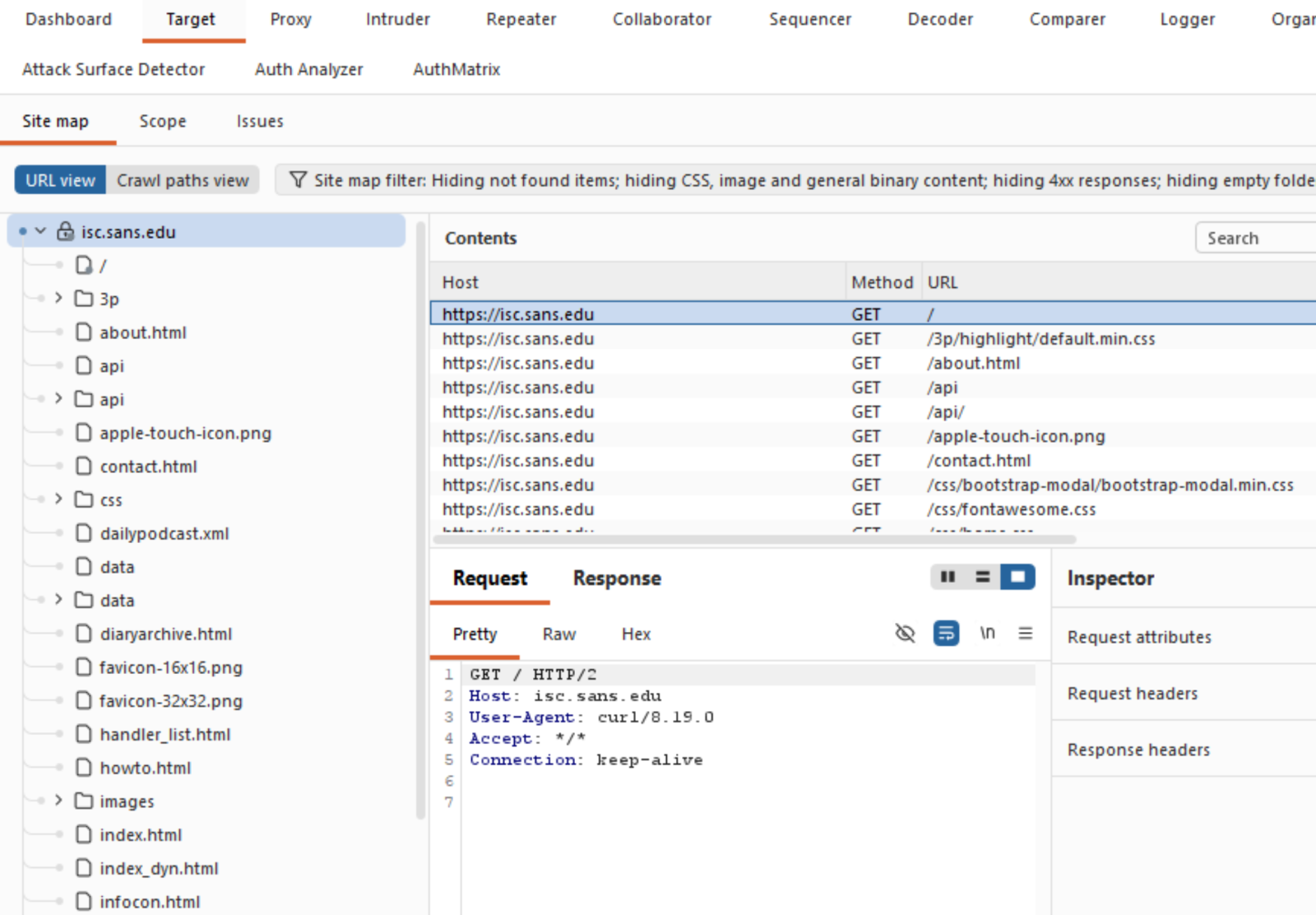
Which is exactly what you need, and can't get these days from a packet capture!
What else does Proxifier do? It also spits out a configurable log file, you can configure what’s in the logs and where to send it:
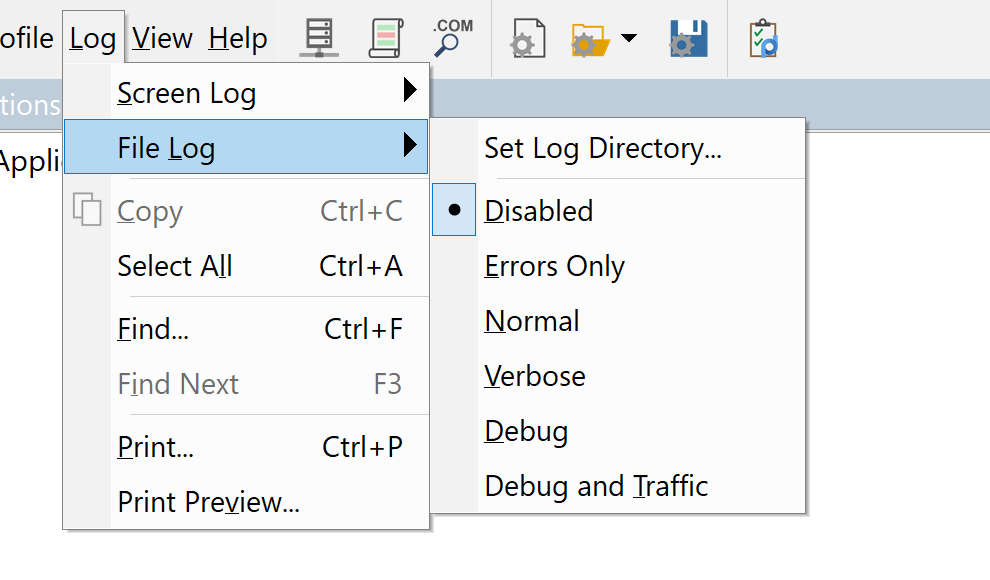
You can set similar sensitivity on the live on-screen log.
All in all, this tool was a life-saver for me, I’ve used it for a few years now and keep coming up with things that it can bail me out of!
Got a cool use for a tool like this? Give it a try and share your experiences in our comment form below (please keep any NDA’s in mind).
Do you have a similar or better tool for this, again, by all means share in our comment form!
===============
Rob VandenBrink
[email protected]
此内容由惯性聚合(RSS阅读器)自动聚合整理,仅供阅读参考。 原文来自 — 版权归原作者所有。