







Assumed Audience
People who are curious about digital gardening but don’t have a background in programming or web development.
Up until recently, the idea of Digital Gardening
A Brief History & Ethos of the Digital Garden
A newly revived philosophy for publishing personal knowledge on the web was unknown outside the world of web development. If you’re new to the idea of digital gardening I suggest you read my essay on the history and ethos of it first. All of the early gardeners were web developers to some degree – we all knew our way around a GitHub repo, could paste commands into the terminal, and hack things together enough to get an experimental website up and running.Because the movement began with a technical crowd, all the initial tools assumed a certain level of knowledge around HTML/CSS, JavaScript, DNS redirects, and static site generators.
My own collection of digital gardening tools on GitHub will point you towards various frameworks and plugins designed for gardening… but most of the solutions require a reasonably high level of technical literacy.
I kept receiving messages from folks who desperately wanted to get in on the gardening action, but described themselves as “non-technical.” I want to acknowledge calling anyone non-technical is controversial, since it suggests some people are inherently unable to code or wade through complex digital tools. I obviously don’t believe that’s the case, but want to recognise some folks feel less comfortable programming and troubleshooting digital systems than others. I hated telling these folks I didn’t know how to help them.
Thankfully, that’s starting to change. Over the last year, a number of tools have popped up that make it much easier to plant a digital garden without touching code. As the idea of digital gardening spreads , these accessible services will become critical. The gardening gates are finally opening so more folks can cultivate their own corner of the web.
Gardening with Notion
Notion is one of the easiest and quickest ways to start building a digital garden when you’re not code-savvy.
Notion claims it’s a note-taking app for teams – a shared space for documentation and planning. Which it is. However, it’s also secretly one of the best tools for building no-code websites.

Think of Notion as Google Docs on steroids. It allows you to create pages of text using plain markdown. You can then style that text, create multi-column layouts, add images, embed links, and build spreadsheets in the middle of a document. You can also link these pages together, which begins to make Notion look strangely like a simple website builder. 🤔
I won’t go into the details of how to use Notion here. If you’re new to Notion I recommend you watch this intro video (8 mins), play around in the app for a bit, watch their advanced tutorial (13 mins), then watch How to Publish Notion Pages to the web. This should give you the 80/20 on how Notion works.
The two killer features that make digital gardening possible in Notion are backlinks and share to web.
Backlinks are a fairly new feature in Notion. They make it possible to create Bi-Directional Links
A Short History of Bi-Directional Links
Seventy years ago we dreamed up links that would allow us to create two-way, contextual conversations. Why don't we use them on the web? between pages, meaning each page shows which other pages are linked to it. This allows you to build up deeply interlinked content – one of the hallmarks of a digital garden. People browsing your garden can jump between related pages anywhere on the site, rather than only being able to navigate posts in chronological order.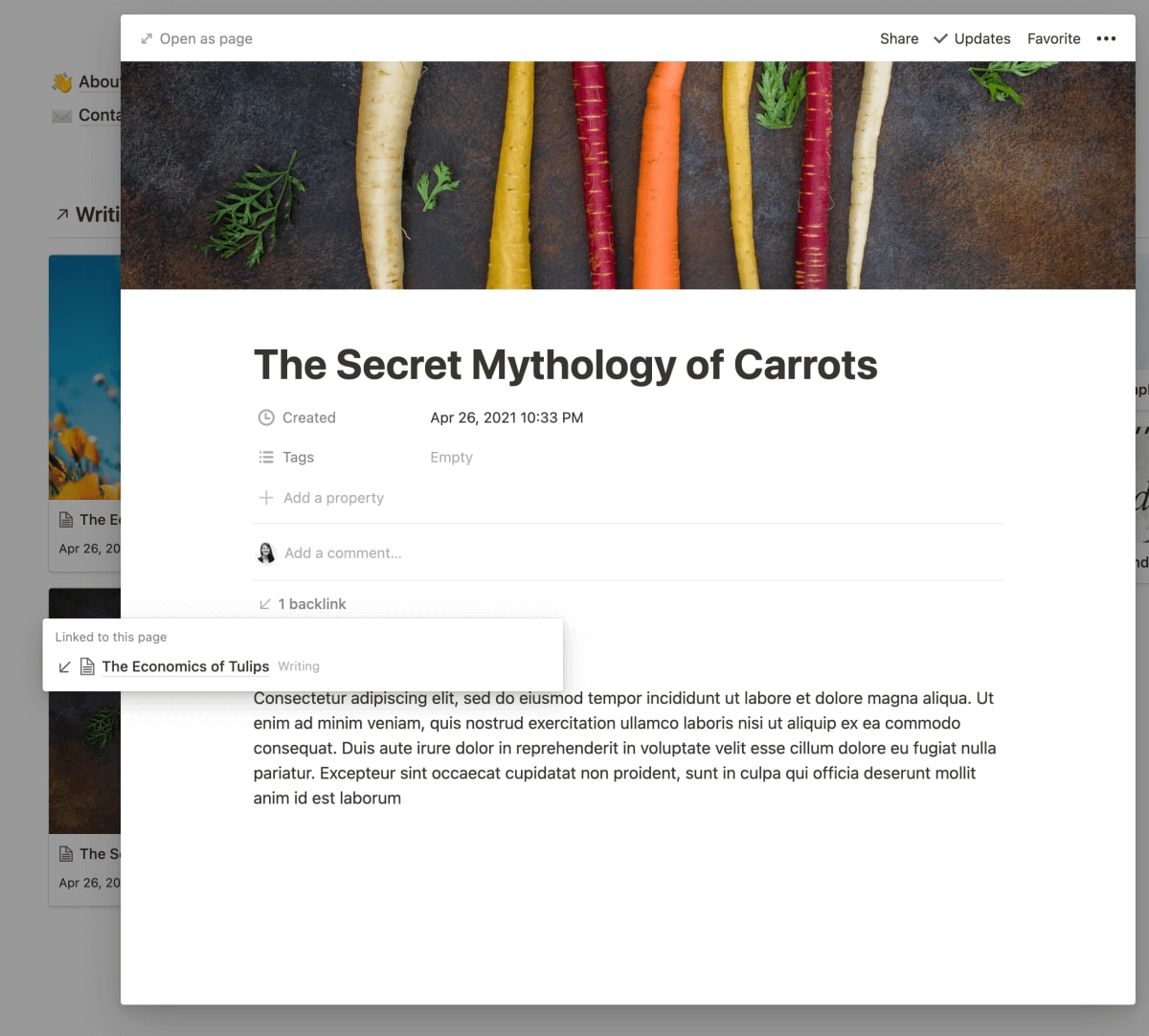
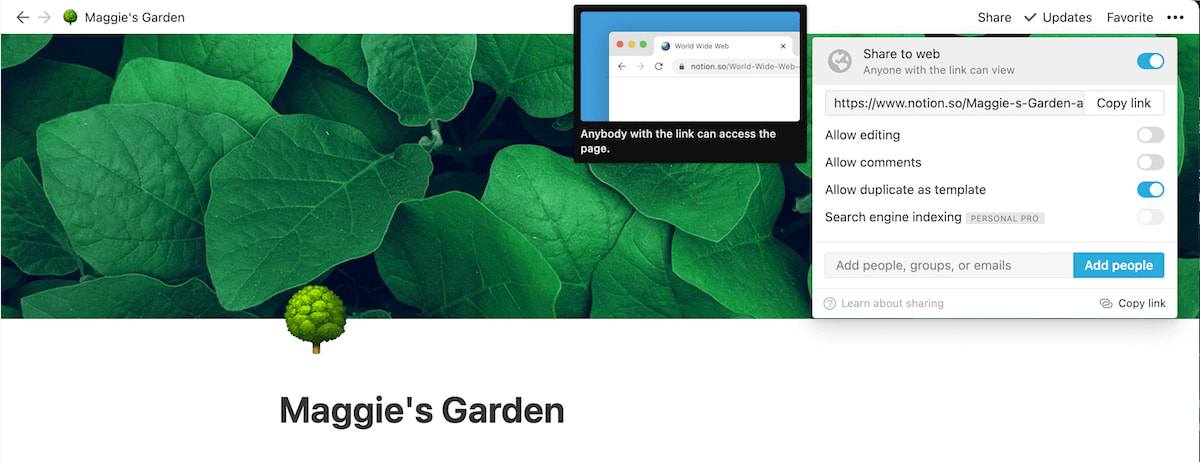
The second important feature is the Share to Web button. This allows you to create a Notion document and publish it to the web in one click. Anyone can visit that link and view your document. You now essentially have a website without needing to worry about hosting, domains, web frameworks, or a CMS. 👏 Slow 👏 Clap 👏
You can find Notion’s Share to Web feature under the Share menu in the top right corner of each page.
I went ahead and built a very small, pretend digital garden to show you how this might work. I created a few basic pages (about and contact me), and built two databases – one for writing and one for books. Here’s the live version you can poke around.
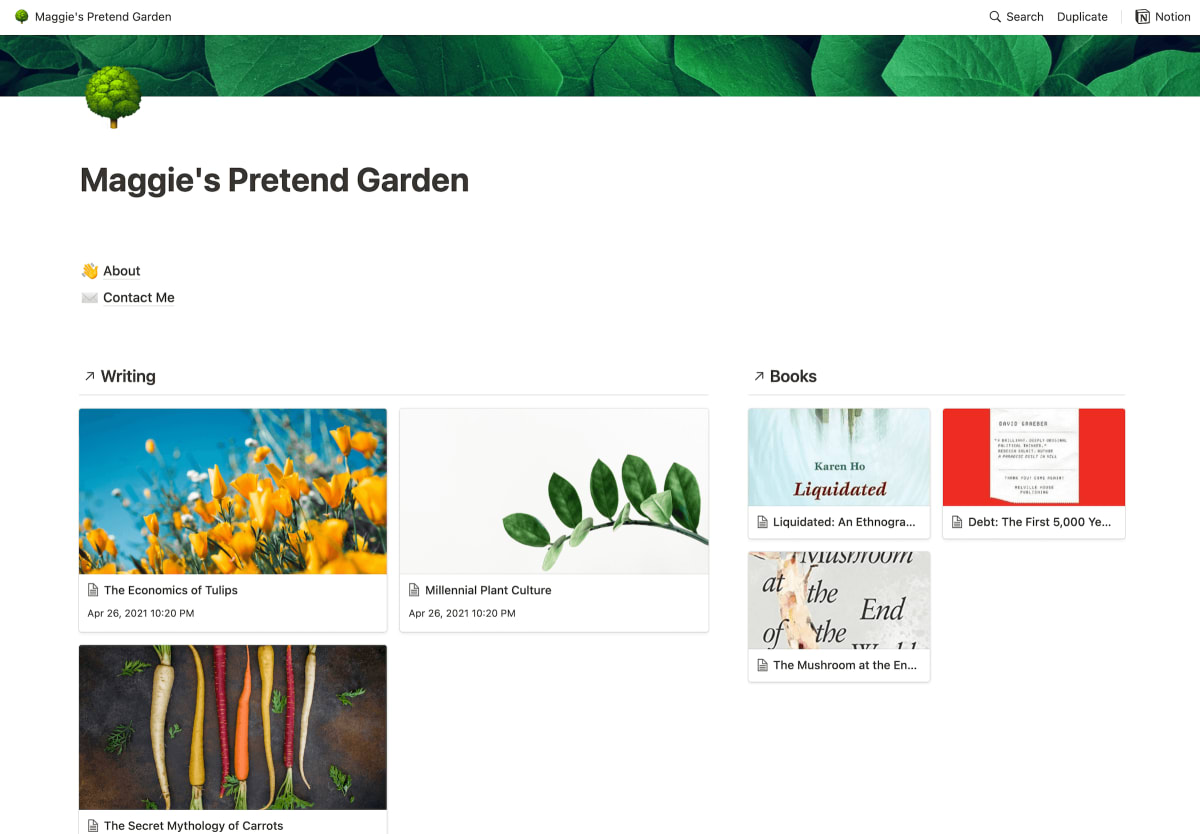
This example is very basic, so it will probably help to look at more fully grown Notion gardens like Philip in the Woods and Chinarut’s Digital Greenhouse .
Notion’s Downsides – SEO, Speed, and Domain Names
There are three major issues with using Notion as a website or digital garden:
- Poor SEO – Notion pages aren’t designed for search engine optimization (SEO). This means anything you publish to your garden won’t be easy to find via search engines like Google or DuckDuckGo. This might not seem like a big deal, but it means people who would find your content useful and relevant might never find it.
- Slow Speeds – Notion isn’t optimised for speed. It can be very slow to load on mobile devices. If you have a lot of images on your Notion garden this slows things down even more.
- No Custom Domain Names – Your domain name is the URL people type into their address bar to get to your site (eg. gardening.com). Having a domain name that is memorable and not too long makes it easier for people to remember the address and share your site with others. When you build a garden on Notion, you can’t choose your own domain name.
Solutions: Notion-as-a-Website Services
Luckily, there are solutions to all the disappointing issues I just described.
Three services have appeared that help you turn your Notion into a more legitimate website with SEO indexing, faster pages, and custom domain names: Fruition (free, but a little technical to setup), Super ($12/month) and Host Notion ($5/month) None of these services have paid me to recommend them, and those aren’t affiliate links. I haven’t personally used them myself, so take a look at each option and decide for yourself.
Notion is also responding to the fact more people are using it as a website-builder and improving these problems. They recently added SEO indexing if you pay for the Personal Pro plan ($4/month), and are reportedly working on custom domains and speed improvements. I wouldn’t be surprised if they strategically lean into this Notion-as-a-Website trend in future product features.
Gardening with Obsidian
Obsidian is a fairly new app that’s primarily a private knowledge base, but also allows you to publish a selection of your notes as a public website.
It has many of the fancy features we’ve come to associate with the “ tools for thought ” space, building Second Brains , and digital gardening. These include Bi-Directional Links
A Short History of Bi-Directional Links
Seventy years ago we dreamed up links that would allow us to create two-way, contextual conversations. Why don't we use them on the web? , hover previews, and visual graph overviews.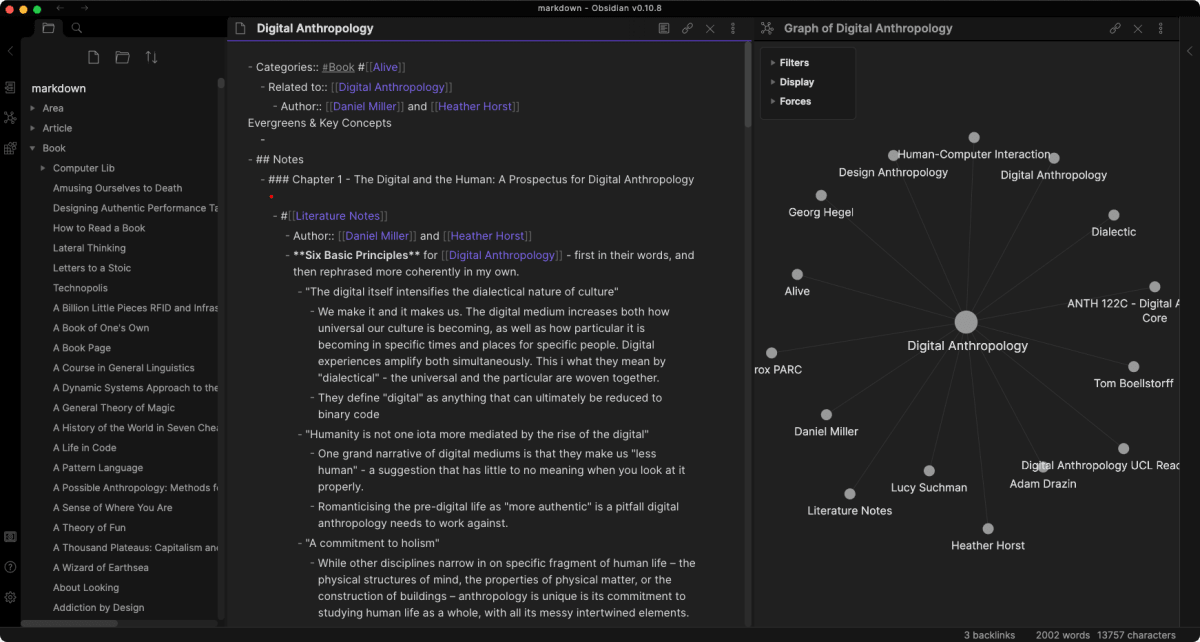
It also requires very little technical know-how to use. All your writing is stored as simple markdown files, so importing and exporting notes from other apps is easy.
The private notes app is free to use, but if you want to publish your notes to the web it’s $8 per month. Moby Diction ’s garden and Joschua’s Garden are both good examples of what a live Obsidian site looks like.
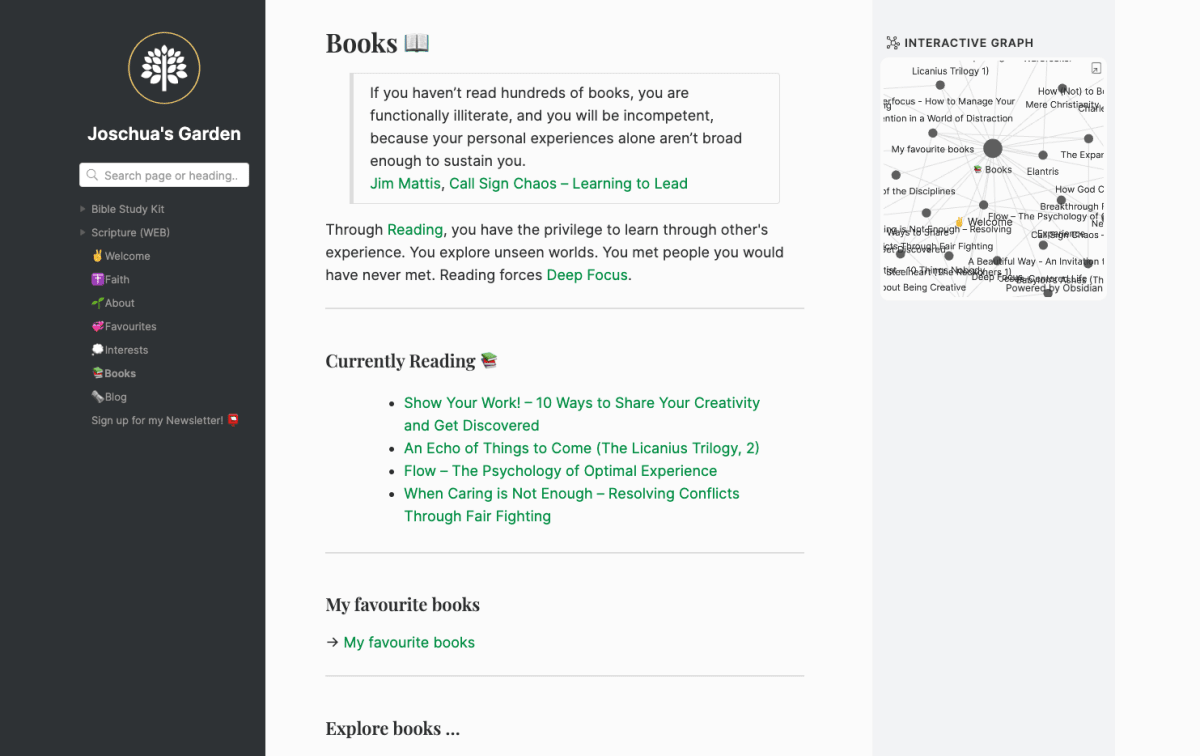
You have some control over over the visual presentation of your Obsidian website, but it’s limited by your skills with CSS. Cascading Style-Sheets are the way we apply visual styles to websites. If you’ve never written any, I’d highly recommend working through Khan Academy’s short Intro to HTML/CSS course. It will make a world of difference helping you understand the basics of how a webpage works. They have a few basic themes you can pick from, so it’s up to you how much time and effort you want to invest in customising it.
My only bugbear with Obsidian is that it’s obsessively text-focused, and doesn’t give you much space to play with images, visual styles, or layouts. Some people will consider this a feature, not a bug. 🙃 I personally find the format restrictive, but it’s part of my much larger gripe with the note-taking space and its obsession with linear text
The Linear Oppression of Note-taking Apps
What we lose when our digital notes remove the freedom to move .Overall, Obsidian is a great option for anyone who wants to keep their garden simple, non-technical, and get up and running quickly. I think it has a bright future given the enthusiastic community rallying around it.
Gardening with Roam
Roam Research is one of the cornerstones of the digital gardening movement and its associated philosophies of knowledge graphs, zettelkasten, and learning in public.
Roam is primarily used for private note-taking, but also allows you to publish publicly visible knowledge graphs others can browse.
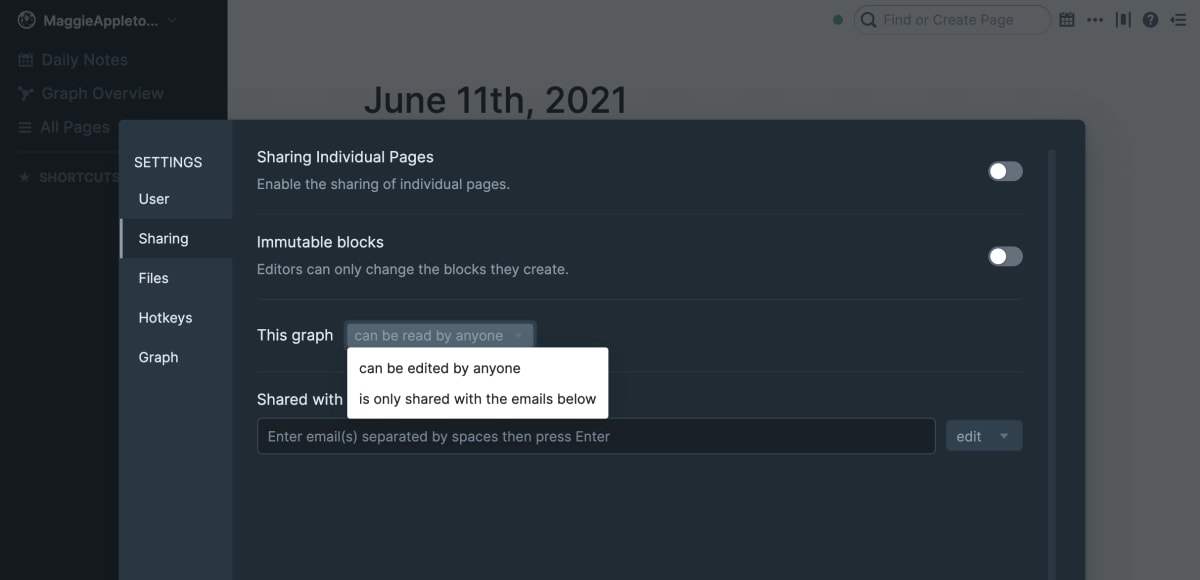
Roam is an easy way to make a quick digital garden, but it leaves a lot to be desired in terms of aesthetics and the experience for people who come to your Roam graph. There’s not a lot of easily visible context around who’s graph this is, what they write about, and how to navigate the space.
Roam Garden is a new service that helps solve a lot of these problems. It allows you to use Roam as your source of notes and selectively sync a section of your graph to the public web in a format that is much friendlier for visitors. You can land them on a homepage that explains how to browse and gives them a few entry points.
If you’re already using Roam as your primary note-taking space this system might be your best bet. It’s $7.50 per month and is a big aesthetic step up from using Roam directly.
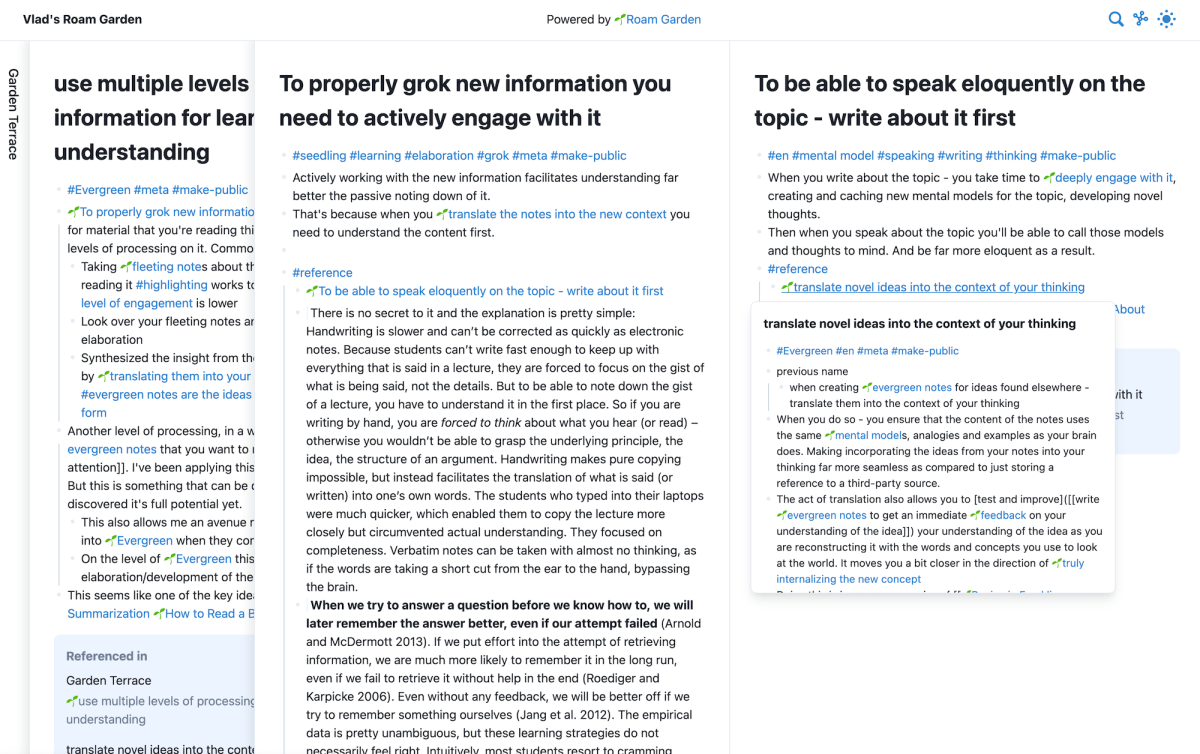
The only limitation of this system is that the visual formatting is fairly strict. It’s similar to Obsidian in that you can’t do much customisation of layout or styling. It does however include all the “standard” features like link previews, sliding windows, a visual graph, and (of course) backlinks between pages.
Here’s an example website built with Roam Garden. As Roam Research grows, I expect services of this nature will develop alongside it.
What Gardens are Not
I want to add a final note on here: we should be careful not to mistake the technical features of a garden for the ethos of gardening. We have reached the point in the gardening hype train where people seem to think backlinks, hover previews, and visual graphs are what define a “digital garden.”
This is misguided. Gardening is a practice that treats a personal website as a constantly evolving landscape where you develop your ideas in public.
Gardens are…
a) Explorable, rather than structured as a strictly linear steam of posts. This is usually achieved through deeply interlinking notes where readers can navigate freely through the content.
b) Slowly grown over time, rather than creating “finished” work that you never touch again. You revise, update, and change your ideas as they develop, and ideally find a way to indicate the “done-ness” state to your reader.
No framework, platform, plug-in, service, or fun interface element defines a garden, and never will. Do whatever works for you, at whatever technical level feels comfortable. Just keep gardening 🪴