



惯性聚合 高效追踪和阅读你感兴趣的博客、新闻、科技资讯
阅读原文 在惯性聚合中打开

推荐订阅源

Exploit-DB.com RSS Feed
A
About on SuperTechFans
IT之家
IT之家
让小产品的独立变现更简单 - ezindie.com
Blog — PlanetScale
Blog — PlanetScale
aimingoo的专栏
aimingoo的专栏
云风的 BLOG
云风的 BLOG
The GitHub Blog
The GitHub Blog
Vercel News
Vercel News
G
Google Developers Blog
J
Java Code Geeks
宝玉的分享
宝玉的分享
T
Tailwind CSS Blog
Cloudbric
Cloudbric
L
LINUX DO - 最新话题
MyScale Blog
MyScale Blog
H
Heimdal Security Blog
PCI Perspectives
PCI Perspectives
Attack and Defense Labs
S
Security @ Cisco Blogs
Latest news
Latest news
I
Intezer
L
Lohrmann on Cybersecurity
C
CXSECURITY Database RSS Feed - CXSecurity.com
月光博客
月光博客
T
Threatpost
博客园 - 【当耐特】
S
Schneier on Security
P
Privacy International News Feed
G
GRAHAM CLULEY
T
Tenable Blog
AWS News Blog
AWS News Blog
Threat Intelligence Blog | Flashpoint
雷峰网
雷峰网
博客园 - Franky
Engineering at Meta
Engineering at Meta
美团技术团队
S
Secure Thoughts
T
Troy Hunt's Blog
Microsoft Security Blog
SecWiki News
SecWiki News
V
Visual Studio Blog
人人都是产品经理
人人都是产品经理
Application and Cybersecurity Blog
Cisco Talos Blog
Cisco Talos Blog
奇客Solidot–传递最新科技情报
奇客Solidot–传递最新科技情报
Martin Fowler
Martin Fowler
Webroot Blog
Webroot Blog
Google DeepMind News
H
Hackread – Cybersecurity News, Data Breaches, AI and More

Maggie Appleton

The Dark Forest and Generative AI One Developer, Two Dozen Agents, Zero Alignment Gas Town’s Agent Patterns, Design Bottlenecks, and Vibecoding at Scale January 2026 | Maggie Appleton A Treatise on AI Chatbots Undermining the Enlightenment A Brief History & Ethos of the Digital Garden Vibe Code is Legacy Code May 2025 | Maggie Appleton Home-Cooked Software and Barefoot Developers Statistically, When Will My Baby Be Born? Speculative Calendar Events ChatGPT Would be a Decent Policy Advisor March 2025 | Maggie Appleton The Expanding Dark Forest and Generative AI Humanity's Last Exam Squish Meets Structure Common Misconceptions in AI Undetected AI Exam Answers Unbaited Smidgeons Growing a Human: The First 30 Weeks How to Import Academic Papers from Zotero into Tana December 2024 | Maggie Appleton Aesthetic Command Lines with Hyper, Spaceship, and Oh My Zsh Leaving Elicit July 2024 | Maggie Appleton A Short History of Bi-Directional Links The Pattern Language of Project Xanadu Assumed Audiences Ambient Co-presence On Opening Essays, Conference Talks, and Jam Jars Spinning Worlds, Seasickness, and Dealing with Vestibular Neuritis A Collection of Design Engineers Gathering Structures Daily Notes Pages Historical Trails December 2023 | Maggie Appleton September 2023 | Maggie Appleton Digital Gardening for Non-Technical Folks Language Model Sketchbook, or Why I Hate Chatbots June 2023 | Maggie Appleton Computational Notebooks Folk Interfaces Reverse Outlining with Language Models Command K Bars Spatial Web Browsing A Picture Worth a Thousand Programmes Programmable Notes Programming Portals Teenage Skeuomorphic Desktop Designs Growing the Evergreens Why You Own an iPad and Still Can't Draw A Brief Introduction to Digital Anthropology Transclusion and Transcopyright Dreams The Block-Paved Path to Structured Data Empty Pointers and Constellations of AI Metaphors We Web By The Gift Economy Epistemic Disclosure November 2022 | Maggie Appleton Joining Ought July 2022 | Maggie Appleton The Linear Oppression of Note-taking Apps Paleolithic Nostalgia Interoperable Personal Libraries and Ad Hoc Reading Groups The Finest Narrative Non-Fiction Essays Algorithmic Transparency October 2021 | Maggie Appleton Plebeian Programming with Keyboard Maestro The Cultural Anthropology of React August 2021 | Maggie Appleton Natureculture, Moral Purity, and Cultural Boundaries The Echo & Narcissus Writing Club Pink, Soft, Glittering Developers Fetishism & Mechanical Keyboards Making Programming Visual, Spatial, and Learnable Organic, Local, Artisan Data Storage Positioning Elements & Scrollytelling in CSS Painting Roam Research with Custom CSS A Digital Anthropology Reading List The Eponymous Laws of Programming A History of Cyborgs Neologisms GreenSock Animations with React Hooks The Bare Essentials of Greensock September 2020 | Maggie Appleton Illustrating Gatsby's Key Concepts Problematic Proteins New Harvest & Illustrating the Cultivated Meat Podcast Synecdoche: Drawing the Part for the Whole A Meta-Tour of This Site Douglas, Dirt, and Matter Out of Place The Knowledge Hydrant A Naïve Exploration of Computer-Supported Collaborative Learning Silent Synchronous Reading Sessions What the Fork is React Suspense? Visually Workshopping the AWS Cloud Are Data Unions the Future of Data? Pattern Languages in Programming and Interface Design A Metaphorical Reading Collection
What App is That?
Maggie Appleton - indieweb.social/@maggie · 2023-01-20 · via Maggie Appleton

“What app is that?”

I get asked this question at least once a day on Twitter. People are always keen to hear what tools I use to make illustration. It’s frankly daft it’s taken me this long to just write a note about it rather than answering a thousand people individually.

I use wide variety of different tools and apps for different kinds of visual creations. I’m not wedded to any one tool in particular – they all have their strengths and weaknesses. I’ll use whatever fits the task at hand and move work between them liberally.

Here’s all the apps and hardware that might be involved in a particular creation…

Workflows

And here’s a couple of my common workflows for different styles of illustrations and visuals…

1. Illustrated notes

Anything I make that has a painterly and loose hand-drawn feel was made in Procreate on the iPad or Photoshop on the Wacom Cintiq. Or probably a combination – it’s easy to move files back and forth between the two and the tools they offer are very similar.

Illustrations like these…
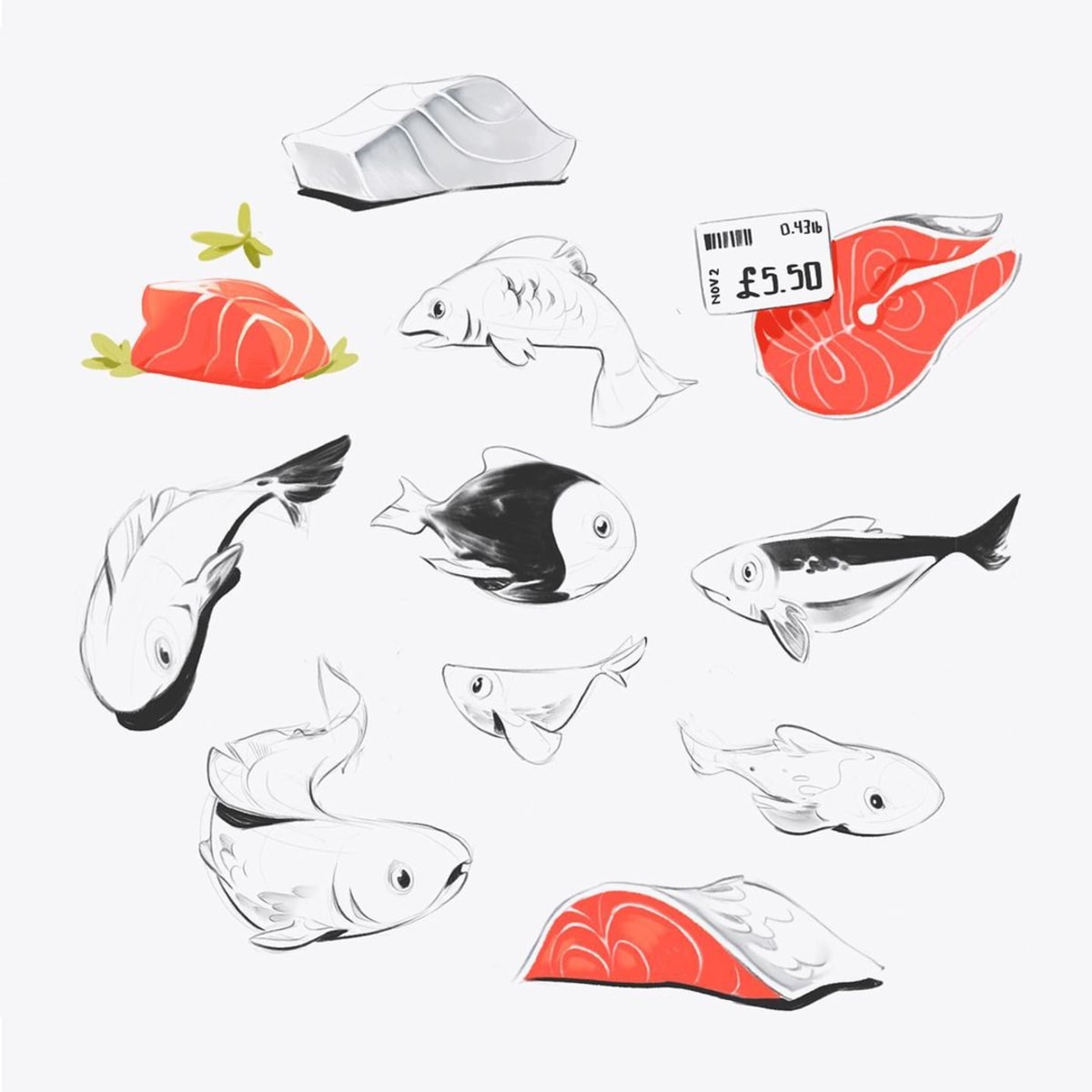
Both of these applications allow you to draw in “raster” graphics, meaning you paint pixels onto a canvas. They require a decent level of hand-skills to make sure your lines aren’t wobbly, although both applications have smoothing features to help with that.

When I’m in Procreate I use a small selection of brushes I’ve gathered over the years. It’s hard for me to remember where they’re all from, and I’ve customised the majority of them to suit my personal prefs. Most of them were originally from Max Ulichney’s MaxPacks brushes. I have the essentials set ($2), the painters set ($8), and the comics set ($15), and can vouch they’re all great.

A screenshot of my iPad with Procreate open and my brushes panel displayed

I move these pieces to Photoshop if I want to work on a larger screen, or have accidentally enlarged the canvas to a 14000px wide sprawling set of sketches that Procreate can’t open without crashing.
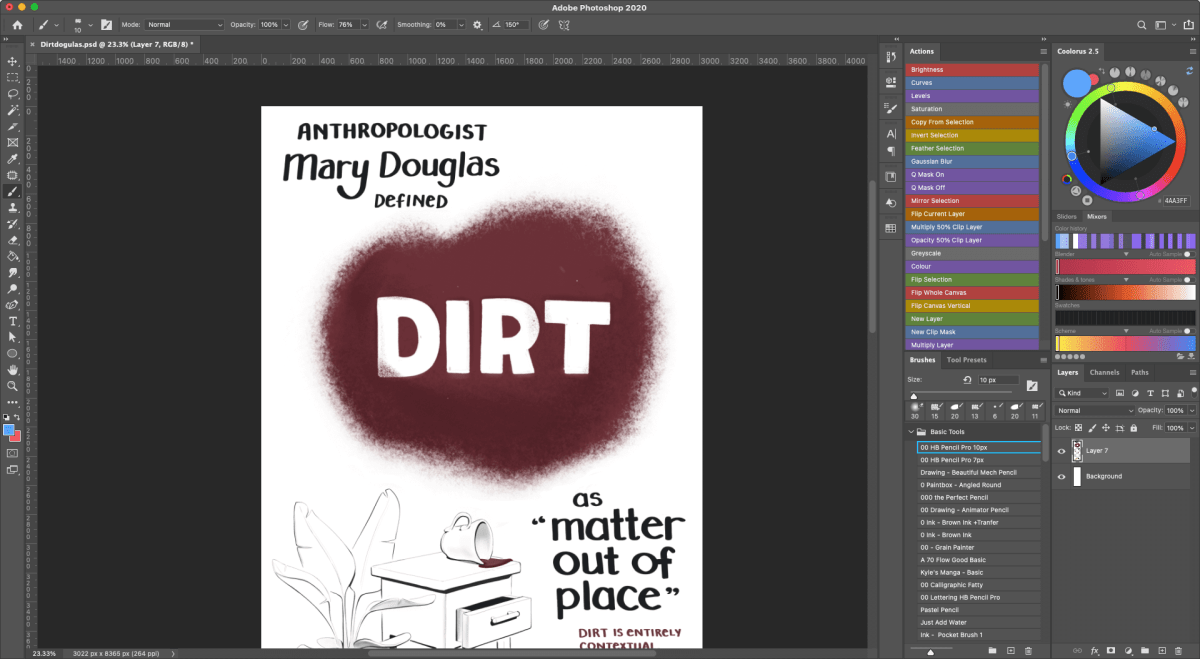
A screenshot of my Photoshop setup

2. Polished vector illustrations

Illustrations that look more “polished” are made primarily in Adobe Illustrator, with a touch of Photoshop at the end for lighting effects and texture.

Pieces like these…

These illustrations are all vector-based, meaning we use mathematical curves to define their shapes, rather than painted pixels. Vectors are great for create hard, crisp edges and working with perfect geometric forms.
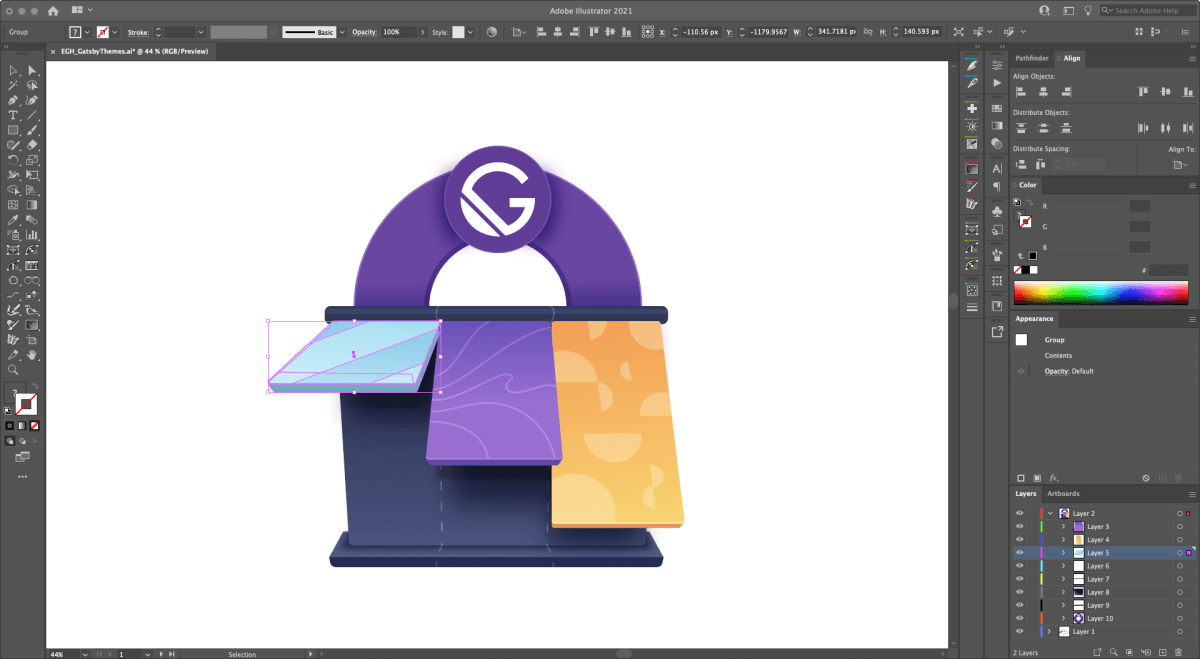
A screenshot of my Adobe Illustrator setup with one of my illustrations on the canvas

While I love vectors for laying down the foundation shapes of these, I’ll move them over the Photoshop once they’re 90% done to adjust the colors, add more subtlety to the lighting and shadows, and chuck a bit of texture on the top so they feel more tangible.