


June 2, 2021
In the evening I installed Docker Desktop on my Mac mini late 2014. Years ago I had looked into Docker for Mac and back then it was not that useful to me, so I stayed with Oracle's VirtualBox. Today I wanted to give docker a second chance and check if I could use it to run Pandoc inside a container to generate a PDF version of my résumé and curriculum vitae.
Installing Docker Desktop for Mac
After I had downloaded the installer, about 600MB, I opened it and macOS verified the downloaded file which took quite some time.
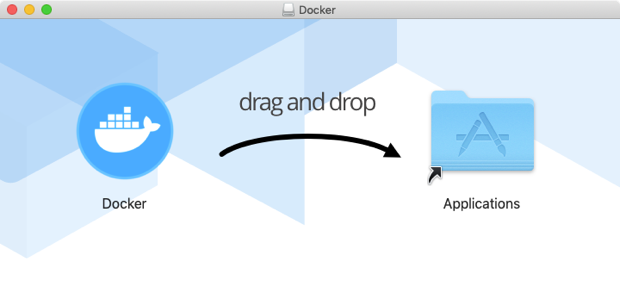
Next, I dragged the Docker icon and dropped it on the Applications folder shown in the installer dialog. The installation process took a few minutes.
Next, I started the Docker.app by double clicking it in the Applications folder. Another, faster, verification step took place and a dialog popped up asking me if I was sure I wanted to open Docker. I clicked the "Open" button and another warning popped up:
Docker Desktop needs privileged access to install its networking components and links to the Docker apps.
You will be asked for your password.
After I had confirmed this action with my password Docker opened a large window with the message "Docker Engine starting...". This also took quite some time.
Testing Docker for Desktop with resume-pandoc
Back in 2016 I made a résumé LaTeX template for the universal document converter Pandoc. To test Docker on my Mac mini I considered this a good candidate especially as there is already an official Docker image: pandoc/latex.
To get started, I first cloned my own GitHub repository as follows:
git clone https://github.com/john-bokma/resume-pandoc.git
This creates a new directory resume-pandoc. Next, I changed into
this directory:
cd resume-pandoc
Next, I ran the following Docker command:
docker run --rm --volume "`pwd`:/data" --user `id -u`:`id -g`  \
    pandoc/latex perl-programmer-john-bokma-resume.md \
                 -f markdown+yaml_metadata_block \
                 --template templates/jb2resume.latex \
                 -o perl-programmer-john-bokma-resume.pdf
Because this was the first time I ran this command Docker downloaded
the latest image for pandoc/latex. After the downloading had
finished I got the following error message:
Error producing PDF.
! LaTeX Error: File `enumitem.sty' not found.

Type X to quit or <RETURN> to proceed,
or enter new name. (Default extension: sty)

Enter file name:
! Emergency stop.
<read *>

l.14 \usepackage
This means that the package enumitem, which my resume requires, is
missing from the official pandoc/latex image. So I created my own
Dockerfile with the following contents:
# syntax=docker/dockerfile:1
FROM pandoc/latex:latest
RUN tlmgr update --self && tlmgr install enumitem
This uses the TeX live manager to install the enumitem
package. Next, I ran:
docker build --tag=resume-pandoc .
To create my own Docker image with the missing package included.
Next, I ran the following Docker command. Note that I use the name of
the newly created Docker image which includes the enumitem package:
docker run --rm --volume "`pwd`:/data" --user `id -u`:`id -g` \
    resume-pandoc perl-programmer-john-bokma-resume.md \
                  -f markdown+yaml_metadata_block \
                  --template templates/jb2resume.latex \
                  -o perl-programmer-john-bokma-resume.pdf
This resulted in another error: the sectsty package could not be
found:
Error producing PDF.
! LaTeX Error: File `sectsty.sty' not found.

Type X to quit or <RETURN> to proceed,
or enter new name. (Default extension: sty)

Enter file name:
! Emergency stop.
<read *>

l.58 \sectionfont
So I updated the Dockerfile to include this package as well:
# syntax=docker/dockerfile:1
FROM pandoc/latex:latest
RUN tlmgr update --self && tlmgr install enumitem sectsty
And rebuild the Docker image using:
docker build --tag=resume-pandoc .
After this, I ran the Docker run command again:
docker run --rm --volume "`pwd`:/data" --user `id -u`:`id -g` \
    resume-pandoc perl-programmer-john-bokma-resume.md \
                  -f markdown+yaml_metadata_block \
                  --template templates/jb2resume.latex \
                  -o perl-programmer-john-bokma-resume.pdf
And this time a PDF version of my résumé was created inside the
resume-pandoc directory.
Although this was just a small test it has convinced me to put Docker to actual use on my Mac.
Related
- Docker Alpine Latext texmf-dist styles not found.
- tlmgr - the native TeX Live Manager.