


With the release of version 5.71.0 Ghost added the recommendations feature, publishers can share their favorite sites with their readers and, likewise, be recommended by other publications. Unlike some other platforms Ghost's recommendations system is built to be compatible with any platform, website, or publisher, so you can recommend whoever you like.
How Ghost's recommendations work?
Under the hood, Ghost's recommendations feature is built on the Webmention open standard, which means recommendations aren't limited to any single platform — but extend to every site on the web.
Recommendations also make it possible for readers to subscribe to recommended publications with a single click. This feature is currently exclusive to Ghost sites, but it's possibly going to be possible to integrate it with other platforms too.
Here are some key things happening:
- In Ghost, the recommendations modal is shown automatically whenever a new member
subscribes to a Ghost publication. You can see the modal using the link:
https://yoursite.com/#/portal/recommendations - Adding a recommendation will trigger a check to see if the recommended site has Webmentions enabled. Ghost only notifies sites about your recommendation if they have a Webmention endpoint that can receive it.
- Your site receives recommendations in the same way as described above but as the recipient. Ghost automatically adds a link tag to your publication to inform other sites about your Webmention endpoint. Once the incoming recommendation is verified, it's added to Ghost Admin and you receive a notification.
Built-in recommendations
Ghost comes with all the tools to manage and show your recommendations, you don't have to add anything to your Ghost theme for this.
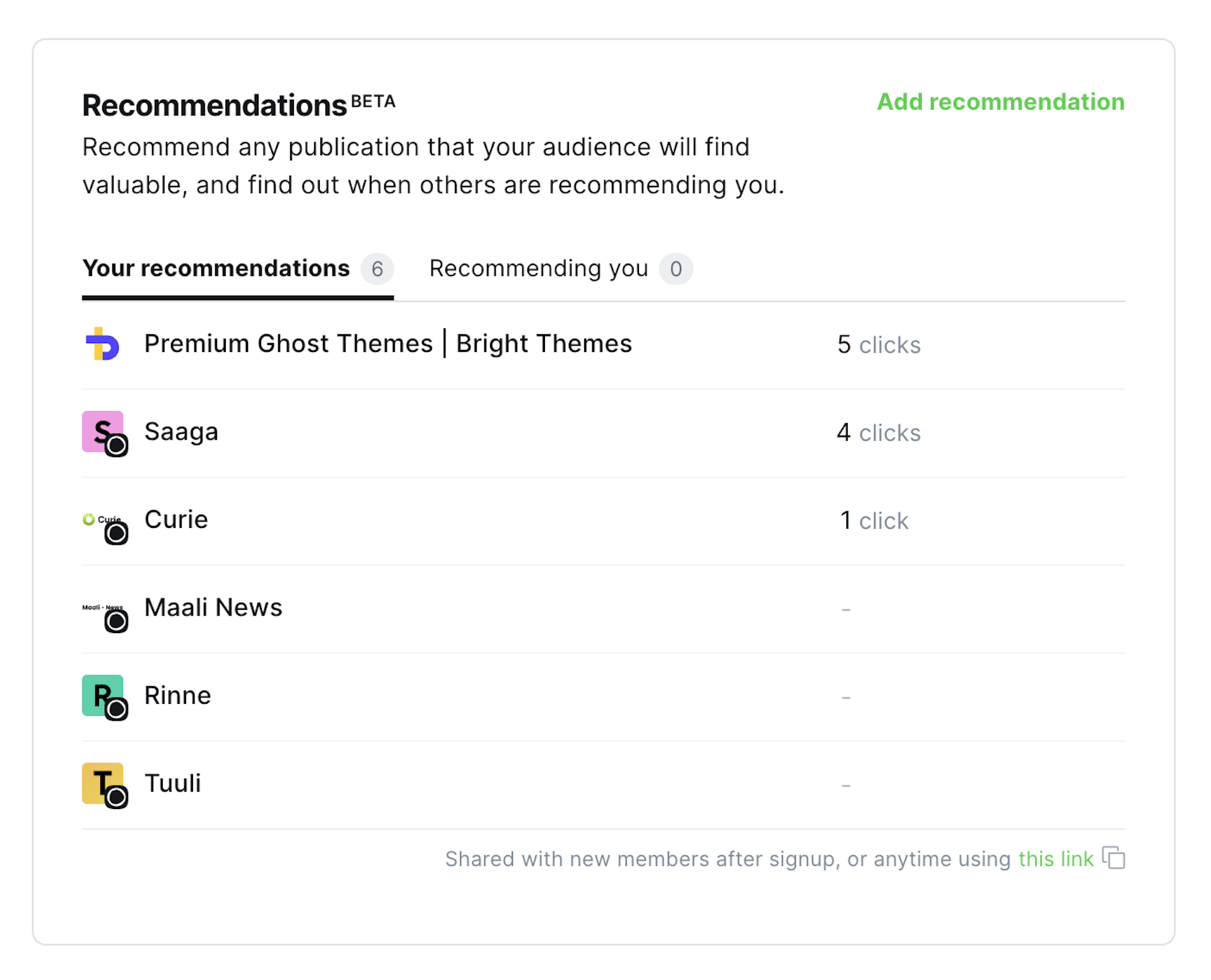
You can mange your recommendations in the Ghost Admin > Settings > Recommendations
(#/settings/recommendations).
You have two tabs:
- Your recommendations - listing all the sites you have recommended, including the number of clicks each has received
- Recommending you - list of sites and publications recommending your site
There is also a button to Add recommendation, where you have to provide the URL of the site you want to recommend, any website not just those published on Ghost.
Additionally, the Ghost Portal was extended to include recommendations, here's
the link to access it: #/portal/recommendations
Recommendations in Ghost themes
Recommendations can also be natively integrated into any Ghost theme, for this
two new helpers were introduced: {{recommendations}} and {{readable_url}}.
Recommendations helper
The {{recommendations}} helper can be used anywhere in your theme and it will
output a list of recommended sites based on the default template
provided by Ghost.
Alternatively, you can override the default template altogether with a custom one
by adding a file called recommendations.hbs to the theme's /partials/ folder.
The recommendations helper accepts the following attributes:
- limit - set the maximum number of recommendations to display, the default is
5. - order - set the order of recommendations based on any valid resource field, the default order is newest first ()
created_at desc) - page - when the total number of recommendations exceeds the number defined in limit, recommendations become paginated
- filter - use logic-based queries to filter recommendations
For more details, check out the official documentation.
Readable url helper
The {{readable_url}} helper outputs a human-readable URL. While this helper was
created for the output of recommended sites, it can be used anywhere else where
you need it.
What the helper does:
- removes the protocol (
https://) - removes
www - removes query parameters
- removes hash fragments
It doesn't remove any subdomains or pathnames.
The {{recommendations}} and {{readable_url}} helpers all you need to create
your own recommendations section or page.
Custom recommendations page
To create a custom recommendations page, we have to create a custom template with code for rendering recommended sites, assign the template to a route, styling the list. Now let's see each of those in detail.
Create a custom template
Create a new file in the root directory of your theme, for example: recommend.hbs
The template needs a few parts:
{{!< default>}}to inherit from your default template- a page title
- the recommendations
Here's what the file would look like:
{{!< default}}

{{#page}}
  <h1 class="page-title">{{t "Recommendations"}}</h1>
{{/page}}

{{recommendations}}
This would render the recommendations using the default Ghost template,
if you want to define your own markup and css classes create the recommendations.hbs
file in the /partials/ directory.
Create the route
Now that the template is ready, we have to create a new route.
For this we have to add a new entry in the routes.yaml file, under the routes: section:
  /recommendations/:
    template: recommend
This creates the /recommendations/ route and sets our recommend.hbs file as the template.
Note
If you are using Ghost locally, don't forget to restart Ghost.
Styling the recommendations
As mentioned already, you can overwrite the default recommendations template, in which case you can define your own CSS classes (ideal for something like Tailwind), this is what we did for the Bokeh theme, here's the demo.
If you are using the default Ghost template, there are a few CSS classes to target:
- recommendations - the
<ul>element class - recommendation - the
<li>element class - recommendation-favicon - the favicon class (has in
<img>inside) - recommendation-title - the title element class (
<h5>) - recommendation-url - the url element class (
<span>) - recommendation-description - the description element class (
<p>)
You can integrate the styles in your theme's assets or alternatively add the them in Code Injection:
<style>
.recommendations {
  /* Add your styling for the recommendations list */
}

.recommendation {
  /* Styling for individual recommendation */
}

.recommendation-title {
  /* Styling for the recommendation title */
}

.recommendation-favicon {
  /* Styling for the recommendation favicon */
}

.recommendation-url {
  /* Styling for the recommendation url */
}

.recommendation-description {
  /* Styling for the recommendation description */
}
</style>
Styles are not included here, but you have all the steps to create a custom recommendations page.
In conclusion, the new recommendations feature in Ghost offers publishers a powerful tool to engage with readers and discover new sites. Recommendations extend beyond the Ghost platform, making it compatible with any website or publisher.
With easy management in Ghost Admin, integration into Ghost themes, and the possibility of custom recommendations pages, publishers have the flexibility to tailor the feature to their needs.
Whether you want to share your favorite sites or receive recommendations for your publication, Ghost's recommendations feature provides a seamless and efficient solution.