惯性聚合 高效追踪和阅读你感兴趣的博客、新闻、科技资讯
阅读原文 在惯性聚合中打开

推荐订阅源

GbyAI
GbyAI
N
News and Events Feed by Topic
D
DataBreaches.Net
MongoDB | Blog
MongoDB | Blog
CTFtime.org: upcoming CTF events
freeCodeCamp Programming Tutorials: Python, JavaScript, Git & More
Engineering at Meta
Engineering at Meta
T
Tailwind CSS Blog
博客园_首页
Microsoft Azure Blog
Y
Y Combinator Blog
博客园 - Franky
Hugging Face - Blog
Hugging Face - Blog
月光博客
月光博客
A
About on SuperTechFans
I
InfoQ
S
Securelist
Last Week in AI
Last Week in AI
S
Schneier on Security
C
CXSECURITY Database RSS Feed - CXSecurity.com
Hacker News: Ask HN
Hacker News: Ask HN
Schneier on Security
Know Your Adversary
Know Your Adversary
腾讯CDC
大猫的无限游戏
大猫的无限游戏
S
Security @ Cisco Blogs
博客园 - 三生石上(FineUI控件)
Simon Willison's Weblog
D
Darknet – Hacking Tools, Hacker News & Cyber Security
T
Tor Project blog
美团技术团队
aimingoo的专栏
aimingoo的专栏
G
Google Developers Blog
罗磊的独立博客
Vercel News
Vercel News
Cyber Security Advisories - MS-ISAC
Threat Intelligence Blog | Flashpoint
The Cloudflare Blog
S
Secure Thoughts
www.infosecurity-magazine.com
Latest news
Latest news
Recent Announcements
Exploit-DB.com RSS Feed
cs.CV updates on arXiv.org
奇客Solidot–传递最新科技情报
奇客Solidot–传递最新科技情报
L
LINUX DO - 热门话题
Security Latest
Security Latest
TaoSecurity Blog
TaoSecurity Blog
Cyberwarzone
Cyberwarzone
有赞技术团队
有赞技术团队

Example blog

Ghost routing explained with routes.yaml examples — routes, collections & taxonomies Ghost redirects explained with practical redirects.yaml examples How to Serve JSON or XML Data in Ghost How to Change Your Default Post Template in Ghost Ghost Custom Theme Settings How to add Google Fonts to Ghost Themes How to Configure Ghost with Mailgun Ghost Theme Structure & Organization How to Make Custom Templates in Ghost Themes How to Install Ghost CMS via Ghost-CLI How to Add Syntax Highlighting to Ghost The best Ghost CMS hosting platforms Ghost 6.0 — Social Web and Native Ghost Analytics Ghost CMS Social web beta, email 2FA and more author social links How to keep custom design settings when updating your Ghost theme How to use the public preview card in Ghost How to add members-specific sections in Ghost How to customize the default content CTA in Ghost How to build a custom homepage in Ghost An overview of Ghost editor cards and and how they work Ghost CMS News: One-time payments & collecting sales tax How to customize the private site access template in Ghost How to add custom fonts in Ghost themes Ghost CMS News: Additional payment methods & internal linking How to use Code Injection in Ghost How to set meta data of your custom routes & collections in Ghost Ghost CMS News: TK reminders, ActivityPub and improvements How to format dates and use the date helper in Ghost Ghost CMS internationalization, custom fonts & spam protection Understanding and optimizing post and page settings in Ghost CMS Trigger the Ghost Portal popup based on page scroll progress How to Deploy Your Ghost Theme with GitHub Actions How to create a custom recommendations page for your Ghost CMS theme Ghost CMS News: New editor, refreshed settings & recommendations Ghost CMS News: Source - the new default theme and native image editing How to Add Different Logos for Dark & Light Themes in Ghost Upgrade to Node v18 for Ghost CMS & common errors Ghost Snippets: Adding Schema markup in Ghost How to add a scroll-based progress bar to your Ghost CMS site How to Create a Custom Navigation Template in Ghost How to Segment Subscribers with Member Labels in Ghost How to Use the Ghost Subscription Forms in Your Theme & Posts How to update your Ghost site URL when self-hosting Ghost CMS News: Signup cards and better landing pages How to Add Breadcrumbs to Your Ghost Theme How to integrate the Applause Button into your Ghost theme How to Hide a Post From the Home Page in Ghost CMS Ghost CMS block and contentFor helper overview & tips How to add Image Lightbox to Ghost Themes Ghost CMS News: Signup form embed, new editor and bulk actions. Biron Themes becomes Bright Themes 🎉 How to Audit & Test a Ghost Theme How to Create Related Posts Section in Ghost How to Use Ghost Filter Expressions Ghost CMS newsletter settings and post analytics How to Update Your Ghost Theme When We Release New Versions Ghost CMS News: Automatic list cleaning & email troubleshooting How to Create a Featured Post Slider in Ghost How to Add Reading Time to Ghost Blog Posts How to Create a Post Archive for Your Ghost Theme Ghost CMS Price Helper Overview & Tips Self-Hosted Ghost CMS with DigitalOcean Ghost CMS News: Member Growth Sources & Audience Feedback How to Open External Links in a New Tab in Ghost How to Integrate Google Analytics with Ghost Ghost CMS News: History Log & Newsletter Analytics How to Automatically Add Member Labels From Referral Traffic in Ghost? Ghost CMS News: Free trials & email notifications Ghost CMS Match Helper Usage & Tips Ghost CMS News: Native Comments Ghost CMS News: Ghost Explore & Premium Newsletter Previews Ghost Snippets: Custom Progress Cards & Steps Ghost CMS News: Native Search The Best Ghost CMS Search Plugins & Libraries Ghost Snippets: Custom Stylish Tables How to Add a Scroll Top & Progress Indicator Button in Ghost Ghost Snippets: Accordions How to Add Tag Dropdown to Your Ghost Theme Ghost 5.0 released 🎉 Ghost Snippets: Custom Subscribe Forms Ghost Snippets: Custom Alert Boxes How to Show Post or Newsletter Issue Number in Ghost How to Self-Host Google Fonts in Ghost CMS Ghost CMS News: Membership, Tiers & Activity Feed Custom Pages in Ghost CMS Themes Ghost CMS Search Using Fuse.js Ghost CMS News: Offers and Discounts & New Cards Ghost CMS News: Membership tiers, email CTA & filters Ghost CMS News: Grammarly Support & Feature Image Captions. Ghost CMS News: Improved Member Accounts & Personalized Newsletter. Ghost 4.0 Launched With Native Newsletters & Membership Ghost CMS News: Cancellation Feedback & Newsletter Stats. Ghost CMS News: Improved Member Dashboard & Sidebar Views. Ghost CMS News: Google Pay support, email newsletters & secondary navigation Ghost CMS News: Member Support, Portal & Content Snippets. Ghost CMS News: Referral Programs & Responsive Images. Ghost Themes as Progressive Web Apps Ghost 3.0 is here with brand new features Ghost 2.0 is here with new features How to Add Search to Ghost Using ghostHunter
The best way to create a contact page in Ghost
Bright Themes · 2023-09-18 · via Example blog

Establishing connections with your audience is crucial in our technologically driven world. While it's vital for bloggers and businesses alike to share their stories, it's equally important to listen and engage with readers, clients, or potential customers. That's where a well-designed contact page comes in.

In this guide, we'll explore how to effortlessly create a captivating contact page using Ghost CMS, ensuring you can connect with your audience seamlessly.

Create the page in Ghost

Before diving into the specifics of contact page creation, let's understand the process of creating pages in Ghost CMS. Ghost offers a straightforward approach, allowing you to structure your website's content by creating pages that seamlessly integrate with your site's layout and menu.

To create a new page, follow the steps below:

  1. Log in to your Ghost admin panel.
  2. In the left-hand sidebar, click on Pages
  3. Click on the New Page button on the top right
  4. Provide a suitable title for your contact page, such as "Contact" or "Get in Touch"
  5. Publish the page.
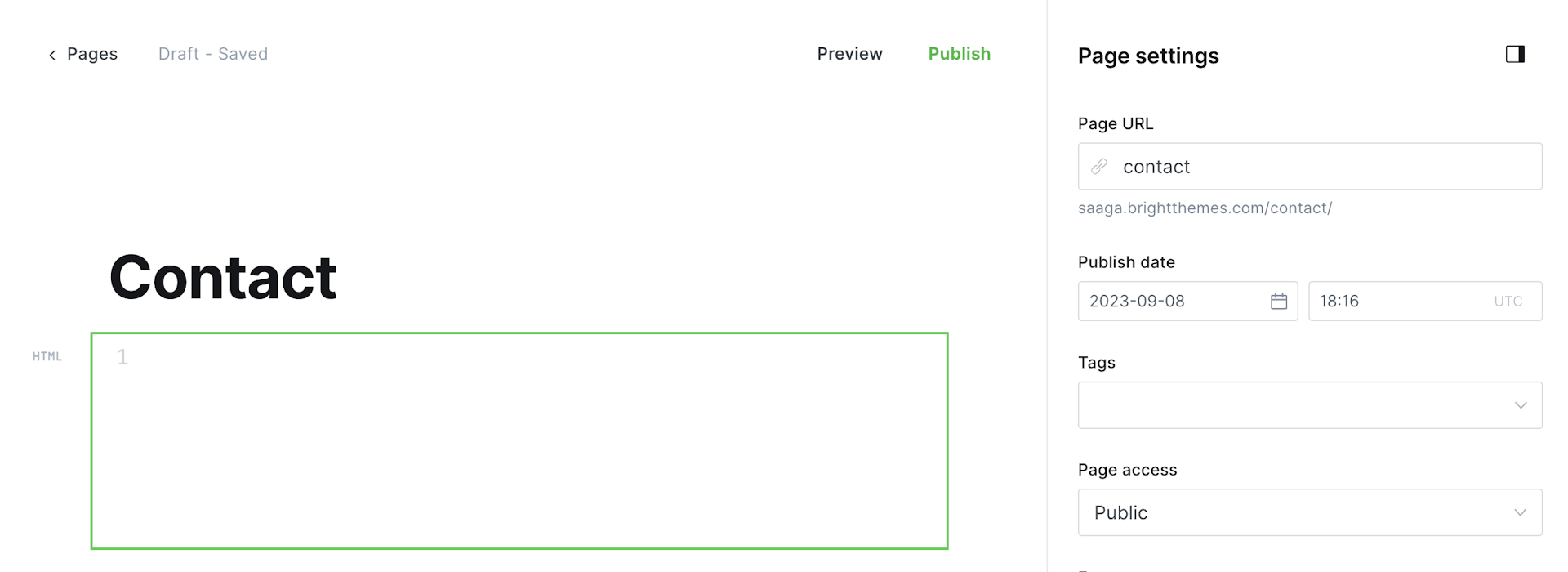
Ghost CMS contact page

As a next step let's explore a few popular options, some more simple ones and some that can enhance your contact page's functionality.

Tally

Tally provides a comprehensive platform for creating sophisticated contact forms effortlessly. With its intuitive design and robust features, Tally empowers Ghost users to personalize forms, capture user data, and implement various integrations. Additionally, Tally offers seamless responsiveness, which ensures that your contact form looks great on any device.

From simple contact forms to complex surveys, Tally empowers you to design forms that perfectly align with your website's aesthetics. With advanced features like conditional logic and multi-page forms, Tally allows you to create engaging and interactive experiences for your visitors.

Further, Tally's analytics provide valuable insights into submission patterns and user behavior, enabling you to optimize your contact page's performance.

Formspree

Formspree is a popular platform that enables you to create custom contact forms without any server-side code. It is ideal for Ghost users who want a hassle-free solution for handling contact submissions.

With a user-friendly interface, Formspree allows you to customize forms easily, receive submissions via email, and supports advanced features like file uploads and CAPTCHA.

Formspree's simple setup process involves creating an account, generating a Formspree endpoint, and adding it to your Ghost contact page.

Typeform

Typeform allows you to create interactive and engaging contact forms that captivate your audience. Equipped with a drag-and-drop editor, Typeform offers numerous customization options to align your form with your website's aesthetics.

Moreover, Typeform provides analytics and reporting features, helping you gain valuable insights into the submissions received.

Typeform's interface empowers you to build beautiful contact forms that incorporate images, videos, and animated elements. The conversational design approach of Typeform engages users, making the form-filling experience enjoyable. With its advanced features like skip logic and calculations, you can create dynamic and personalized forms that adapt to your visitors' responses.

Furthermore, Typeform's analytics provide valuable data on conversion rates and completion times, allowing you to optimize your contact page's effectiveness.

Google Forms

Google Forms, a free and versatile solution, is an excellent choice for Ghost users seeking a straightforward contact form creation process. With Google Forms, you can design customizable forms, collect responses in real-time, and manage submissions through a user-friendly interface. Integration with other Google services, such as Google Sheets, allows for centralized data organization and effective collaboration.

Google Forms provides a straightforward form builder that allows you to quickly create contact forms. With its extensive range of question types, including multiple choice, text fields, and more, you can customize your form to gather the necessary information.

Google Forms also offers collaboration features, enabling multiple team members to work on a form simultaneously. Additionally, data is automatically collected in a Google Sheets spreadsheet, ensuring easy access and organization of form submissions.

Jotform

Jotform is a popular online form builder that offers an extensive range of contact form options. With Jotform, you can create visually appealing forms using their intuitive drag-and-drop editor. Additionally, Jotform provides limitless possibilities for customization, advanced form logic, and powerful integrations.

Jotform's user-friendly interface allows you to design stunning contact forms with ease. With a vast library of pre-designed templates and form elements, you can quickly create a contact form that matches your website's style.

Conclusion

As you can see from the official guides, integrating these forms is straightforward and in most cases it's embedding code generated by the respective platform into an HTML card. Now that the technical part is done, you can focus on your audience.

Establishing a connection with your audience is of utmost importance for any website or blog owner. By creating a captivating contact page in Ghost CMS, you can actively invite your readers to engage with you, resulting in meaningful interactions and better user experiences.

By exploring the options above, you can customize your contact page to suit your specific needs and capture the essential insights required to foster growth and success.