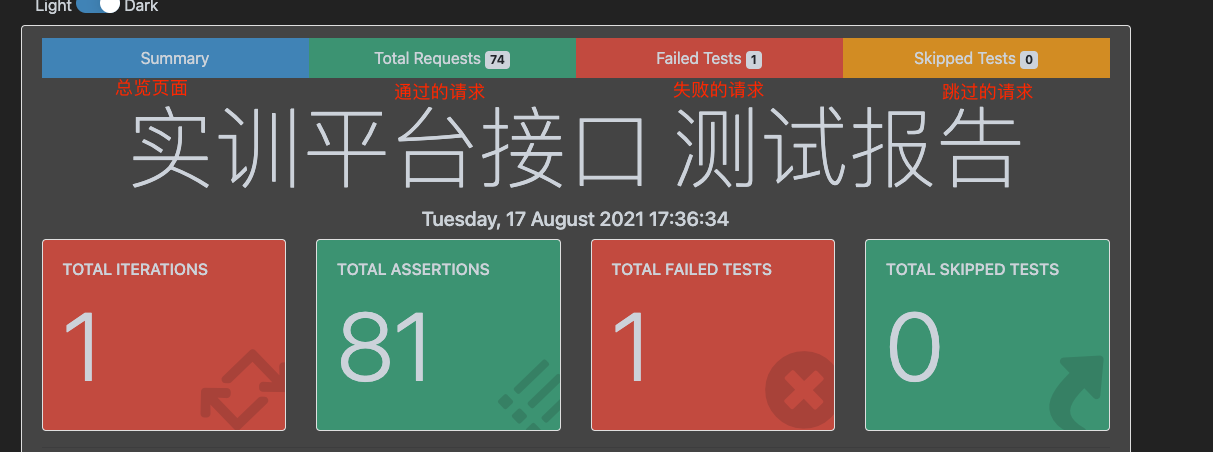
newman生成好看的html报告
cywhat
·
2021-08-18
·
via Postman - 标签 - cywhat's blog
约 234 字
预计阅读 1 分钟
次阅读
条评论
目录
PS:运行newman需要node 版本大于10
1.安装newman
2.安装普通html报告插件(建议安装)
1
|
npm install -g newman-reporter-html
|
3.安装美化html插件
1
|
npm install -g newman-reporter-htmlextra
|
4.newman命令详解
1
2
3
4
5
6
7
8
|
newman run  SX.postman_collection.json -e environment.json -r htmlextra,cli --reporter-htmlextra-title "实训平台接口 测试报告" --reporter-htmlextra-browserTitle "实训平台接口报告" --reporter-htmlextra-export Bapi.html
#参数解释:
run 后面跟接口脚本json格式的文件
-e 后面添加环境变量
-r 指定生成的报告格式
--reporter-htmlextra-title 指定生成的报告title
--reporter-htmlextra-browserTitle 指定生成的浏览器title
--reporter-htmlextra-export 指定生成的html文件名和路径
|
关注一下再走吧
 公众号
公众号
 小程序
小程序
赞赏支持
 微信打赏
微信打赏
 支付宝打赏
支付宝打赏
此内容由惯性聚合(RSS阅读器)自动聚合整理,仅供阅读参考。 原文来自 — 版权归原作者所有。




