1、前景
写工具的过程中,发现if-else用的很频繁,如果条件很多的时候,传统的if-else不但不美观,而且效率低,网上参考了edgedb的思路后,秉承着前人栽树后人乘凉的原则于是封装了优化if-else的函数,并且萌生了上传到pypi用来服务大家
2、注册Pypi
点我注册Pypi
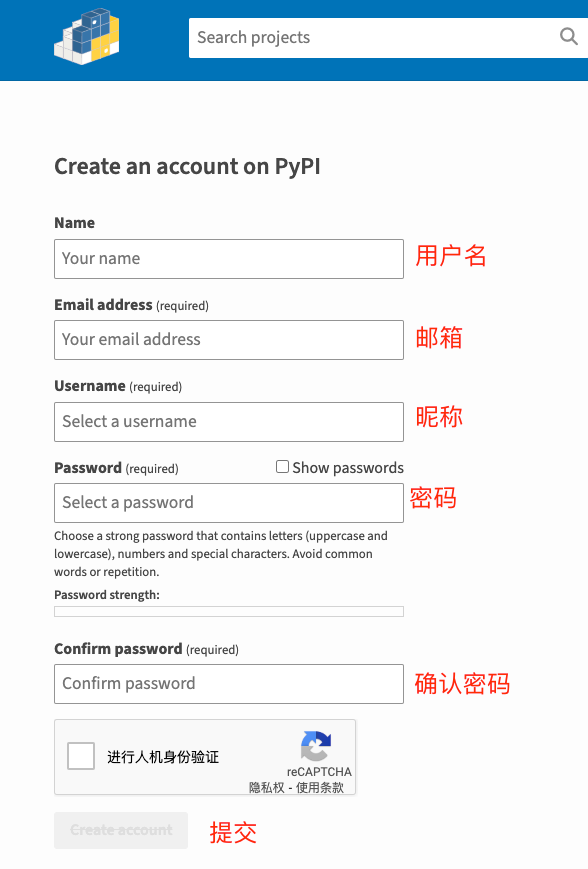
3、创建github项目
点我注册github
3.1、下载项目
1
|
git clone https://github.com/chaoyangya/conditionevaluatortool.git # 这里的conditionevaluatortool替换为新建的工程名称
|
3.2、创建必要工程目录
1
2
3
4
5
6
7
8
9
|
conditionevaluatortool
├── /conditionevaluator/
│  ├── __init__.py
│  ├── conditionevaluator.py
├── /test/
│  ├── __init__.py
│  ├── test.py
├── README.md
└── setup.py
|
3.3、工程目录详解
 1
 2
 3
 4
 5
 6
 7
 8
 9
10
11
12
13
14
15
16
17
18
19
20
|
# 工程名称
conditionevaluatortool

# pip_name模块名称文件夹
/conditionevaluator/

# 引入模块
__init__.py

# pip_name模块名称的函数文件
conditionevaluator.py

# 占位
/test/

# 模块设置
setup.py

# 阅读文件
README.md
|
3.4、模块设置文件
 1
 2
 3
 4
 5
 6
 7
 8
 9
10
11
12
13
14
15
16
17
18
19
20
21
22
23
24
25
26
27
28
29
30
31
32
33
34
35
36
37
38
39
40
41
42
43
|
import setuptools
import pathlib

here = pathlib.Path(__file__).parent.resolve()
long_description = (here / "README.md").read_text(encoding="utf-8")

setuptools.setup(
    # 模块名(pip install conditionevaluator)
    name="conditionevaluator",
    # 版本
    version="1.0.1",
    # 作者
    author="cy what",
    # 邮箱
    author_email="[email protected]",
    # 描述
    description="Package of modules that encapsulate the if else multi-condition judgment",
    # 长描述
    long_description=long_description,
    # 长描述格式
    long_description_content_type="text/markdown",
    # github地址
    url="https://github.com/chaoyangya/conditionevaluator",
    # 安装的包
    packages = ['conditionevaluator'],
    # License
    license="conditionevaluator",
    classifiers=[
        "Development Status :: 3 - Alpha",
        "Intended Audience :: Developers",
        "Programming Language :: Python :: 3",
        "Programming Language :: Python :: 3.7",
        "Programming Language :: Python :: 3.8",
        "Programming Language :: Python :: 3.9",
        "Programming Language :: Python :: 3.10",
        "Programming Language :: Python :: 3 :: Only",
        "License :: OSI Approved :: MIT License",
        "Operating System :: OS Independent",

    ],
    # 搜索词
    keywords="conditionevaluator, conditionevaluator_python",
)
|
4、编译
4.1、编译
4.2、生成发版的压缩包
1
2
|
# 压缩
python3 setup.py sdist
|
5、发布到Pypi
1
2
3
4
5
6
7
|
# 安装依赖
pip3 install twine

# 发布
twine upload dist/*

#输入账号密码即可
|
6、更新Pypi包
1
2
3
4
5
6
7
|
# 1、修改版本号

# 2、重新编译打包
python3 setup.py sdist bdist

# 3、发布
twine upload dist/xxx.tar.gz    # xxx.tar.gz为最新压缩后的包名
|
7、验证
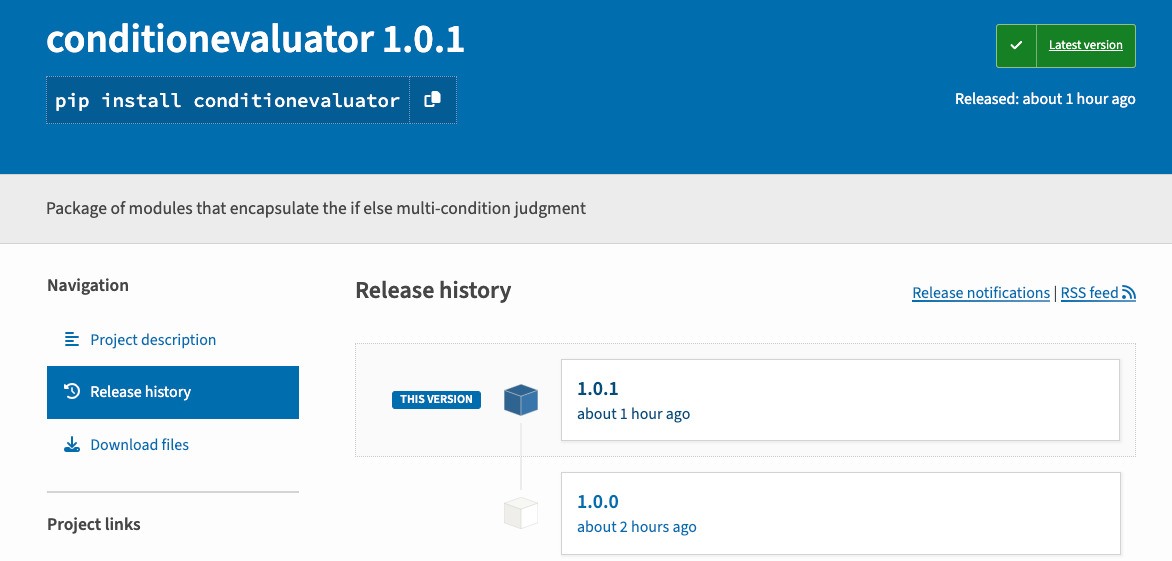
7.1、安装
1
2
|
# 安装
pip install conditionevaluator
|
7.2、使用
 1
 2
 3
 4
 5
 6
 7
 8
 9
10
11
12
13
14
15
16
17
18
19
20
21
22
23
|
# 引入
from conditionevaluator.conditionevaluator import conditionevaluator

# 使用
@conditionevaluator
def doorType(door):
    """
    条件1
    :param door: 门类型  2  --> 双开门
    :return: bool
    """
    return "门类型错误"


@doorType.register(1)
def params_door_type_1(door):
    """
    条件2
    :param door:
    :return: False
    """
    count = 1
    return count
|
8、conditionevaluator使用教程
关注一下再走吧
 公众号
公众号
 小程序
小程序
赞赏支持
 微信打赏
微信打赏
 支付宝打赏
支付宝打赏





