惯性聚合 高效追踪和阅读你感兴趣的博客、新闻、科技资讯
阅读原文 在惯性聚合中打开

推荐订阅源

Hugging Face - Blog
Hugging Face - Blog
量子位
H
Help Net Security
Microsoft Azure Blog
MongoDB | Blog
MongoDB | Blog
小众软件
小众软件
爱范儿
爱范儿
博客园 - 【当耐特】
Vercel News
Vercel News
S
SegmentFault 最新的问题
M
MIT News - Artificial intelligence
F
Fortinet All Blogs
Apple Machine Learning Research
GbyAI
GbyAI
博客园 - 叶小钗
博客园_首页
V
Visual Studio Blog
宝玉的分享
宝玉的分享
B
Blog
MyScale Blog
MyScale Blog
C
Check Point Blog
博客园 - 三生石上(FineUI控件)
L
LangChain Blog
V
V2EX

Donghai's Blog

使用DBeaver连接Dynamics 365 Dataverse | Donghai C# 技术备忘 - LINQ | Donghai 为Astro站点添加Google Analytics | Donghai C# 技术备忘 - LINQ - Donghai’s Blog 20260819 说些什么 | Donghai Dynamics 365 interview questions | Donghai C# 技术备忘 (1) | Donghai Dynamics 365 事件框架、事件执行管道 | Donghai 马拉松配速表 | Donghai 马拉松赛事分级 | Donghai 抖音创作日志(2026年) | Donghai 2026年跑步日志(5月开始) | Donghai 2FA | Donghai 初尝Github Actions | Donghai AstroPaper主题添加Waline评论 | Donghai Dynamics 365集中视图/聚焦视图/Focused View | Donghai AstroPaper主题添加GitHub风格的Markdown警告框 | Donghai AstroPaper主题自定义记录 | Donghai 我日常收藏的优质网站资源导航(持续更新) | Donghai 如何从归档页批量获取URL并提交到Bing Webmaster Tools | Donghai PaperMod 使用 Zeoseven 自定义网页字体 | Donghai 我常用的Prompt | Donghai Hugo默认时区导致本地预览文章不显示 | Donghai 通过手动提交工单解决Bing不收录网站问题 | Donghai 如何访问 Power BI 管理门户(Power BI Admin Portal) | Donghai 还在手敲时间戳?Win11输入法一个技巧,秒输当前时间戳 | Donghai 工作术语备忘录(持续更新) | Donghai 使用XrmToolBox导出安全角色表级权限到Excel | Donghai 24年的年终总结 | Donghai World笔记 | Donghai
使用XrmToolBox导出实体数据字典 | Donghai
Donghai · 2025-03-14 · via Donghai's Blog

xrmtoolbox封面图

在使用 Microsoft Dynamics 365 或 Power Apps 时,业务用户常常会需要查看实体中选项集(选择字段)的详细信息。 若实体仅包含少量选项集字段,用户可直接通过 Level up for Dynamics 365 / Power Apps 浏览器扩展,利用它显示选项集值功能,并将结果复制粘贴至 Excel 中就能搞定

但当实体包含大量选项集字段时,这种手动操作方式效率较低,更实用的解决方案是借助 XrmToolBox 工具,将实体元数据直接导出为如 Excel 这样的结构化格式

本文件将推荐两款适用于此场景的工具:

  1. Metadata Document Generator
  2. Attributes Factory

Table of contents

Open Table of contents
  • 工具一:Metadata Document Generator
    • Available Options
  • 工具二:Attributes Factory

在 XrmToolBox 上安装 Metadata Document Generator 并打开它
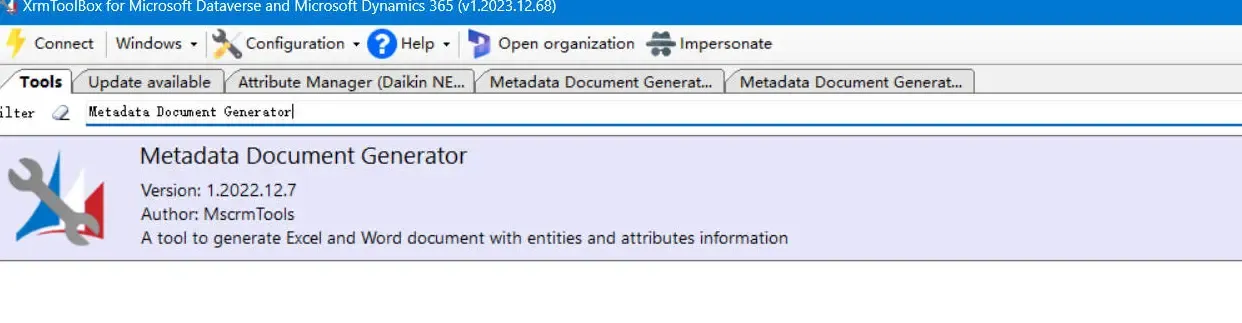
Open Metadata Document Generator

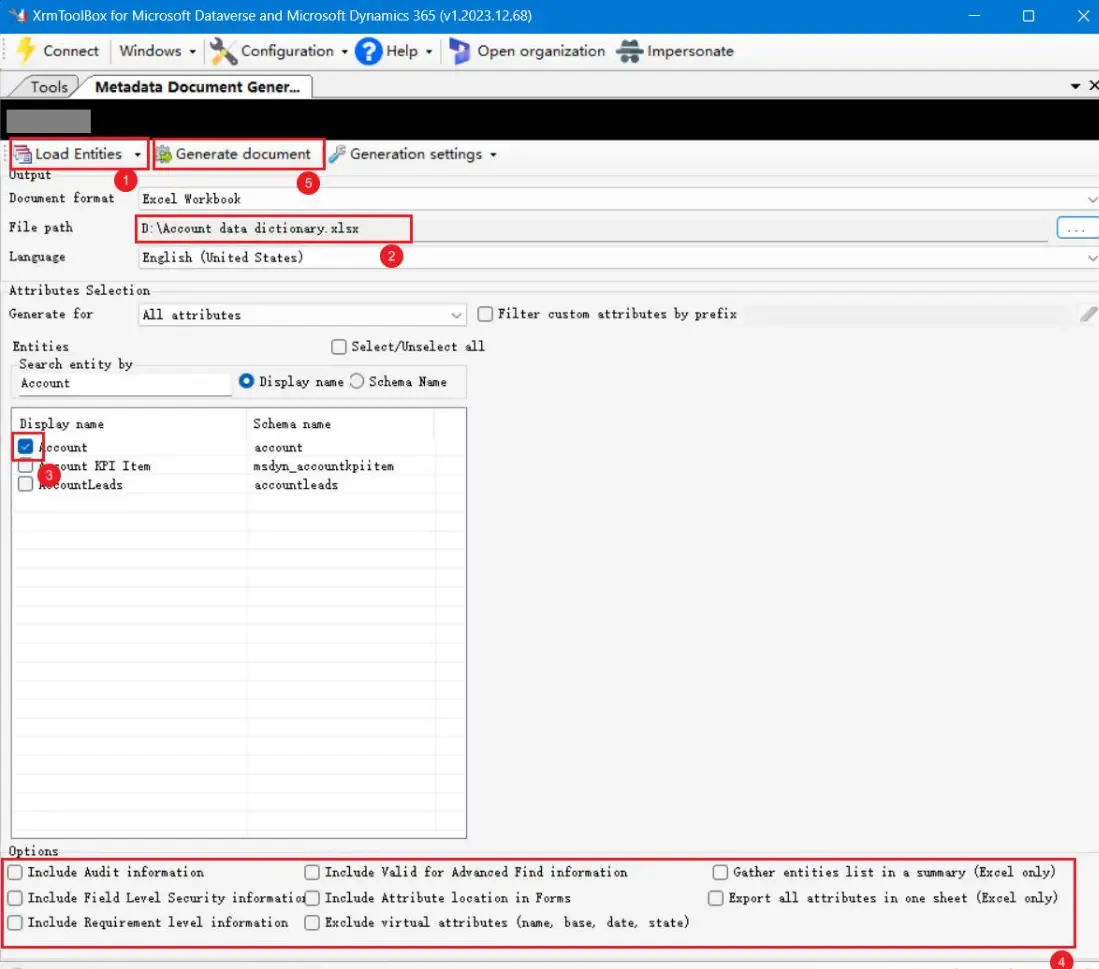
操作步骤如下:

  1. 点击 Load Entity
  2. 选择导出文件的保存位置
  3. 选择需要导出的实体
  4. 根据需求配置导出选项(详见下方表格)
  5. 点击 Generate Document

Metadata Document Generator - Generate Customer Entity Data Dictionary

Available Options

选项选择(中文)
Include Audit information包括审计信息
Include Field Level Security information包括字段级安全信息
Include Requirement leve information包括要求级别信息
Include Valid for Advanced Find information包括高级查找有效信息
Include Attribute location in Forms包括表单中的属性位置
Exclude Virtual attributes(name,base,date,state)排除虚拟属性(名称、基础、日期、状态)
Export all attributes in one sheet(Excel only)在一张表中导出所有属性(仅限 Excel)
Gather entitys list in a summary(Excel only)在摘要中收集实体列表(仅限 Excel)

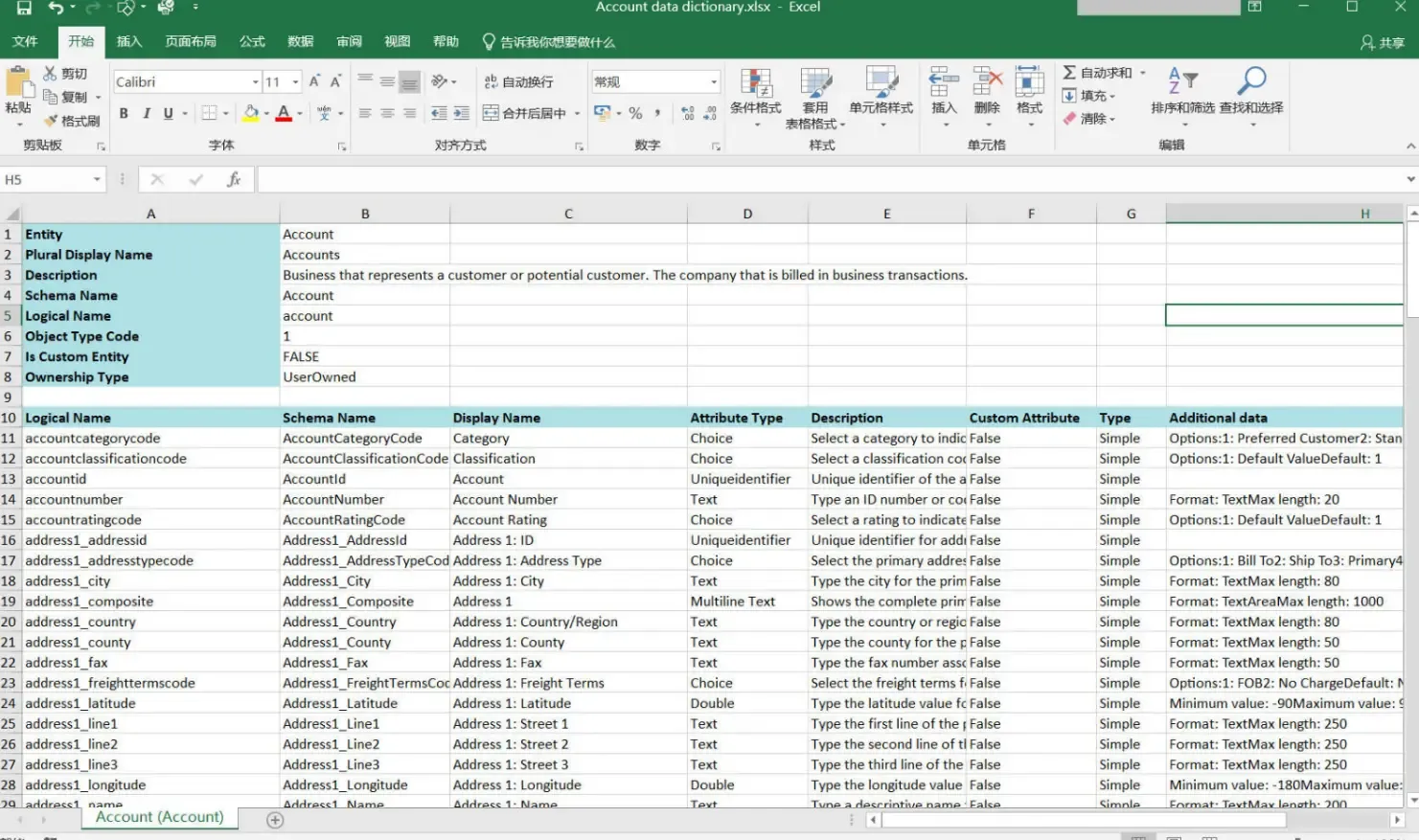
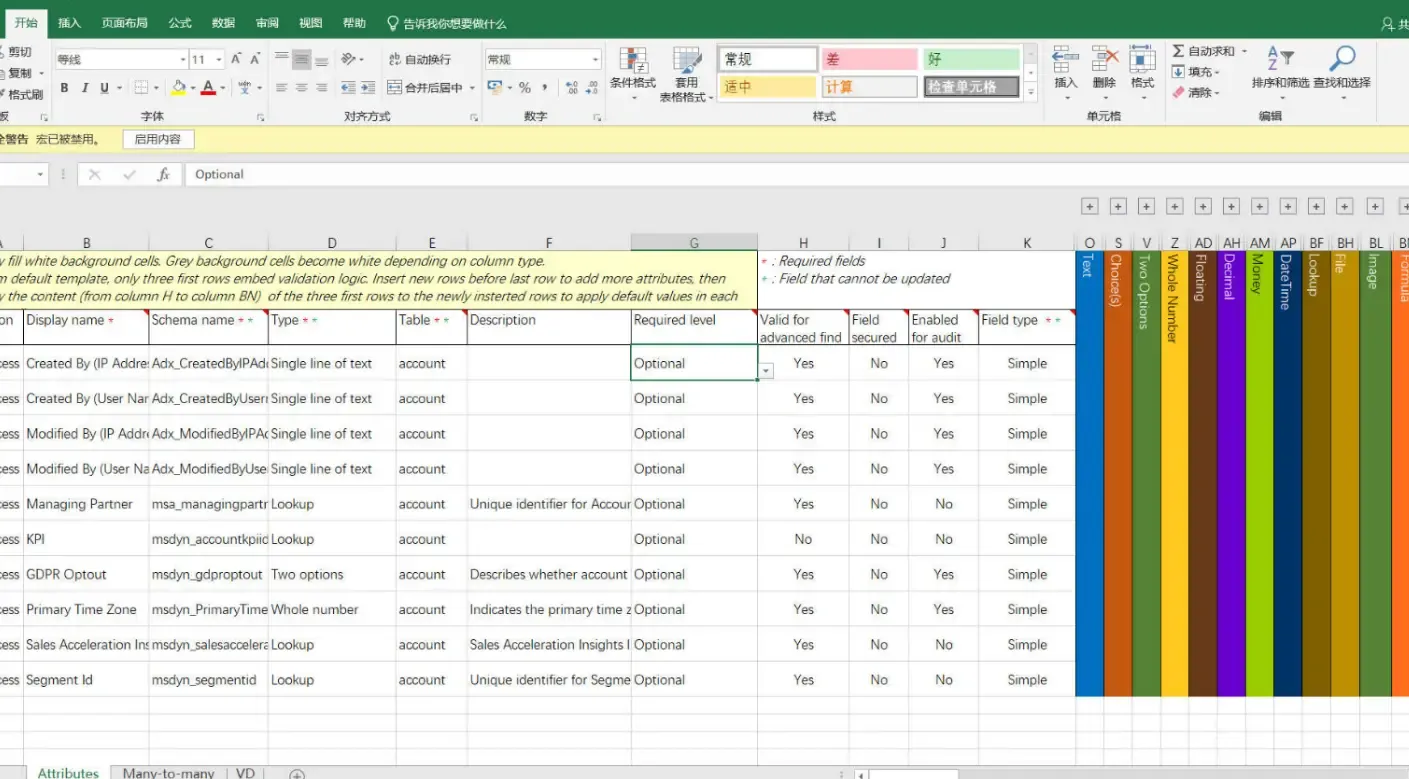
生成的 Excel 数据字典将呈现如下格式:

Generated Customer Entity Data Dictionary (Excel)


工具二:Attributes Factory

另一个可选方案是 Attributes Factory 插件。在 XrmToolBox 中安装并打开 Attributes Factory:
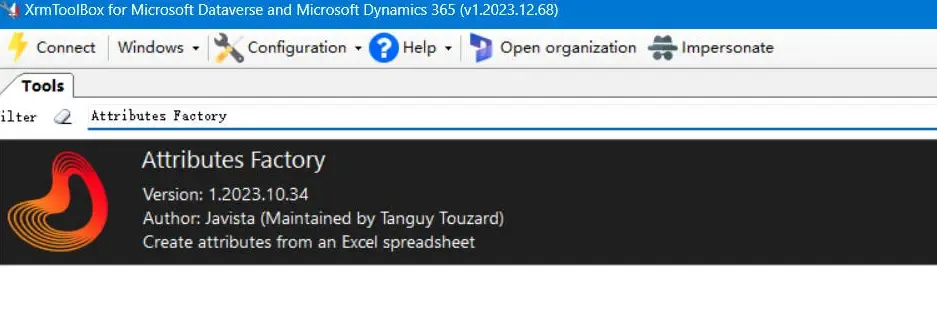
Install Attributes Factory

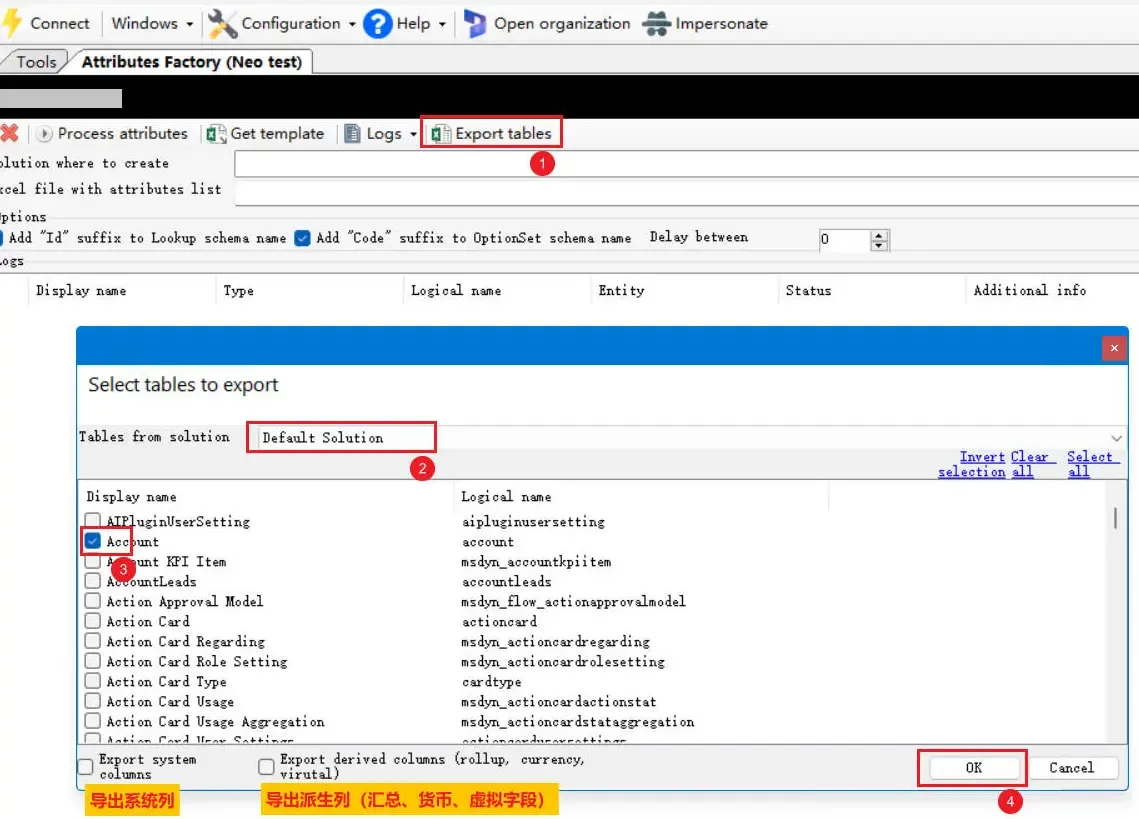
导出步骤:

  1. 选择 导出表
  2. 选择目标解决方案
  3. 勾选要导出的实体
  4. 根据需要选择导出选项
  5. 点击 确定

Attributes Factory Operation - 01

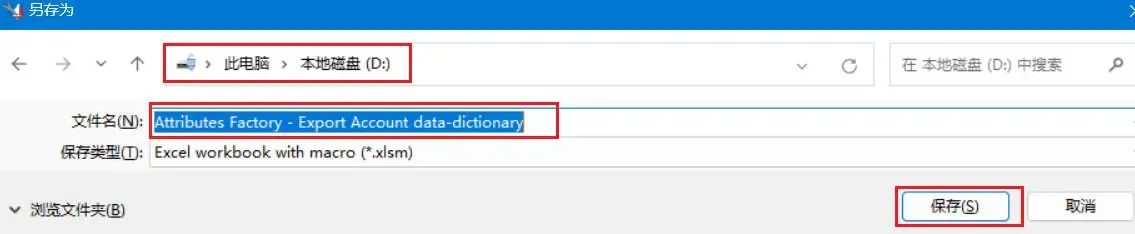
指定文件保存路径与文件名,然后点击 保存

Attributes Factory Operation - 02

生成的 Excel 文件将以如下格式包含实体数据字典:

Generated Customer Entity Data Dictionary (Excel)

(完)

如果这篇文章刚好帮到了你,欢迎请我喝杯咖啡