












The last thing you want in your company is a product that keeps breaking because of something that could’ve been caught early. This is why code quality is important.
Say you’re running a small business with just a few developers who juggle multiple projects. In this kind of setting, everyone’s moving fast, trying to push new features, fix bugs, and generally just keep clients happy.
However, with all that speed, it’s easy for messy code, unnoticed bugs, or inconsistent styles to silently sneak in and those little issues eventually slow your entire development process down.
Code quality tools act like a reliable teammate who reviews every line of code, catches potential security vulnerabilities before they cause any troubles, and keeps your codebase clean and maintainable.
It doesn’t matter if you’re a large enterprise or a startup, these tools save time, reduce review fatigue, and help your team write better code without adding extra work.
In this article, we’ll look at six of the best code quality tools for 2026, from AI-powered reviewers to full-fledged analysis platforms, and how they can help your team build cleaner, more reliable software.
By the end, you’ll have a comprehensive list of options that guide you in making the best choice of tool that fits your team.
Before we go indepth, below is a quick snapshot of six top code quality tools for 2026 that help teams write better, cleaner code.
Aikido Security tops the list for code quality in 2026 with automated reviews, customizable checks, and real-time feedback that keep your codebase clean and consistent.
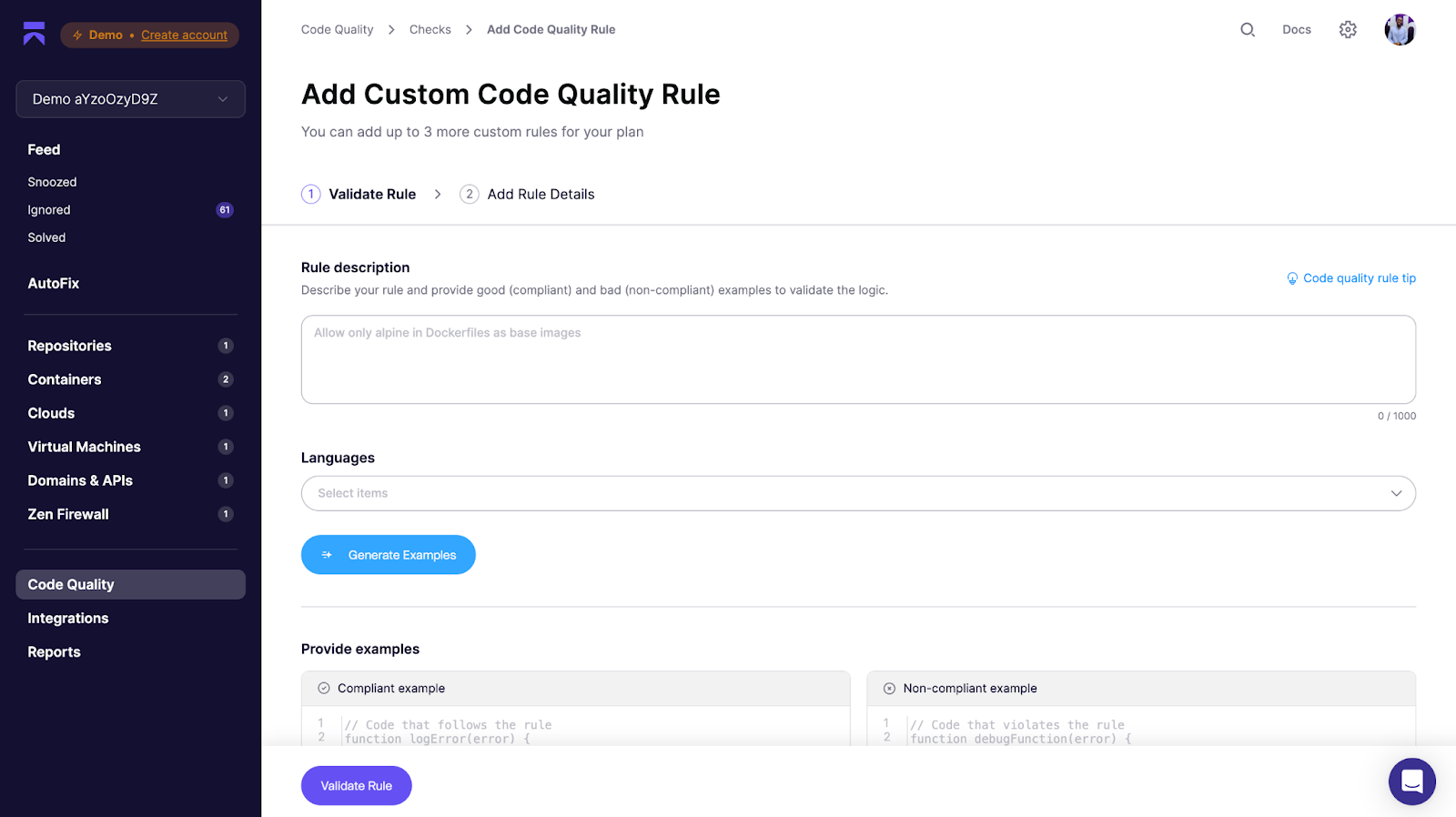
Unlike traditional linters or manual reviews, Aikido lets you tailor rules to your team’s standards, scan pull requests instantly, and block risky merges automatically.
Additionally, developers get clear, actionable comments directly on their PRs, while team leads gain insight from analytics dashboards that track quality over time, all without slowing development down.
Before we go any further, let’s clear up any confusion by giving a clear and concise definition to code quality tools.
{{cta}}
Code quality tools are software solutions that help developers and teams write cleaner, more reliable, and more secure code. They automatically scan your codebase to identify potential bugs, performance issues, security risks, and deviations from best practices.
In simpler terms, these tools act like automated reviewers that catch issues early before they become expensive problems later.
High-quality code isn’t just about whether your software works. It’s about how easy it is to read, test, and maintain. That’s why the best code quality tools focus on improving:
For small and growing teams, these tools are invaluable. Instead of spending hours combing through pull requests, developers get instant feedback, and teams can enforce consistent standards without slowing down releases.

Aikido Security is a developer-first code quality and security platform that combines intelligent code scanning with automated remediation.
What differentiates Aikido from traditional tools is its use of LLMs alongside standard code quality rules. Instead of simply checking whether code compiles cleanly, Aikido evaluates whether it’s the right code, assessing logic, intent, and context. This allows it to go beyond conventional static analysis tools that only detect surface-level patterns or syntax issues.
Its code quality tool goes beyond simple linting, it analyzes pull requests for bugs, security risks, and logic issues, then offers actionable suggestions before the code is merged.
Whether you’re a small startup trying to move fast or an enterprise managing multiple teams and services, Aikido makes it easy to keep your codebase clean and secure. It automatically checks every commit for vulnerabilities, performance issues, and code smells, so your team can ship high-quality software without slowing down.
Aikido integrates directly with GitHub, GitLab, and Bitbucket (with Azure DevOps on the way), so code analysis runs natively in your development workflow. That means developers see issues and fix suggestions right in their pull requests, so no need for switching tools and no extra steps.
Beyond standard linting, Aikido applies a growing library of intelligent rules that detect real-world issues from potential injection vulnerabilities to hardcoded secrets in Python.
For example, it can spot unsafe command concatenations that might open the door to injection attacks, or flag exposed API keys and credentials before they ever reach production. These rules combine static analysis with AI-driven context awareness, catching risky patterns across even uncommon languages like PowerShell, Haskell, or Zig.
Under the hood, Aikido uses SAST (Static Application Security Testing) techniques to review source code and detect potential vulnerabilities early in the SDLC. This is a key differentiator because every rule in Aikido is designed to identify real security threats, and not just stylistic or structural issues.
Most alternative code quality tools, even the major players, focus primarily on readability, refactoring, and formatting. Only a small portion of their rules, roughly 15%, are security-focused, making it a secondary priority. Aikido flips that balance, treating security as a core part of code quality rather than an afterthought.
Combined with its AI-powered triage and AutoFix, it can filter out false positives and even generate ready-to-merge pull requests for common issues like dependency vulnerabilities or insecure configurations.
Aikido’s analytics dashboard helps small teams track improvement trends over time, from reduced bug density to better test coverage, making it easy to demonstrate tangible progress in code health.
Beyond code quality and SAST, Aikido also includes DAST, CSPM, API security scanning, and malware detection bringing multiple layers of protection into a single platform. This breadth sets it apart from pure code quality tools that have attempted to move into the security space with lighter offerings. Those alternatives often struggle with higher false positives, shallow remediation guidance, limited language coverage, and scans that miss the real-world exploitability context Aikido captures by design.
Key Features:
Aikido Security: Who’s it For & How it’s Priced
|
Best for: |
|
|
Pros: |
|
|
Pricing: |
|
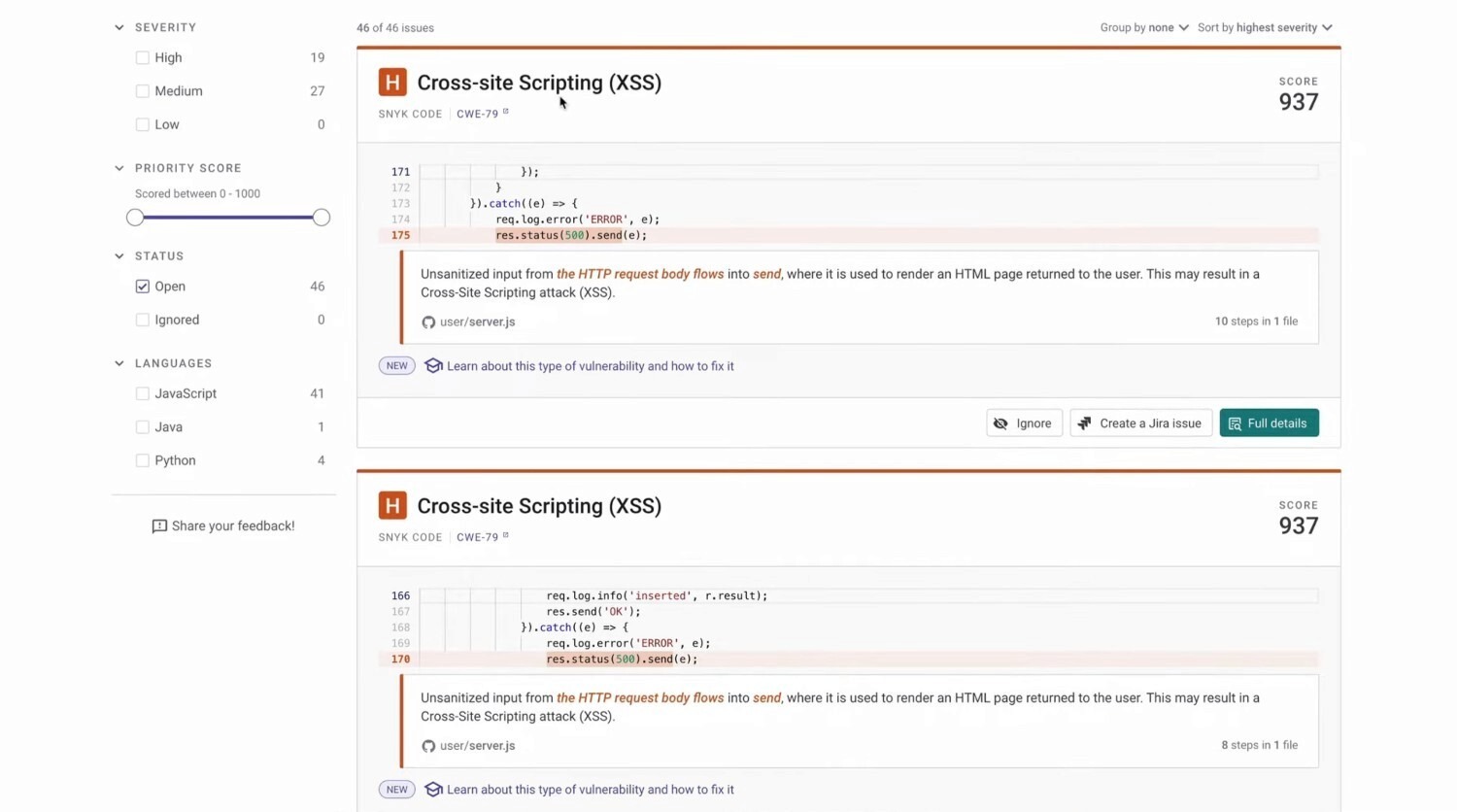
Snyk Code is the static analysis (SAST) component of the broader Snyk developer security platform. Built on technology from DeepCode (acquired by Snyk), it uses machine learning to identify security vulnerabilities and code quality issues in real time. The platform is cloud-based and focuses heavily on developer experience integrating directly into IDEs, Git systems, and CI/CD pipelines to make scanning as seamless as possible.
Under the hood, Snyk Code analyzes source code patterns using AI trained on millions of open-source commits. This helps it detect insecure or inefficient code early in the development lifecycle and suggest fixes before deployment. The tool supports popular languages, with rules tailored to common frameworks like React, Express, Django, and Spring.
While Snyk Code delivers fast, accurate scans and helpful fix recommendations, some users find the interface overwhelming due to the volume of information presented. Scanning larger projects can also slow CI/CD pipelines, and pricing may feel high for startups compared to simpler tools.
Key Features:
Snyk Code: Who’s it For & How it’s Priced
|
Best for: |
|
|
Pros: |
|
|
Cons: |
|
|
Pricing: |
|
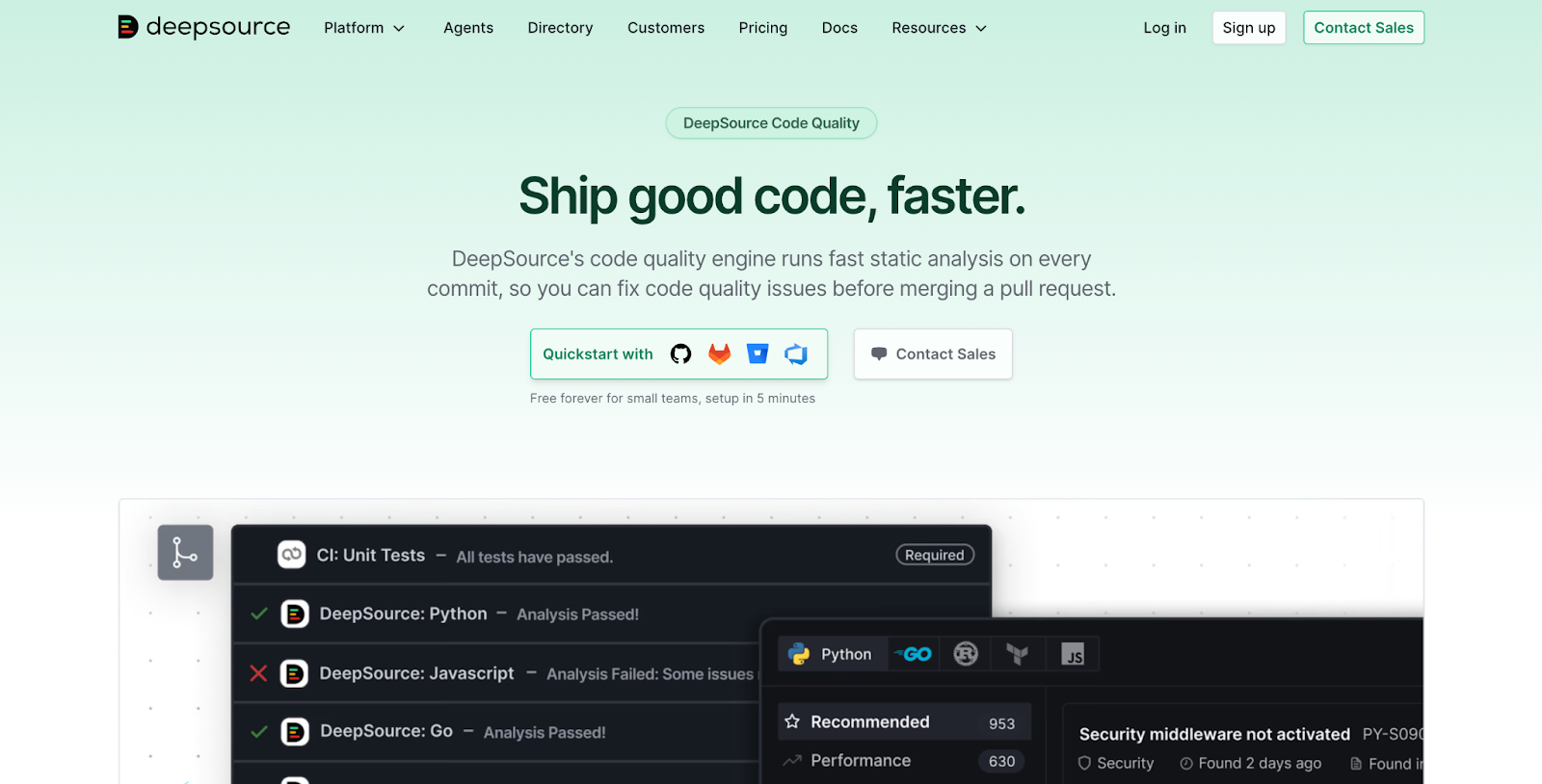
DeepSource is a modern code analysis platform that helps developers spot and fix code quality and security issues before they pile up. It integrates directly with your repositories like GitHub, GitLab, and Bitbucket to analyze pull requests automatically and suggest improvements.
One of its biggest draws is the autofix feature, which can automatically correct certain issues for you. So instead of just flagging bad patterns, DeepSource can also clean them up like a smart assistant that reviews your code and helps you learn better practices as you go.
Key Features:
DeepSource: Who’s it For & How it’s Priced
|
Best for: |
|
|
Pros: |
|
|
Cons: |
|
|
Pricing model: |
|

Codacy is an automated code review and quality management platform built for scaling teams. It analyzes code across multiple languages, flagging issues around maintainability, security, and performance before they reach production. With deep integration into GitHub, GitLab, and Bitbucket, Codacy helps enterprises enforce consistent coding standards across large engineering teams.
Codacy fits best in enterprise environments where large teams need automated reviews at scale. Its flexibility and depth make it a solid choice for enforcing consistent standards across projects. However, smaller teams may find its setup and cost heavy compared to lighter tools focused purely on code security or quality. For companies that value deep customization and visibility across repositories, Codacy delivers both but it takes time and tuning to get the most out of it.
Key Features:
Codacy: Who’s it For & How it’s Priced
|
Best for: |
|
|
Pros: |
|
|
Cons: |
|
|
Pricing model: |
|
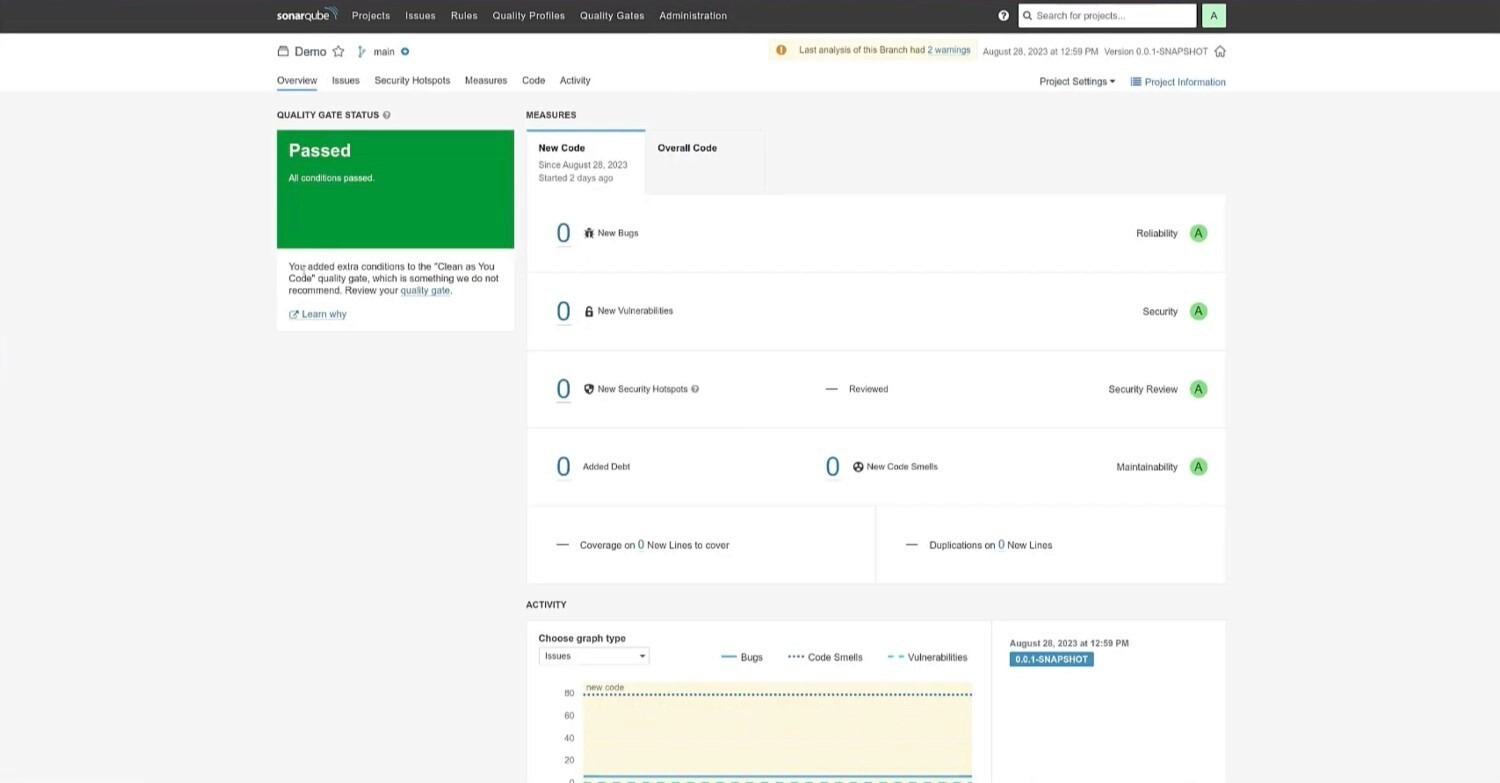
SonarQube, developed by SonarSource, is one of the most established platforms for automated code quality and security analysis. It helps engineering teams detect bugs, code smells, and vulnerabilities across a wide range of languages, combining static analysis with actionable reporting to maintain clean, maintainable, and secure codebases.
Key Features:
SonarQube: Who’s it For & How it’s Priced
|
Best for: |
|
|
Pros: |
|
|
Cons: |
|
|
Pricing model: |
|

Veracode is one of the longest-standing platforms in application security testing. It provides cloud-based tools for scanning code, applications, and dependencies for vulnerabilities, all without needing complex local setups. Its strength lies in combining multiple testing approaches (SAST, DAST, and SCA) in a single platform, giving security and development teams a unified view of risk.
Key Features:
Veracode: Who’s it For & How it’s Priced
|
Best for: |
|
|
Pros: |
|
|
Cons: |
|
|
Pricing model: |
|
Picking the right code quality analysis tool depends on your team’s needs, whether it’s automation, security, or flexibility. Some tools focus on deep security scans, while others, like Aikido Security’s AI code reviewer, offer smart, context-aware feedback that understands not just patterns, but business logic and intent behind your code.
Enterprises may need deeper integrations and scalability, while smaller teams might prioritize ease of use and cost. The key is finding a tool that fits naturally into your development process without adding extra complexity. With the right choice, code reviews become faster, more effective, and less of a bottleneck, helping teams maintain high-quality, secure code with less effort.
The following are a few key things to look out for:
A tool should be easy to get started with and simple enough for your team to adopt quickly. You don’t want to spend days figuring out configurations before your first scan.
Platforms like Aikido Security shine here. They connect directly to GitHub or GitLab and start scanning pull requests almost immediately, so you can focus on writing code, not managing setup.
The ideal tool should integrate naturally with your existing workflow. The fewer context switches your developers make, the more efficient your process becomes. Look for tools that run directly in your PRs or IDEs and can post results to Slack or Jira for quick follow-up.
Good tools go beyond listing errors. They help you understand why something’s an issue and how to fix it. Whether through autofix suggestions, detailed explanations, or guided remediations, actionable insights turn code reviews into learning moments. This is where Aikido’s AI-powered autofix and clear, human-like recommendations really stand out because you don’t just see the problem; you know what to do next.
Instant feedback helps developers catch issues while they’re still in context. Tools that analyze pull requests or offer in-IDE scanning keep your workflow fast and iterative. Even if a tool doesn’t operate in real time, it should deliver results quickly enough that it doesn’t block reviews or deployments.
No two teams write code the same way. Choose a tool that lets you tailor rule sets, enable or disable certain checks, and define what “good code” means for your team.
Tools that support AI-tuned rule customization, like Aikido’s rule tuning feature, make it easy to balance developer freedom with quality standards.
Dashboards and trend reports aren’t just for management, they help teams measure improvement over time. Look for tools that visualize key metrics such as bug density, test coverage, or recurring issues. Aikido, for instance, makes it simple for small teams to show measurable progress and maintain accountability across releases.
As your codebase and team grow, your tool should grow with you. Cloud-based tools that support multiple repositories, user roles, and permissions help teams collaborate effectively without slowing down.
Finally, choose a tool that matches your scale and budget. Some tools cater to large enterprises, while others offer predictable pricing for smaller teams. The goal is to get reliable scanning, clear insights, and automation, without paying for features you don’t use.
Code quality tools aren’t just about keeping your code neat, they’re also serve as the first line of defense against bugs, inefficiencies, and security risks that could slow your team down. In 2026, maintaining clean, secure code isn’t a nice-to-have; it’s the standard every serious development team needs to meet.
From all-in-one platforms like SonarQube and Veracode, to developer-friendly analyzers like DeepSource, there’s a tool for every team size and workflow. The best choice depends on what matters most to you, be it deep security coverage, automation, simplicity, or speed. What’s important is picking one that fits naturally into your pipeline, helping you ship with confidence instead of adding friction.
If you’re looking for a balance between smart automation and simplicity, Aikido Security is worth exploring. Its AI code reviewer helps teams catch issues early, get clear remediation guidance, and keep codebases efficient without extra setup. You can start scanning for free in just a few clicks, no complex configuration, no credit card, no hassle.
In the end, good code isn’t just written, it’s continuously improved. With the right code quality tool by your side, you can focus on what matters most: building great software that’s reliable, secure, and ready for anything.
此内容由惯性聚合(RSS阅读器)自动聚合整理,仅供阅读参考。 原文来自 — 版权归原作者所有。