










Modern web applications are under constant attack – from bots hammering your login page to hackers hunting for that one forgotten vulnerability. In fact, web application attacks are now the second most common cause of breaches (roughly 26% of incidents). An average website endures around 94 attacks per day, not to mention thousands of bot visits each week. It’s no surprise that protecting cloud apps has become mission-critical.
Cloud Application Security tools help safeguard your apps and APIs in real-time, blocking malicious traffic and exploits before they cause downtime or data loss. These aren’t your grandpa’s firewalls – we’re talking advanced Web Application Firewalls (WAFs), bot managers, and even in-app protection (RASP) that watches your code’s back while it runs. The goal: catch and stop attacks automatically, without drowning you in false alarms or grinding your app’s performance to a halt.
In this article, we’ll cover the top Cloud App Security platforms available in 2025, each with unique strengths to keep your web services safe. We’ll start with a quick overview of the leading tools (listed alphabetically, not ranked), then break down which solutions fit best for specific use cases – from developer-friendly picks to enterprise-grade suites, startup-budget options, open-source tools, API protection specialists, and those offering cutting-edge RASP capabilities. (Spoiler: you’ll see Aikido pop up in several categories – it’s a versatile new platform that deserves the shout-outs.)
By the end, you should have a clear sense of which cloud app security tools might be a match for your needs, and how they stack up in terms of deployment, features, and philosophy (no more “security theater” nonsense, we promise). Let’s dive in. Feel free to skip to any of the sections below:
Among all the cloud app security tools reviewed, Aikido emerges as the most complete and dev-friendly platform. It combines code scanning, container and IaC security, API protection, and even in-app RASP — all in one unified tool. It’s lightning-fast to deploy, integrates into your CI/CD and IDE, and uses AI to reduce noise and auto-fix issues. Whether you're a lean startup or a scaling enterprise, Aikido covers everything from prevention to runtime protection — with no fuss and no tool sprawl.
(Listed alphabetically by name; each tool brings a unique approach to defending cloud applications.)
| Tool | Strengths | Weaknesses | Best For | RASP | API Security | CI/CD |
|---|---|---|---|---|---|---|
| Aikido Security | Dev-first, full stack | Limited edge controls | AppSec & Dev teams | ✅ Built-in | ✅ REST & GraphQL | ✅ PRs, CI/CD |
| Cloudflare | Fast WAF, global CDN | ❗ No runtime insight | Web protection quickstart | ❌ None | ⚠️ Schema only | ❌ None |
| Fastly (Signal Sciences) | Hybrid agent + WAF | ❗ Basic API coverage | DevOps pipelines | ⚠️ Partial | ✅ Custom routes | ✅ Pipeline rules |
| Datadog ASM | APM-integrated insight | ❗ Heavy agent setup | Datadog-native orgs | ✅ Agent-based | ✅ Deep tracing | ⚠️ Monitoring only |
Aikido Security is a developer-centric, all-in-one security platform covering everything from code to cloud. Think of it as a Swiss Army knife for AppSec: it combines SAST, dependency scanning, cloud config audits, and even an in-app web firewall into one tool. The focus is on automation and accuracy – Aikido auto-prioritizes real threats (so you don’t waste time on benign alerts) and can even fix certain issues for you with AI.
In practice, Aikido feels slick and modern. Setup is a breeze (you can start with a free account, no credit card, and see results in minutes). It hooks into your CI/CD, repo, and IDE – meaning it catches security bugs in your code and containers during development, and also deploys a runtime protection agent (their open-source Zen in-app firewall) to block attacks in real-time. The AI AutoFix feature is a standout: for certain vulns, Aikido will suggest and even generate a patch, which is a godsend when you’re crunched for time. One G2 reviewer says the scanning speed was “shockingly fast for a full CI run,” demonstrating the platform’s emphasis on not slowing down developers. And as a user on X put it, “Honestly, the UI is 10× better than most security tools” — @devopsdan, reflecting Aikido’s clean, developer-first design.
Key features:
Best for: Development teams of all sizes – from lean startups to enterprises – that want an easy, “no BS” security solution. If you don’t have a dedicated AppSec team (or even if you do), Aikido acts like an automated expert that has your back 24/7. It’s especially great for organizations embracing DevSecOps, where catching issues early and fixing fast is key. (Bonus: you can start using it free, and see a full scan report in ~30 seconds.)
One G2 reviewer says the scanning speed was “shockingly fast for a full CI run.” Another user noted, “Honestly, the UI is 10× better than most security tools” — @devopsdan on X.
Akamai is a heavyweight champion in cloud security and their App & API Protector is all about scale and savvy. This platform is the evolution of Akamai’s famed WAF services, now bundled with API protection and bot management. The big advantage here is Akamai’s gigantic global network – your traffic gets filtered at the edge (on servers in dozens of countries) which means attacks are blocked close to their source and legit users aren’t slowed down. Akamai’s WAF is known for strong rule sets (honed by years of stopping the nastiest web attacks for Fortune-100 companies) and it comes with built-in bot mitigation and DDoS defense. Basically, it’s an entire security stack at the network edge.
That said, Akamai’s solution is geared toward enterprise. It’s powerful but can be complex – there are tons of knobs to turn and policies to customize if you need to. Some security teams love that granularity (you can really fine-tune what gets blocked or allowed), while others find it overkill. One Reddit user joked that Cloudflare was “one-click simple” whereas “Akamai seems more configurable, but ... things that are a single click in Cloudflare are a whole project in Akamai.” The flip side of that coin: Akamai excels when you have unique requirements. You can define very specific API schemas, outbound filtering rules, custom anomaly detections, etc., to fit your app. It also has top-notch threat research backing it – continuous updates from Akamai’s security intel feeds.
Performance-wise, it’s solid. Their network is built to handle massive loads (many of the world’s biggest sites use Akamai for a reason). One G2 reviewer highlighted “less performance degrade” when using Akamai’s WAF and “very good response time in case of potential attacks” – meaning you can run it in full blocking mode without your site turning into a snail. If you’re an enterprise that can invest the time to implement it well (or have a managed service handle it), Akamai App & API Protector is as close as it gets to putting your web app in a fortress.
Key features:
Best for: Large enterprises and mission-critical applications where security needs to be airtight and highly customizable. If you’re in a regulated industry, need to stop sophisticated bots (e.g. ticket scalping, card cracking), or simply have a very large user base, Akamai is a top choice. Just be prepared to invest in the deployment. It’s also popular for companies that already use Akamai’s CDN – adding the App & API Protector is a logical next step to leverage the same footprint for security.
“Akamai is rated as one of the leaders in the WAF space (according to Gartner and Forrester). Bot management is included, which helps visibility. Price has come down a fair bit,” notes one industry insider. And a G2 reviewer praised the minimal performance impact and “very good response time under attack.”
If your infrastructure lives on AWS, AWS WAF might be a no-brainer to consider. This is Amazon’s cloud-native Web Application Firewall that hooks into services like CloudFront (CDN), API Gateway, ALB, etc. The big draw: seamless integration with your AWS stack and infrastructure-as-code friendliness. You can define WAF rules in Terraform or CloudFormation, manage them across accounts with Firewall Manager, and generally treat it like another piece of your AWS puzzle. It also requires no separate hardware or proxies – it’s just there in the cloud pipeline, so deployment is low-friction for AWS users. As one Reddit user put it, “If your services are running in AWS, [WAF is] definitely a serious contender.”
Feature-wise, AWS WAF provides managed rule sets (AWS releases some, and you can subscribe to third-party ones for things like known bad IPs or CMS-specific rules). You can also write custom rules using AWS’s JSON rule syntax – which, while powerful, is a bit… Amazon-y (not the most fun syntax to write by hand). Out of the box it will handle typical attacks like SQLi, XSS, etc., and you can set up rate limiting, geo-blocking, and IP block/allow lists easily. Pair it with AWS Shield (Standard is free, Advanced is a paid add-on) to get DDoS protection; Shield Advanced will automatically detect large L3/L4 attacks and absorb them, and even has financial protection (credit reimbursements) if you get hit by a huge attack. Shield Advanced also gives more sophisticated L7 attack detection and 24/7 access to the AWS DDoS response team – basically an insurance policy for DDoS.
The upside of AWS WAF: it’s convenient and reliable. One user on Reddit noted “It’s a fully featured tool that has great reliability – we use it across all our platforms and it protects some very well-known internet resources.” Another plus is cost control: you pay based on number of rules and requests, so for smaller apps it can be dirt cheap (no big monthly license). And you don’t have to reroute DNS or change hosting.
On the downside, AWS WAF isn’t known for a fancy UI or developer-friendly reports. It’s very much an AWS service – functional but spartan. Some have found it complex to configure optimally (the rule syntax and lack of built-in UI guidance means a junior dev might scratch their head). It also doesn’t natively parse things like JSON bodies for deep API attack detection (a common criticism is that it’s a bit basic unless you augment it with custom rules or extra tools). Essentially, it protects what you tell it to protect; unlike some next-gen tools, it won’t automatically adapt or learn – unless you incorporate Managed Rules or your own logic.
Key features:
Best for: Teams already all-in on AWS who want a quick, no-frills WAF that plays nicely with their environment. It’s great for startups and mid-size companies on AWS since you can start small (low cost) and grow. Also, if you’re automating everything via CI/CD, AWS WAF fits that DevOps model. However, large enterprises with multi-cloud setups or those needing the absolute cutting-edge in attack detection might find AWS WAF a bit limited – in those cases it’s often used alongside other tools. Overall, if you want basic protection with minimal effort and you’re on AWS, it’s a solid (and improving) option.
“It’s a relatively fully-featured tool with great reliability… we use it across all our platforms,” says one Reddit user, emphasizing that AWS WAF “does what it advertises” when properly configured. Just be ready to craft some custom rules for the sneaky stuff, or layer it with additional security as you scale.
Cloudflare has practically become a household name, especially for anyone running websites. While known for its CDN and DNS services, Cloudflare’s security capabilities are a core part of its platform. At its heart is a cloud-based WAF that is ridiculously easy to enable – point your site’s DNS to Cloudflare and boom, you have a WAF in front of your site (along with DDoS protection, CDN caching, etc.). This simplicity and low barrier to entry have made Cloudflare hugely popular, from personal blogs to Fortune 500 companies. One reviewer on G2 highlighted “Cloudflare’s ease of setup, especially the seamless integration with existing websites”. You don’t need to install anything or change your code – it’s essentially an instant security umbrella.
Despite the ease-of-use, Cloudflare’s WAF is quite powerful. They provide managed rule sets that cover OWASP Top 10 attacks and known CMS vulnerabilities, and they update these rules continuously as new threats emerge (leveraging data from across their vast network). On higher-tier plans you get the WAF Custom Rules where you can write your own logic in their Firewall Rules language (which is actually very straightforward, almost like writing if-statements). This allows extremely flexible filtering – e.g. you can block or challenge requests that match certain patterns (paths, user-agents, countries, etc.). Cloudflare also introduced API Shield for API endpoints – including schema validation (you can upload an OpenAPI schema and it will reject requests that don’t conform) and tools like TLS client certs for authentication. These features show Cloudflare is evolving into a full WAAP (Web App & API Protection) suite.
Another area Cloudflare shines is DDoS mitigation. All plans (even Free) come with unlimited DDoS protection. Their network can absorb insane volumes of traffic (they regularly boast about mitigating record-breaking attacks). This is a huge advantage for anyone who might be targeted by volumetric attacks – you basically offload that worry to Cloudflare’s infrastructure. Additionally, Cloudflare’s bot management (available on enterprise plans or via add-on) uses behavioral analysis and machine learning to separate good bots from bad, which is increasingly important in an era of bot scrapers and credential stuffing attacks.
One more thing devs love: Cloudflare’s analytics and debugging tools. You can see in real-time what requests are getting blocked or challenged, and why. The interface is user-friendly – as one X user quipped, “the UI is so much better than most security tools.” It doesn’t feel like those clunky enterprise consoles from the 2000s.
On the flip side, Cloudflare’s model means you’re routing traffic through them. Some companies are hesitant to do that due to compliance or trust concerns (though Cloudflare has solutions like Keyless SSL and regional data centers to address some of that). Also, the truly advanced features (like advanced bot management, 100% uptime SLA, etc.) are only on Enterprise plans which can be pricey. For most, the Pro ($20/mo) or Business ($200/mo) plans offer a lot of value – including WAF, image optimization, and more. But just know that “free” only gets you so far if you need heavy-duty security tweaking.
Key features:
Best for: Developers and small teams looking for a quick, effective way to secure web apps, as well as larger orgs that want a globally distributed security layer without managing infrastructure. Startups love Cloudflare for the value (a robust WAF and CDN on a $20/month plan is a steal). Even enterprises use Cloudflare in front of other tools as a first line of defense and performance booster. It’s particularly great if you need to improve site speed and security in one swoop. If you’re allergic to complicated setups and just want a solution that works out-of-the-box, Cloudflare is about as hassle-free as it gets.
“Cloudflare’s WAF has been awesome — it blocked all the layer 7 attacks thrown at our platform’s API and web applications,” reports one Reddit user, who also “highly recommends Cloudflare” for a reliable, cost-effective shield. Another reviewer on G2 noted that even on the free tier, Cloudflare provides “robust features” like WAF, DDoS mitigation, SSL, and CDN services. In short: it punches far above its weight in value.
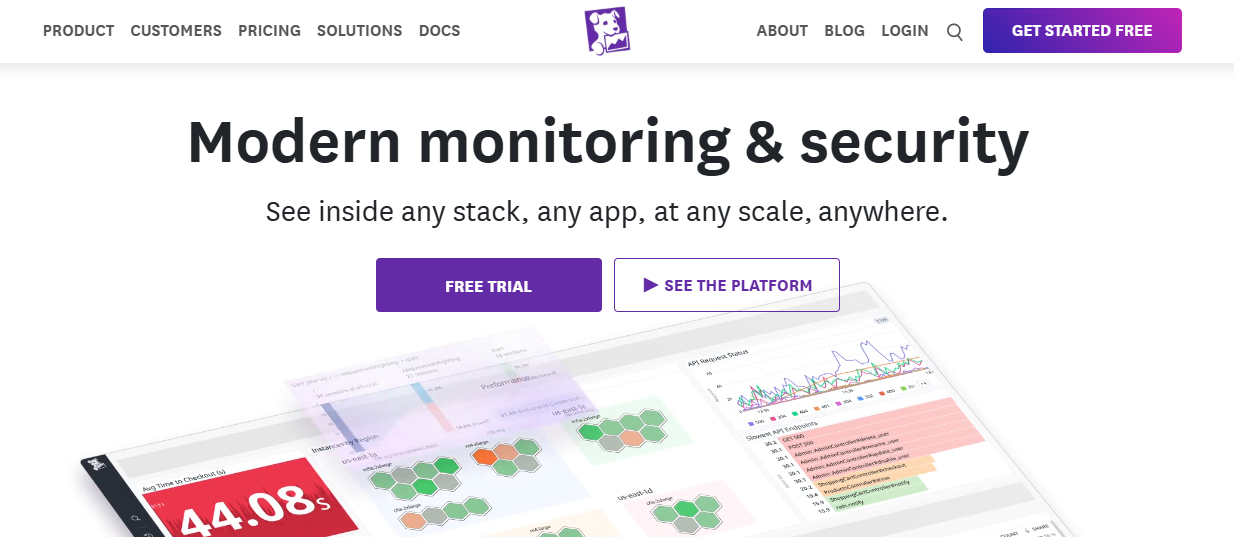
Datadog ASM is a newer entrant that approaches app security from a different angle. Datadog is well-known for its monitoring and APM (Application Performance Monitoring) platform, and in the past couple of years they’ve leveraged that foothold to offer security features built into the same agents. ASM is essentially runtime application self-protection (RASP) delivered via the Datadog APM agent. In plain terms, instead of filtering traffic at the network edge like a WAF, Datadog ASM lives inside your application (through instrumentation) and blocks attacks in real-time as they execute. The huge benefit here is context: since it’s tied into the application runtime, it can see exactly what code path a request hits and whether an exploit is actually triggered. This leads to potentially fewer false positives – e.g. it might see an attempted SQL injection, but also see that your code isn’t actually using SQL for that input, so it can decide not to flag it. It’s a smarter, context-aware approach.
Datadog acquired a company called Sqreen in 2021, and that tech forms the core of ASM. It supports several languages/runtimes (Node.js, Python, Ruby, Java, .NET, etc.). Enabling it is simple if you’re already using Datadog APM: you just toggle the ASM features on, and possibly add the library extension for security. There’s no proxy, no additional appliance. For companies already in the Datadog ecosystem, this is super attractive – no extra infrastructure, and you get security events on the same dashboards as your performance metrics. One could say it turns your APM into an in-app firewall with the flick of a switch.
Capabilities of Datadog ASM include detecting common attacks like SQLi, XSS, command injection, local file inclusion, etc., and blocking them in real time. It also has an “Exploit Prevention” mode which is basically active blocking of known exploit techniques (this is their RASP at work, literally preventing execution of malicious payloads in memory). The system uses a combination of rules and heuristics, and because it has that full application context, it can link security alerts with specific services, traces, and even code commits (in Datadog’s UI you can jump from a security event to the stack trace where it occurred, which is gold for developers investigating an incident).
Another neat feature: Attacker profiling. Datadog can cluster malicious requests and identify when the same attacker (or bot) is probing different parts of your app, even across services. This helps in blocking IPs or users outright when they trip multiple alarms. You can set it to automatically ban IPs that, say, hit 3 different attack signatures – acting like a smart dynamic lockout system.
Being a relatively new product, ASM is rapidly evolving. The upside is tight integration and visibility; the potential downside is that it’s not a full traditional WAF – for instance, if you’re not already using Datadog, adopting ASM means installing their agent (which some orgs might not want). Also, because it’s in-app, a super high volume of attacks could theoretically add overhead (though in practice it’s lightweight). And it won’t do things like CDN caching or general DDoS mitigation – it’s a surgical tool, not a shield for bulk traffic or performance.
Key features:
Best for: Organizations that use Datadog for monitoring and want to extend that platform into security – it’s a no-brainer for those cases. Also, teams who are interested in RASP as a concept: if you prefer the idea of the app protecting itself from the inside (versus relying solely on perimeter defenses), ASM is one of the smoother implementations of that. It’s developer-friendly in that it ties security events to code behavior, which can build trust (devs can see exactly what was blocked and why, reducing the “mystery” of a black-box WAF). On the other hand, if you’re not on Datadog APM, adopting ASM means adopting Datadog – which could be an overhead if you only wanted a WAF. For pure-play WAF needs at the network edge, other options might be simpler. But for cloud-native teams, especially microservice environments, ASM provides a very modern, distributed approach to web app security.
*One Reddit user noted Datadog is “a really nice tool… with very good graphs and an overall very polished product,” underscoring why many dev teams love the Datadog ecosystem. By bringing security into that mix, ASM lets you detect and stop attacks without leaving your familiar monitoring dashboard. It’s a hands-off approach once configured – quietly killing off exploits in the background – so your app stays safe and online.
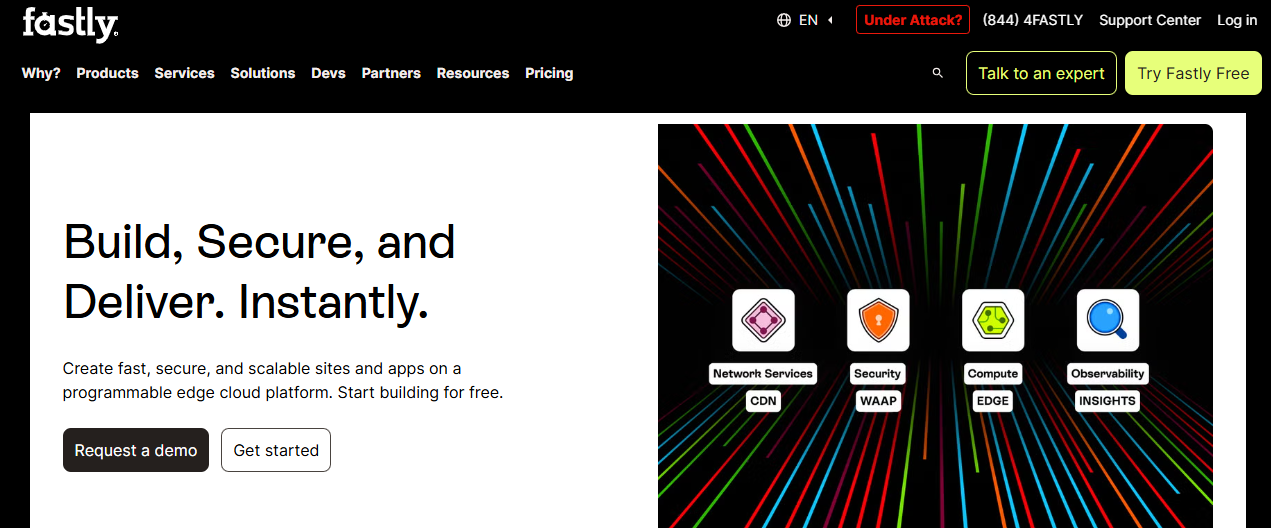
Fastly acquired Signal Sciences in 2020, and together they offer a leading-edge cloud WAF solution that developers and security engineers alike often rave about. Signal Sciences (SigSci) made a name for itself by being the WAF that “actually works” without causing headaches. In fact, one director of security wrote in a review: “The only good WAF I’ve ever used! ... had it up and running in minutes and in blocking mode that same day. Easy and fast to deploy, blocking mode actually works without false positives, and customer support has been fantastic.” That pretty much captures the selling point: quick deployment, low friction, and high efficacy.
Signal Sciences can be deployed in a couple of ways. One is via agents/modules that install alongside your web server or app (for example, as a module in Nginx/Apache, or middleware in your app stack). This functions akin to a RASP, living near the app and inspecting traffic with context. The other way is Fastly’s Cloud CDN: if you’re a Fastly CDN customer, you can enable the WAF at their edge nodes (leveraging the same detection engine). Either way, the core engine is the same smart tech that SigSci developed – they call it “SmartParse”, which essentially can parse web requests (including JSON/XML) in a way that understands the syntax so it’s better at detecting attacks in complex payloads (great for APIs). It’s not just regex rules; there’s a lot of logic to minimize false alarms. The system also leans on anomaly scoring and behavioral indicators rather than just static signatures.
A key strength is virtually no tuning needed to get value. Many legacy WAFs require weeks of tweaking to avoid breaking valid traffic. Signal Sciences built a reputation on being deployed in full blocking mode quickly, as the reviewer above mentioned. It can do this because it starts in a monitoring mode, learns your traffic patterns, and has very sane defaults. When it blocks something, the admin dashboard will show you the request and why – making it easy to decide if it was legit or not. Over time, the system adapts. You can write custom rules too, but many teams find the out-of-the-box protection already covers the bases with minimal tweaks.
Another standout feature: excellent visibility and DevOps integration. SigSci’s dashboard and API provide detailed info on attacks (e.g. “XSS attack blocked on /search query param ‘q’ from IP 1.2.3.4”). You can send these events to Slack or Jira or wherever, which means your developers get real-time feedback when something is being actively exploited (or attempted). It also supports response workflows – for example, automatically send a templated response or trigger a lambda function if a certain attack occurs.
Fastly’s backing means if you use their services, you benefit from a globally distributed network for the WAF, and also from their other performance features. But you can absolutely use Signal Sciences standalone (just the agent alongside whatever stack you have, cloud or on-prem).
Key features:
Best for: Teams who want strong web/API protection minus the headaches. If you’ve been frustrated by WAFs that require constant tuning, Signal Sciences will be a breath of fresh air. It’s ideal for DevOps-centric organizations – folks who deploy frequently, use modern stacks, and need security that keeps up without adding drag. Also a great choice for API-heavy applications and microservices, since it handles JSON and even GraphQL attacks well. Mid-size and enterprise companies alike use it, but it’s especially popular with tech companies and SaaS providers (for example, those who need to secure production apps quickly and can’t afford a long learning period). With Fastly, it’s also compelling for those who want a one-stop-shop for CDN + WAF.
In summary, Fastly’s Signal Sciences combines the “set it and forget it” vibe with top-tier protection. As one user raved in a review: “Easy and fast to deploy, blocking mode works without false positives, and support is fantastic.” For many, that’s practically the holy grail of application security tools.
Imperva is a veteran in the application security space, often seen as one of the gold standards for WAF and related defenses. Their cloud offering, previously known as Incapsula, provides a full-featured WAAP (Web App and API Protection) solution. Imperva’s approach is very much enterprise-grade: highly robust protection, a myriad of features (from WAF to DDoS to API security and content delivery acceleration), and a strong focus on reliability. Imperva’s Cloud WAF is known for its slick attack detection and low false-positive rate – they claim a “near-zero false positive” accuracy by virtue of advanced traffic profiling. Essentially, it tries to block bad stuff without getting in your users’ way, which is what every WAF aspires to, but Imperva has decades of experience here.
One thing to note: Imperva offers both cloud-based WAF and on-premises WAF (their famous Imperva SecureSphere appliances). Here we’re focusing on the cloud side, which competes with the likes of Cloudflare, Akamai, etc. When you onboard with Imperva’s cloud WAF, you typically change your DNS to point to them (much like Cloudflare), so traffic goes through Imperva’s network first. They also have options to deploy inline gateways or use reverse proxies if needed. Flexibility is there, but most new customers choose the cloud-managed route for simplicity.
Imperva’s WAF capabilities are top-notch: coverage for OWASP Top 10, tons of proprietary signatures for various CVEs (their threat research labs constantly update these), protection against bots and scrapers, and virtual patching (they can deploy new rules globally the moment a new vulnerability is announced, so customers are protected even before they apply their own patches). There’s also a RASP component available – Imperva bought a company (Prevoty) to integrate runtime protection, so if you want in-app defense, Imperva can do that too by installing an agent in your application (this is more of an enterprise add-on for critical apps).
The platform includes DDoS protection (network and application layer) with huge capacity, and they boast very low latency due to a globally distributed network of data centers. Imperva also shines in compliance and reporting features – you get detailed reports, SIEM integration, and compliance certifications out of the box (useful if you need PCI-DSS or SOC2 evidence of a WAF being in place).
On usability: Historically, Imperva had a reputation for being powerful but somewhat complex. In recent years they’ve improved the UI/UX. The dashboard gives a clear view of attacks and suspicious events, and you can drill down into specifics or adjust settings easily. One Reddit user compared Imperva to a competitor and said, “Imperva’s interface and reporting was miles better,” highlighting that they’ve put effort into making the tool admin-friendly. Still, if you’re a small company with no dedicated security personnel, Imperva might feel a bit heavy – it’s tailored more to security teams who want fine-grained control and insight.
Key features:
Best for: Enterprises and larger orgs that need the full package – robust security across web apps and APIs, with flexibility to meet complex requirements. If you have compliance mandates or a very large application footprint, Imperva is often on the short list because of its track record and feature depth. It’s also well-suited if you plan a hybrid approach (some apps on-prem, some in cloud) because Imperva covers both ends (appliance and cloud WAF working together). Companies that value high-touch support and expert guidance might also lean Imperva – their teams will work closely with customers to tune and optimize the protection. However, for very small companies or those without any security staff, it might be more tool than you need (or can manage). In those cases, a simpler solution could suffice until you grow.
In summary, Imperva brings proven, rock-solid web defense. It’s not the new shiny toy, but it’s battle-tested. One Imperva user succinctly praised the product’s operational benefits, noting that “its automated protection reduces the need for constant oversight from security teams” – which is exactly what you want from a cloud WAF that you can essentially set and forget. With Imperva guarding your apps, you can sleep a bit easier at night (and your devs won’t be woken up by 3am false alarms either).
“Imperva’s interface and reporting [are] miles better,” notes a Reddit user who has used both Imperva and other WAFs, underscoring Imperva’s focus on not just security but also user experience. When it comes to defending critical web applications, Imperva remains a go-to solution trusted by many of the world’s biggest companies.
Now that we’ve introduced the top tools, let’s talk about where each shines. Depending on your specific needs – whether you’re a developer, a CISO at an enterprise, a lean startup, etc. – certain tools will fit better than others. Below, we break down the best cloud app security tools by use case, so you can zero in on what’s most relevant for you:
Developers want security tools that fit into their workflow and don’t create a ton of friction. The ideal tools here are those that you can set up quickly, get immediate feedback from (think CI/CD or IDE integrations), and that won’t overwhelm you with noise. False positives are especially hated, because they train devs to ignore the tool. Also, devs often prefer tools that speak their language – APIs, command-line interfaces, clear documentation – rather than clunky GUIs and obscure configs. Here are some top picks that developers tend to love:
Honorable mention for devs: Open Source tools like ModSecurity with the OWASP Core Rule Set can be appealing to developers who like to tinker. If you’re comfortable with Nginx/Apache configs and want full control, you can run ModSecurity locally to test your app’s defenses. It’s not as user-friendly as the above options, but for a certain breed of developer, having that open-source WAF in-hand for testing is empowering. (More on open source options later.)
| Tool | Dev Workflow | Auto Remediation | Setup Speed | Runtime Security | API Protection | Best For |
|---|---|---|---|---|---|---|
| Aikido Security | ✅ IDE, PRs, CI/CD | ✅ AI suggestions + fixes | ✅ Under 5 mins | ✅ RASP + context | ✅ REST + GraphQL | Dev-first product teams |
| Cloudflare | ⚠️ DNS only ❗ | ❌ Manual tuning ❗ | ✅ 1-click DNS | ❌ WAF only ❗ | ⚠️ Schema only ❗ | Static web apps |
| Fastly (Signal Sciences) | ⚠️ Edge agent only ❗ | ⚠️ Rule tweaking only ❗ | ✅ Same-day deploy | ✅ Agent-based WAF | ✅ Route-based rules | CDN-powered pipelines |
| Datadog ASM | ⚠️ APM-linked only ❗ | ❌ Alerting only ❗ | ⚠️ Complex config ❗ | ✅ RASP via agent | ✅ Deep endpoint view | Observability-heavy orgs |
Enterprises typically value scalability, centralized management, compliance, and integration. They often have multiple apps, teams, and a mix of architectures (some legacy on-prem, some cloud-native). The best platforms here offer a “single pane of glass” to manage security across all those apps, with role-based access control (RBAC), audit logs, and easy integration into the broader security ecosystem (SIEMs, ticketing systems, etc.). Enterprises also tend to need fine-grained policy control and the ability to handle high traffic volumes without latency. Here are top choices that check those boxes:
In summary, enterprises should look for tools that can handle scale and complexity gracefully. The above options do so, each with their own flavor. Imperva and Akamai are proven heavyweights, AWS WAF is tightly integrated for AWS-centric orgs, and Aikido is an emerging powerhouse that can simplify large-scale AppSec management. It’s also worth noting that enterprise buyers will consider vendor support, roadmap, and ecosystem – and all the above have strong stories there (dedicated support teams, regular feature improvements, and broad integration capabilities).
| Tool | Enterprise Strengths | Deployment | Compliance | SSO / RBAC | Best For |
|---|---|---|---|---|---|
| Aikido Security | ✅ All-in-one: SAST, RASP, WAF, API | ✅ SaaS or on-prem | ✅ Auto SOC2/ISO reports | ✅ Full SSO + fine-grained RBAC | Consolidating tool sprawl across teams |
| Imperva | ✅ Powerful WAF + RASP ⚠️ Complex UI, heavy tuning ❗ |
✅ Cloud/hybrid ⚠️ Onboarding takes time ❗ |
✅ PCI/SOC2 ⚠️ Manual audit config ❗ |
✅ SAML, LDAP | Large orgs with security teams |
| Akamai App & API Protector | ✅ High-performance bot/API ⚠️ Hard to self-manage ❗ |
✅ Fully edge-managed ⚠️ Rule tuning requires help ❗ |
✅ SIEM-ready ⚠️ Custom dashboards needed ❗ |
⚠️ IAM rules need external mapping ❗ | Enterprises with global edge presence |
| AWS WAF + Shield Advanced | ✅ AWS-native controls ⚠️ Shallow detection logic ❗ |
✅ ALB/CloudFront ⚠️ Limited multicloud ❗ |
⚠️ Rules-only compliance ❗ | ✅ IAM, but limited RBAC granularity | AWS-centric orgs avoiding third-party tools |
Startups and small-to-medium businesses often have the challenge of needing solid security but with limited budget and personnel. The ideal tools here are affordable (or have usable free tiers), easy to deploy (because you might not have a dedicated security engineer), and don’t require constant babysitting. Also, flexibility and coverage are important – a startup’s tech stack can change quickly, so a tool that works across different environments (containers today, serverless tomorrow?) is valuable. Here are some of the best options for the little (but growing!) guys:
For startups, another angle is open-source – using free tools like ModSecurity or open-source RASPs. This can work if you have a tech-heavy team that can manage those. But often, the time investment ends up higher than using a reasonably-priced service. Still, if budget is zero, at least installing something like ModSecurity with a basic ruleset is better than nothing, and some startups do that as a stopgap.
| Tool | Setup Time | Ease of Use | Pricing | Coverage | Scalability | Best For |
|---|---|---|---|---|---|---|
| Aikido Security | ✅ Under 5 min | ✅ No tuning needed | ✅ Free tier + usage-based | ✅ Code → Runtime + APIs | ✅ Scales with your team | Startups with no AppSec team |
| Cloudflare | ✅ Instant DNS setup | ✅ Set-and-forget | ✅ Free & low-cost | ⚠️ WAF + CDN only ❗ | ✅ Easy upgrade path | Budget-conscious dev teams |
| AWS WAF | ✅ AWS-native setup | ⚠️ Config-heavy JSON ❗ | ✅ Pay-per-request | ⚠️ WAF only, no RASP ❗ | ✅ Add Shield Advanced | AWS-based startup infra |
| Fastly (Signal Sciences) | ✅ Same-day deploy | ⚠️ Agent + tuning needed ❗ | ⚠️ Mid/high pricing ❗ | ✅ WAF + API defense | ✅ Grows w/ scale | Funded SaaS scaling security |
Sometimes you want the transparency and cost-effectiveness of open source solutions. Whether you’re a cash-strapped startup, an open-source enthusiast, or you have a unique environment that commercial tools don’t quite fit, open source tools can be a good fit. The trade-off is usually that they require more manual setup and tuning. But the community support and flexibility can be worth it. Here are some of the top open source tools for cloud app security:
Open source tools often require more elbow grease – but they give you control. Many smaller companies start with open source solutions and maybe graduate to managed services later when scale or resources shift. And some large companies mix open source into their stack for specific needs. The key is to ensure someone on your team is responsible for tuning and updating these tools, as you won’t have a vendor to call when something goes wrong. The community forums and docs are your friends.
One final note: even if you use a commercial service, keeping an open source WAF in your toolkit (like a local ModSecurity setup) can be useful for testing and validation. For example, security researchers often run their traffic through an instance of CRS to see if it flags anything, as a quick check.
| Tool | Setup Time | Coverage | Dev Experience | False Positive Handling | Best For |
|---|---|---|---|---|---|
| Aikido Zen (Free) | ✅ Simple pip/npm install | ✅ In-app RASP (Python, Node) | ✅ CLI + SDK based | ✅ Code-aware blocklist | Open source RASP trials |
| ModSecurity + OWASP CRS | ⚠️ Manual config ❗ | ✅ OWASP Top 10 via CRS | ⚠️ Apache/Nginx rules ❗ | ⚠️ Manual CRS tuning ❗ | Edge WAF DIYers |
| Trivy | ✅ One-line CLI | ✅ Container + IaC + SBOM | ✅ CI/CD ready | ⚠️ Severity-based output ❗ | DevOps CI pipelines |
| Falco | ⚠️ K8s sidecar setup ❗ | ✅ Runtime syscall detection | ⚠️ Syscall tuning required ❗ | ✅ Custom rules + filters | Kubernetes threat detection |
| Curiefense | ⚠️ Full K8s stack ❗ | ✅ API + WAF + Bot Mgmt | ⚠️ GitOps required ❗ | ✅ Baseline modeling | K8s-native app security |
APIs are the lifeblood of modern applications – and attackers know it. API endpoints (especially REST and GraphQL) can be rich targets for data exfiltration, account abuse, and injection attacks. Protecting APIs can be a bit different than protecting traditional web pages, because APIs often use JSON/XML payloads, have different authentication tokens, and might be consumed by mobile apps or third-parties. The best API protection tools understand API structures and can stop logic abuses, not just standard vulns. Here are top tools to consider for API-heavy apps:
Protecting APIs is crucial, as they often don’t have a user interface and thus can be an attractive direct target (attackers love hitting the backend via API endpoints). The above tools are well-suited to fortify APIs. In general, look for solutions that can understand API traffic in context – meaning they parse the content, respect the protocol (HTTP verbs, GraphQL queries, etc.), and can enforce what “normal” looks like for your API. Rate limiting, authentication enforcement, and anomaly detection are key capabilities when it comes to API defense.
| Tool | API Discovery | Schema Validation | Threat Detection | Abuse Prevention | Best For |
|---|---|---|---|---|---|
| Aikido Security | ✅ Code + runtime analysis | ✅ OpenAPI & GraphQL | ✅ Input fuzzing + SAST | ✅ App-level rate logic | Product-led teams building APIs |
| Cloudflare API Shield | ⚠️ Schema upload only ❗ | ✅ JSON Schema | ⚠️ Basic validation only ❗ | ✅ Basic rate limits | Simple REST API protection |
| Fastly (Signal Sciences) | ✅ Traffic-based detection | ⚠️ Custom routes only ❗ | ✅ Payload behavior detection | ✅ Abuse heuristics | DevOps-heavy microservices |
| Akamai App & API Protector | ✅ ML + schema enforcement | ✅ Deep policy config | ✅ Exploit signature matching | ✅ Per-client DDoS controls | Enterprise-grade API traffic |
Runtime Application Self-Protection (RASP) is all about securing an application from within, by instrumenting the application so it can monitor and block as it runs. Tools with RASP capabilities provide an extra layer of defense, especially useful for catching things that slip past edge defenses or originate internally. For example, a RASP might stop an attacker who found a way to execute code on your server, or prevent a known-vulnerable function from being exploited in real-time. If you’re looking for solutions that offer RASP (either standalone or as part of their feature set), consider these:
exec(“…/nc –e /bin/sh…”), it will put a stop to that remote shell attempt. The nice thing about Contrast is it’s continuous and self-adapting – no traffic learning phase needed. It protects from within and can be very precise (because it knows exactly which line of code is being hit). Many companies pair Contrast with a WAF: WAF at the edge, Contrast inside – belt and suspenders. Contrast also gives detailed telemetry on attacks (kind of like an IDS inside your app). If you’re specifically seeking robust RASP, Contrast is often on the shortlist.The benefit of RASP is that it’s very surgical – it sees exactly what the app is doing and can stop malicious actions with potentially fewer false positives because it understands the context (e.g., it won’t flag something as SQLi if the query never touched a database). However, RASP can carry performance overhead (usually minimal, but not zero) and there’s always the theoretical risk of it interfering with app execution (so testing is key).
Who should consider RASP? If you have a high-value application with data that must be protected and you want layered security, RASP is a wise addition. It’s especially useful for custom apps where you suspect logic flaws might exist that a generic WAF rule wouldn’t catch. Also, if you’re in a compliance-heavy field, having RASP can sometimes lower breach risk enough to reflect in things like insurance or certifications (because it’s an additional compensating control).
In practice, many organizations dip their toes in RASP via a trial of something like Contrast or by enabling it in a platform they already use (Aikido, Datadog). Once they see it blocking real attacks (and not breaking the app), they often expand its use. It’s like having an immune system inside your app – not just a skin (WAF) on the outside.
| Tool | RASP Method | Blocking Accuracy | Performance | Best For |
|---|---|---|---|---|
| Aikido Security | ✅ Agentless in-app firewall | ✅ Code-aware blocking logic | ✅ Lightweight + async | DevSecOps teams embedding runtime defense |
| Datadog ASM | ✅ APM-based runtime agent | ✅ Stack trace correlation | ⚠️ Moderate agent overhead ❗ | Datadog users extending security |
| Fastly (Signal Sciences) | ⚠️ WAF + scoring logic ❗ | ⚠️ Heuristic-only detection ❗ | ✅ Low-latency edge mode | APIs behind WAF edge logic |
| Contrast Protect | ✅ Code-level instrumentation | ✅ Function-level protection | ⚠️ Runtime overhead possible ❗ | AppSec teams wanting full introspection |
| Imperva RASP | ✅ Agent-based runtime shield | ✅ Known exploit prevention | ⚠️ May impact throughput ❗ | Enterprise apps with legacy risk |
Shipping secure applications in the cloud doesn’t have to be a nightmare of bolting on disparate tools or drowning in false alerts. The landscape of cloud application security tools in 2025 offers solutions for every size and need – from no-nonsense, developer-first platforms to heavyweight enterprise protectors, and everything in between.
The key is to match the tool to your context. Are you a fast-moving dev team with no time for manual security chores? Embrace a unified platform like Aikido that automates the heavy lifting and integrates seamlessly into your CI/CD. Running a global enterprise with complex apps? A battle-tested WAF from Imperva or Akamai will give you the control and depth you need (and the reports your auditors love). Building on a budget? Leverage free and open-source options – a little community rule-tuning can go a long way to harden your app’s defenses. API-centric architecture? Make sure your chosen solution speaks fluent JSON and watches for the sneaky logic abuses that hide in API calls. And if you’re paranoid (which in security, is not a bad thing), consider layering an in-app RASP with an edge WAF, so you have both shield and sword protecting your kingdom.
In summary, cloud app security is more accessible and effective than ever. No more excuses for leaving apps unguarded or relying on hope as a strategy. Whether you’re guarding a simple blog or a complex microservices empire, there’s a tool above that can lock it down without locking up your deployment pipeline. Take stock of your needs, try out a few that resonate (most have easy trials or free tiers), and implement the one that lets you sleep at night – while still shipping features at the speed of light.
Security isn’t an obstacle to innovation; done right, it’s a catalyst for confidence. With the right cloud app security tool watching your back, you can code and launch boldly, knowing that someone (or something) has got your six. Here’s to safer apps and happier devs in 2025 and beyond! Try Aikido for free.
For further guidance, see our Cloud Security: The Complete Guide and Cloud Application Security: Securing SaaS and Custom Cloud Apps for holistic approaches that span both infrastructure and application layers.
Cloud application security tools protect web apps and APIs from threats like SQL injection, XSS, DDoS, and bot attacks. They often include WAFs, API protection, runtime security, and traffic filtering. These tools work in real-time to block malicious traffic and reduce risk across your stack.
Start by evaluating your infrastructure, budget, and workflow. Developers often prefer tools that integrate with CI/CD and have low false positives, like Aikido. Enterprises may prioritize scalability and compliance, which tools like Akamai or Imperva handle well. Always trial the tool in staging before committing.
A WAF (Web Application Firewall) filters traffic at the edge to block known attack patterns. RASP (Runtime Application Self-Protection) works inside your app to detect and stop attacks during execution. Combining both offers layered defense—blocking threats both before and during runtime.
Yes—tools like ModSecurity with the OWASP Core Rule Set or Coraza WAF offer solid protection with proper tuning. Aikido also offers a free plan with built-in scanning and runtime protection. Open-source tools are great for customization but may require more manual setup.
Yes—cloud providers secure the infrastructure, but you're responsible for securing your apps and APIs. Native tools like AWS WAF help, but many teams add external platforms for deeper visibility, smarter detection, or easier developer workflows. Security is a shared responsibility in the cloud.
此内容由惯性聚合(RSS阅读器)自动聚合整理,仅供阅读参考。 原文来自 — 版权归原作者所有。