


Mailcow is a widely used self-hosted and open source email server that hosts everything you'd need to manage mailboxes yourself. To assess its security, we set up a local instance and ran our AI pentesting agents against it. We found three XSS vulnerabilities, including a critical vulnerability that allowed unauthenticated attackers to take over administrator accounts while looking at their logs in the UI. These have since been assigned CVE-2026-40872, CVE-2026-40873, and CVE-2026-40875.
Gaining access to a mailbox can have a serious security impact. Sensitive data found within emails can be captured, but access also enables attackers to use the password reset functionality to compromise the victim’s other connected accounts. This is exactly what would have been possible if someone had exploited these vulnerabilities.
All vulnerabilities were responsibly disclosed to Mailcow, and have been fixed since version 2026-03b (released March 31st 2026). We’d like to thank the maintainer, FreddleSpl0it, for the smooth process and quick fix.
Reported on GitHub as GHSA-f9xf-vc72-rcgm, this vulnerability allowed unauthenticated attackers to send an Autodiscover request containing a malicious email address, which would show up in the logs. When an admin later views these logs, the email address field is displayed without being escaped, allowing for HTML injection and XSS.
Let's start at the sink. Mailcow allows viewing Autodiscover logs in a table on the admin panel, which is rendered using DataTables in dashboard.js. This library has the common pitfall of interpreting any data values as HTML by default. All values need to be properly escaped beforehand.
var table = $('#autodiscover_log').DataTable({
  ...
  ajax: {
    type: "GET",
    url: "/api/v1/get/logs/autodiscover/100",
    dataSrc: function(data){
      return process_table_data(data, 'autodiscover_log');
    }
  },
The process_table_data() function attempts to escape user input in each row. For Autodiscover logs, item.ua (User Agent) is correctly escaped using escapeHtml (dashboard.js):
} else if (table == 'autodiscover_log') {
   $.each(data, function (i, item) {
     if (item.ua == null) {
       item.ua = 'unknown';
     } else {
       item.ua = escapeHtml(item.ua);
     }
     item.ua = '<span style="font-size:small">' + item.ua + '</span>';
However, one column, item.name, is not escaped. This is the email address sent in the Autodiscover request.
The most dangerous part? An Autodiscover request is unauthenticated by design, and in this case, the email address is not validated. It will end up in the logs, and once an admin views them, it will be passed through these vulnerable functions to be rendered as arbitrary HTML.
Below is an example request that to injects <img src=x onerror=alert(origin)> into the table:
POST /Autodiscover/Autodiscover.xml HTTP/2
Host: 127.0.0.1
Content-Type: text/xml
Content-Length: 384
<?xml version='1.0' encoding='utf-8'?>
<Autodiscover xmlns='http://schemas.microsoft.com/exchange/autodiscover/outlook/requestschema/2006'>
<Request>
<EMailAddress><img src=x onerror=alert(origin)></EMailAddress>
<AcceptableResponseSchema>http://schemas.microsoft.com/exchange/autodiscover/outlook/responseschema/2006a</AcceptableResponseSchema>
</Request>
</Autodiscover>
When an administrator now views the Autodiscover logs (found at Dashboard -> Logs -> Autodiscover), the JavaScript executes and shows an alert pop-up, proving XSS in the Mailcow origin.
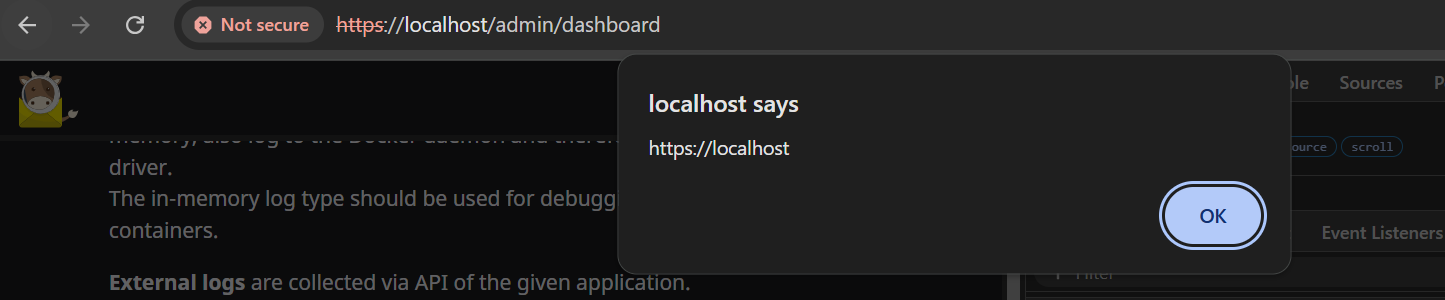
Since this hits only administrators, attackers can access any user's mailbox and reconfigure the instance. This gave the vulnerability a critical severity.
This issue was fixed by adding an escapeHtml() call around item.user while processing the rows.
Reported as GHSA-2xjc-rg88-jvpp, this vulnerability lives in Mailcow's Quarantine feature, where administrators can investigate flagged attachments. The filenames of those attachments were displayed without HTML escaping, opening the door to XSS on any admin who viewed them. Exploiting this required no authentication on the attacker's side, though it did require the Quarantine feature to be enabled on the target instance.
The sink is clear this time. Inside quarentine.js, there is a bit of code concatenating HTML with dynamic data:
$.each(data.attachments, function(index, value) {
   qAtts.append(
     '<p><a href="/inc/ajax/qitem_details.php?id=' + qitem + '&att=' + index + '" target="_blank">' + value[0] + '</a> (' + value[1] + ')' +
     ' - <small><a href="' + value[3] + '" target="_blank">' + lang.check_hash + '</a></small></p>'
   );
 });
If any of these are user-controlled, it could result in HTML injection again. These values are file name, mime type, file size and virustotal sha256, respectively. From these, the filename seems most likely to contain user input, since the attacker can send an email with an attachment that has a special filename consisting of HTML tags.
When testing, it turns out that, as expected, no strict validation takes place on this filename. It can contain <> characters, which is all that's needed to inject an XSS payload. The remaining challenge is getting the email into the quarantine queue in the first place, so an admin will open and inspect it. The attacker solves this by attaching an EICAR antivirus test file, which is a standardized string that every antivirus engine is guaranteed to flag. This reliably routes the email to quarantine without requiring the attacker to send actual malware.
The code below generates an attachment with the EICAR string as content, and an XSS payload as the filename (see advisory for a full script):
# Malicious filename attachment with EICAR to trigger quarantine
att = MIMEApplication(b'X5O!P%@AP[4\\PZX54(P^)7CC)7}$EICAR-STANDARD-ANTIVIRUS-TEST-FILE!$H+H*', _subtype='octet-stream')
att.add_header('Content-Disposition', 'attachment', filename='<img src=x onerror=alert(origin)>.exe')
msg.attach(att)
After sending the email to Mailcow and it getting quarantined, the admin can open the Quarantine page to see it. Once they click on Show item, our filename is rendered and the XSS triggers:
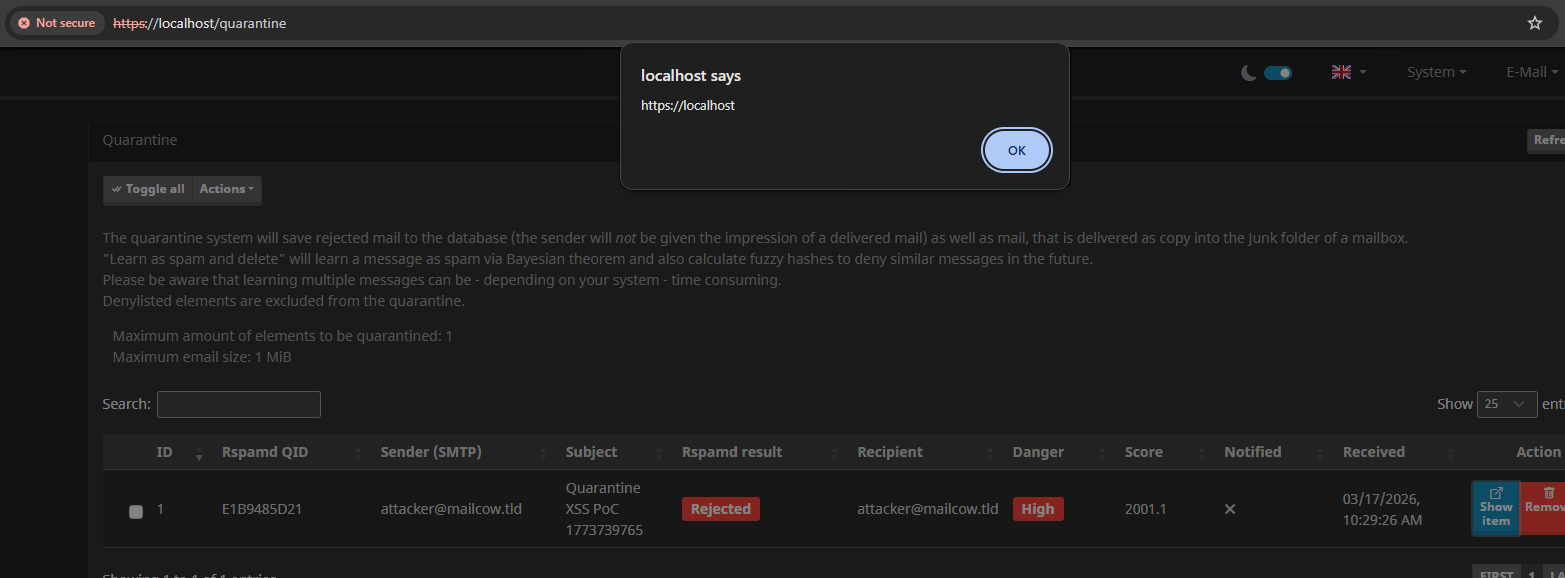
Note that this also does not require authentication on Mailcow to exploit. All that's needed is sending a maliciously crafted email to the Mailcow domain, and for the administrator to investigate it. From here, the whole instance could be taken over using JavaScript, reading mailboxes again, and configuring the instance.
This issue was fixed by adding escapeHtml() calls around the attachment values.
The last XSS vulnerability, reported as GHSA-jprq-w83q-q62h, was more technically interesting to exploit. The XSS payload is stored under the attacker's own account, meaning normally on its own, only the attacker would ever trigger it (a "Self-XSS" with no real impact). The attack becomes dangerous when combined with a Login CSRF, which forces a victim's browser to log into the attacker's account, putting the stored payload in front of the wrong person.
The vulnerability starts with another simple HTML concatenation sink at user.js:
var real_rip = item.real_rip.startsWith("Web") ? item.real_rip : '<a href="https://bgp.tools/prefix/' + item.real_rip + '" target="_blank">' + item.real_rip + "</a>";The real_rip (Real Remote IP) is rendered in the table of recent logins without being escaped. Normally, this shouldn't be a problem; IP addresses follow a very strict format with no room for XSS payloads.
However, IP addresses aren't validated by Mailcow and come directly from the X-Real-IP: header by default. Some proxies set this header to the remote IP of the user, but if no such proxy exists, any value given to it will be trusted. Therefore, you can log in while setting X-Real-IP: "><img src onerror=alert(origin)> which saves the value to the recent login entries. When viewed (via /user), the XSS payload renders and executes the alert.
POST / HTTP/1.1
Content-Type: application/x-www-form-urlencoded
X-Real-Ip: "><img src onerror=alert(origin)>

login_user=attacker&pass_user=attacker
This isn't the end of the story, though. Because a victim won't log in with this fake IP header, or log in to the attacker's account out of nowhere. For now, it is Self-XSS.
Two pieces of this vulnerability make escalation possible. First, the payload is stored persistently under the attacker's account. Second, the login request has no CSRF protection, meaning it can be triggered cross-site. An attacker can host a form on their own domain that automatically submits the attacker's credentials, logging the victim in without any interaction beyond visiting the page.
An attacker can host the following form on their malicious domain:
<form action="http://mailcow.local/" method="POST">
    <input type="text" name="login_user" value="attacker">
    <input type="text" name="pass_user" value="attacker">
</form>
<script>
    document.forms[0].submit();
</script>
Once a victim opens this hosted form on the malicious website, they are automatically logged into the attacker’s account. We can then redirect them to /user to trigger the XSS we stored earlier. But wait a second, the victim is now logged in to the attacker's account, so how can the attacker steal the victim’s data?
Here, the attacker can use a clever trick: keep the victim's mailbox open until after the Login CSRF & XSS, then read from it using same-origin access.
The new flow will look like this:
/user, where the Stored XSS is triggereddocument.body.innerHTML in tab 1, where the victim's mailbox is still open
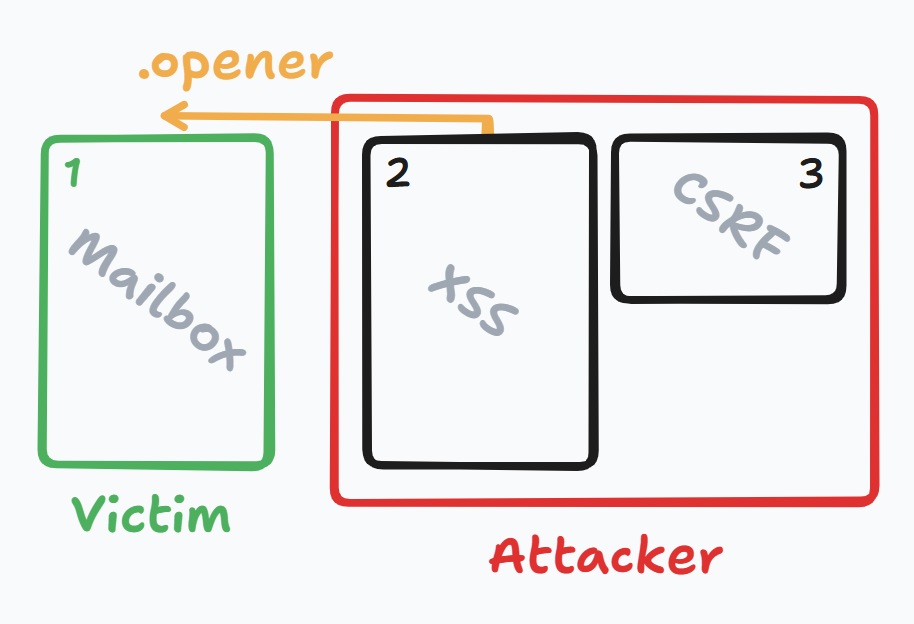
This makes it possible to read emails from the victim's account because they were fetched while still logged into their account!
See the advisory for full details on how the exploit flow works in practice. Multiple HTML files with precise control over the flow allow an attacker to steal emails in just two clicks (required for opening the two extra tabs).
This issue was fixed by adding escapeHtml() calls around the IP rendering.
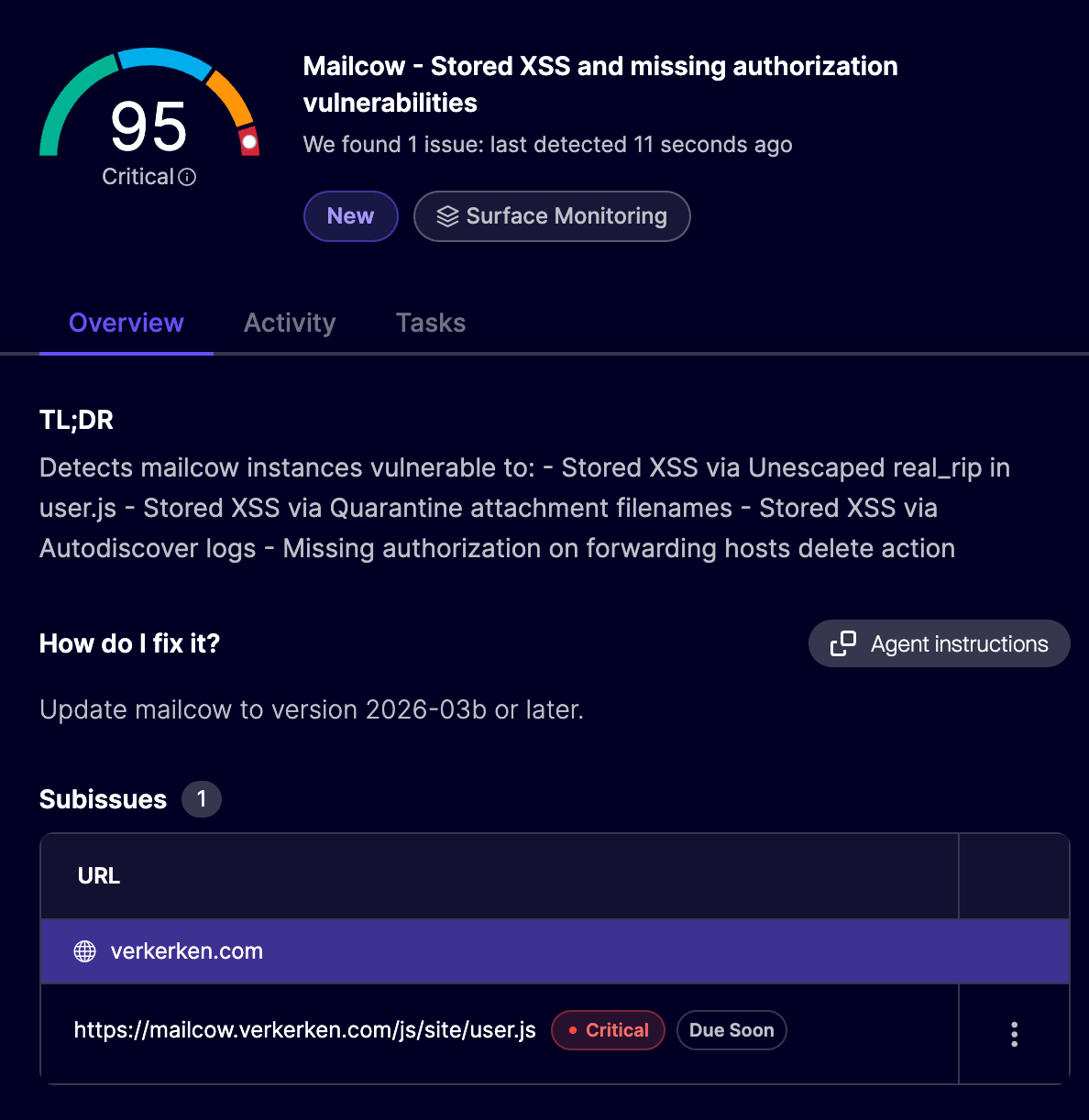
Update Mailcow to version 2026-03b or later, released March 31st 2026. All three XSS vulnerabilities are patched in this release. If you use Aikido, vulnerable Mailcow instances are automatically flagged in your surface monitoring feed as a critical finding.
Not on Aikido yet? Create a free account to get started — no credit card required.
A pattern we've seen during these disclosures is that concatenating HTML strings remains a bad idea. Modern HTML templating engines have made great improvements in most applications, but older applications without safe frameworks don't have this luxury. Sometimes they revert to concatenating strings in JavaScript, which, as seen here, quickly leads to forgetting to escape user input.
Mailbox applications contain highly sensitive information, so they should be treated with a lot of care. Such applications should be audited rigorously, since the compromise of one can lead to password reset mechanisms, resulting in the compromise of many other connected accounts.
In Mailcow, we found three vulnerabilities, tracked under the following CVE identifiers:
All three are patched in Mailcow version 2026-03b.
Aikido Attack (AI pentesting) finds these kinds of vulnerabilities in applications, completely automated. If seeing these results has you wondering about XSS vulnerabilities in your own applications, sign up or get in touch!
此内容由惯性聚合(RSS阅读器)自动聚合整理,仅供阅读参考。 原文来自 — 版权归原作者所有。