






Infrastructure as Code (IaC) changed how teams build cloud infrastructure: repeatable, versioned, and automatable. But with that power comes new risks. IaC security scanning—or IaC scanning—lets you find misconfigurations in your YAML, HCL, and other infra files before they reach production. This post explains how IaC scanning works, common cloud mistakes it catches (and misses), where to plug it into your software lifecycle, and which tools to consider.
IaC lets you declare infrastructure in files instead of clicking in cloud consoles. That shift makes environments reproducible and auditable: commit, plan, apply. Two broad IaC styles exist:
Both declarative and imperative IaC are legitimate targets for IaC scanning. Understanding how your IaC is applied (manual apply vs continuous reconciliation like Kubernetes) helps you reason about risk and drift.
Terraform plans and applies changes when invoked; Kubernetes controllers continuously reconcile declared state with running workloads. That means a misconfiguration committed to a Kubernetes manifest can be enforced constantly, whereas a Terraform mistake persists until someone runs an update.
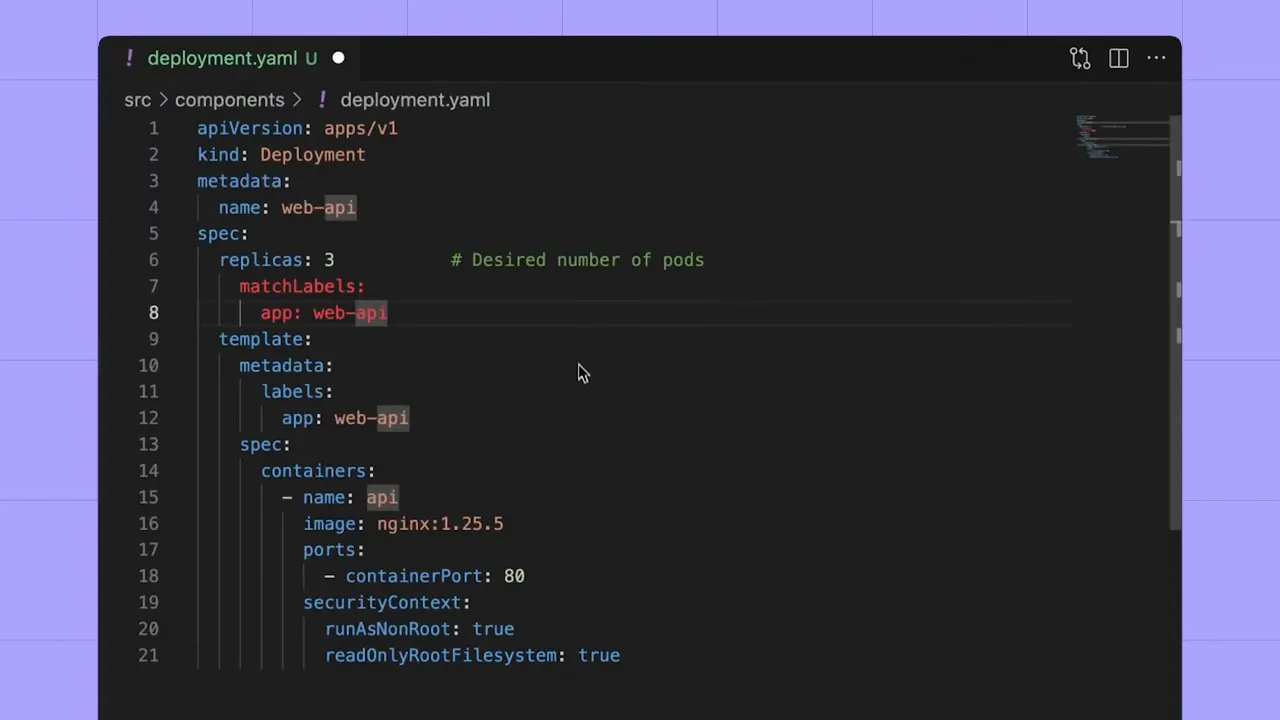
At its core, IaC scanning is static analysis for infrastructure files. Scanners parse HCL, YAML, and other formats to identify patterns that indicate insecure configuration:
Disabled logging doesn't let attackers in directly—but it destroys visibility. That alone makes it a major security risk.
Here are the misconfigurations that show up most frequently in audits and breach reports:
IaC scanning is powerful because it’s the earliest automated checkpoint you can add to security. Catching issues in files before they are committed or applied reduces remediation cost and prevents insecure deployments.
But IaC scanning has limits:
To cover runtime issues and drift you need Cloud Security Posture Management (CSPM) or runtime scanning. IaC scanning and CSPM are complementary: IaC scanning prevents problems before deploy; CSPM finds issues that appear in production.
There are several mature open-source scanners. Which one you pick depends on your stack and workflow:
Running a scanner locally is simple: install the tool, run it against your repo, and review the findings. Here’s the typical workflow when using Trivy locally:
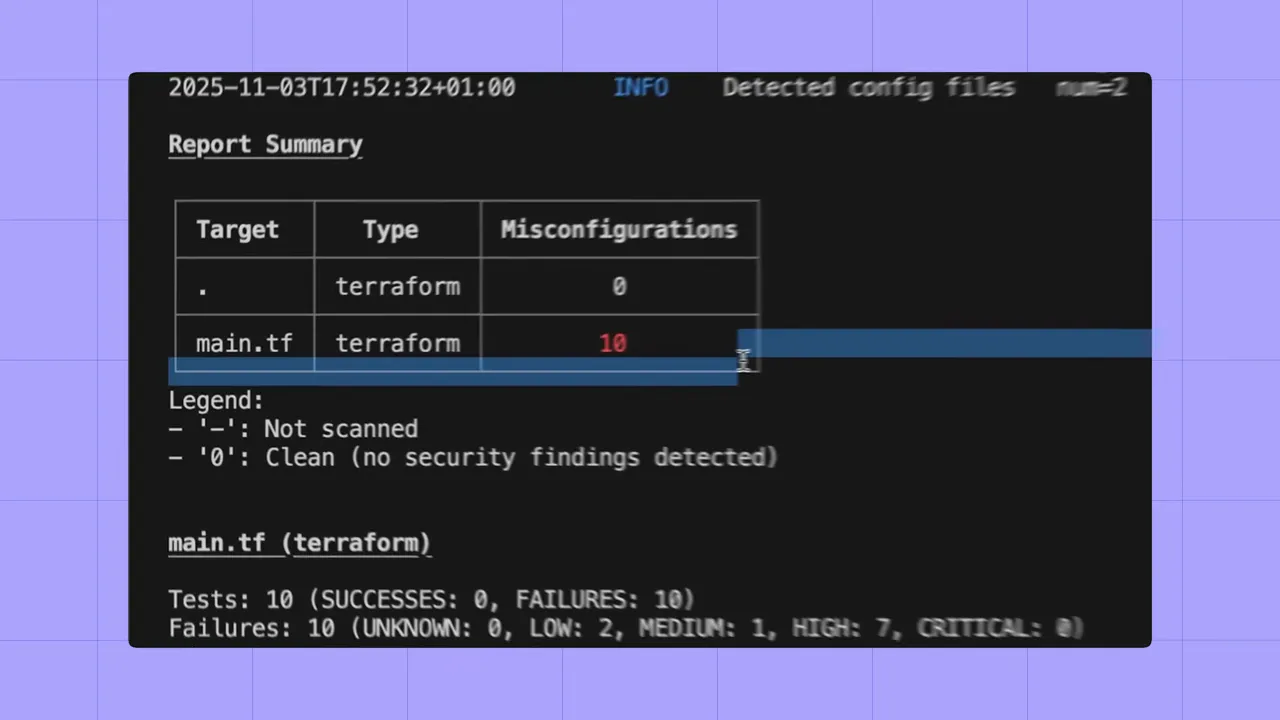
Results usually include clear rule names, file locations, and remediation hints—enough for a developer to make changes quickly.
To maximize coverage and minimize bypass, embed IaC scanning at multiple points:
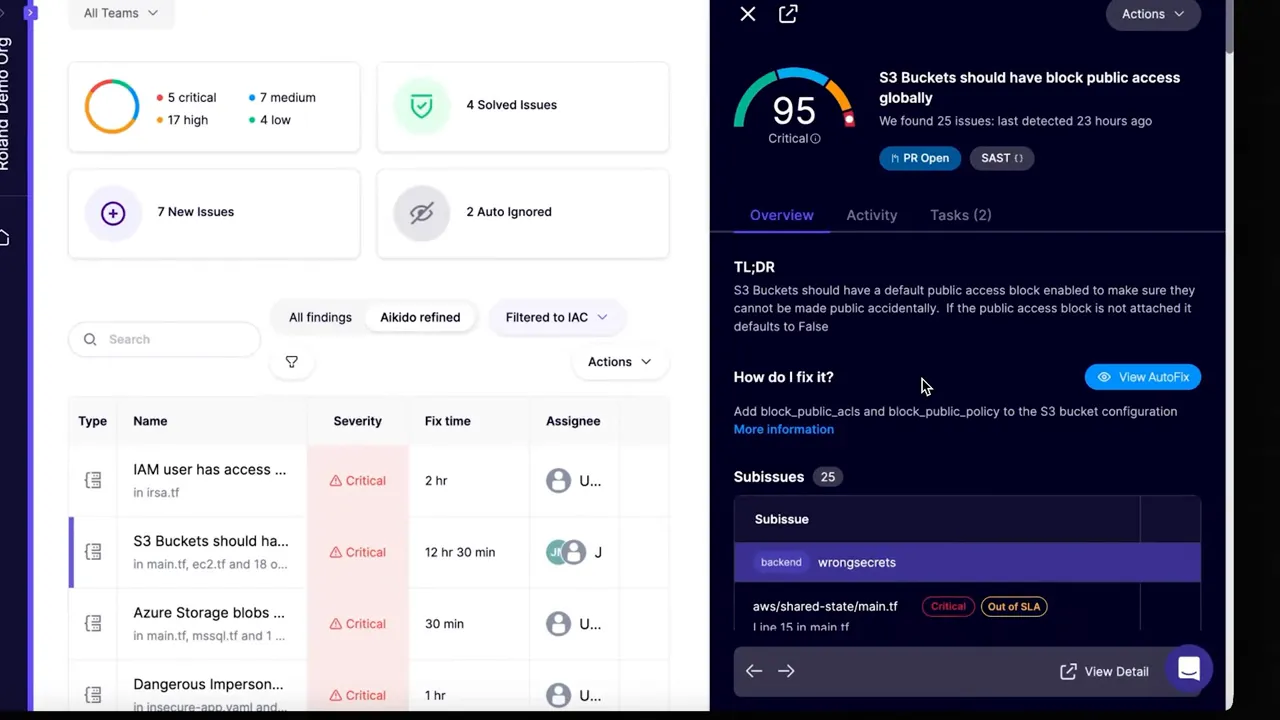
Make the Git repository the control plane for IaC policy. When scanning is only local, different developers may diverge—leading to security gaps.
Commercial IaC platforms add workflow and AI-driven features that reduce manual work and false positives:
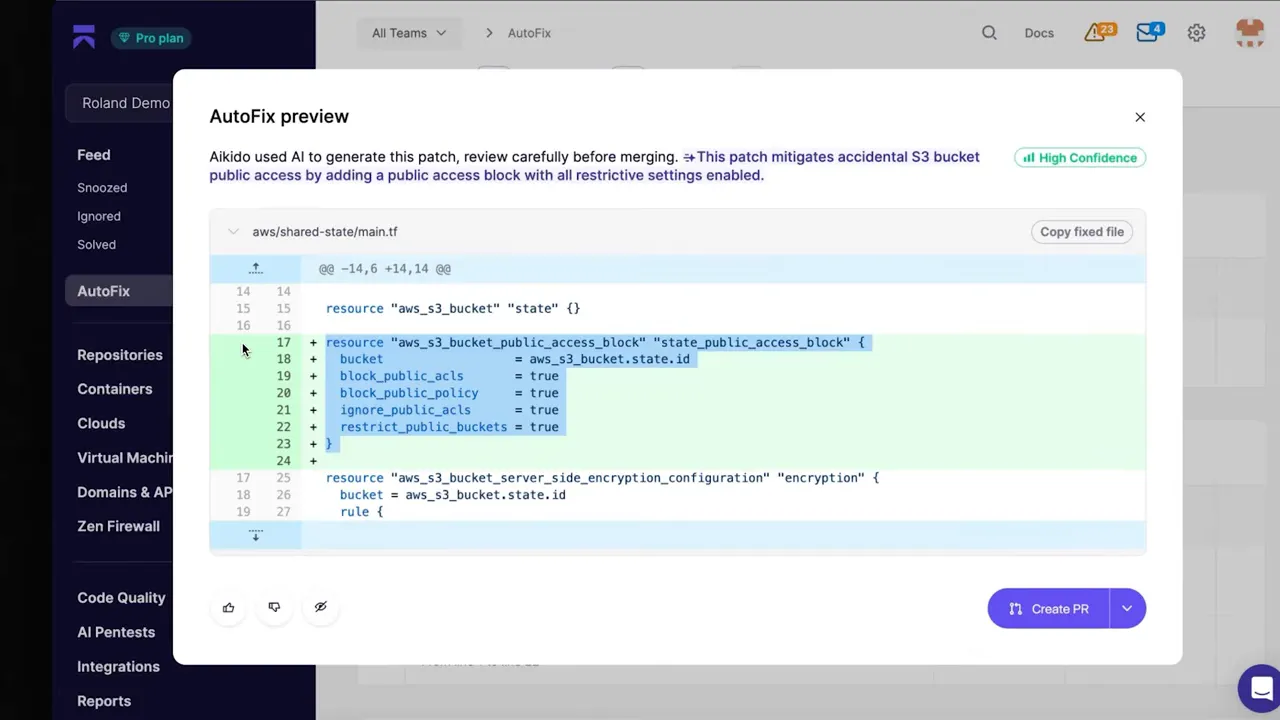
AutoFix can be a productivity multiplier—developers receive suggested code changes and can merge safe fixes with a single workflow. But always pair generated fixes with code review and tests to avoid unexpected behavior.
IaC scanning is the earliest, most cost-effective way to stop misconfigurations from becoming incidents. It finds common issues like public buckets, open ports, and over-permissive IAM before they reach production. However, static scanning won’t replace runtime posture management—use IaC scanning as a crucial first layer in a layered cloud security strategy.
Start by adding scanners to developer workflows and CI, centralize checks in Git, and pair IaC scanning with CSPM to cover runtime gaps. Over time, automate fixes and improve signal-to-noise with contextual rules so teams can move fast—and stay secure.
Try out Aikido Security today!
此内容由惯性聚合(RSS阅读器)自动聚合整理,仅供阅读参考。 原文来自 — 版权归原作者所有。