惯性聚合 高效追踪和阅读你感兴趣的博客、新闻、科技资讯
阅读原文 在惯性聚合中打开

推荐订阅源

F
Fortinet All Blogs
S
Secure Thoughts
月光博客
月光博客
美团技术团队
雷峰网
雷峰网
Exploit-DB.com RSS Feed
奇客Solidot–传递最新科技情报
奇客Solidot–传递最新科技情报
N
News and Events Feed by Topic
freeCodeCamp Programming Tutorials: Python, JavaScript, Git & More
Forbes - Security
Forbes - Security
W
WeLiveSecurity
P
Proofpoint News Feed
阮一峰的网络日志
阮一峰的网络日志
爱范儿
爱范儿
G
GRAHAM CLULEY
cs.AI updates on arXiv.org
AI
AI
Last Week in AI
Last Week in AI
Google Online Security Blog
Schneier on Security
云风的 BLOG
云风的 BLOG
Threat Intelligence Blog | Flashpoint
Recent Announcements
Webroot Blog
Webroot Blog
T
Tor Project blog
Cisco Talos Blog
Cisco Talos Blog
N
News and Events Feed by Topic
罗磊的独立博客
The Register - Security
Blog — PlanetScale
Blog — PlanetScale
T
Threat Research - Cisco Blogs
博客园 - 【当耐特】
Apple Machine Learning Research
人人都是产品经理
人人都是产品经理
T
The Exploit Database - CXSecurity.com
www.infosecurity-magazine.com
B
Blog
腾讯CDC
Microsoft Azure Blog
酷 壳 – CoolShell
酷 壳 – CoolShell
H
Hacker News: Front Page
Application and Cybersecurity Blog
Engineering at Meta
Engineering at Meta
Latest news
Latest news
IT之家
IT之家
D
DataBreaches.Net
博客园 - 司徒正美
N
Netflix TechBlog - Medium
V
V2EX
钛媒体:引领未来商业与生活新知
钛媒体:引领未来商业与生活新知

Aikido Security's Blog

GlassWorm goes native: New Zig dropper infects every IDE on your machine Aikido Attack finds multiple 0-days in Hoppscotch The cybersecurity doomerism around Mythos doesn't match what we see on the ground axios compromised on npm: maintainer account hijacked, RAT deployed Popular telnyx package compromised on PyPI by TeamPCP Aikido × Lovable: Vibe, Fix, Ship CanisterWorm Gets Teeth: TeamPCP's Kubernetes Wiper Targets Iran TeamPCP deploys CanisterWorm on NPM following Trivy compromise Security testing is validating software that no longer exists Aikido Recognized by Frost & Sullivan with the 2026 Customer Value Leadership Award in ASPM GlassWorm Hides a RAT Inside a Malicious Chrome Extension fast-draft Open VSX Extension Compromised by BlokTrooper Glassworm Strikes Popular React Native Phone Number Packages Glassworm Is Back: A New Wave of Invisible Unicode Attacks Hits Hundreds of Repositories How Security Teams Fight Back Against AI-Powered Hackers Introducing Betterleaks, an open source secrets scanner by the author of Gitleaks Trump’s 2026 cybersecurity strategy: From compliance to consequence How does AI pentesting work with compliance? What continuous pentesting actually requires Rare Not Random: Using Token Efficiency for Secrets Scanning Persistent XSS/RCE using WebSockets in Storybook’s dev server Why Determinism Is Still a Necessity in Security WAF vs. RASP vs. ADR Introducing Aikido Infinite: A new model of self-securing software How Aikido secures AI pentesting agents by design Astro Full-Read SSRF via Host Header Injection How to Get Your Board to Care About Security (Before a Breach Forces the Issue) What is Slopsquatting? The AI Package Hallucination Attack Already Happening SvelteSpill: A Cache Deception Bug in SvelteKit + Vercel Top 6 Wiz Code Alternatives Aikido recognized as Platform Leader in Latio Tech's 2026 Application Security Report From detection to prevention: How Zen stops IDOR vulnerabilities at runtime npm backdoor lets hackers hijack gambling outcomes Introducing Upgrade Impact Analysis: When breaking changes actually matter to your code Why Trying to Secure OpenClaw is Ridiculous Claude Opus 4.6 found 500 vulnerabilities. What does this change for software security? Introducing Aikido Expansion Packs: Safer defaults inside the IDE International AI Safety Report 2026: What It Means for Autonomous AI Systems Self-Securing Software: What It Is, Why It Matters, and How It Works npx Confusion: Packages That Forgot to Claim Their Own Name What Is Continuous Pentesting? Introducing Aikido Package Health: a Better Way to Trust Your Dependencies AI Pentesting: Minimum Safety Requirements for Security Testing Secure SDLC for Engineering Teams (+ Checklist) Fake Clawdbot VS Code Extension Installs ScreenConnect RAT G_Wagon: npm Package Deploys Python Stealer Targeting 100+ Crypto Wallets Gone Phishin': npm Packages Serving Custom Credential Harvesting Pages Malicious PyPI Packages spellcheckpy and spellcheckerpy Deliver Python RAT Top 10 AI Security Tools For 2026 Agent Skills Are Spreading Hallucinated npx Commands Understanding Open-Source License Risk in Modern Software The CISO Vibe Coding Checklist for Security Top 6 Graphite alternatives for AI code review in 2026 From “No Bullsh*t Security” to $1B: We Just Raised Our $60m Series B Critical n8n Vulnerability Allows Unauthenticated Remote Code Execution (CVE-2026-21858) Top 14 VS Code Extensions for 2026 AI-Driven Pentesting of Coolify: Seven CVEs Identified Top Continuous Pentesting Tools in 2026 SAST vs SCA: Securing the Code You Write and the Code You Depend On JavaScript, MSBuild, and the Blockchain: Anatomy of the NeoShadow npm Supply-Chain Attack How Engineering and Security Teams Can Meet DORA’s Technical Requirements IDOR Vulnerabilities Explained: Why They Persist in Modern Applications Shai Hulud strikes again - The golden path MongoBleed: MongoDB Zlib Vulnerability (CVE-2025-14847) and How to Fix It First Sophisticated Malware Discovered on Maven Central via Typosquatting Attack on Jackson The Fork Awakens: Why GitHub’s Invisible Networks Break Package Security Top 10 Cyber Security Tools For 2026 SAST in the IDE is now free: Moving SAST to where development actually happens AI Pentesting in Action: A TL;DV Recap of Our Live Demo The Top 7 Threat Intelligence Tools in 2026 React & Next.js DoS Vulnerability (CVE-2025-55184): What You Need to Fix After React2Shell OWASP Top 10 for Agentic Applications (2026): What Developers and Security Teams Need to Know DAST vs Pentesting v AI Pentesting: Why DAST Cannot Replace Modern Pentesting PromptPwnd: Prompt Injection Vulnerabilities in GitHub Actions Using AI Agents Top 7 Cloud Security Vulnerabilities Critical React & Next.js RCE Vulnerability (CVE-2025-55182): What You Need to Fix Now How to Comply With the UK Cybersecurity & Resilience Bill: A Practical Guide for Modern Engineering Teams Shai Hulud 2.0: What the Unknown Wonderer Tells Us About the Attackers’ Endgame SCA Everywhere: Scan and Fix Open-Source Dependencies in Your IDE Safe Chain now enforces a minimum package age before install Shai Hulud Attacks Persist Through GitHub Actions Vulnerabilities Shai Hulud Launches Second Supply-Chain Attack: Zapier, ENS, AsyncAPI, PostHog, Postman Compromised CORS Security: Beyond Basic Configuration Revolut Selects Aikido Security to Power Developer-First Software Security The Future of Pentesting Is Autonomous How Aikido and Deloitte are bringing developer-first security to enterprise Secrets Detection: A Practical Guide to Finding and Preventing Leaked Credentials Invisible Unicode Malware Strikes OpenVSX, Again AI as a Power Tool: How Windsurf and Devin Are Changing Secure Coding Building Fast, Staying Secure: Supabase’s Approach to Secure-by-Default Development OWASP Top 10 2025: Official List, Changes, and What Developers Need to Know Top 10 JavaScript Security Vulnerabilities in Modern Web Apps The Return of the Invisible Threat: Hidden PUA Unicode Hits GitHub repositorties Top 7 Black Duck Alternatives in 2026 What Is IaC Security Scanning? Terraform, Kubernetes & Cloud Misconfigurations Explained AutoTriage and the Swiss Cheese Model of Security Noise Reduction Top Software Supply Chain Security Vulnerabilities Explained The Top 7 Kubernetes Security Tools Top 10 Web Application Security Vulnerabilities Every Team Should Know What Is CSPM (and CNAPP)? Cloud Security Posture Management Explained
Top Vibe Coding Tools for a Seamless Workflow in 2026
Ruben Camerlynck · 2025-05-22 · via Aikido Security's Blog

Since Andrej Karpathy ignited the web with a term for a new form of programming we’ve come to know as “vibe coding”, a lot has happened. The models have gotten better, the tooling has improved, and even long-time skeptics are starting to come around. What once felt like a novelty is beginning to look like a new horizon for software engineering.

With all the buzz, a natural question follows: if you’re going to vibe code, what tools should you actually use? Which platforms make it easy to move fast without constantly fighting the AI, the environment, or the workflow?

Tooling is only part of the story. Vibe coding collapses the distance between idea and production, and when that gap disappears, so do many of the guardrails developers have relied on for years.

That doesn’t mean vibe coding is inherently reckless, in a previous post, we addressed why and how to keep security top of mind when vibe coding. However, in this article, we will focus on the top tools to consider for vibe coding in 2026.

TL;DR 

Of all the vibe coding tools outlined, Loveable takes the top spot for its user-friendly design, with tight integrations with popular platforms such as Shopify, Stripe, and Supabase, making it easy to go from idea to production without stitching together multiple services by hand.

Beyond usability, Lovable stands out for how it balances speed with security, enabling anyone  to go from idea to application without compromising on security. If you want to know more about how to secure Lovable specifically, get advice from the CISOs of Lovable and Supabase in this masterclass

What is Vibe Coding?

Vibe coding is a fresh approach to programming where users describe their desired outcome in plain English and collaborate with a large language model (LLM) to refine and generate the code that delivers it. These models are commonly available either as part of a full platform that supports end-to-end deployment, or as standalone chat interfaces such as ChatGPT or Perplexity.

The main concern is that vibe coding often prioritizes output over safety. So if removing authentication offers the least path of resistance, this is usually the trail the model will take,

Vibe Coding Security Issues

Beyond the buzz about how vibe coding can help you “ship fast” and “get sh*t done”, there’s a larger headache being created for security teams everywhere.

LLMs allow devs to iterate faster but often at the cost of security. As it stands, unless you are consciously prompting the model to avoid creating flaws like SSRF or directory traversal bugs, you end up in a situation where your code takes longer to reach production. This is because security teams keep rejecting it due to potential vulnerabilities.

For this reason, we have put together a list of resources to get help you address many of the common security issues with vibe coding:

Benefits of vibe coding tools  

  • Faster Idea-to-Execution: Translate plain-English intent into working code in minutes, dramatically reducing the time between concept and implementation.
  • Reduced Cognitive Load: Offload boilerplate, wiring, and repetitive tasks to AI so developers can focus on logic and product direction
  • Lower Barrier to Building: Enable non-experts, solo builders, and small teams to create functional applications without deep framework or infrastructure knowledge.
  • Rapid Experimentation: Make it cheap and fast to prototype, discard, and refine ideas, encouraging exploration without long setup or commitment costs.

The best vibe coding tools act as intelligent partners, understanding your intent and translating it into clean, functional code. They integrate smoothly into your existing environment and offer features that enhance, rather than hinder, your creative process.

Below is a table highlighting the top 5 vibe coding tools:

Tool Strengths Best For Limitations
Loveable End-to-end full-stack application generation and deployment from prompts. Rapid prototyping and early-stage product development. Opinionated workflows can limit flexibility and customization at scale.
GitHub Copilot Context-aware code suggestions with deep, IDE-native integration. Developers of all levels looking for fast, AI-assisted pair programming. Occasional insecure, inefficient, or buggy code suggestions.
Cursor Conversational coding with awareness of full project context. Immersive AI-driven development in a VS Code–style environment. Requires switching editors and offers limited full-stack lifecycle support.
Replit AI Zero-setup environment with an AI agent across code and runtime. Students, small teams, and rapid web prototyping. Browser-based IDE constraints and higher blast radius for AI mistakes.
Tabnine Personalized code completions with strong privacy and IP controls. Teams that need custom completions with strict data privacy requirements. Limited architectural awareness; advanced features require paid plans.

1. Lovable 

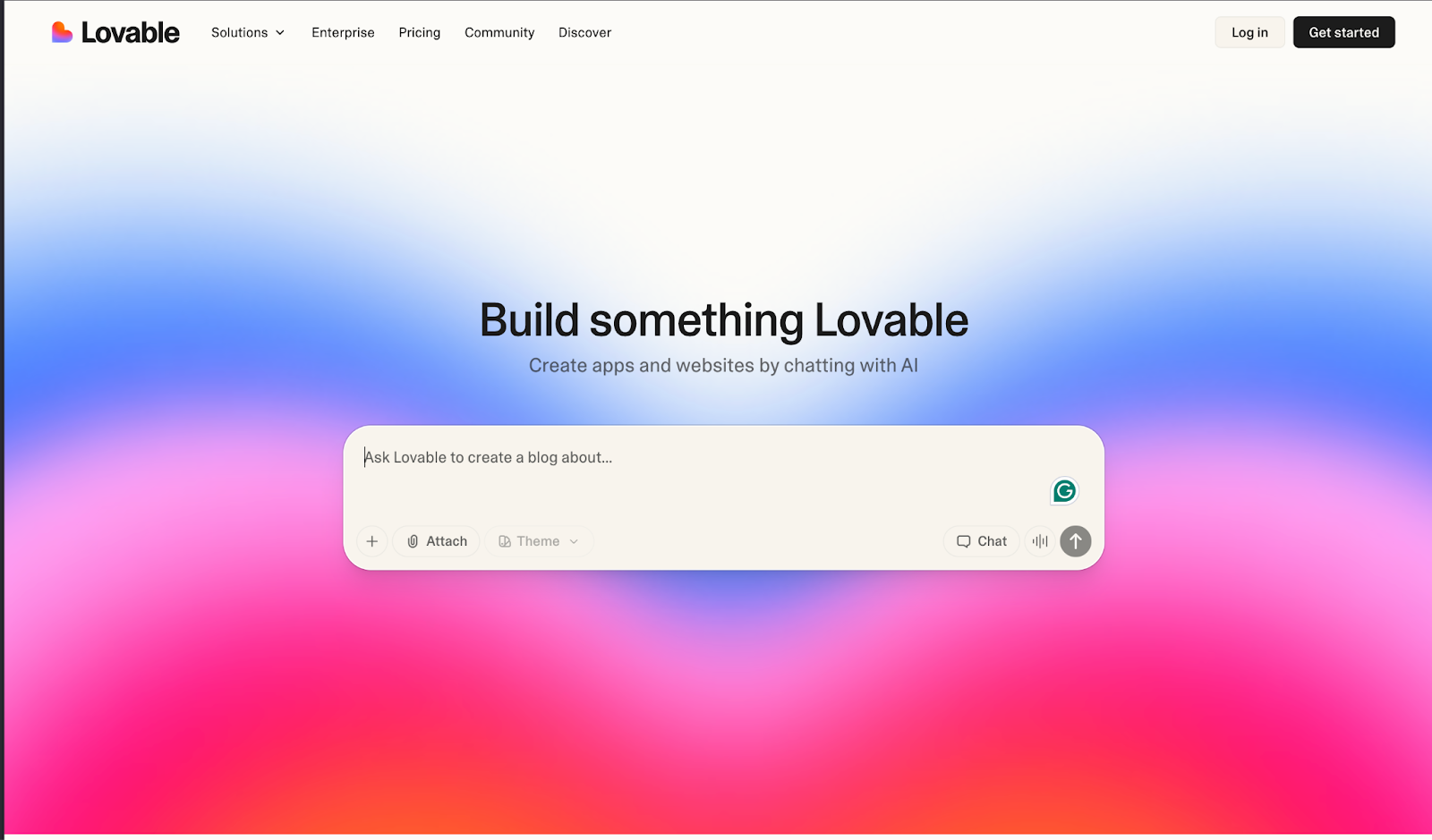
Lovable website

Lovable website

Lovble is an AI-powered vibe coding platform designed to help users build full-stack web applications by describing what they want in plain English. It translates intent into working code across the frontend, backend, database, authentication, and integrations, packaging everything into a deployable project with source code you can inspect, modify, and sync to GitHub.

Unlike tools that stop at code generation, Lovable focuses on the full application lifecycle. It integrates directly with services such as Supabase for backend infrastructure and Stripe for payments, allowing users to assemble real production-ready stacks without manually configuring each component. This makes it particularly effective for rapid prototyping and early-stage product development.

Key Features:

  • AI-driven full-stack application generation from natural language prompts
  • Editable, exportable source code with GitHub synchronization
  • Native integrations with Supabase, Stripe, and other common SaaS platforms
  • Built-in authentication, database management, and API wiring
  • Live previews and visual editing alongside generated code
  • One-click deployment and hosting on paid plans

Pros:

  • Extremely fast path from idea to working application
  • Produces real, maintainable code rather than locked-in abstractions
  • Tight integrations reduce the need for manual infrastructure setup
  • Low barrier to entry for non-developers and solo builders
  • Opinionated defaults reduce decision fatigue and setup overhead

Cons:

  • Opinionated workflows can limit flexibility for complex or unconventional architectures
  • Credit-based usage model can make costs harder to predict at scale
  • Complex business logic may require manual intervention or refactoring
  • Debugging AI-generated changes can sometimes offset speed gains

Pricing:

Tiered, credit-based subscription model
G2 Rating: 4.8/5.0

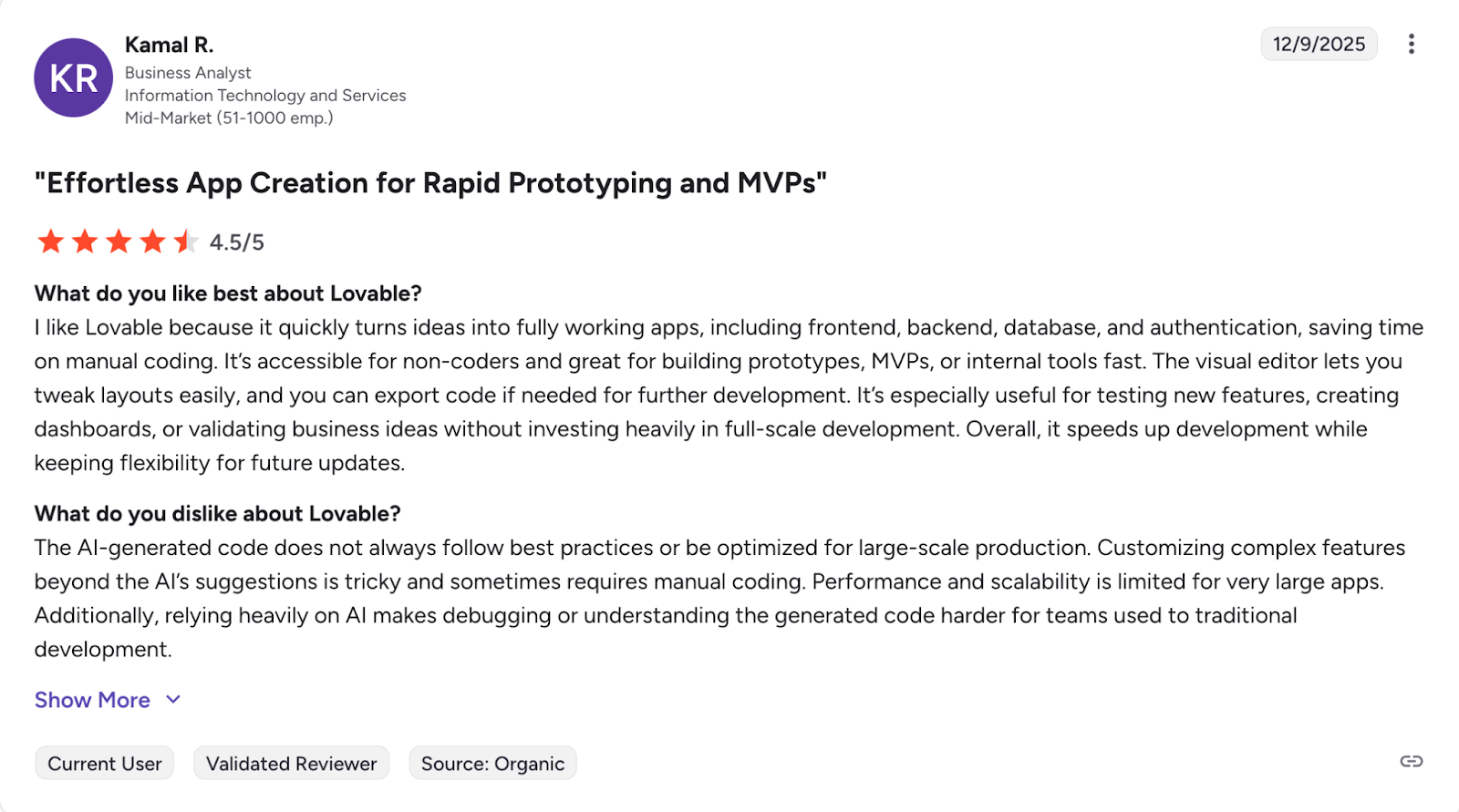
Loveable Reviews:

Loveable Reviews

A user sharing their experience with Lovable

2. GitHub Copilot

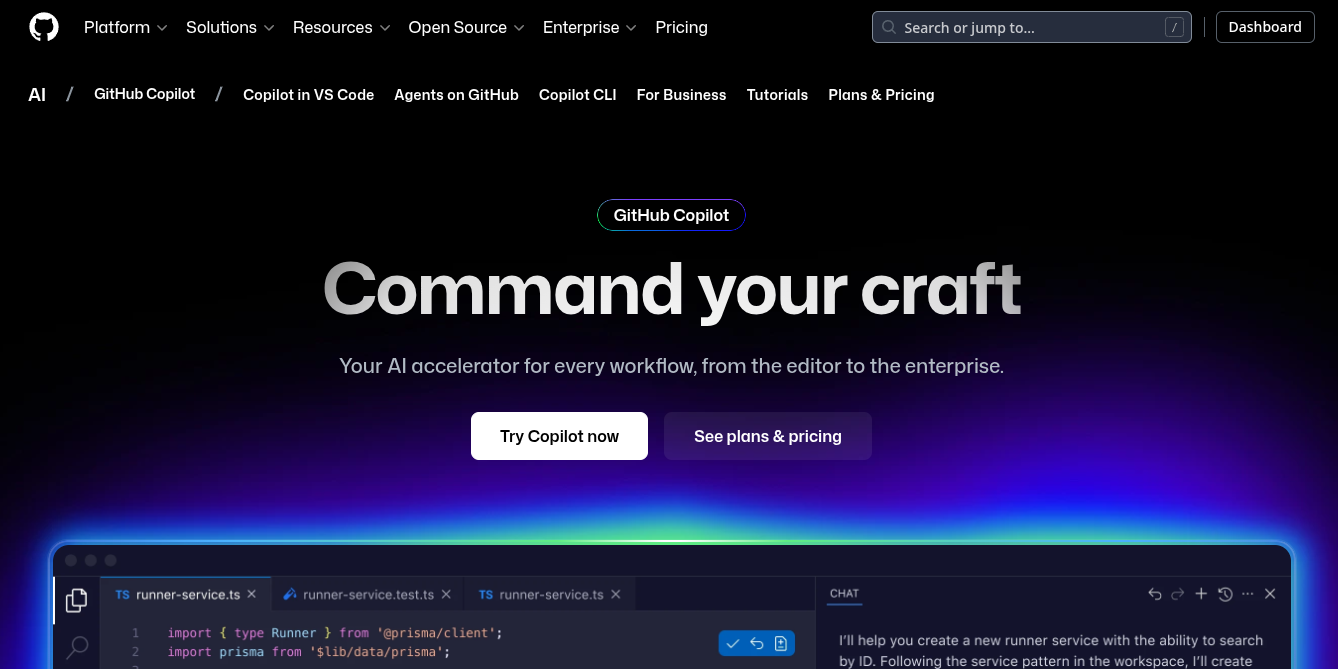
GitHub Copilot website

GitHub Copilot website

Integrated directly into IDEs like VS Code, GitHub Copilot offers autocomplete-style suggestions that range from single lines to entire functions. You write a comment describing what you need, and Copilot generates the code to match.

More recently, GitHub Copilot has expanded beyond the editor and into GitHub repositories, enabling developers to prompt, review, and iterate directly on new or existing codebases. This shifts Copilot from a pure in-editor assistant to something that can participate across more of the development workflow.

Key Features:

  • Context-aware code: suggestions based on the contents of open files and surrounding code
  • Deep integration with popular IDEs such as VS Code, JetBrains IDEs, and Neovim
  • GitHub-native integration for repository-level prompting and code generation
  • Inline completions, multi-line suggestions, and function-level generation

Pros:

  • Feels like a natural extension of the editor, with minimal workflow disruption
  • Strong GitHub integration makes it easy to work directly inside existing repositories
  • Effective at reducing boilerplate and accelerating day-to-day coding tasks
  • Supports many languages and ecosystems, making it broadly applicable
  • Useful for developers of all skill levels as an always-available pair programmer

Cons:

  • Not designed as a full-stack development platform
  • Tight coupling to GitHub can be limiting for organizations that use other SCM platforms
  • Generated code still requires careful review for correctness, performance, and security
  • Suggestions can occasionally be inefficient, insecure, or subtly incorrect
  • Less effective for high-level architectural decisions or complex business logic

Pricing:

Subscription-based pricing (per-user, per-month), with individual, business, and enterprise tiers
G2 Rating: 4.5/5

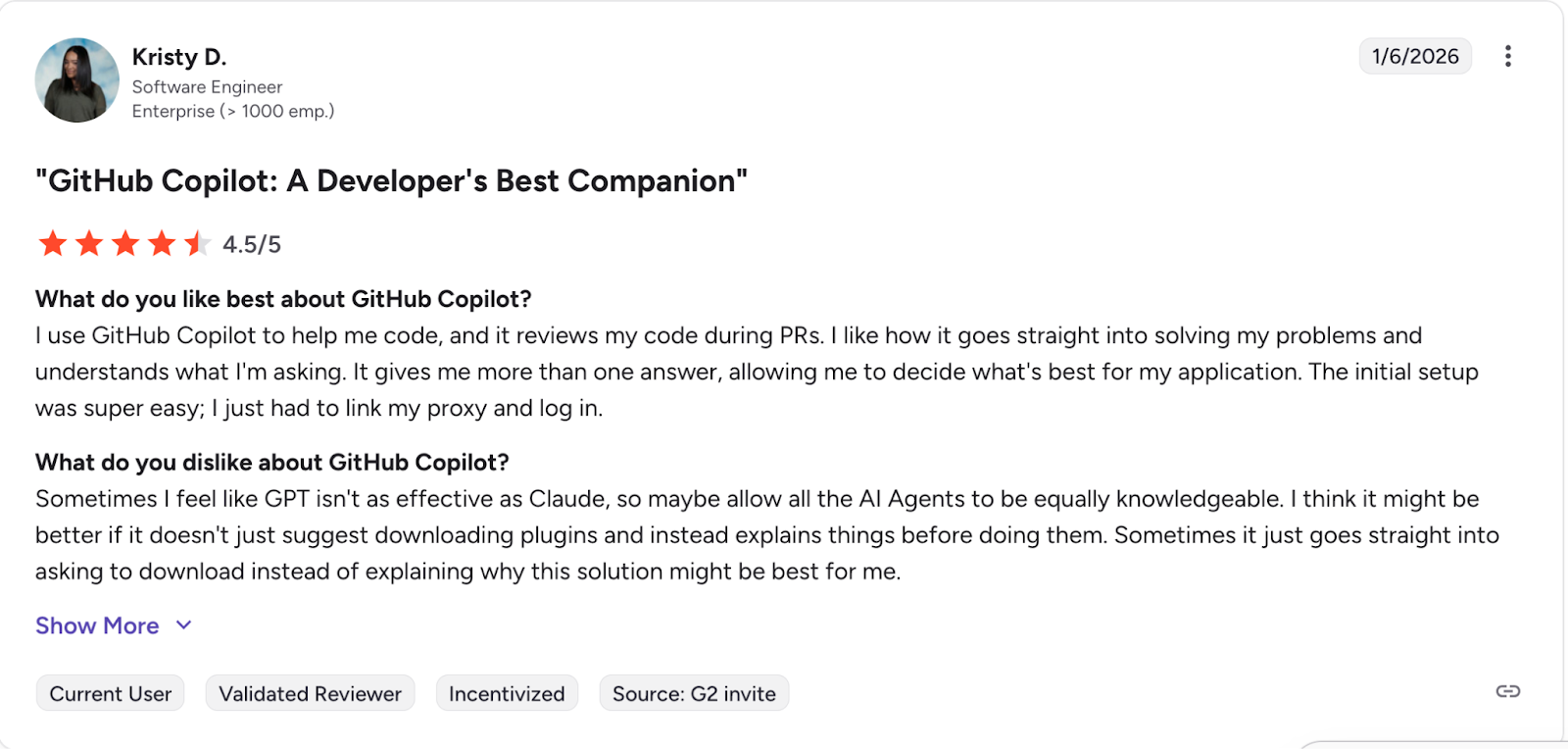
GitHub Copilot Reviews:

GitHub Copilot Reviews

A user sharing their experience with GitHub Copilot

3. Cursor

Cursor website

Cursor website

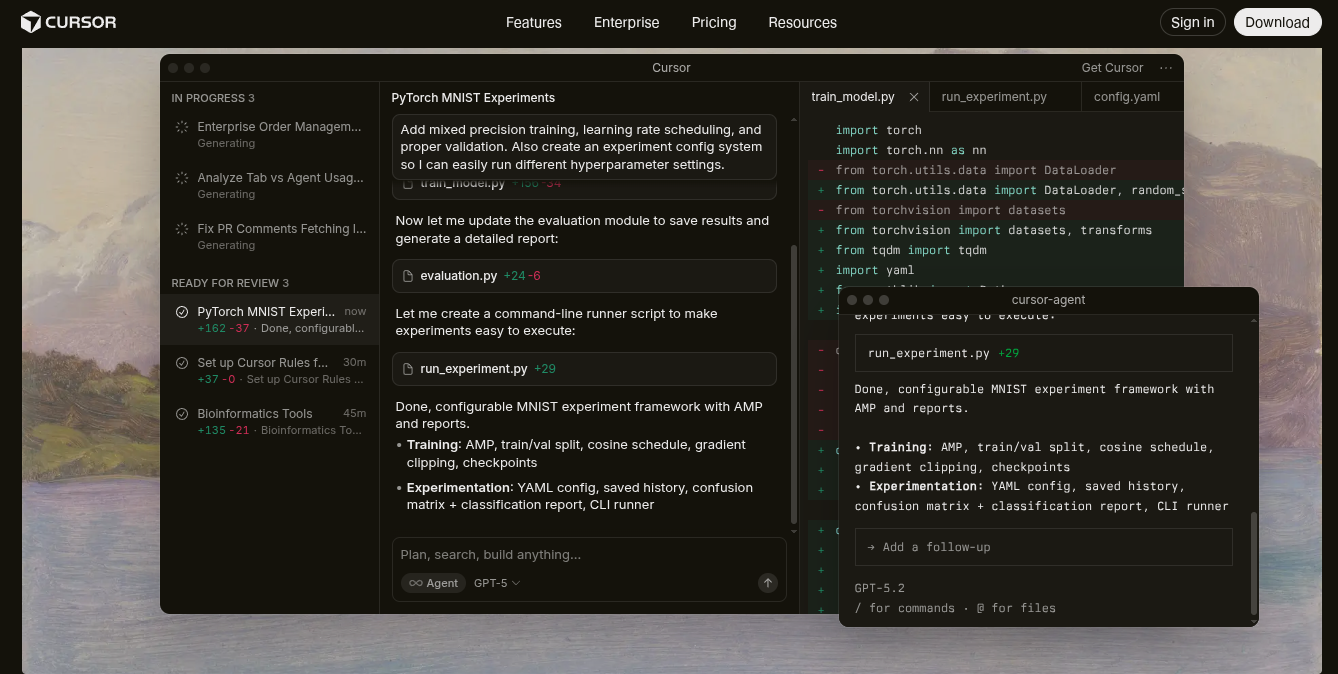
What started out as a fork of VS Code has quickly become an essential tool for many developers and vibecoders everywhere, Cursor boasts support for multiple models while integrating in line completion and a chat interface that has full context into your current project. 

Key Features:

  • Conversational Coding: Chat with your entire codebase to understand complex logic or find specific functions.
  • AI-Powered Refactoring: Highlight a block of code and ask Cursor to refactor it for performance, readability, or to fix bugs.
  • "Code-Aware" AI: The AI has full context of your project, leading to more accurate and relevant suggestions than many competitors.

Pros:

  • Deep project-wide context results in higher-quality suggestions compared to generic chat-based tools
  • Excellent refactoring and code transformation workflows directly inside the editor
  • Model flexibility allows teams to choose between different LLM providers
  • Familiar VS Code–style interface reduces onboarding friction
  • Strong balance between inline completions and conversational workflows
  • Effective for navigating large or unfamiliar codebases

Cons:

  • Focused on code editing rather than full-stack application lifecycle or deployment
  • Requires local project access, which can be challenging in restricted environments
  • Model usage can increase costs quickly depending on the configuration
  • Less approachable for non-developers compared to higher-level vibe coding platforms
  • Limited guidance on architecture or application structure

Pricing:

Subscription-based pricing with free and paid tiers. Paid plans typically unlock higher usage limits, faster models, and advanced features. 
G2 Rating: 4.7/5

4. Replit AI

Replit website

Replit website

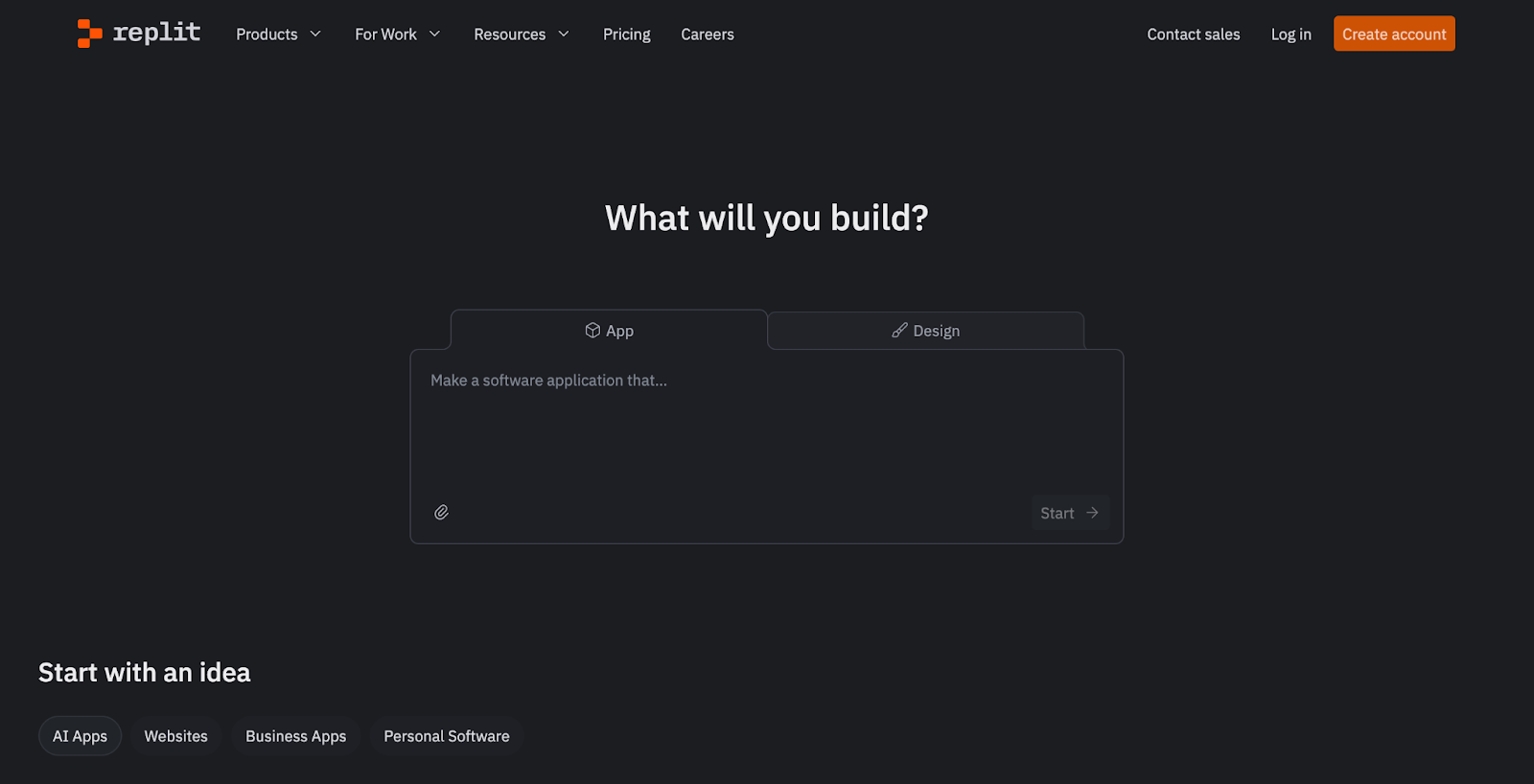
Replit is a browser-based development platform that combines code editing, execution, deployment, and AI-assisted development into a single environment. With the Replit Agent, users can describe features in plain English and have the platform generate, modify, and run code without setting up local tooling.

Replit gained significant attention after a high-profile incident involving Jason Lemkin, a well-known advisor in the SaaS community. While experimenting with Replit’s AI-driven development workflow, an AI agent reportedly executed destructive actions during a code freeze, resulting in the deletion of an entire database.

Commenting on the fallout, Willem Delbare, founder and CTO of Aikido Security, noted that while vibe coding dramatically lowers the barrier to building software, it also amplifies risk. In his view, AI-assisted development doesn’t just accelerate output; it also accelerates the creation of insecure and unmaintainable systems when proper controls are missing. 

Key Features:

  • Complete Development Environment: No local setup required. Code, test, and deploy all from your browser.
  • "Get Unstuck" Feature: If you're struggling with a bug or a concept, the AI can provide explanations and potential solutions.
  • Collaborative Features: Work on code with teammates in real-time, with the AI assisting everyone.

Pros:

  • No local environment setup required, lowering onboarding friction
  • AI agent can reason across code, runtime, and application state
  • Strong collaboration features for shared projects

Cons:

  • AI agent actions can have wide-reaching effects if not carefully constrained
  • Tight coupling between code, runtime, and state increases blast radius of mistakes
  • Costs can scale rapidly due to usage-based pricing and AI consumption
  • Limited transparency into what the AI agent will modify ahead of execution
  • Less suitable for organizations with strict change management or code freeze policies

Pricing:

Subscription-based pricing

G2 Rating: 4.5/5

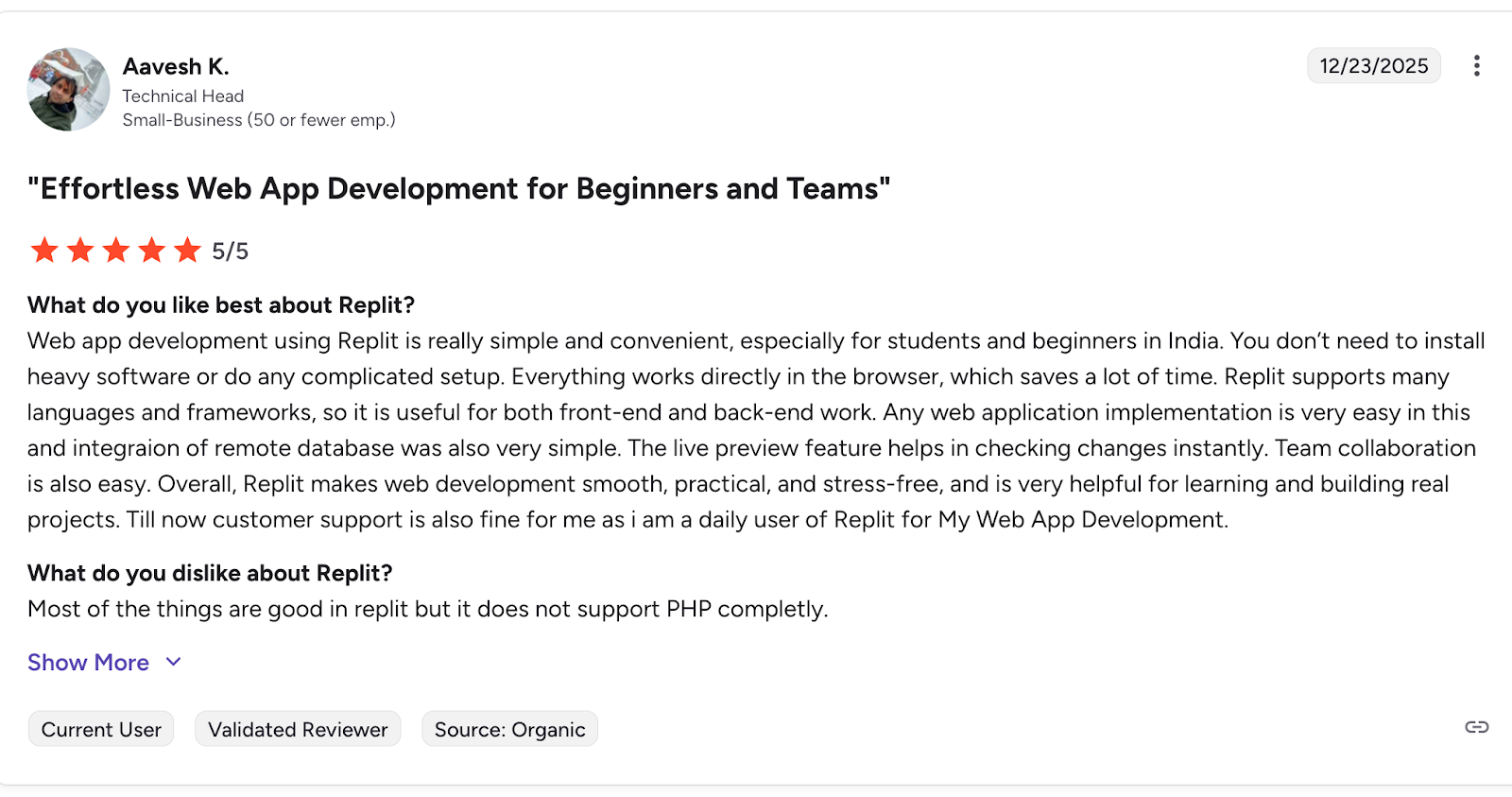
Replit Reviews:

Replit Reviews

A user sharing their experience with Replit 

5. Tabnine

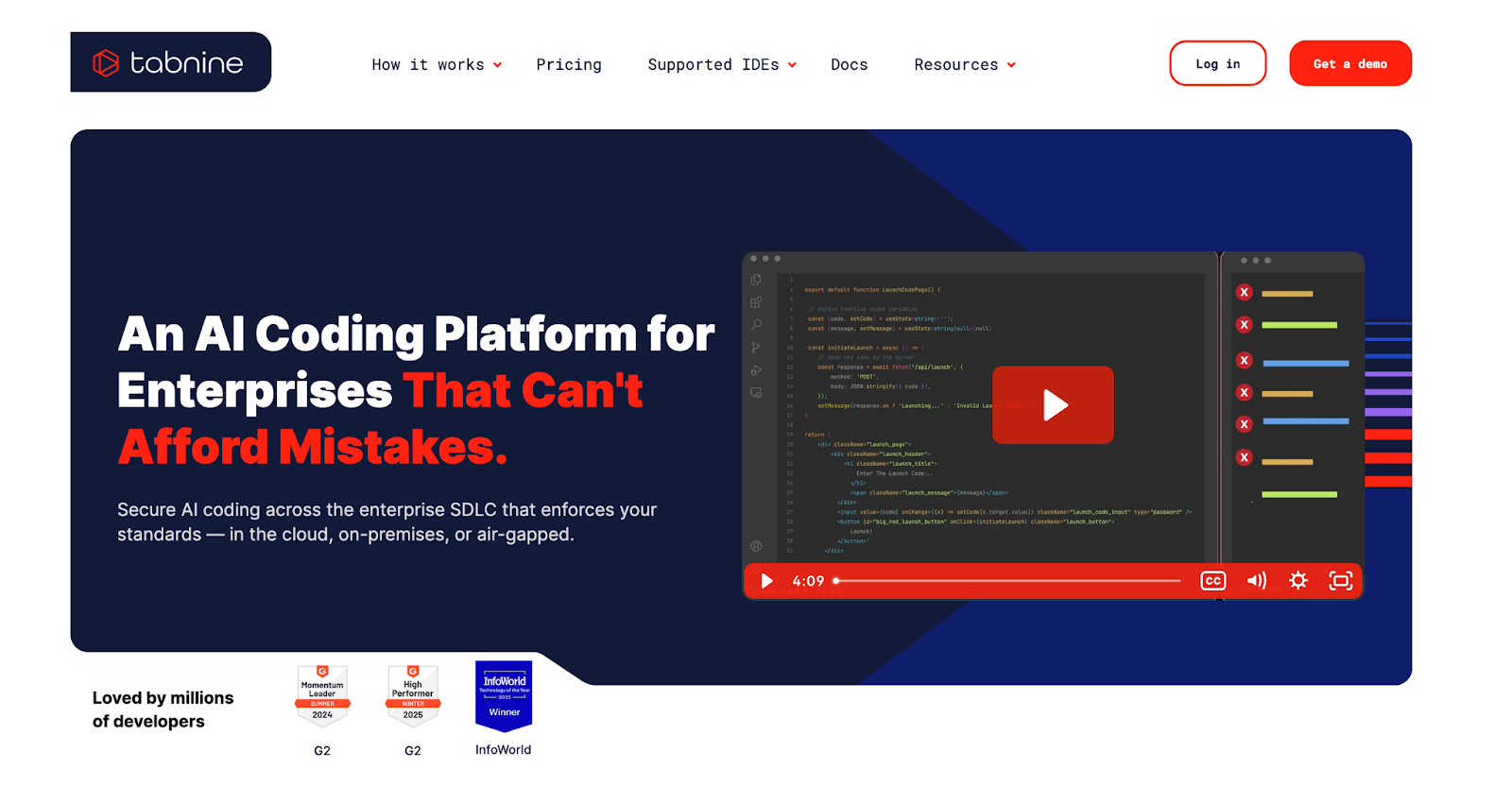
Tabnine website

Tabnine website

Tabnine has gained traction for delivering AI code completions that adapt to your coding style. Tabnine’s privacy features as a real differentiator, especially for organizations that need to safeguard code IP.

With an AI code completion that focuses on providing highly personalized suggestions, Tabnine  can be trained on your team's specific codebase, allowing it to learn your coding conventions and patterns. This results in suggestions that feel more aligned with your project's style.

Key Features:

  • Personalized AI Model: Train Tabnine on your own repositories for suggestions that match your team's coding style.
  • Privacy-Focused: Offers self-hosting options to ensure your code never leaves your secure environment.
  • Wide IDE Support: Integrates with a broad range of code editors, from VS Code to the JetBrains suite.

Pros:

  • Conservative, predictable behavior with limited blast radius
  • Strong focus on privacy and data control
  • Suitable for regulated or security-conscious environments
  • Lightweight integration that doesn’t disrupt existing workflows

Cons:

  • Limited project-wide or architectural context compared to Cursor or Replit
  • Not a full vibe coding platform
  • Less effective for large refactors or multi-file changes
  • Suggestions can feel incremental rather than transformative

Pricing:

Free tier available with basic functionality. Paid plans are offered per user, with additional enterprise tiers supporting private models, on-prem deployment, and enhanced governance controls.
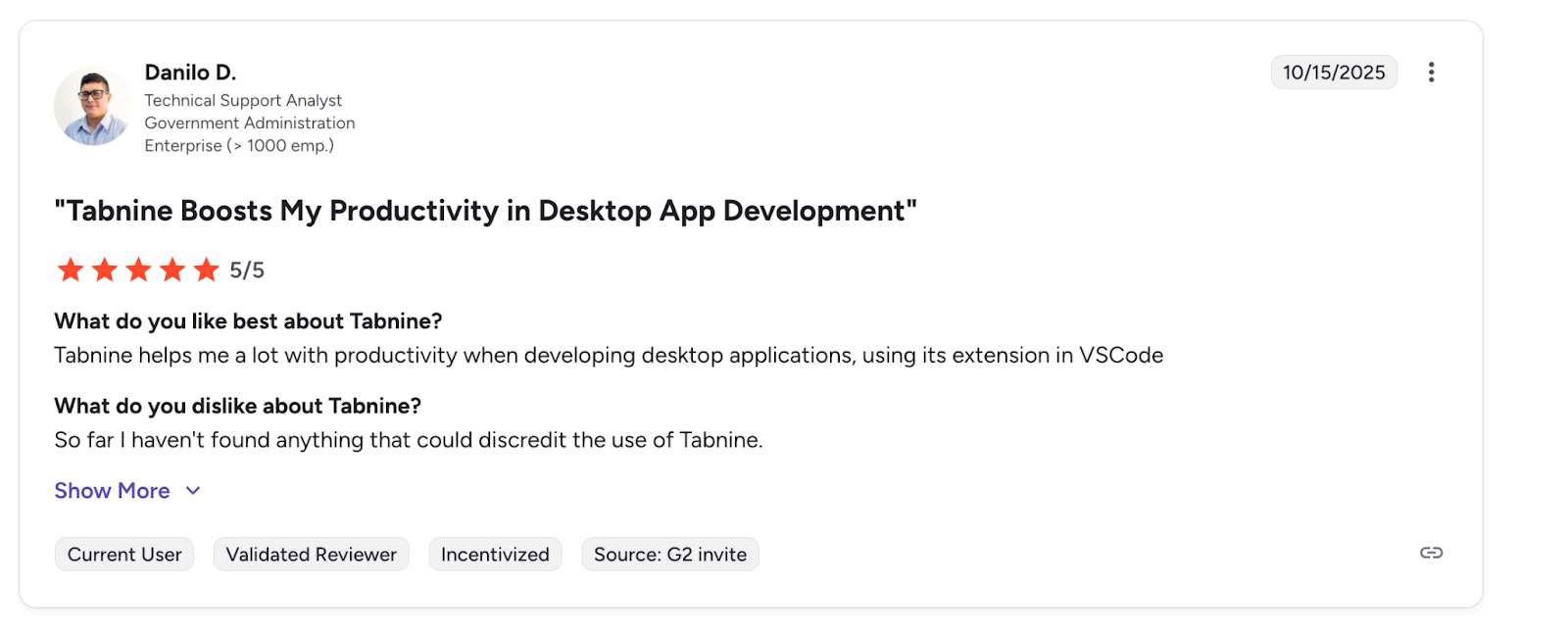
G2 Rating: 4.1/5

Tabnine Reviews:

Tabnine Reviews

A user sharing their experience with Tabnine

6. FigJam AI

FigJam AI website

FigJam AI website

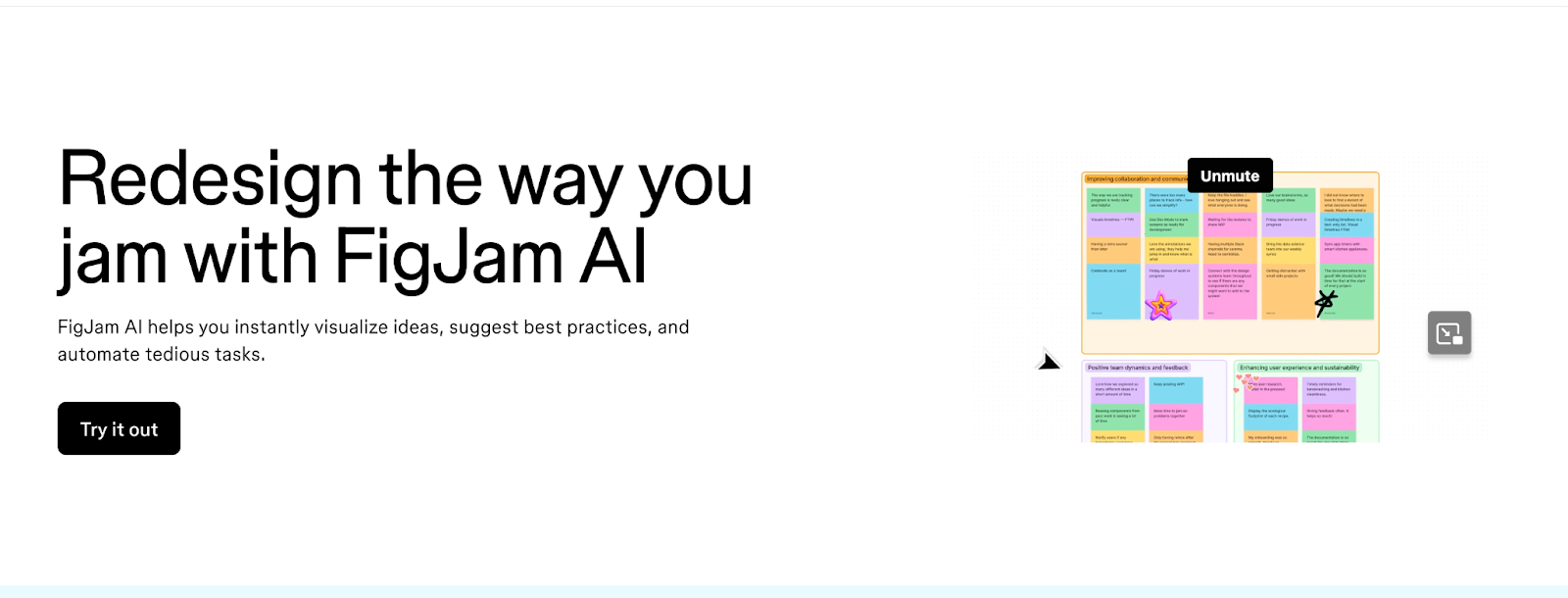
FigJam AI has sparked plenty of discussion in developer and desgin circles alike sWhile not a traditional coding tool, FigJam AI is essential for the "vibe" part of vibe coding. It's a digital whiteboard where you can brainstorm ideas, create flowcharts, and map out application architecture using AI. You can generate diagrams, mind maps, and user flows from simple text prompts, helping you visualize your project before writing a single line of code.

Key Features:

  • AI-Powered Diagramming: Create flowcharts, sequence diagrams, and mind maps just by describing them.
  • Collaborative Whiteboard: Brainstorm with your team in real-time, no matter where they are.
  • Template Generation: Quickly create templates for common development tasks like sprint planning or system design.

Pros:

  • Excellent for shaping ideas before jumping into implementation
  • Complements vibe coding tools by clarifying intent upfront
  • Low barrier to entry for both technical and non-technical stakeholders

Cons:

  • Not a coding or code-generation tool
  • No direct integration with build, deploy, or runtime workflows
  • Diagrams still require validation to avoid oversimplification
  • Limited value once development shifts into implementation-heavy phases
  • Relies on manual handoff from design artifacts to code

Pricing:

Included as part of Figma’s pricing tiers, with free and paid plans available.
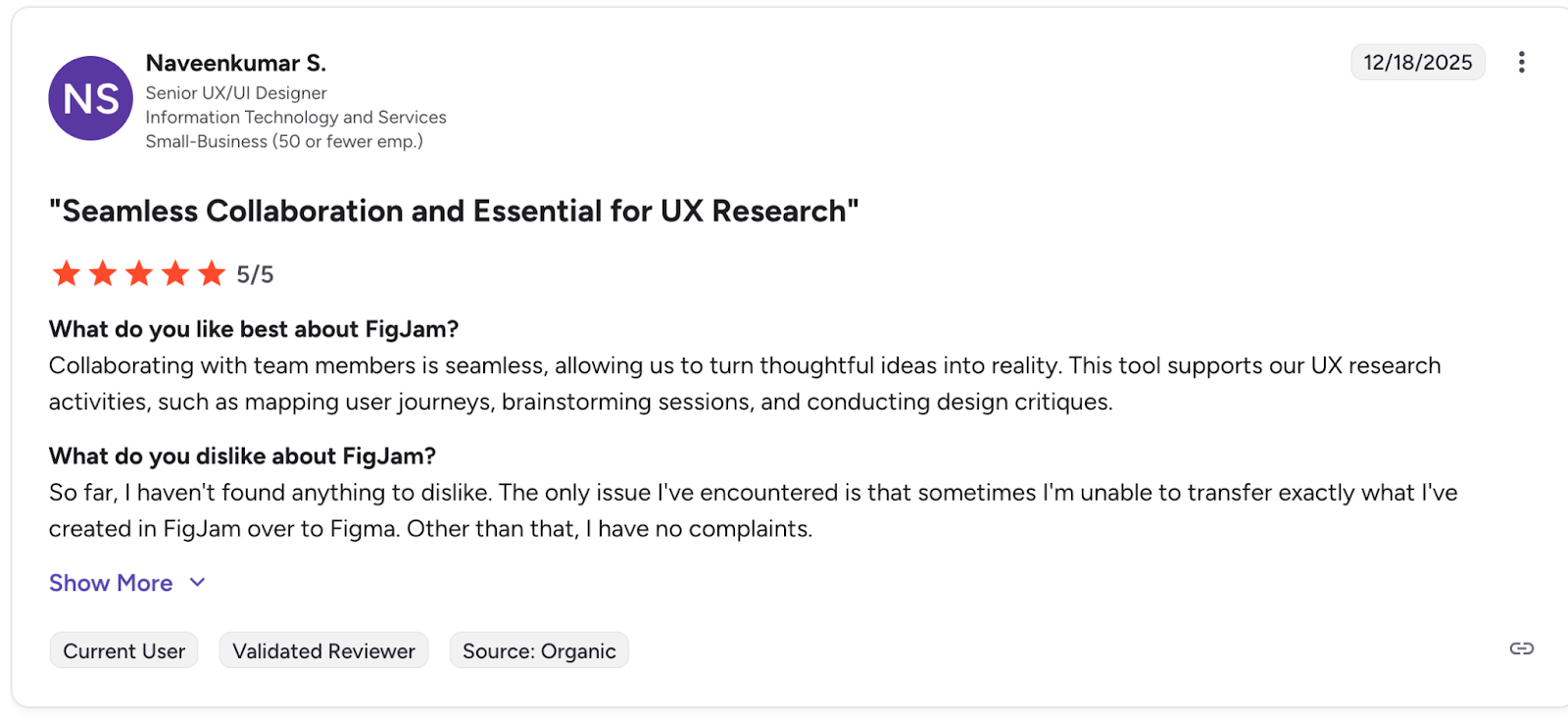
G2 Rating: 4.6/5

FigJam AI Reviews:

FigJam AI Reviews

A user sharing their experience with FigJam AI

7. Windsurf

Windsurf website

Windsurf website

A rival to cursor, windsurf describes itself as an integrated development environment that allows developers to do their best work, what sets windsurf apart is a focus on helping developers keep a flow state through non intrusive suggestions and a chat like interface that surfaces only when you need it. 

Key Features:

  • Flow-Aware Memory: Remembers codebase structure, architectural patterns, and workflow context to reduce repeated prompting.
  • Automatic Lint Fixing: Detects and automatically fixes lint errors introduced during AI-assisted code changes.
  • MCP Support: Connects external tools and services (such as GitHub, databases, and APIs) directly into the AI workflow via Model Context Protocol.

Pros:

  • Strong emphasis on maintaining developer flow state
  • Less intrusive than chat-heavy AI coding tools
  • Native lint fixing reduces post-generation cleanup
  • MCP support enables powerful tool-aware workflows

Cons:

  • Smaller ecosystem compared to more established IDEs
  • Flow-first design may feel “too quiet” for users who prefer constant AI feedback
  • Advanced features are gated behind paid plans

Pricing: 

Free tier available with limited usage, paid plans unlock higher request limits
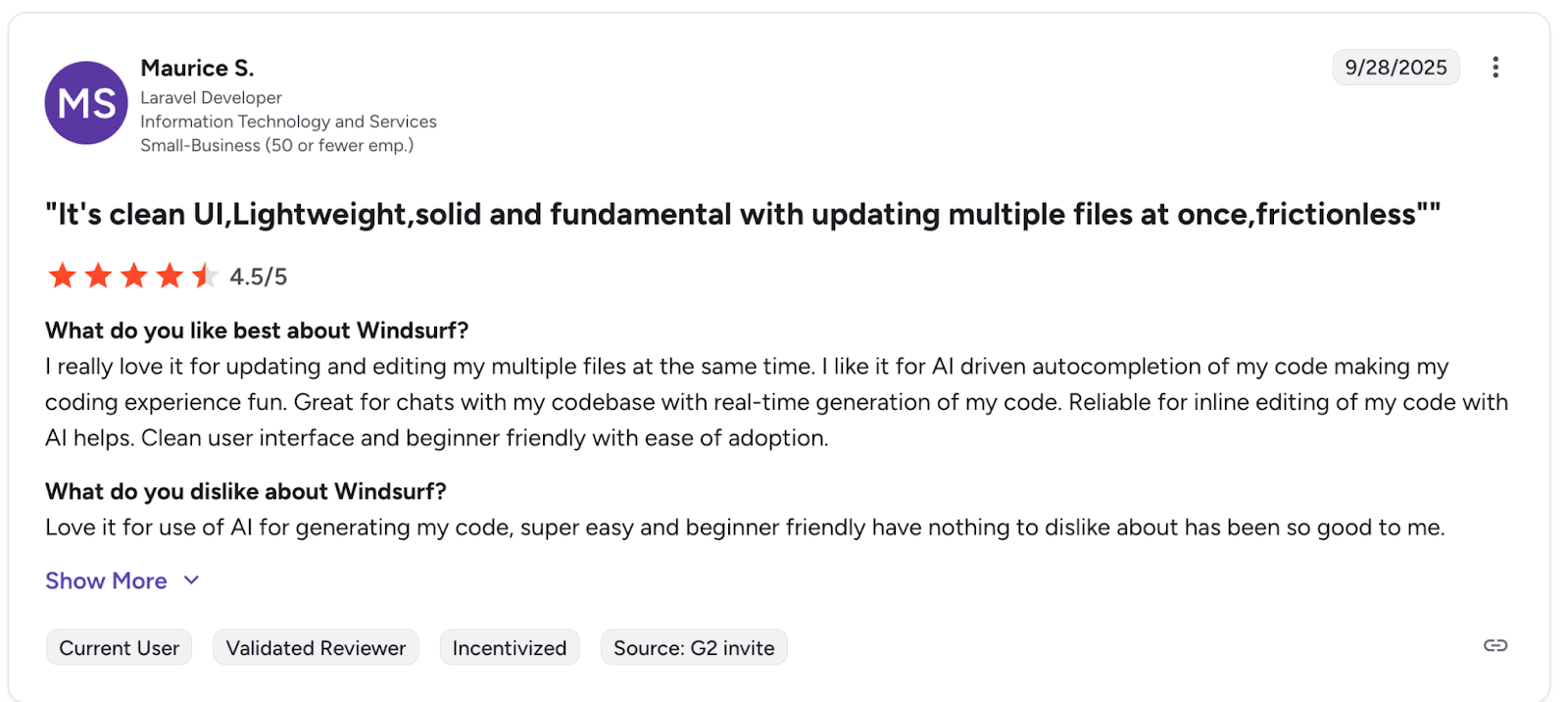
G2 Rating: 4.2/5

G2 Reviews:

Windsurf reviews

A user sharing their experience with Windsurf

8. Antigravity 

Antigravity Website

Antigravity Website

A newer tool on the block, Antigravity is Google's take on an agent-first development environment. Rather than bolting AI onto an existing editor, Antigravity rethinks the IDE around autonomous agents that operate across code, terminal, and browser surfaces.

Key Features

  • Agentic IDE Core: A context-aware editor with natural language commands, tab autocompletion, and configurable AI agents embedded directly into the coding workflow.
  • Higher-Level Abstractions: Task-based views that surface agent activity, generated artifacts, and verification results to improve trust and observability.
  • Cross-Surface Agents: Unified agent control across the editor, terminal, and browser, enabling end-to-end workflows without manual context switching.

Pricing

Subscription based model, with changing pricing at time of writing 

Pros

  • Strong agent-first design rather than traditional autocomplete-first tooling
  • Deep integration across editor, terminal, and browser surfaces
  • Backed by Google’s infrastructure and AI research ecosystem

Cons

  • Early-stage product with limited real-world adoption so far
  • Agent abstractions may feel opaque to developers who prefer explicit control
  • Workflow model differs significantly from traditional IDEs, increasing the learning curve
  • Pricing and long-term product direction are still unclear

Conclusion: Balancing Creativity with Security

Vibe coding is changing how we build software, making it more intuitive, creative, and accessible. The right tools can feel like a superpower, allowing you to translate ideas into reality faster than ever before. However, this speed and creative flow shouldn't come at the cost of security.

The key is to adopt tools that complement your workflow rather than disrupt it. For coding, platforms like GitHub Copilot and Cursor provide AI-powered assistances to keep you in the zone. For security, a solution like Aikido works silently in the background, providing a safety net that catches vulnerabilities without the noise and friction of traditional scanners.

By choosing a toolstack that enhances both creativity and security, you can fully embrace the future of development. You get to maintain your vibe, build amazing things, and rest easy knowing your code is secure from the start.

FAQ

Is vibe coding suitable for production systems?

Yes , but with caveats. Vibe coding tools can absolutely be used for production work, especially when paired with proper review, testing, and security controls. 

What’s the difference between vibe coding and traditional AI-assisted coding?

Traditional AI-assisted coding (like autocomplete) helps you write code faster line by line. Vibe coding reduces the gap between idea and implementation by allowing you to describe outcomes in natural language and letting the AI generate large portions of the application, often across multiple files or services.

Are vibe coding tools safe from a security perspective?

Not by default. Most vibe coding tools optimize for speed and usability, not security. Without guardrails, they can introduce common vulnerabilities such as insecure defaults, missing authentication, or unsafe dependencies. This is why pairing vibe coding with automated, low-noise security tooling is critical.

Which vibe coding tool is best for beginners?

Lovable and Replit are generally the most approachable for beginners due to their minimal setup and high-level abstractions. Tools like Cursor, Windsurf, and Antigravity are better suited for experienced developers who want tighter control over code and workflows.

Do vibe coding tools replace developers?

No. They shift how developers work, not whether they’re needed. Vibe coding excels at scaffolding, iteration, and exploration, but human judgment is still essential for architecture, performance tuning, security decisions, and long-term maintainability.

How do I keep my “vibe” without sacrificing security?

Use tools that run quietly in the background and surface only actionable issues. Avoid scanners that overwhelm you with low-priority alerts, and favor solutions that integrate directly into your development workflow with automated fixes and clear remediation guidance.

Are these tools suitable for teams, or just solo developers?

Both. Some tools (like Tabnine and GitHub Copilot) are well-suited for teams with existing workflows and governance needs. Others (like Lovable and Replit) shine for solo builders and early-stage teams. The key is choosing a tool that aligns with your team’s tolerance for abstraction and automation.

You Might Also Like: