Secrets Detection: A Practical Guide to Finding and Preve...
2025-11-12·via Aikido Security's Blog
Secrets — API keys, passwords, certificates — are the digital equivalent of playground whispers: they’re meant for a trusted recipient, not the public. In modern software, secrets are used programmatically, which makes them both ubiquitous and fragile. Left unchecked, they’re frequently the starting point for major breaches. This guide explains where secrets leak, why detecting them is harder than it looks, what good detection actually does, and how to deploy it so you stop accidental leaks before they become incidents.
What counts as a "secret" in software?
A secret is any credential that grants access to systems or services: API keys, database passwords, OAuth tokens, SSH keys, TLS certs, and similar. Because secrets are consumed programmatically, they travel through source code, CI pipelines, developer machines, and backups — creating a large attack surface.
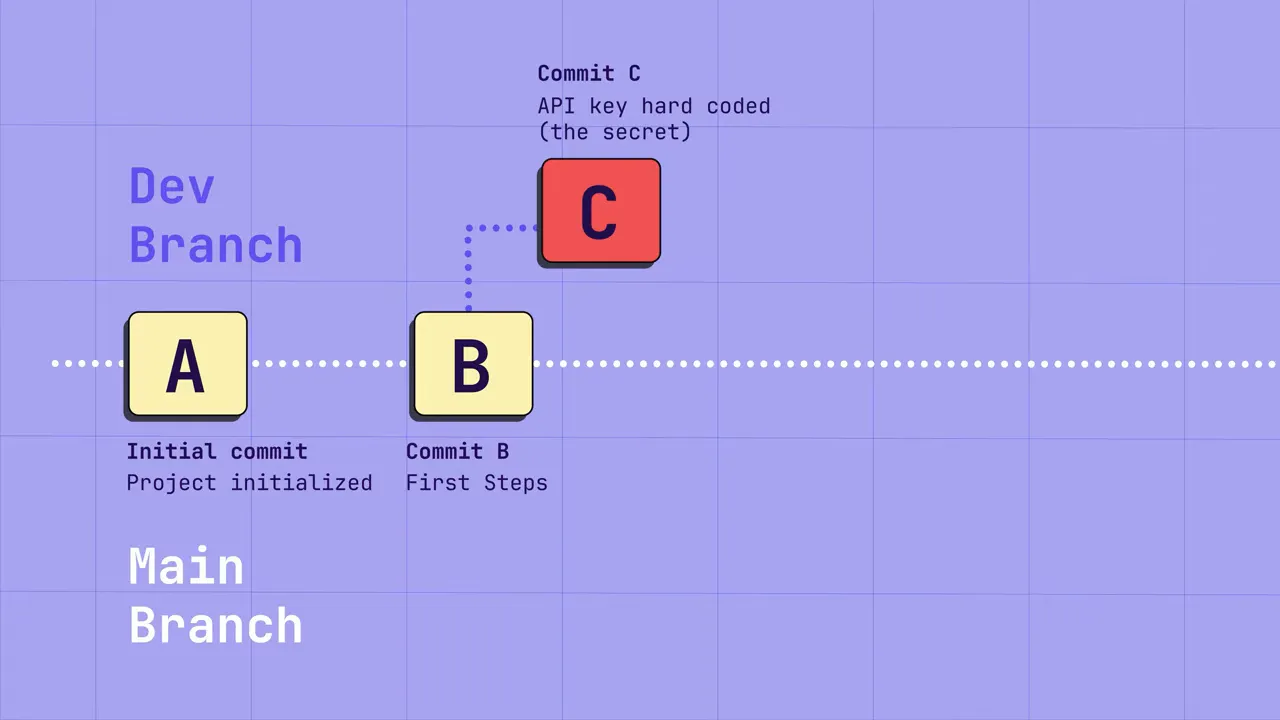
A developer creates a feature branch and hard-codes a credential to test something quickly.
Once verified, they replace the credential with an environment variable or vault call and push the changes for review.
Code review looks only at the current diff; the temporary secret remains buried in the branch or commit history.
Commit C on the dev branch shows an API key hard-coded — a secret that remains in history.
Unless you rewrite git history (which is disruptive and risky), that secret lives on. If an attacker gains access to your repository — even a private one — they can scan history and harvest creds to pivot into higher-value targets.
How widespread is the problem?
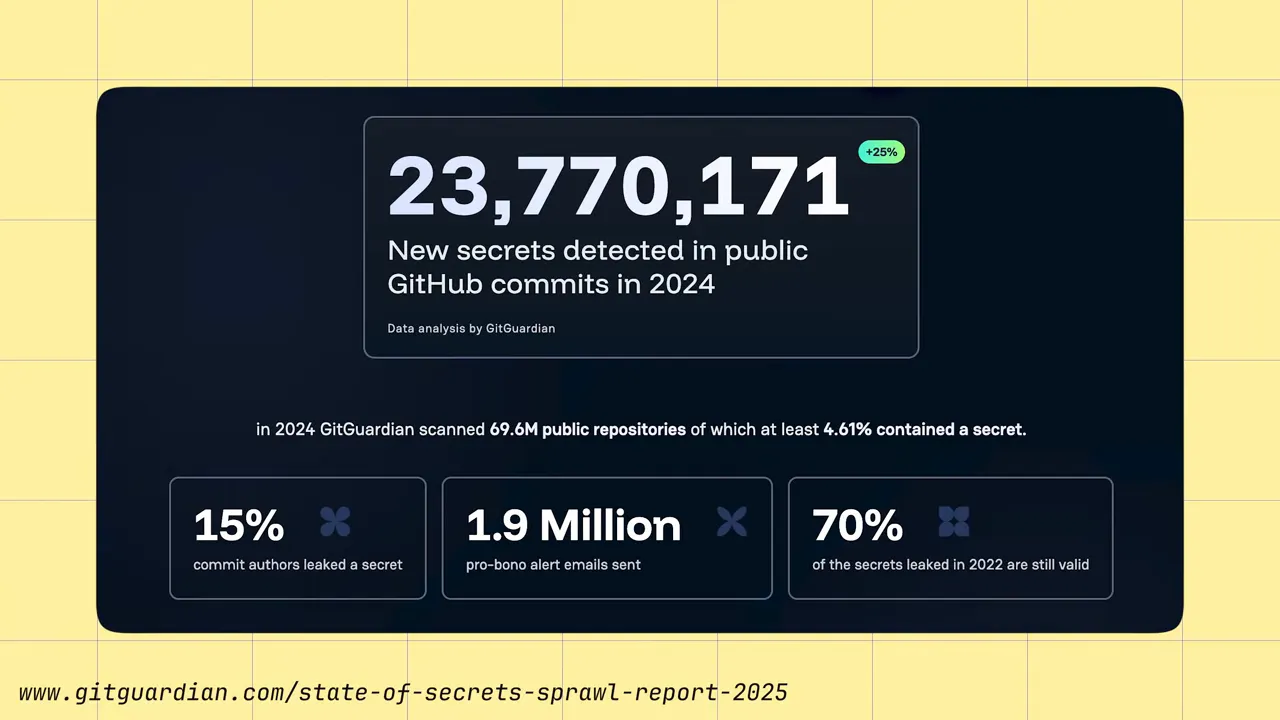
Public research shows this is far from rare. Large-scale scans of GitHub reveal millions of exposed secrets and surprisingly high prevalence even in private repositories. Real breaches prove the risk: leaked source code dumps have yielded thousands of credentials, including cloud tokens and payment keys.
GitGuardian: 23,770,171 new secrets detected in public GitHub commits in 2024 — a clear measure of scale.
Why SAST alone isn't enough
Static Application Security Testing (SAST) is great for finding things like SQL injection or path traversal in the current codebase, but it typically scans the latest snapshot, not the entire commit history. Secrets are different: a secret in any commit, branch, or tag is a compromise risk. That means detection must consider the full history and multiple repositories where that history lives.
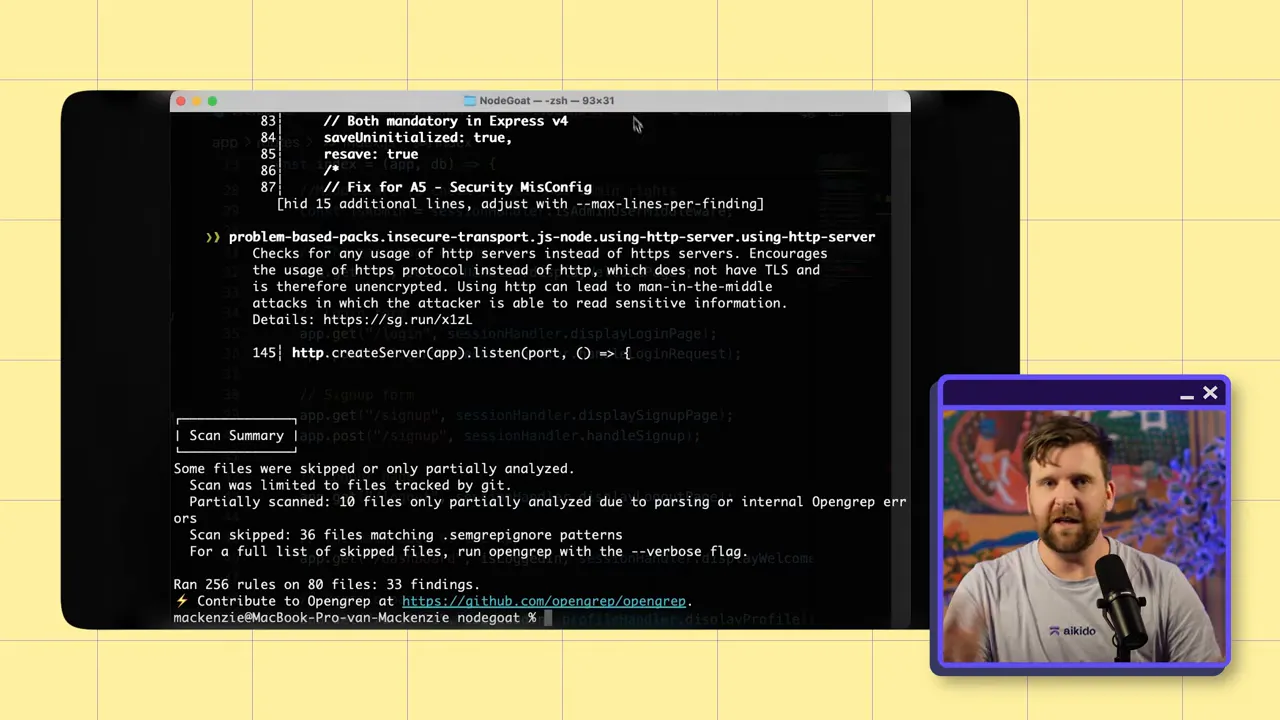
Scan summary showing results and a note that the scan was limited to files tracked by git.
Why secrets detection is harder than "just regex"
At first glance you might think: write a regex for "API_KEY=" and be done. In reality, secrets detection must balance precision and recall so it doesn't drown developers in noise:
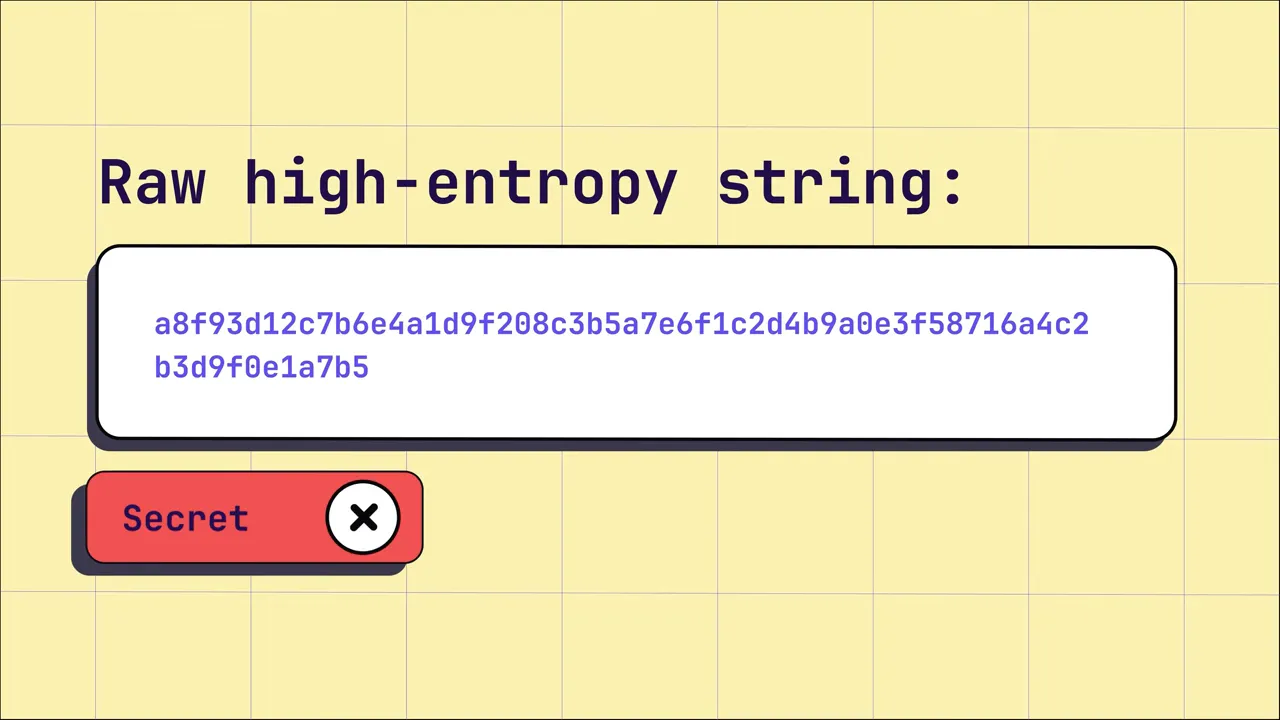
High-entropy strings (random-looking values) are often secrets — but not always. Many non-secret artifacts are also high-entropy.
Placeholders and examples pepper codebases. Naively flagging every-looking key triggers false positives that break workflows.
Provider patterns vary. Some services (Stripe, AWS, Twilio) use identifiable prefixes or formats; others do not.
High-entropy string example used to illustrate what looks like a secret.
What good secrets detection looks like
An effective secrets detection solution uses multiple signals to reduce false positives and catch real leaks:
Pattern matching for known providers. Identify keys that follow provider-specific formats (e.g., Stripe prefixes, AWS token shapes).
Validation where possible. Attempt non-destructive validation (does this AWS key exist? is it active?) to confirm whether a finding is real.
Entropy + context. Use entropy measures to find high-randomness strings, then inspect surrounding code (file path, variable names, comments) to decide if it’s a secret.
Anti-dictionary checks. Filter out strings containing English words or obvious placeholders to reduce noise.
History-aware scanning. Scan the entire git history across branches, tags, and mirrors — not just the tip of main.
Developer-centric deployment. Run detection both remotely (central repos) and locally (pre-commit hooks, IDE plugins) to stop leaks earlier in the workflow.
Identify secrets by category — a practical detection goal.
Testing a secrets detection tool (and the common trap)
When evaluating tools, teams often perform a simple test: they hard-code obvious secret-looking strings and expect the scanner to catch them. Ironically, a tool that flags every obvious fake secret may be low quality — it’s the noisy tools that look the best in naïve tests.
Good tools intentionally ignore trivial, non-real patterns and placeholder values. They prioritize validating suspicious findings rather than screaming on every random string.
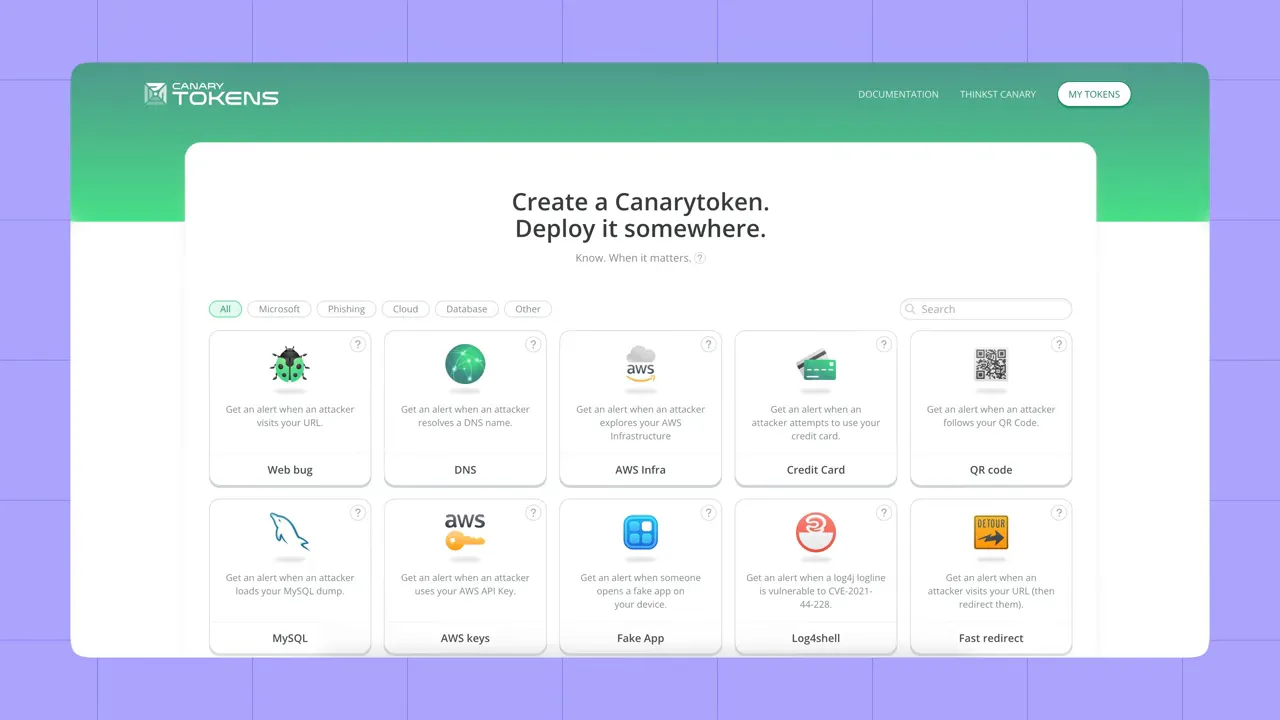
Canarytokens dashboard — create honeytokens to safely test detection and alerts.
How to test properly:
Use honeytokens / canary tokens — real, low-risk API keys you control — that you can safely publish to test detection and alerting.
Run the tool against historical branches and forgotten commits, not only fresh fake keys in current files.
Measure false positive rate and validation success: can the tool reduce noise while still surfacing real, actionable secrets?
Where to deploy secrets detection
Detection belongs at multiple layers:
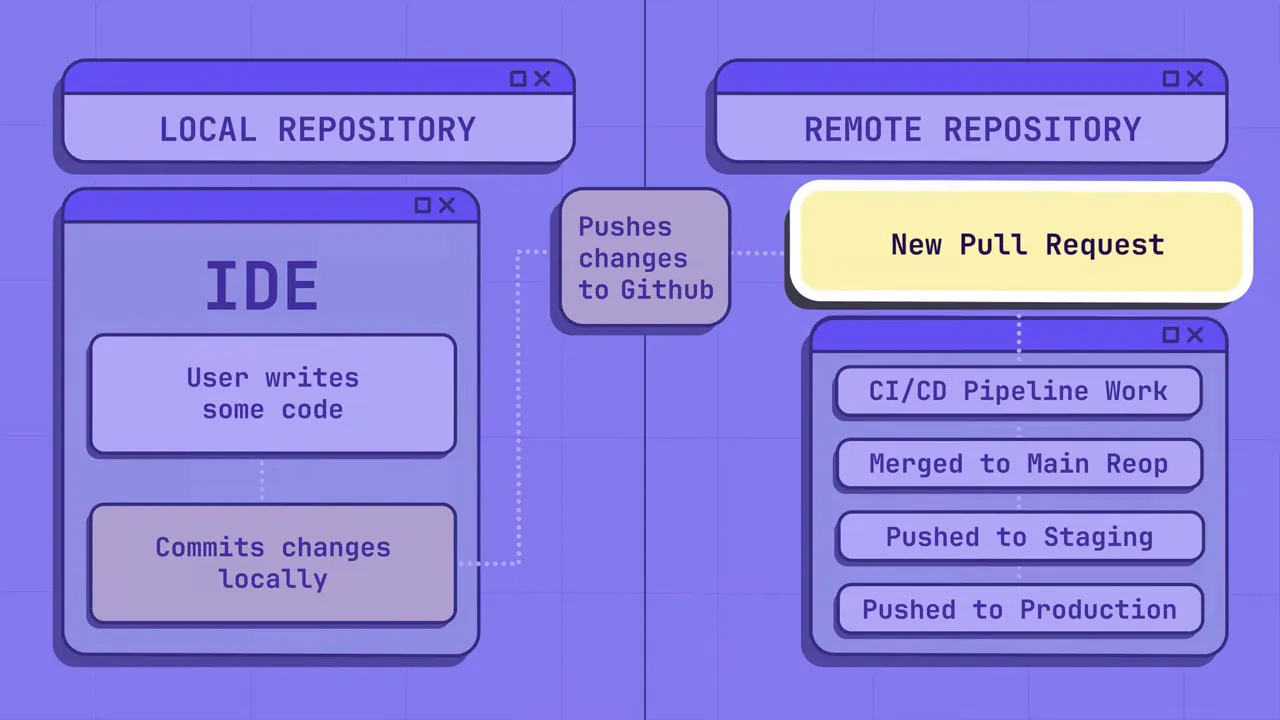
Remote Git repositories (mandatory). Your central git hosting is the canonical source of truth: scan all repositories and complete history. Any secret present here should be treated as compromised.
Diagram showing local and remote repositories and how pushes create pull requests — where remote scanning belongs.
Developer local environment (strongly recommended). Use pre-commit hooks and IDE or editor extensions to catch secrets before they ever reach a push. Local feedback avoids churn and gives developers control.
CI/CD pipelines. Add checks to block merges or deployments when a validated secret is found, while ensuring rules minimize false positives that block development.
“If a secret makes its way into [your remote repository], you need to consider it compromised.”
Quick remediation checklist when you find a leaked secret
Rotate the secret immediately (rotate credentials, revoke tokens).
Assess scope: what systems were accessible with the key?
Remove the secret from all commits and branches — consider rewriting history only when necessary and acceptable for your workflow.
Audit for similar leaks in other repos or backups.
Improve developer workflows and tooling to prevent recurrence (IDE plugins, pre-commit hooks, vault adoption).
Recap: the essentials
Secrets are everywhere in modern development and often live in git history.
SAST tools that scan only the tip of the tree aren’t sufficient for secrets detection.
Good detection combines provider patterns, validation, entropy/context analysis, and anti-dictionary filters to cut noise.
Deploy detection both centrally (remote repos) and locally (IDE/hooks) to catch leaks early and avoid a cat-and-mouse game.
Test scanners responsibly using honeytokens and historical scans rather than trivial fake keys.
Detecting secrets is a continuous, developer-first problem. With the right mix of signals and placement, you can dramatically reduce risk without drowning developers in false alarms. Start by scanning your git history, add local protections, and make validation a core feature of any secrets detection solution you choose. Try out Aikido Security today!