


DevOps and Security teams struggle to get a standard set of GitHub Actions workflows deployed consistently across repositories. To solve this issue, StepSecurity is adding a new feature to its orchestration solution, to simplify the process of standardizing GitHub Actions workflows using automated pull requests.
Our enterprise customers and over 900 open-source projects already trust StepSecurity for automating GitHub Actions security best practices. This includes setting minimum GITHUB_TOKEN permissions, adding Harden-Runner to jobs, pinning Actions to a specific commit SHA, updating Dependabot configurations etc.
This has enabled hundreds of organizations to not only comply with GitHub recommended security best practices but also save hundreds of developer hours for more innovative and creative work. Now, on popular demand we’re launching a new feature to empower our customers with orchestration of workflows using pre-approved workflow templates.
We received consistent feedback from our enterprise customers that they need developers to use a standard set of workflows across their repositories. The DevOps and security teams typically setup a set of approved workflows and a manual process for developers to use these workflows. But this results in inconsistent results as the process is not automated.
Responding to feedback, we're excited to announce a new feature that allows you to orchestrate GitHub Actions workflows across repositories. Whether it's workflows for secure deployments, adding linters, security tools, or using StepSecurity Maintained Actions, we've got you covered.
To get started with workflow orchestration, follow these simple steps:
Begin by arranging the workflows you plan to standardize. Place these in the `.github/workflows` directory within your chosen repository. This setup acts as your central hub for workflow templates.
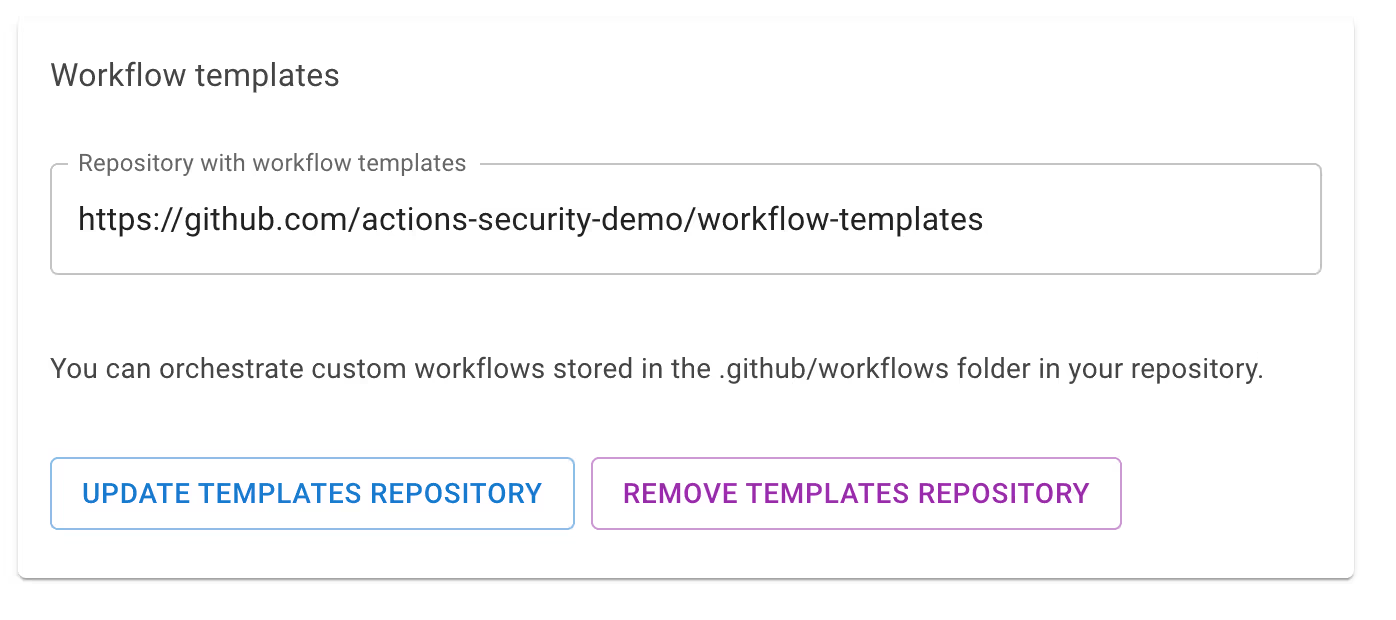
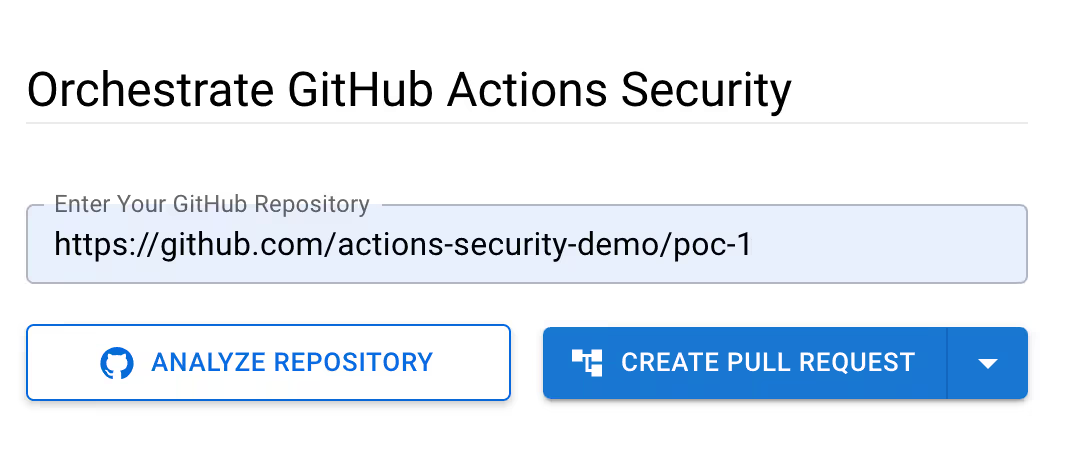
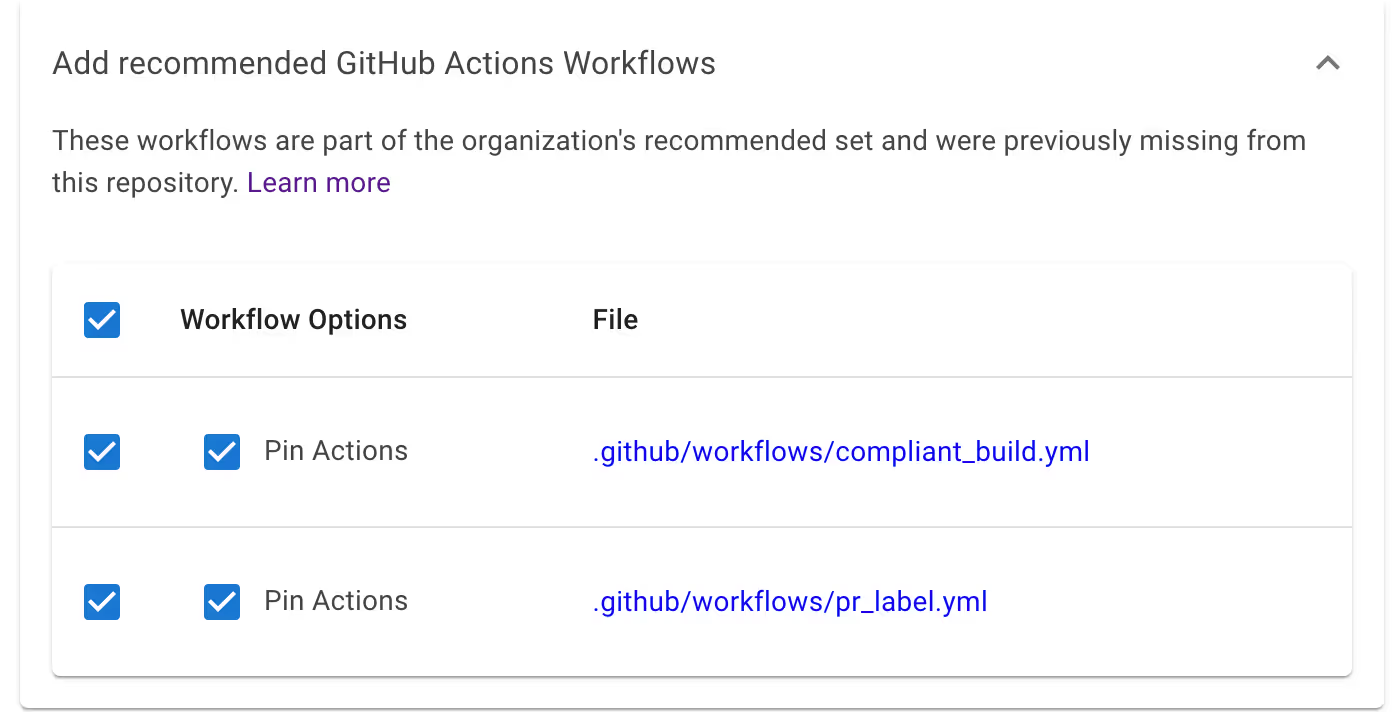
Sample pull request: To help you understand better, here's an example of a pull request that adds workflows from the templates folder.
https://github.com/step-security-demo/demo-repo-3/pull/1/files
In this case the pr_label.yml and python-publish.yml workflows are the approved workflows in the workflow-templates repository. Since they were missing in the target repository, they are included in the pull request.
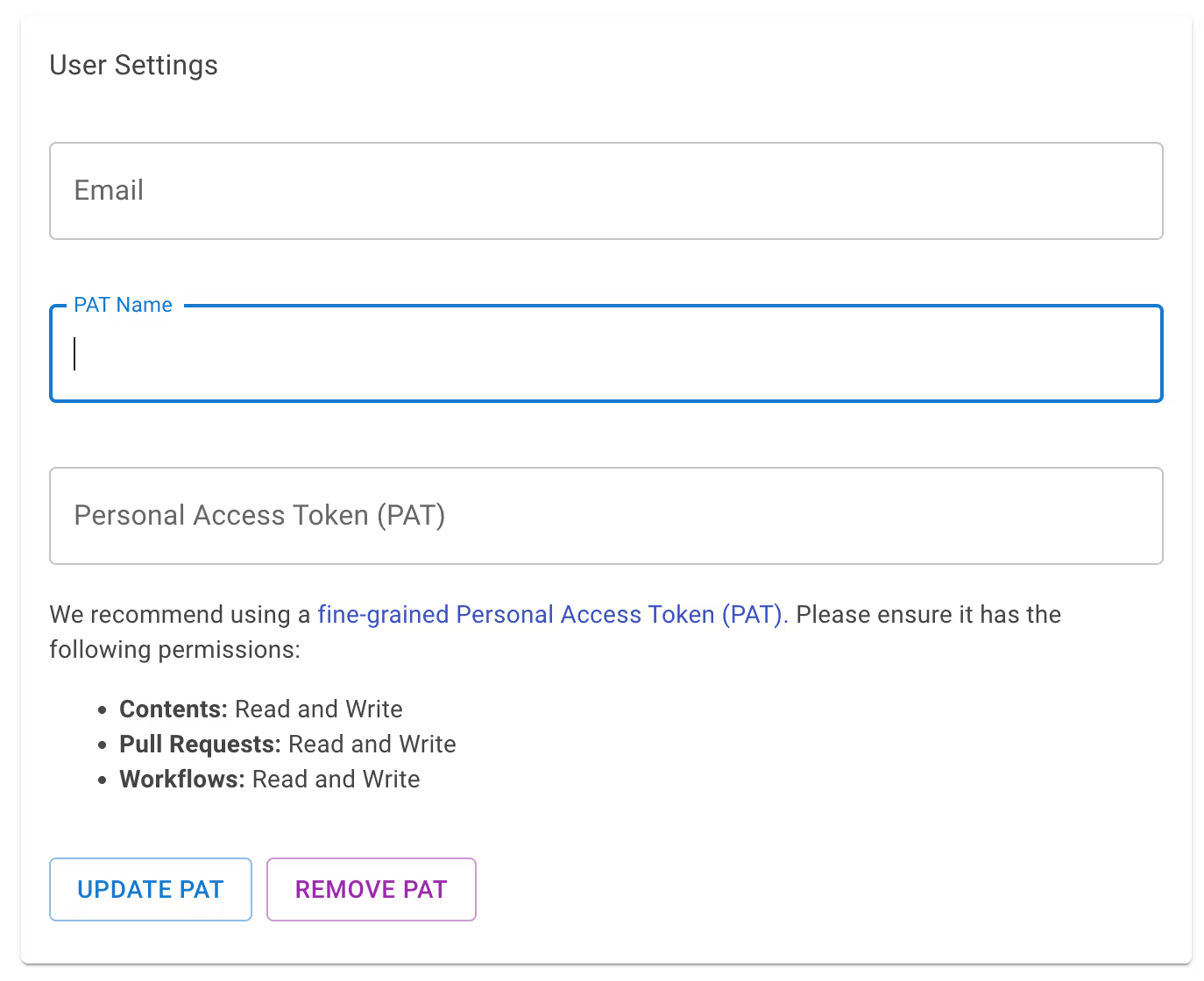
You can use this feature for private repositories as well. To start, set a Personal Access Token (PAT) in User Settings. We recommend using a fine-grained PAT that has contents: read/write access, pull-requests: read/write, and workflows: read/write access to the repositories where the best practices need to be applied and contents: read access to the workflow templates repository.
Now follow the same steps as earlier to apply best practices and orchestrate custom workflows in private repositories.
Curious to try out this feature? Head over to https://app.stepsecurity.io/securerepo. For a comprehensive security experience, consider installing the StepSecurity GitHub App and experience CI/CD security at its best.

此内容由惯性聚合(RSS阅读器)自动聚合整理,仅供阅读参考。 原文来自 — 版权归原作者所有。