


The biggest threat to CI/CD security today isn’t just misconfigurations — it’s the blind trust placed in third-party GitHub Actions that can be silently compromised.
The tj-actions supply chain attack exposed how dangerous this can be. Even after the breach was discovered, organizations struggled to locate where the malicious Action was used and had to disable affected workflows manually — a time-consuming and error-prone process during a live security incident.
In another GitHub Actions security incident, attackers used stolen credentials to create a brand-new workflow in a separate branch to exfiltrate secrets. Since it didn’t touch existing workflows, it bypassed detection entirely.
From unvetted Actions and unauthorized runner labels to secrets exposed in forked pull requests, subtle deviations like these often go unnoticed until it’s too late. So far there have been tools that audit for such deviations and flag them but were not able to enforce compliance.
Today, we’re launching a new feature to change that: Workflow Run Policies
This feature empowers security and platform teams to enforce security policies across GitHub Actions workflows to ensure that all workflow runs are compliant with their policies and block the ones that are not compliant.
🗓️ Join our upcoming webinar where we'll dive deep into these new capabilities and show you how to implement them in your organization.
With hundreds or even thousands of workflows running across multiple teams, visibility alone isn’t enough. We have repeatedly heard from our customers that they need guardrails - a way to enforce compliant workflows, for such scenarios:
The time between introducing a vulnerable workflow and it getting exploited is shrinking. For example, in the Grafana security incident, a workflow was exploited less than 24 hours after it became vulnerable to a Pwn Request vulnerability. Security teams can’t keep up with these misconfigurations manually — and by the time an incident occurs, the damage may already be done.
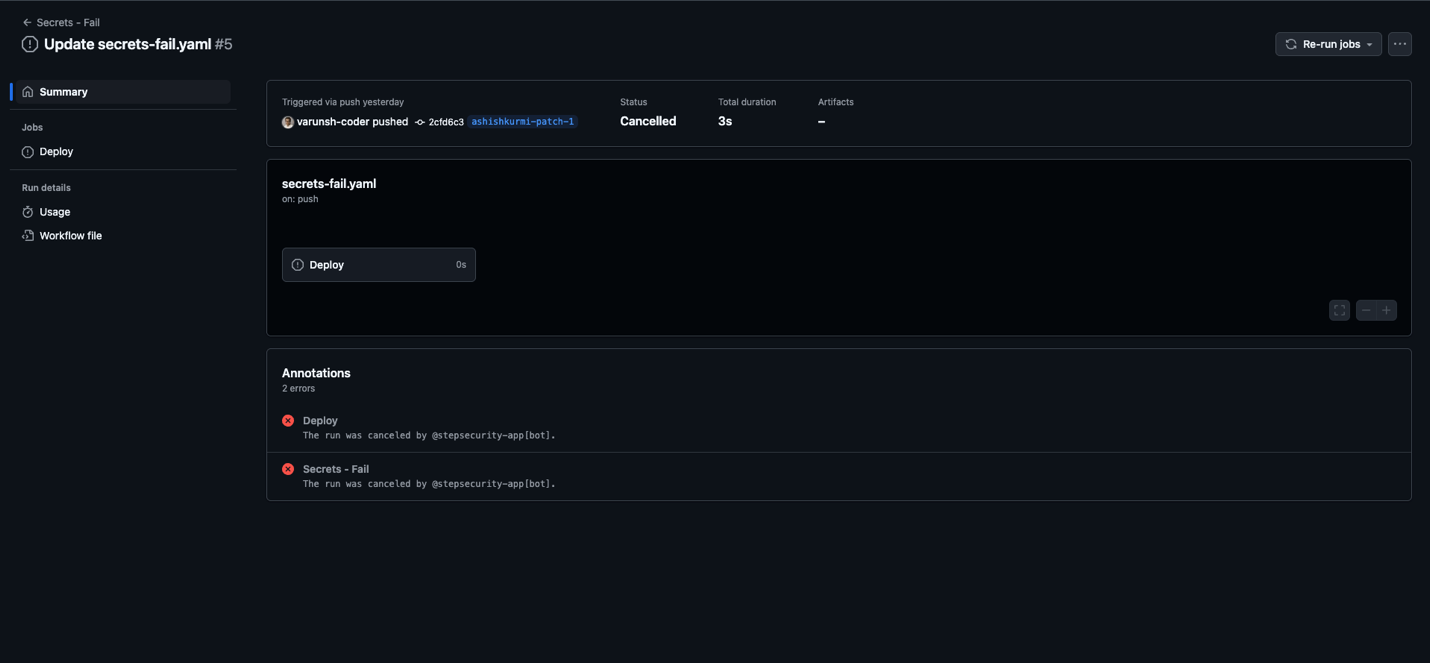
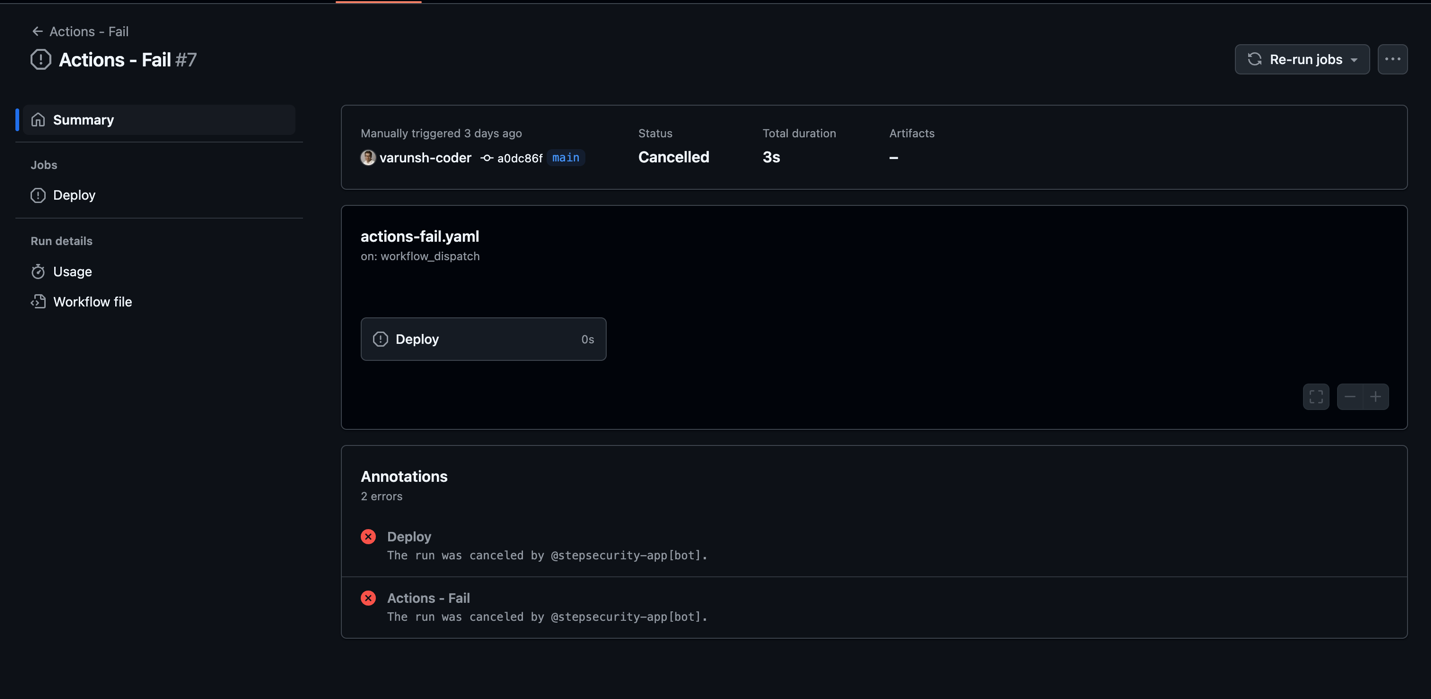
Workflow Run Policies allow you to define and enforce guardrails for GitHub Actions workflows at the organization or repository level. If a workflow run violates a policy, StepSecurity cancels the run automatically, before it runs.
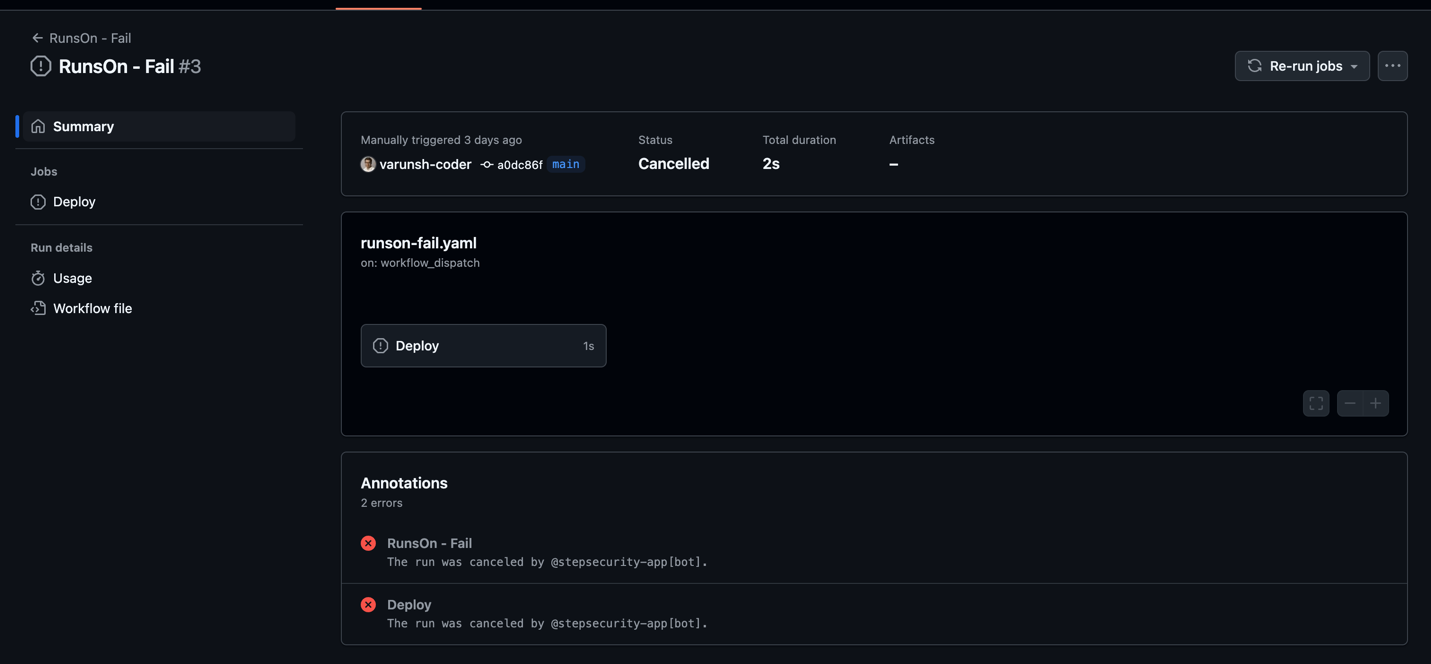
You’ll see this in your workflow logs:
The run was canceled by @stepsecurity-app[bot]
It’s proactive, real-time enforcement that scales with your GitHub Actions footprint.
Workflow Run Policies currently support four key policy types, all built to tackle common security gaps, with many more policies on the way:
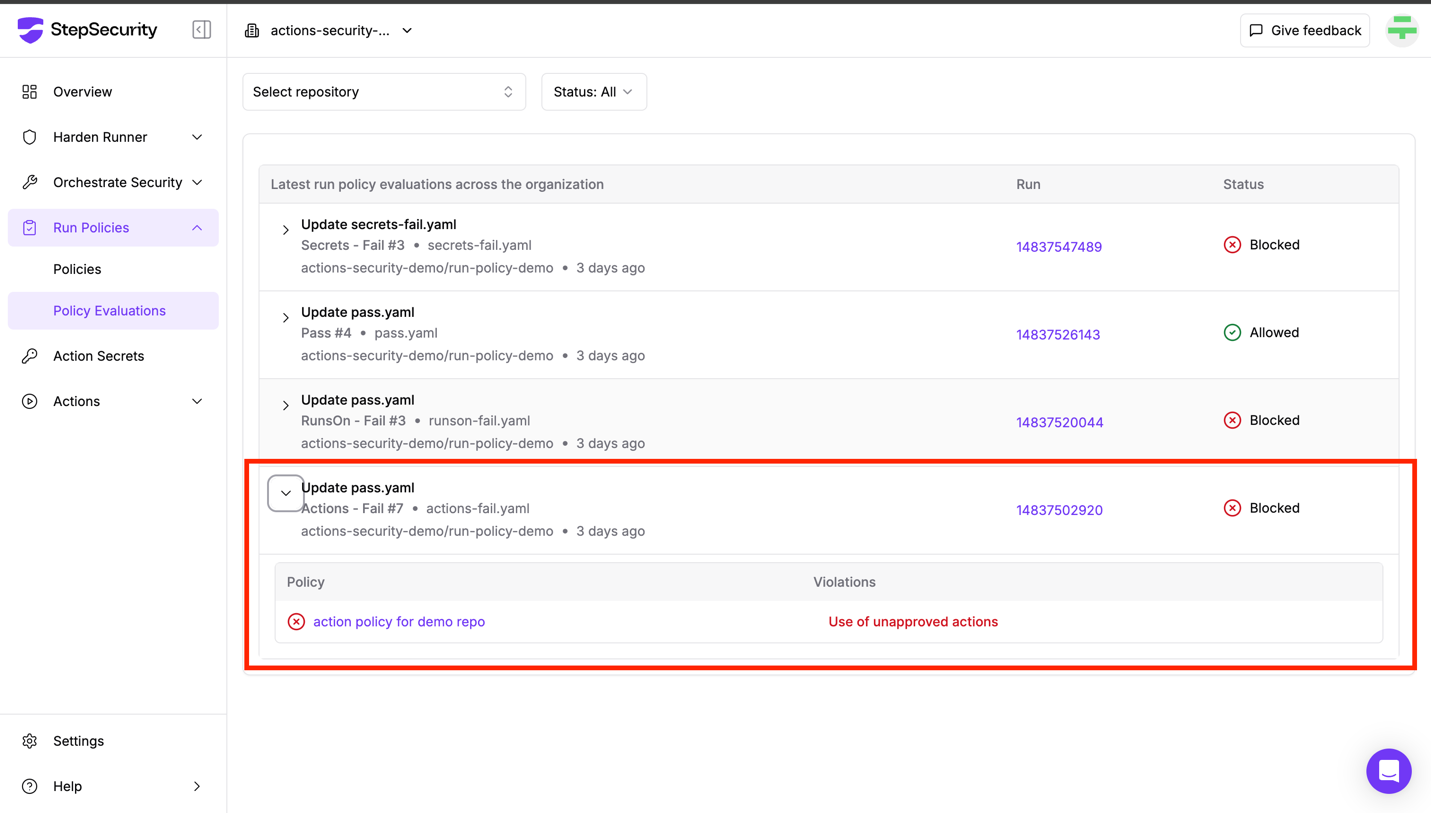
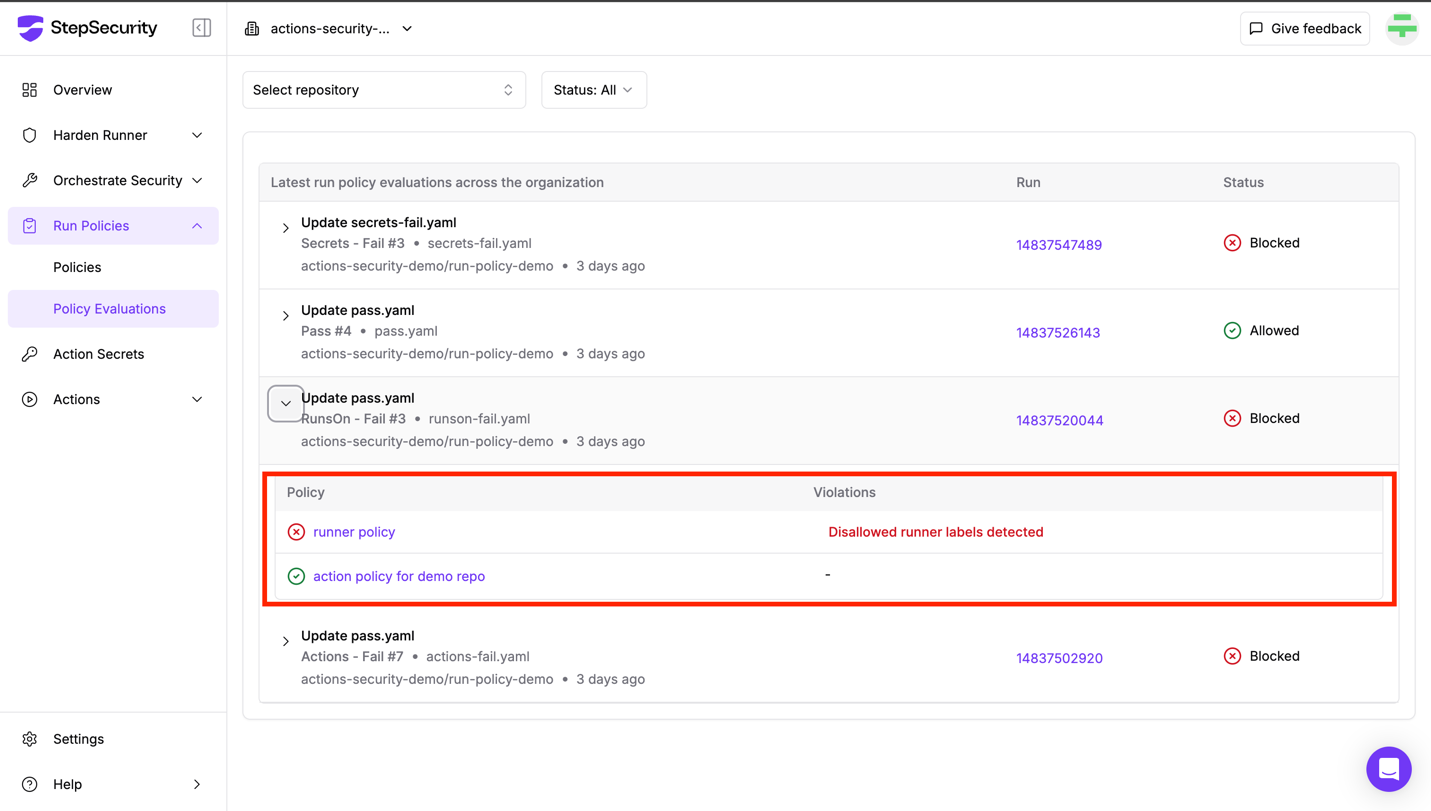
Every blocked run includes a detailed policy evaluation, so your team can understand:
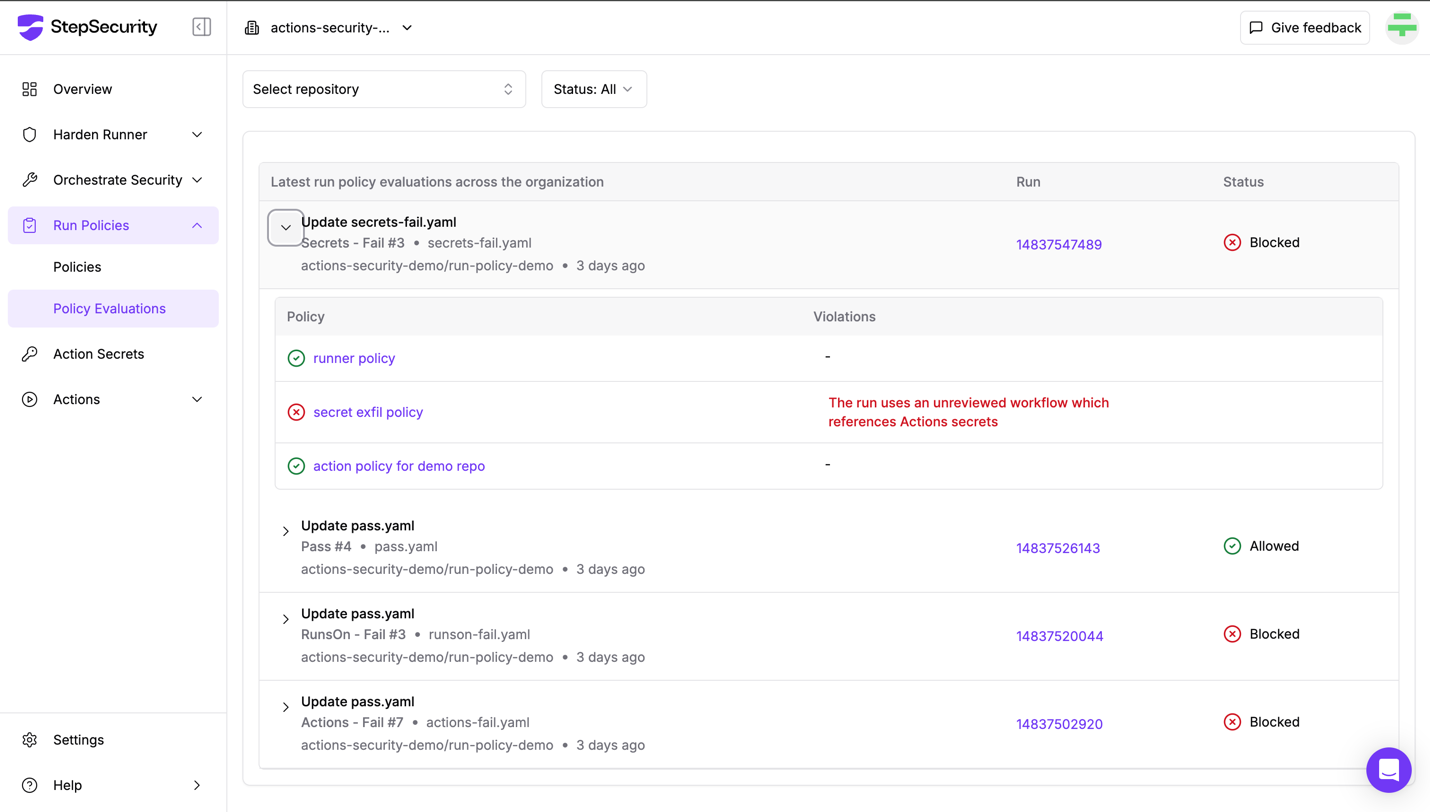
The Policy Evaluations Dashboard offers a full audit trail, helping you fine-tune rules and investigate blocked workflows with ease.
Workflow Run Policies are managed through the StepSecurity dashboard or API.
You can:
name: CI

on:
  push:
    branches: [ "main" ]
  pull_request:
    branches: [ "main" ]
  workflow_dispatch:

jobs:
  build:
    runs-on: ubuntu-latest
    steps:
      - name: Checkout code
        uses: actions/checkout@v4

      # This step uses a compromised action — should be blocked by policy
      - name: Run a one-line script
        uses: step-security/dummy-compromised-action@main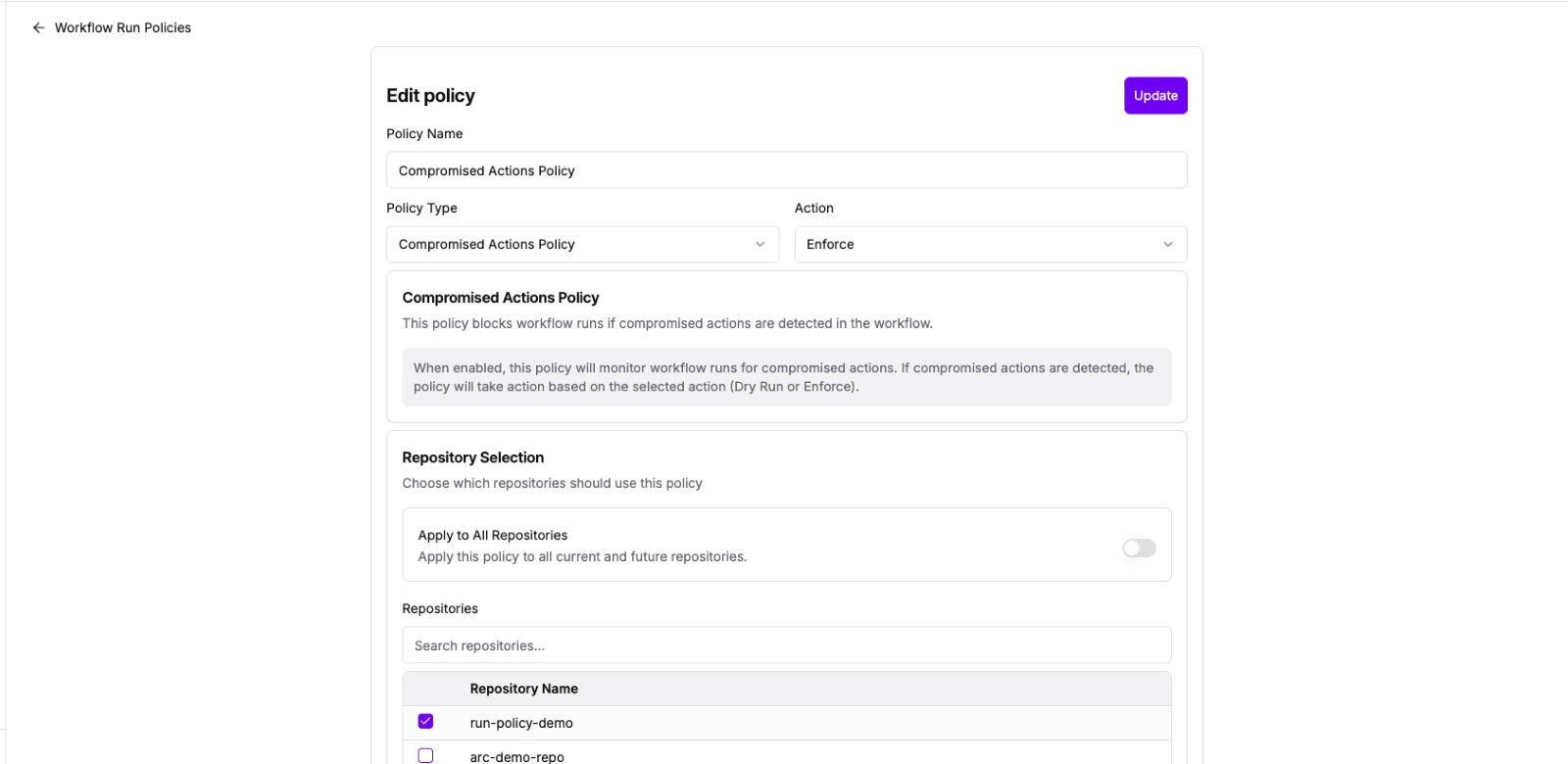
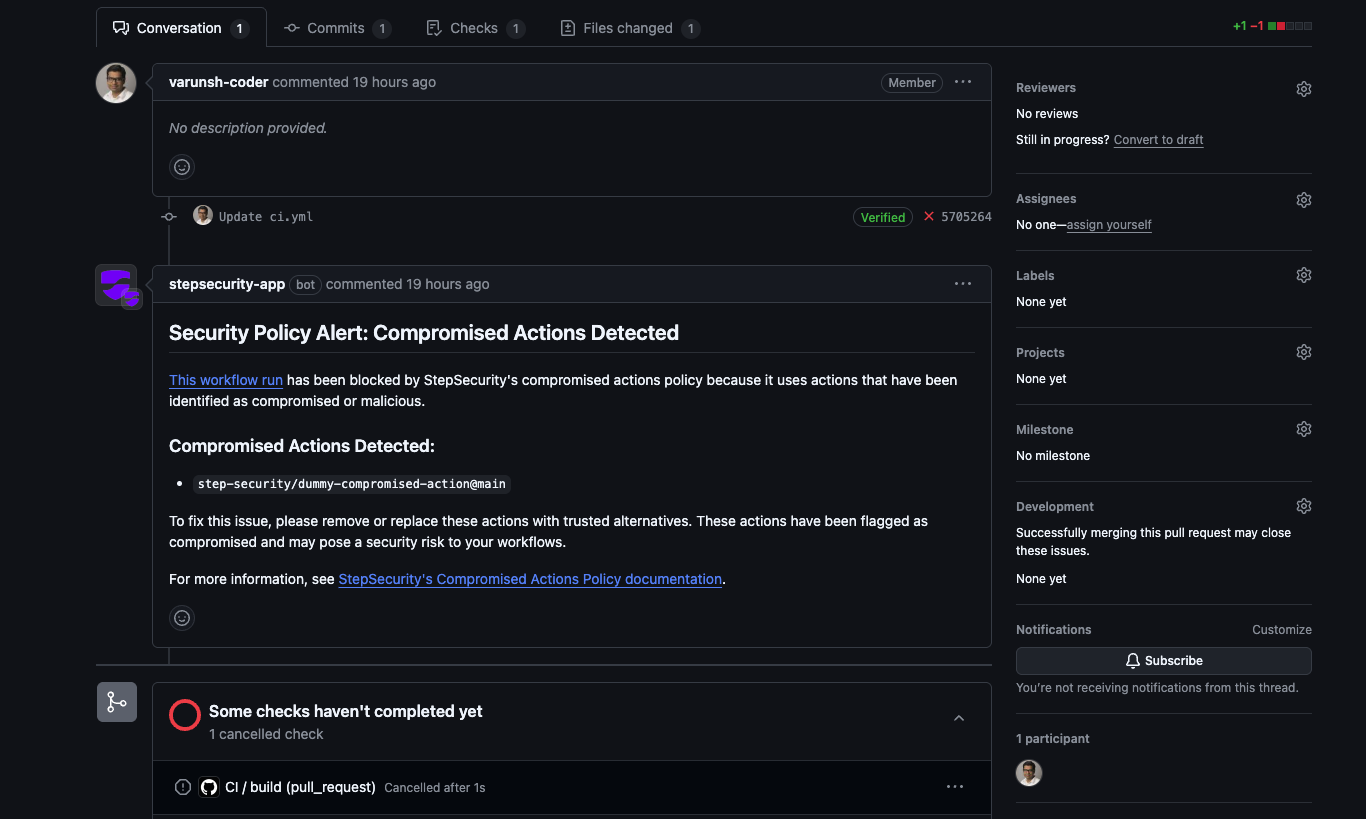
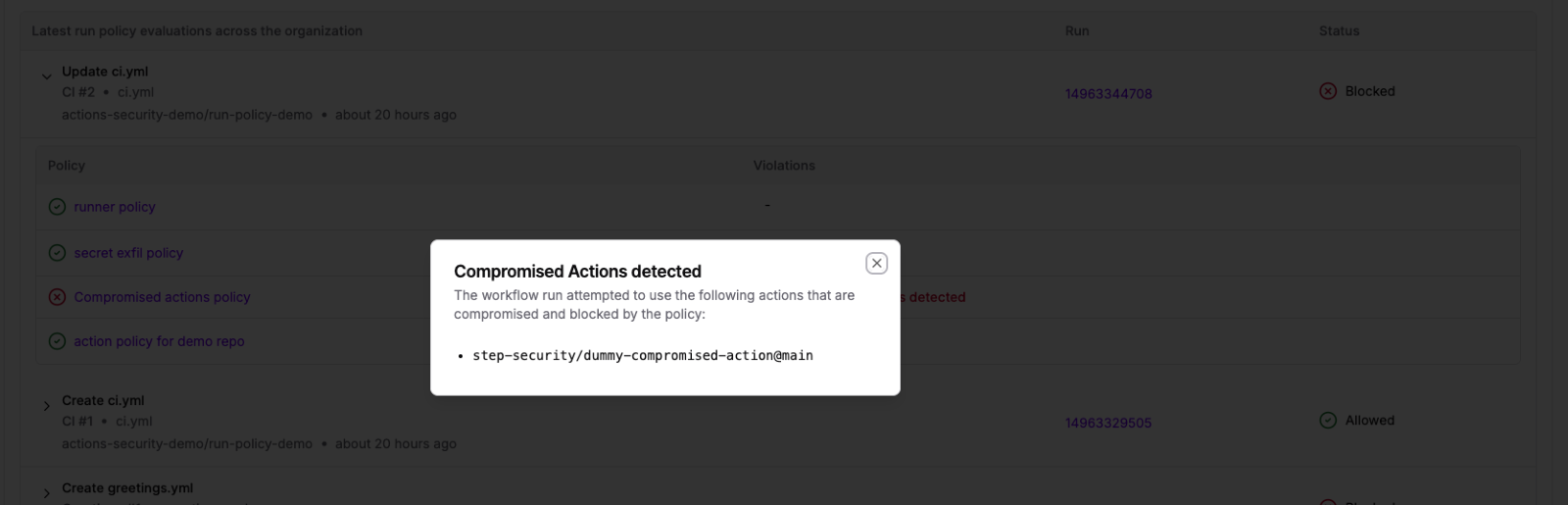
Note: The list of compromised Actions is dynamic. Once an Action has been verified as repaired or no longer poses a risk, it will be removed from the list — and any workflows using that Action will resume functioning normally.
Explore our interactive demo to see how you can set up Compromised Actions Policy in your own organization:
name: Secrets - Fail

on:
  push:

jobs:
  build:
    name: Deploy
    runs-on: ubuntu-latest
    steps:
      # Attacker's attempt to exfiltrate credentials using a new workflow
      # This method was used in the Grafana security incident

      - name: Convert secrets to JSON file
        env:
          VALUES: ${{ toJSON(secrets) }}
        run: |
          echo "$VALUES" > secrets.json

      - name: Upload secrets file
        uses: actions/upload-artifact@v3
        with:
          name: secret-artifact
          path: secrets.json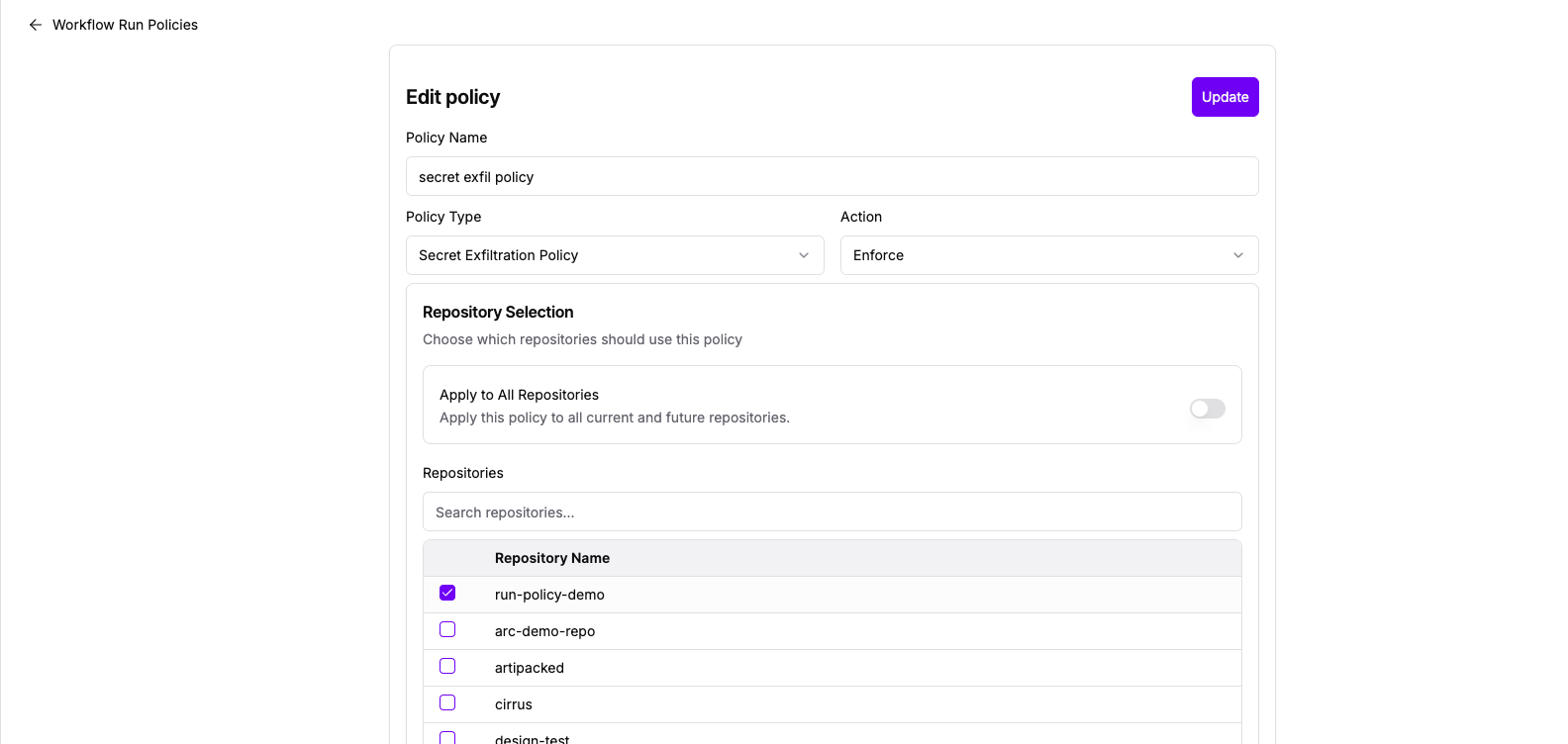
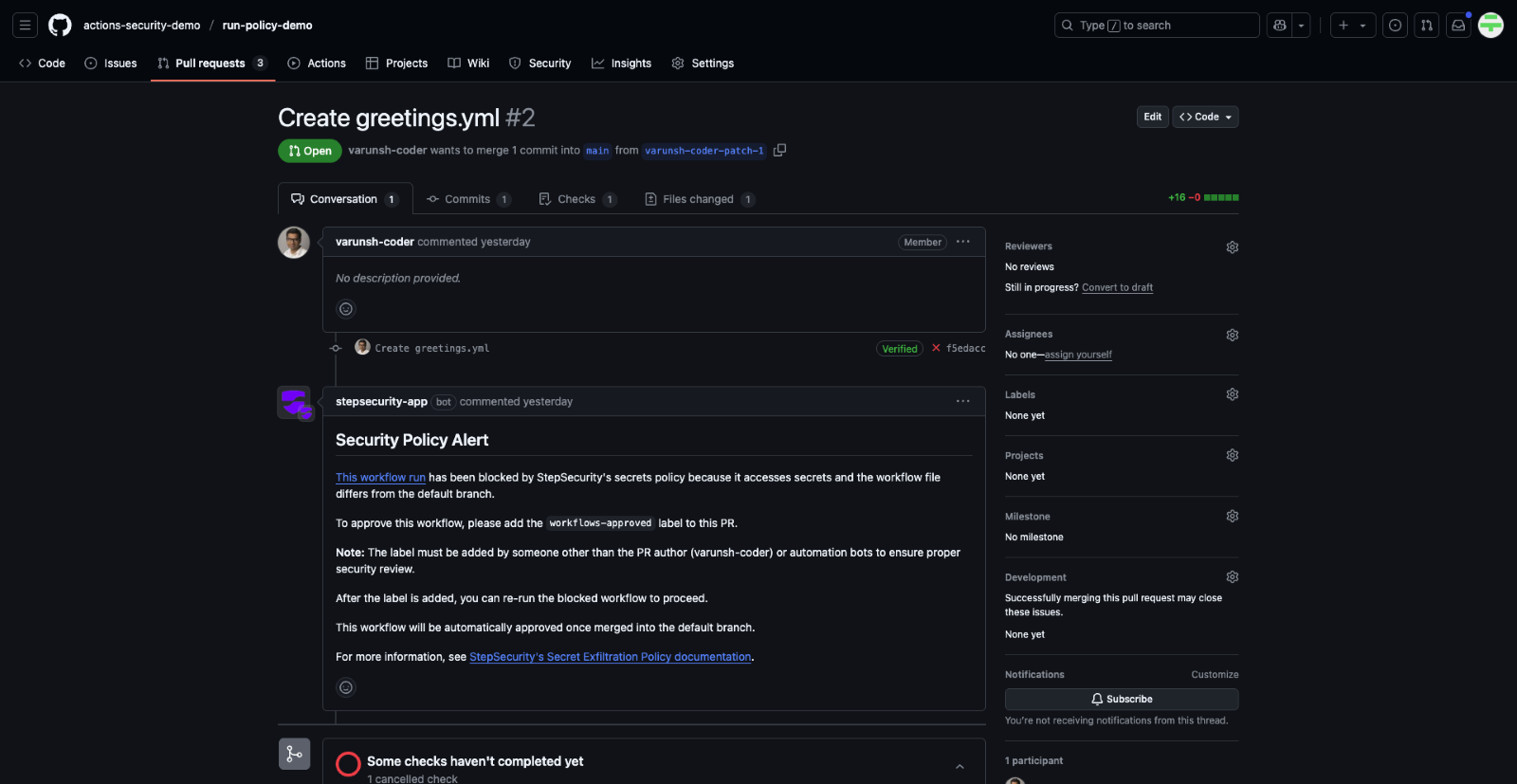
How to Unblock
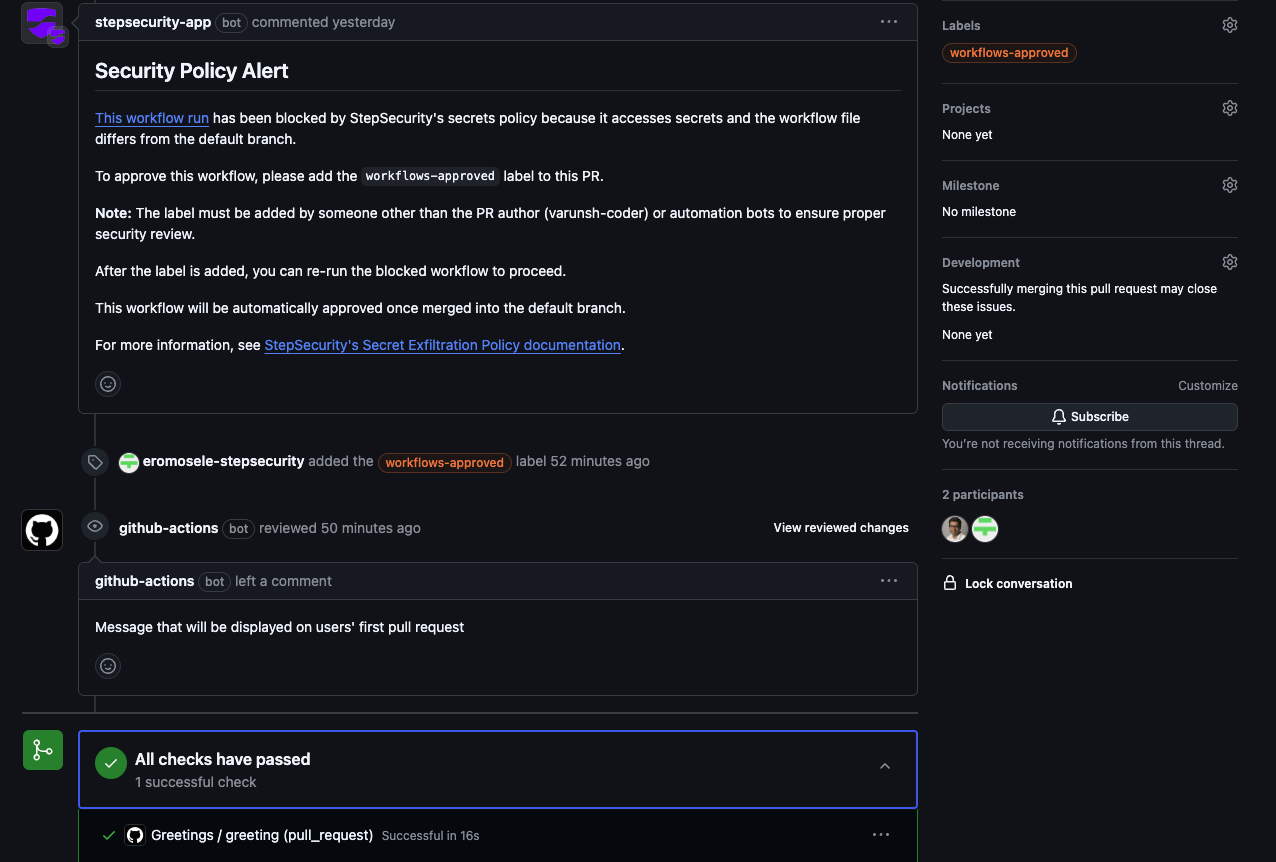
Explore our interactive demo to see how you can set up Secret Exfiltration Policy in your own organization:
name: Actions - Fail

on:
  workflow_dispatch:

jobs:
  build:
    name: Deploy
    runs-on: ubuntu-latest
    steps:
      # Allowed as per policy
      - name: Harden-Runner
        uses: step-security/harden-runner@v2
        with:
          egress-policy: audit

      # Allowed as per policy
      - name: Code Checkout
        uses: actions/checkout@v2
        with:
          fetch-depth: 2

      # Internal action - not allowed as per policy
      - name: Harden-Runner Fork
        uses: actions-security-demo/harden-runner@main
        with:
          egress-policy: audit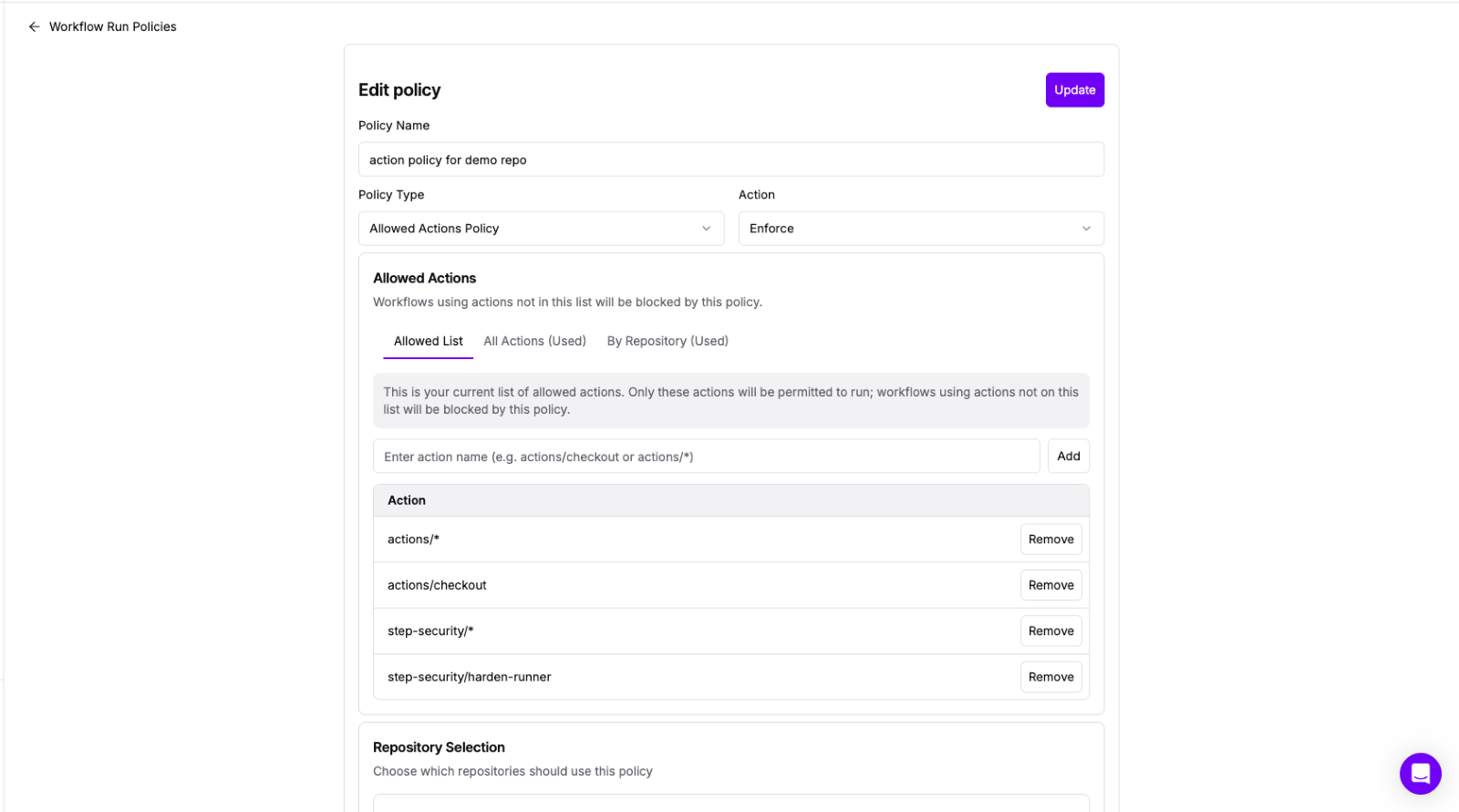
GitHub has a feature to create an allowed list of actions, and StepSecurity Workflow Run Policies have the following benefits that can be used to compliment the GitHub feature:
Explore our interactive demo to see how you can set up Allowed Actions Policy in your own organization:
name: RunsOn - Fail

on:
  workflow_dispatch:

jobs:
  build:
    name: Deploy
    # windows-latest runner label not allowed as per policy
    runs-on: windows-latest
    steps:
      - name: Harden-Runner
        uses: step-security/harden-runner@v2
        with:
          egress-policy: audit

      - name: Code Checkout
        uses: actions/checkout@v2
        with:
          fetch-depth: 2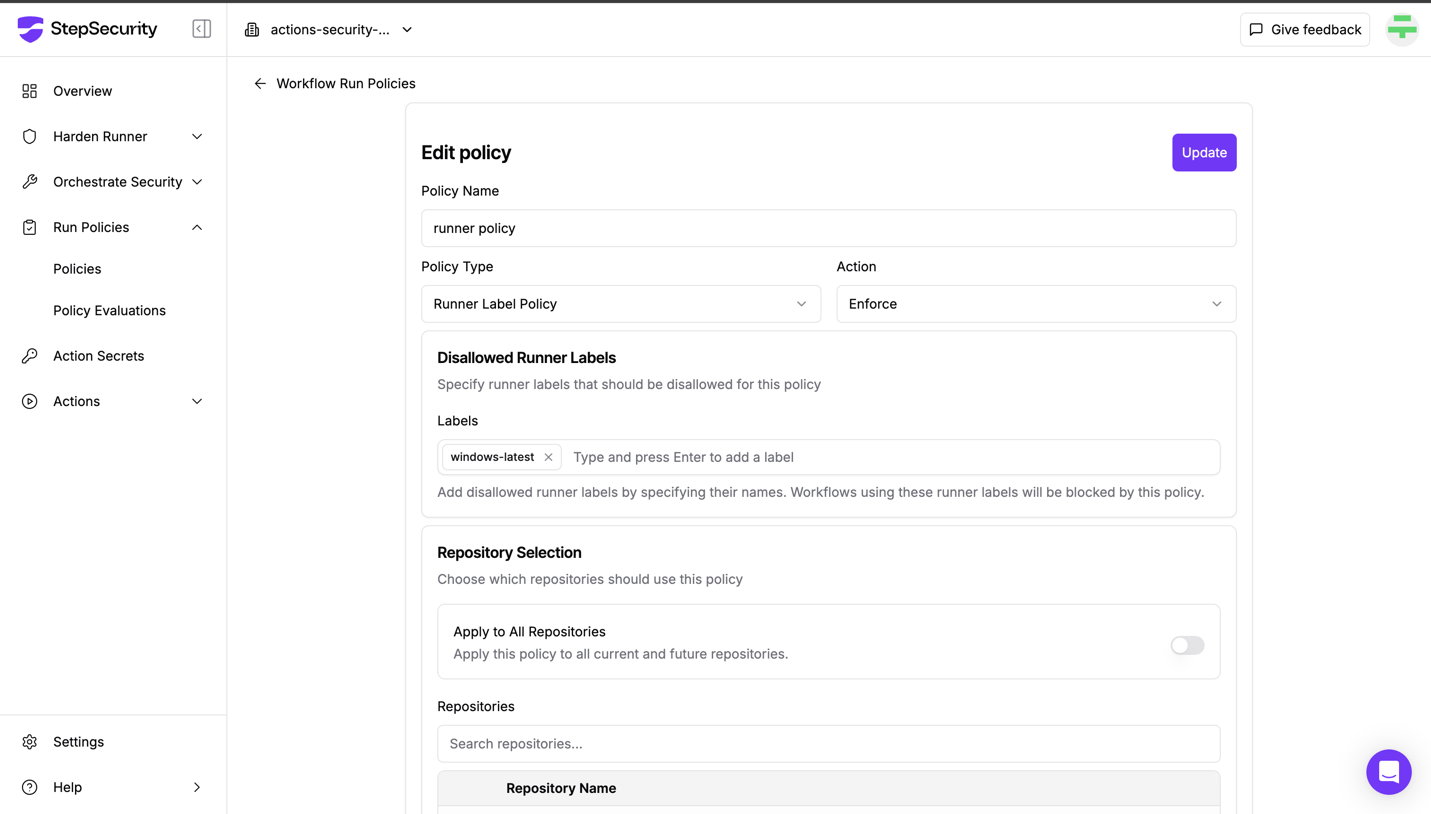
Explore our interactive demo to see how you can set up Runner Labels Policy in your own organization:
Want to try Workflow Run Policies in your own GitHub environment?
Start your 14 days free trial to experience proactive enforcement and safeguard your GitHub Actions workflows.
Want to explore Workflow Run Policies in more detail?
📘 Read the Docs
Dive deeper into how each policy type works and how to configure them in your GitHub environment by checking out the Workflow Run Policies documentation.
🎙️ Join the Webinar
We’re hosting a live webinar to walk you through these new capabilities, including real-world use cases and implementation tips.
此内容由惯性聚合(RSS阅读器)自动聚合整理,仅供阅读参考。 原文来自 — 版权归原作者所有。