








https://www.cnblogs.com/ryzen
关于Prism的依赖注入容器如何使用应该都已明了,今天我们来讲一下如何使用Prism的事件聚合器。
我们分三步走:
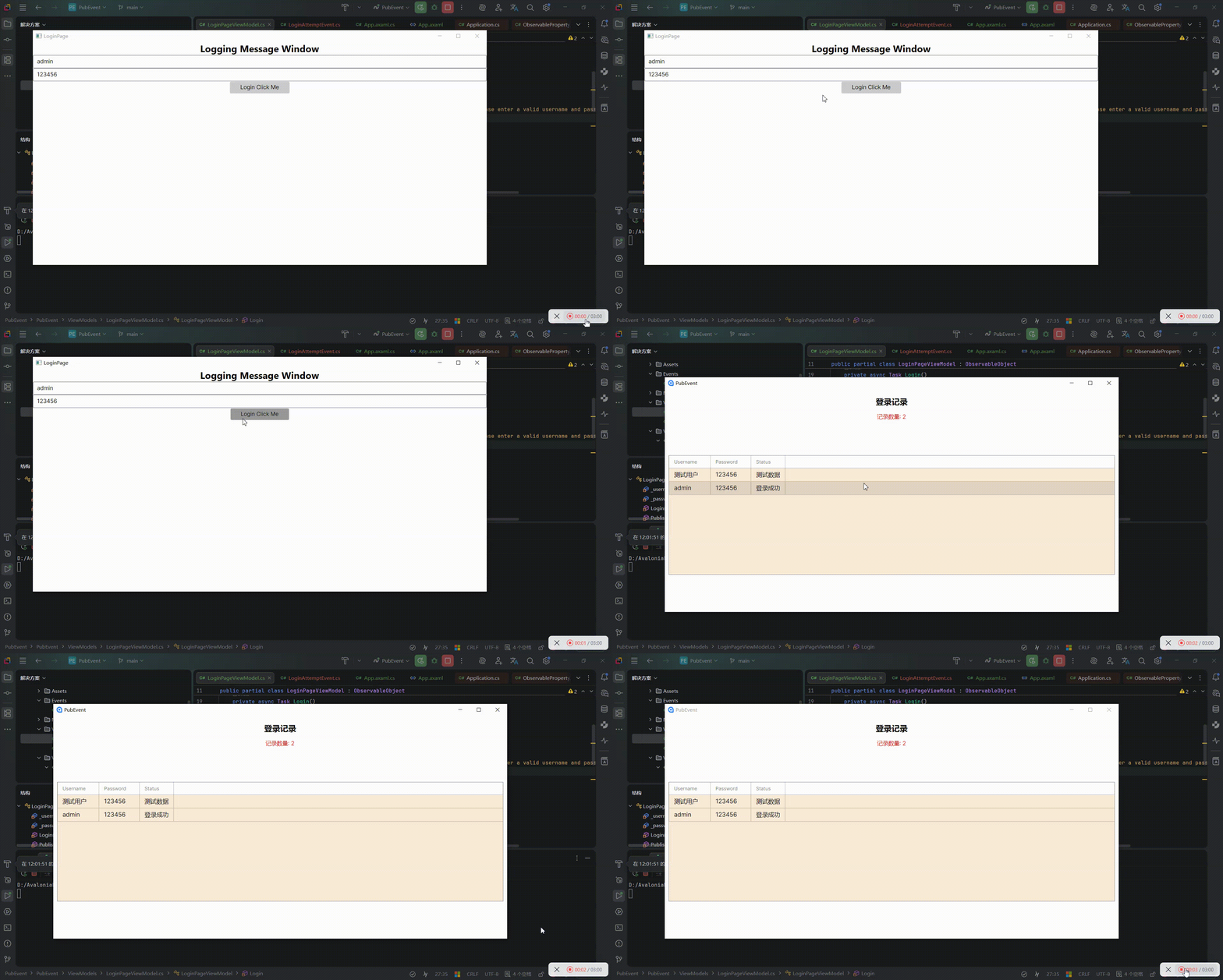
首先,先定义好登录的一些状态信息//Model/LoginAttempt.cs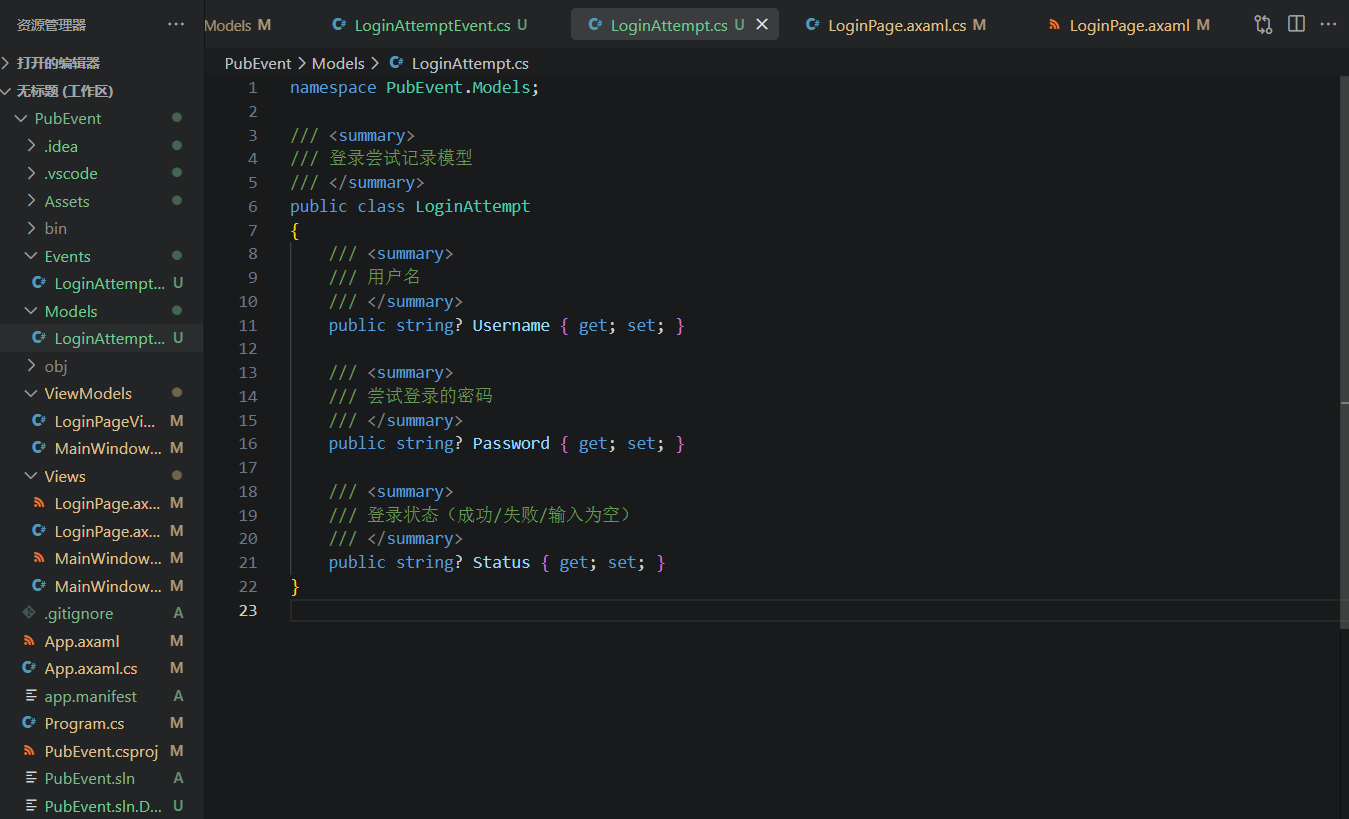
然后是定义登录页面//LoginPage.axmal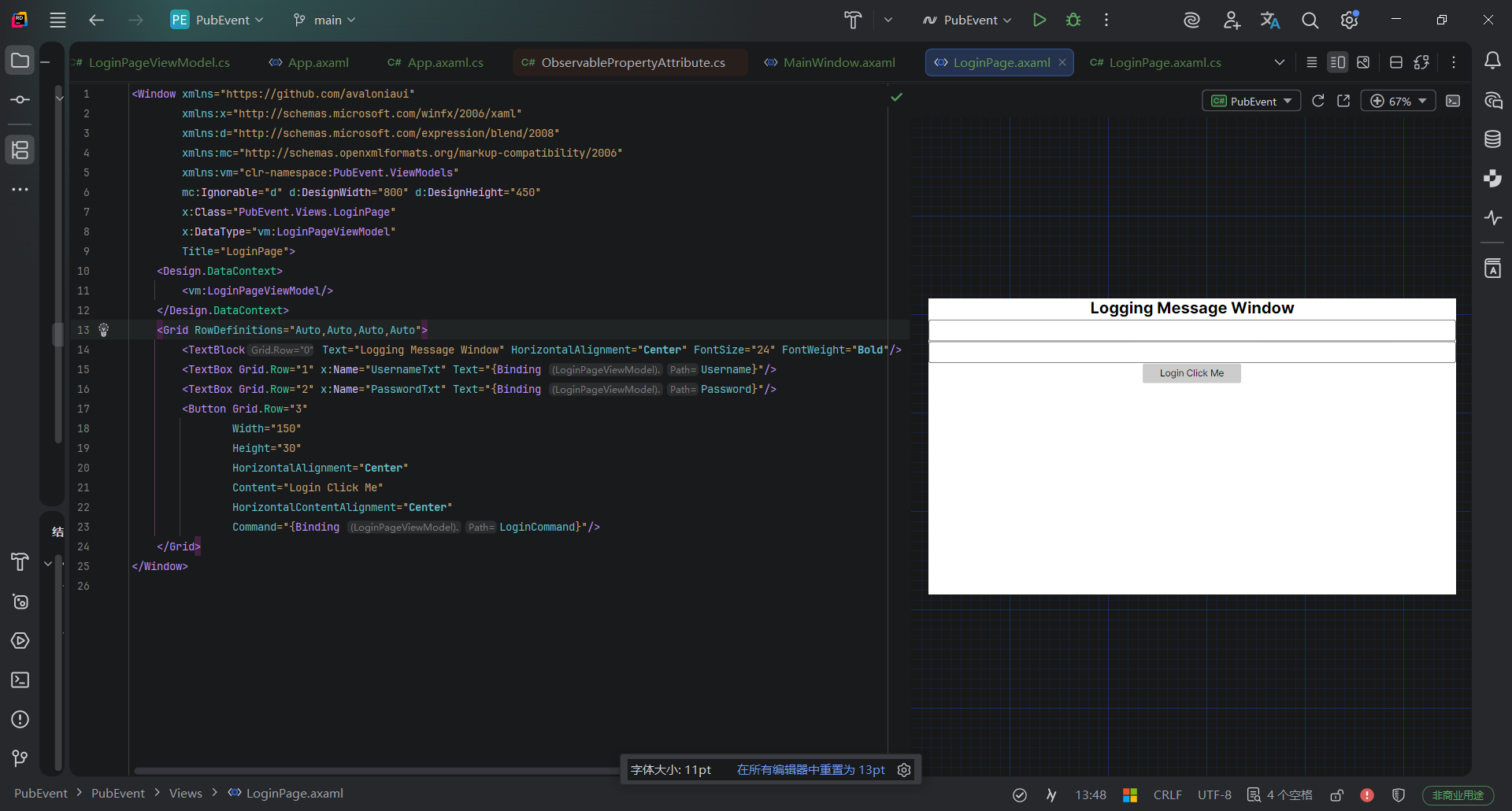
定义对应的axaml.cs//LoginPage.axmal.cs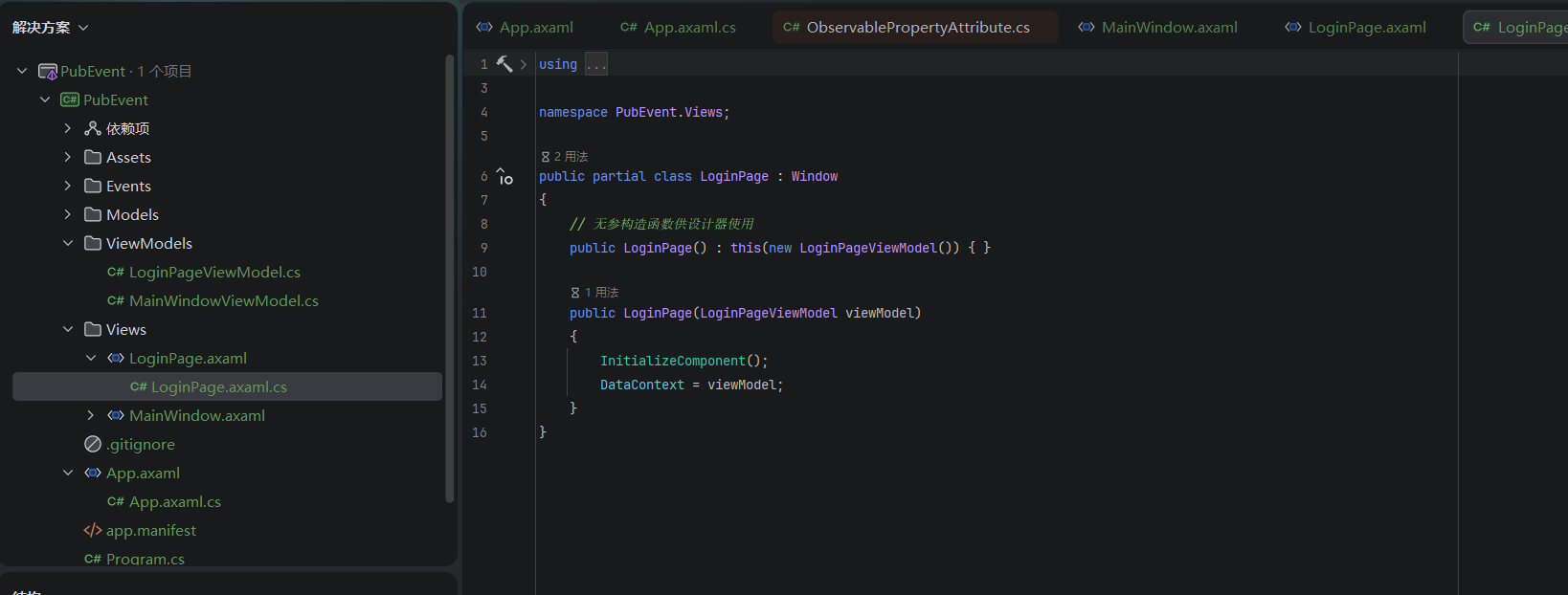
至此,第一个界面设计完成,这个界面是需要显示在主窗口之前的,也就是在Login界面登录成功后才会进入主界面。接下来我们来写主窗口界面。
界面如图:

点击查看MainWindow.axmal代码
//MainWindow.axmal
<Window xmlns="https://github.com/avaloniaui"
        xmlns:x="http://schemas.microsoft.com/winfx/2006/xaml"
        xmlns:vm="using:PubEvent.ViewModels"
        xmlns:models="using:PubEvent.Models"
        xmlns:d="http://schemas.microsoft.com/expression/blend/2008"
        xmlns:mc="http://schemas.openxmlformats.org/markup-compatibility/2006"
        mc:Ignorable="d" d:DesignWidth="800" d:DesignHeight="450"
        x:Class="PubEvent.Views.MainWindow"
        x:DataType="vm:MainWindowViewModel"
        Icon="/Assets/avalonia-logo.ico"
        Title="PubEvent">

    <Design.DataContext>
        <vm:MainWindowViewModel/>
    </Design.DataContext>

    <Grid RowDefinitions="Auto,Auto,*" Margin="10">
        <TextBlock Text="登录记录"
                   FontSize="20"
                   FontWeight="Bold"
                   HorizontalAlignment="Center"
                   Margin="0,10"/>
对应的MainWindow.axmal.cs
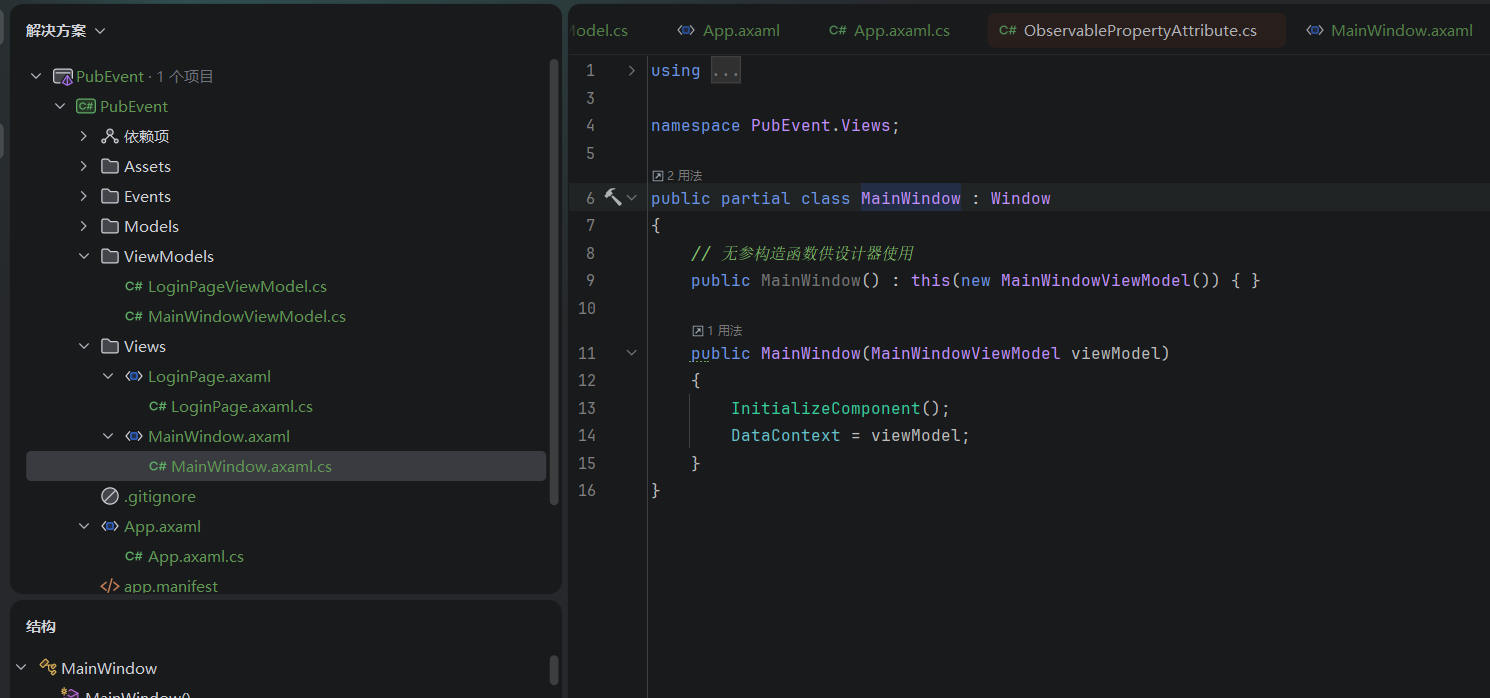
好的,这里View已经完成,接下来实现对应的事件以及ViewModel层
先定义好事件类,创建一个尝试登录的事件LoginAttempted。代码如图:
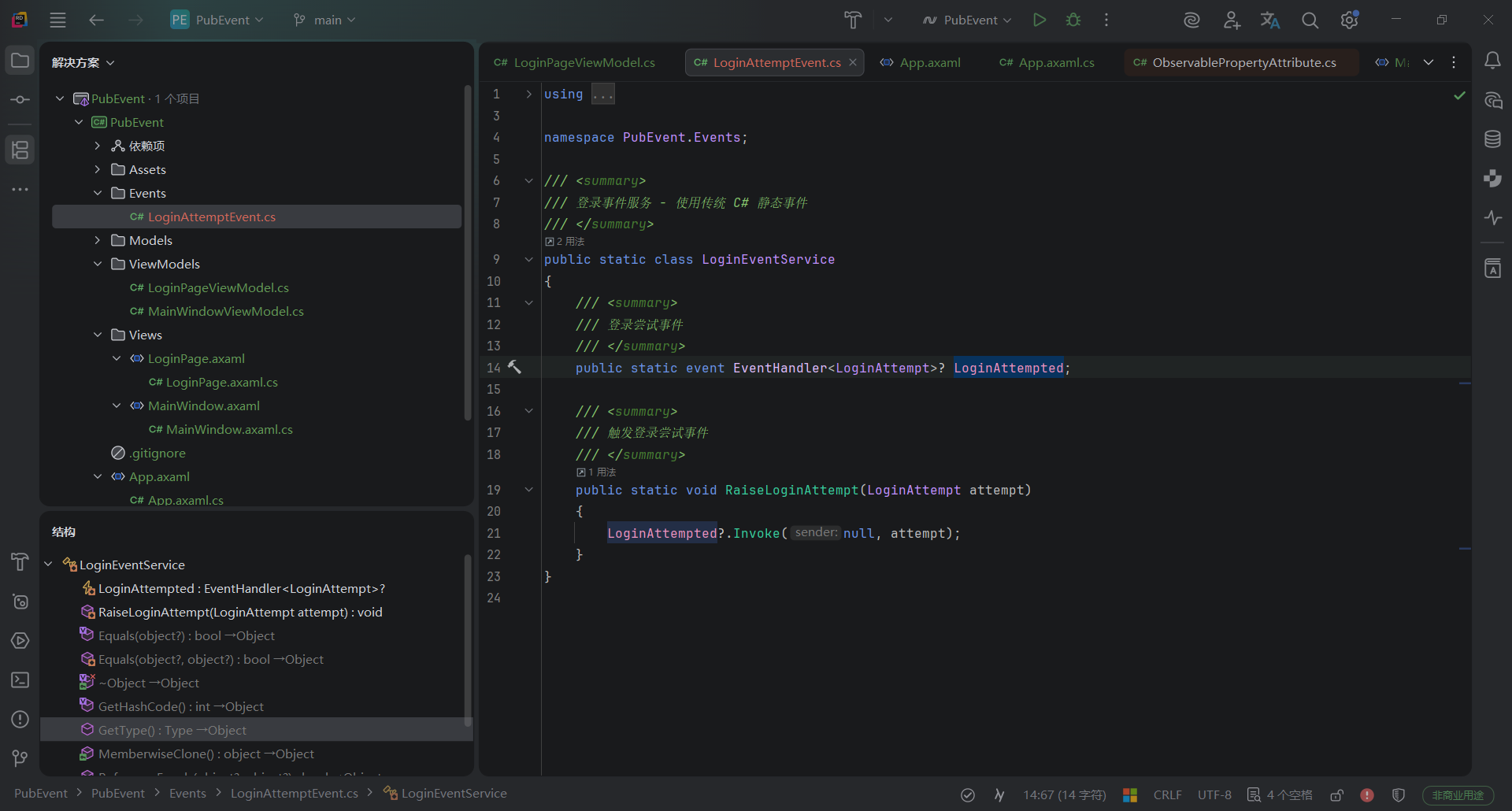
随后需要在LoginPageViewMode中定义好LoginPage中Button的命令(命令执行需触发事件),在MainWindowViewMode中定义好DataGrid数据来源,订阅以及执行事件方法(事件方法内更新DataGrid)。
点击查看LoginPageViewMode.cs代码
//LoginPageViewMode.cs(需要定义页面切换逻辑,带触发事件的命令,供View绑定的空构造,View绑定的两个Text。)
using System.Threading.Tasks;
using CommunityToolkit.Mvvm.ComponentModel;
using CommunityToolkit.Mvvm.Input;
using MsBox.Avalonia;
using MsBox.Avalonia.Enums;
using PubEvent.Events;
using PubEvent.Models;

namespace PubEvent.ViewModels;

public partial class LoginPageViewModel : ObservableObject
{
    [ObservableProperty]
    private string? _username;
    [ObservableProperty]
    private string? _password;

    [RelayCommand]
    private async Task Login()
    {
        if (string.IsNullOrEmpty(Username) || string.IsNullOrEmpty(Password))
        {
点击查看MainWindowViewModel代码
//MainWindowViewModel.cs(需要定义好DataGrid数据列表,定义事件方法并订阅执行,加载LoginPage的数据缓存<必须有缓存,不然在触发事件时MainWindowViewModel还没生成,无法执行DataGrid更新>)
using System;
using System.Collections.ObjectModel;
using CommunityToolkit.Mvvm.ComponentModel;
using PubEvent.Events;
using PubEvent.Models;

namespace PubEvent.ViewModels;

public partial class MainWindowViewModel : ObservableObject
{
以上整体开发就已经大致完成,接下来在App初始化上需要注册对应的窗口以便切换,并定义好切换执行方法以及缓存的方法。点击查看App.axmal.cs代码
//App.axmal.cs(需要定义好初始化窗口执行LoginPage。窗口切换方法SwitchToMainWindow,缓存方法AddLoginAttempt)
using System.Collections.Generic;
using Avalonia;
using Avalonia.Controls;
using Avalonia.Markup.Xaml;
using Prism.DryIoc;
using Prism.Ioc;
using PubEvent.Models;
using PubEvent.ViewModels;
using PubEvent.Views;

namespace PubEvent;

public partial class App : PrismApplication
{
附带App.axmal代码(这里使用了容器注册做界面切换,所以需要使用PrismApplication)点击查看App.axmal代码
<prism:PrismApplication xmlns="https://github.com/avaloniaui"
             xmlns:x="http://schemas.microsoft.com/winfx/2006/xaml"
             xmlns:prism="http://prismlibrary.com/"
             x:Class="PubEvent.App"
             RequestedThemeVariant="Default">
2. **第二,如何在不同页面间使用事件聚合器?** 从前文我们已经可以看出在进行多界面开发中,总会有页面间的信息交互需要通过事件进行,例如A页面的某个Button按下后需要保存页面信息显示在B页面。如果采用传统事件的订阅发布,就依旧会有强耦合性,无论是事件订阅和发布都是如此。从软件架构上来说,这样不适合进行模块测试。所以引入了事件聚合器,接下来我们看看事件聚合器如何实现以上例子。 这里因为只是为了解耦,其实本质就是依赖于抽象不依赖于具体实现,所以这里我们只用修改前文部分的三处代码即可。分别是定义好的事件类LoginAttemptEvent.cs;登录页的LoginPageViewModel以及主窗口的MainWindowViewModel。 * **1、//LoginAttemptEvent.cs(事件类继承自PubEvent,内部实现了IEventAggregator接口)**
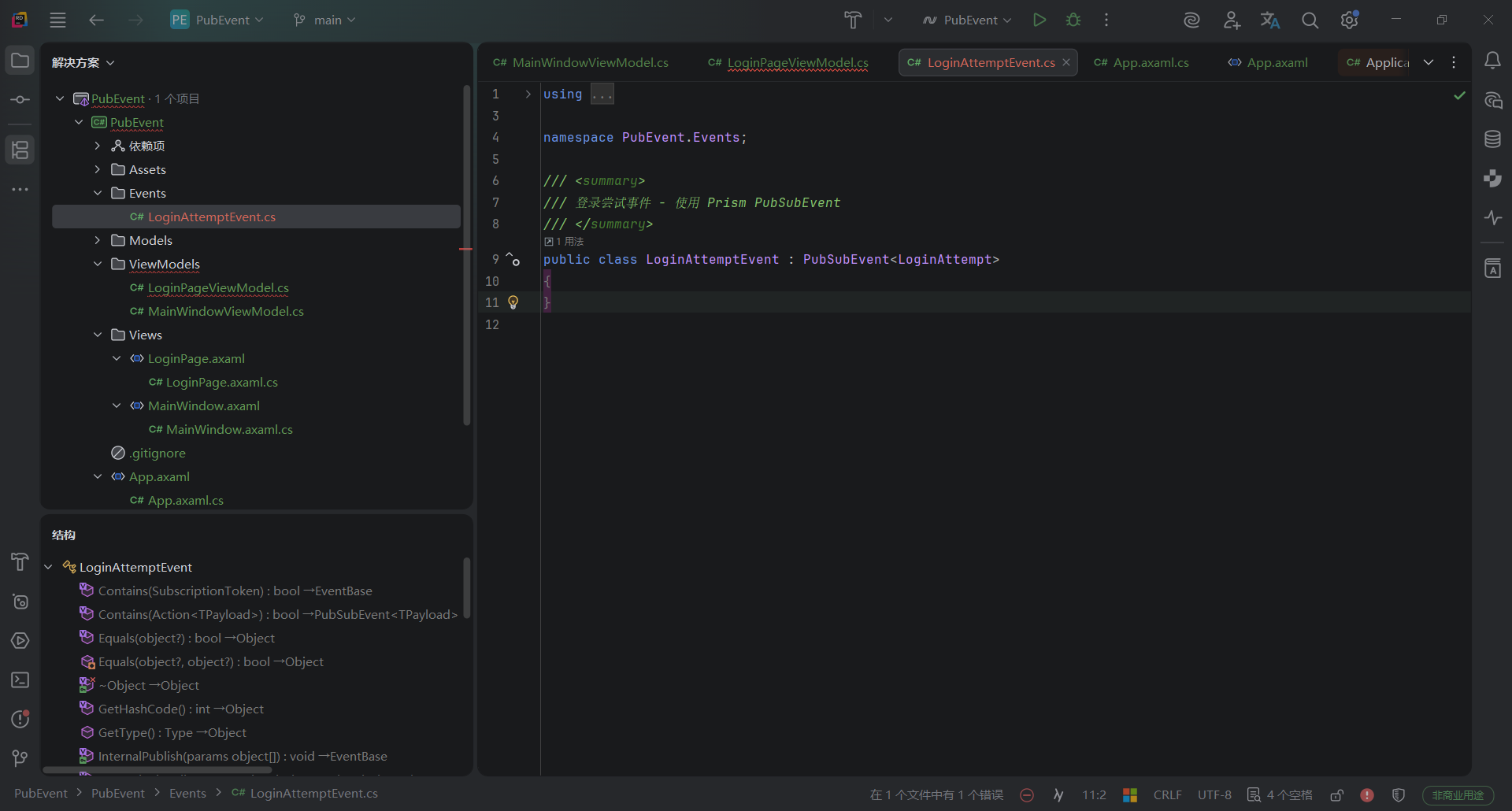
点击查看代码
using System.Threading.Tasks;
using CommunityToolkit.Mvvm.ComponentModel;
using CommunityToolkit.Mvvm.Input;
using MsBox.Avalonia;
using MsBox.Avalonia.Enums;
using Prism.Events;
using PubEvent.Events;
using PubEvent.Models;

namespace PubEvent.ViewModels;

public partial class LoginPageViewModel : ObservableObject
{
    [ObservableProperty]
    private string? _username;
    [ObservableProperty]
    private string? _password;

    private readonly IEventAggregator? _eventAggregator;

    public LoginPageViewModel(IEventAggregator eventAggregator)
    {
        _eventAggregator = eventAggregator;
    }
* **3、//MainWindowViewModel.cs(一样注入IEventAggregator,实现接口方法订阅)**点击查看代码
using System.Collections.ObjectModel;
using CommunityToolkit.Mvvm.ComponentModel;
using Prism.Events;
using PubEvent.Events;
using PubEvent.Models;

namespace PubEvent.ViewModels;

public partial class MainWindowViewModel : ObservableObject
{
3、使用事件聚合器的优势在哪?为何要用?
从以上两个例子应该能很好的看出来了,使用事件聚合器能够少量的减少代码,将所有需要的事件服务都继承自PubEvent,不仅方便代码框架维护,同时它带来的解耦便利性也可以方便团队划分模块开发,还能够进行模块化的测试,对于大型应用来说这种架构是必须的。以上为我个人快速学习的简短理解,希望能够有所帮助。
此内容由惯性聚合(RSS阅读器)自动聚合整理,仅供阅读参考。 原文来自 — 版权归原作者所有。