






It’s easy to create a website with AI. It’s fun and you don’t need prior development experience.
The key is to pick the AI website builder for your business and let it work its magic for you.
Creating websites has never been so simple!
Whether you want to build a personal blog, a business website or an online store, everything happens in a flash.
In this article we will explain the process of creating a website with an AI builder and what to look for when selecting one.
So let’s begin our AI journey!
Table Of Contents
Everyone’s talking about AI, but explaining it can be a bit tricky. You’ve got all these tools saying they use AI, but sometimes they’re actually doing things in a more regular way.
Some people believe that for a website builder to truly be considered artificially intelligent, it should only require a single prompt and that’s it.
Everything else should be decided by AI.
Unless AI can read our thoughts (which it can’t do yet), we still need to provide some input about what we want.
A proper AI website builder should:
So now we know what we really need to look for in an AI website builder, let’s move on to creating a website with AI.
We always enjoy creating websites. Drag and drop page builders changed the game, but using AI to build a website is even more satisfying.
ZipWP, Durable and 10Web are our top three picks each having its own uniqueness.
| ZipWP | Durable | 10Web |
|---|---|---|
| The most reliable AI website builder you will ever need. | Can regenerate any web design for you in no time. | Good AI small website builder for beginner sites. |
| – Create multiple websites – Web hosting included – Impressive AI Writer – Team management | – AI copy – Business name generator – Drag and drop editor built-in – Invoicing tool included | – Quick to build a website – Easy to use – ADI editor for layout customization – Budget friendly |
For this tutorial, we want to use a flexible, customizable and scalable tool, which is why we are going to use the ZipWP AI website builder.
As we dig deeper into it, you’ll discover just how easy and versatile ZipWP is in creating websites for any purpose.
ZipWP is an AI website builder that delivers a fully operational website in less than 60 seconds.
Starting is as simple. Answer a couple of questions and leave it to ZipWP to do the rest!
Let’s begin creating your website with AI:
Once you log into the ZipWP dashboard, you’ll see a very simple interface.
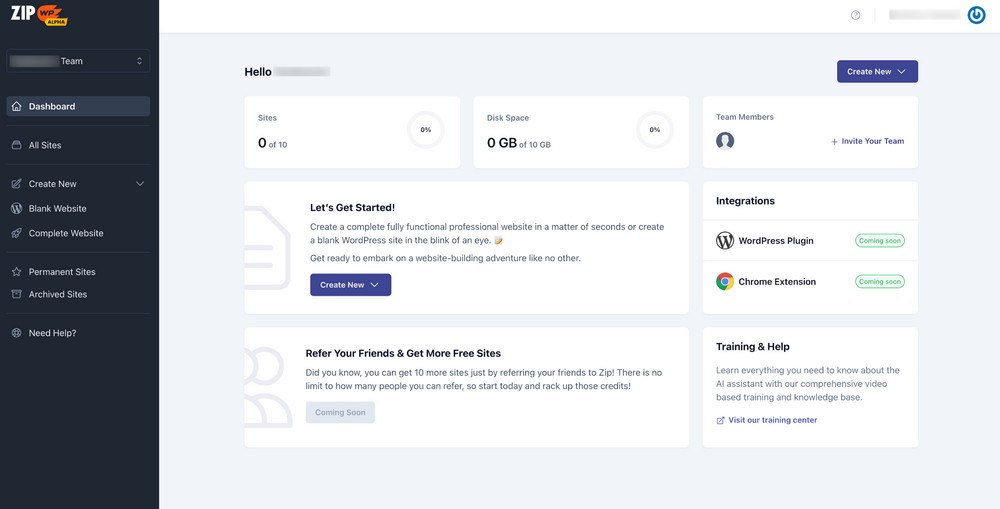
The menu on the left sidebar displays the websites you have created and the option to create more.
The right pane gives the overall progress of all your activities.
Take a look around the dashboard, familiarize yourself with it and move on when you’re ready.
Let’s create our website!
Press the Create New button and choose one of two options: Blank Website or Complete Website.
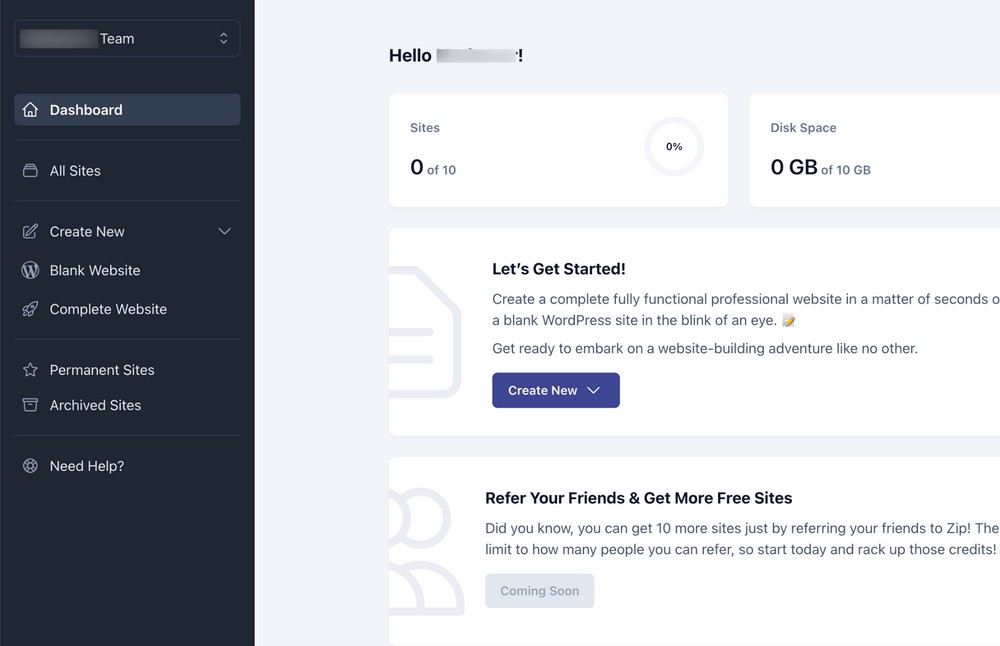
As this is your first time, choose the second option and ZipWP AI will take care of everything for you.
You will be taken to the next screen that asks you to choose your industry.
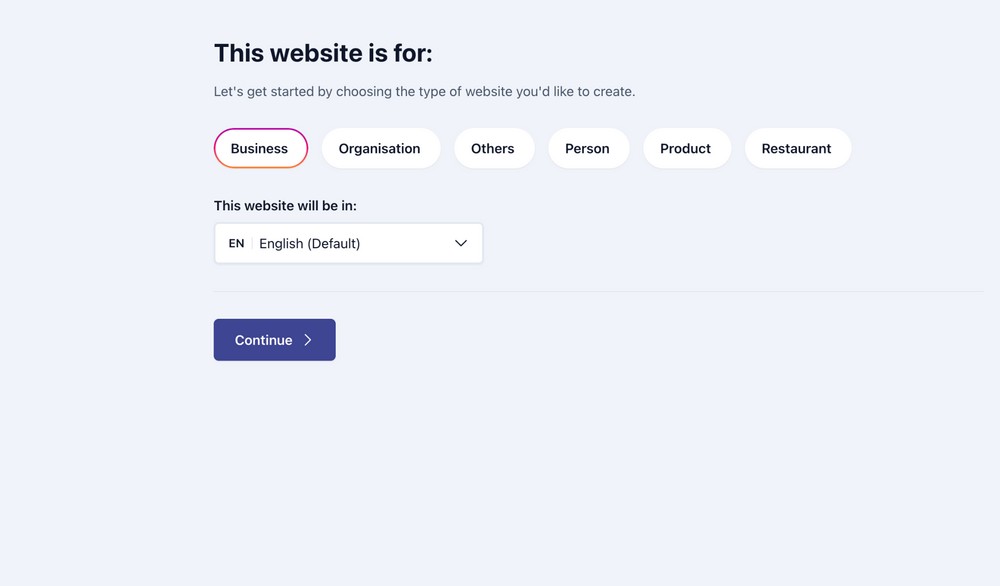
You have six available options (Business, Organisation, Others, Person, Product, Restaurant).
We’ll choose Business for this tutorial.
You also have the option to select your language on the same screen. ZipWP can create your website in more than 180 languages.
Once selected, press the Continue button.
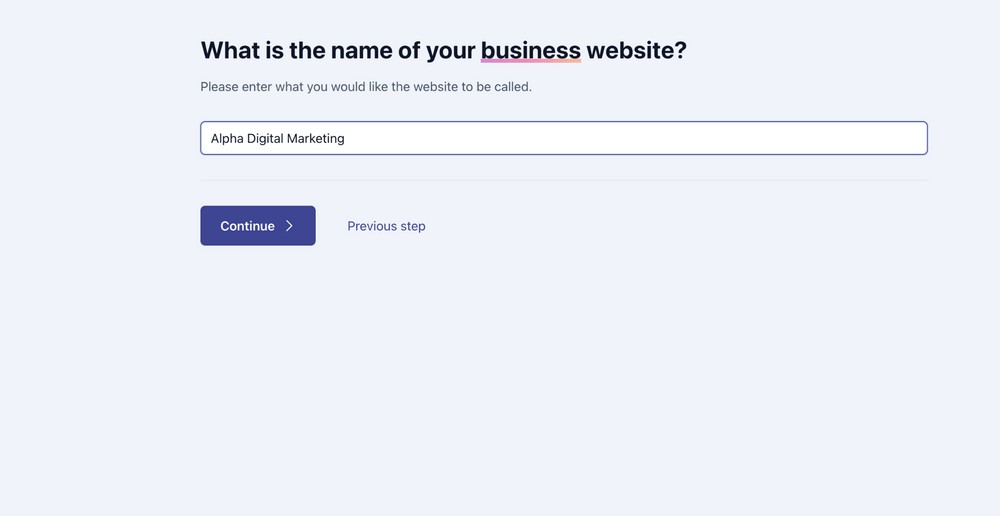
Name your business and press the Continue button.
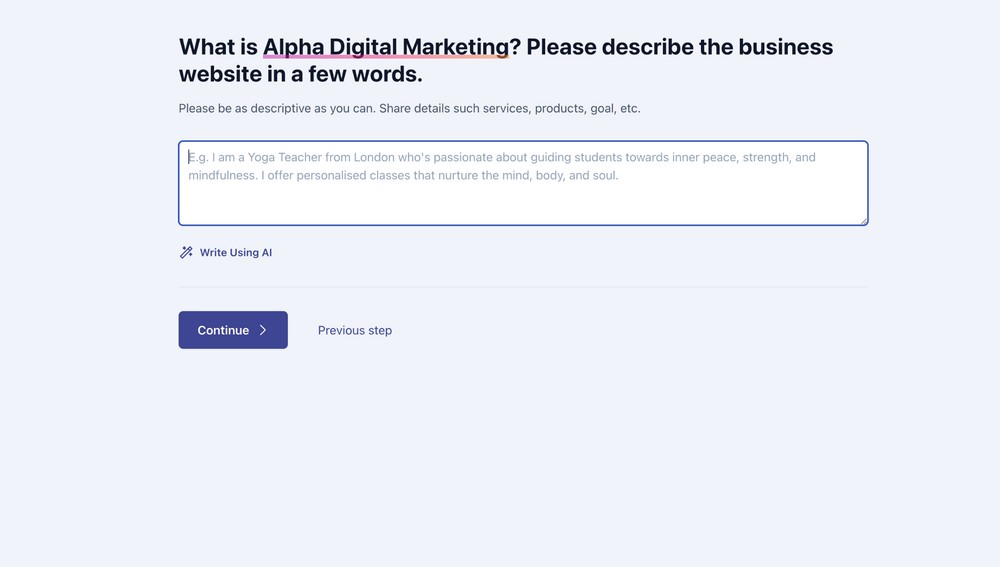
Now here it gets interesting!
Describe your business as accurately as possible to give the AI the clearest picture.
Imagine you’re dictating to a human assistant and want to convey the clearest message possible about what your business is about.
That’s how you get the best out of AI tools.
If you need a little help, ZipWP offers a built-in AI Writer. You can find it under the description box.
Press the Write Using AI button and have it fill in the description for you in a few seconds. The AI Writer will use your business name as input and suggest a copy for you. If you haven’t decided on your business name yet, you can take the help of the AI Business Name Generator tool to find a suitable name.
If you want to improve the text further, press the Improve Using AI button and let the magic happen.
You’ll have a complete fresh copy as a second option.
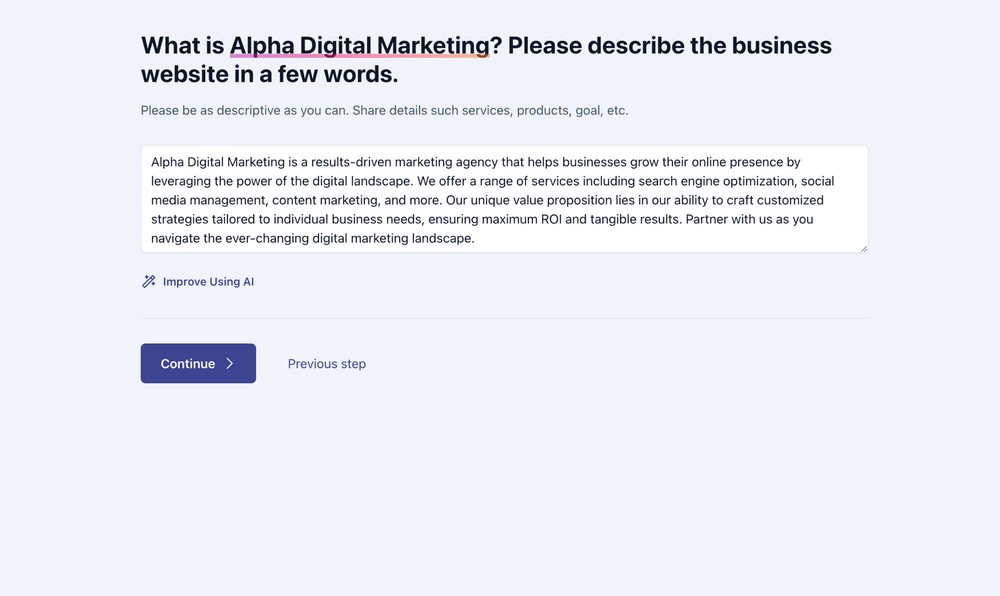
We recommend saving each version separately and choosing the best one from them.
You can tweak it. Rewrite it, combine different versions or do whatever you like until you’re completely happy.
Press the Continue button when you’re done.
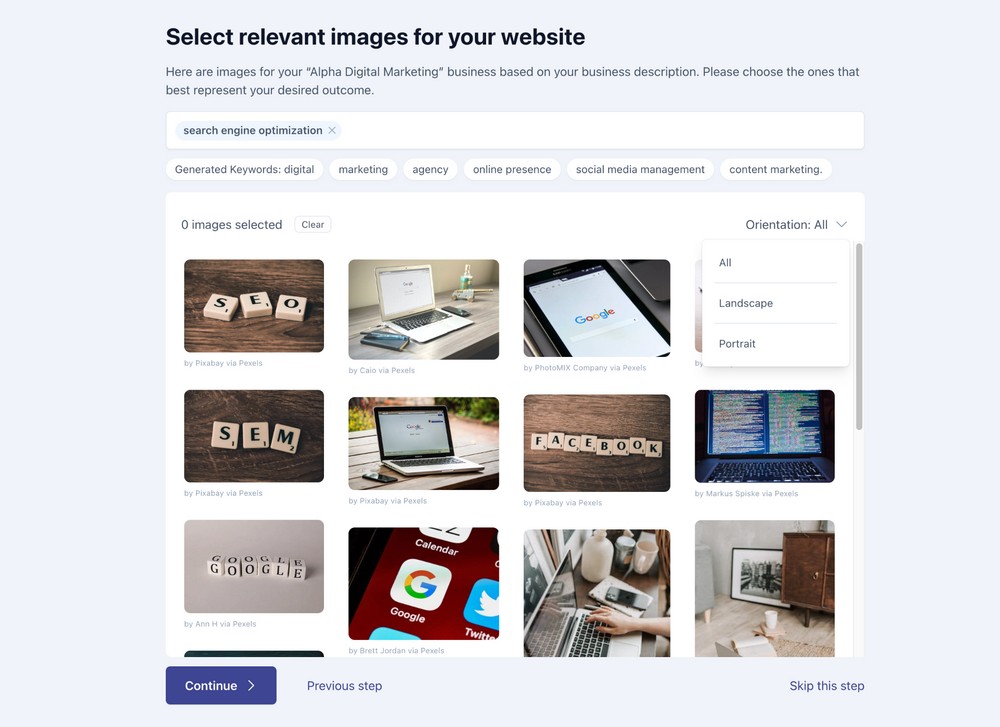
Images are one of the most important elements of your website. They literally speak!
Thanks to the partnership between ZipWP and stock image websites Pixabay and Pexels, you get the chance to choose high quality images for your site.
Use keywords in the search field and select the orientation from the top right to filter the most relevant images.
Or, if you have your own images, skip this step to upload them later.
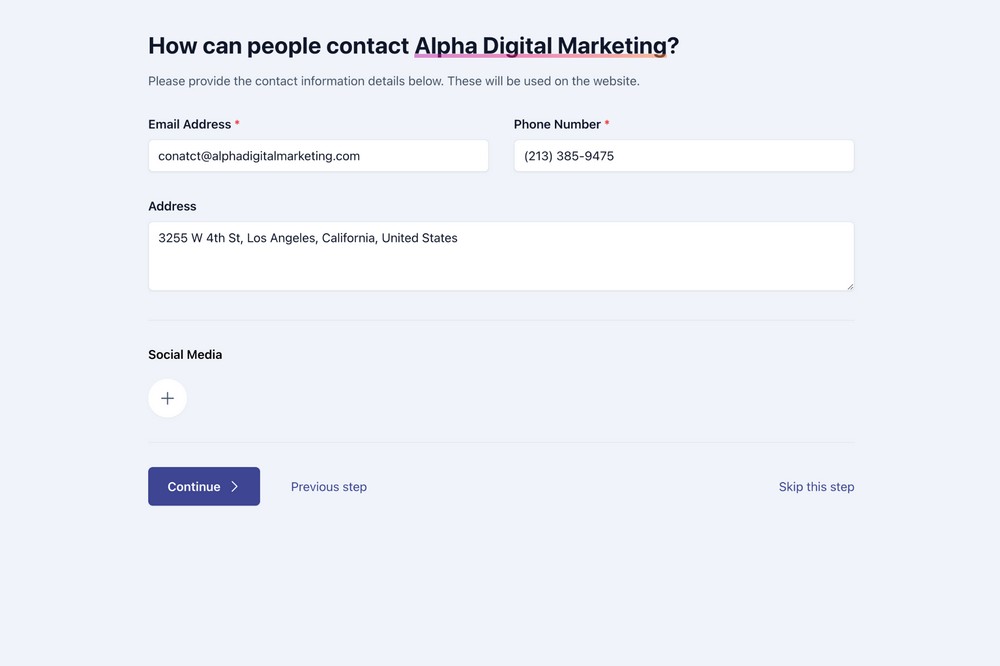
If you enter your contact details on the next page, ZipWP will create a fully working contact form automatically for you.
That’s one less thing to worry about!
You can also add your social media accounts so you can engage with people as soon as you publish your new website.
Press the Continue button when done.
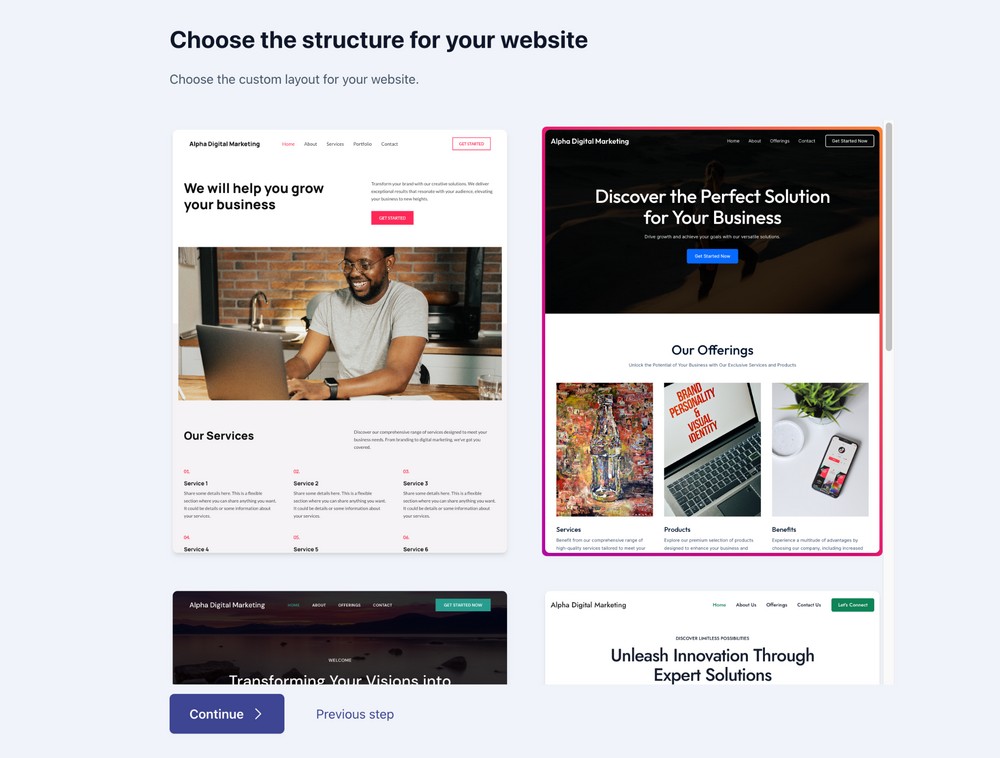
A good web design can increase your business value, but a bad design can ruin it.
Fortunately, ZipWP offers plenty of professionally designed templates.
👉 Recommended Reading: 16 Best Elementor Themes
You will get to see a couple of design options on the next screen. Choose the one that appeals to you and press the Continue button.
When the popup appears to congratulate you, press the Start Building the Website button.
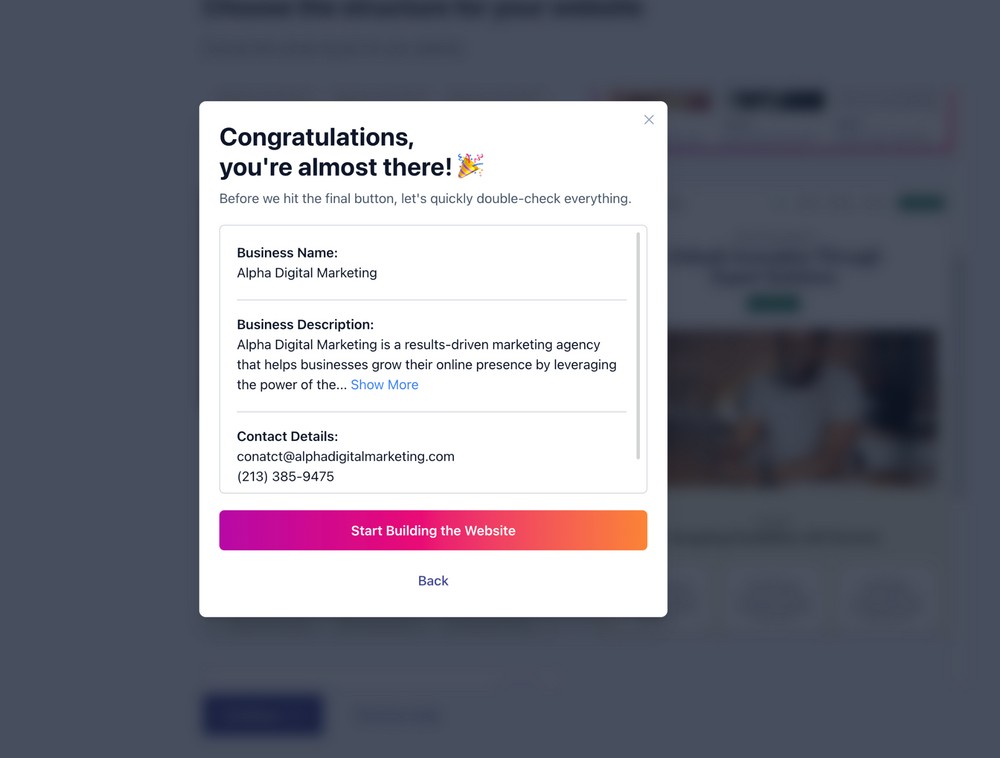
At this stage, if you want to change something that was wrongly selected in the previous step, you can always go back and fix it.
Once everything is done, your website is listed on the All Sites page.
You can visit your website homepage and WordPress admin panel from here by selecting the relevant link.
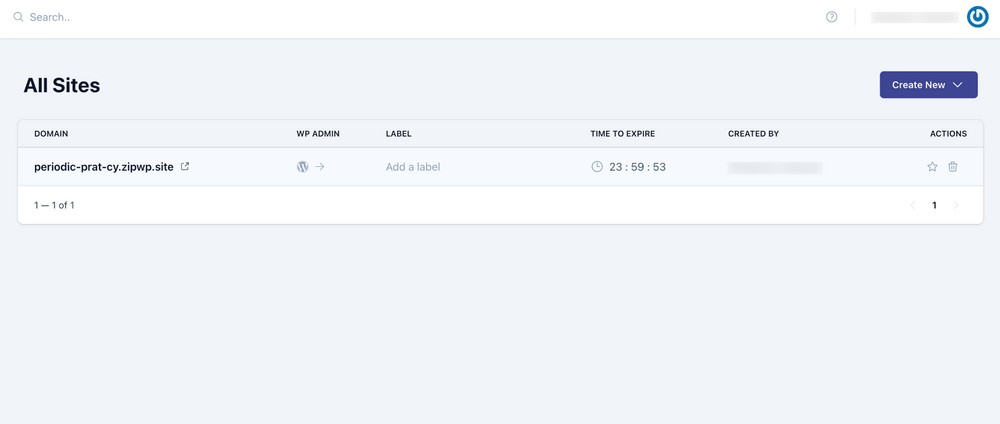
As you can see, it’s so easy to create a website with AI!
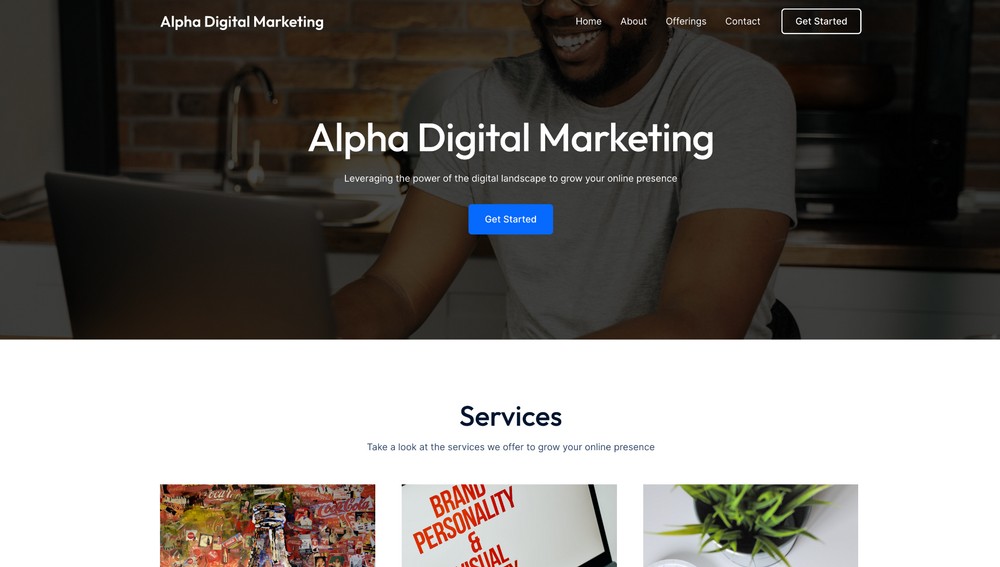
All you need is to add the basic information and let the AI tool build your website in under 5 minutes!
This way you can build any type of website using AI. If you’re starting an online store, there are many amazing eCommerce AI tools to guide you every step of the way.
👉 Recommended Reading: Ultimate WordPress SEO Guide
Not too long ago, making a website took up a whole weekend or longer.
But now we can put together a fully working website, in a lunch break, thanks to AI website builders.
These builders make the process fast, easy, and perfect for beginners.
But even though it seems simple, it’s still really important to pick an AI website builder that can make websites that can grow bigger, change easily, and be customized completely.
Because as your business gets bigger, your website needs to get bigger too. This is super important for online businesses.
Have you ever used an AI builder to make your website? We’d love to hear your thoughts in the comments!
Anyone. AI website builders are useful for anyone who wants to create their website without coding knowledge. You could be a blogger, a business, an entrepreneur, a non-profit organization or any one looking to build a website.
ZipWP has many unique features. It addresses most pain points that other builders don’t. It can create responsive WordPress sites of any kind and scale. You get complete control over your website that means you can customize it however you want.
Sure thing! When you use the free plan on ZipWP, they host your website for 24 hours, and after that, you can switch to another web host if you prefer. But if you go for the premium plans, you can host your websites for a longer time.

Pratik Chaskar holds the pivotal role of CTO at Brainstorm Force, serving as the backbone of the company. Renowned for his organizational skills, strategic thinking, problem-solving attitude, and expertise in leading and executing plans, Pratik plays a crucial role in the BSF’s technological landscape.
Disclosure: This blog may contain affiliate links. If you make a purchase through one of these links, we may receive a small commission. Read disclosure. Rest assured that we only recommend products that we have personally used and believe will add value to our readers. Thanks for your support!
Join 1,587,020 Subscribers
Get exclusive access to new tips, articles, guides, updates, and more.
此内容由惯性聚合(RSS阅读器)自动聚合整理,仅供阅读参考。 原文来自 — 版权归原作者所有。