








We’re excited to announce a brand-new feature for the Astra WordPress theme, dark mode!
You have been asking us for this feature for a while now but we didn’t want to release it until it was 100% perfect.
Now is the time.
Update Astra today and you’ll be able to utilize the all-new Color Switcher.
It’s a simple way for visitors to switch between light and dark viewing experiences.
Whether it’s personal preference, late night browsing sessions or accessibility, the Color Switcher adds another level of interactivity to your website.
Table Of Contents
Custom dark mode for your WordPress site? The Astra Color Switcher makes it possible with no plugins or coding. Take control of color, UX, and accessibility!
Light?
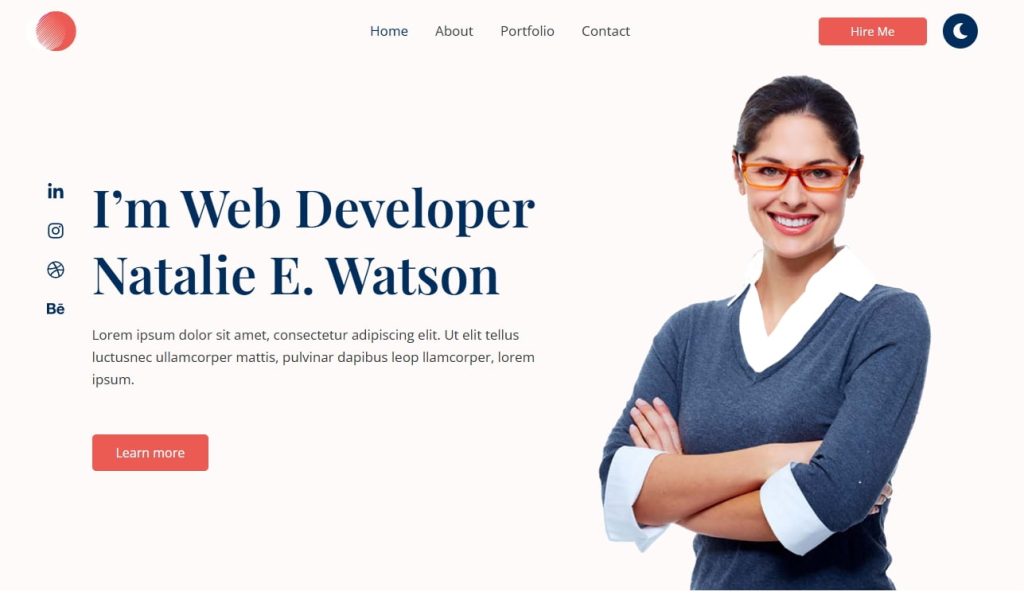
Or dark?
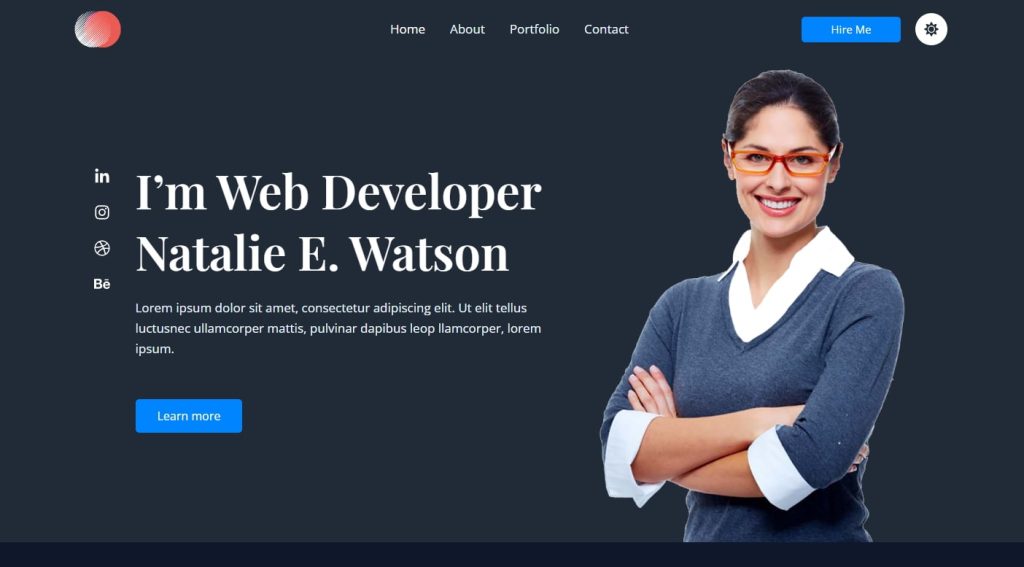
You get to choose.
Dark mode isn’t just a design trend. It’s an expectation.
Whether visitors are browsing late at night or just prefer a darker interface, Astra makes it easy to give them what they want without compromising performance or design.
Dark mode offers:
With the new Color Switcher, you can add a stylish toggle button anywhere on your site.
Visitors can then instantly switch between the default light mode and a fully customized dark mode.
The Color Switcher isn’t just about flipping colors. It’s about designing the user journey on your terms.
Here’s what you can do:
Whether you’re running a blog, portfolio, or business site, this update lets you offer a more comfortable and accessible experience to every visitor.
We have seen requests for dark mode across all our channels and we’re now happy to deliver.
While everyone can get something out of the Color Switcher, we think these groups will particularly like it:
It’s not always about flexibility. Sometimes it’s just about offering choice.
Now you can offer that choice with the Astra Color Switcher.
Update to the latest version of Astra and navigate to Astra > Customize.
You can add your mode toggle wherever you like but it’s traditionally found in the header so we’ll add it there.
Choose Header Builder and select where you would like to add the button.
Select Color Switcher from the popup menu.
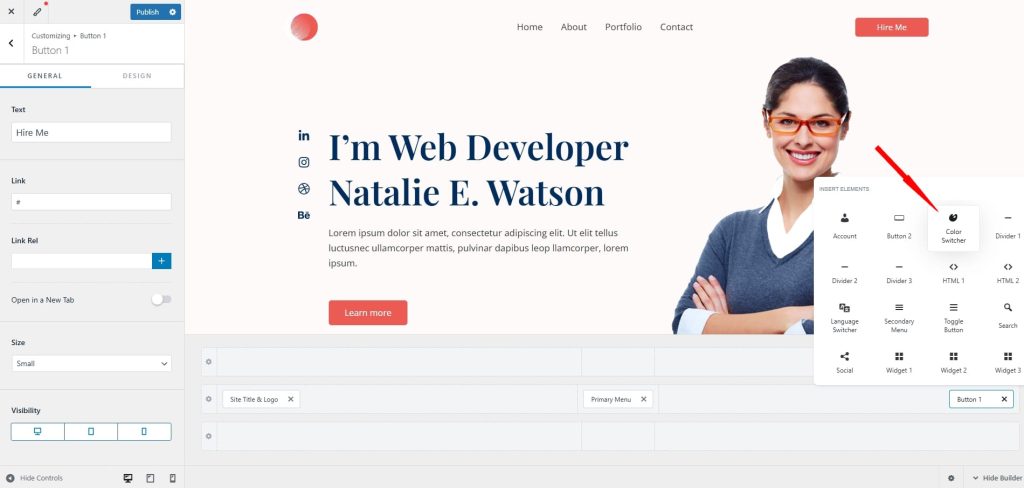
Click on the Color Switcher to load the customizer menu on the left.
Select the Configure Palettes button to select your colors. You’ll need both a light mode palette and a dark mode palette for the switcher to work.
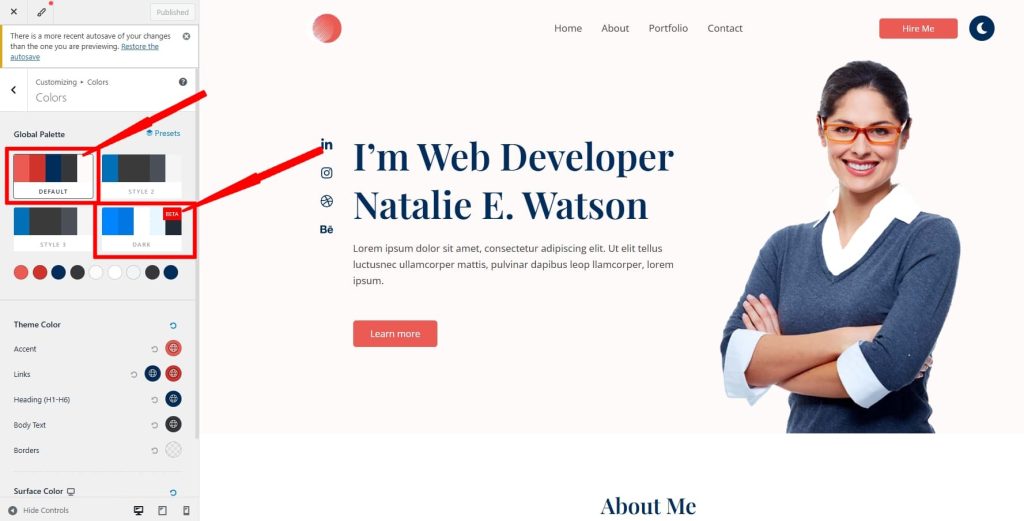
Select the dropdown menu under Alternate Palette to select which palettes are switched by the button.
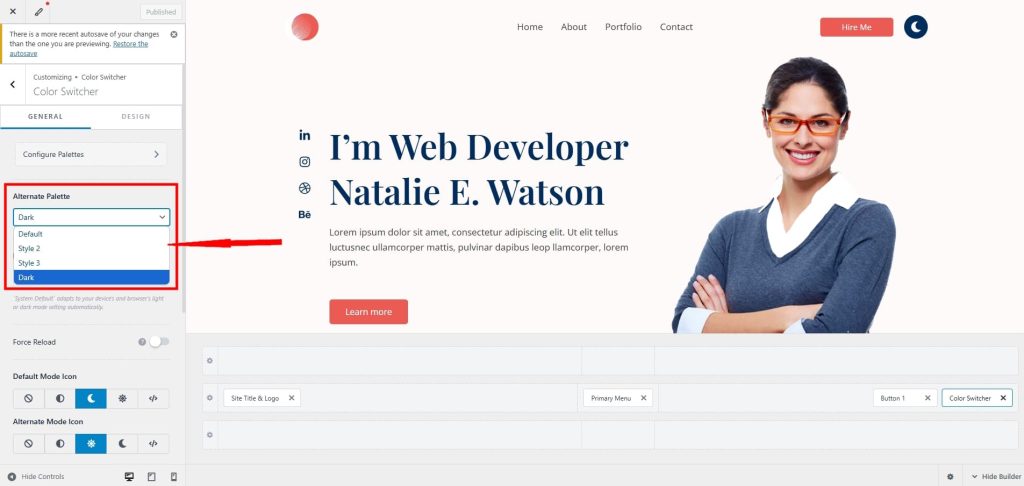
Default is the standard light design and Dark is dark mode. You can add alternative options if you like using the Style 2 and Style 3 settings.
Change the colors in the Global Palette menu, save them and select the relevant palette using the Alternate Palette menu.
The Default Color Mode setting underneath controls whether visitors see the light or dark version of the page when they first arrive.
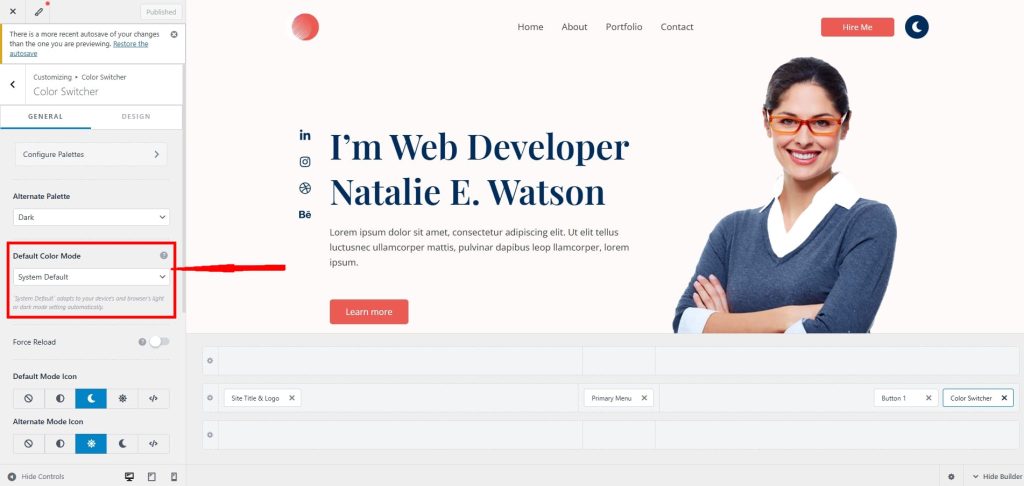
Under that are settings for the switcher button, size, label and visibility.
Switch to the Design tab and you can configure colors, spacing and how the button will behave if you use sticky headers.
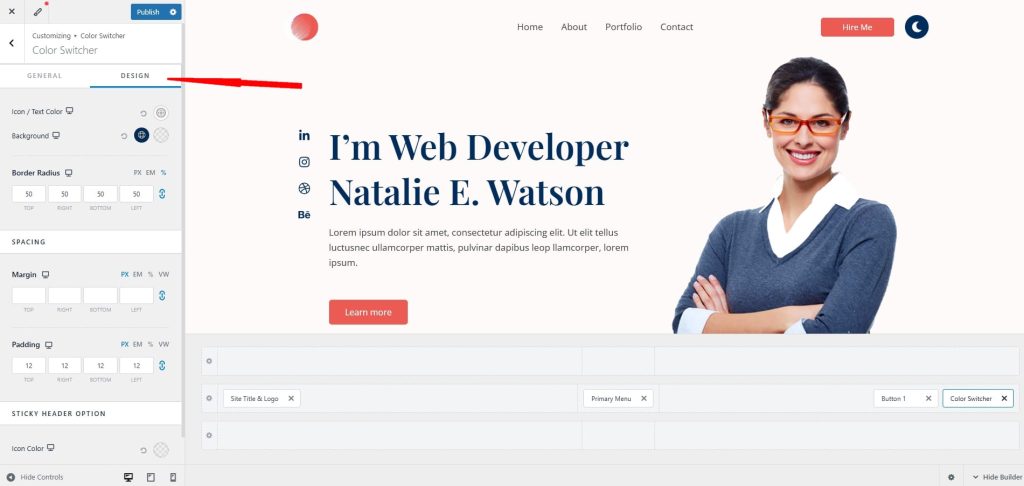
Select the device switcher icons at the bottom of the page to configure the appearance and behavior for mobile and tablet as well as desktop.
As this is Astra, you can infinitely customize colors, behavior and personalize the user journey as much as you like!
Astra’s new dark mode Color Switcher gives site owners complete design control and visitors the freedom to choose how they experience your site.
It’s a simple way to boost engagement.
It also improves accessibility, and delivers a more personalized user experience on any screen, at any time.
Update Astra today and let your design work for everyone!

Our editorial team at Astra is a group of experts led by the co-founder of Brainstorm Force, Sujay Pawar. We aim to create well researched, highly detailed content related to WordPress, Web design, and guides on how to grow your online business.
Disclosure: This blog may contain affiliate links. If you make a purchase through one of these links, we may receive a small commission. Read disclosure. Rest assured that we only recommend products that we have personally used and believe will add value to our readers. Thanks for your support!
Join 1,587,020 Subscribers
Get exclusive access to new tips, articles, guides, updates, and more.
此内容由惯性聚合(RSS阅读器)自动聚合整理,仅供阅读参考。 原文来自 — 版权归原作者所有。