


Whether you want to finally get the perfect group photo, avoid shopping crowds or offload some tedious tasks to Gemini, Google tools can help you get it done.
General summary
Get ready for the holidays with Google's helpful tips. Use AI in Google Photos to edit family photos and create cards. Also, save time with Gemini in Google Maps and shop smarter with AI-powered search tools.
Summaries were generated by Google AI. Generative AI is experimental.
Bullet points
- This article, "48 tips and prompts for holiday planning, travel and more," offers Google tips for the holiday season.
- Use Google Photos AI to edit photos, create photo books, and make holiday-themed videos for memories.
- Gemini in Google Maps helps you find stops and parking, while Gemini for Home sets reminders.
- Shop smarter with AI Mode in Search, agentic checkout, and Gemini for gift brainstorming.
- Take care of your home and yourself with Pixel features, Fitbit sleep tracking, and travel planning.
Summaries were generated by Google AI. Generative AI is experimental.
Explore other styles:

The holiday season is in full swing: We’re all making plans, prepping homes and probably over-scheduling ourselves. Stay on top of the to-do list and in control of the festive chaos with help from Google. Whether you want to finally get the perfect group photo, avoid shopping crowds or offload some tedious tasks to Gemini, you’ll find some tips here.
Get creative with photos, decor and more
- Do you almost have the perfect family photo for your card…but someone was wearing a hat and someone else wasn’t smiling? Not a problem: Google Photos now uses AI for personalized edits, so you can do things like remove accessories or fix a grin and everyone still looks like themselves!
- Use Nano Banana in Google Photos to reimagine your photo in virtually any festive style you can think of. Simply head to Photos’ editor and use “Help me edit” or try an AI template in the Create tab to “put on a fun Christmas sweater.”
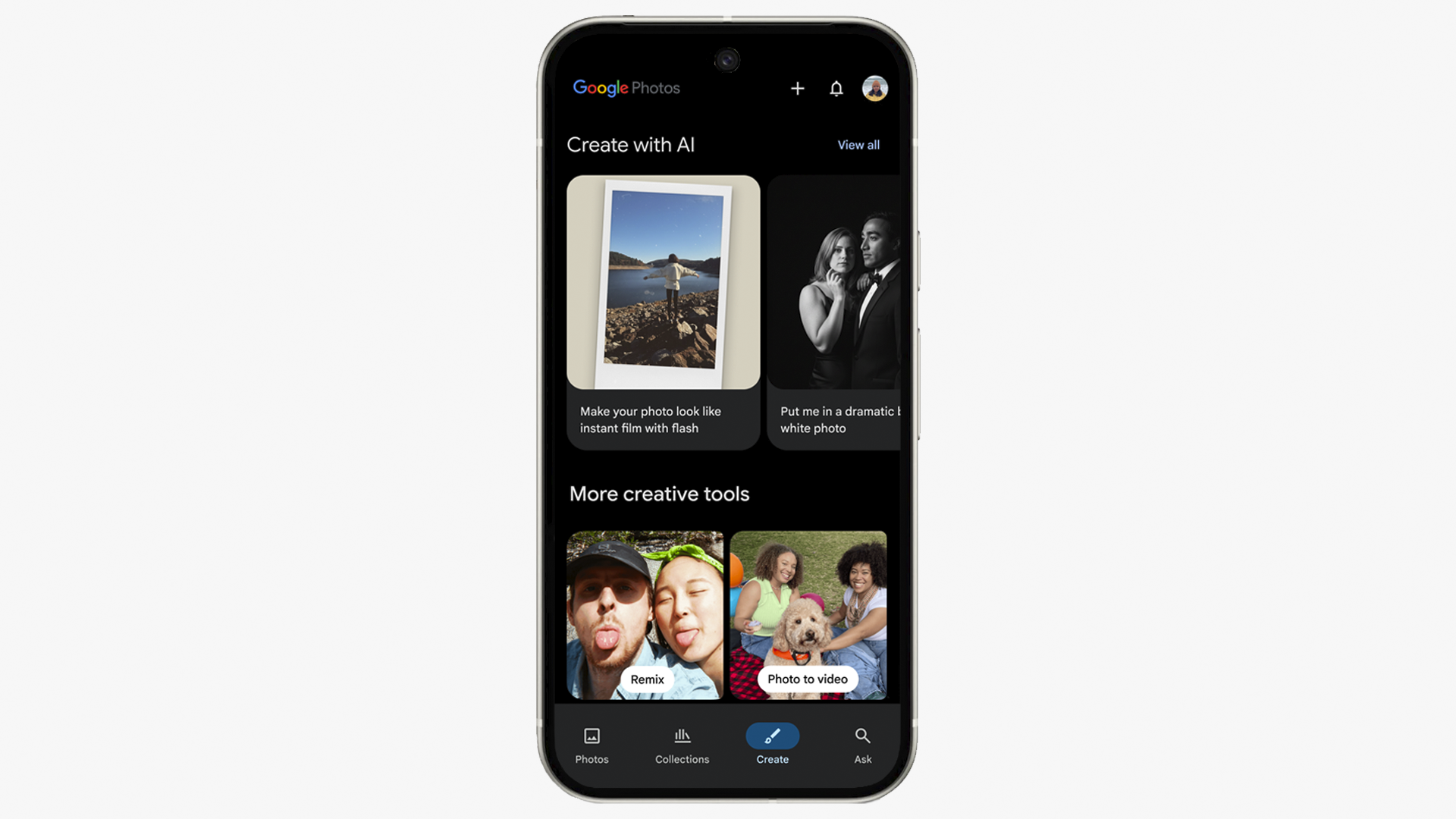
Open the Create tab in Google Photos.
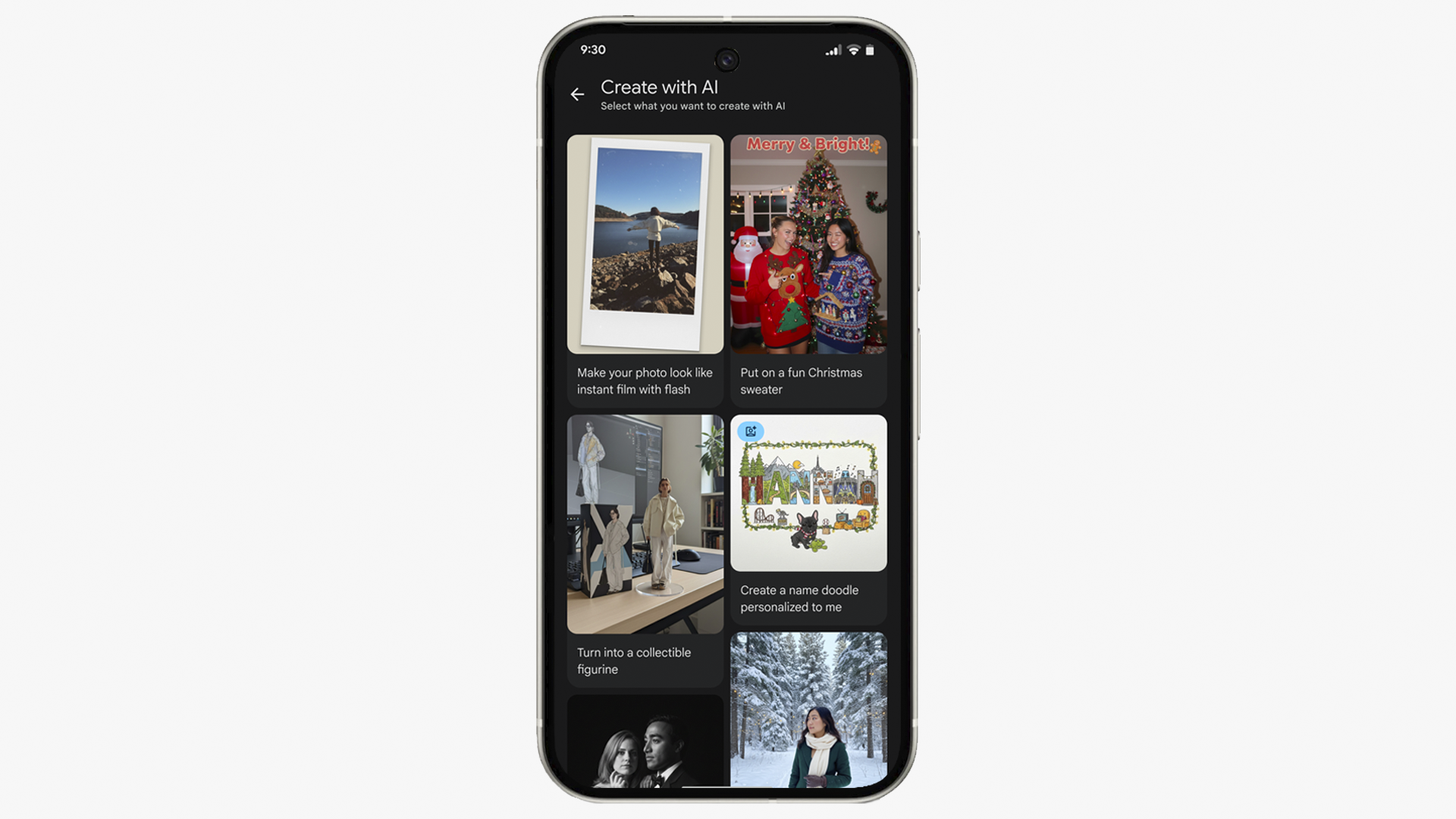
Under “Create with AI,” you’ll find templates — including one for a fun Christmas sweater.

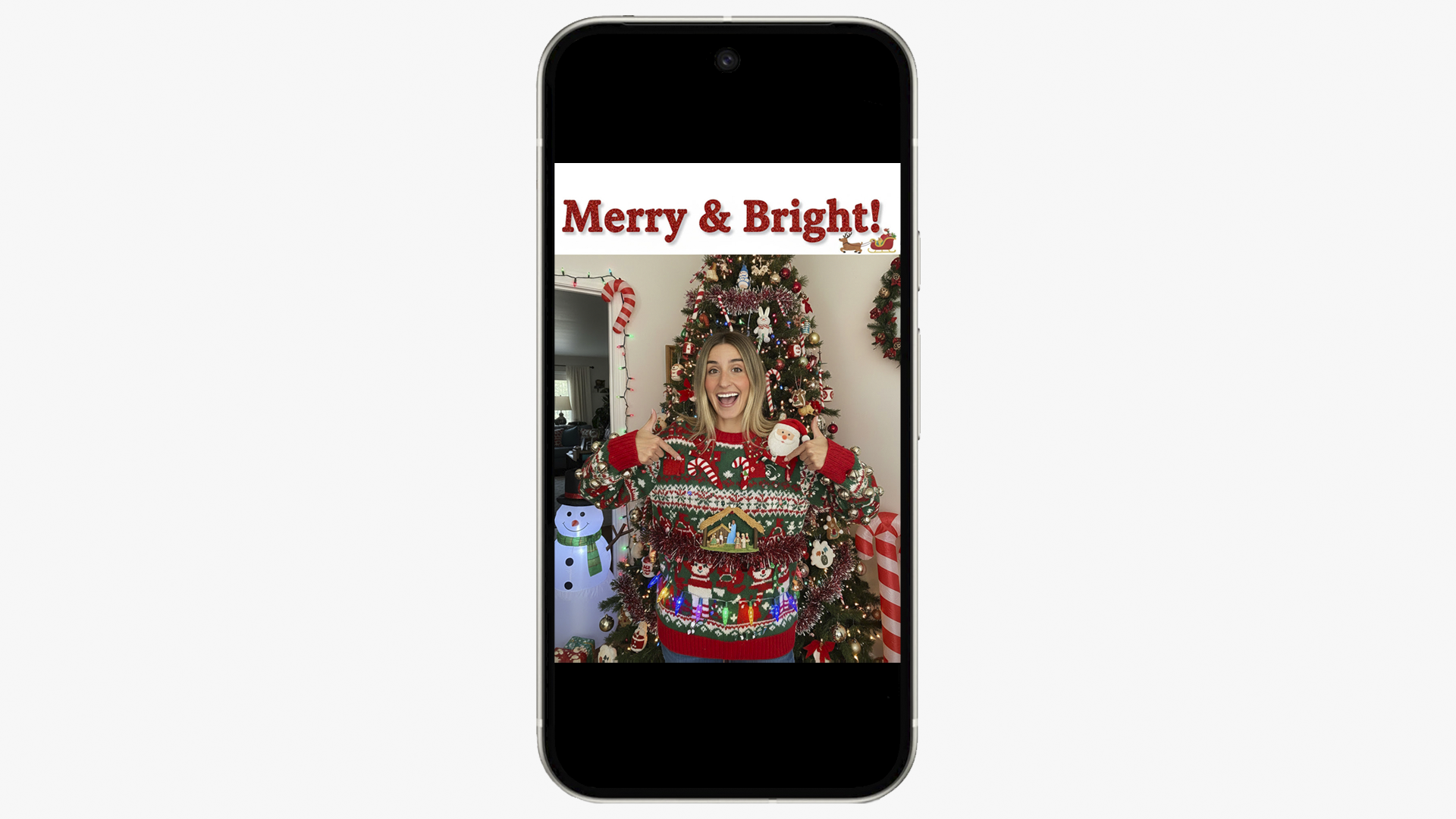
3. Use Ask Photos to find all your holiday photos from the last few years and take a trip down memory lane.
4. Use Google Photos to restore or animate old family photos.
5. Create a photo book as a gift. You can design it and send it for printing, all from Google Photos.
6. Make a holiday-themed video from past images: Just head to Photos’ Create tab, select “Highlight video” and you can select search phrases (like “winter” and “family”), and Photos will make a highlight reel.
7. Need photo help (hey, lighting displays can be tricky to photograph!)? Try Camera Coach for a little assistance or inspiration. And if you’re ready to level up your photography, well, you’ll definitely want to dive deeper into Pixel Camera settings and Pro Controls.
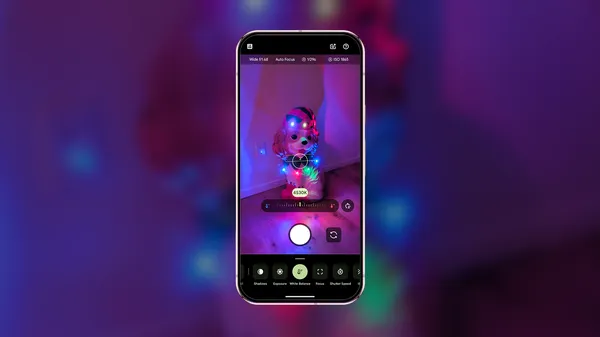
8. Set up a festive watch face for your Pixel Watch. Choose an old holiday photo or something that feels seasonal.
9. Use Gemini’s photo-to-video capability, powered by Veo 3, to turn family photos into short videos.
10. Get creative with this year’s annual card: Give Gemini an outline or as many details as you want and ask it to write it up as a cute poem or a fun infographic.
11. If you really want to go pro with your holiday photos or perfect a picture to give as a gift, the new Nano Banana Pro image and editing generation model goes beyond fast image editing, giving anyone access to the highest-quality, studio-level image creation. Change a photo’s camera angle, focus, lighting and more.

Stay organized and save time
12. Turn on your Pixel’s Extreme Battery Saver for long travel days. (With the newest Pixels, you'll get up to 100 hours of battery life for Pixel 10 Pro and 10 Pro XL, and the 10 Pro XL has our fastest charging yet at 70% in just 30 minutes. And if you take advantage of Pixel 10 Pro and 10 Pro XL holiday deals right now, you’ll get Google AI Pro for a year on us.)
13. Do you prep for a busy season by taking screenshots of meals, events, gifts and whatever else catches your attention across social media and the web? Keep it all organized in Pixel Screenshots. It can auto-organize for you (like grouping all recipe screenshots together) or you can create categories (like “table setting inspo” and “gift ideas for the cousins”). The app even uses on-device AI so you can search and find exactly what you’re looking for.
14. Check out Google Maps’ new trends before you head to your family dinner, the post office or shopping mall! You might save yourself some valuable time.
15. Speaking of saving time: New Gemini features in Google Maps mean you can ask questions like your friend is in the passenger seat— for example, if you’re on the way to a holiday party somewhere you’ve never been, you can ask “Where can I stop on the way to pick up flowers?” and then follow-up by asking what the parking situation is like at your final destination.
16. Search “near me” on Google Maps: Try things like “holiday events near me” or “holiday pop-ups near me” and see what’s going on nearby. Also check out Google Maps’ updated Explore tab: Just swipe up to see trending and popular restaurants, activities and sights near you.
17. If you have a Pixel Watch 4, rely on Raise to Talk to use Gemini when your hands are full while shopping, cooking, wrapping gifts or whatever else. Just raise your wrist and ask Gemini to do things like set a timer, remind you to leave the house in 30 minutes or ask it what day your holiday happy hour is.
18. Traveling with a group over the holidays? Make a custom, shareable Gem that has all the details, giving everyone access to an AI travel guide with all the info they’ll need.
Shop smarter
19. Browse the Holiday 100, our annual catalog of shopping ideas based on the things everyone’s searching for this year.

20. Use our Try on tool to see how that New Year’s Eve outfit (including the shoes!) will look before you buy it.
21. Describe what you’re looking for in a natural way and get visual, shoppable results with AI Mode in Search. Perfect for when you have a general idea or vibe for a gift you’re searching for but need help pinpointing an item you can buy.
22. Try agentic checkout to stay on budget with your holiday shopping. Track an item’s price and if the price drops into the budget you designate from an eligible store, you can give permission for Google to buy it for you.
23. You can also use agentic capabilities in Search to have Google call local stores for you to check on inventory a product you’re looking for so you don’t have to visit every store in town looking for that thing.
24. Brainstorm gifts for everyone on your list. Try something like: “My sister is into fashion and also recently moved to Seattle. What are some gift ideas she’ll love that are also practical for her new city? And can you try and keep it under $80?” You can also now use shopping features right in the Gemini app, helping you go from brainstorming to browsing right within your chat.
25. If you want to really rely on visuals for decoration or gift inspo, try Mixboard: Mixboard is an AI-powered concepting tool from Google Labs that helps you explore your ideas.
26. After you've hit buy online for all the items on your list, track everything in one place through the new “purchases view” tab in Gmail.
27. Be sure to make use of the “Manage subscriptions” view, too, in case you signed up for lots of discounts and promo deals and your inbox is feeling a bit bloated as a result.
28. Ask Gemini in Google Sheets to create a tracker for gift-buying, so you know who’s getting what and how much you spent. Just click the “Ask Gemini” button in the top right-hand corner to try this.
Take care of your home — and yourself
29. Don’t forget about Pixel’s sunrise alarm option, which gradually brightens your screen over 15 minutes ahead of your audio alarm — a great way to adjust to darker days.
30. About those darker days: Remember to turn on Pixel’s dark theme setting so your phone’s screen will automatically switch over to dark theme (which is less straining on your eyes) at sunset.
31. Want to get away? Spontaneous holiday travelers can use Flight Deals, our AI-powered search tool within Google Flights, to find amazing destinations at an affordable price.
32. While you’re at it, take a look at our 2025 holiday travel trends for inspiration!
33. Here's another tip for planning future getaways: Our latest Gemini model, Gemini 3, can generate new generative new interfaces, giving you responses that are even more interactive and helpful. You’ll now see the option to select a visual layout or dynamic view in the Gemini app toolbar; try one of them out with a prompt like “plan a three-day trip to Rome next summer” and you’ll get an interactive, visual itinerary to explore.
34. Trying to decide where to eat but you’re struggling with holiday season decision fatigue? Google Search can help: With Gemini 3’s powerful reasoning and generative UI capabilities, you can ask AI Mode to generate a tie-breaking tool to choose dinner for you. Learn more in our blog post.
35. Use your voice or the Ask Home app to ask Gemini for Home to set a weekly “water the tree” reminder.
36. And stay on top of deliveries — and everything else — with more new Ask Home capabilities that use AI to offer deep dives into everything going on around the house.
37. Try the simplified Automations tab in the new Google Home app to keep your home festive: You could make one to turn on your Christmas tree lights at sunset or one that tells your speaker to stream your holiday music at the start of every weekend.
38. Keep an eye on your sleep during this busy season with Fitbit’s sleep tracking — Fitbit’s most accurate sleep-tracking tech yet). Eligible Android Fitbit Premium users in the U.S. (iOS coming soon) can also sign up to use the public preview of Fitbit’s new personal health coach for even deeper sleep insights.
39. And if you’re using Fitbit’s new personal health coach, you can ask it to create or adapt your workout plan based on your preferences or circumstance, like colder temps (“Can you schedule my longest run for Monday when it’s warmer?”), darker days (“Can you suggest some gentle workouts for quick energy boosts in the afternoon?”) and even party plans (“I have two Friendsgiving parties this weekend — can you suggest a different workout plan based on how busy — and full — I’ll be?”).
40. Make a reservation using agentic tools in Search. Just describe what you want — maybe that’s a massage, event tickets or a dinner reservation — with all your needs and preferences. AI Mode will search across multiple reservation platforms and websites to find real-time availability for options that meet your criteria.
Throw a party like a pro
41. Chat with Gemini Live to come up with some creative rules for your White Elephant party.
42. Try before you buy using Google Lens: Snap a photo of your front porch or living room, describe different decorating ideas and generate images with Nano Banana to see how they look.
43. Generate a festive menu for your cookie swap or invitations for your dinner party.

44. Use Gemini to write a holiday story at your family gathering, with each person adding a detail. You can even use Veo 3 to turn it into a short video.
45. Struggling to find the time for a holiday brunch or gift exchange? Use the new Gemini-powered feature in Gmail called “Help me schedule.”
46. Don’t get stuck behind the camera or with a photo you don’t like: Use Pixel features like Auto Best Take, Add Me and more to get the perfect group shot at your holiday hang.
47. Find the perfect holiday movie — for everyone. Using Gemini for TV on the new Google TV Streamer, you can ask something like “I like comedies and my best friend likes classics. What’s a holiday movie we’ll both want to watch?”
48. In fact, try the new Gemini for Home voice assistant on your Google Nest speakers or smart displays and ask for all kinds of holiday help. From music to match your mood (“Hey Google, play 2000s-era Christmas pop”) to recipe adjustments (“Hey Google, I have less flour than I thought — what could I use as a substitute for this recipe?”) there are so many ways you can get a hands-free assist.