


Pro Controls and other settings help you fine-tune your photos — here’s a few that will make your holiday photos pop.
General summary
Use Pixel Camera Pro Controls to take better holiday photos. Adjust shutter speed and manual focus for light effects. Also adjust color temperature and shadows for different moods and added detail.
Summaries were generated by Google AI. Generative AI is experimental.
Bullet points
- "3 Pixel Camera settings to use for pro-level holiday photos" helps you take better holiday pictures.
- Use Pro Controls like shutter speed and manual focus for cool light effects.
- Adjust the white balance slider to make photos warmer or cooler.
- Play with the shadows setting to add depth and detail to your holiday photos.
- These Pixel Camera settings let you get creative and take pro-level photos.
Summaries were generated by Google AI. Generative AI is experimental.
Explore other styles:

There are lots of ways you can give your holiday photos some special attention with Pixel Camera Pro Controls. These are manual controls that allow you to fine-tune your photos before you take them, and they’re an excellent way to try your hand at creative photography. Here are three ways you can use Pixel Camera settings that you may find especially useful for your holiday photos.
1. Get creative with Pro Controls to capture fun holiday light photos
There are a few Pixel Pro Controls you can use — like opting for a longer shutter speed. To do this, tap the controls icon to bring up Pro Controls at the bottom of your screen and then select shutter speed. A longer shutter speed simply means that the camera’s sensor is exposed to light for longer, which can make for some really interesting, beautiful effects with holiday lights. You can even try experimenting with motion to give your photo a sense of movement. Also play with manual focus: You can find this under the same controls as shutter speed, and you’ll be able to select the area you want the lens to focus on with more precision — try it with interesting ornaments or, weather permitting, hanging icicles.
2. Adjust color temperature to set a warm — or wintry — mood
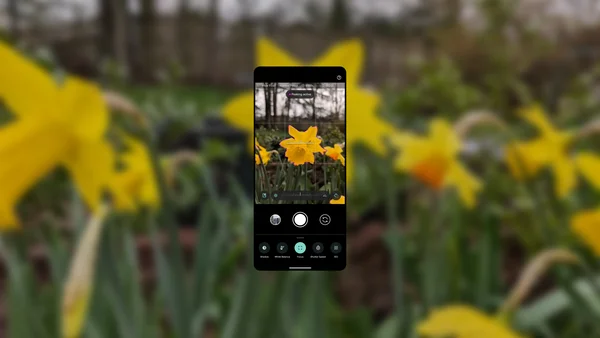
Are you going for a cooler or warmer look? Great news, you can get creative with both (and everything in between)! Pixel Camera has a white balance slider you can adjust. Once you’re in the camera, tap the toggle icon on the bottom right, select white balance and you’ll see a horizontal slider appear on the bottom. Here you can slide it left and right to change the temperature — right for warmer, left for cooler. A warmer look may give your image a feeling of comfort or coziness, like reading in front of the fire, while going for cooler tones can convey a sense of calmness like a fresh snowfall in the woods.
3. Try giving your shadows some extra oomph for added detail
You can also make shadows more or less prominent in a photo to add depth or reveal texture; doing this could add a special focus to trees in a snowy field or silhouetting stockings against a lit fireplace. In the Camera app, tap that same toggle icon in the bottom right of the screen. Then you’ll see options for “Exposure” and “Shadows” that you can adjust as needed. In fact, this would be a creative way to make the shadow cast by those presents under the tree look even bigger!