



See how Gemini, Search, Pixel and more can make holiday planning feel effortless.
Basic explainer
Google has some cool AI tools to help with holiday parties in the future. These tools can help you plan the party, cook the food, and even take awesome pictures. They can also answer questions and fix problems quickly. So, you can have more fun with your guests and less stress.
Summaries were generated by Google AI. Generative AI is experimental.

If you’re brave enough to host celebrations this holiday season, you don’t have to go it alone. Plenty of Google AI tools can make the process easier and more fun, whether you’ve held countless holiday gatherings or it’s your first time putting on your hosting hat. Try these holiday hosting tips and helpful features, from the planning phase to party time. (And check out more tips and prompts for other holiday planning, too!)
Stay organized while you plan
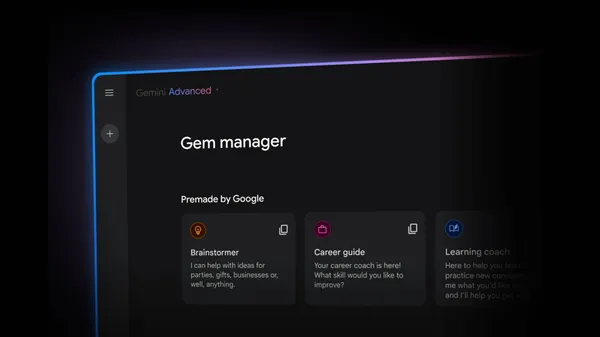
1. Make a holiday party planner Gem in Gemini
A Gem is a custom expert you can make for any task within the Gemini app (where our latest Gemini model, Gemini 3 Pro, is rolling out globally). You can give your Gem unique context and revisit your AI expert as you plan. Try instructions like, “You’re an experienced party planner who can help me host a creative holiday dinner for 10 of my closest friends.” Then you can ask for help with punny menu names, invitation wording, themed playlists or icebreakers and more. Each time, the Gem will use that earlier context to inform its response. You can even ask Gemini to help you with instructions for your Gem and share your Gem with other people — perfect if you’re co-hosting!
2. Chat with Gemini Live on the go
If you find yourself wondering about decoration DIYs when you’re at the craft store, you don’t have to tap at your screen — just open up Gemini Live in the Gemini app to brainstorm together. Thanks to its camera and screen sharing capabilities, you can have a back-and-forth conversation with Gemini Live about anything you see, and Gemini Live can offer visual guidance as it responds. You can even interrupt if you want to add more details or change the topic.
3. Use Nano Banana Pro for creative pics
Nano Banana Pro, our latest image generation and editing model, can help you put a funny, personal touch on your gathering. Use it in the Gemini app or AI Mode in Search to prep invitation materials, like a photo showing you inside a snowglobe, or put your pet in a festive outfit for party reminders.
Nano Banana Pro can help you (and your guests) get in the holiday party spirit with visuals for party invitations and reminders with a prompt like “Create a claymation scene showing a dog dressed up like an elf in a winter wonderland.”

4. Dream up decor ideas with Mixboard
Mixboard is an AI experiment from Google Labs that helps you visualize and explore your ideas. Let’s say you want to make a holiday-themed tablescape but aren’t sure what it should look like — Mixboard can help you expand and refine the different possibilities using both images and text.
5. Reference planning info with Pixel Screenshots
Use Pixel Screenshots on Pixel 9 and Pixel 10 to quickly and easily search your screenshots and find the info you need. You can even create collections of screenshots for easier party planning. So if you’re hosting a get-together, create a collection for that event and save helpful screenshots of recipes, DIY ideas and texts from people you’ve invited. Then, you’ll be able to search things like “ingredients,” “craft supplies” or “arriving late” and find the relevant information from the respective screenshots.
6. Research ideas with Gemini in Chrome
Gemini in Chrome has tons of features to make party planning easier. It can work across multiple tabs to consolidate information, like which of the recipes you’re considering are gluten-free. It can also help you quickly find webpages you previously visited, so you don’t have to go digging for inspiration you stumbled upon. And it works with your favorite Google apps without changing tabs, making it easier to do things like create events in your Calendar without leaving the page.

7. Use Search to shop for decor and party favors
A big shopping upgrade to Search means you can shop more conversationally — tell AI Mode what decorations or favors you’re looking for as you would to a friend. When you know what you want, you can use agentic capabilities in Search to call local stores on your behalf and see what products are in stock nearby, or let you know when an item online has fallen within your budget — and even buy it for you if the merchant is eligible.
Simplify the cooking process
8. Rely on Gemini for Home as your right-hand helper
Gemini for Home replaces Google Assistant on your smart displays and speakers and also upgrades devices in your home like your cameras and doorbells. There are plenty of ways to use it for holiday hosting. Just say “Hey Google,” then ask Gemini to add ingredients for a cozy appetizer to your shopping list or set timers as you get to work in the kitchen. (You can even do this with your Pixel Watch 4 using its Raise to Talk feature if your hands are full.) And if you want to have an even more free-flowing conversation while you cook, you can say, "Hey Google, let's chat," to talk to Gemini Live. 1
9. Get quick visual cooking help from Google Lens
With Google Lens, you can take a photo of ingredients sitting in front of you and ask your question out loud. For example, you can take a photo of your onions and ask “exactly what kind of onions are these and what’s the best way to cook them?”
10. Use Gemini to navigate dietary restrictions
To make sure your guests don’t leave hungry, ask your Gem for help finding recipes everyone can enjoy based on dietary restrictions. Or try double-checking with Gemini Live that a specific ingredient really is gluten-free before you start whisking!
Enjoy the party with your guests
11. Solve party emergencies with AI Overviews
Spills don’t have to be a disaster: AI Overviews in Search can get you instant solutions when every second counts. Search for something like "is salt or baking soda better for stain removal?” to get the information you need with links to learn more — helping you save the day and get back to your guests in no time.
12. Handle logistics in the Google Home app
Our redesigned Google Home app lets you keep the good vibes going from your phone. The app houses your favorite Nest and other smart home devices and features: You can adjust your Nest Thermostat; unlock the front door as guests arrive and lower the lights to set the mood.
The consolidated Home tab now lets you swipe through your pinned Favorites, devices by type, and more.
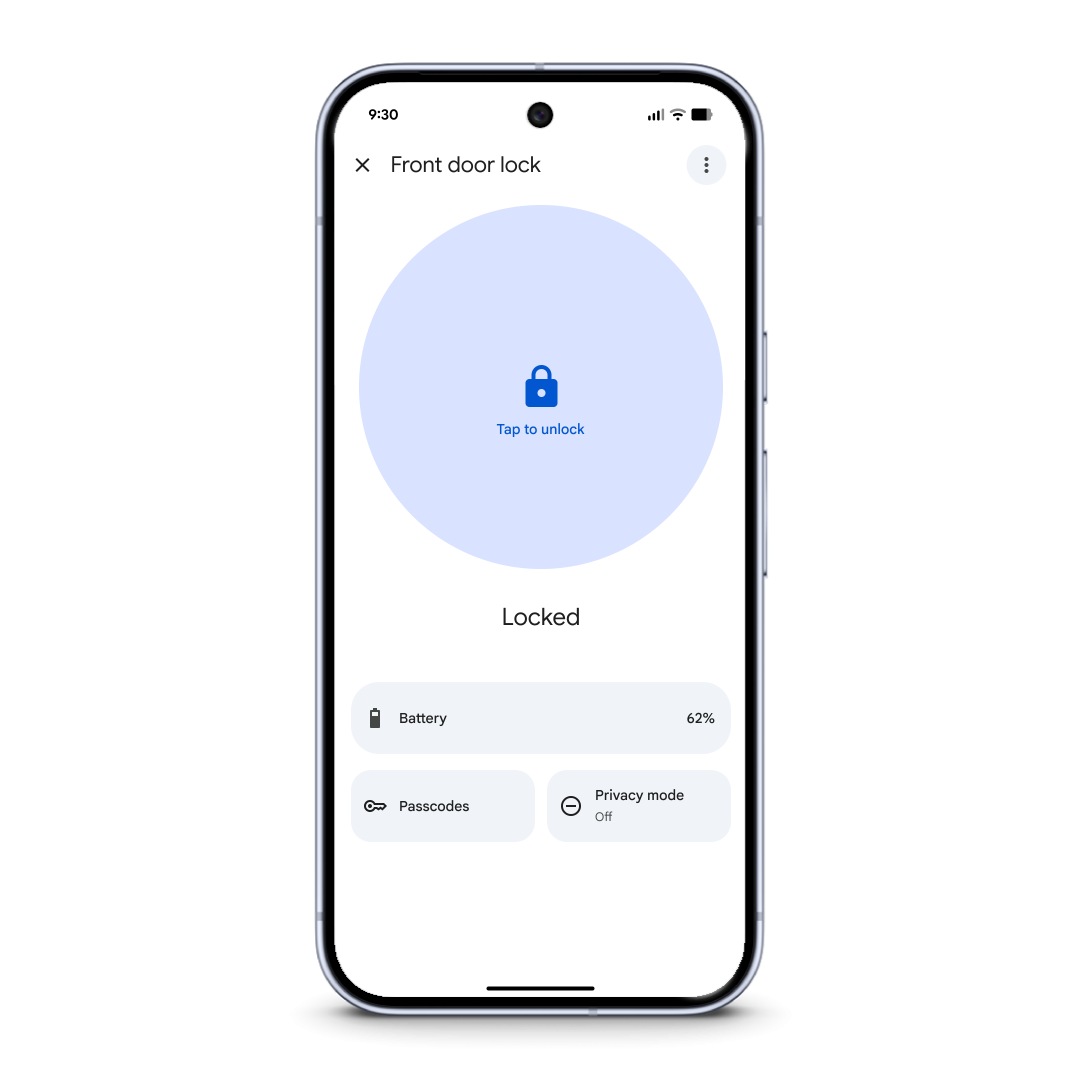
We’ve added full support for the Nest x Yale lock and lock passcode management.
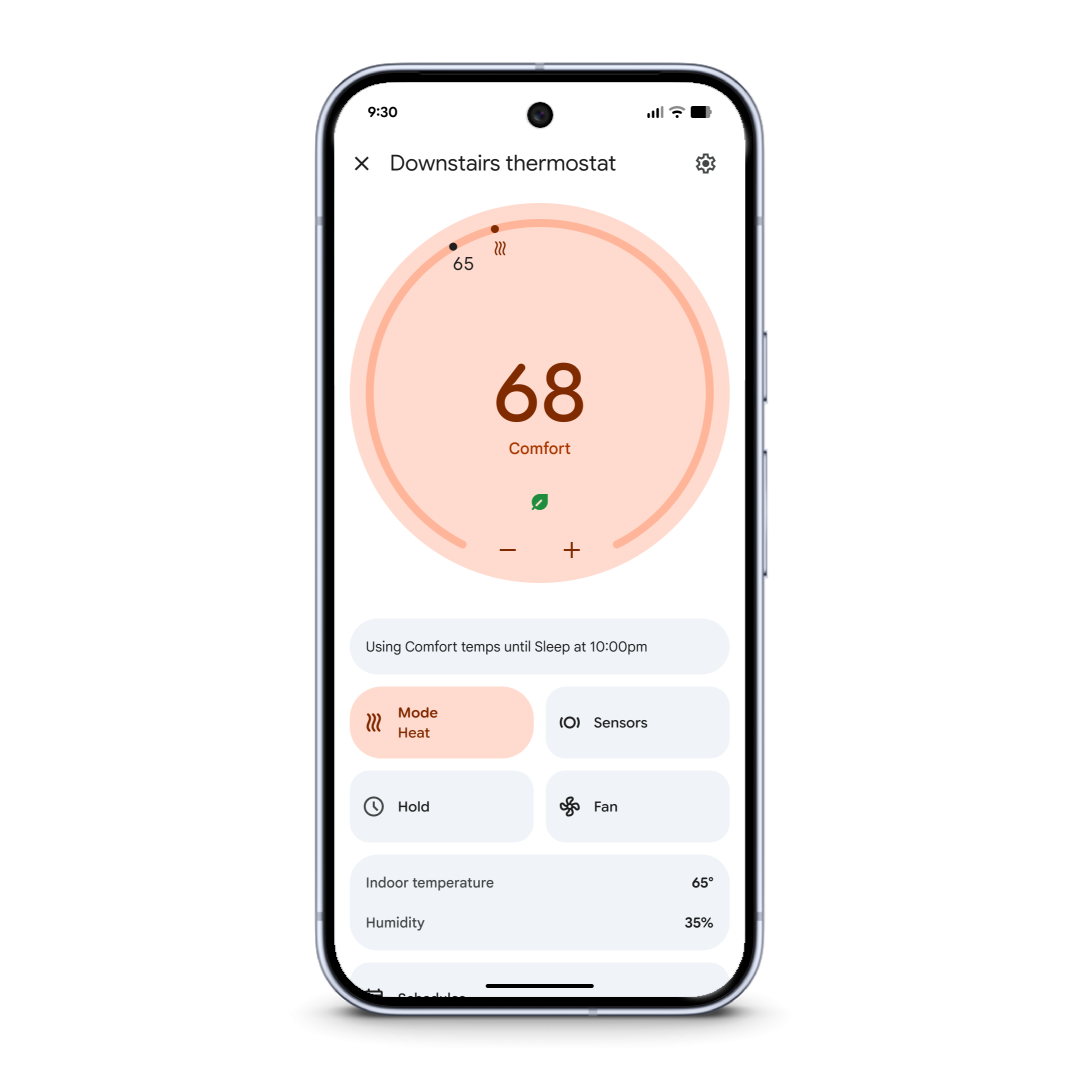
We’ve added full support for Nest Thermostats (2015 or later) and features like schedules and hot water boost.
13. Use Magic Cue to quickly answer texts
No need to field the same questions over and over as the party gets underway — Magic Cue on Pixel 10 anticipates your needs and links information across your apps. So instead of typing the same response to every “what’s your address again?” text, Magic Cue can offer a helpful suggestion with the answer so you can get back to hosting.
14. Grab the perfect group photo with Pixel
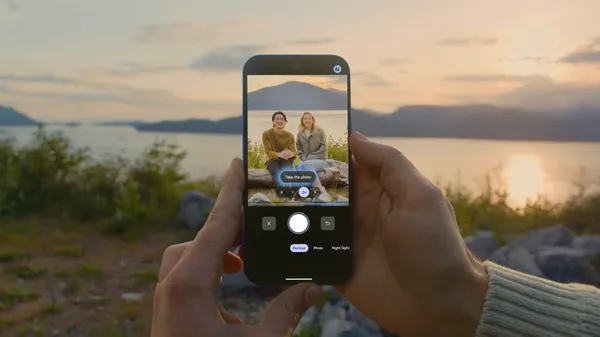
It’s very possible that you’re going to be the one corralling everyone into a group photo and taking the picture. Luckily, Pixel 10 has lots of features to help you take stellar group pics, like Add Me, which can combine two pictures taken during the same session and in the same scene so everyone — including the person who took the original shot — is in the photo.
Tie it all up in a bow
15. Make easy Google Photos edits to perfect your pics
New AI features in Google Photos can help you touch up party pictures before sharing them with your guests. With personalized edits, you can request fixes like opening people’s eyes mid-blink. You can also make edits simply by asking — describe the edits you want using your voice or text.
16. Craft thank you cards with Pixel and Google Photos
After all the work you put into your gathering, you deserve the lightest-lift thank you cards possible. For just one idea, use “Help me edit” in Google Photos’ editor to add a festive background to party pictures!