








Editor’s note: This week we’re joining thousands of educators and students at BETT in London, Europe’s biggest educational technology exhibition. Visit us at Booth SJ20, where you can check out new Chromebooks and features in Google Workspace for Education. Follow along on X and Facebook for the latest updates.
We’re always working to bring the best technology to educators, students and leaders around the world. To kick off 2025, we’re sharing a slew of new updates coming to Google Workspace for Education and Chromebooks this year.
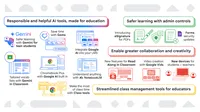
Streamlined class management tools for educators
1.We're making classroom management smoother with Class tools, coming to Chromebooks with Google Workspace for Education Plus. Class tools are like a remote control for Chromebooks in your classroom, helping educators keep students on task. Educators can share content directly to student screens, check their progress by viewing their screens remotely, share exemplary student work with the whole class, and use live translated captions for students who need them — all in real time.
2.We’re also adding new Google Classroom features that will allow educators to easily group students for differentiated assignments and grade assignments more efficiently.
Seamlessly share and pin lesson content to students screens, engage with your students in real time, and provide targeted support to groups with Class tools – a new set of features in Google Workspace for Education Plus on managed Chromebooks.
With Class tools, students get help staying engaged and on task, and individualized support when they need it, including asking for help or live translated captions.
Student groups in Google Classroom allow educators to easily group students for differentiated assignments and grade assignments more efficiently.
Responsible and helpful AI tools, made for education
3. NotebookLM can summarize information and even create lesson plans, study guides and more from your uploaded sources. Learn more in our blog.
4. The Gemini app includes features like double-checking information with Google Search, and content guardrails to help prevent inappropriate responses to younger users.
5. With Gemini for Workspace, educators can access Gemini in Vids to create polished videos with the help of AI, generate vocabulary lists directly in Google Classroom, and save more time on repetitive tasks with Gems in Gemini Advanced.
6. We’re integrating Gemini capabilities like the Gemini app and NotebookLM into existing learning management systems, making it easier than ever for educators and students to teach and learn with AI.
7. Chromebook Plus is designed for the art of teaching. From helping you focus, to helping craft a great lesson plan, Chromebook Plus helps with the things you need to do, so you can do the things you love to do. Users 18+ can try out Help me write or Help me read, easily accessible with the Quick Insert key or by using Launcher + f key or Google + f key.
Upload your sources from your course syllabus and NotebookLM can quickly help you answer questions and generate content with in-line citations with in-line citations.
Bring Gemini capabilities directly into your Learning Management System (LMS).
Generate tailored vocabulary lists with Gemini in Classroom.
Save time on repetitive tasks with Gems in Gemini Advanced.
A teacher is using the Help me write feature on Chromebook Plus to brainstorm catchy blog post titles.
Dive deeper into learning! 🐠 This teacher is using the "Help me read" feature on their Chromebook Plus to summarize a complex PDF about coral reefs and quickly generate questions to test their students' understanding.
More granular controls to keep students and educators safer online
8. We understand the importance of safety and security online, so we're rolling out new features designed to make IT admins’ jobs easier. They’ll now have more control over third-party apps, Google Forms and digital signatures.
9. We're also making it easier for students to take their work with them when they graduate, and to manage the amount of time students spend on devices outside of school hours, with new policies in Google Admin console.
Form creators can limit response access to specific users, groups or target audiences.
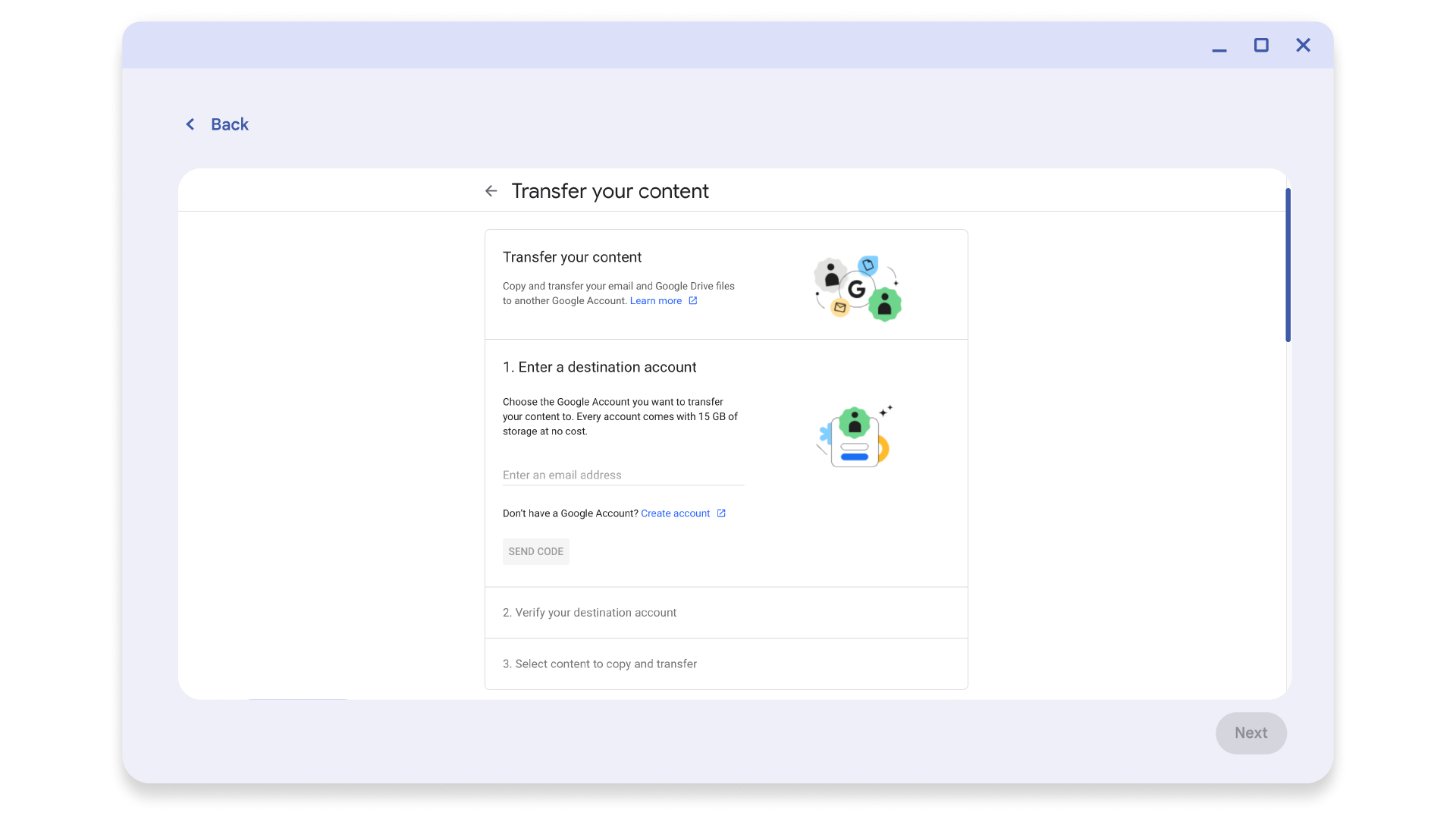
Admins can enable content transfer in Admin console to help students easily take their achievements with them when they graduate or transfer schools.

Admins can turn on the new Device Restriction Schedule policy in Admin console to control when school Chromebooks are logged into at home.
New Google for Education features for more personalized learning
10. Last year, we launched Google Vids, an easy-to-use video creation app that both educators and students can use to create and collaborate with video.
11. Google Workspace for Education is getting even more enhancements. Read Along in Classroom has been upgraded to include more resources and educator insights, and we’ve added new Google Classroom add-ons, new handwriting fonts for younger learners and a library of ready-to-use Google Slides templates to reduce the time spent on design.
12. Chromebooks are getting a boost with accessibility features, including Face control and Reading mode, a focus mode to help block distractions, and built-in creation tools like the Recorder app.
13. We’re sharing new Chromebook models for students and teachers alike — from Chromebook to Chromebook Plus. And for all of those interactive flat panels in your classroom, with the new Chromebox OPS, you can convert them into ChromeOS devices to have a more seamless teaching experience.
Google Vids: easy video creation for teaching and learning.
Read Along in Google Classroom will soon include Heggerty’s entire decodables library, with books for kindergarten through third grade. To check progress at the class and student level, educators can now see an overview of phonics skills in the insights dashboard.
A refreshed library of Google Slides templates provide the perfect starting point for lesson plans, book reports, project reports and more.
Amanda Lin Dietz, a software engineer on the Face control team, demonstrates how the feature can be used to type emails and control your Chromebook.
Check out the new Chromebooks launched this year, including Acer Chromebook Spin 511, Asus Chromebook CR12, Lenovo Chromebook Plus 2 in 1 (14", 10) and AOpen Chromebox OPS.