









Announcing the launch of the latest Chromebook Plus laptop from Acer

The new Acer Chromebook Plus Spin 514 is here, bringing you the latest ChromeOS and Google AI features right at your fingertips.
A powerful laptop, and a powerful tablet — all in one
The Acer Chromebook Plus Spin 514’s 360-degree hinges allow you to use its 14-inch, up to 2.8K resolution touchscreen in laptop, tablet, display and tent modes, letting you choose the form factor that fits what you’re doing at the moment. It also features the latest Wi-Fi 7 and dual USB Type-C ports, and at just 1.36 kg (2.99 lbs), it’s ready to go anywhere. You can even work all day without reaching for a charger, thanks to a battery life of up to 17 hours. 1 When you’re ready to kick back and swap to one of the many Android apps and games, you can simply flip into tablet mode the device and experience large-screen relaxation. And for added peace of mind, there’s a built-in privacy shutter.
The Acer Chromebook Plus Spin 514 runs on the MediaTek Kompanio Ultra processor, which delivers a massive 50 TOPS of AI processing power and ensures smooth graphics performance. Plus, the ARM architecture makes running Android apps a breeze. This means you can take advantage of powerful generative AI experiences that run directly on the device, enabling real-time task automation and secure, offline functionality.
You’re also getting features like:
- Smart grouping, so you can automatically organize your tabs, documents and apps by category, done on-device to stay speedy and private.
- Gallery Image Editing, which makes getting creative is easier than ever with on-device AI-powered photo editing.
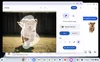
- Select to search with Lens, so you can just hold down the launcher or use the screenshot tool to get more information about anything you see in images or videos. 2
New Chromeboxes for powerful, compact setups
We’re also launching two new compact Chromebox models for those looking for a versatile workstation, kiosk solution or school lab computer.
- The Acer Chromebox CXI6 is powered by an Intel Core 7 150U processor and can support up to four independent monitors — a huge benefit for commercial and educational environments.
- The Acer Chromebox Mini CXM2 is an ultra-compact desktop for space-constrained environments. Its fanless design runs quietly while providing impressive performance for everyday tasks and support for up to three monitors.
Enterprise Upgrade versions of the new Acer Chromebook Plus and Chromeboxes are also available for businesses, providing the built-in business capabilities of ChromeOS for simple management and best-in-class security.
To help you get the most out of these AI capabilities, customers who purchase the Acer Chromebook Plus Spin 514 can choose a complimentary 12-month subscription to the Google AI Pro plan. 3 This includes our most advanced model, Gemini 2.5 Pro, 2 TB of cloud storage, and Gemini integration in Google Workspace apps like Docs, Sheets and Slides.