






When you get a Chromebook Plus, you have a suite of exclusive (and ever-growing!) built-in features that can help you be creative, stay productive and simply make life easier and more fun. Here are just a few of our favorites:
AI superpowers
- Gemini: Need a brainstorming buddy or a research partner? Chat with Gemini in one click to brainstorm ideas, built into your Chromebook shelf. Even better, you get a whole year of Google AI Pro at no cost, giving you access to even more helpful AI capabilities, storage space and more.
2. Quick Insert: Say goodbye to tedious copy-pasting and tab-switching. You can access relevant emojis, GIFs, recent URLs, and AI tools like Help me write with one press of the Quick Insert key. You can even use Quick Insert to perform quick calculations or insert the current date. Or, press the Launcher Key + f for the shortcut.
3. Help me write: Get Gemini writing assistance in any text field, just a right click away. From emails to social media posts, Help me write can help you craft the perfect message.
4. Help me read: Drowning in a sea of information? Summarize websites and documents instantly by right clicking. With help from Gemini, you can get the gist of any webpage or article in seconds and even ask follow-up questions to dive deeper into the content.
5. Live Translate and captioning: Get translated captions for audio playing on your Chromebook in multiple languages. Perfect for watching foreign films or following along with international video calls.
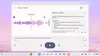
6. Recorder app: Let your Chromebook do the note-taking for you. Get transcriptions with recordings you make, and generate summaries for those recordings automatically. It’s ideal for students, journalists or anyone who needs to capture and review audio notes. The feature can summarize recordings up to 15 minutes long.
7. Magic Editor in Google Photos: Remove unwanted objects, reposition subjects and improve lighting with Magic Eraser and Magic Editor.
Productivity Help
8. Welcome Recap: After restarting your device, Welcome Recap helps you jump back into your work. It even provides relevant suggestions like upcoming meetings, weather updates and recently opened websites.
9. GIF recording: Capture funny moments or create quick tutorials in GIF format. You can even add a selfie video to your GIFs.
10. Focus: Set a timer, view your top tasks and even play your focus playlist via YouTube Music. You can integrate it with Timer, Google Tasks and YouTube Music to minimize distractions.
11. Offline file sync: Access your Google Drive files even when you're not connected to the internet by syncing your important files offline. You can edit offline files, and the changes will be synced when you're back online.
Sights and sounds
12. Enhanced camera and audio: AI can help automatically improve video call clarity and lighting, cancel background noise and blur backgrounds. Enjoy added privacy and convenience across apps with one-click mic muting and camera shutoff.

13. Personalized wallpapers and video call backgrounds: Create custom wallpapers and video call backgrounds as unique as you are using AI. You can choose from various themes and styles to match your mood.
14. Game Dashboard: Enhance your gaming with capture tools and customizable controls. You can easily record your gameplay to share with others at the click of a button or add game controls to play mobile games with a keyboard.
Try these features using a Chromebook Plus. You can find out more about models like the Samsung Galaxy Chromebook Plus, the Acer Spin 714 Chromebook Plus, the Lenovo Flex 5i Chromebook Plus, the HP Chromebook Plus x360, the ASUS Chromebook Plus CX34, and more on Chromebook.com.