




Editor’s note: This week we’re joining thousands of educators and students at BETT in London, Europe’s biggest educational technology exhibition. Visit us at Booth SJ20, where you can check out new Chromebooks and features in Google Workspace for Education. Follow along on X and Facebook for the latest updates.
As a former school district IT administrator, I know how important classroom management is. Now, as a current Googler, we want to make it easier for teachers to ensure students are able to access and stay engaged with the lesson and task at hand. That way, teachers can spend more time teaching and less time on the tech setup — and less time making sure students are paying attention.
Today, we’re sharing updates to Chromebooks and Google Workspace for Education Plus to help make them work more effectively together. This means giving teachers a remote control for classroom management of Chromebooks, with new features built in to help augment learning, while keeping them simple and secure.
Make the most of your class time with Class tools
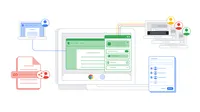
Class tools is a new set of real-time control and student engagement features for managed Chromebooks, available with Google Workspace for Education Plus. With Class tools, educators can create digital workbooks on the fly, and share and pin content to students' screens to engage with their class in real time. This makes content sharing quick and easy, keeping students engaged and on task while providing individualized support, all without disrupting the flow of instruction — and with less screen monitoring.
- Connect with your class: Educators can select students from their Google Classroom roster or invite students to join using a code. Once connected, educators can use Class tools features like sending and pinning educational content to their students’ screens, remotely viewing a student’s screen in class and turning on Live Captions and Translations.
- Engage students and help them stay on task: Teachers can create workbooks and send class content to their students’ devices, and pin that content on their screens to help students focus and create a more productive and distraction-free learning environment.
- Make learning more accessible for every student: Deaf or hard of hearing students or language learners — or even those who need extra support focusing, like in a loud environment — can turn on captions and translate those captions on their Chromebook, enabling them to follow along with their teacher’s lecture and participate in class.
Educators can set up class time with a code or using Google Classroom, and select which students to send content to.
Teachers can send content to students via Class tools and ensure they stay engaged.
Teachers can turn on live captions of their voice and students can select in which language they want to view the captions.
With Class tools, students get help staying engaged and on task, and individualized support when they need it, including asking for help or live translated captions.
Seamlessly share and pin lesson content to students screens, engage with your students in real time, and provide targeted support to groups with Class tools – a new set of features in Google Workspace for Education Plus on managed Chromebooks.
Class tools is the first set of features built into ChromeOS for teachers. It will be available in Google Workspace for Education Plus in the coming months, only on managed Chromebooks (for both educators and students). To get notified when Class tools becomes available, submit interest via our form.
Engage school communities in new ways with Google Classroom
To make educators’ daily tasks easier, we’re introducing top-requested features that help enable faster grading, differentiation, and communications with parents and guardians.
- Find more assignment and grading options: To more easily differentiate instruction, educators can define student groups to give unique assignments based on each group’s needs. Educators can also assign grades at scale, like giving every student the same grade all at once to save time on grading and keep the gradebook up-to-date.
- Keep guardians in the loop: Educators can now share a link to the Classwork page within Classroom so guardians can keep informed on assignments. Parents and guardians can also access the Classwork page via the weekly guardian email summary.
To learn more about these updates, and all of the Google for Education announcements made at BETT, check out ourproduct guide.