


Here's how Google's AI assistant on your wrist can help you get more out of your day.
General summary
Gemini is coming to Wear OS watches like Pixel, Samsung and more. You can now use Gemini on your wrist to manage tasks and get information. To start, say "Hey Google," press the side button, or tap the Gemini app icon.
Summaries were generated by Google AI. Generative AI is experimental.
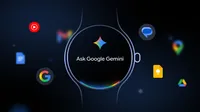
Starting today, Gemini 1 , your personal AI assistant from Google, begins rolling out to Wear OS watches, including those from Pixel, Samsung, OPPO, OnePlus and Xiaomi.
Using the same advanced AI models that make Gemini so helpful on your phone, you'll now have a consistent, smart assistant right on your wrist. This means a more natural, intelligent and capable way to manage tasks and access information, without needing to take out your phone.
To start talking with Gemini, simply say “Hey Google 2 ,” press and hold the side button on your watch, or tap on the Gemini app icon on your watch screen.
Here are a few new ways you can now get help from Gemini on your watch:
Speak naturally for quick & helpful responses to your questions
Gemini on Wear OS lets you speak naturally with your watch, understanding your speech patterns and delivering fast, concise responses right on your wrist. Just speak, glance and get what you need. Give these a try:
- When your hands are full: If you're busy cooking and your hands are messy, simply ask, "For how long should I roast sliced vegetables, and at what temperature?"
- For quick information on the go: As you head out the door for a walk, a quick "Do I need an umbrella today?" can save you from a surprise shower.
- During busy transitions: Rushing between meetings, you can quickly ask, "Where’s the coffee place Emily emailed me about?" to confirm where you’re heading without pausing.
Manage your day with help from Gemini and your favorite apps
Your watch can now handle complex tasks that once required multiple steps on your phone. Gemini works across your apps to accomplish these efficiently. Here are a few ways to try it:
- While on a run or bike ride: Mid-workout, you can easily say, "Send a message to Nadja apologizing for running late," or create a custom playlist by asking, "Create a playlist for a 10-minute-mile run”
- Before a meeting: Quickly catch up on communications by asking Gemini, "Summarize my last email from Emily."
- Planning on the fly: If you hear about an upcoming event you want to join, instantly add it to your calendar: "Add my son’s next five baseball games to my calendar."
- On the go: When you need to leave soon for an appointment, just say, "What is the address for my dentist appointment today? Navigate there."
Gemini can tap into your Google services, like Gmail and Google Calendar. To take action with these apps, just make sure to enable them within the Gemini app settings on your paired phone and grant the necessary permissions.
Remember details effortlessly
Ask Gemini to remember what matters, quickly capturing and retrieving details whenever you need them. Here’s how to try it:
- Remember the little details: Before you run into your workout class, tell Gemini, "Remember I’m using locker 43 today," or you can ensure you don't forget your parking spot with, "Remember I parked on level 4, spot 27.”
- Get timely reminders: Planning to cook dinner tonight? Ask Gemini, “Remind me to go grocery shopping after work.”
Try it starting today
Gemini is starting to roll out to Wear OS watches running Wear OS 4+ over the coming weeks. Watches upgrading to Wear OS 6 will also include support with your watch brand’s own apps, so you can keep using the apps you use everyday.