


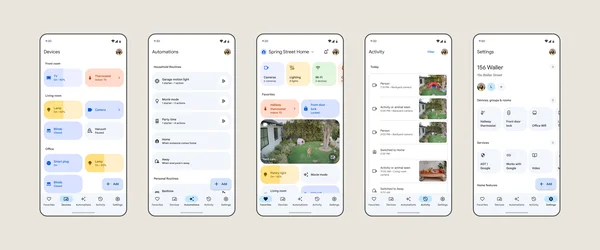
Google Home can help you manage and automate all sorts of things in your space, including smart home devices like your Nest cam, Google TV Streamer and other smart home appliances like blinds and locks. In the Google Home app, you simply select the “Automations” tab then “Create” and choose what actions you want to assign to different smart home products and applications. The app is extremely easy to use and you can add various specifications to automations — but figuring out what to automate might be overwhelming. So we asked six Googlers who work on Google Home to tell us about their favorite smart home setups.
“Warm welcome” is UX director Mike Sparandara’s favorite home automation. Between sunset and sunrise, if his Nest doorbell detects someone, this automation brightens his patio, front door and landscape path lights to 100%. This is helpful for safety, preventing slips on a dark walkway. But it’s also just a nice touch, he says: “I love the subtle welcoming vibe this gives to family and guests.”
On Mondays at 6 p.m., Kathryn Mckinley, a product manager, gets a reminder that it’s workout time courtesy of the Nest speaker in her home office. This automation also turns off the lights in her home office and turns on the lights and the fan in the home gym. “The physical scene change of the lights keeps me on track,” she says.
“Thirsty plants” is the title of software engineer manager Christina Kong’s favorite home automation. “I set the time so that my sprinklers run at sunset using a smart plug,” she explains. “It helps me keep my plants in tip-top shape” she says.
“Once a month or so, we’d discover our kids left the backdoor unlocked,” says software engineer Jim Li. To remedy this, he created an automation he named “Nighttime door and window check.” If any doors or windows are unlocked or open at 11 p.m., he’s notified with a message to his Pixel so there’s no way he’ll miss the message to lock up.
Engineering manager Gayathri Subramanian’s kids get home before she does some days, and she wants to know if her home’s cameras see an unfamiliar face when they’re home alone, but not during any other time of the day. So she set up an automation called “Afternoon unfamiliar faces.” That way, when the Nest Cam for her driveway or doorbell detects an unfamiliar face in a specific time frame, she gets a notification, and the notifications are silenced during the rest of the day.
Software engineer James Wood has a smart home automation he titled “It’s way too late!” that turns off all the living room lights and the TV promptly at 11:55 p.m. “It helps me stop binge watching and forces me to go to bed,” he says.
There’s plenty more that you can do with Google Home automations. Check out our guide to get some more ideas and find a smart home automation that’s right for you (or build it yourself!).
此内容由惯性聚合(RSS阅读器)自动聚合整理,仅供阅读参考。 原文来自 — 版权归原作者所有。