






这是一个基于 Canvas 实现的动态渐变彩带背景效果,专为 VitePress 主题设计的 Vue Composition API 组件,主要特点包括:
🌈 流动渐变 :通过三角函数计算实现彩虹色渐变效果
🎨 视觉可定制 :支持透明度、彩带宽度、层级等样式配置
📱 响应式 :自动适配屏幕尺寸和高 DPI 显示
🖱️ 交互支持 :可配置点击重绘功能,鼠标每次点击,随机生成彩带背景。
在docs\.vitepress\theme\hooks\文件中新建useRibbon.ts文件
ts
// 背景彩带
import { isClient, useMounted, useScopeDispose } from "vitepress-theme-teek";

interface UseRibbonOptions {
  /**
   * 透明度
   *
   * @default 0.6
   */
  alpha?: number;
  /**
   * 宽度
   *
   * @default 90
   */
  size?: number;
  /**
   * z-index
   *
   * @default -1
   */
  zIndex?: number;
  /**
   * 是否立即执行彩带渲染
   *
   * @default true
   */
  immediate?: boolean;
  /**
   * 点击页面时是否重新渲染彩带
   *
   * @default false
   */
  clickReRender?: boolean;
  /**
   * 是否为彩带元素绑定点击事件,仅限 clickReRender 为 true 和 zIndex >= 0 时触发。
   * 1、当为 true,则给彩带元素绑定点击事件
   * 2、当为 false,则给全局 document 绑定点击事件
   *
   * @default false
   */
  ribbonDomBindClick?: boolean;
}

const fn = () => {};

export const useRibbon = (options: UseRibbonOptions = {}) => {
  let canvas: HTMLCanvasElement | null = null;
  let ctx: CanvasRenderingContext2D | null = null;
  let cleanupFn = fn;

  const {
    alpha = 0.6,
    size = 90,
    zIndex = -1,
    clickReRender = false,
    ribbonDomBindClick = false,
    immediate = true,
  } = options;

  const initRibbon = () => {
    if (!isClient) return fn;
    if (document.getElementById("ribbon")) return fn;

    // 创建 canvas
    canvas = document.createElement("canvas");
    canvas.id = "ribbon";
    canvas.style.cssText = `position:fixed;top:0;left:0;z-index:${zIndex}`;
    document.body.append(canvas);

    const dpr = window.devicePixelRatio || 1;
    const width = window.innerWidth;
    const height = window.innerHeight;

    const math = Math;
    let r = 0;
    const PI_2 = math.PI * 2;
    const cos = math.cos;
    const random = math.random;

    canvas.width = width * dpr;
    canvas.height = height * dpr;
    ctx = canvas.getContext("2d");

    if (!ctx) return fn;

    ctx.scale(dpr, dpr);
    ctx.globalAlpha = alpha;

    let path: { x: number; y: number }[] = [];

    function init() {
      if (!ctx) return fn;
      ctx.clearRect(0, 0, width, height);
      path = [
        { x: 0, y: height * 0.7 + size },
        { x: 0, y: height * 0.7 - size },
      ];
      while (path[1].x < width + size) {
        draw(path[0], path[1]);
      }
    }

    function draw(
      start: { x: number; y: number },
      end: { x: number; y: number }
    ) {
      if (!ctx) return fn;
      ctx.beginPath();
      ctx.moveTo(start.x, start.y);
      ctx.lineTo(end.x, end.y);
      const nextX = end.x + (random() * 2 - 0.25) * size;
      const nextY = geneY(end.y);
      ctx.lineTo(nextX, nextY);
      ctx.closePath();

      r -= PI_2 / -50;
      ctx.fillStyle =
        "#" +
        (
          ((cos(r) * 127 + 128) << 16) |
          ((cos(r + PI_2 / 3) * 127 + 128) << 8) |
          (cos(r + (PI_2 / 3) * 2) * 127 + 128)
        ).toString(16);
      ctx.fill();
      path[0] = path[1];
      path[1] = { x: nextX, y: nextY };
    }

    function geneY(y: number): number {
      const temp = y + (random() * 2 - 1.1) * size;
      return temp > height || temp < 0 ? geneY(y) : temp;
    }

    init();

    // 点击重新绘制
    const handleClick = () => init();

    const dom = ribbonDomBindClick ? canvas : document;

    if (clickReRender) {
      dom.addEventListener("click", handleClick);
      dom.addEventListener("touchstart", handleClick, { passive: true });
    } // 返回清理函数
    return () => {
      if (clickReRender) {
        dom.removeEventListener("click", handleClick);
        dom.removeEventListener("touchstart", handleClick);
      }
      if (canvas && canvas.parentNode) {
        canvas.parentNode.removeChild(canvas);
      }
      canvas = null;
      ctx = null;
    };
  };

  const start = () => {
    cleanupFn = initRibbon();
  };

  const stop = () => {
    cleanupFn();
  };

  useMounted(() => {
    if (immediate) start();
  });

  useScopeDispose(stop);

  return { start, stop };
};在docs\.vitepress\theme\components\TeekLayoutProvider.vue中注册使用
提示
clickReRender为falseconst { start: startRibbon, stop: stopRibbon } = vue
<script setup lang="ts" name="TeekLayoutProvider">
import { useRibbon } from "../hooks/useRibbon"; //导入彩带背景

// 彩带背景
const { start: startRibbon, stop: stopRibbon } = useRibbon({
  immediate: false,
  clickReRender: true,
}); // 点击页面重新渲染彩带
</script>

<template></template>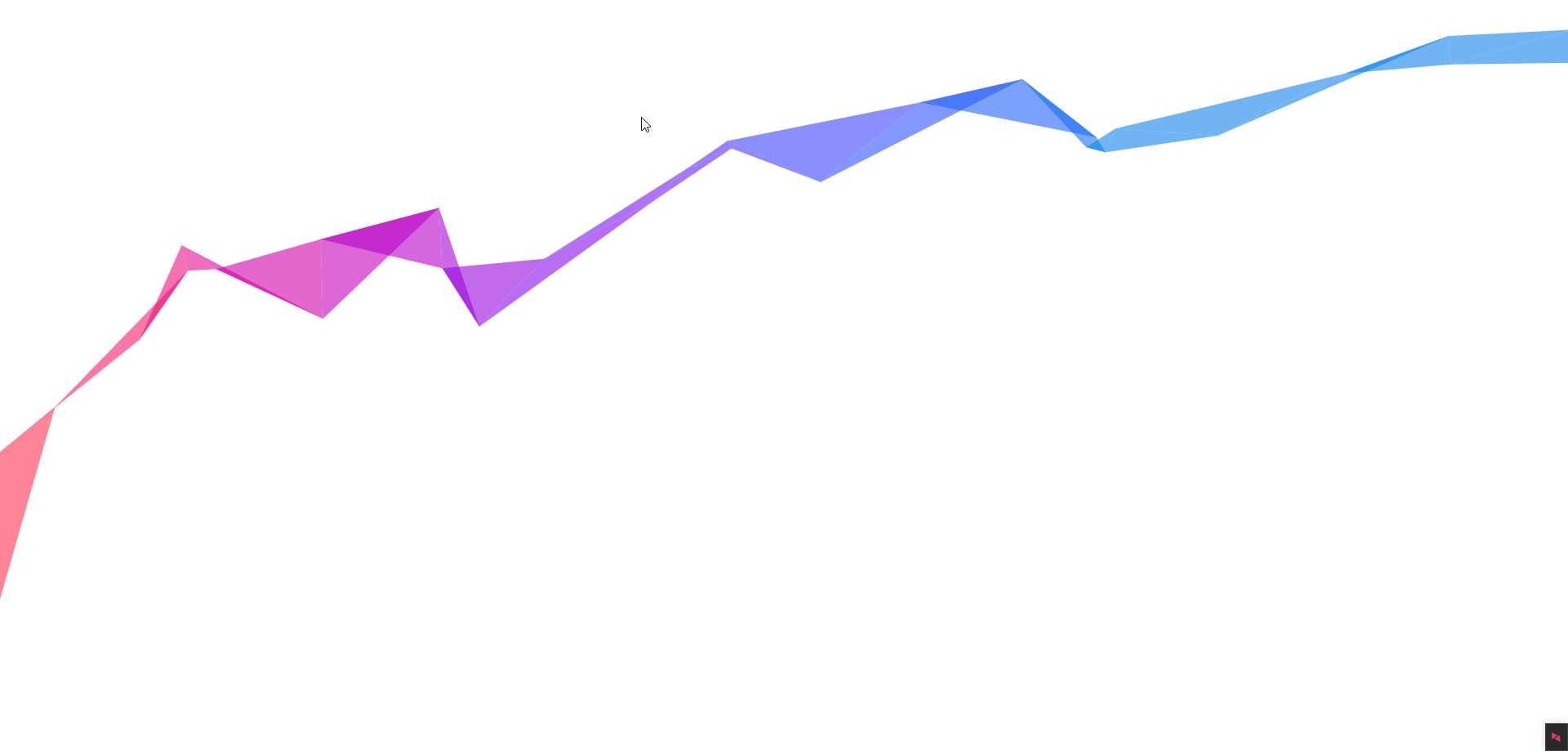
html
<!DOCTYPE html>
<html lang="zh-CN">
  <head>
    <meta charset="UTF-8" />

    <style>
      canvas {
        position: absolute;
        top: 0;
        left: 0;
        z-index: 0;
        width: 100%;
        height: 100%;
        pointer-events: none;
      }
    </style>
  </head>

  <body>
    <canvas></canvas>

    <script>
      document.addEventListener("touchmove", function (e) {
        e.preventDefault();
      });
      var c = document.getElementsByTagName("canvas")[0],
        x = c.getContext("2d"),
        pr = window.devicePixelRatio || 1,
        w = window.innerWidth,
        h = window.innerHeight,
        f = 90,
        q,
        m = Math,
        r = 0,
        u = m.PI * 2,
        v = m.cos,
        z = m.random;
      c.width = w * pr;
      c.height = h * pr;
      x.scale(pr, pr);
      x.globalAlpha = 0.6;
      function i() {
        x.clearRect(0, 0, w, h);
        q = [
          { x: 0, y: h * 0.7 + f },
          { x: 0, y: h * 0.7 - f },
        ];
        while (q[1].x < w + f) d(q[0], q[1]);
      }
      function d(i, j) {
        x.beginPath();
        x.moveTo(i.x, i.y);
        x.lineTo(j.x, j.y);
        var k = j.x + (z() * 2 - 0.25) * f,
          n = y(j.y);
        x.lineTo(k, n);
        x.closePath();
        r -= u / -50;
        x.fillStyle =
          "#" +
          (
            ((v(r) * 127 + 128) << 16) |
            ((v(r + u / 3) * 127 + 128) << 8) |
            (v(r + (u / 3) * 2) * 127 + 128)
          ).toString(16);
        x.fill();
        q[0] = q[1];
        q[1] = { x: k, y: n };
      }
      function y(p) {
        var t = p + (z() * 2 - 1.1) * f;
        return t > h || t < 0 ? y(p) : t;
      }
      document.onclick = i;
      document.ontouchstart = i;
      i();
    </script>
  </body>
</html>
此内容由惯性聚合(RSS阅读器)自动聚合整理,仅供阅读参考。 原文来自 — 版权归原作者所有。