



惯性聚合 高效追踪和阅读你感兴趣的博客、新闻、科技资讯
阅读原文 在惯性聚合中打开

推荐订阅源

V
Visual Studio Blog
爱范儿
爱范儿
让小产品的独立变现更简单 - ezindie.com
雷峰网
雷峰网
V
V2EX
博客园_首页
Engineering at Meta
Engineering at Meta
博客园 - 聂微东
Cyber Security Advisories - MS-ISAC
Apple Machine Learning Research
GbyAI
GbyAI
H
Help Net Security
A
About on SuperTechFans
freeCodeCamp Programming Tutorials: Python, JavaScript, Git & More
cs.AI updates on arXiv.org
Blog — PlanetScale
Blog — PlanetScale
W
WeLiveSecurity
云风的 BLOG
云风的 BLOG
D
Docker
Security Archives - TechRepublic
Help Net Security
Help Net Security
N
News and Events Feed by Topic
Simon Willison's Weblog
G
Google Developers Blog
A
Arctic Wolf
T
The Blog of Author Tim Ferriss
博客园 - 叶小钗
CTFtime.org: upcoming CTF events
Google DeepMind News
博客园 - 三生石上(FineUI控件)
aimingoo的专栏
aimingoo的专栏
Hacker News: Ask HN
Hacker News: Ask HN
奇客Solidot–传递最新科技情报
奇客Solidot–传递最新科技情报
博客园 - 司徒正美
Threat Intelligence Blog | Flashpoint
P
Privacy International News Feed
T
Troy Hunt's Blog
T
Tenable Blog
Exploit-DB.com RSS Feed
Recent Commits to openclaw:main
Recorded Future
Recorded Future
F
Fortinet All Blogs
D
DataBreaches.Net
B
Blog
T
Threat Research - Cisco Blogs
MyScale Blog
MyScale Blog
Hacker News - Newest:
Hacker News - Newest: "LLM"
The GitHub Blog
The GitHub Blog
Security Latest
Security Latest
M
MIT News - Artificial intelligence

Rc-2020 on Julia Evans

Day 57: Trying to set up GitHub Actions Day 56: A little WebAssembly Day 53: a little nginx, IPv6, and wireguard Day 52: testing how many Firecracker VMs I can run Day 51: Fixed my logging and made a couple of puzzles Day 50: Building some tarballs for puzzles, and trying to make a kernel boot faster Day 49: making the VMs boot faster Day 48: Another Go program, and a little vim configuration Day 47: Using device mapper to manage Firecracker images Day 46: debugging an iptables problem Day 44: Building my VMs with Docker Day 43: Building VM images Day 42: Writing a Go program to manage Firecracker VMs Day 41: Trying to understand what a bridge is Day 39: Customizing gotty's terminal Day 38: Modifying gotty to serve many different terminal applications at once Day 37: A new laptop and a little Vue Day 35: Launching my VMs more reliably Day 34: Learning about qemu Day 33: pairing is magic and beautiful git diffs Day 32: A Rails model that doesn't use the database with ActiveHash Day 24: a short talk about blogging myths, and a debugging tip Day 23: a little Rails testing Day 22: getting OAuth to work in Rails Day 21: wrangling systemd & setting up git deploys to a VM Day 19: Clustering faces (poorly) using an autoencoder Day 20: trying to figure out how Google Cloud IAM works Day 18: an answer to an autoencoder question Day 17: trying to wrap my head around autoencoders Day 13: BPTT, and debugging why a model isn't training is hard Day 11: learning about learning rates Day 10: Training an RNN to count to three Day 9: Generating a lot of nonsense with an RNN Day 8: Start with something that works Day 5: drawing lots of faces with sketch-rnn Day 3: an infinitely tall fridge Day 2: Rails associations & dragging divs around Day 1: a confusing Rails error message I'm doing another Recurse Center batch!
Day 40: screen flickering & a talk about containers
Julia Evans · 2021-01-16 · via Rc-2020 on Julia Evans

On Friday I gave a talk about containers and worked a bit more on the puzzle website design. I’m going to talk about something else though which is my attempt to understand what’s going on with laptop screen flickering.

I still don’t know a lot about this so as usual it’s possible some things in here are wrong.

content warning: some flickery images ahead.

why do I have a headache? (maybe PWM?)

I’ve had a headache every day this week since I got a new laptop which has been pretty unpleasant. This is a new thing and I mentioned this to Kamal and he suggested “maybe your new screen is flickering”.

I searched something like “thinkpad t14 headache”, and learned about something called “pulse width modulation” or PWM that some people are sensitive to. Apparently the way some screens do screen dimming is to rapidly flicker the screen on/off.

I thought a screen was called a screen but everyone on the internet talking about laptop/TV screens seem to call them “panels” so I guess I’ll say “panel” for the rest of this post.

the thinkpad panel lottery

Another thing I learned which was surprising to me is that Lenovo won’t tell you which exact monitor panel you get when you order a laptop from them. People seem to talk a lot about this on the internet because some the panels can be pretty different from each other.

This page from notebook check talks about the panel lottery a bit.

taking a video of my screen

I read on the internet that you can diagnose flickering issues by taking a slow motion video of your screen so I took videos of 3 laptops: my old laptop (x250), my new laptop (t14s), and Kamal’s laptop (t14).

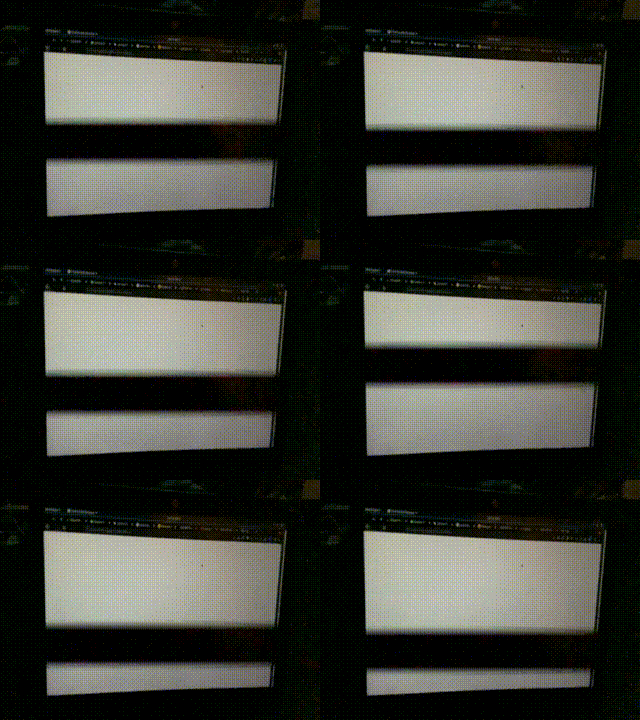
here’s my old laptop (which didn’t cause me problems), with a LP125WF2-SPB2 panel.
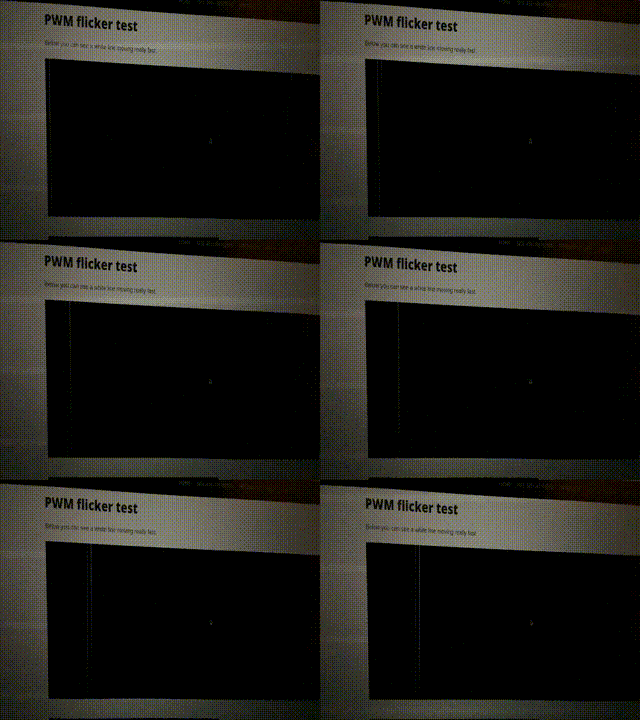
here’s the new laptop: (the suspected culprit), with a R140NWF5 RA panel.
and here’s kamal’s laptop: (which doesn’t look like a video at all, but what’s happening is that there’s just no flickering). that’s a N140HCR-GL2.

I find the results here kind of weird – both the videos of my old and new laptops seem kind of intense and if the new one is causing me problems I don’t understand why the old one wouldn’t as well. But maybe the black bar going down the screen on the old one is actually the screen refreshing and not PWM? I don’t really know what to make of this.

how to find out what panel you have

I found out which panel I have (on Linux) by running:

strings /sys/class/drm/card0-eDP-1/edid

It output R140NWF5 RA. I found some information about the R140NWF5 RA on this page from notebook check reviewing a different Thinkpad laptop with the same panel which says that this panel has a PWM frequency of about 980 hertz.

That seems kind of high (900 times a second is fast!) and that site says “The frequency of 980.4 Hz is quite high, so most users sensitive to PWM should not notice any flickering.” So I’m still not quite sure if this is the reason I have a headache. More experimentation required!

not sure what I’ll do about this yet

I might try to get the panel replaced with a different one (maybe the same one that Kamal has) and see if it helps – it seems like they’re not that expensive to buy and there’s a computer shop nearby who I’ve had good experiences with going to for repairs in the past.