惯性聚合 高效追踪和阅读你感兴趣的博客、新闻、科技资讯
阅读原文 在惯性聚合中打开

推荐订阅源

GbyAI
GbyAI
J
Java Code Geeks
雷峰网
雷峰网
WordPress大学
WordPress大学
宝玉的分享
宝玉的分享
云风的 BLOG
云风的 BLOG
V
Visual Studio Blog
V
Vulnerabilities – Threatpost
S
Securelist
The Hacker News
The Hacker News
The Register - Security
Threat Intelligence Blog | Flashpoint
Help Net Security
Help Net Security
G
Google Developers Blog
Hugging Face - Blog
Hugging Face - Blog
CTFtime.org: upcoming CTF events
M
MIT News - Artificial intelligence
AI
AI
让小产品的独立变现更简单 - ezindie.com
The GitHub Blog
The GitHub Blog
freeCodeCamp Programming Tutorials: Python, JavaScript, Git & More
Schneier on Security
N
Netflix TechBlog - Medium
T
The Blog of Author Tim Ferriss
Google DeepMind News
Hacker News - Newest:
Hacker News - Newest: "LLM"
H
Hacker News: Front Page
博客园 - 司徒正美
K
KPMG report finds enterprise disconnect between AI and its ROI | CIO
B
Blog
Microsoft Azure Blog
大猫的无限游戏
大猫的无限游戏
Security Latest
Security Latest
Engineering at Meta
Engineering at Meta
N
News and Events Feed by Topic
cs.AI updates on arXiv.org
酷 壳 – CoolShell
酷 壳 – CoolShell
Cyber Security Advisories - MS-ISAC
T
Threat Research - Cisco Blogs
U
Unit 42
V
V2EX
V2EX - 技术
V2EX - 技术
L
LINUX DO - 最新话题
aimingoo的专栏
aimingoo的专栏
Microsoft Security Blog
Recorded Future
Recorded Future
P
Privacy & Cybersecurity Law Blog
美团技术团队
小众软件
小众软件
F
Fortinet All Blogs

android 归档 | Jack's Space

小布记忆:一窥手机 AI 的未来 从 iPhone 16 到 realme Neo7 Turbo:双持用户的主观体验 搞机!给红米 K40 刷一个 PixelExperience SmsForwarder —— 免费好用的消息转发工具
笔记 | 已 Root 安卓手机开启游戏高帧率
阿杰 Jack · 2023-07-18 · via android 归档 | Jack's Space

红米 K40 作为我的备用机有着 iPhone12 所不具备的 120 Hz 帧率的高刷屏,然而在为手机刷上 PixelExperience 系统后还未曾体验过 120 Hz 玩游戏是什么体验。在一番浅浅的研究后发现,「应用伪装」可以在不影响系统的情况下,只调整游戏为高帧率。

前提

  • 手机支持高刷新帧率
  • 安卓手机已 Root
  • 已安装 Magisk
  • 已安装 LSPosed

步骤

  1. 下载并安装 应用伪装https://github.com/Xposed-Modules-Repo/com.variable.apkhook/releases
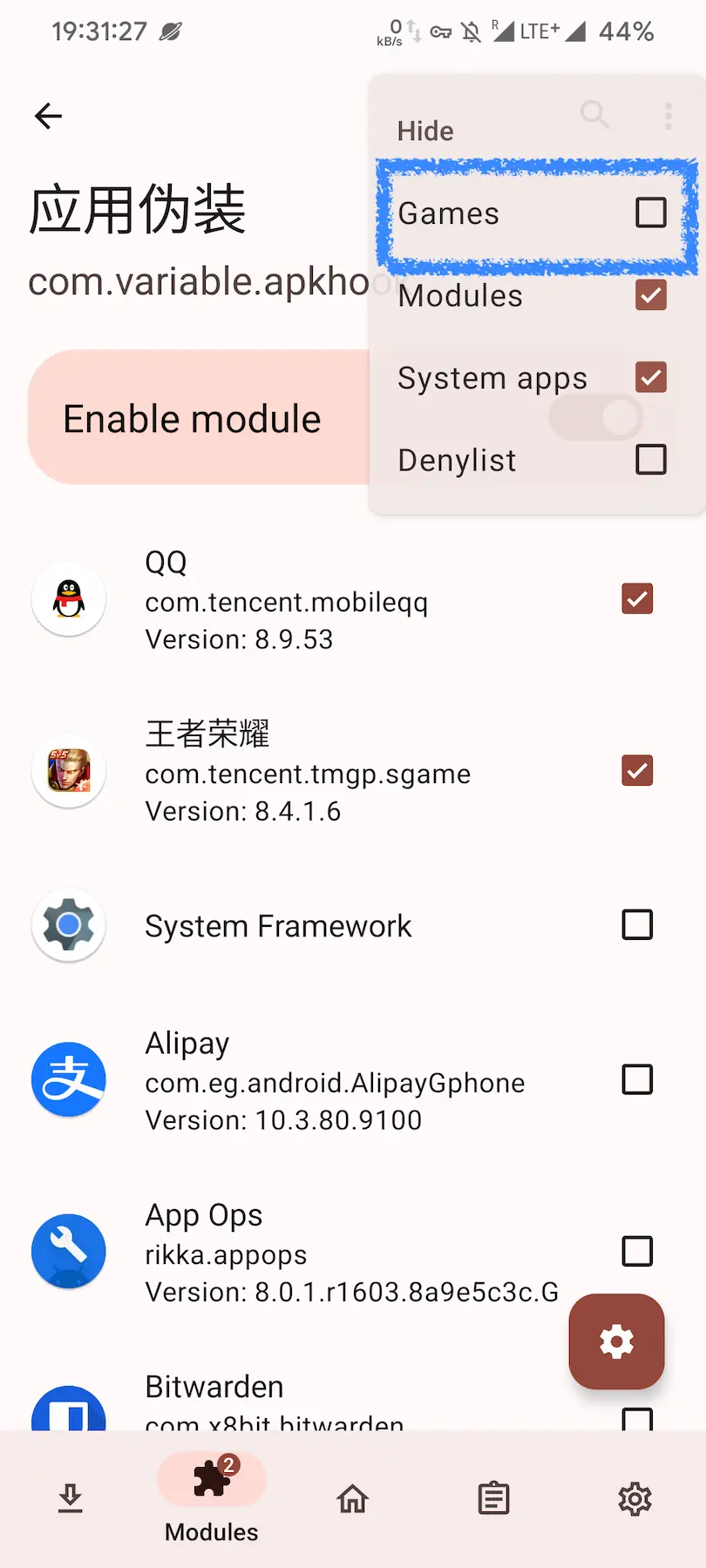
  2. 打开 LSPosed ,并在 模块 中激活 应用伪装,并勾选你的游戏。如果无法找到游戏,点击右上角的选项,在 隐藏/Hide 勾选 游戏/Game 即可。
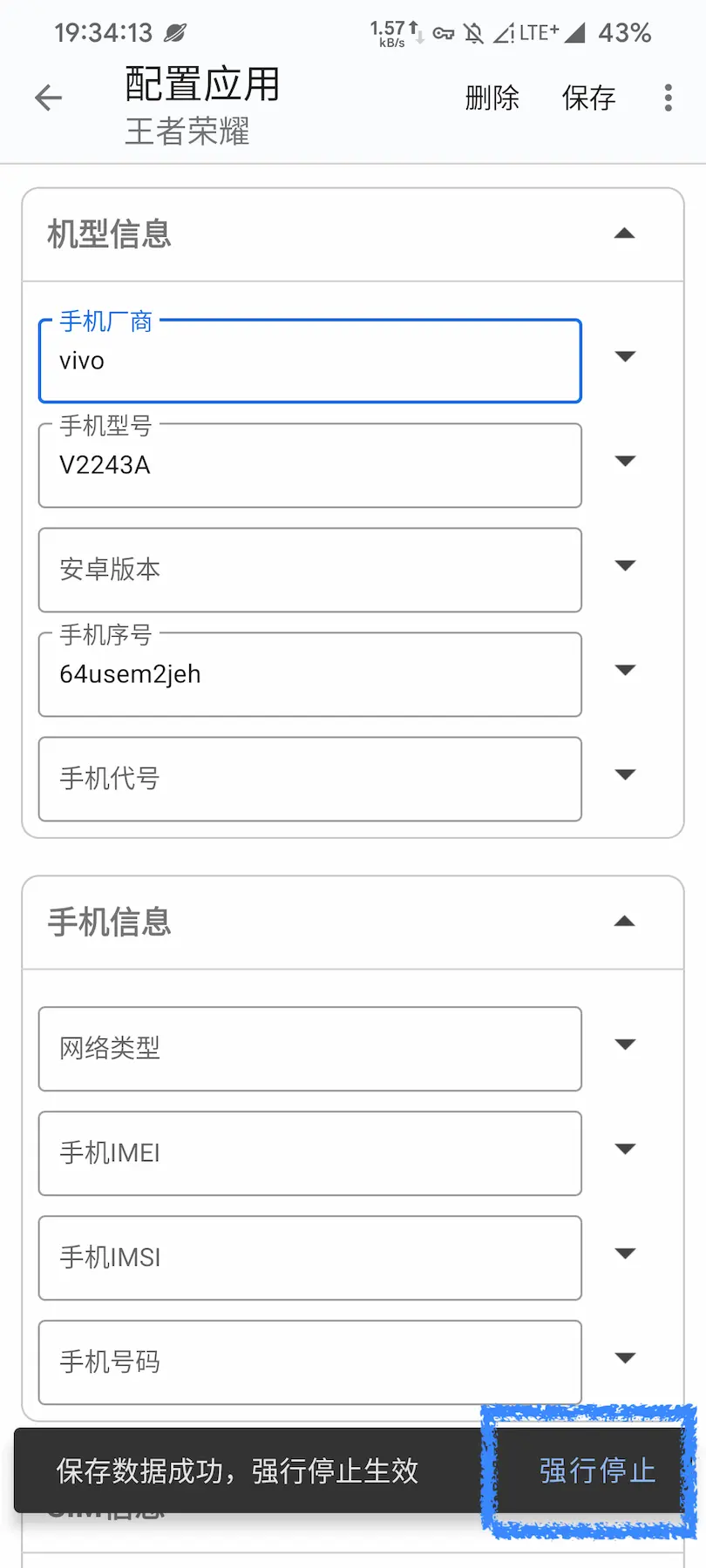
  1. 打开 应用伪装,选择你需要修改的游戏,此处以 王者荣耀 为例。在 手机厂商 处填入 vivo,在 手机型号 中天入 V2243A。(具体填的机器型号应该根据你所调整的游戏决定,自行查询。)
  2. 点击 保存,并且点击下方弹出的 强行停止,并授权超级用户的权限即可。

完成以上步骤后就可以重新进入游戏体验屏幕高刷带来的快感啦~
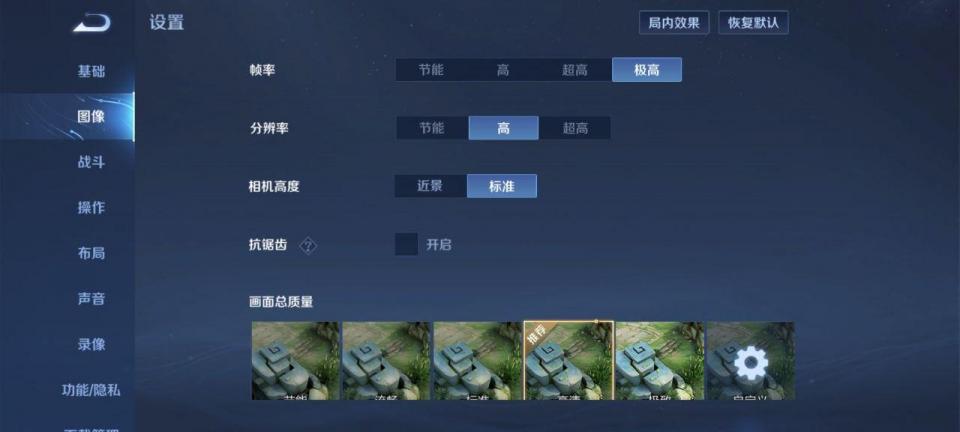
该方法原理是通过修改软件对机器型号的识别,从而开启画面高帧率功能,该方法也适用于其他限制机型的软件及功能,已 Root 的安卓手机有需求不妨尝试一波。