惯性聚合 高效追踪和阅读你感兴趣的博客、新闻、科技资讯
阅读原文 在惯性聚合中打开

推荐订阅源

Cloudbric
Cloudbric
E
Exploit-DB.com RSS Feed
SecWiki News
SecWiki News
Forbes - Security
Forbes - Security
N
News | PayPal Newsroom
S
Security @ Cisco Blogs
Schneier on Security
V
V2EX - 技术
S
Secure Thoughts
W
WeLiveSecurity
Google DeepMind News
C
CERT Recently Published Vulnerability Notes
NISL@THU
NISL@THU
S
Securelist
S
Security Archives - TechRepublic
Know Your Adversary
Know Your Adversary
V
Vulnerabilities – Threatpost
Security Latest
Security Latest
Recent Commits to openclaw:main
G
GRAHAM CLULEY
H
Hacker News: Front Page
Microsoft Azure Blog
I
Intezer
Google Online Security Blog
美团技术团队
阮一峰的网络日志
阮一峰的网络日志
T
The Exploit Database - CXSecurity.com
钛媒体:引领未来商业与生活新知
钛媒体:引领未来商业与生活新知
Webroot Blog
Webroot Blog
Jina AI
Jina AI
Engineering at Meta
Engineering at Meta
P
Proofpoint News Feed
The Cloudflare Blog
I
InfoQ
L
LangChain Blog
U
Unit 42
P
Proofpoint News Feed
S
Schneier on Security
S
Security Affairs
Y
Y Combinator Blog
T
Tenable Blog
N
News and Events Feed by Topic
MyScale Blog
MyScale Blog
量子位
Google DeepMind News
Cyberwarzone
Cyberwarzone
博客园 - 聂微东
D
Darknet – Hacking Tools, Hacker News & Cyber Security
GbyAI
GbyAI
AWS News Blog
AWS News Blog

牛津小马哥

Wordpress速度优化教程 6个Wordpress主题推荐 - 速度快且适合SEO 如何用Siteground搭建Wordpress 阿里云怎么买域名,修改DNS以及域名解析 傻瓜式Wordpress搭建教程 1分钟VPS搭建Wordpress教程 3分钟搞定!Shopify怎么做联盟营销 15款Shopify营销工具推荐 2个超漂亮的Shopify付费装修模版
不用钱和插件:Shopify如何添加多个Facebook像素
牛津小马哥 · 2022-04-08 · via 牛津小马哥

这个教程会教你如何添加Facebook像素,并且不需要任何插件,不需要任何费用,而且可以添加多个facebook像素。

Shopify如何安装Facebook像素

如果你想要添加Facebook像素,你需要:

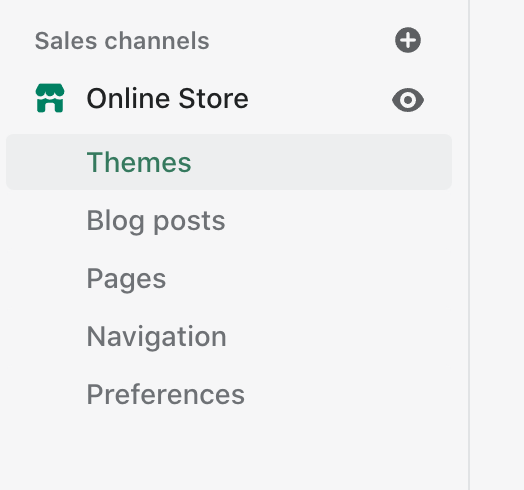
  1. 打开Shopify后台,点击左边的Themes按钮。
    选择themes
    选择themes
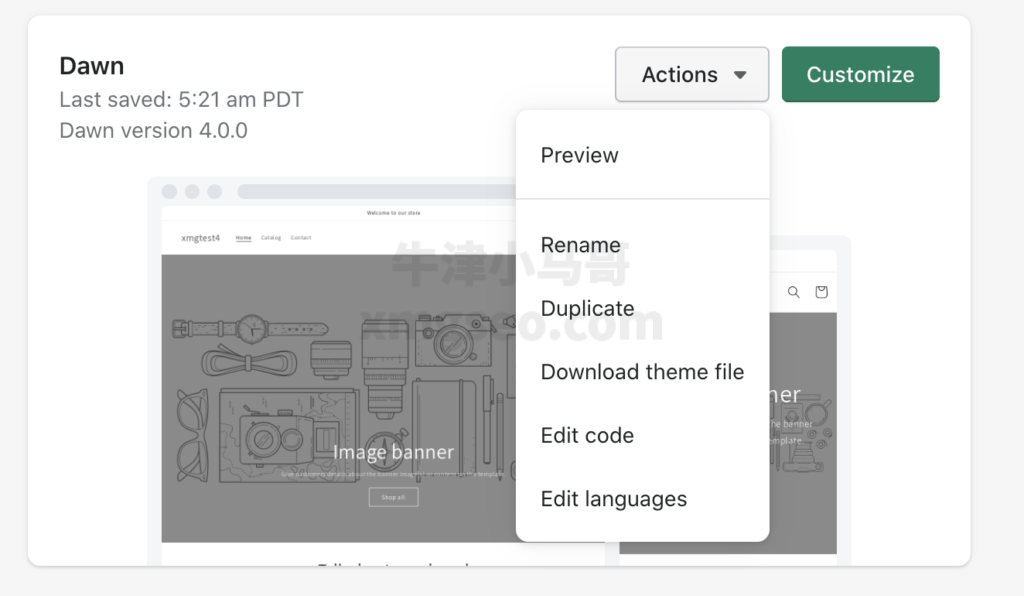
  2. 点击Actions,然后选择Edit Codes。
    选择edit codes
    选择edit codes
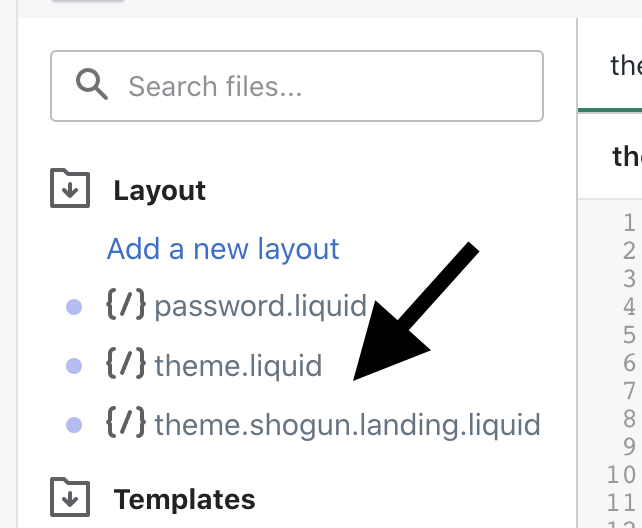
  3. 然后点击theme.liquid。
    选择theme.liquid
    选择theme.liquid
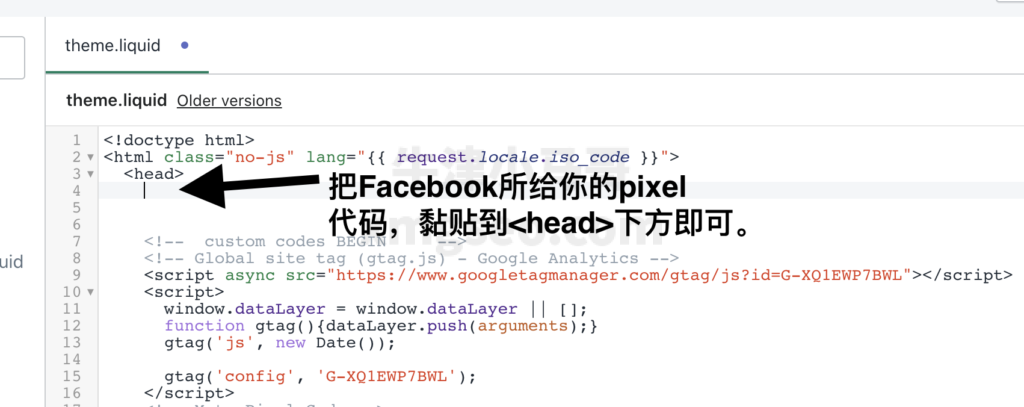
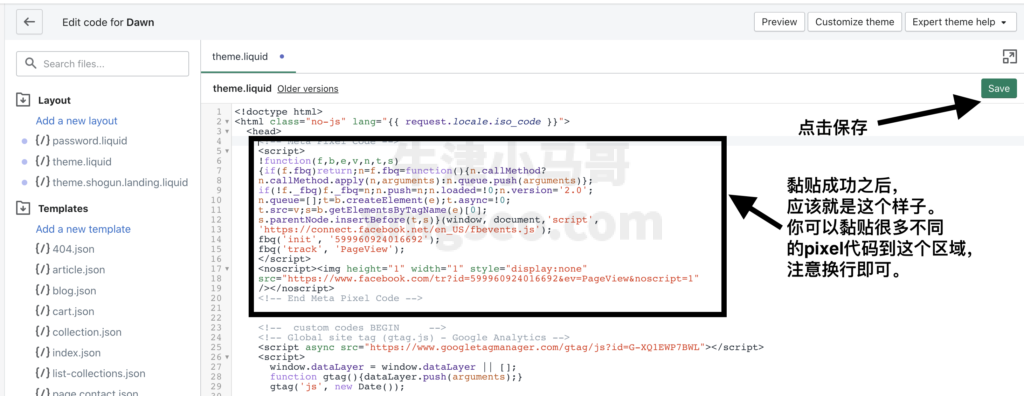
  4. 在<head>下方,黏贴你的Facebook像素代码。
    head代码区域
    head代码区域
  5. 黏贴成功后点击右上角保存即可。
    代码黏贴成功后保存
    代码黏贴成功后保存

如何找到Facebook像素代码

如果你不知道哪里可以复制Facebook的像素代码,你需要做的是如下步骤。

  1. 打开Facebook广告后台。
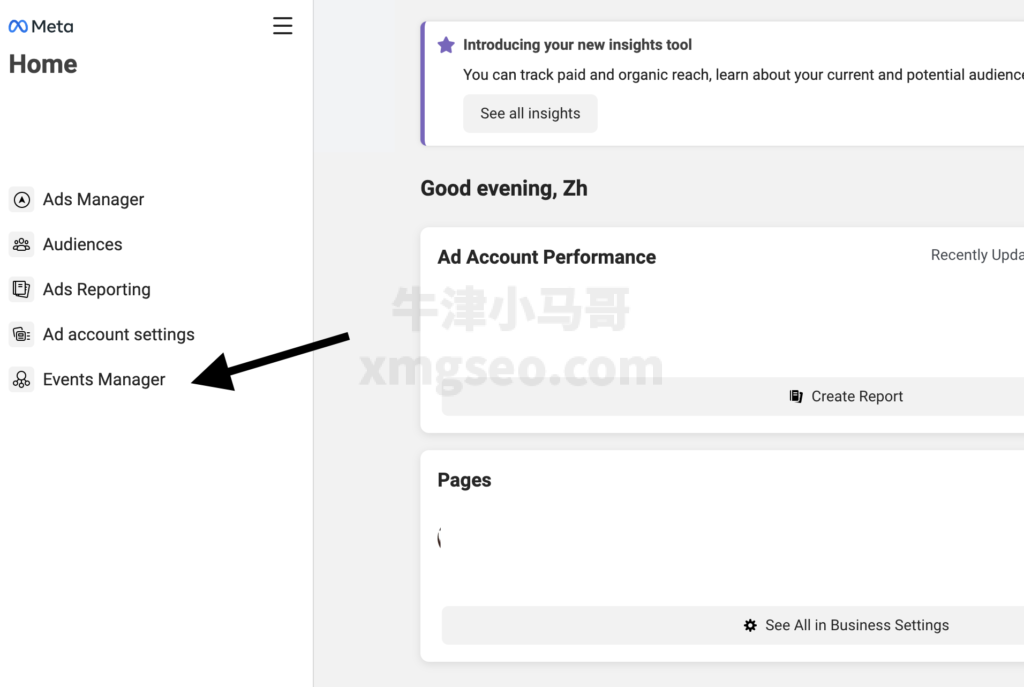
  2. 然后点击Event Manager。
    进入Events Manager
    进入Events Manager
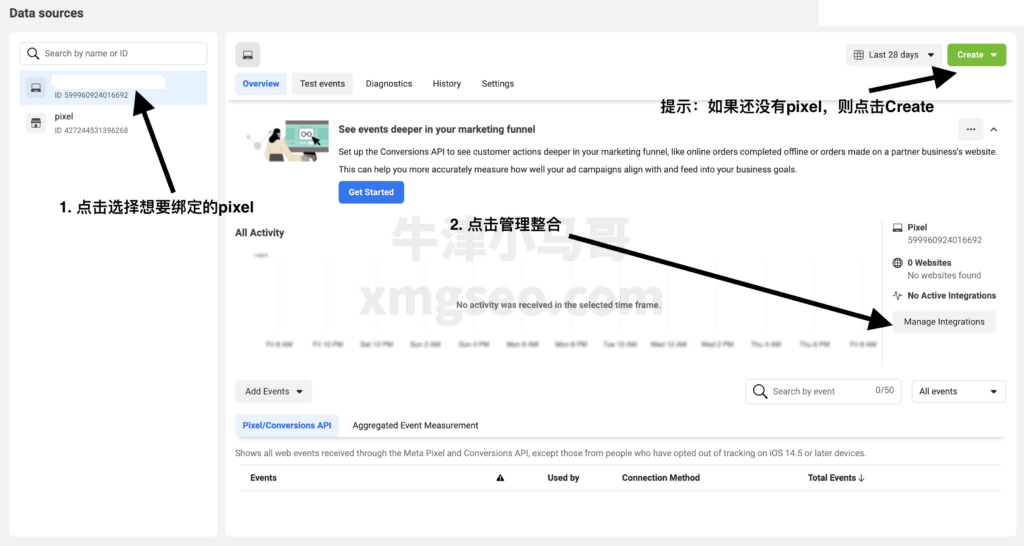
  3. 如果你没有像素,你需要点击右上角Create先创建一个。然后点击左侧选中你想要绑定的像素,然后点击Manage Integrations。
    绑定Facebook Pixel
    绑定Facebook Pixel
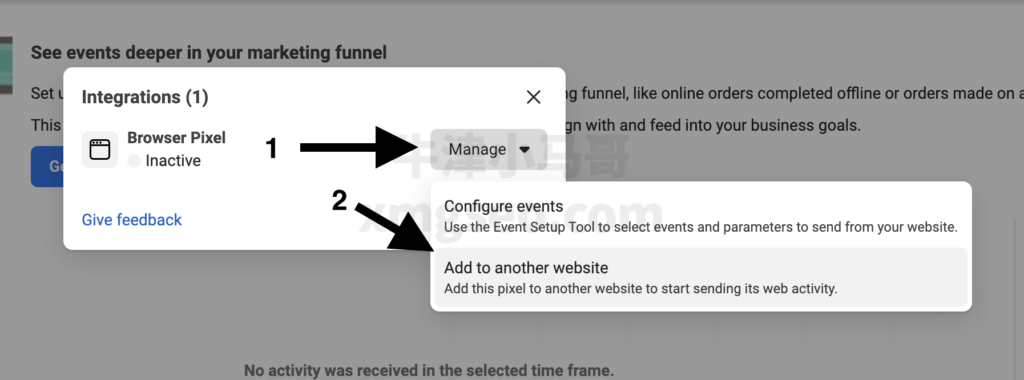
  4. 然后选择Add to another website。
    开始把pixel绑定到网站中
    开始把pixel绑定到网站中
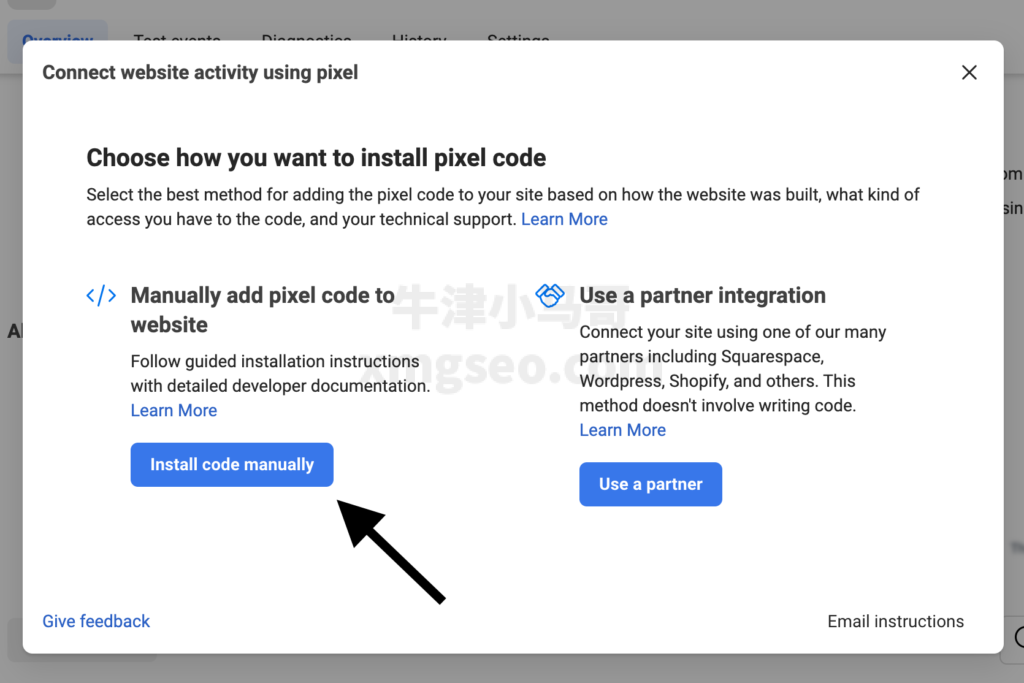
  5. 然后点击Install code manually。
    点击Install code manually
    点击Install code manually
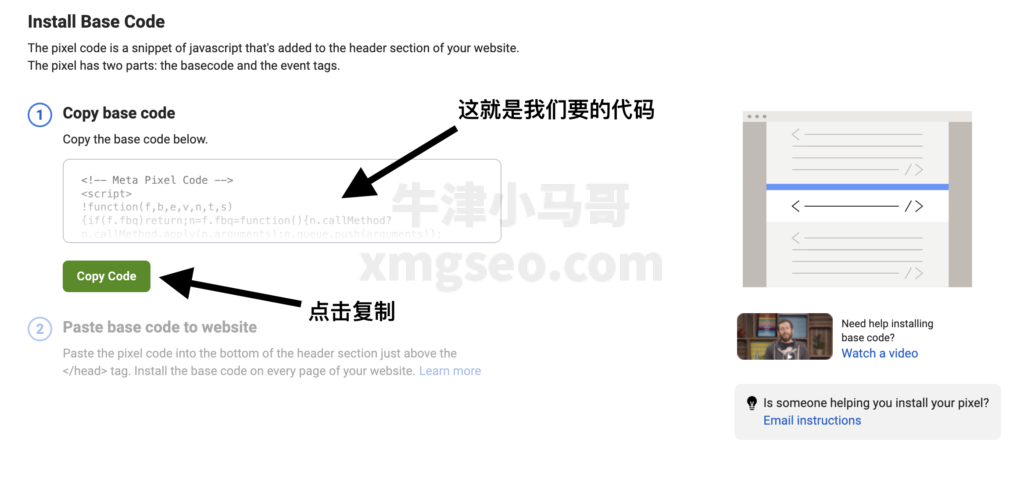
  6. 最后你就会看到你的Facebook像素代码,你只需要点击Copy复制即可。然后跟着上一步的做法,把代码黏贴到Shopify的Head标签中即可。
    复制pixel代码
    复制pixel代码