


早些时候就看到了Mo佬友链页的访问速度统计,非常眼馋。
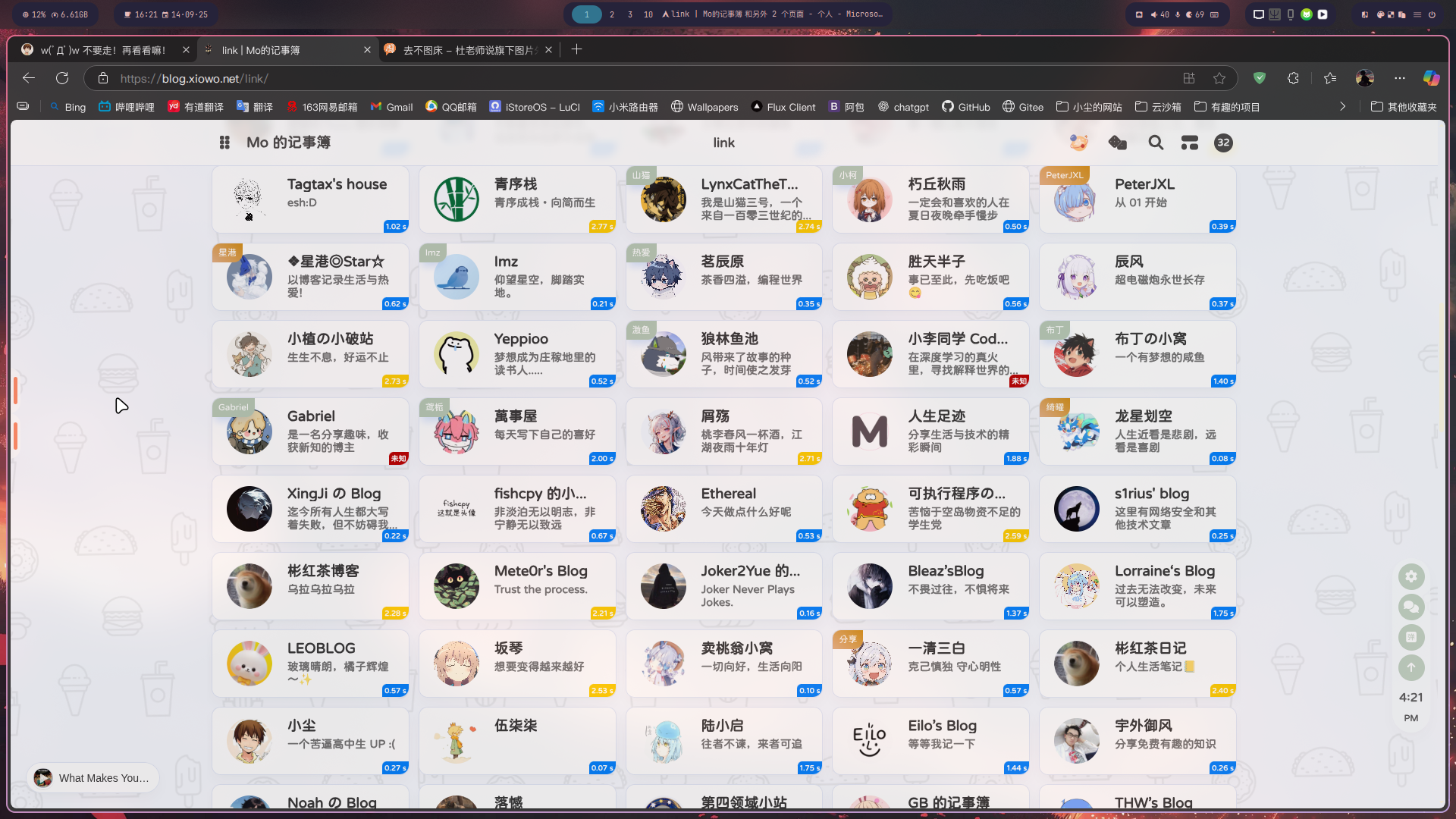
感觉很方便,了解了一下发现有点麻烦,随后放弃。(那自然是不可能的)
今天有空了把这事儿想起来了,翻了几个也用anzhiyu主题的博客,发现GB大佬用的也是相同方案,于是开始偷(借鉴)代码。
参考清羽大佬这篇文章:
创建 source/js/flink.js 文件
(function() {
const STATUS_CACHE_KEY = "statusTagsData";
const STATUS_JSON_URL = "https://check-flink.mcxiaochen.top/result.json"; // 这里设为你自己的url
let latestData = [];
// 渲染状态标签
function addStatusTags(data) {
if (!Array.isArray(data)) return;
document.querySelectorAll(".flink-list-item").forEach(item => {
// 防止重复添加
if (item.querySelector(".status-tag")) return;
// 获取显示名字
const nameEl = item.querySelector(".flink-item-name, .cf-friends-name");
if (!nameEl) return;
const nameText = nameEl.textContent.trim();
// 根据名字匹配 JSON 数据
const status = data.find(s => s.name === nameText);
if (!status) return;
// 创建状态标签
const tag = document.createElement("div");
tag.classList.add("status-tag");
let text = "未知";
let colorClass = "status-tag-red";
if (status.latency >= 0) {
text = status.latency.toFixed(2) + " s";
colorClass = status.latency <= 2 ? "status-tag-green"
: status.latency <= 5 ? "status-tag-light-yellow"
: status.latency <= 10 ? "status-tag-dark-yellow"
: "status-tag-red";
}
tag.textContent = text;
tag.classList.add(colorClass);
// 保证父容器相对定位
item.style.position = "relative";
item.appendChild(tag);
});
}
// 获取 JSON 数据(带缓存)
function fetchStatusData() {
const cache = localStorage.getItem(STATUS_CACHE_KEY);
if (cache) {
try {
const parsed = JSON.parse(cache);
const cachedData = Array.isArray(parsed.data) ? parsed.data : (parsed.data?.link_status || []);
if (Date.now() - new Date(parsed.timestamp).getTime() < 18e5) { // 30分钟有效
latestData = cachedData;
addStatusTags(latestData);
}
} catch (e) {
console.warn("❌ 解析缓存失败,忽略缓存", e);
}
}
fetch(`${STATUS_JSON_URL}?t=${Date.now()}`)
.then(r => r.json())
.then(json => {
latestData = Array.isArray(json) ? json : (json.link_status || []);
addStatusTags(latestData);
localStorage.setItem(STATUS_CACHE_KEY, JSON.stringify({ data: latestData, timestamp: new Date().toISOString() }));
})
.catch(err => console.error("❌ 获取 result.json 出错:", err));
}
// 监听 DOM 变化,自动渲染新增卡片
function observeNewItems() {
const observer = new MutationObserver(() => addStatusTags(latestData));
observer.observe(document.body, { childList: true, subtree: true });
}
// 初始化
document.addEventListener("DOMContentLoaded", () => {
fetchStatusData();
observeNewItems();
});
document.addEventListener("pjax:complete", () => {
fetchStatusData();
});
})();
创建 source/css/custom.css 文件
.status-tag {
position: absolute;
bottom: 0;
right: 0;
padding: 0 3px;
border-radius: 6px 0 12px 0;
font-size: 10px;
color: #fff;
font-weight: 700;
transition: font-size .3s ease-out, opacity .3s ease-out;
}
.flink-list-item:hover .status-tag {
font-size: 0;
opacity: 0;
}
.status-tag-green { background-color: #599e0b; }
.status-tag-light-yellow { background-color: #fed101; }
.status-tag-dark-yellow { background-color: #f0b606; }
.status-tag-red { background-color: #b90000; }
接着去 _config.anzhiyu.yml 引用下文件
inject:
head:
- <link rel="stylesheet" href="/css/custom.css">
bottom:
- <script src="/js/flink.js"></script>
效果如图:
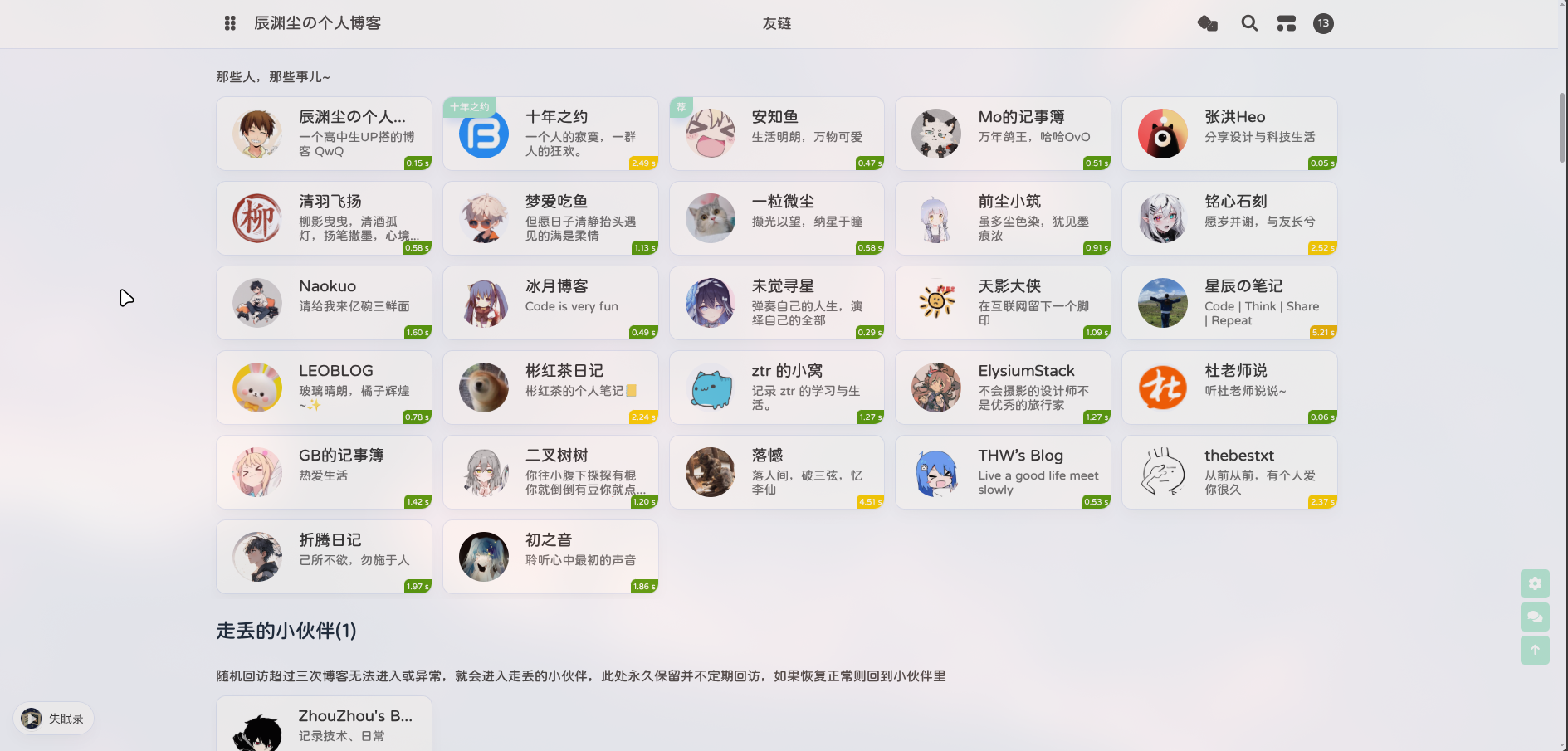
flink.js 我原本直接复制(借用)GB大佬的文件后发现只能看到第一条友链的延迟信息,就丢给GPT改成 name 值匹配了,要是你的友链存在同名不同url的情况,可能会boom,请知悉。
此内容由惯性聚合(RSS阅读器)自动聚合整理,仅供阅读参考。 原文来自 — 版权归原作者所有。