最近刚把博客搭好,看别人的 Twikoo 都自定义表情包,于是我也研究了一下
可能用到的
大佬整理的表情包:
修改
Twikoo 的表情使用的是 OwO ,所以表情配置为一个 json 文件
json 文件对格式要求严格,例如键与值都需要使用双引号进行包裹,如果是最后一项那么结尾不能包含逗号,可见 菜鸟教程
不过我们目前不需要了解那么深入
在表情速查里复制Twikoo适配的 json 代码,以 阿鲁 为例:
1
2
3
4
5
6
7
8
9
10
11
12
13
14
15
16
| {
"aru": {
"type": "image",
"container": [
{
"text": "aru-1",
"icon": "<img src='https://7.dusays.com/2021/01/15/3c76dffbc08a5.png'>"
},
..........
{
"text": "aru-99",
"icon": "<img src='https://7.dusays.com/2021/01/15/a5cf180e2f22a.png'>"
}
]
}
}
|
复制多个记得做修改,删除上一个表情末尾的一个} 然后添加 , 再把第二个开头的 { 删除 ,以 阿鲁 和 blob 为例:
1
2
3
4
5
6
7
8
9
10
11
12
13
14
15
16
17
18
19
20
21
22
23
24
25
26
27
28
| {
"aru": {
"type": "image",
"container": [
{
"text": "aru-1",
"icon": "<img src='https://7.dusays.com/2021/01/15/3c76dffbc08a5.png'>"
},
{
"text": "aru-99",
"icon": "<img src='https://7.dusays.com/2021/01/15/a5cf180e2f22a.png'>"
}
]
},
"blob": {
"type": "image",
"container": [
{
"text": "blob-RedTick",
"icon": "<img src='https://7.dusays.com/2021/01/15/c8407d638ca85.png'>"
},
{
"text": "blob-wumpusblob",
"icon": "<img src='https://7.dusays.com/2021/01/15/309dc42e77869.png'>"
}
]
}
}
|
可以前往 在线JSON格式化验证工具 检查是否有误
额外
如果你想选择表情包显示图标而不是文字,你可以修改开头部分
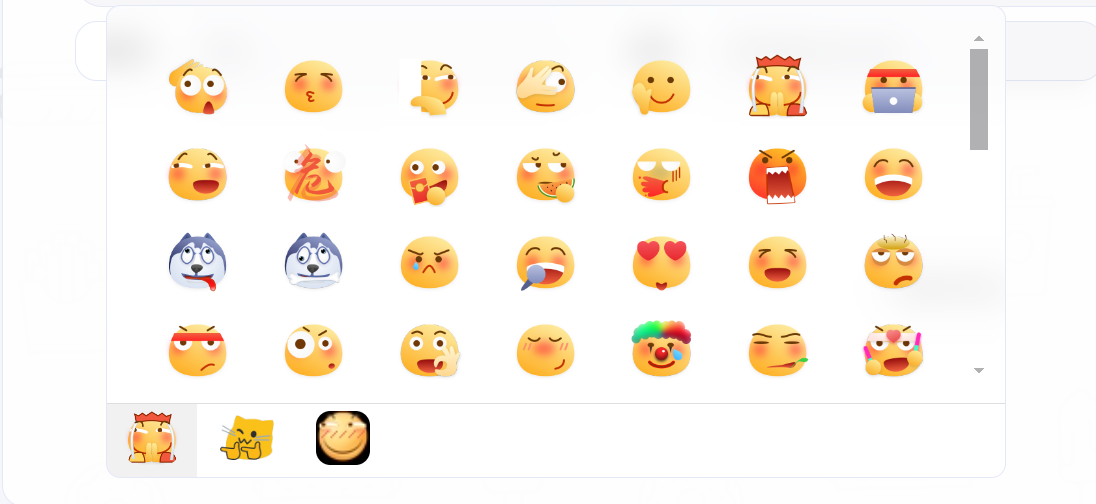
文字版:
1
2
3
| "Sticker": {
"type": "image",
"container": [
|
图片版:
1
2
3
| "<img src=\"https://blog.xiowo.net/img/starclaw.png\" style=\"width: 30px;top: 4px;position: relative;\" title=\"MortalCat\">": {
"type": "image",
"container": [
|
最后将修改好的 json 文件 上传服务器即可
注意:如需本地存放在hexo,可在你的博客目录 /source 目录下新建个名为 js 或其他名字的文件夹把制作好的 json 放进去,这个填 博客域名 /js (文件夹名字)/ 名字.json,其实就是 json 的链接地址,source 目录里的东西在生成的时候会生成到博客根目录
Twikoo 配置
进入你的 Twikoo 控制台
找到 插件 > EMOTION_CDN 填入 你的Json链接

上面那个 SHOW_EMOTION 可以不用设置因为它默认就是 true






