











前言
Stellar 主题有一个极强的优势,就是丰富的标签组件,But有个小问题——所有标签加起来30多个,而且重复手打{% ... %}多多少少有点难受{% emoji blobcat blobcatflip.png %} 。
于是开始折腾……
标签自动补全
这用到的是 Various Complements 插件
github.com
https://github.com/tadashi-aikawa/obsidian-various-complements-plugin
首先在 Obsidian 中安装 Various Complements
接着打开 Various Complements 的配置页面
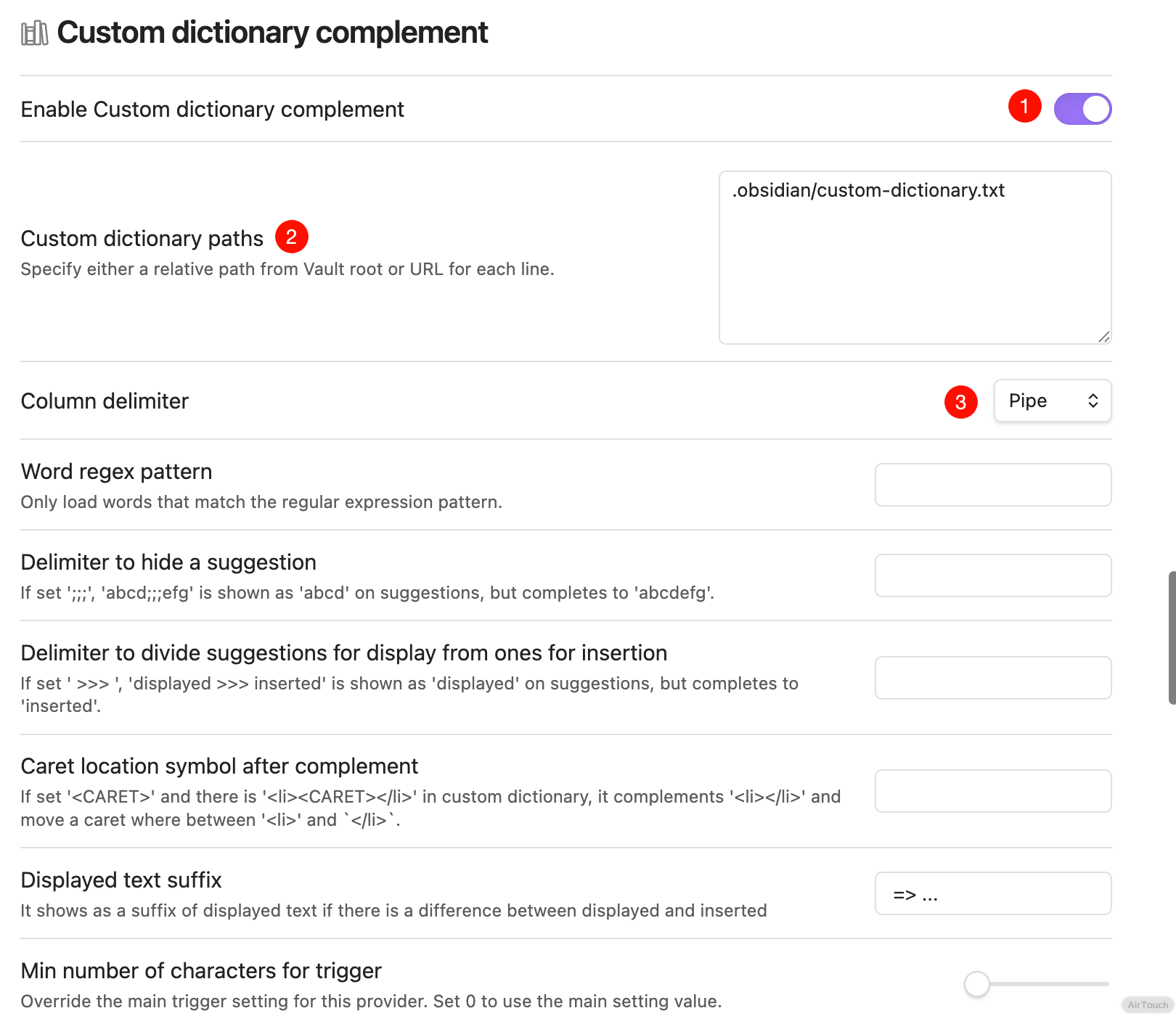
找到 Custom dictionary complement 打开,在下方的 Custom dictionary paths 中填上你配置文件的路径(相对路径),在把下方的 Column delimiter 改为 Pipe
然后在这个文件中填入
{% emoji %}|表情标签|emoji
{% mark color: %}|标记标签|mark
{% hashtag color: %}|hashtag标签|hashtag
|image图片标签|image
{% quot icon:hashtag %}|quot引用标签|quot
{% poetry 游山西村 author:陆游 footer:诗词节选 %}\n{% endpoetry %}|poetry诗词标签|poetry
{% note [title] content color: %}|note备注块标签|note
{% link href [title] [icon:src] [desc:true/false] %}|link链接卡片标签|link
{% button text url [icon:key/src] [color:color] [size:xs] %}|button按钮标签|button
{% okr o1 %}\n{% endokr %}|okr目标管理标签|okr
{% copy [code] prefix:$ %}|copy复制行标签|copy
{% radio checked:true [name] %}|radio单选标签|radio
{% checkbox symbol: color: checked: [name] %}|checkbox复选标签|checkbox
{% audio %}|audio音频标签|audio
{% video %}|video视频标签|video
{% navbar active:/wiki/ [文章](/) [项目](/wiki/) %}|navbar导航栏标签|navbar
{% timeline %}\n<!-- node [text] -->\n{% endtimeline %}|timeline时间线标签|timeline
{% folders %}\n<!-- folder 题目1 -->\n{% endfolders %}|folders文件夹/折叠容器标签|folders
{% friends [name] %}|friends友链标签|friends
{% sites 分组名 %}|sites站点标签|sites
{% md [url] %}|md标签,渲染外部 markdown 文件|md
{% toc wiki:xxx [open:true] [display:mobile] title %}|toc文档目录树标签|toc
{% box [title] [color:color] [child:codeblock/tabs] %}\n{% endbox %}|box盒子容器标签|box
{% tabs active: align:center %}\n<!-- tab [name] -->\n{% endtabs %}|tabs分栏容器标签|tabs
{% grid bg:box/card %}\n<!-- cell -->\n{% endgrid %}|grid标签|grid
{% gallery %}\n{% endgallery %}|gallery图库容器标签|gallery
{% albums [group_id] %}|albums专辑容器标签|albums
{% posters [group_id] %}|posters海报容器标签|posters
{% banner [name] bg: %}\n{% endbanner %}|banner横幅容器标签|banner
{% swiper effect:cards %}\n\n{% endswiper %}|swiper轮播容器标签|swiper
{% ghcard [name] %}|ghcard标签|ghcard
{% ghcard [name] theme:dark %}|ghcard标签(暗黑主题)|ghcard-dark
{% psw 密码 %}|psw密码标签|psw
{% u 下划线 %}|u下划线标签|u
{% emp 着重号 %}|emp着重号标签|emp
{% wavy 波浪线 %}|wavy波浪线标签|wavy
{% del 删除线 %}|del删除线标签|del
{% sup 上角标 %}|sup上角标标签|sup
{% sub 下角标 %}|sub下角标标签|sub
{% kbd ⌘ %}|kbd键盘样式标签|kbd
然后重启 Obsidian,这样就可以自动补全了
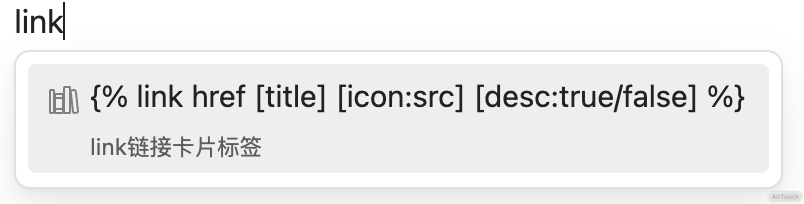
比如说,你输入 link ,就会弹出来 {% link xxx %} 的提示
表情面板
github.com
https://github.com/infinitesum/obsidian-emoji-selector
这个插件需要自己安装,先点 Code -> Download ZIP 下载下来
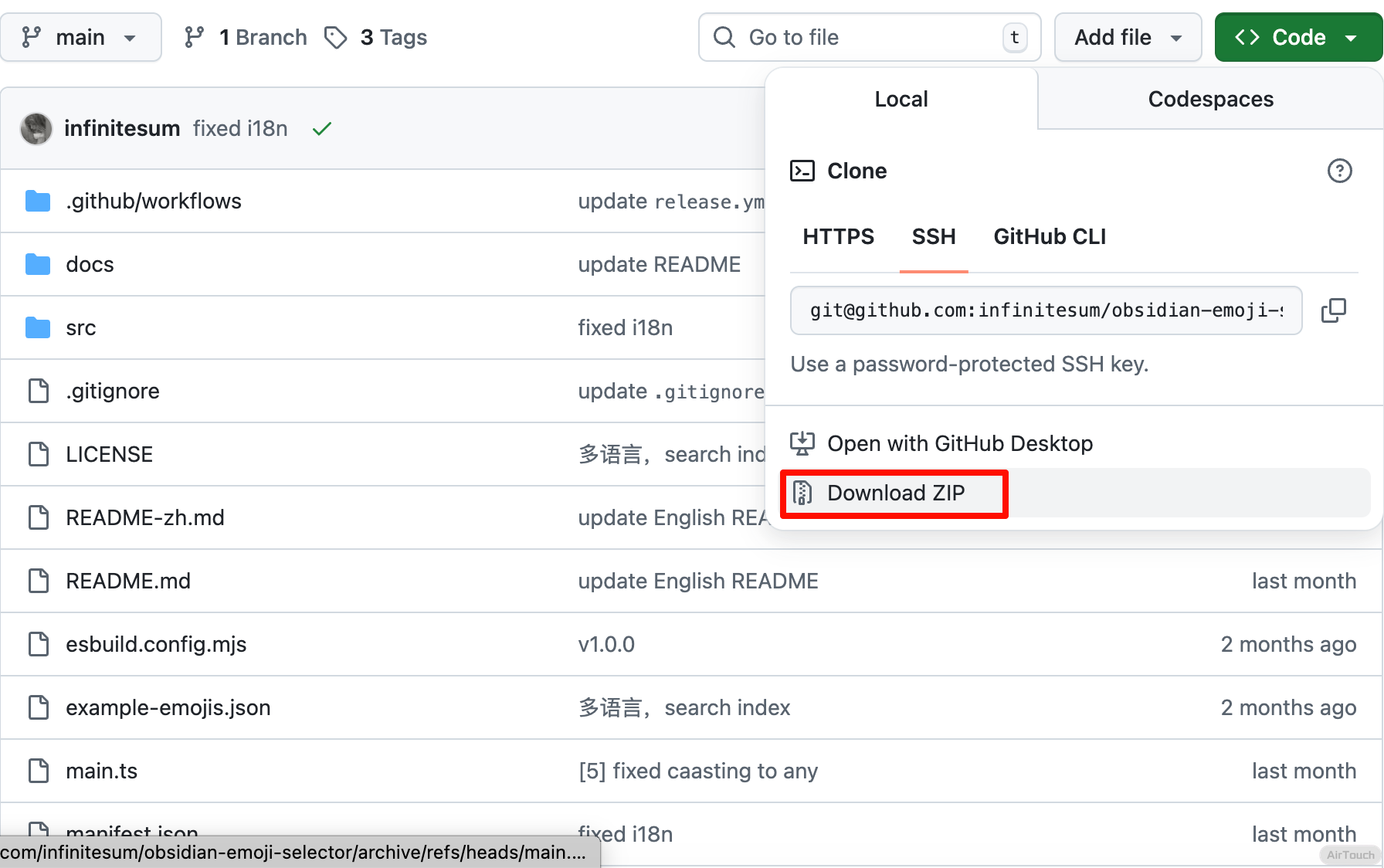 然后去 Release 下载
 main.js 文件,放入解压的项目中
接着打开 Obsidian 的第三方插件设置,点击小文件夹,进入插件目录,把你的文件夹拖进去
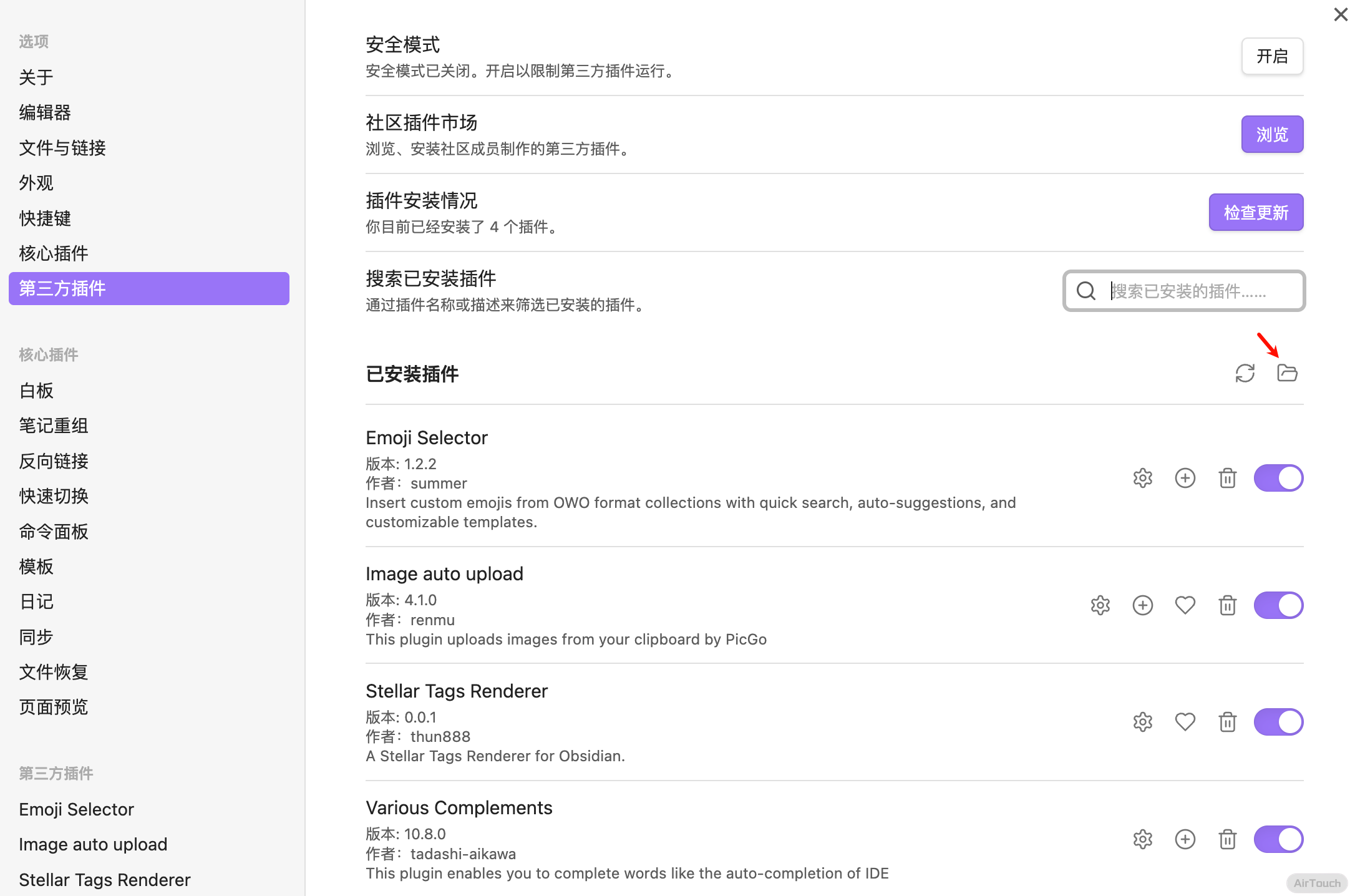 再点击启用,就 ok 了{% emoji blobcat blobcatcomfy.png %}
然后去插件的设置,
再点击启用,就 ok 了{% emoji blobcat blobcatcomfy.png %}
然后去插件的设置,OWO JSON URLs 填上 json 文件,格式和 twikoo 评论的一样,这里不再赘述,有问题可以去评论区问,下面的自定义表情符号模板 填上 {% emoji {category} {fullfilename} %}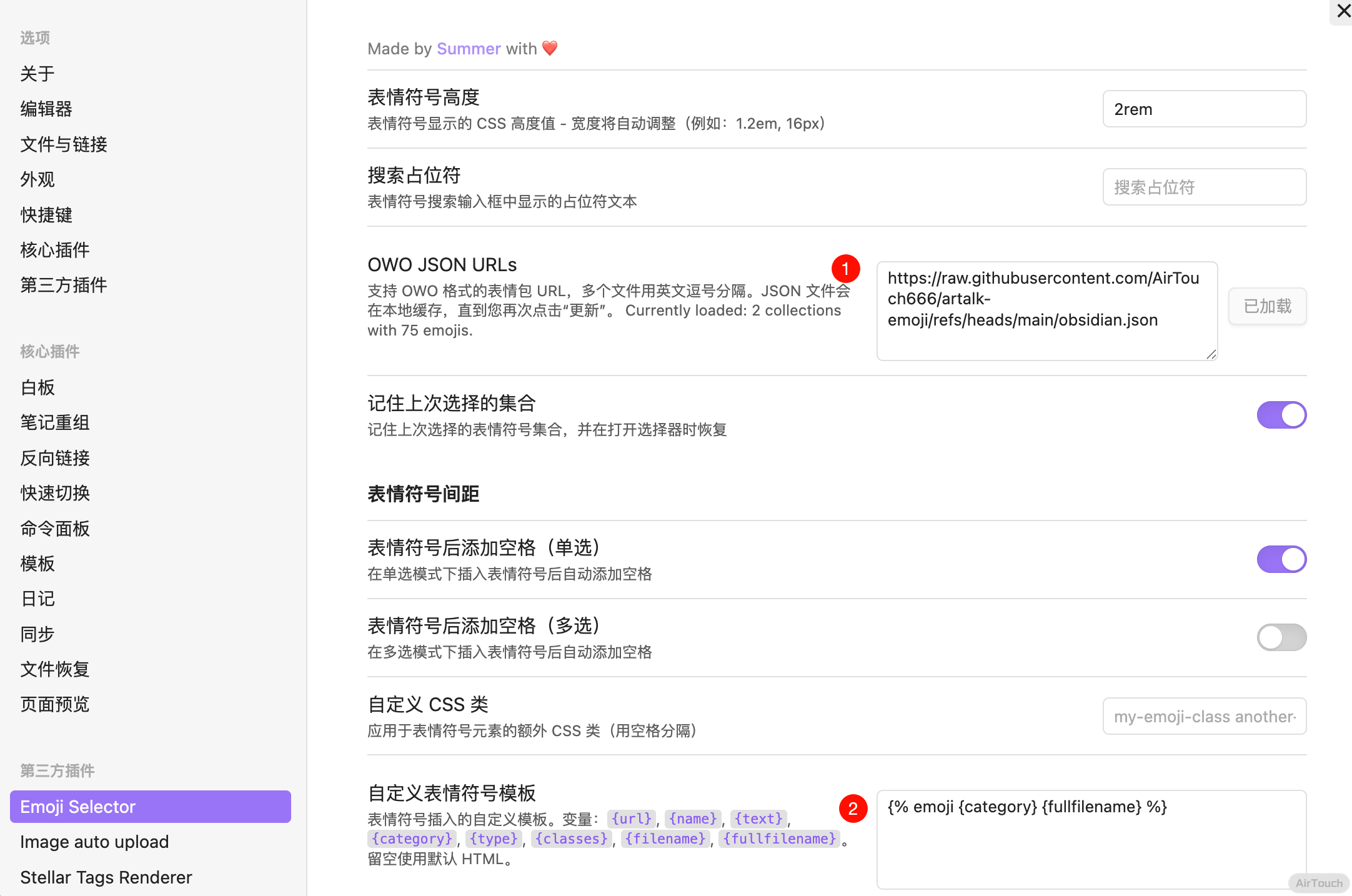 重启,你会发现左边有表情盘,好用{% emoji bilibili bilibili-可爱.png %}
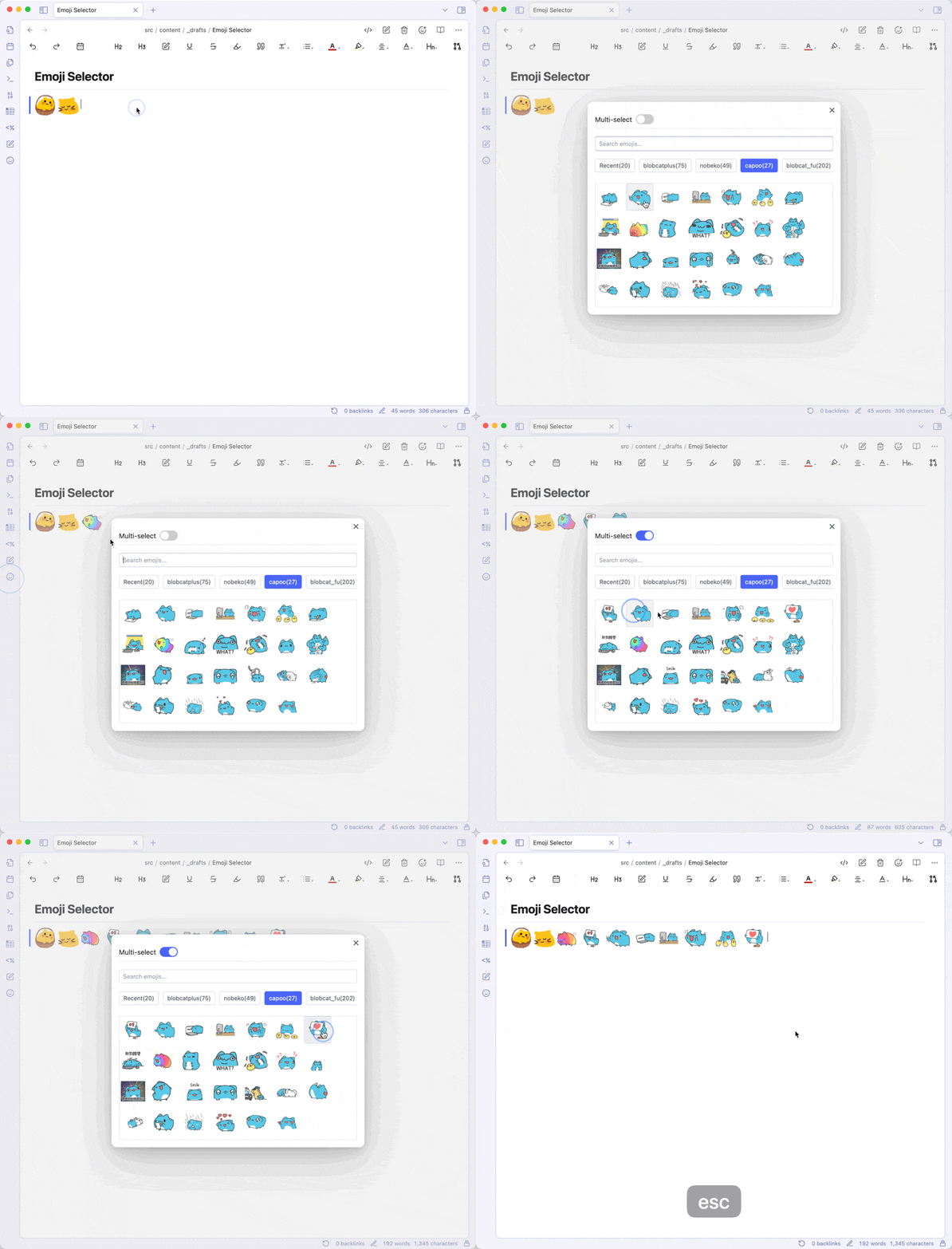
标签渲染(部分)
感谢 Thun888 大佬
github.com
https://github.com/thun888/obsidian-stellar-tags-renderer
按照老样子下载完源码,终端 cd 进这个目录,执行
{% copy npm i && npm run dev prefix:$ %}
然后再拖进 plugins 文件夹启用即可
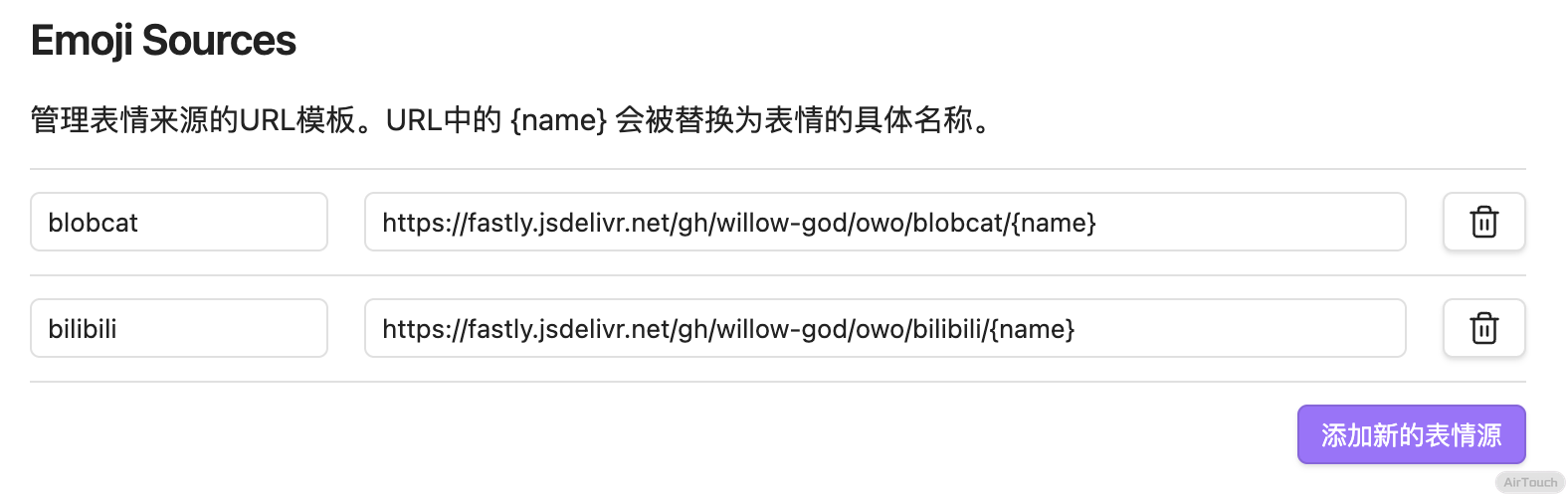
Emoji Sources 里按照 Stellar 配置文件里一样即可