惯性聚合 高效追踪和阅读你感兴趣的博客、新闻、科技资讯
阅读原文 在惯性聚合中打开

推荐订阅源

美团技术团队
罗磊的独立博客
SecWiki News
SecWiki News
The Register - Security
The GitHub Blog
The GitHub Blog
钛媒体:引领未来商业与生活新知
钛媒体:引领未来商业与生活新知
博客园 - 三生石上(FineUI控件)
S
Schneier on Security
IT之家
IT之家
博客园 - 聂微东
T
The Exploit Database - CXSecurity.com
Recorded Future
Recorded Future
大猫的无限游戏
大猫的无限游戏
Know Your Adversary
Know Your Adversary
Latest news
Latest news
Vercel News
Vercel News
G
GRAHAM CLULEY
D
DataBreaches.Net
D
Darknet – Hacking Tools, Hacker News & Cyber Security
S
SegmentFault 最新的问题
博客园_首页
雷峰网
雷峰网
T
Tenable Blog
Spread Privacy
Spread Privacy
让小产品的独立变现更简单 - ezindie.com
酷 壳 – CoolShell
酷 壳 – CoolShell
Cisco Talos Blog
Cisco Talos Blog
V
Visual Studio Blog
J
Java Code Geeks
博客园 - Franky
The Cloudflare Blog
Apple Machine Learning Research
C
CERT Recently Published Vulnerability Notes
T
Threatpost
Google DeepMind News
F
Fortinet All Blogs
P
Privacy International News Feed
T
Threat Research - Cisco Blogs
T
The Blog of Author Tim Ferriss
V
Vulnerabilities – Threatpost
Recent Announcements
Blog — PlanetScale
Blog — PlanetScale
Security Latest
Security Latest
U
Unit 42
M
MIT News - Artificial intelligence
Y
Y Combinator Blog
K
Kaspersky official blog
有赞技术团队
有赞技术团队
B
Blog
腾讯CDC

暖心向阳335

26春学16周杂记 26春学15周杂记 26春学14周杂记 26春学13周杂记 26春学12周杂记 26春学11周杂记 26春学10周杂记 绝了,全员中招 26春学9周杂记 26春学8周杂记 26春学7周杂记 26春学6周杂记 26春学5周杂记 26春学4周杂记 OpenClaw接入微信教程 26春学3周杂记 26春学2周杂记 呃~饱了 OpenClaw接入QQ机器人教程 OpenClaw接入企业微信机器人教程 26春学1周杂记 开学啦! 【回忆录】初中运动会:“红配绿”的我
OpenClaw 部署指南(Windows)
暖心向阳335 · 2026-03-09 · via 暖心向阳335

一、安装Node.js

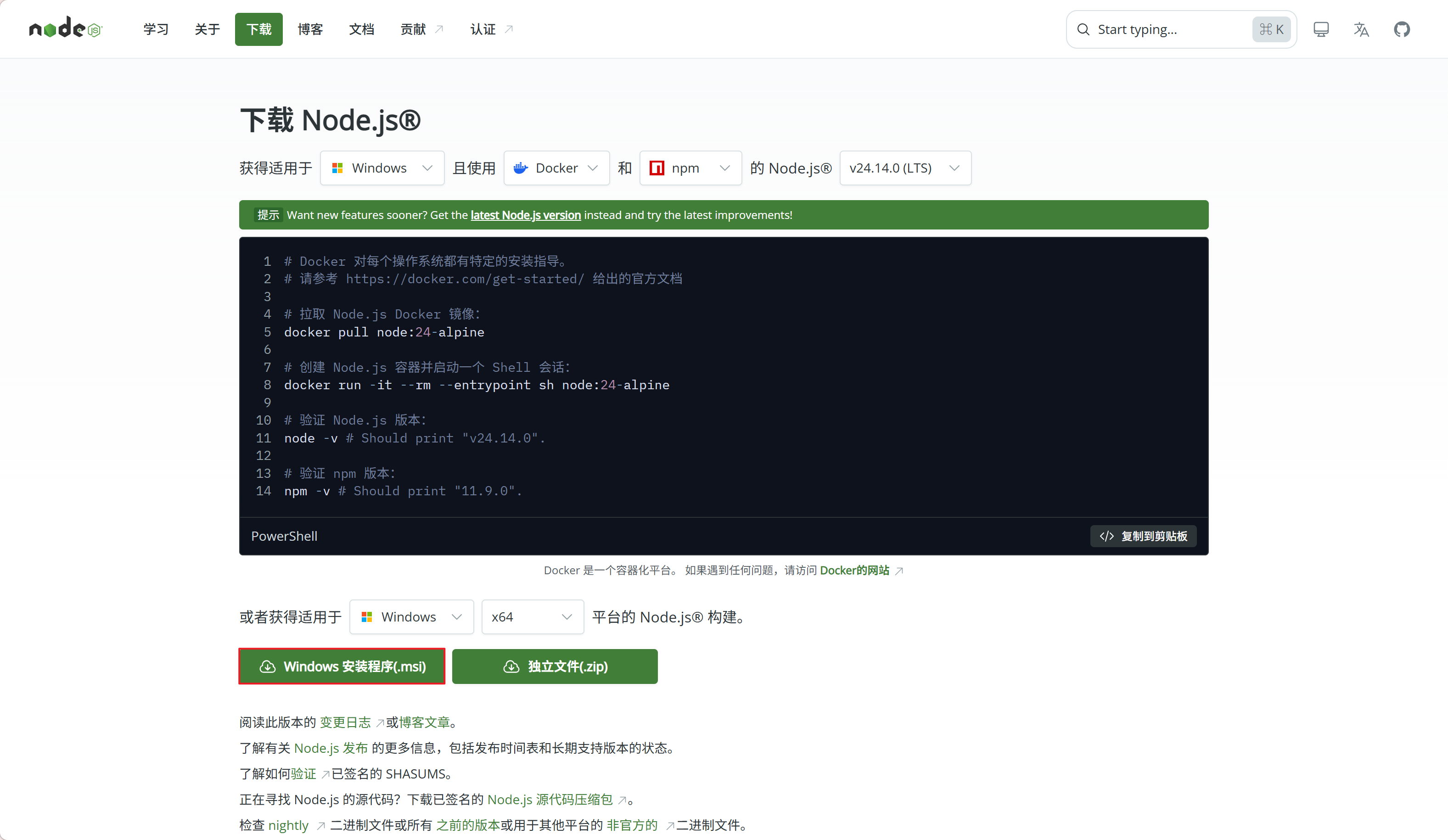
  1. 前往Node.js 官网下载安装包

  1. 只要点击下一步,直到安装完成

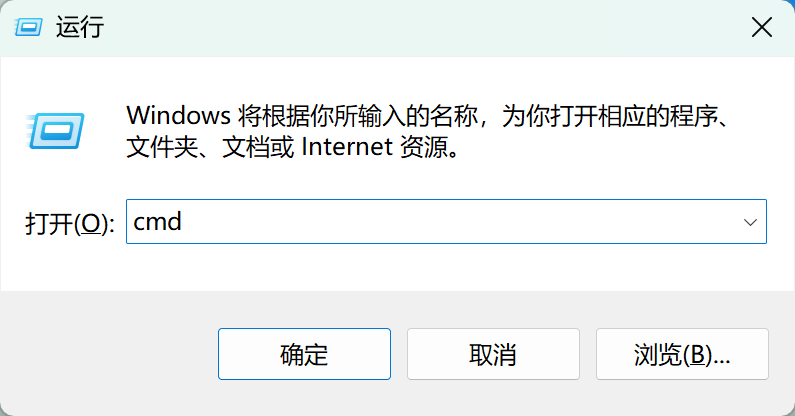
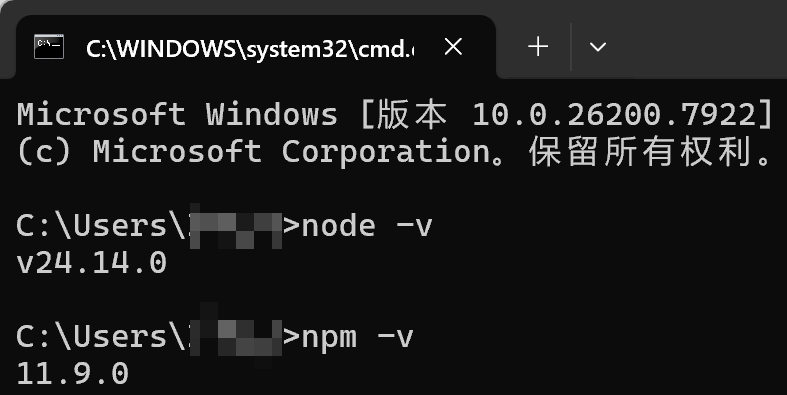
  2. 按 Win+R 键调出运行窗口,输入 cmd 并回车

  1. 输入node -v并回车,输入npm -v并回车,查看是否出现两个版本号,出现即安装成功
二、安装Git

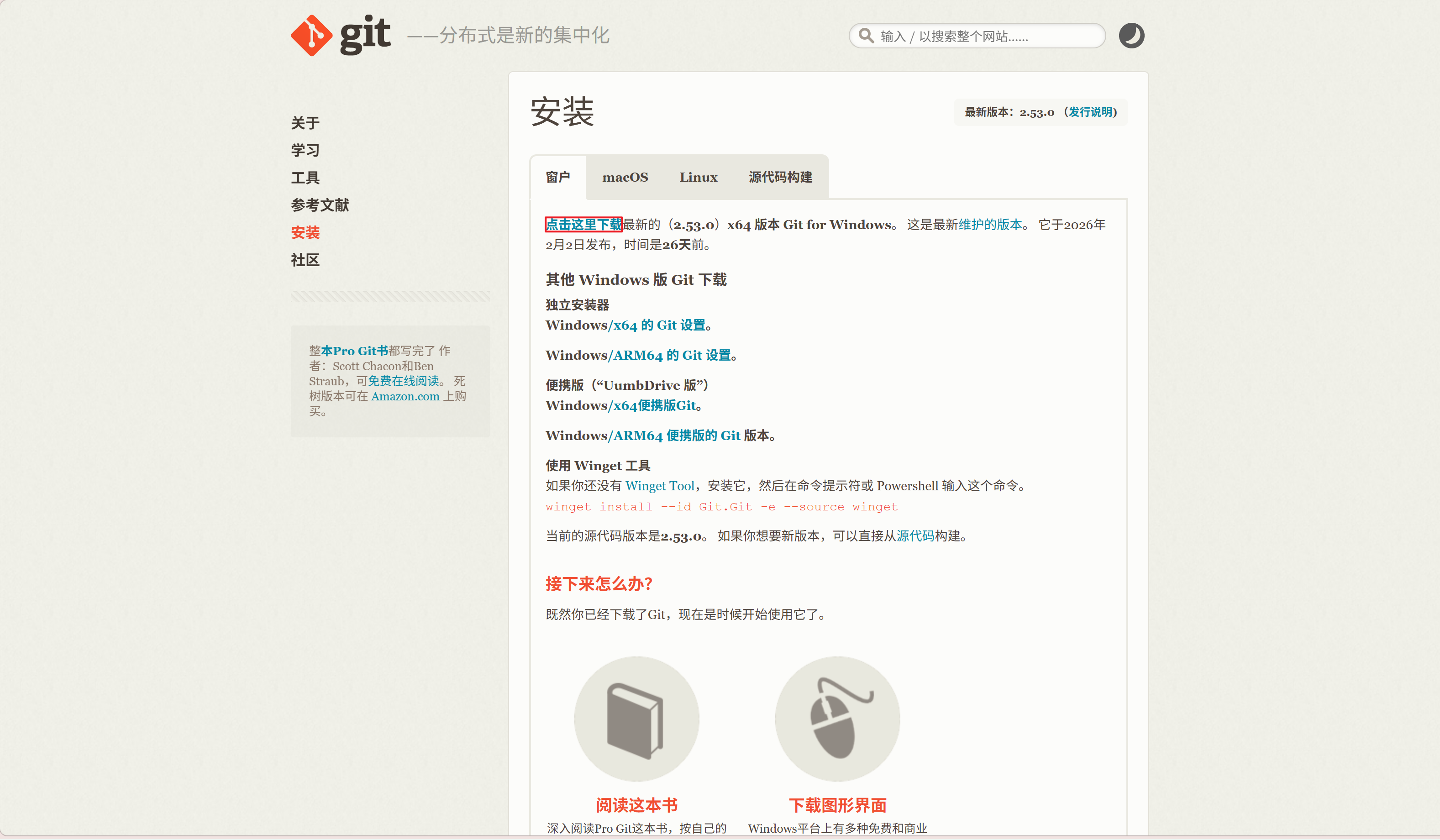
  1. 前往Git 官网下载安装包

  1. 全部点击下一步即可,等待安装完成

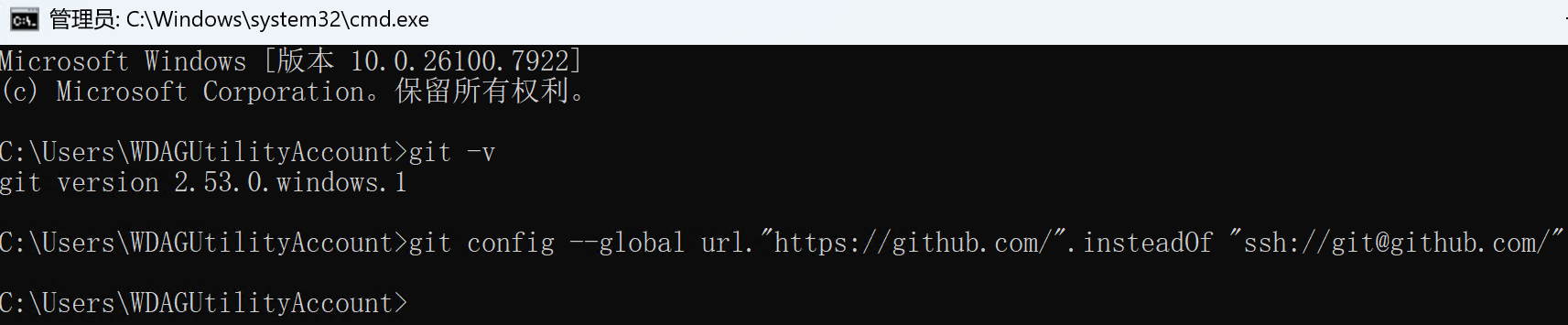
  2. 按 Win+R 键调出运行窗口,输入 cmd 并回车,在命令窗口输入git -v并回车,查看是否出现版本号,出现即安装成功

  3. 在出现版本号后输入git config --global url."https://github.com/".insteadOf "ssh://git@github.com/",这是在未配置 SSH 时防止报错的命令
三、安装OpenClaw

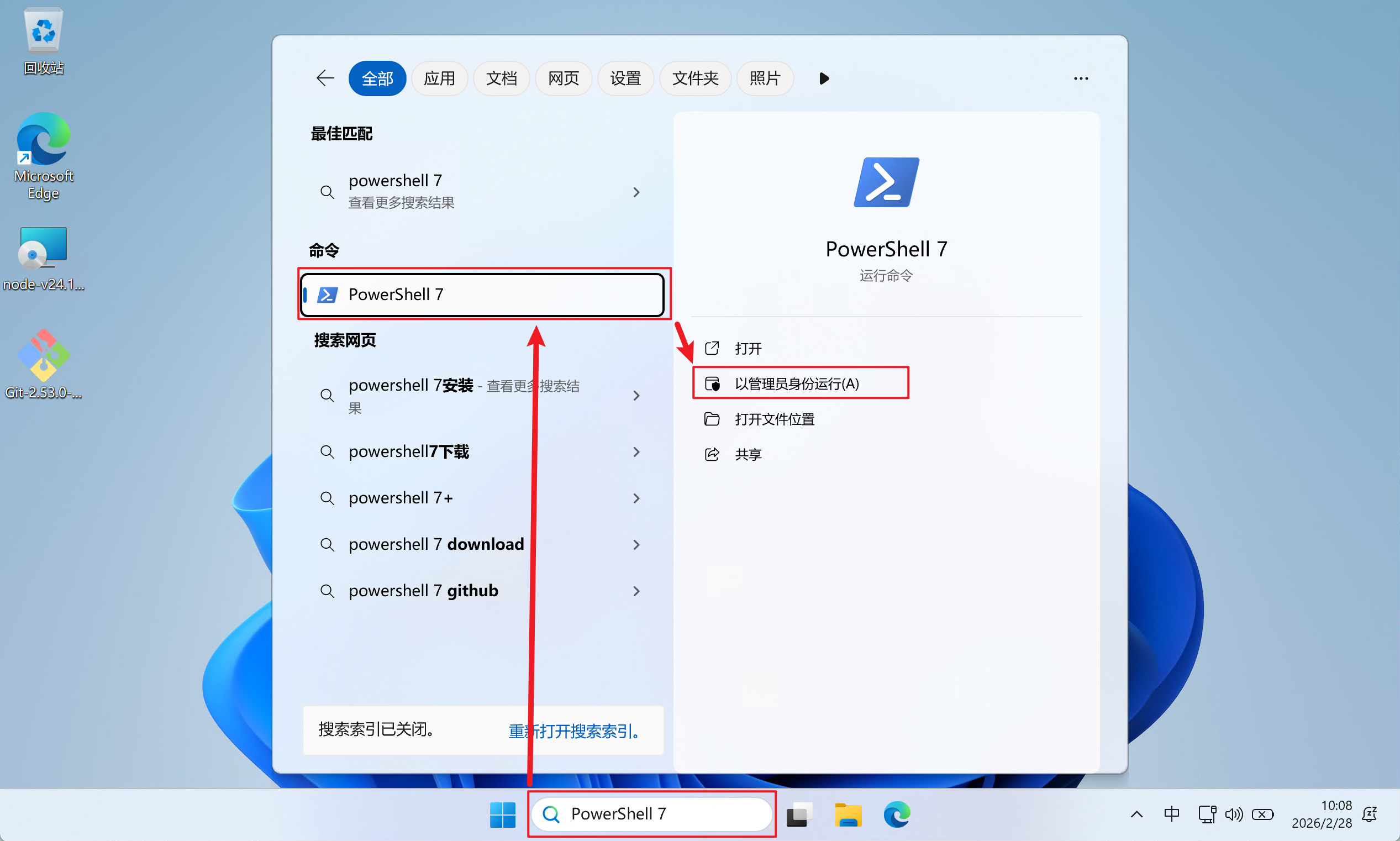
  1. 在搜索框搜索PowerShell 7并以管理员身份运行(避免使用 PowerShell 5 时的其他报错,建议使用 PowerShell 7)
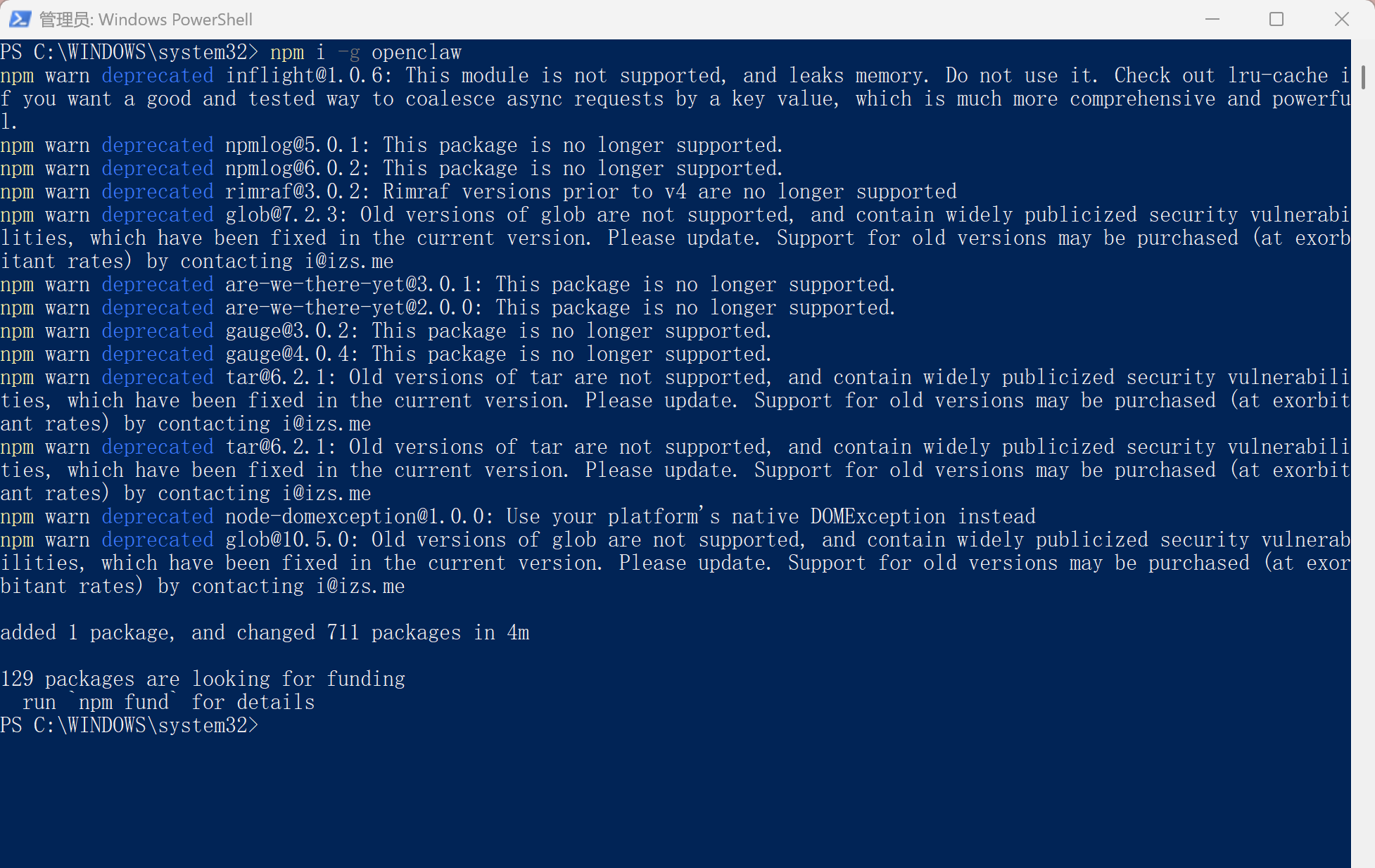
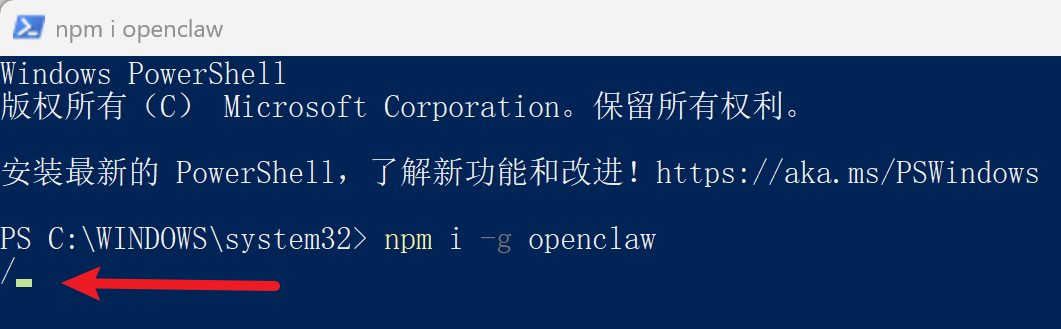
  1. 在 PowerShell 窗口中输入安装命令npm i -g openclaw并按回车,出现转动的“ / ”即正在安装,安装时间也比较久
    无法安装请先执行Set-ExecutionPolicy -ExecutionPolicy RemoteSigned -Scope LocalMachine
  2. 安装完成

4. 输入openclaw --version 验证是否安装完成,出现版本号即完成安装

四、配置OpenClaw

  1. 输入openclaw onboard并回车开始配置,使用左右方向键选择到Yes并回车
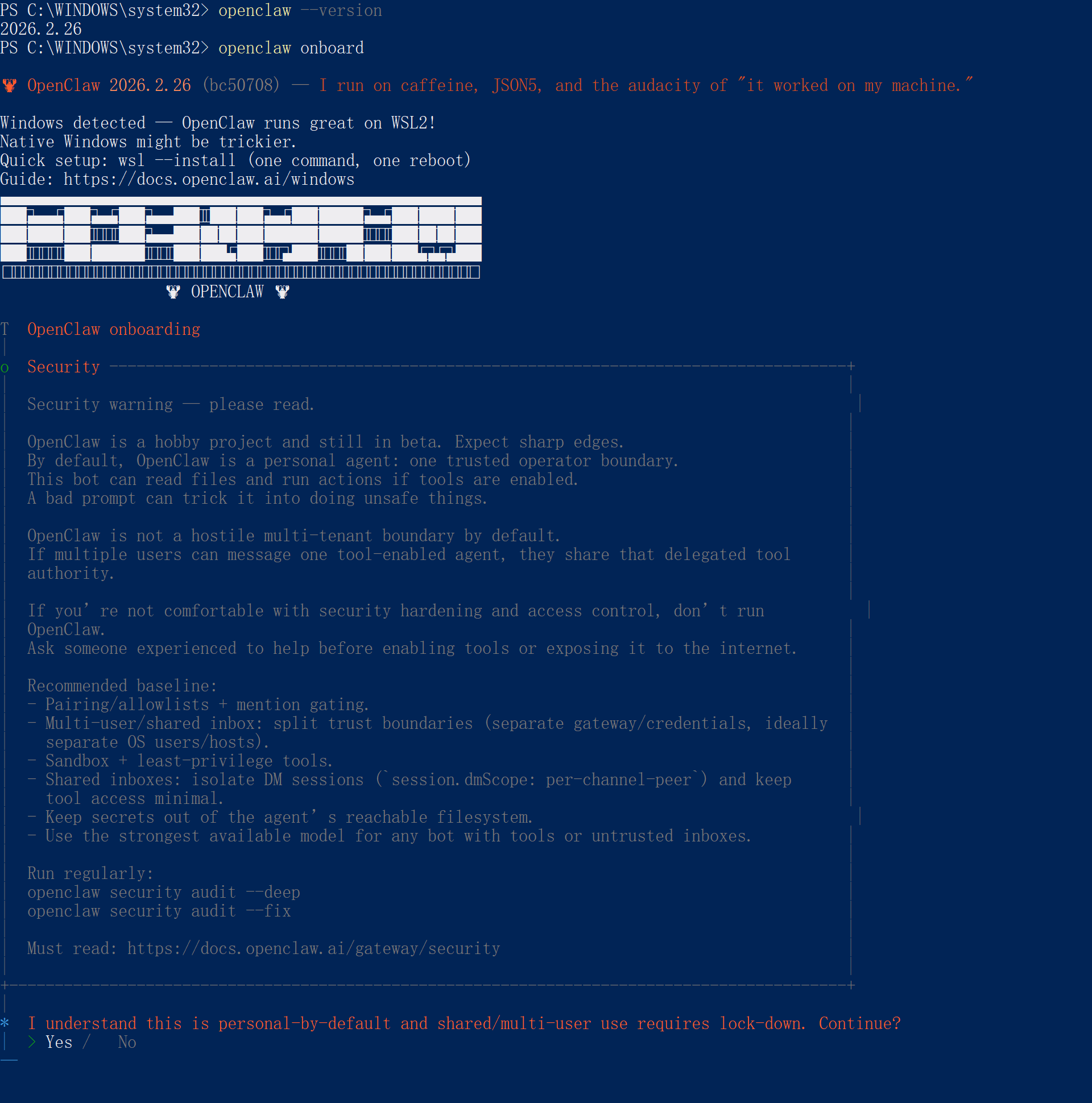
  1. 选择QuickStart进行快速配置

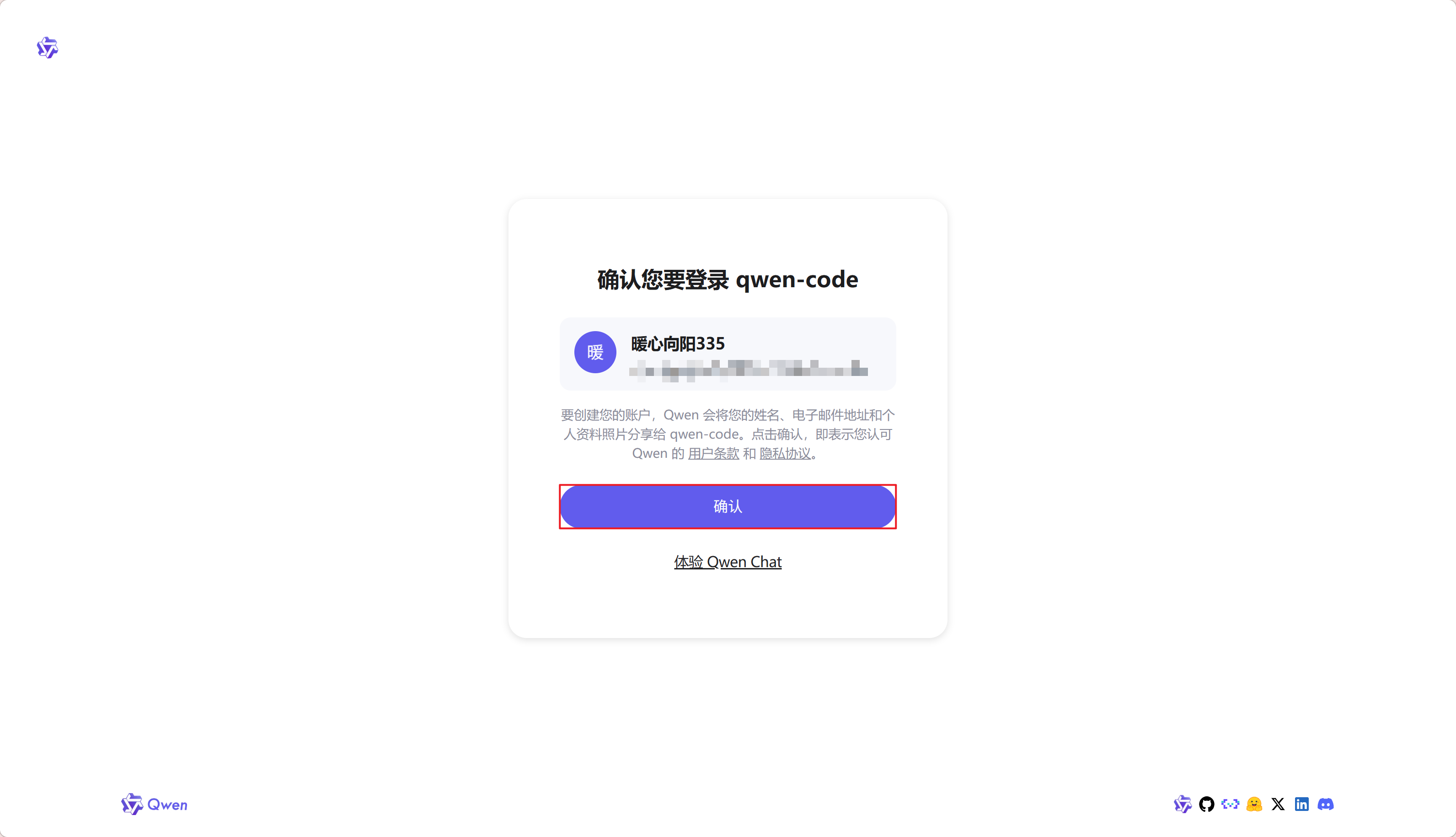
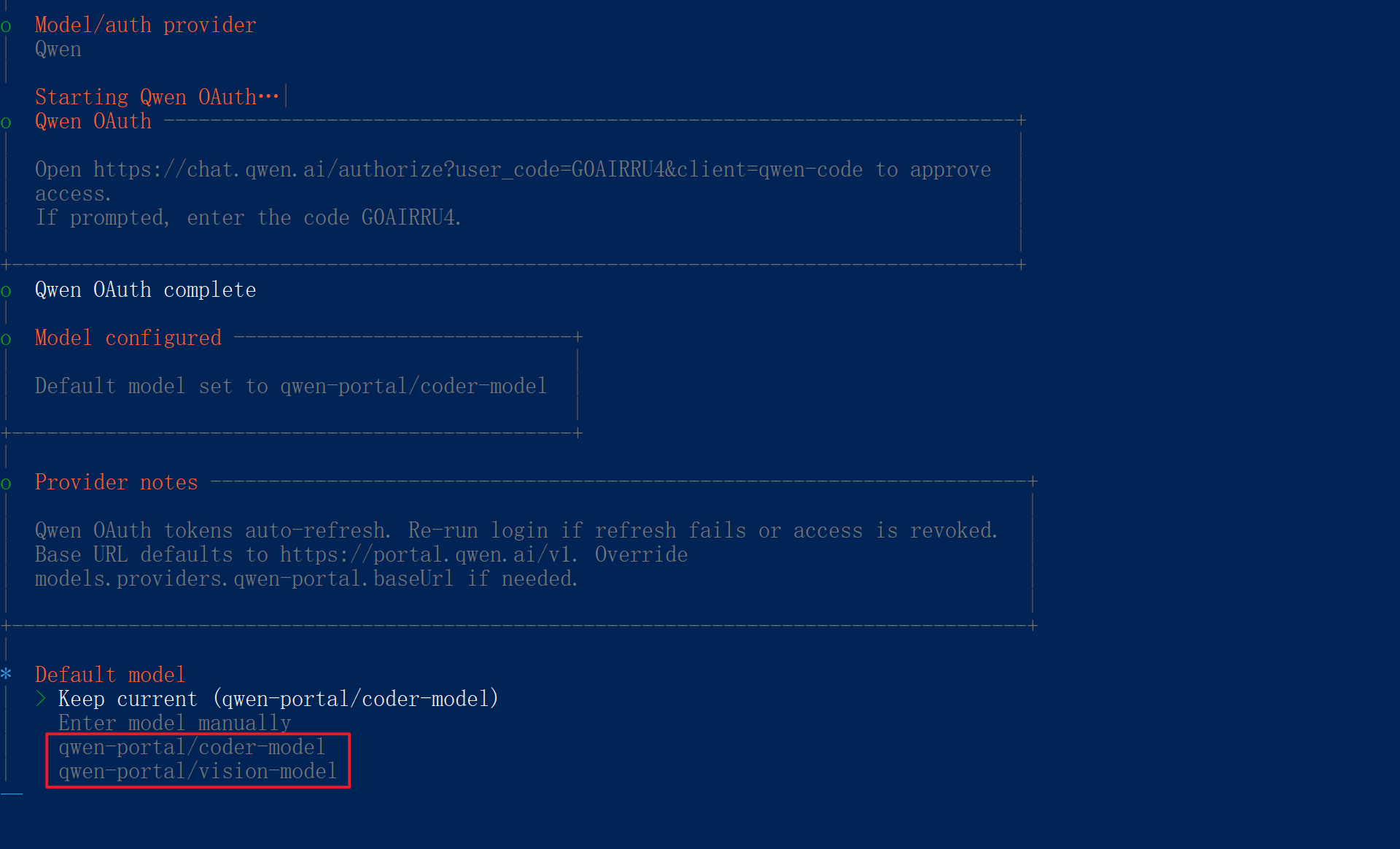
  1. 选择需要的 AI,本次演示使用 Qwen Chat 版(Qwen 的服务完全免费,请先前往Qwen Chat进行注册登录),选择 Qwen 并回车,自动进入授权网页,点击“确认”即可

  1. 选择一个模型,直接回车也可以(使用默认选择的模型)

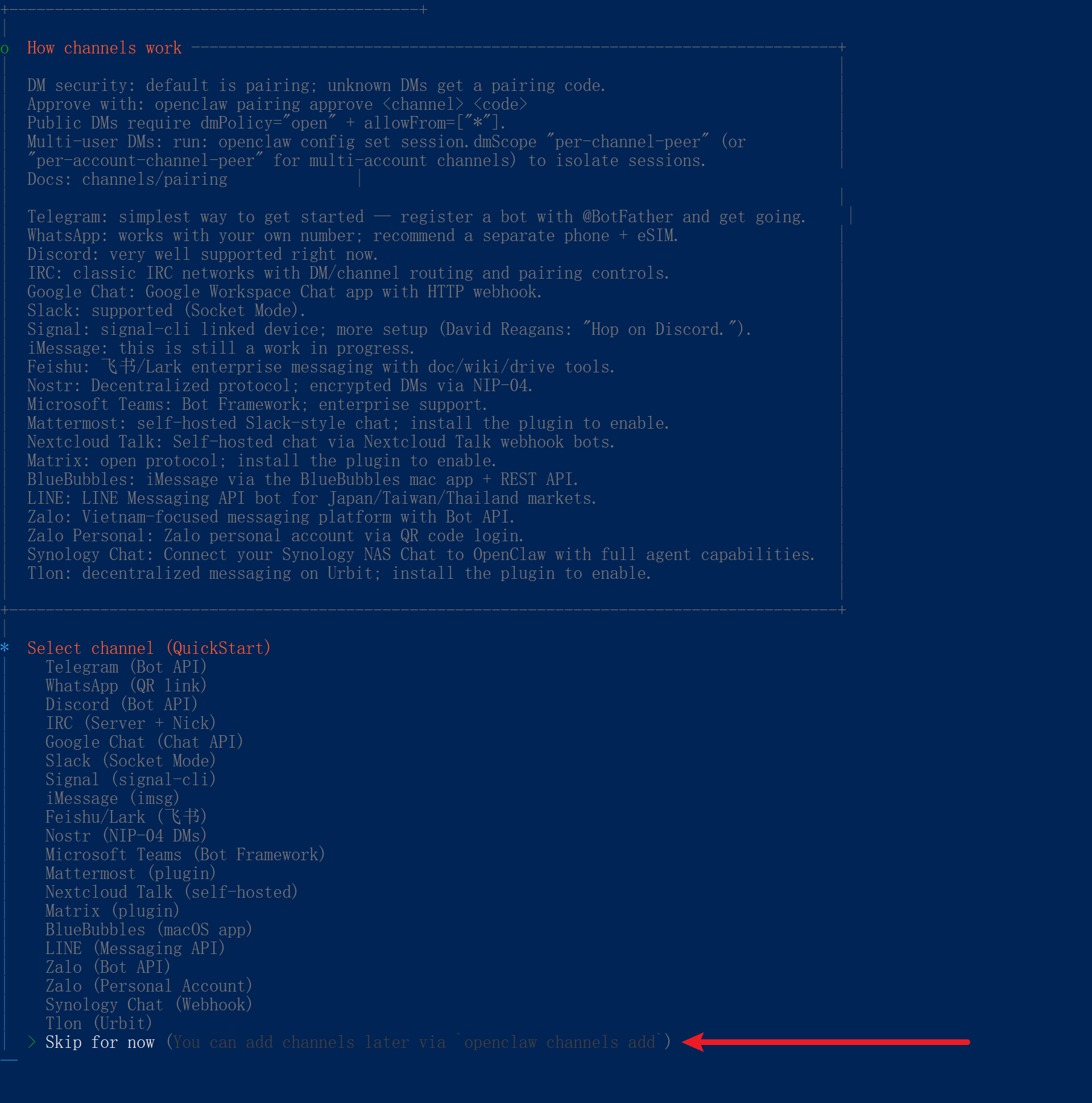
  2. 选择Skip for now跳过选择频道配置

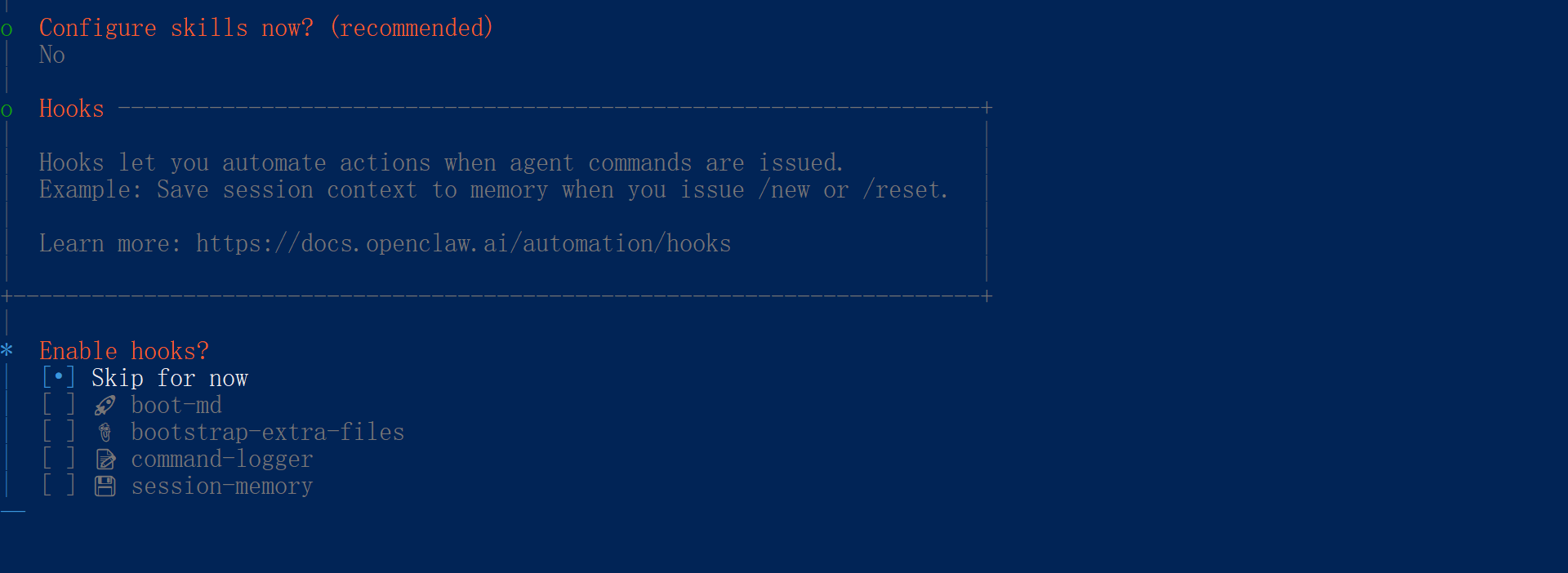
  1. 技能配置选择No

  1. 选择Skip for now按一下空格再按回车跳过

  2. 到此配置完成

五、部分命令

启动

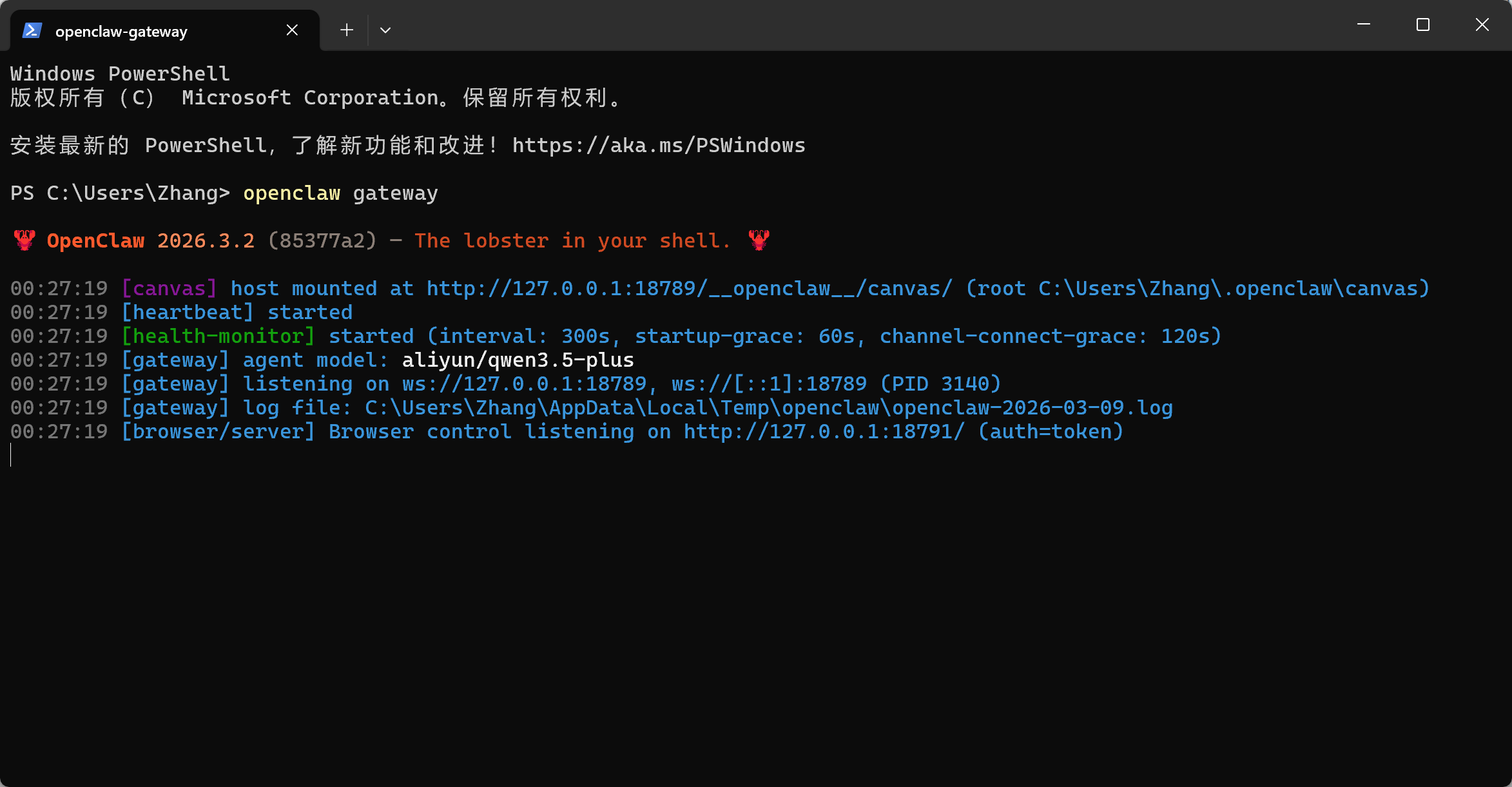
在 PowerShell 中运行openclaw gateway命令启动 OpenClaw(直接关闭命令窗口就是停止运行)
更新

在 PowerShell 中运行npm install -g openclaw@latest命令进行全局安装更新

更改模型

在 PowerShell 中运行openclaw configure --section model命令添加模型

如需添加像阿里云百炼、MiMo 等模型请选择 Custom Provider 添加自定义模型

自定义模型

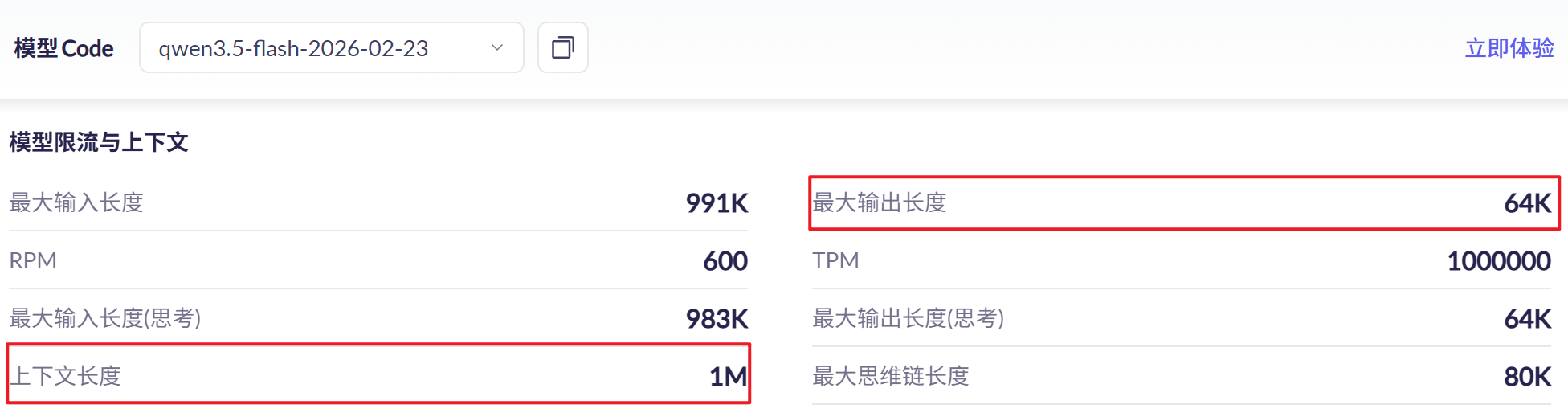
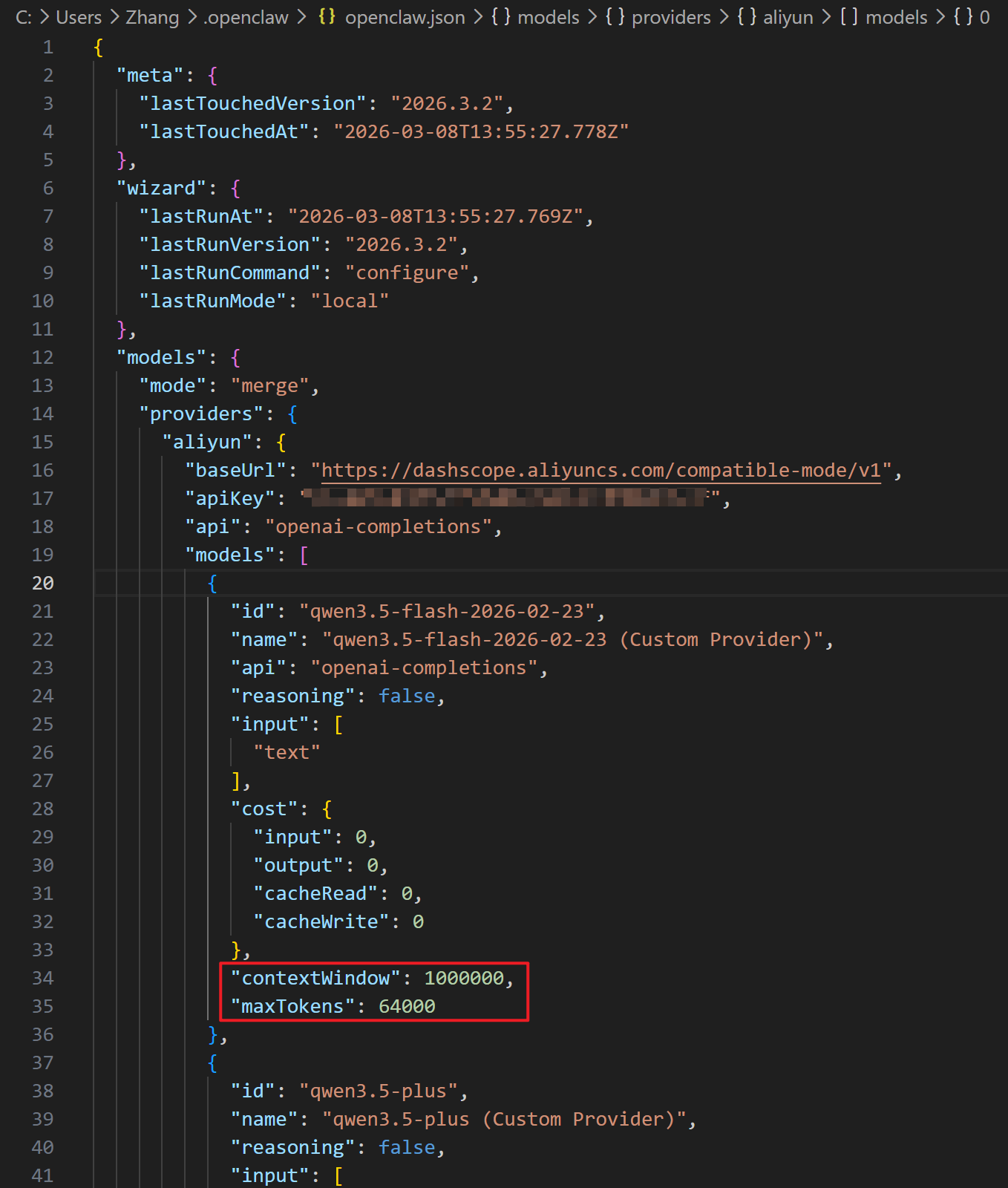
添加完自定义模型后,需要根据添加的自定义模型参数修改 "C:\Users\Zhang\.openclaw\openclaw.json" 文件中的 contextWindow 和 maxTokens,以阿里云为例子即上下文长度和最大输出长度
查看所有模型

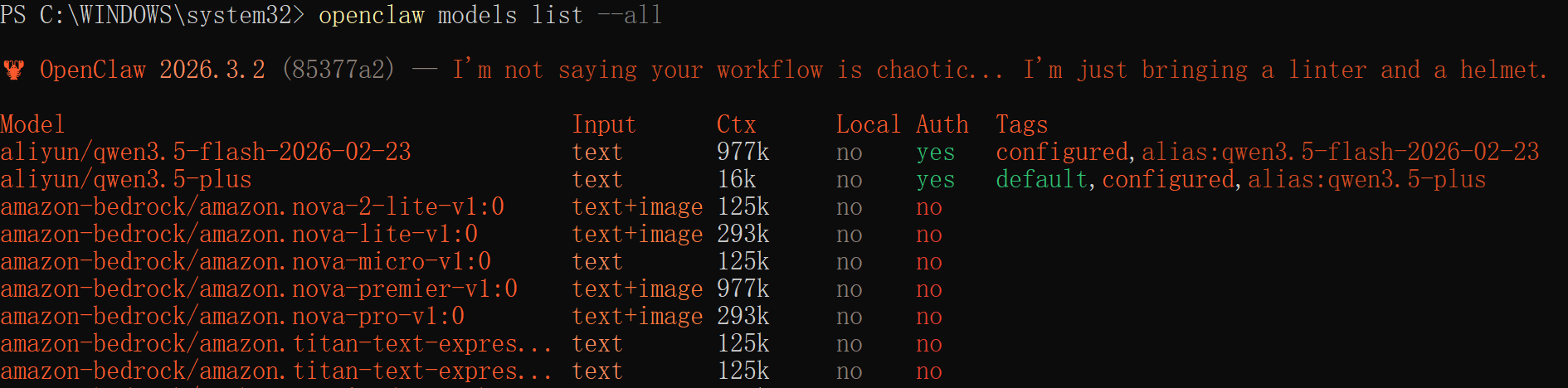
在 PowerShell 中运行openclaw models list --all命令查看所有模型
卸载

在 PowerShell 中运行npm uninstall -g openclaw命令卸载 OpenClaw