


Easyduino: Repository of Open Source PCB Devboards for KiCad
The Easyduino project is an effort to easily dive into different PCB designs of the most popular microcontroller devboards like Arduino, ESP32, Raspberry Pico and STM32 Bluepill (more to come!). Using the free and Open Source Software KiCad and adhering the best practices across the PCB and KiCad ecosystem. Also adding the much needed USB-C support!

The project was born out of the necessity to unify the wide variety of software, languages and conventions used in the most popular devboards. For example Arduino Uno was developed in 2010, Italy, using Eagle. The ESP32 devboard was developed in 2016, China, using Altium. The Raspberry Pi Pico 2040 was developed around 2021 in the U.K. using KiCad and Altium...
Available Development Boards
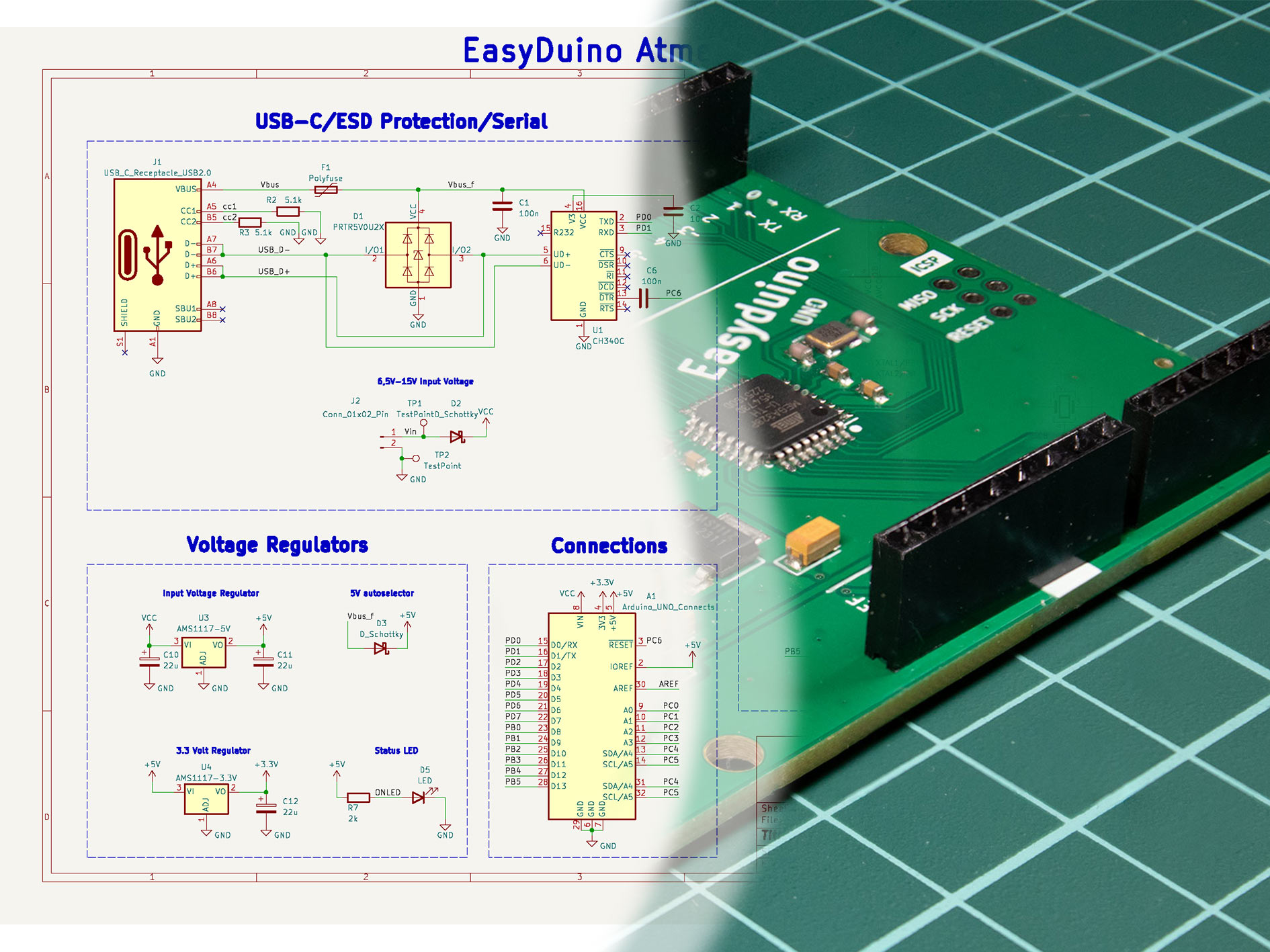
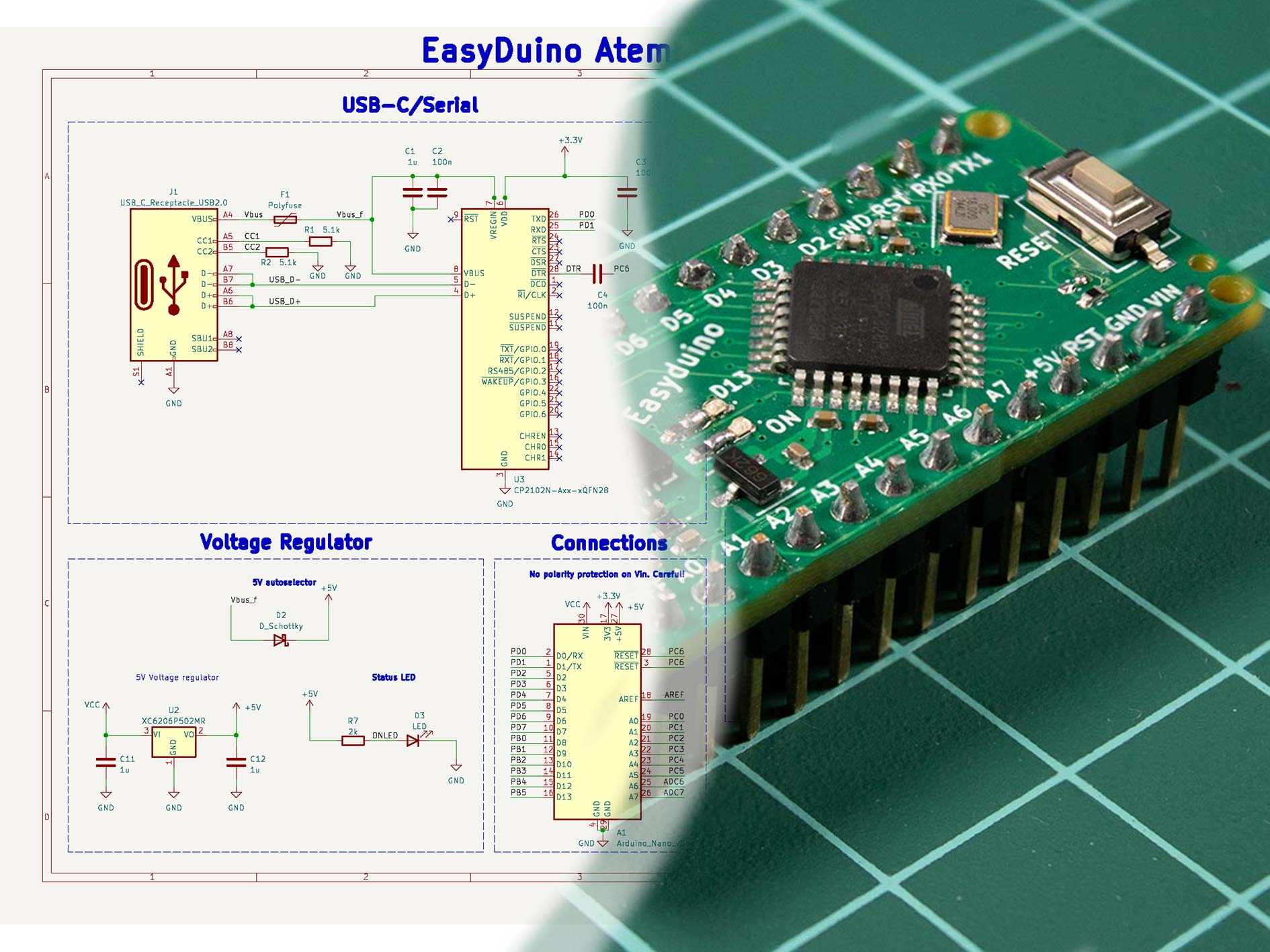
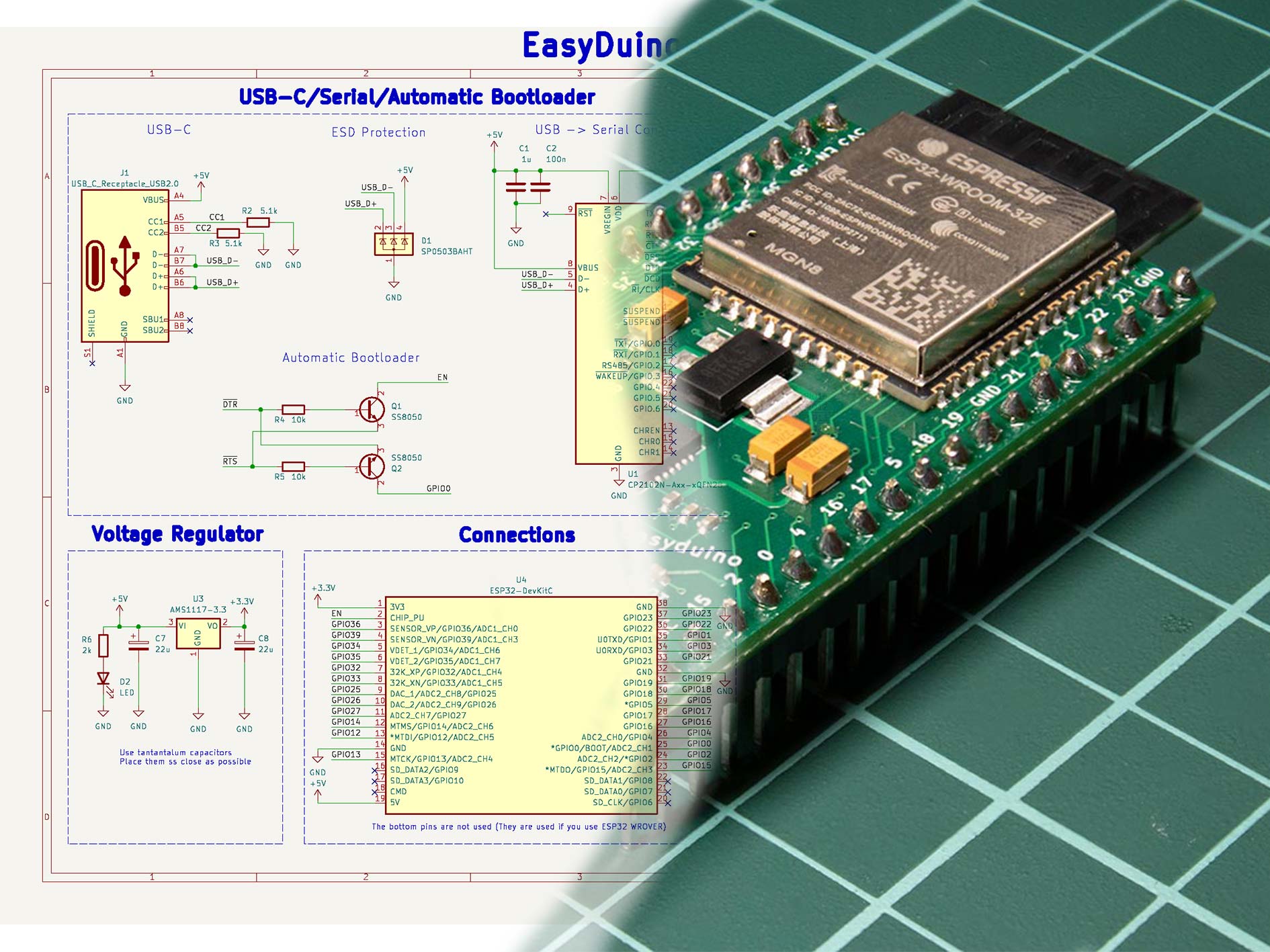
| Easyduino UNO | Easyduino Nano | Easyduino ESP32 |
|---|---|---|
 |
 |
 |
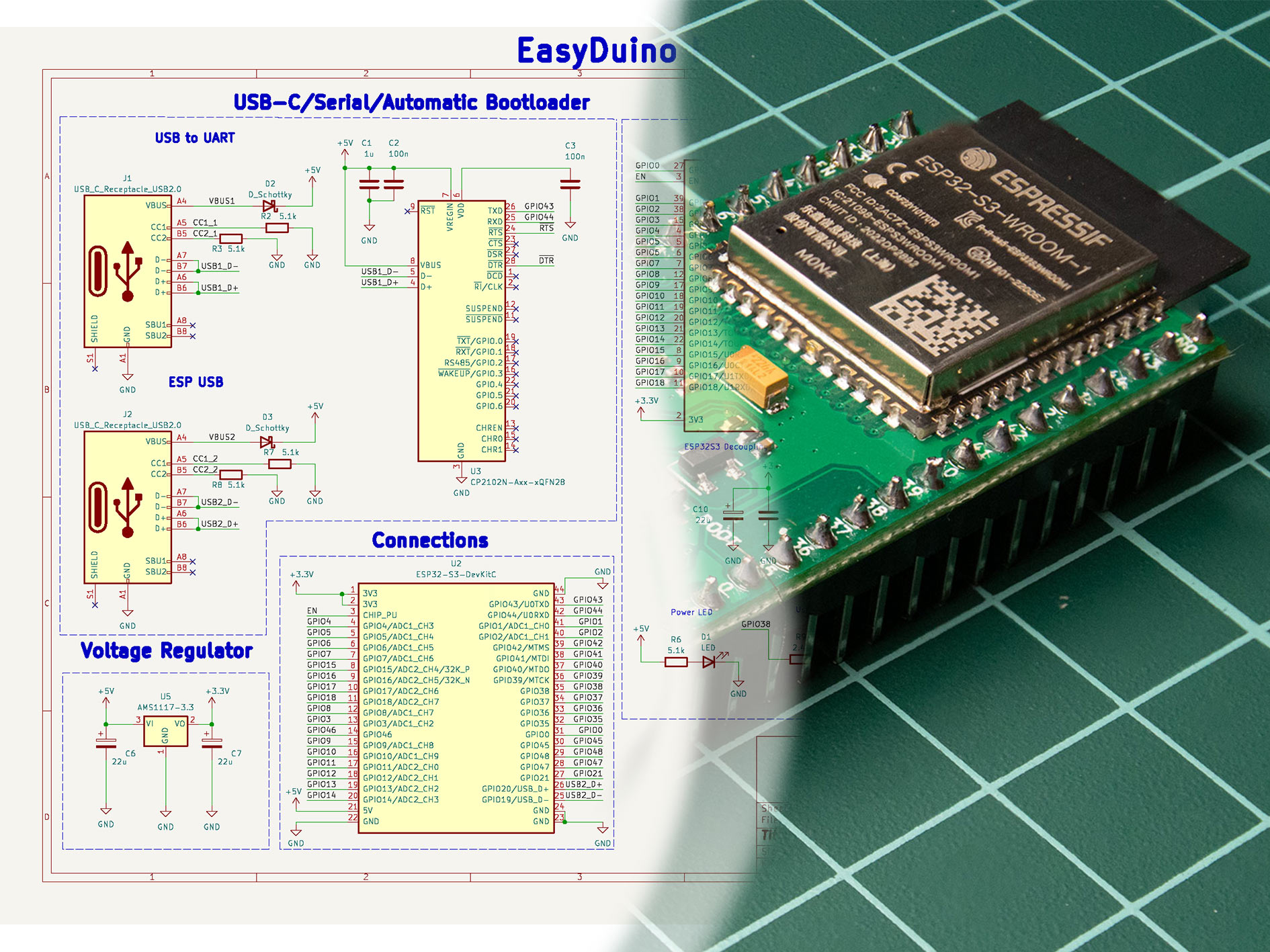
| Easyduino ESP32 S3 | Easyduino Pi Pico | Easyduino Bluepill STM32F103 |
|---|---|---|
 |
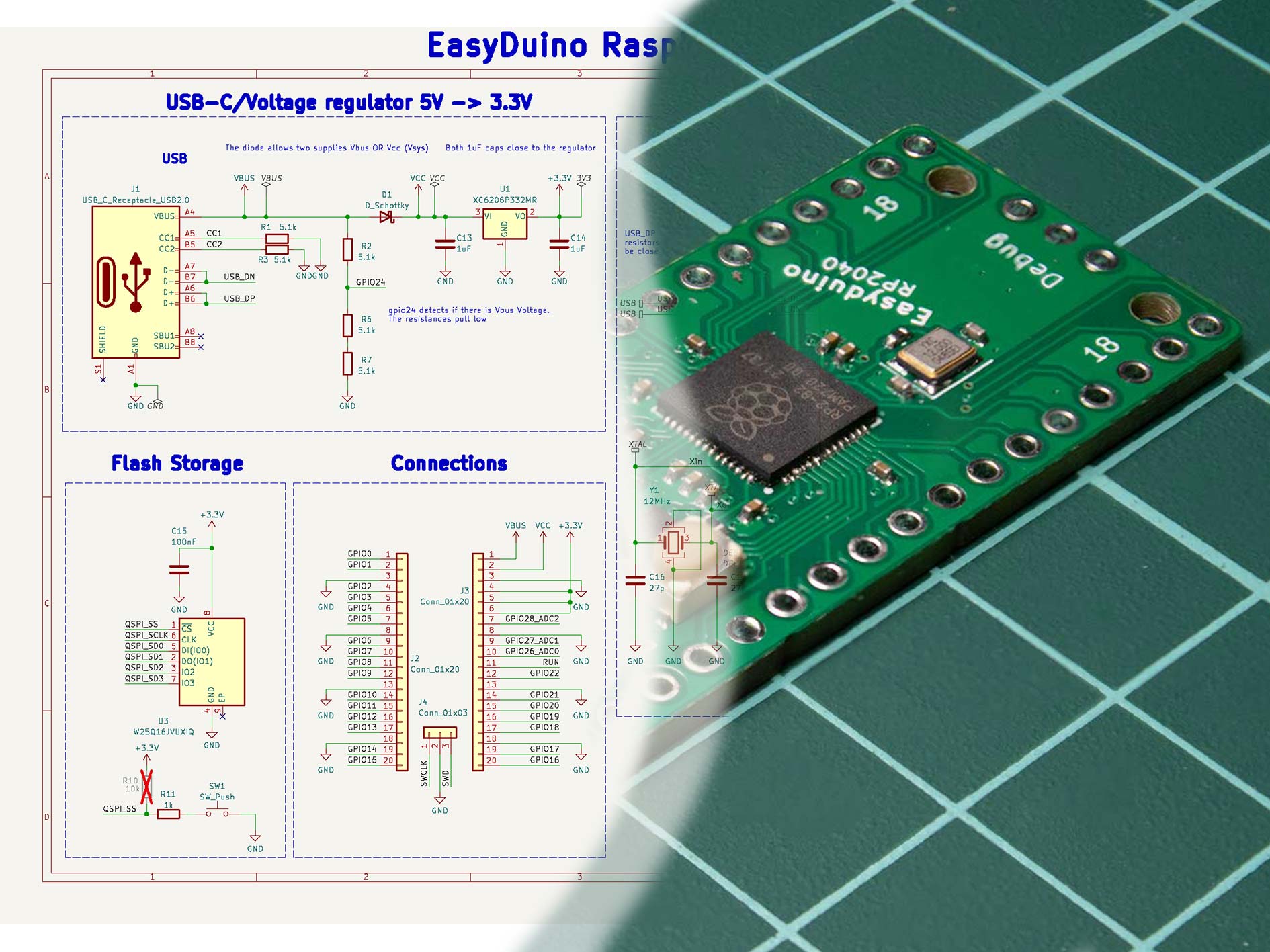 |
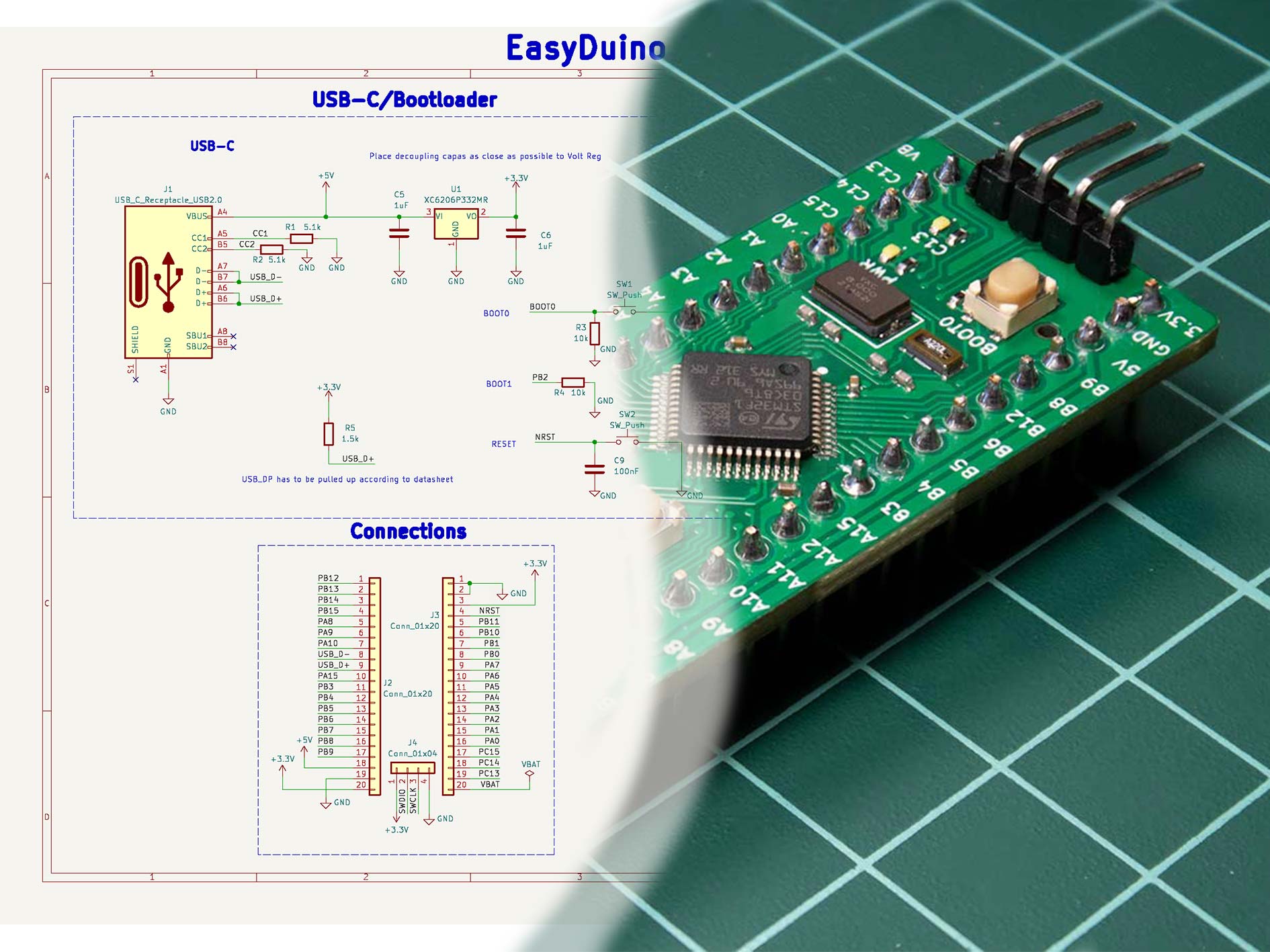 |
The outline, pinout, layout and components have been tried to be replicated with respect to the originals, in all of the boards. With various levels of success.
Some boards, like the Raspberry Pi Pico use 01005 components which are too expensive for the manufacturer to integrate in the PCB Aseembly line. Some other components like the original Arduino UNO USB to Serial converter, an Atmega16u2, were hard to come by during the development of this project ~January 2023, so more readily available options were chosen. All the differences with the original boards are explained inside the folder of each project in a readme file.
4 layers of copper have been used in all projects to simplify the wiring. Specifically the JLC04161H-7628 stackup.
The PCB constraints of the manufacturer JLCPCB are explained here
Structure of each project
Each project consists of:
- Main KiCad files (.kicad_pro, .kicad_sch...)
- A readme explaining the specifics of that project
- xxx.pretty or xxxlibraries folder which contains the non standard footprints or schematic parts used in the project (Some projects such as the Arduino UNO only use standard libraries, therefore these folders don't exist)
- The Outputs folder: All the data produced by the KiCad Jobset like Gerbers, PDFs, ERC, BOM, CPLs...
- The ProductionFiles folder which includes files such as:
- BOM: This folder contains both the list of components and the Centroid File in JLCPB readable format
- Datasheets: all the datasheets of the main components used in the project. Datasheets of easily replaceable components such as Resistors, Capacitors and LEDs are not given
- Gerbers: A zip file with all of the manufacturing gerber files such as Copper/Mask/Silkscreen layers
- PDFs: PDF and PNG files of the Schematic and PCB
- Photos: Some photos of the manufactured PCB as well as some renders
Using the project
- Install the latest version of KiCad
- If you already have KiCad installed, click the upper right button in this github page
<>Code, clickDownload ZIP, extract the files in your desired folder. If you know how to use git, clone the repository - Double click on the xxx.kicad_pro file inside any project and KiCad will start
This project was developed using KiCad v8.0.0, but has been updated and tested with KiCad v10. Including the creation of Jobsets which massively simplfies creating gerbers and BOMs.
Since this is a collection of projects, the new KiCad v10 Git utilities don't work properly with each project, forcing you to git add the whole project if you want to make a change.
If you'd rather just consult the schematics or the gerbers. They are located inside the ProductionFiles folder of each project. Inside the PDFs and Gerber folders.
Contributing
If you spot any mistakes inside any of the projects. Either open an issue and I will try to correct it or fork and merge the correction.
If you plan on developing any other development boards and wish to merge into the project. Please try to use the same style and conventions as the original ones in the schematic. Positive voltages facing up, text being clearly readable, a references page, similar folder structure.
To do list:
- Order and test the v1.1 RP2040 board. (In v1.0 I mixed some pins in the Flash and couldn't boot up).
- Order and test the v1.1 ESP32S3 board. (In v1.0 I forgot to add PullUp and PullDown in RST and SUSPEND CP2102).
- Investigate and think about a popular NXP devboard to implement.
- Investigate other possible microcontrollers/SOCs to implement.
Acknowledgments
Thanks to winsrrow for providing KiCad tips and designing from the ground up the v1.1 RP2040 board.
Licensing
This project is distributed under the CERN Open Hardware Licence Version 2 - Permissive which means you are free to use any or all parts of this project with or without disclosing the source, even for comercial projects. As long as you include a copy of the CERN OHLv2 Permissive Licence.