July 10, 2019 — Chris Foster
One of the best things about working in full stack consulting is that I get to work with a great number of developers with different skill levels in companies from various sizes and industries. This provides an opportunity to see what universal struggles come up. One that seems common and relevant recently is this: Too many web developers do not understand how CORS works.
This seems particularly timely to point out because of the recent Zoom vulnerability. Security researcher Jonathan Leitschuh found Zoom has a web server listening on the machine at http://localhost:19421. When you load a Zoom link, Zoom’s website sends a request to the localhost webserver and tells it to open up the native Zoom app. The whole article is worth a read, but these parts stuck out to me:
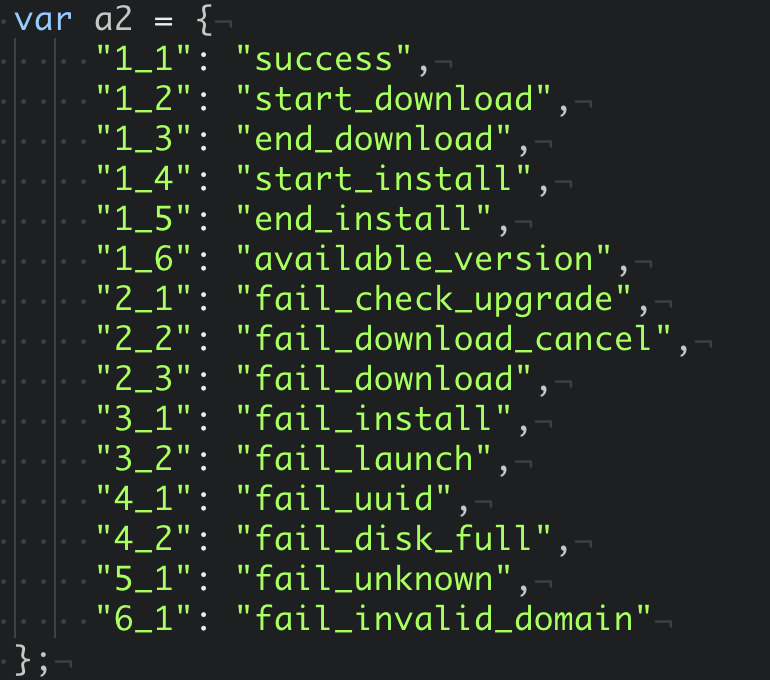
I also found that, instead of making a regular AJAX request, this page instead loads an image from the Zoom web server that is locally running. The different dimensions of the image dictate the error/status code of the server. You can see that case-switch logic here.
One question I asked is, why is this web server returning this data encoded in the dimensions of an image file? The reason is, it’s done to bypass Cross-Origin Resource Sharing (CORS). For very intentional reasons, the browser explicitly ignores any CORS policy for servers running on localhost.
That last sentence is incorrect – Chrome does respect CORS headers for localhost webservers. If you’re a web developer you’ve probably done this when you have Create React App with your frontend app on one port and your backend API on another port. Your app is making cross origin requests against localhost, and this is supported in all browsers.
What this says to me is that Zoom may have needed to get this feature out and did not understand CORS. They couldn’t make the AJAX requests without the browser disallowing the attempt. Instead, they built this image hack to work around CORS. By doing this, they opened Zoom up to a big vulnerability because not only can the Zoom website trigger operations in the native client and access the response, but every other website on the internet can too.
So what would a secure implementation of this feature look like? The webserver listening in on localhost:19421 should implement a REST API and set a Access-Control-Allow-Origin header with the value https://zoom.us. This will ensure that only Javascript running on the zoom.us domain can talk to the localhost webserver. Further, to stop pages being able to open Zoom meetings automatically in the background zoom.us should have a Content Security Policy header that blocks rendering within an iframe.
This still leaves the vulnerability that any page can redirect your browser to a zoom.us link for a meeting that you didn’t expect, but this is a user experience decision that Zoom has made rather than a software vulnerability. Personally, I think the approach is wrong here too. They mention they desired a better user experience by opening the application directly, but one of the rules of good user experience design is that your software must be predictable.
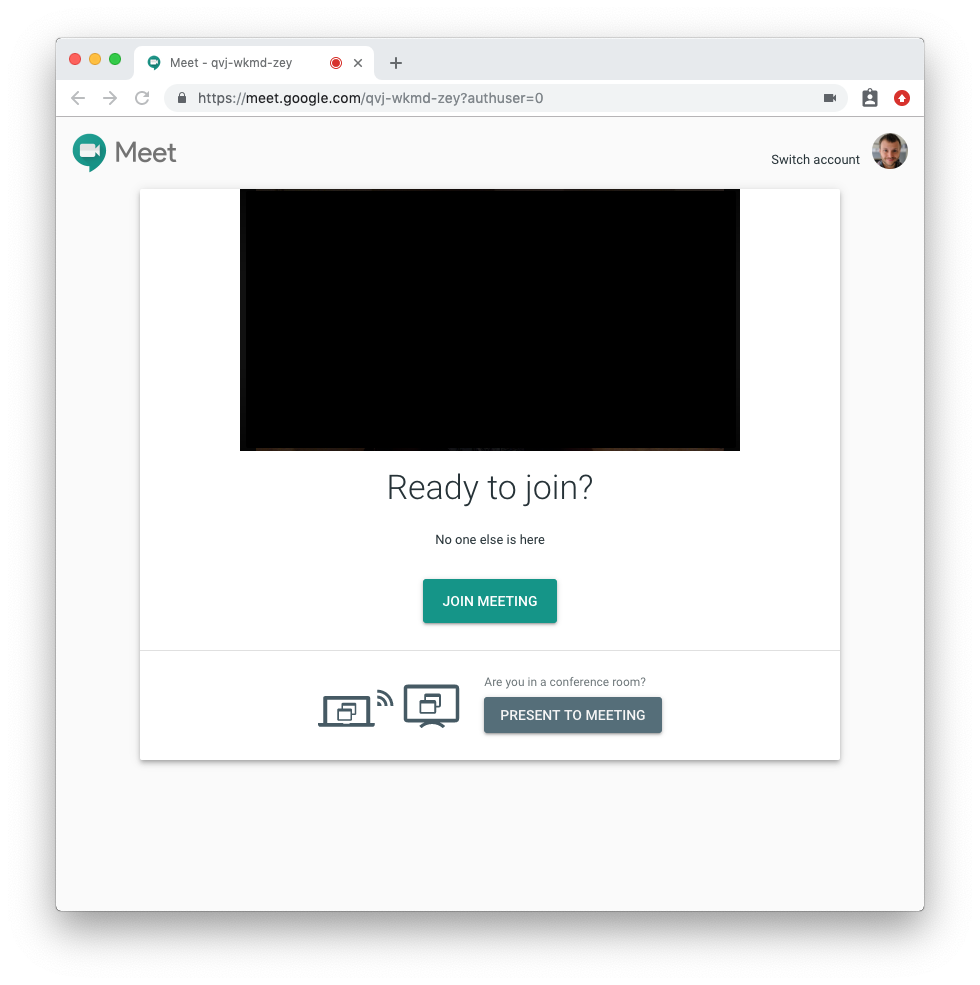
If I am clicking a link, I expect that it will not suddenly make my camera and microphone available to people I do not know. Zoom is breaking this expectation. Even if they don’t want the built-in browser popup for UX reasons, put this popup in-app! Google Meet does this well:
I don’t want to take away from the CORS focus of this post. Regardless of the user experience side of the argument, running a webserver on localhost is a risky endeavour to begin with. It should absolutely not be providing privileged access to functions, such as installing software, to every website on the internet. CORS enables you to securely do this – don’t hack around it!
I can’t know for sure if failure to understand CORS is why Zoom implemented the feature this way. However, I’ve talked to a few people and none of us can collectively find any legitimate reason to implement their existing approach. On reddit, lerunicorn did find and suggest that Firefox may block XHRs from secure to non-secure origins which could explain the motivation behind this approach. However, Firefox supports this when the origin is localhost. Further, native apps can generate a unique self-signed certificate. Alternatively, they could have used a browser extension. In any possible case, this is not a valid reason to forget to filter origins.
It’s not just Zoom. Anecdotally, lots of developers I’ve talked with don’t understand well how CORS works. There’s also very a generous quantity of examples from questions on Stack Overflow. Unfortunately, these are often paired with pages that recommend very insecure defaults like this one in express which would make your application vulnerable if copied verbatim. Other vendors have been caught with the exact same vulnerability found in Zoom.
Developers just want to get their code to work, and bypassing the same-origin policy entirely might get it to work, but when someone finds out what you’ve done you’ll get problems like Zoom has now.
I’ve seen CORS confusion from both experienced and new developers. Is the CORS API too complex and confusing, or do we only need better developer education around issues like CORS and CSP? I’m not sure, but the current approach definitely doesn’t seem like it’s working.
此内容由惯性聚合(RSS阅读器)自动聚合整理,仅供阅读参考。 原文来自 — 版权归原作者所有。