
惯性聚合 高效追踪和阅读你感兴趣的博客、新闻、科技资讯
阅读原文 在惯性聚合中打开

推荐订阅源

H
Help Net Security
腾讯CDC
爱范儿
爱范儿
Google DeepMind News
V
V2EX
Blog — PlanetScale
Blog — PlanetScale
Engineering at Meta
Engineering at Meta
GbyAI
GbyAI
量子位
F
Fortinet All Blogs
G
Google Developers Blog
T
The Blog of Author Tim Ferriss
Cyber Security Advisories - MS-ISAC
Hugging Face - Blog
Hugging Face - Blog
Last Week in AI
Last Week in AI
T
Tailwind CSS Blog
J
Java Code Geeks
S
SegmentFault 最新的问题
D
Docker
博客园 - 司徒正美
The GitHub Blog
The GitHub Blog
Jina AI
Jina AI
M
MIT News - Artificial intelligence
博客园 - 【当耐特】

Hacker News

GitHub - SeanFDZ/macmind: Single-layer transformer in HyperTalk for the classic Macintosh Show HN: Agent-cache – Multi-tier LLM/tool/session caching for Valkey and Redis Bonsai 1-bit WebGPU - a Hugging Face Space by webml-community Moving a large-scale metrics pipeline from StatsD to OpenTelemetry / Prometheus GitHub - Nightmare-Eclipse/RedSun: The Red Sun vulnerability repository GitHub - SethPyle376/hiraeth: Local AWS emulator focused on fast integration testing, with SQS support, SQLite-backed state, and a debug-friendly web UI. GitHub - macOS26/Agent: Any AI, replaces Claude Code, Cursor, OpenClaw. Over 18 LLM providers (Claude, OpenAI, Gemini, Ollama, Zai, HF, Qwen) wired into a native Mac app that writes code, builds Xcode projects, bumps versions, manages git, automates Safari, use AppleScript, JS or Accessibility, extend Agent! w/ MCP Servers, run tasks from your iPhone via Messages. YouTube now lets you turn off Shorts I Made a Terminal Pager Burgers | マクドナルド公式 Commands — HackerNews CLI documentation ChatGPT for Excel PiCore - Raspberry Pi Port of Tiny Core Linux Live Nation illegally monopolized ticketing market, jury finds Google Broke Its Promise to Me. Now ICE Has My Data. Founding Engineer at Adaptional | Y Combinator CRISPR takes important step toward silencing Down syndrome’s extra chromosome GitHub - saffron-health/libretto: The AI toolkit for building reliable browser automations US v. Heppner (S.D.N.Y. 2026) no attorney-client privilege for AI chats [pdf] Retrofitting JIT Compilers into C Interpreters IPv6 – Google The Accursèd Alphabetical Clock Cybersecurity Looks Like Proof of Work Now Fragments: April 14 Cal.com Goes Closed Source: Why AI Security Is Forcing Our Decision | Cal.com - Scheduling Software for Online Bookings Laravel raised money and now injects ads directly into your agent When moving fast, talking is the first thing to break Too much Discussion of the XOR swap trick – Heather Cafe Introduction to Spherical Harmonics for Graphics Programmers The Grand Line
GitHub - pion/rtwatch: Watch videos with friends using We...
2026-05-09 · via Hacker News

Watch videos with friends using WebRTC, let your backend do the pausing and seeking.
Pion webrtc Slack Widget
Go Report Card License: MIT

Using Pion WebRTC and GStreamer you can now watch videos in real-time with your friends. Watch your favorite movie perfectly synchronized with multiple viewers. If someone pauses it pauses for everyone, and no one can and no one fast forward only their video.

rtwatch is different then any other solution because all state is stored on the backend. Only the current audio/video frame is being sent to the viewers, there is no way they can download/cache the videos either for future usage.

Instructions

Docker

This requires host networking to be enabled. By default it is off on macOS at this time. By default this will work on Linux out of the box.

git clone https://github.com/pion/rtwatch.git
cd rtwatch
docker build . -t rtcwatch
docker run --net=host -it rtcwatch

Install GStreamer

Debian/Ubuntu

sudo apt-get install libgstreamer1.0-dev libgstreamer-plugins-base1.0-dev gstreamer1.0-plugins-good gstreamer1.0-plugins-bad gstreamer1.0-plugins-ugly

Windows MinGW64/MSYS2

pacman -S mingw-w64-x86_64-gstreamer mingw-w64-x86_64-gst-libav mingw-w64-x86_64-gst-plugins-good mingw-w64-x86_64-gst-plugins-bad mingw-w64-x86_64-gst-plugins-ugly

Error Handling

pkg-config --cflags -- gstreamer-1.0 gstreamer-app-1.0 pkg-config: exec: "pkg-config": executable file not found in %PATH%

After gstreamer installation,SET the PATH variable to C:/{path to gstreamer}/bin

Sorry, unimplemented: 64 bit mode not compiled in

RUN $ g++ -v

CHECK Target- x86_64-w64-mingw32(Required).

if not Download using this

macOS

brew install gst-plugins-good pkg-config gst-plugins-bad gst-plugins-ugly
export PKG_CONFIG_PATH="/usr/local/opt/libffi/lib/pkgconfig"

Download and build rtwatch

git clone https://github.com/pion/rtwatch.git
cd rtwatch
go build .

Play your video

./rtwatch -container-path=/home/sean/video.mp4
> Video file '/home/sean/video.mp4' is now available on ':8080', have fun!

rtwatch uses uridecodebin so you can launch it with a URI.

./rtwatch -container-path='https://ia800207.us.archive.org/15/items/BigBuckBunny_124/Content/big_buck_bunny_720p_surround.mp4'

Watch your video with friends!

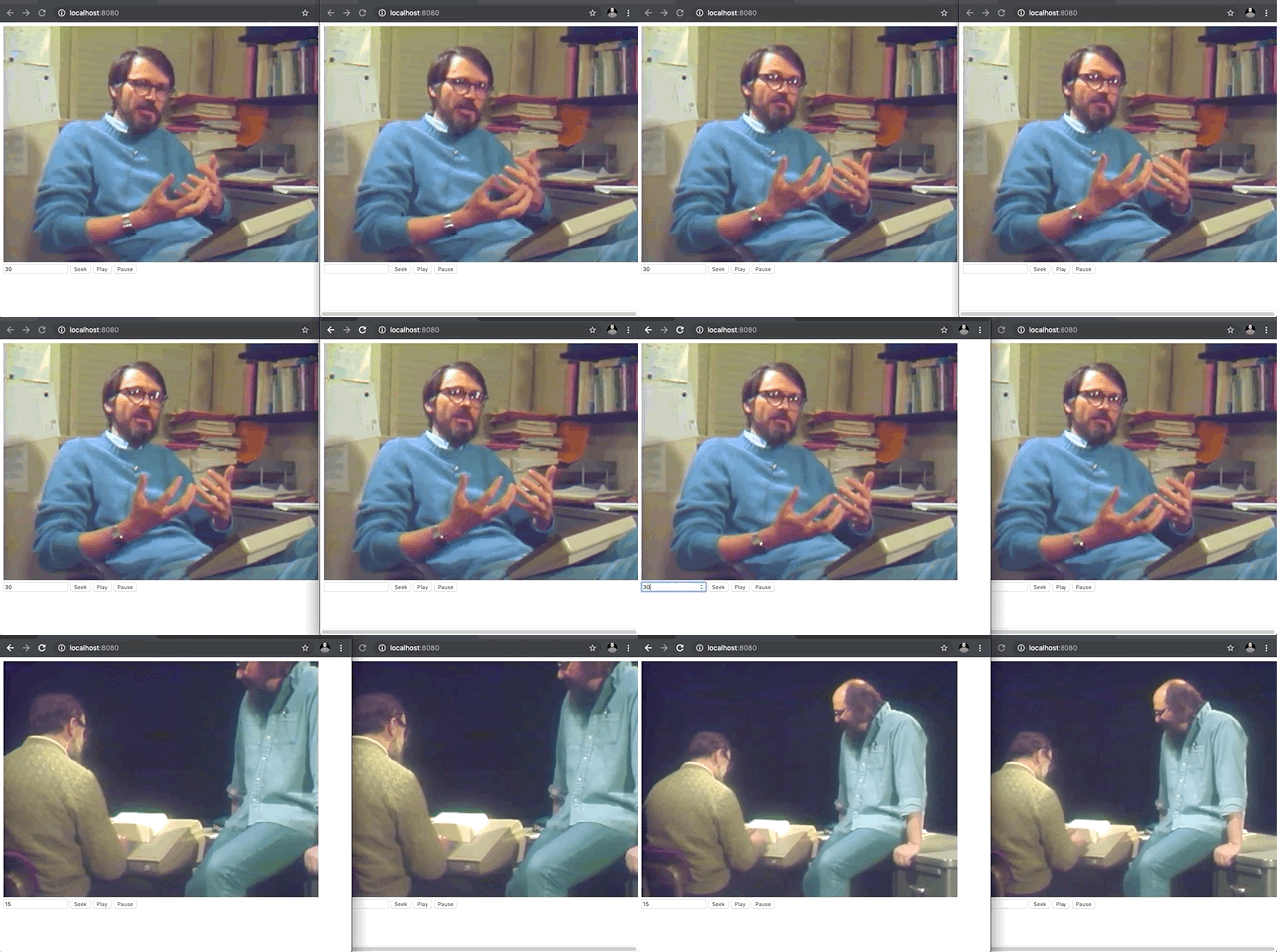
Open http://localhost:8080 and hit play. Open it in multiple tabs so you can see how it syncs between multiple viewers.

You also have the option to Seek/Play/Pause! Press those buttons and watch the video state change for every viewer at the same time.
