






For years, my desk was pushed against the wall. I would sit in front of it, look at the wall, and work. It was fine, and I never really questioned it.
After a recent trip to Hamburg, visiting various museums and exhibitions, something struck me. I hadn’t seen a single desk that was facing the wall. Almost every single desk was in the middle of the room, and facing the room itself.
Once I was back from my trip, I rotated the whole setup for my desk, and flipped it. Now my desk is facing the room. My back is against the wall, I can see the door, and I have the rest of the room in my field of view. It is a small change, but the space feels very different. I should have done this earlier.
From time to time people still message me of my desk photos that appeared on Instagram or X. Those photos are old now, and I actually changed my room setup quite a bit. The room looks different, and the desk has changed as well. Over the last months I started to think more carefully about what I want from a desk and how I spend time around it.
Rethinking the desk
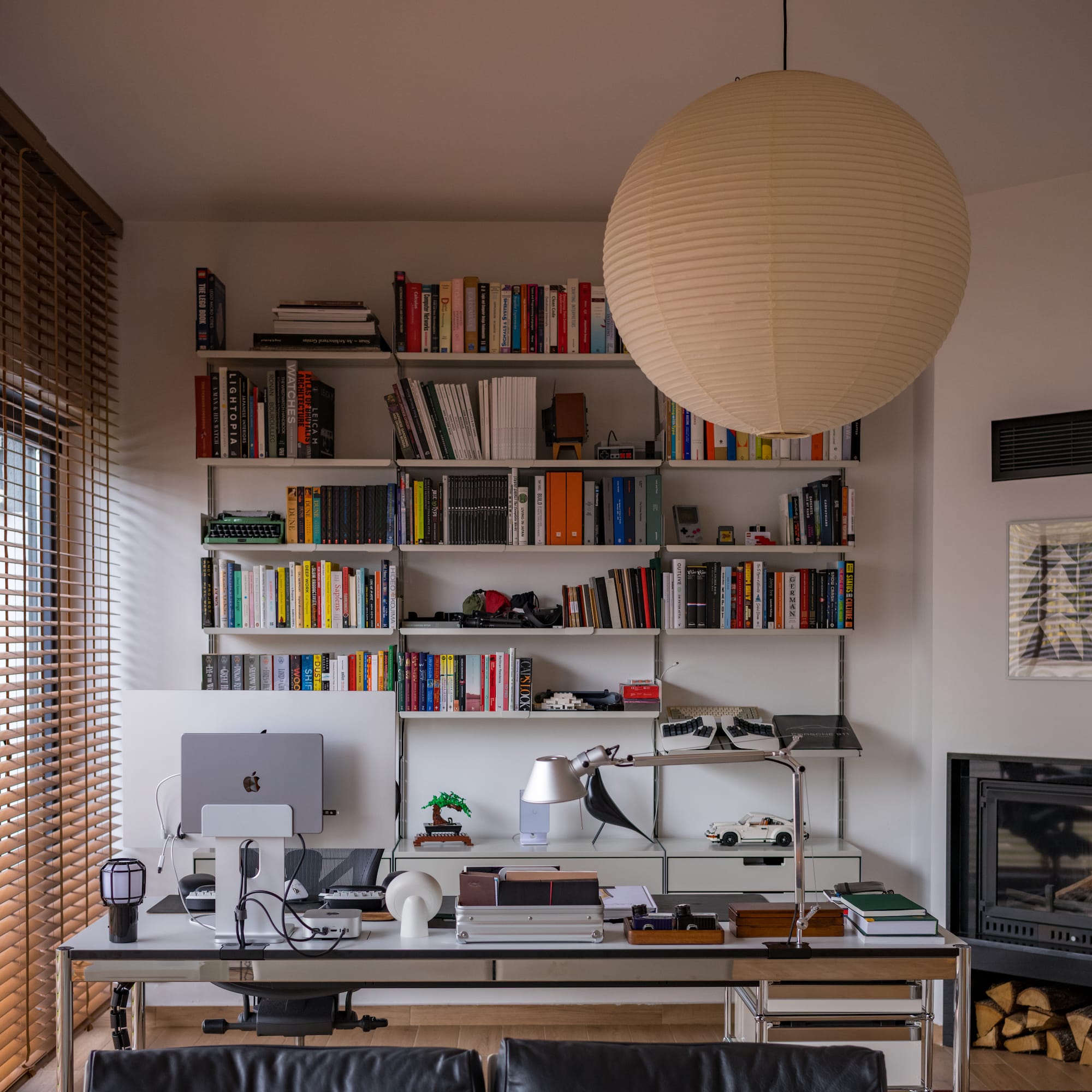
Instead of having a single, tech only desk, I now use one large desk that is split into two parts: a digital side and an analog side.
For a long time my idea of a desk was simple: a place for a computer, monitor, keyboard, mouse, and some accessories. It was a work surface for technical tasks. Everything else had to adapt to that. Here is an old photo:
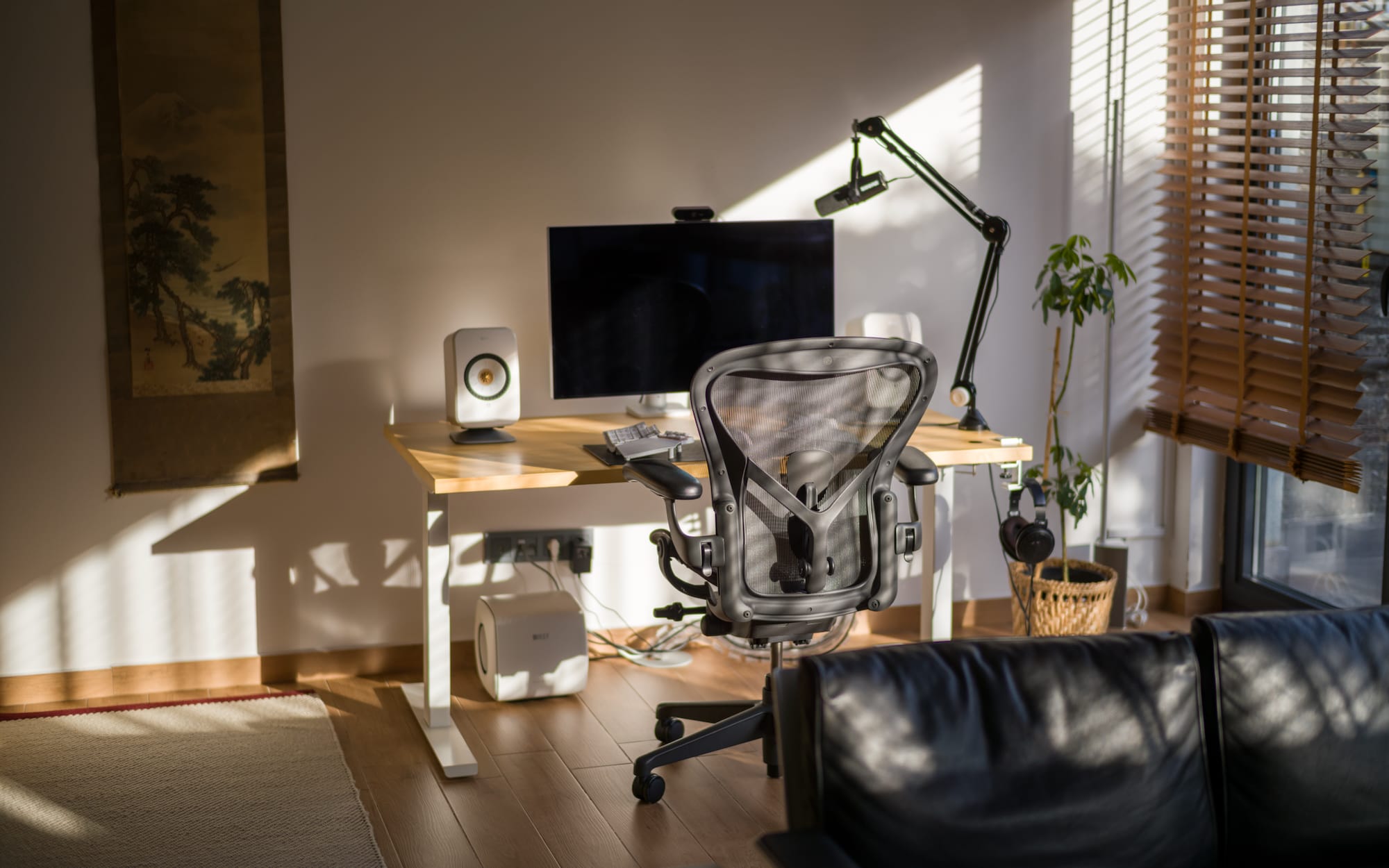
The problem is that this pulls every activity into the same mode. If you sit down, you are in front of screens. Even if you only want to read, think, plan, or write something by hand, the computer is right there and competes for your attention.
This also means that I always had to push away my keyboard if I wanted to have more space for writing or sketching.
I did not want to maintain two separate desks in the same room, but I also did not want the computer to dominate everything. A single, long surface with two clearly defined areas turned out to be a good compromise. So I researched and ended up with the one in the pictures, which is a 200x75cm long desk from USM Haller.
The idea is that, on one side I keep the digital tools. On the other side I keep the analog tools. They share the same piece of furniture, but they serve different purposes.
The digital side
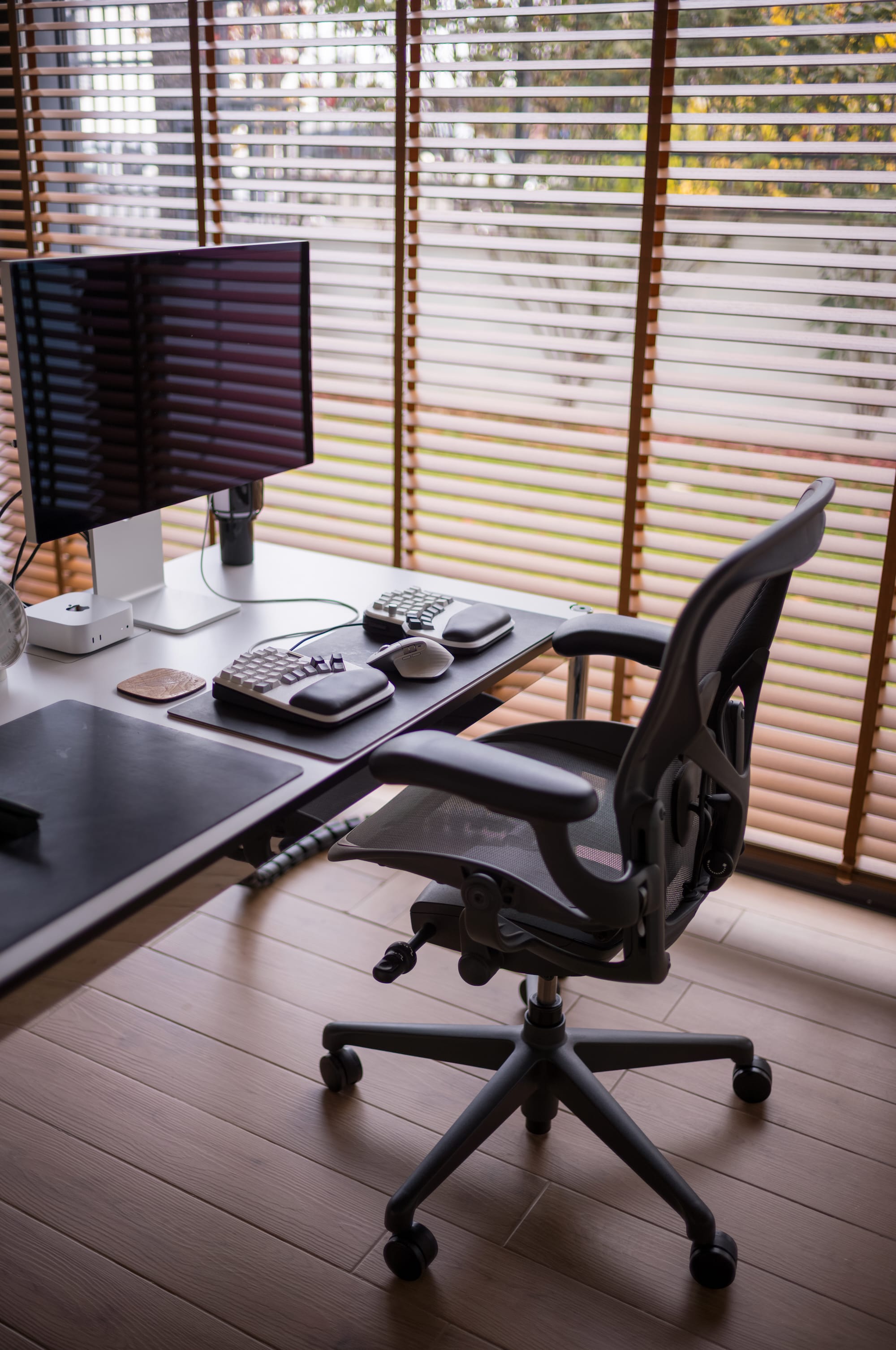
The digital side is the part of the desk by the windows. It has the Studio Display, the Mac and my split keyboard (It's the Elora Halcyon with my own custom design) This is where I spend most of my day writing, coding, and being on calls, so I try to keep it as empty as possible.
This area is intentionally minimal. Everything on this side is directly related to my day to day work. When I sit in the chair and slide over to this half of the desk, I know I am there to write, code, review something, or join a call.
This also changed how I think about adding new items. If something wants to live on the digital side, it has to be used regularly. If not, it moves to the other half of the desk or leaves the desk entirely.
The analog side
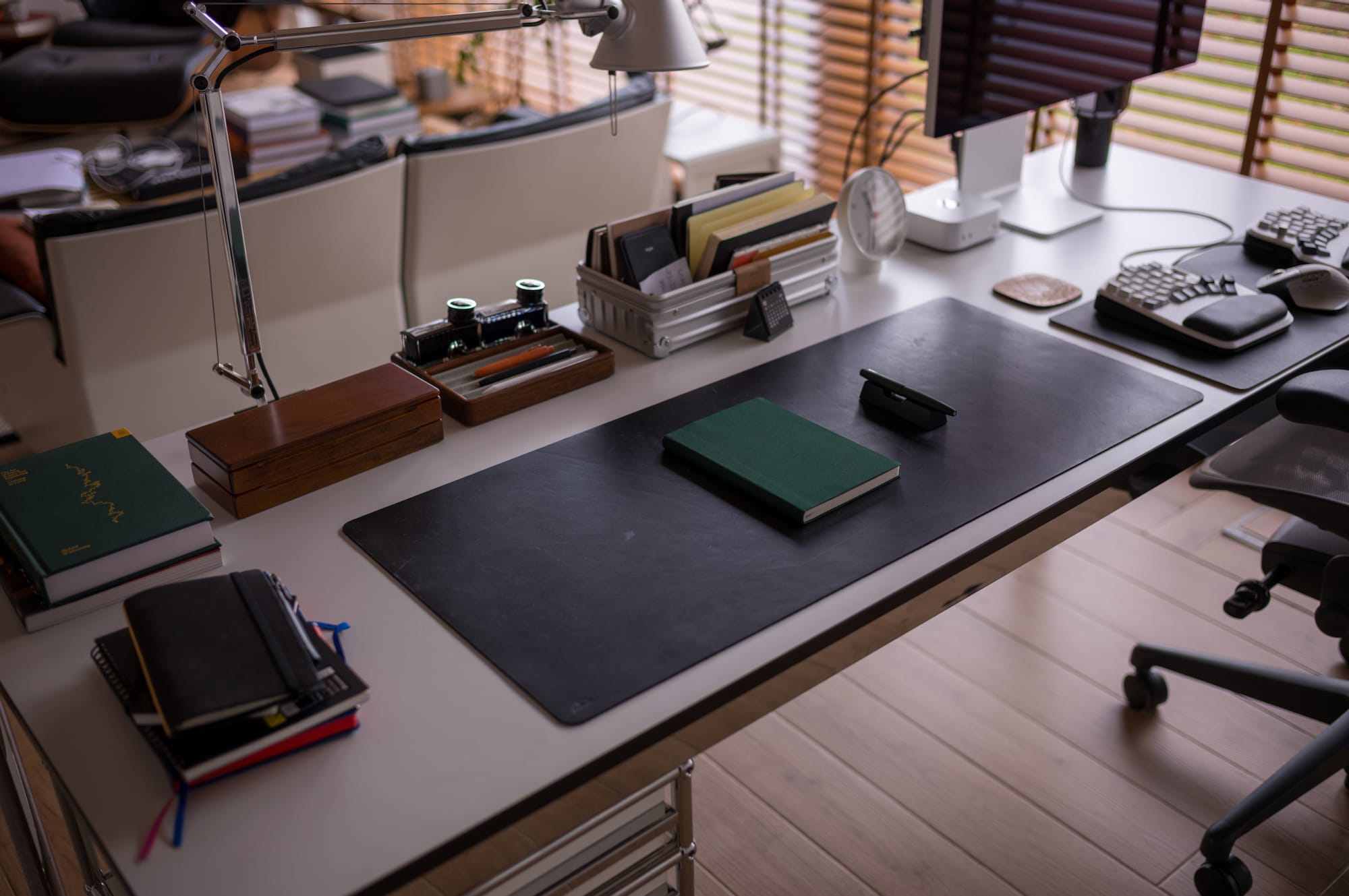
The other half of the desk is reserved for everything that does not need a screen. On a typical day, this part of the desk has:
- A notebook or planner
- A couple of fountain pens
- Books I am currently reading
- Loose sheets with sketches or diagrams
- A desk lamp that nicely illuminates the surface (It's the Artemides Tolomeo Mini, with my custom designed adaptor)
This is where I read, write in a journal, plan projects, or outline ideas. Sometimes I use it for small DIY projects. Sometimes it turns into a shared space with my kids, where we build LEGO or sit together and draw.
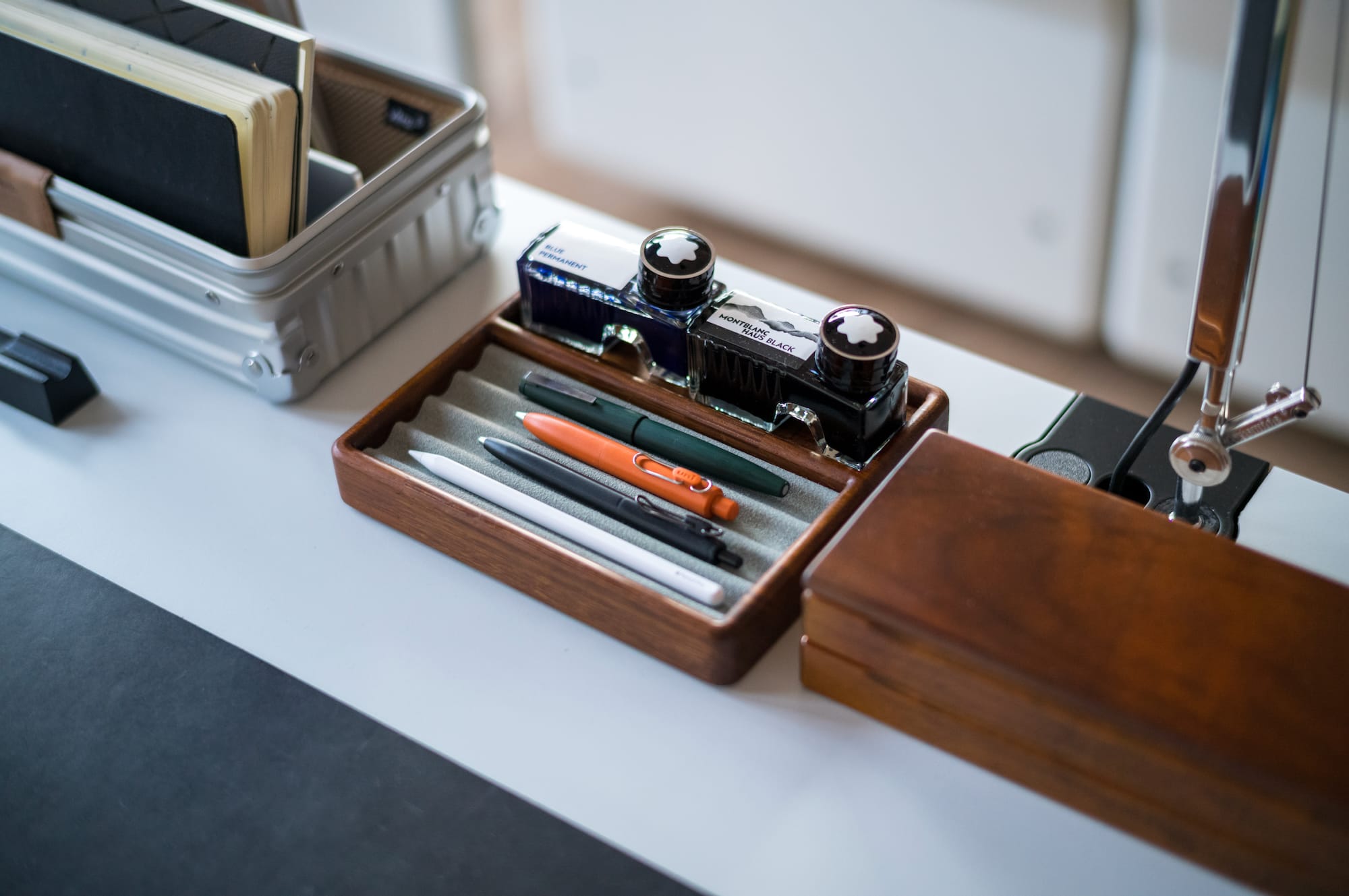
The analog side does not need to look minimal. It needs to be functional and inviting. It is a place where things can stay out for a while so I can return to them without having to pack everything away.
People following me for a long time know that I really like clean and minimalist design, but with time I realized that minimalism also kills creativity, or the passion to work on new things. Maybe it’s best to enjoy a mix of both, minimalism and maximalism, and adapt according to your needs.
Living with the setup
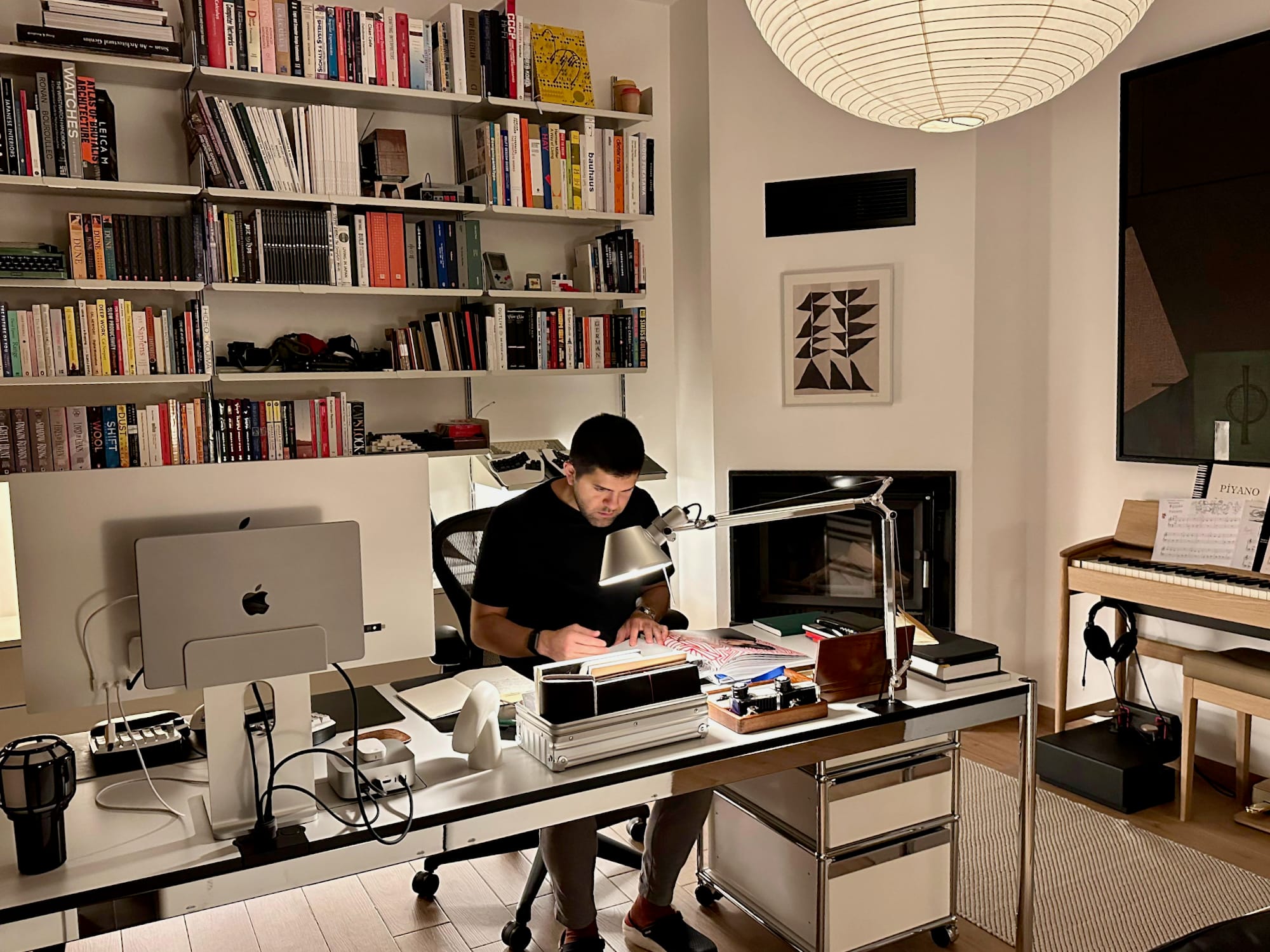
I have been using this two-part desk layout for about nine to ten months and I am very happy with it.
Facing the room instead of the wall makes the office feel more open and comfortable. There is now some sort of depth in front of my eyes, that was lacking previously. Also, having the door in front of me, instead of my back, feels also safer somehow.
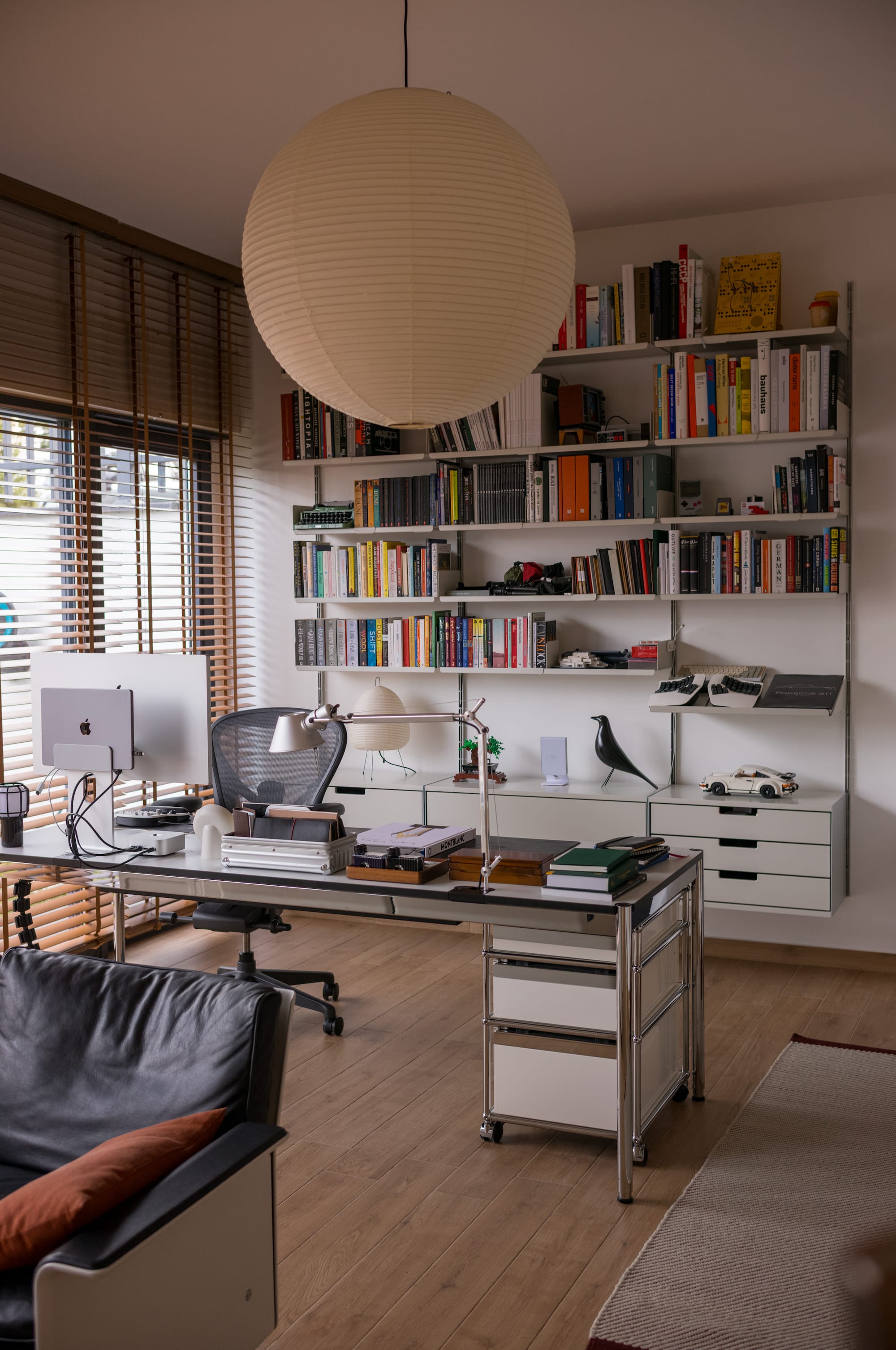
Splitting the desk into a digital and an analog side creates a clear mental boundary. And moving the chair from one side to the other is enough to change the context.
I do not see myself going back to a tech only desk. This setup gives me a place to work, a place to think, and a place to spend time with my kids, all on a single surface.