
惯性聚合 高效追踪和阅读你感兴趣的博客、新闻、科技资讯
阅读原文 在惯性聚合中打开

推荐订阅源

量子位
cs.AI updates on arXiv.org
F
Fortinet All Blogs
博客园 - 聂微东
奇客Solidot–传递最新科技情报
奇客Solidot–传递最新科技情报
Hugging Face - Blog
Hugging Face - Blog
V
Visual Studio Blog
小众软件
小众软件
有赞技术团队
有赞技术团队
雷峰网
雷峰网
钛媒体:引领未来商业与生活新知
钛媒体:引领未来商业与生活新知
AWS News Blog
AWS News Blog
C
Cisco Blogs
美团技术团队
T
Threat Research - Cisco Blogs
C
CERT Recently Published Vulnerability Notes
人人都是产品经理
人人都是产品经理
宝玉的分享
宝玉的分享
Threat Intelligence Blog | Flashpoint
酷 壳 – CoolShell
酷 壳 – CoolShell
Stack Overflow Blog
Stack Overflow Blog
W
WeLiveSecurity
D
DataBreaches.Net
博客园 - 司徒正美
Blog — PlanetScale
Blog — PlanetScale
IT之家
IT之家
云风的 BLOG
云风的 BLOG
Cyber Security Advisories - MS-ISAC
Simon Willison's Weblog
Google DeepMind News
T
The Blog of Author Tim Ferriss
Know Your Adversary
Know Your Adversary
NISL@THU
NISL@THU
OSCHINA 社区最新新闻
OSCHINA 社区最新新闻
The Cloudflare Blog
Vercel News
Vercel News
月光博客
月光博客
T
Tailwind CSS Blog
H
Help Net Security
aimingoo的专栏
aimingoo的专栏
P
Proofpoint News Feed
Application and Cybersecurity Blog
Spread Privacy
Spread Privacy
cs.CL updates on arXiv.org
Cisco Talos Blog
Cisco Talos Blog
Microsoft Security Blog
V
V2EX
WordPress大学
WordPress大学
Cyberwarzone
Cyberwarzone
Recent Announcements

Hacker News

Introducing Claude Opus 4.7 Qwen Studio The Future of Everything is Lies, I Guess: Where Do We Go From Here? GitHub - SeanFDZ/macmind: Single-layer transformer in HyperTalk for the classic Macintosh Show HN: Agent-cache – Multi-tier LLM/tool/session caching for Valkey and Redis Moving a large-scale metrics pipeline from StatsD to OpenTelemetry / Prometheus GitHub - Nightmare-Eclipse/RedSun: The Red Sun vulnerability repository GitHub - SethPyle376/hiraeth: Local AWS emulator focused on fast integration testing, with SQS support, SQLite-backed state, and a debug-friendly web UI. GitHub - macOS26/Agent: Any AI, replaces Claude Code, Cursor, OpenClaw. Over 18 LLM providers (Claude, OpenAI, Gemini, Ollama, Zai, HF, Qwen) wired into a native Mac app that writes code, builds Xcode projects, bumps versions, manages git, automates Safari, use AppleScript, JS or Accessibility, extend Agent! w/ MCP Servers, run tasks from your iPhone via Messages. YouTube now lets you turn off Shorts I Made a Terminal Pager Burgers | マクドナルド公式 Commands — HackerNews CLI documentation ChatGPT for Excel PiCore - Raspberry Pi Port of Tiny Core Linux Live Nation illegally monopolized ticketing market, jury finds Google Broke Its Promise to Me. Now ICE Has My Data. Founding Engineer at Adaptional | Y Combinator CRISPR takes important step toward silencing Down syndrome’s extra chromosome GitHub - saffron-health/libretto: The AI toolkit for building reliable browser automations US v. Heppner (S.D.N.Y. 2026) no attorney-client privilege for AI chats [pdf] Unexpected €54k billing spike in 13 hours: Firebase browser key without API restrictions used for Gemini requests Retrofitting JIT Compilers into C Interpreters IPv6 – Google The Accursèd Alphabetical Clock Cybersecurity Looks Like Proof of Work Now Fragments: April 14 Cal.com Goes Closed Source: Why AI Security Is Forcing Our Decision | Cal.com - Scheduling Software for Online Bookings Laravel raised money and now injects ads directly into your agent When moving fast, talking is the first thing to break Too much Discussion of the XOR swap trick – Heather Cafe Introduction to Spherical Harmonics for Graphics Programmers The Grand Line Building a Z-Machine in the worst possible language High-Level Rust: Getting 80% of the Benefits with 20% of the Pain GitHub - duguyue100/midnight-captain: Inspired by Midnight Commander, tailored to my taste. How to build a `git diff` driver · Jamie Tanna | Software Engineer Center for Responsible, Decentralized Intelligence at Berkeley The Local Universe’s Expansion Rate Is Clearer Than Ever, but Still Doesn’t Add Up - A new synthesis of astronomical measurements confirms a persistent mismatch that could point to physics beyond current models The air throughout our homes is infused with microplastics. But there are things you can do to breathe less of them The disturbing white paper Red Hat is trying to erase from the internet – OSnews The Future of Everything is Lies, I Guess: Annoyances ‘Abhorrent’: the inside story of the Polymarket gamblers betting millions on war Productive procrastination — Max van IJsselmuiden maps, territory and LMs 447 Terabytes per Square Centimetre at Zero Retention Energy: Non-Volatile Memory at the Atomic Scale on Fluorographane Show HN: Pardonned.com – A searchable database of US Pardons 20 Years on AWS and Never Not My Job The Seasons are Wrong Artemis II crew splashes down near San Diego after historic moon mission We gave an AI a 3 year retail lease in SF and asked it to make a profit | Andon Labs How a dancer with ALS used brainwaves to perform live On filing the corners off my MacBooks Installing every* Firefox extension OpenClaw’s memory is unreliable, and you don’t know when it will break Steve Blank Nowhere Is Safe Chimpanzees in Uganda locked in vicious 'civil war', say researchers watgo - a WebAssembly Toolkit for Go linux/Documentation/process/coding-assistants.rst at master · torvalds/linux GitHub - callumlocke/json-formatter: Makes JSON easy to read. Founding Product Engineer at Bild AI | Y Combinator A compelling title that is cryptic enough to get you to take action on it GitHub - Keychron/Keychron-Keyboards-Hardware-Design: Industrial design files for Keychron keyboards and mice. 100+ models with CAD assets in STEP, DXF, DWG, and PDF. Source-available, with commercial use allowed for original compatible accessories within the license terms. [ANNOUNCE] WireGuardNT v0.11 and WireGuard for Windows v0.6 Released 1D-Chess Helium Is Hard to Replace Cooperative Vectors Introduction | Evolve Keeping a Postgres queue healthy — PlanetScale Our response to the Axios developer tool compromise Do Americans read print books, e-books or audiobooks more? The Zettelkasten Method in Obsidian: A Practical Setup Guide Artemis II Is Competency Porn and We Are Starving For It WeakC4 Flight Viz — Cockpit View A Mexican surveillance giant you’ve never heard of is now watching the U.S. border Surelock: Deadlock-Free Mutexes for Rust RISC-V 101 – what is it and what does it mean for Canonical? | Ubuntu The Problem That Built an Industry How Much Linear Memory Access Is Enough? | Solidean Investigating Split Locks on x86-64 Simplest hash functions Sybilproof reputation mechanisms (2005) [pdf] What is a property? How Complex is my Code? Static code analysis in Kotlin — tools overview Toffoli gates are all you need PGLite evangelism dcmake: a new CMake debugger UI Clojure on Fennel part one: Persistent Data Structures Fragments: April 2 Python Release Python install manager 26.1 The Life and Death of the Book Review - Liberties Introducing Database Traffic Control — PlanetScale Bitcoin miners are losing $19,000 on every BTC produced as difficulty drops 7.8% God sleeps in the minerals Building slogbox Apple Silicon and Virtual Machines: Beating the 2 VM Limit Who was “Not Even Wrong” first? Pokemon Evolution Vs Darwinian Evolution The APL Programming Language Source Code
How did Atari apply side art to Arcade Cabinets?
2026-06-14 · via Hacker News

One of the most fascinating sequences in Atari’s arcade manufacturing process in the early 80s, was the application of the fabulous artwork that adorned all of its cabinets from the golden age of arcade gaming. So this week, I thought it would be interesting to take a look at how this cabinet artwork was actually printed.

The technique used is called screen printing (often called silkscreen printing), and it’s a world away from the large-format digital printers used today.

Let’s take a look at the process in action. This great footage shows the process in full. Shot in 1982, the cabinet sides being printed are for Atari’s Quantum arcade cabinet – it is interesting that this happened to be filmed at the time, as the cabinet run was relatively low, at only 500 cabinets:

Atari coin-op screen printing process

What you’re seeing there, isn’t a giant sticker being applied. Atari is printing the artwork directly onto the cabinet side panel. And here’s the key bit; it is being done one colour at a time.

To create a side-art design, Atari’s artists first had to break the artwork into individual colour layers. Each colour required its own printing screen.

For example, if a design contained light blue, dark blue, red, yellow and black, then five separate screens would be created.

Each screen contained only the areas for a single colour. When all of the colours were printed in sequence, one layer on top of another, they combined to create the finished artwork. Over time, Atari would get smarter at this process and mix say, a blue with a yellow on top to create a green.

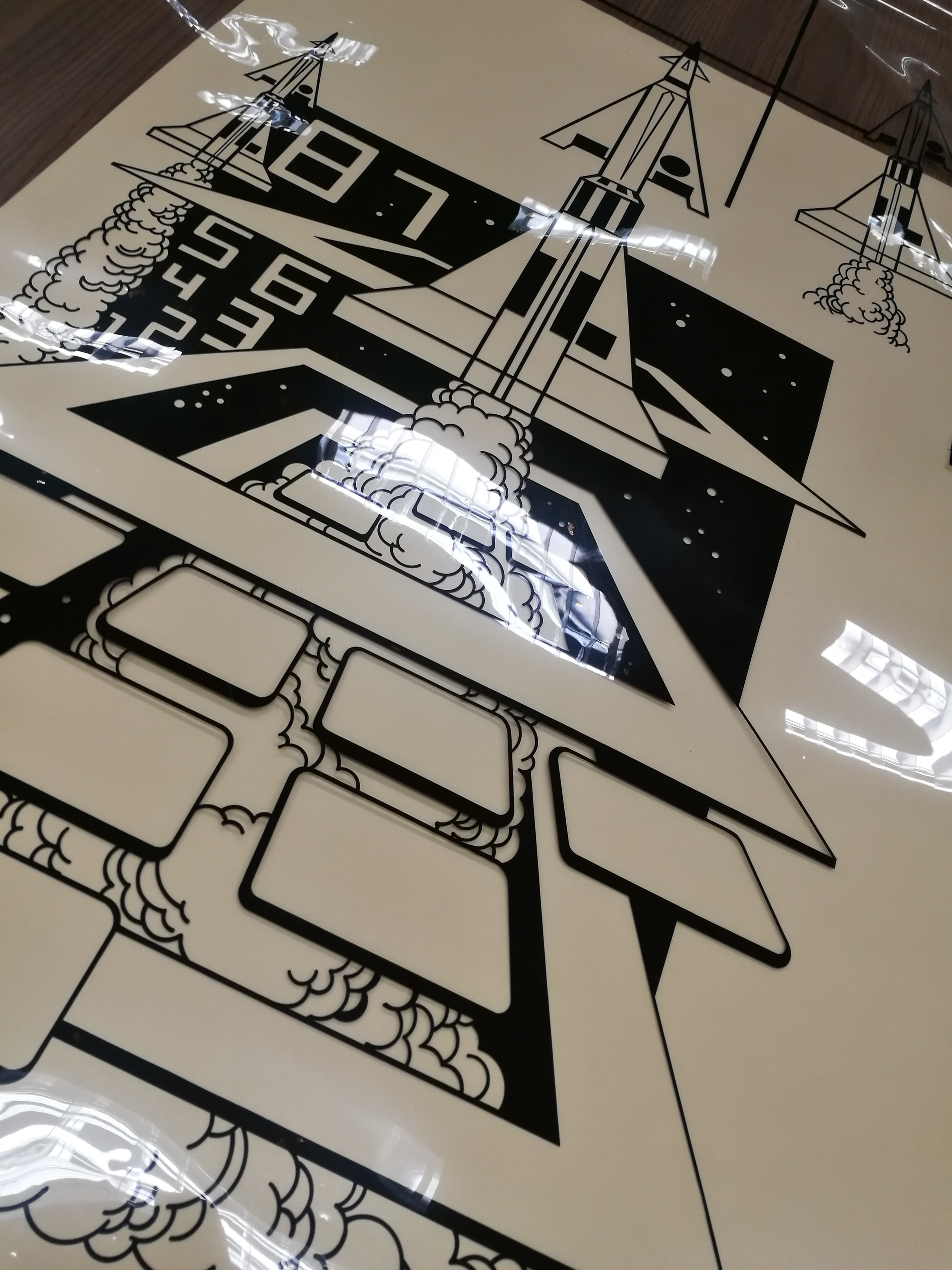
The screens themselves were large rectangular frames fitted with a tightly stretched mesh. The artwork wasn’t painted directly onto the screen. Instead, artists created a separate piece of photographic film for each colour. These films were typically clear acetate sheets with opaque black artwork representing the areas that would print. Here’s an example from Missile Command:
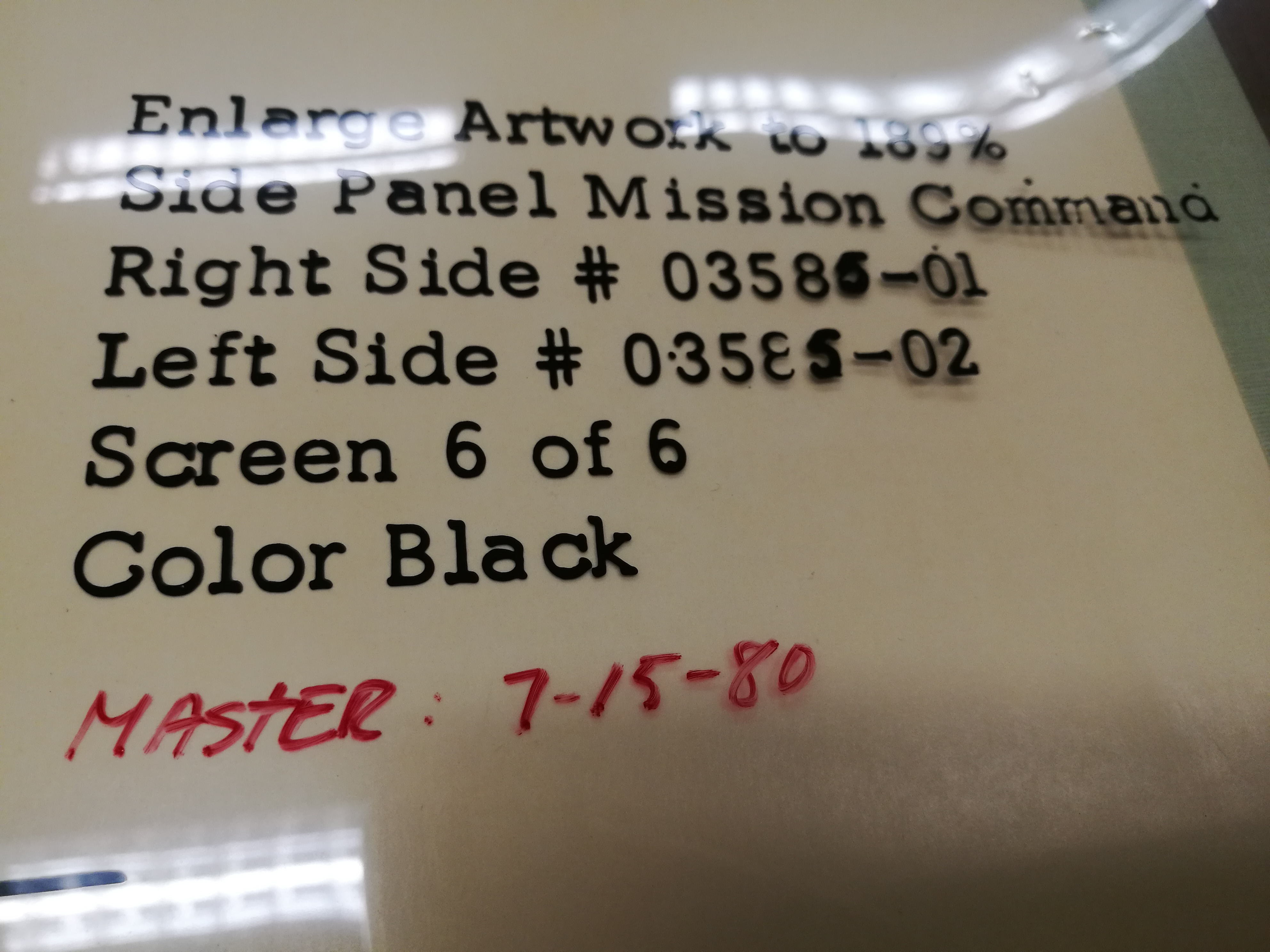
Instructions for the screen printers for this particular film. “Mission Command” I think was an unintentional spelling mistake!
A ‘film positive’ for Atari’s Missile Command. This film is for the black parts of the side art

The film positive was placed over a screen that was coated with light-sensitive emulsion, and then exposed to bright light. The exposed emulsion on the screen below hardened, while the areas hidden by the black artwork remained soft and would then be washed away. The result was a stencil in the mesh that allowed ink to pass through only where that particular colour was needed.

In the footage above, you can see the side panel positioned beneath a large printing head. Let’s watch it again from the 50 second mark:

Atari coin-op screen printing process

A screen is lowered onto the panel and ink is spread across the mesh using a rubber squeegee. The pressure forces ink through the open areas of the stencil (determined by the black parts of the film positives), and onto the wood surface below. When the screen lifts, you can clearly see that one colour section is printed onto the panel. The panel then moves on to the next station where another screen adds the next colour. This process would be repeated several times until the artwork was complete.

The secret to producing clean-looking side-art was something printers call registration. Every screen had to line up perfectly with the colours that had already been printed. If a screen shifted even slightly, outlines would appear blurry and colours would overlap incorrectly. To prevent this, the printing tables used locating pins, stops and alignment guides that ensured each panel returned to exactly the same position for every pass.

Considering the speed of production, it’s impressive how accurately these operators worked.
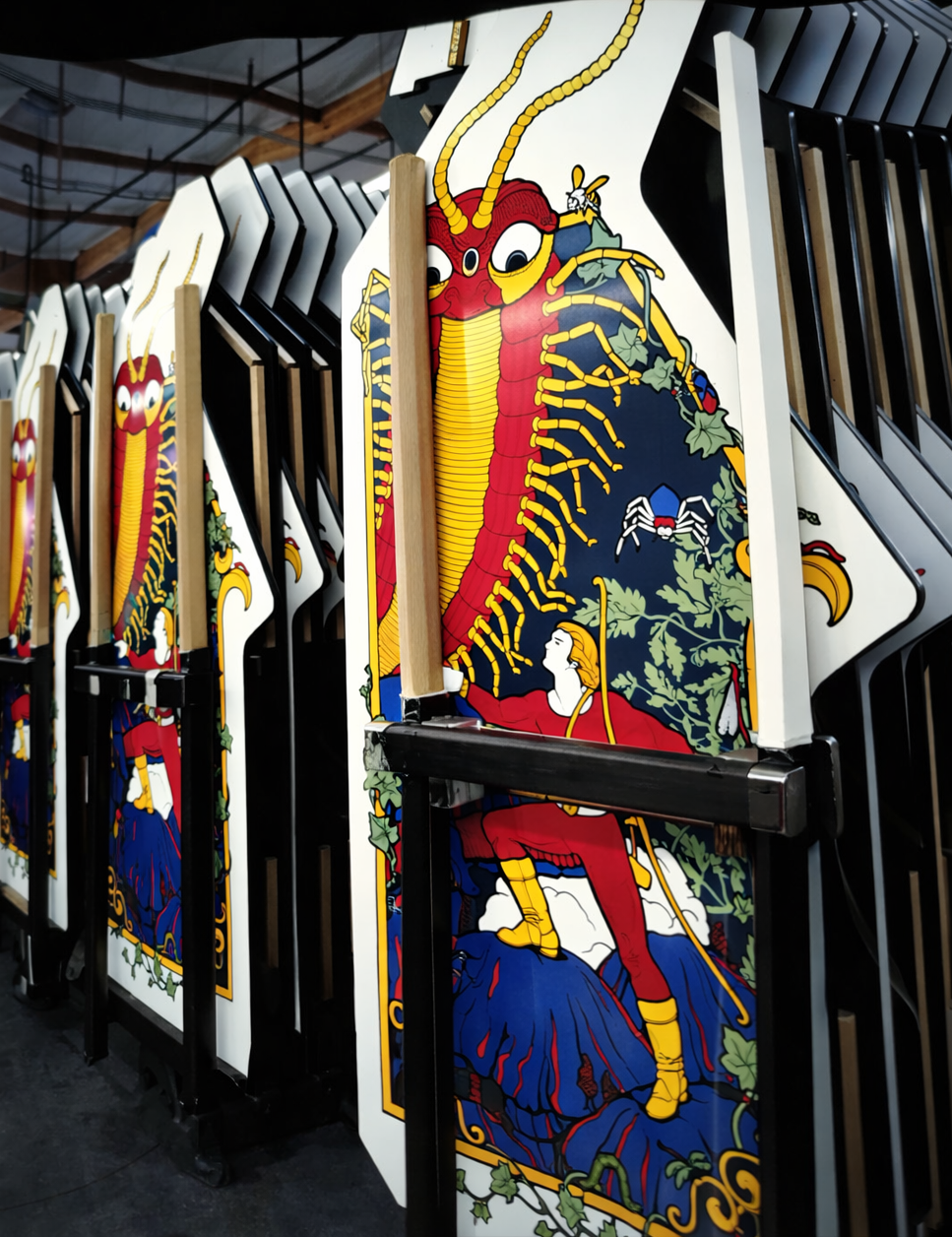
Rows of Millipede side panels, printed and ready for construction. Notice the left and right hand panels next to each other. Interesting the t-molding is already applied…

Atari used a semi-automatic flatbed screen-printing system rather than a completely manual setup. This made sense when you consider something like Missile Command had a production run of 14,000 cabinets. This required 28,000 panels to be printed! So any form of automation would have helped speed this process up.

The production line would have included:

Large screen-printing frames
Photographic colour-separation films
Light-sensitive emulsions
Registration fixtures and alignment guides
Screen-printing inks
Industrial squeegee mechanisms
Drying or curing stations between passes

The machinery handled much of the movement, but trained operators were still essential for setup, colour control and quality inspection.
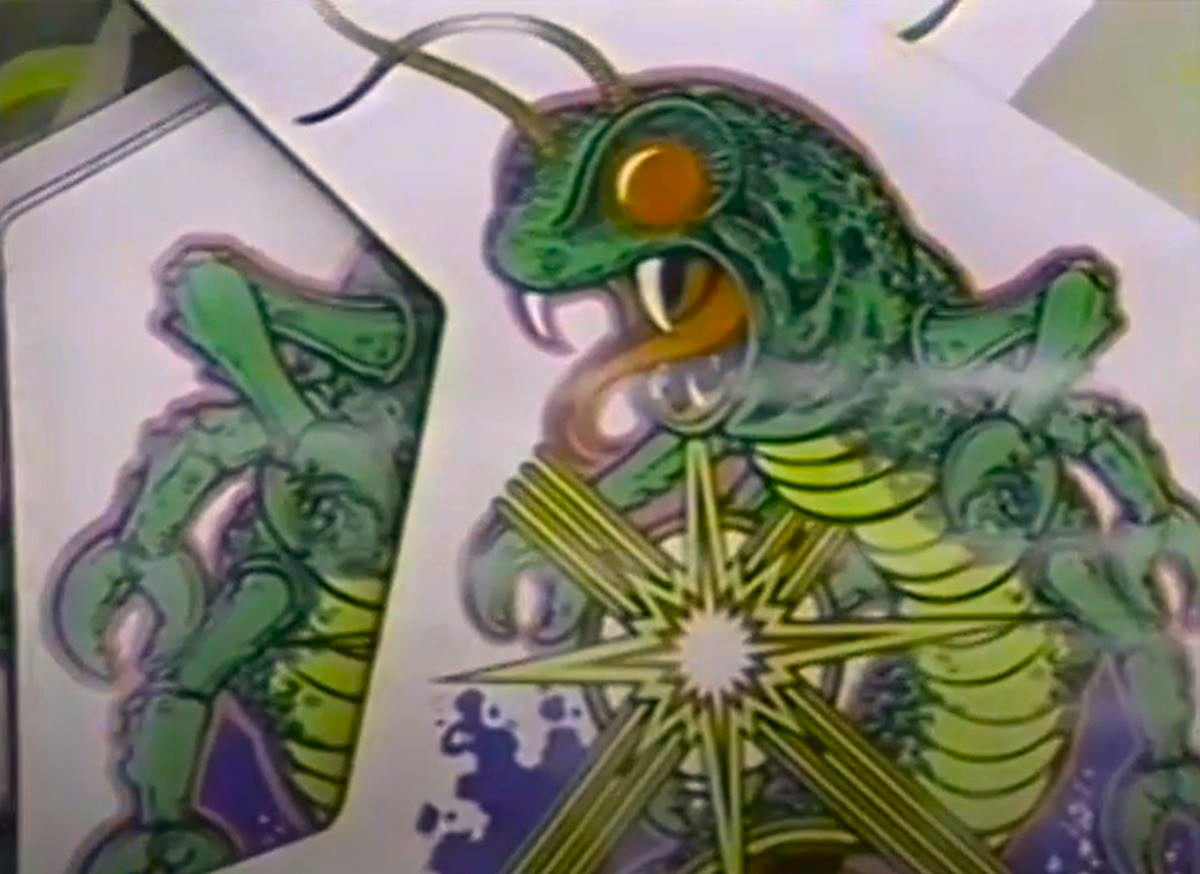
Newly printed Centipede cabinet sides waiting for construction

One reason original Atari side-art still looks so vibrant today is that screen printing lays down a relatively thick, opaque layer of ink. Unlike modern inkjet printing, colours aren’t built from tiny dots. Each colour is applied as a solid layer, giving the artwork a richness and depth that’s difficult to replicate.

When you see a Missile Command cabinet with bright blues, vivid reds and crisp graphics, you’re looking at the result of multiple carefully aligned printing passes, each adding another layer to the final image.
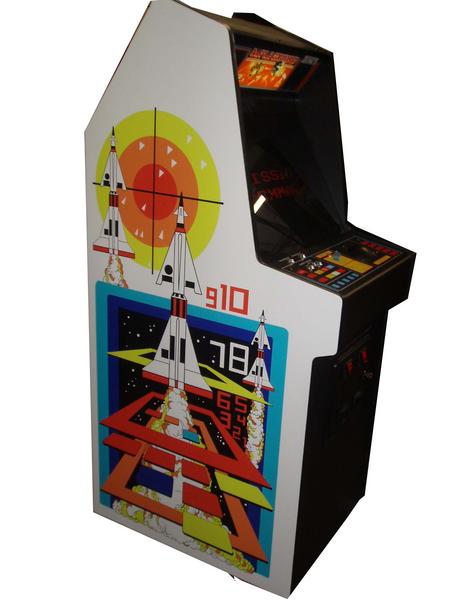
Missile Command side art

Watching the footage today is a reminder that arcade cabinets weren’t simply wooden boxes that happened to contain videogames. They were industrially produced works of graphic art, that needed to be bold and colourful in order to stand out in arcades full of games from various manufacturers. This meant that every stripe, logo and illustration on an Atari cabinet passed through a painstaking sequence of screen-printing operations before the game ever reached an arcade floor. Long before digital printers and vinyl wraps became standard, Atari was creating its iconic cabinet artwork using a process that relied on craftsmanship, precision and a surprising amount of manual skill.

And that’s exactly why these cabinets still look so good more than forty years later.

You can check out another brief glimpse of the side art printing process in this video, of Atari Star Wars and Crystal Castles cabinets being built. Watch from 2:55 onwards:

Thanks for checking in this week – more cool stuff coming down the line!

Tony