










USB-C is the shape of the connector. Thunderbolt is one of several high-speed protocols that uses that shape.
That sentence is the entire answer to the headline question, and every page that ranks for this query opens with some version of it. The reason it keeps getting asked is that the visual is identical. A Thunderbolt 4 port and a basic USB-C 2.0 port look the same. The cables look the same. The plugs go in the same way. What changes is what's happening behind the connector.
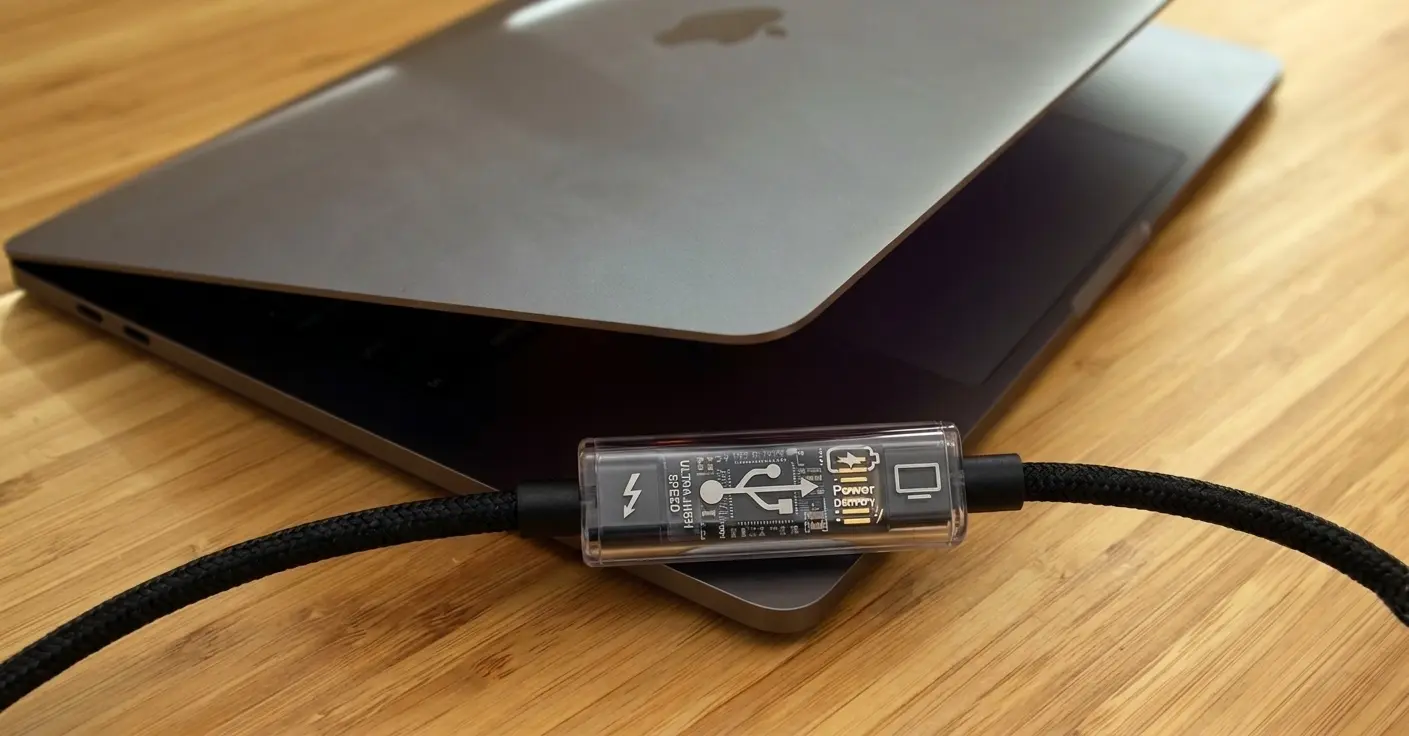
Here's the breakdown.
The comparison at a glance
| Standard | Max data rate | Video | Power Delivery | Daisy chain | Cable needed |
|---|---|---|---|---|---|
| USB 2.0 (USB-C) | 480 Mbps | None | Up to 240W (PD 3.1) | No | Basic USB-C |
| USB 3.2 Gen 2x2 | 20 Gbps | DisplayPort Alt Mode | Up to 240W | No | USB 3.2 cable |
| Thunderbolt 3 | 40 Gbps | 2x 4K @ 60Hz or 1x 5K | Up to 100W | Yes (up to 6) | TB3-certified |
| USB4 | 20 or 40 Gbps | DisplayPort 1.4 | Up to 240W | Limited | USB4 cable |
| Thunderbolt 4 | 40 Gbps | 2x 4K or 1x 8K | Min 15W, up to 100W | Yes (up to 6) | TB4-certified |
| Thunderbolt 5 | 80 Gbps (120 Gbps boost) | 3x 4K @ 144Hz | Up to 240W | Yes | TB5-certified active |
The table is the artefact most people are looking for. The rest of this post is the why.
Thunderbolt 3 vs USB-C
TB3 was the first generation to share the USB-C connector, which is when the confusion started. Before TB3, Thunderbolt used Mini DisplayPort. After TB3, you couldn't tell a Thunderbolt port from a USB-C port without checking the lightning bolt icon next to it.
Underneath, TB3 is doing a lot more than basic USB-C. It tunnels PCIe and DisplayPort over the same wire, which is what makes external GPUs and high-bandwidth docks possible. It runs at 40 Gbps where basic USB-C 3.2 caps out at 20 Gbps. It supports daisy-chaining up to six devices off a single port.
The catch: TB3 cables are not the same as USB-C cables. A TB3-certified cable contains active electronics that maintain signal integrity over longer runs, which is why a 2m TB3 cable costs significantly more than a 2m USB-C cable. Use a generic USB-C cable in a TB3 port and you'll get USB speeds, not Thunderbolt speeds.
Thunderbolt 4 vs USB-C
TB4 didn't push the headline speed up. It's still 40 Gbps, same as TB3. What TB4 did was tighten the minimum requirements.
Where TB3 said "up to 40 Gbps", TB4 says "must be 40 Gbps". Where TB3 video support varied by host, TB4 requires support for two 4K displays. Where TB3 had no minimum charging spec, TB4 requires at least 15W for accessory charging and 100W host charging on at least one port. TB4 also requires support for PCIe data tunneling at higher minimum rates than TB3.
For the user, TB4 means fewer surprises. A TB4-certified port and a TB4-certified cable will hit the spec sheet every time. You don't have to read the small print.
Thunderbolt 5 vs USB-C
TB5 is the current top of the pile, on Macs with M4 Pro and M4 Max chips and later. The headline number is 80 Gbps symmetric, double what TB3 and TB4 offered. In "Bandwidth Boost" mode it goes to 120 Gbps in one direction and 40 Gbps in the other, designed for driving very high-refresh-rate displays.
TB5 also bumps the power spec. Up to 240W of Power Delivery, matching USB PD 3.1's ceiling.
For a basic USB-C port, none of this applies. A USB-C device in a TB5 port still runs at USB speeds. A TB5 device in a basic USB-C port either drops to USB mode or doesn't work at all, depending on the device.
TB5 cables are required to be active. The bandwidth is too high for passive copper at any meaningful length.
USB4 vs Thunderbolt 4
This is the comparison that confuses people the most, because USB4 and Thunderbolt 4 are essentially the same thing under different names.
USB4 was developed in collaboration with Intel and licensed from the Thunderbolt 3 specification. The result is that USB4 and TB4 share most of their underlying mechanics. Both can run at 40 Gbps. Both tunnel DisplayPort and PCIe over USB-C. Both support up to 240W via USB PD 3.1.
The difference is in what's mandatory.
- USB4 has two tiers, 20 Gbps and 40 Gbps. Many features are optional. A USB4 port might or might not support PCIe tunneling, might or might not hit the full 40 Gbps, might or might not charge external devices.
- Thunderbolt 4 is strict. All features are mandatory at the full spec. Buy something labelled TB4 and you know what you're getting.
In practice, if you've got a Mac with a TB4 or TB5 port and you plug in a USB4 device, it should work. The reverse (USB4 host, Thunderbolt device) is also fine for Thunderbolt 3 and later devices, because USB4 hosts are required to be backward compatible with TB3.
How to tell what you actually have
The visual cue is the lightning bolt icon next to the port. If you see one, the port supports Thunderbolt. If you don't, it's basic USB-C.
The icon tells you what the port can do. It does not tell you what your cable can do.
This is the part nobody talks about. A USB-C cable in a Thunderbolt port is still a USB-C cable. The port will negotiate down to whatever the cable supports. You can have a TB5 port and a 40 Gbps device and still get USB 3.2 speeds because the cable in the middle is a 20 Gbps cable that came with a hard drive five years ago.
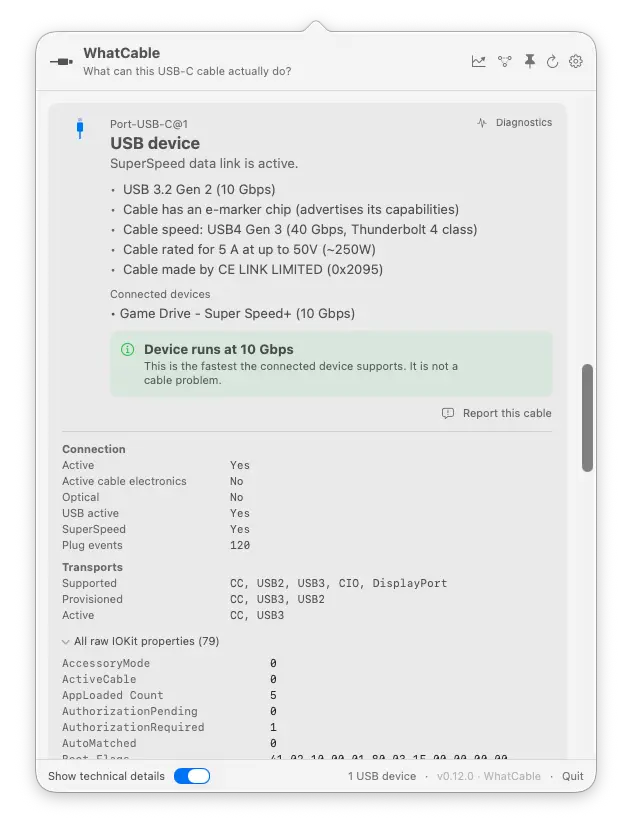
Every USB-C cable rated above 60W and above USB 2.0 speeds contains an e-marker chip. The chip declares what the cable can carry: max current, max voltage, max data rate. macOS reads this chip every time you connect a cable. It just doesn't show you what it reads.
WhatCable reads the e-marker and shows you what the cable is. Not what you hoped it was, not what the box claimed, what the cable itself is telling the Mac. If you've ever wondered whether the "Thunderbolt cable" you bought online is actually Thunderbolt, this is how you check. You can also see how your cable rates against known references in the cables database.
Compatibility, both directions
USB-C device into a Thunderbolt port: works, at USB speeds. The TB port has full USB-C compatibility built in. Plug in a phone, a basic USB hub, or a regular external drive and it'll run at whatever the device supports.
Thunderbolt device into a USB-C port: often doesn't work. Thunderbolt requires an explicit handshake between host and device that USB-C ports don't perform. Some Thunderbolt docks have a USB fallback mode and will partially work, with reduced features. Most TB-only accessories (external GPUs, high-end audio interfaces, fast NVMe enclosures) will simply not appear.
This is why "is this port USB-C or Thunderbolt" matters before you spend money on a TB accessory.
What about charging
Both USB-C and Thunderbolt use the same USB Power Delivery spec for charging. The difference is the minimums, not the maximums.
A TB4 host port has to deliver at least 15W. A TB4 PC host port has to deliver at least 100W on at least one port. Basic USB-C has no such minimum.
For charging specifically, the protocol matters less than the wattage. A 140W basic USB-C charger will charge a 16" MacBook Pro just as fast as a 140W Thunderbolt cable would, because they're using the same PD spec underneath. We've written about why your MacBook might still charge slowly even with the right adapter, and it almost always comes down to the cable.
Cost and why TB cables are expensive
A passive USB-C cable is cheap because it's just wires. It works because the signal at USB 2.0 speeds is forgiving over a metre or two of copper.
A Thunderbolt cable at 40 Gbps or 80 Gbps cannot be passive at any useful length. The signal degrades too fast. TB cables contain active electronics that reshape the signal at the connector, which is why a 2m TB4 cable costs five times what a 2m USB-C cable does. TB5 cables go further, requiring active electronics in the connectors even at short lengths.
If you see a "Thunderbolt 5 cable" for £8 on a marketplace, it probably isn't one.
If you want to see whether your cable is genuinely Thunderbolt or just USB-C in a Thunderbolt port, WhatCable reads the e-marker and tells you straight.