


惯性聚合 高效追踪和阅读你感兴趣的博客、新闻、科技资讯
阅读原文 在惯性聚合中打开

推荐订阅源

Google DeepMind News
N
Netflix TechBlog - Medium
The Register - Security
C
Cybersecurity and Infrastructure Security Agency CISA
H
Hackread – Cybersecurity News, Data Breaches, AI and More
The Hacker News
The Hacker News
P
Proofpoint News Feed
Project Zero
Project Zero
The GitHub Blog
The GitHub Blog
The Last Watchdog
The Last Watchdog
F
Fortinet All Blogs
S
Schneier on Security
Help Net Security
Help Net Security
Security Archives - TechRepublic
C
Check Point Blog
让小产品的独立变现更简单 - ezindie.com
P
Proofpoint News Feed
I
InfoQ
T
The Blog of Author Tim Ferriss
Cisco Talos Blog
Cisco Talos Blog
Stack Overflow Blog
Stack Overflow Blog
T
Troy Hunt's Blog
人人都是产品经理
人人都是产品经理
T
Threatpost
www.infosecurity-magazine.com
C
Cyber Attacks, Cyber Crime and Cyber Security
雷峰网
雷峰网
cs.AI updates on arXiv.org
Threat Intelligence Blog | Flashpoint
爱范儿
爱范儿
Forbes - Security
Forbes - Security
Vercel News
Vercel News
S
Security Affairs
美团技术团队
P
Privacy & Cybersecurity Law Blog
N
News and Events Feed by Topic
Cyberwarzone
Cyberwarzone
Recent Commits to openclaw:main
Jina AI
Jina AI
Spread Privacy
Spread Privacy
Attack and Defense Labs
IT之家
IT之家
U
Unit 42
Recorded Future
Recorded Future
W
WeLiveSecurity
PCI Perspectives
PCI Perspectives
P
Palo Alto Networks Blog
H
Hacker News: Front Page
S
Security @ Cisco Blogs
博客园 - 【当耐特】

电脑网络 on 老刘博客

浅谈群晖安全性方面的设置 那些年,我折腾过的杀毒软件 edge浏览器里几个实用的小功能 manjaro的gnome版本升级到43.1了 群晖安装trilium笔记web端不刷新的处理方法 关于笔记软件的选择 VPS服务器系统的选择 Windows11 如何使用ie浏览器 推荐一款免费开源的RSS软件-Quiterss ubuntu20.04开机亮度最大的解决方法及输入法设置 linuxmint高分屏设置 试用统信uos家庭版 更新群晖至DSM7.0 cccleaner变流氓了 微软 Mcrosoft Store打不开的处理方法
正式使用Manjaro系统
老刘 · 2022-01-17 · via 电脑网络 on 老刘博客

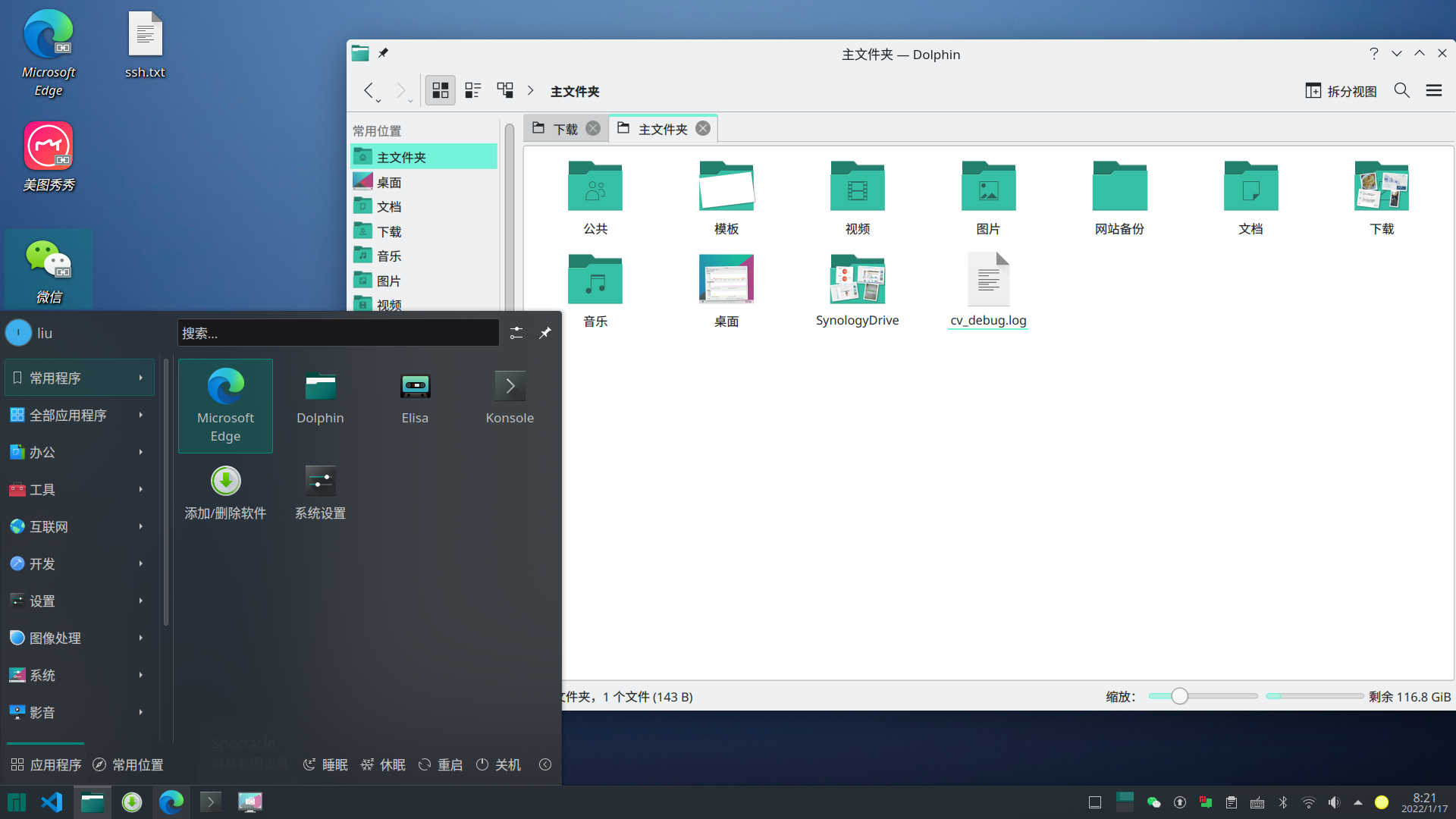
昨天把开发python 的这个电脑也更换成manjaro这个系统了。经过一段时间的试用,感觉这个系统确实是一个使用起来舒服有稳定的系统。
manjaro之于ubuntu

以前在桌面上选择LINUX的时候首选是ubuntu,这个系统的优点是用户多,大的方面比较稳定,运行也比较流畅,很多软件都是以ubuntu的格式来开发的。在我的电脑上有一个很烦人的问题,就是不能保存电脑的亮度,调整完之后,下次一重新启动,亮度又是最大了。虽然通过代码可以改,但是改后还是有一丢小问题的,强迫症有点。另外就是安装软件的时候,软件中心启动的慢,有时候甚至安装的界面都出不来。基于这么几点,优点不太满意。

manjaro之于deepin/uos

deepin和uos算是国产系统里的佼佼者了,我遇到的问题是,deepin偶会卡死,毫无征兆的那种,忽然桌面一卡,整个都不能用了。UOS刚开始也有这毛病,最新版貌似解决了这个问题。另外就是蓝牙有问题,死活连不上鼠标。

deepin系我最喜欢的是它的终端,设计的非常人性化,特别是连接远程服务器里面,我用过的终端里,深度终端是最好用的。

在就是UOS的系统资源占用率有点高,比如你开上一个浏览器,然后什么都不动,基本CPU会在5-8%的占用,要是浏览点网页,还会更高,所以使用的时候,风扇就会呼呼的转。笔记本在不用电源的情况下,充满电只能有3个小时左右(manjaro基本上能用5个多小时),还是挺费电的。
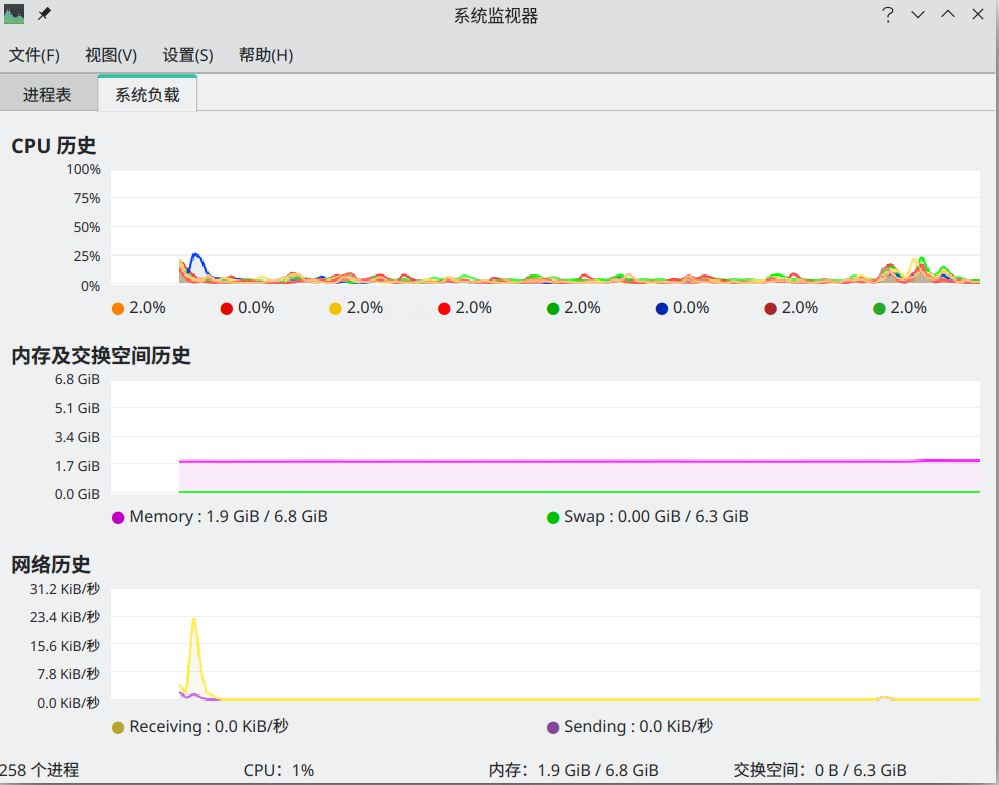
manjaro占用,开着edeg还有wine版的微信

manjaro的缺点

默认没有中文输入法,需要自己安装。wps字体非常的模糊。软件商店没有deepin这种的直观。