

惯性聚合 高效追踪和阅读你感兴趣的博客、新闻、科技资讯
阅读原文 在惯性聚合中打开

推荐订阅源

P
Proofpoint News Feed
博客园 - 聂微东
Application and Cybersecurity Blog
MyScale Blog
MyScale Blog
罗磊的独立博客
H
Help Net Security
L
LangChain Blog
T
Threat Research - Cisco Blogs
量子位
S
Securelist
Last Week in AI
Last Week in AI
L
Lohrmann on Cybersecurity
T
The Exploit Database - CXSecurity.com
P
Privacy International News Feed
The Hacker News
The Hacker News
Vercel News
Vercel News
D
Darknet – Hacking Tools, Hacker News & Cyber Security
C
Cybersecurity and Infrastructure Security Agency CISA
T
The Blog of Author Tim Ferriss
T
Threatpost
Security Latest
Security Latest
P
Palo Alto Networks Blog
Microsoft Security Blog
NISL@THU
NISL@THU
F
Full Disclosure
WordPress大学
WordPress大学
cs.AI updates on arXiv.org
Stack Overflow Blog
Stack Overflow Blog
C
Check Point Blog
Hacker News - Newest:
Hacker News - Newest: "LLM"
酷 壳 – CoolShell
酷 壳 – CoolShell
H
Heimdal Security Blog
J
Java Code Geeks
Recorded Future
Recorded Future
Hugging Face - Blog
Hugging Face - Blog
G
GRAHAM CLULEY
Know Your Adversary
Know Your Adversary
K
KPMG report finds enterprise disconnect between AI and its ROI | CIO
阮一峰的网络日志
阮一峰的网络日志
U
Unit 42
B
Blog RSS Feed
月光博客
月光博客
C
Cisco Blogs
V
Visual Studio Blog
D
DataBreaches.Net
H
Hacker News: Front Page
博客园 - 叶小钗
N
News and Events Feed by Topic
爱范儿
爱范儿
A
Arctic Wolf

RSS on 老刘博客

RSS终于又搞好了 停止使用RSS Feed 还是用回了RSS FEED
推荐一款免费开源的RSS软件-Quiterss
老刘 · 2021-12-23 · via RSS on 老刘博客

RSS对于很多博主来说都不会陌生,很多博友还都有着使用RSS订阅的习惯。有很多朋友还专门在VPS用tiny tinyRSS或者freshrss程序自己设立一个服务器。老刘目前也是在甲骨文的免费小鸡上用着tinyrss。这段时间在折腾PYTHON,在ubuntu上折腾。偶然发现了这个程序,体验了一下,感觉还是很不错的,推荐给大家。

QuiteRSS。它是一款免费开源且跨平台的 RSS 阅读器客户端软件,支持 Windows、Mac、Linux 系统,界面并不算华丽,但是该有的功能都有了,比如:支持 RSS 内容的中文关键字搜索,支持标签归类功能,可以对文章加上星号或标签来收藏整理,标记未读已读,支持 OPML 导入导出、可以文件夹整理 Feed、内置浏览器 (可设置使用外部默认浏览器打开)、支持多标签页等,基本上能满足一切 RSS 的阅读需求。
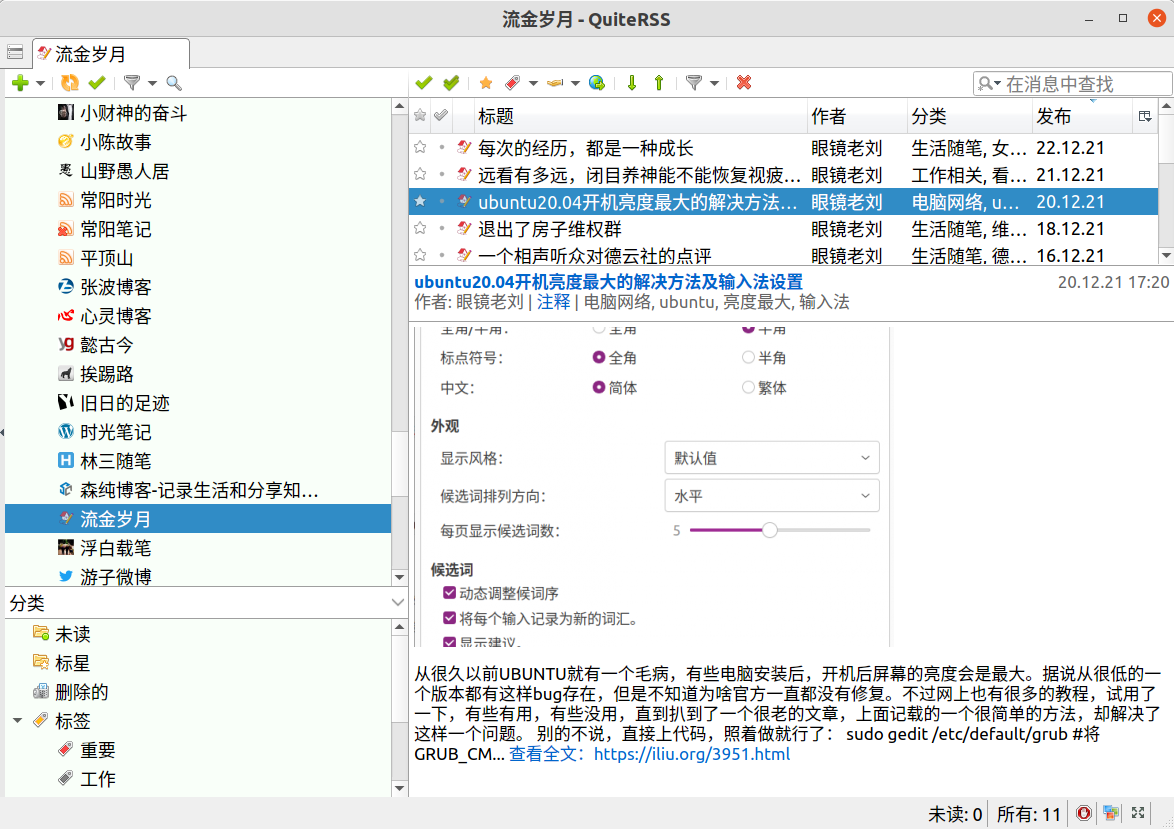
Quiterss支持windows、MACOS、LINUX,在ubuntu、win7、win10等都可以完美的应用,对于windows版本,官方推出的还有绿色版,可以说非常的全面了,唯一让老刘感觉不爽是无法在各个设备之间同步,要是以后通过网盘之类的在不同设备之间同步,那就非常的完美了。

安装方法:

win下和mac下都很简单,直接下载安装即可。这里专门说说Linux下的方法

Arch Linux

pacman -S quiterss

Fedora

yum install quiterss

Ubuntu

可以直接在应用商店里搜索下载,也可以:

sudo add-apt-repository ppa:quiterss/quiterss
sudo apt-get update
sudo apt-get install quiterss