
惯性聚合 高效追踪和阅读你感兴趣的博客、新闻、科技资讯
阅读原文 在惯性聚合中打开

推荐订阅源

Google DeepMind News
博客园_首页
H
Help Net Security
T
Tailwind CSS Blog
S
SegmentFault 最新的问题
GbyAI
GbyAI
Scott Helme
Scott Helme
D
Docker
Hacker News: Ask HN
Hacker News: Ask HN
P
Privacy & Cybersecurity Law Blog
Jina AI
Jina AI
雷峰网
雷峰网
Threat Intelligence Blog | Flashpoint
Spread Privacy
Spread Privacy
G
GRAHAM CLULEY
C
Cisco Blogs
The Hacker News
The Hacker News
F
Full Disclosure
Y
Y Combinator Blog
Blog — PlanetScale
Blog — PlanetScale
Recent Announcements
G
Google Developers Blog
量子位
K
Kaspersky official blog
Cisco Talos Blog
Cisco Talos Blog
The Cloudflare Blog
A
About on SuperTechFans
C
Cybersecurity and Infrastructure Security Agency CISA
Last Week in AI
Last Week in AI
博客园 - 三生石上(FineUI控件)
Microsoft Security Blog
Martin Fowler
Martin Fowler
T
Tenable Blog
P
Palo Alto Networks Blog
H
Heimdal Security Blog
cs.AI updates on arXiv.org
W
WeLiveSecurity
Schneier on Security
The Register - Security
F
Fortinet All Blogs
Stack Overflow Blog
Stack Overflow Blog
Cyber Security Advisories - MS-ISAC
钛媒体:引领未来商业与生活新知
钛媒体:引领未来商业与生活新知
让小产品的独立变现更简单 - ezindie.com
T
The Blog of Author Tim Ferriss
N
News and Events Feed by Topic
Hugging Face - Blog
Hugging Face - Blog
小众软件
小众软件
V
V2EX
爱范儿
爱范儿

Salesforce

How We Protect Our Data as Customer Zero Scale Your MRR: Subscription Management For Small Business Streamlining Commerce Media Ad Inventory Management 12 AI Sales Strategies for Startups That Actually Work Sell Smarter: Ecommerce Metrics To Track For Your Small Business Shop Apply the Orchestration Density Framework to Your Next Automation Decision Wait, Black Friday Planning In Spring? It’s Time to Start Holiday Promotions AI-First Operations, One Process at a Time How BCU Is Transforming Banking Service with Agentforce Salesforce Headless 360: What the Agent Consumer Means for Your Integration Architecture Meet Customers Where They Are: Agentforce Contact Center Now Offers WhatsApp Voice 11 Free Lead Generation Tips for Small and Growing Businesses SFR-VibeTrain: The Agent That Trains Agents Why Technical Accuracy is the Wrong Metric for Agent Success Strengthening Salesforce Security Against AI-Driven Threats Join Us in the Community Hub at Connections 2026 The Best Way To Build AI Agents That Customers Trust 5 Ways AI is Changing the Communication Game For Startups Trust in the Era of Agents: Highlights from the 2nd Annual Trusted AI Impact Report You Can Be an Agentic Enterprise No Matter What Size Business How to Make Your Email Marketing Accessible for Everyone What is Headless? Don’t Lose Your Head, SMBs: It’s a Good Thing Architect the Future UI: Slack as Your Agentic Surface Point of Sale Innovations to Modernize the Shopper Experience Governing the Agentic Enterprise at Scale with MuleSoft Omni Gateway 5 Tips for Marketers to Get Started with Salesforce Flow No One is Vibe Coding Trade Promotion Management 7th Edition State of Sales Report: 3 Growth Trends for Startups and SMBs How the Architect Vista Brought Architectural Thinking to Life at TDX 2026 5 Steps to Develop an Architect Mindset With AI Why AI Isn’t Replacing Developers, It’s Empowering Them 10 Ways to Make Your AI Agent a Better Communicator AI in Design 2025: What Real Use Taught Us. How Salesforce Personalization Learns Which Offers Drive Revenue The 4-Step Guide to Salesforce Agent and Application Development Get Ready for Connections 2026: Top Sessions and New Reveals 8 Ways AI Agents Are Evolving in 2026 4 Principles to Make the Right Salesforce UI Decisions Apprentice Journey Shines a Light on Talent Pathways at Salesforce Agent Script: The Control Plane for Agentic Decisions Scaling the Agentforce Life Sciences Ecosystem to Drive the Future of Pharma and MedTech Unlocking Unstructured Data: Building AI-Powered Support Triage with Data 360 Asking For a Friend: What Are Rich Communication Services (RCS)? 5 Slack Shortcuts For Small Teams 195% ROI In Field Service? Here’s How They Did It Submit Your Architect Session: The Dreamforce 2026 Call for Participation Is Open What Is an AI Assistant for Small Business? B2C Commerce April release: Transforming the B2C developer experience with agents Meet Your 24/7 Prospecting Partner — And 5 More Stand-Out Features In Our April Release 11+ Small Business YouTube Channels You Need to Follow Today Stop Treating Disputes Management Like IT Tickets Limitless Service: A New Operating Model for Growth in the Agentic Era What is Transactional Reconciliation in Email and SMS Marketing? How to Prepare for National Small Business Week (2026) How to Design a High-Scale Multi-Cloud Incident Journey 10 Ways An AI CRM Can Amplify Your Startup Vibe Code Better Agents with Agentforce Free vs. Paid CRM: Which is Right for Your Business? Salesforce Customer Success Awards 2026: Lead Era of the Agentic Enterprise 12 Free Webinars for Small Business Owners (2026) The Agentforce Life Sciences Consultant Certification Maximize Growth: The Power of Partnerships for SMBs Salesforce AI Research at ICLR 2026 Data Protection For Small Business: How To Safeguard Yourself Beyond 100K Tokens: Evaluating AI Agents in Long-Context Software Engineering Top 32 Small Business Tools To Try Today 6 New Innovations Redefining Salesforce Development How to Win the Battle for Attention in the Agentic Email Inbox Mastering the Eisenhower Matrix: Prioritize Like a Pro 10 Signs It’s Time To Upgrade Your CRM and How To Get Started (2026) Celebrating 10 Years of Financial Services Innovation How SMBs Can Gain An Edge With Agentic AI: Key Trends From Our Marketing Report How MAN Truck & Bus is Shaping the Future of Sales with Salesfive Introducing the Future of Salesforce Data Protection: Backup & Recover Next Stop Making AI Slop – Build a Foundation for Authentic AI Content 5 Tips to Help Marketers Navigate AI Email Summaries Data Sharing: Is it Safe? Is it Secure? Everything You Need to Know Small Business Week Readiness: 4 Things to Do Before May (2026) How Salesforce Employees Make an Impact During Earth Month AI Agents Are Advancing Rapidly… Is Your Testing Strategy Keeping Up? What Is Microproductivity and Why Is It Helping So Many Teams? TDX 2026 Roundup: Agentforce Edition 3 Ways Salesforce Connections Has Boosted My Career AI Agents Don’t Just Answer‌ — ‌They Act. Do You Have a Governance Strategy? The Future of MedTech Field Execution is Agentic 5 Steps to Prepare Your Data For an AI CRM From Break/Fix to Profit Engine: Aftermarket Service for Robot OEMs Building Trusted Human-Agent Collaboration: A Practical Framework ISV Strategy for the Salesforce Summer ’26 Release 5 Email Marketing Tips for Small Business Commerce Shops Should You Give Your AI Agent a Human Name? Creating Pathways into AI for People with Disabilities The Organized Chaos of Upfronts: 3 Hurdles Impacting Your Yield Trying to Scale Beyond ‘One-Off’ AI Tasks? You’re Probably Using the Wrong Interface What is Cost Per Lead (CPL)? The Case for Unified CCaaS and CRM — And Why the Data Makes It Clear In the New Era of AI, You Need to Win Over Both Humans and Agents What Is SPIN Selling? A Way to Build Trust With Your Customers G2 Crowns Salesforce as Best Financial Services Software Hidden Insights: The Guide to Tableau For Small Business Owners
How to Cut Service Time with Case Routing Automation
Allison Will · 2026-05-07 · via Salesforce

Managing a growing pile of customer inquiries often feels like a game of catch-up that your small business can’t win. When every team member wears multiple hats, spending hours manually assigning tickets means slower responses and burnt-out employees.

You need a way to ensure that every question from a customer lands in the correct hands the moment it arrives. By implementing case routing automation, you create a seamless flow that keeps your service team productive and your customers happy.

Why case routing automation matters for your business

Smaller teams often struggle with high volumes of incoming requests that vary in complexity and urgency. Without case routing automation, a simple billing question might sit in an inbox for hours because the person best equipped to answer is busy with a technical issue. Automating your case routing allows your small and medium business (SMB) to act with the speed of a much larger corporation.

Effective case routing automation helps prevent burnout by distributing workloads evenly across your available staff. Instead of one person feeling overwhelmed by a cluttered shared inbox, the system pushes tasks to the next available agent. This balance is helpful for maintaining a positive company culture while meeting your service goals.

The basic mechanics of case routing automation

If you’re using customer relationship management (CRM) software, you categorize incoming work based on specific keywords or customer data. The process begins when a customer submits a request through email, web forms, or social media channels. The case routing automation engine looks at the details of the case and compares them against your predefined rules. For example, if a case contains the word “refund,” the system can automatically send it to your finance or billing specialist.

You can also set up rules based on the importance of the customer or the length of time a case has been open. With CRM, these rules act as a digital traffic controller for your support department. This means no more digging through folders to find a “lost” email that should have been handled yesterday.

Queue-based routing is a common method where cases wait in a line until an agent in that specific group is ready. Many startups find this simple approach works well for general inquiries or basic product support. It ensures that cases are handled in the order they were received, maintaining a fair experience for every person who reaches out.

Using skills-based routing to help your experts

If your business offers technical products or specialized services, you might need something more advanced than a basic queue. Skills-based routing identifies the specific expertise needed for a task and matches it to an agent with that background. This type of case routing automation ensures your most complex problems go to your most experienced problem solvers.

For an SMB, this means you can maximize the unique talents of every employee. If one team member has deep knowledge of a specific feature, the system sends relevant cases directly to them. This reduces the need for constant internal transfers — which often frustrate customers and waste time.

By connecting your service and sales data, you can also route cases based on account history. If a loyal customer, who just signed a large contract has an issue, the system can move them to the front of the line. This level of attention helps small companies build the strong relationships necessary for long-term growth.

Set up your case automation rules

Follow these guidelines to ensure your automated case routing is effective from day one. This is as easy as 1-2-3:

Rule #1: Identify common requests. Analyze your existing ticket volume to find high-frequency, predictable tasks like password resets or shipping updates.

Rule #2: Map responsibility areas. Create a clear organizational chart for support, billing, and feedback, then build “if-then” statements in your platform to direct these flows.

Rule #3: Test and refine. Roll out your rules to a small batch of cases first, monitoring for unnecessary re-routing to adjust your logic as needed.

Measure the success of your routing strategy

Once your system is live, you should track key performance indicators (KPIs) to see how much time you’re saving. Look for a decrease in your average “time to first response” and “total resolution time.” If your case routing automation is working, these numbers should drop significantly.

Employee feedback is just as important as the data you see in your dashboard. Ask your agents if they feel the work they’re receiving matches their skills and if the volume feels manageable. A well-routed system should lead to higher job satisfaction because people are doing the work they’re best at.

Customer satisfaction scores often rise when you remove the friction of manual assignments. When a person gets an answer from the right expert on the first try, they feel valued and respected. This trust is the foundation of any successful SMB looking to compete in a crowded market.

Empower your team with smarter service tools

Modern service teams need more than just a place to store tickets — they need a partner in productivity. Tools that provide suggested responses or relevant knowledge articles can help agents resolve routed cases even faster. 

By automating the “where does this go?” question, you free up your leadership to focus on strategy and coaching. Instead of managing a queue, managers can spend time analyzing trends and improving the overall customer experience. This shift from reactive to proactive management is a major milestone for any small business.

With the right setup, your technology acts as an extension of your team, working around the clock to organize and prioritize. This ensures that even if a rush of cases comes in overnight, your team arrives in the morning to an organized and ready-to-go dashboard.

Get Service for Small Business free.

No credit card required, no software to install.

How AI improves the routing process

The addition of artificial intelligence (AI) takes your support capabilities to a new level. 

  • AI-analyzed sentiment: Instead of relying purely on static rules, AI can analyze the sentiment or intent behind a customer message. This helps your case routing system identify an angry customer who needs immediate attention.
  • AI-assisted triage: AI can assist with “triage,” which prioritizes cases based on their likely impact on your business. If the system detects a potential system-wide outage from a few customer reports, it can escalate those cases instantly. This proactive approach helps you get ahead of problems before they become major crises.
  • AI-backed search: AI assistants can also gather missing information from a customer before the case is even assigned to a human. This means when your agent finally opens the ticket, they have everything they need to solve the problem immediately. 

AI is now embedded in most CRM tools, and more of these tasks will be handled by autonomous assistants that can take action on your behalf. Integrating Agentforce 360, Salesforce’s platform for humans and AI agents to work together across your business, into your workflow allows you to handle complex tasks without manual intervention.

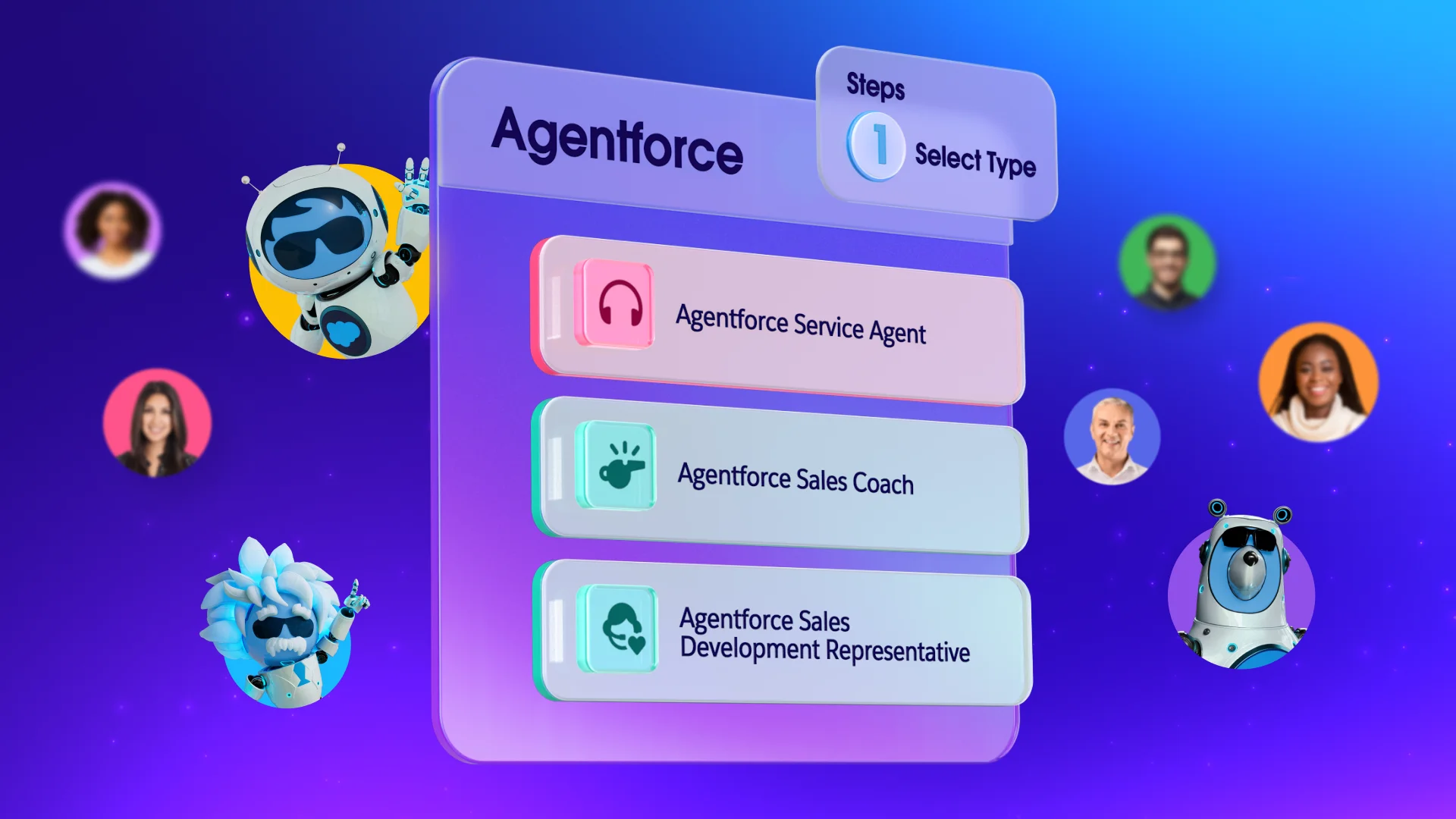
Agentforce Service enhances case routing by using predictive case routing, which uses machine learning to automatically filter cases from any channel in real-time, routing them to the right queue or agent based on expertise or past outcomes.
Agentforce 360

Transitioning to case routing automation allows your team to focus on meaningful customer interactions rather than manual administration. By starting with repetitive tasks and gradually incorporating AI-enhanced tools, you can improve both agent satisfaction and customer loyalty.

To simplify service and maintain a competitive edge, explore how Salesforce Starter and Pro Suites can elevate your service team today. Already a Salesforce customer? Activate Foundations today for free to try Agentforce 360.

AI supported the writers and editors who created this article.

What’s the difference between queue-based and skills-based routing?
Queue-based routing sends cases to a general group of agents in the order they arrive, while skills-based routing matches the specific needs of a case to an agent with the right expertise. Smaller businesses often start with queues and move to skills-based routing as their products become more technical. 

How long does it take to set up basic case routing rules?
Basic email-to-case routing can be configured in a few hours once you have identified your primary support categories. The complexity grows as you add more channels like chat or social media, but the initial setup is designed to be user-friendly.

Can automation handle high-priority customers differently?
Yes, you can create specific rules that look for “Gold” or “VIP” status in your customer records to move those cases to the top of the list. This guarantees your most valuable accounts always receive the fastest possible response from your best agents.

Will my customers know that an AI agent routed their case?
The routing process happens behind the scenes, so the customer only experiences a faster connection to the right person. While AI might help categorize the request, the actual interaction remains human-to-human unless you specifically choose to use a customer-facing bot.

Do I need a large IT team to manage case routing automation?
Most modern CRM platforms are designed with “point-and-click” interfaces that allow business owners or office managers to set up rules without writing code. This makes advanced automation accessible to startups that don’t have dedicated technical staff.