


Miscommunication is one of the most expensive problems in software delivery. Studies show architects spend at least 50% of their time communicating with stakeholders and implementers, yet misalignments over major project elements remain common. When these gaps aren’t caught early, projects may go over budget or be unsuccessful.
A well-crafted architectural diagram fundamentally changes this dynamic. It establishes a definitive shared visual reference for executives, architects, and developers, eliminating ambiguity before it derails progress. The Salesforce Architecture Center provides resources that help architects create clear, impactful diagrams. Today, we’re excited to introduce updates that make those resources even more useful. Refreshed Salesforce Reference Diagrams are now available in the Architecture Center. This post covers what’s changed and how you can use the updated resources to drive alignment within your organization.
Salesforce Reference Diagrams have been part of the Architecture Center for several years, but the platform has moved faster than the visual language used to describe it. Agentforce changes how architects think about orchestration, action layers, and human-in-the-loop design.
The previous shape libraries and templates predated those concepts entirely, which meant architects were either inventing their own Agentforce representations or leaving them out of diagrams altogether. In addition, a number of reference diagrams still used older product names and these have been brought in line as well.
We refreshed the majority of the diagrams in the Reference Architecture Gallery and the Lucidchart shape libraries to address this directly. Here’s what changed:

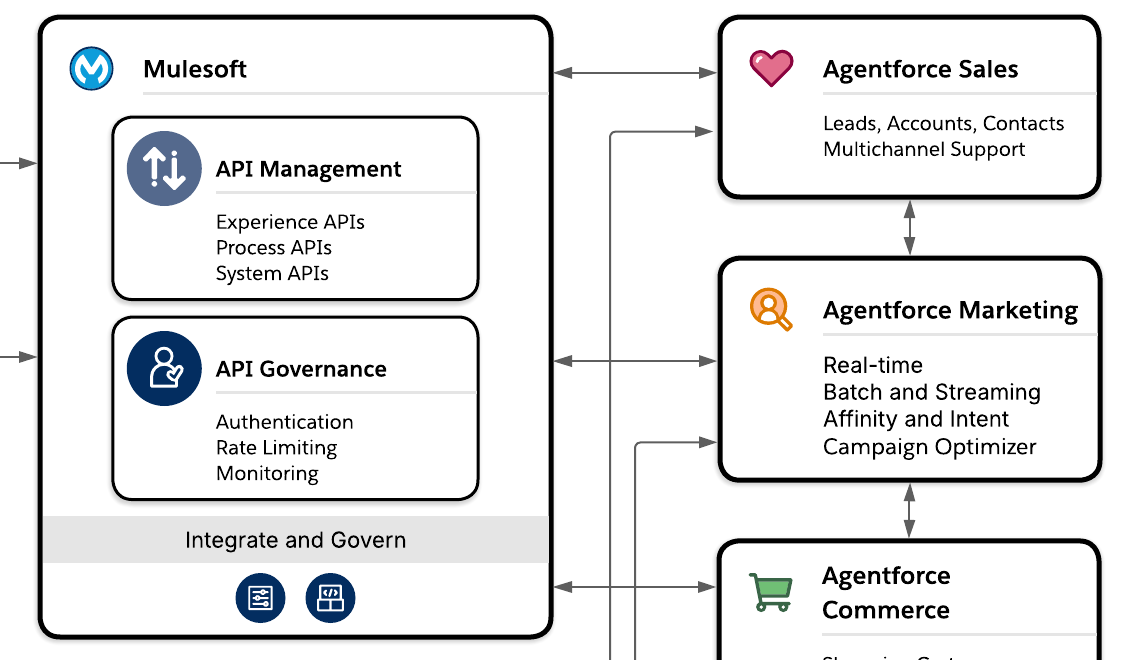
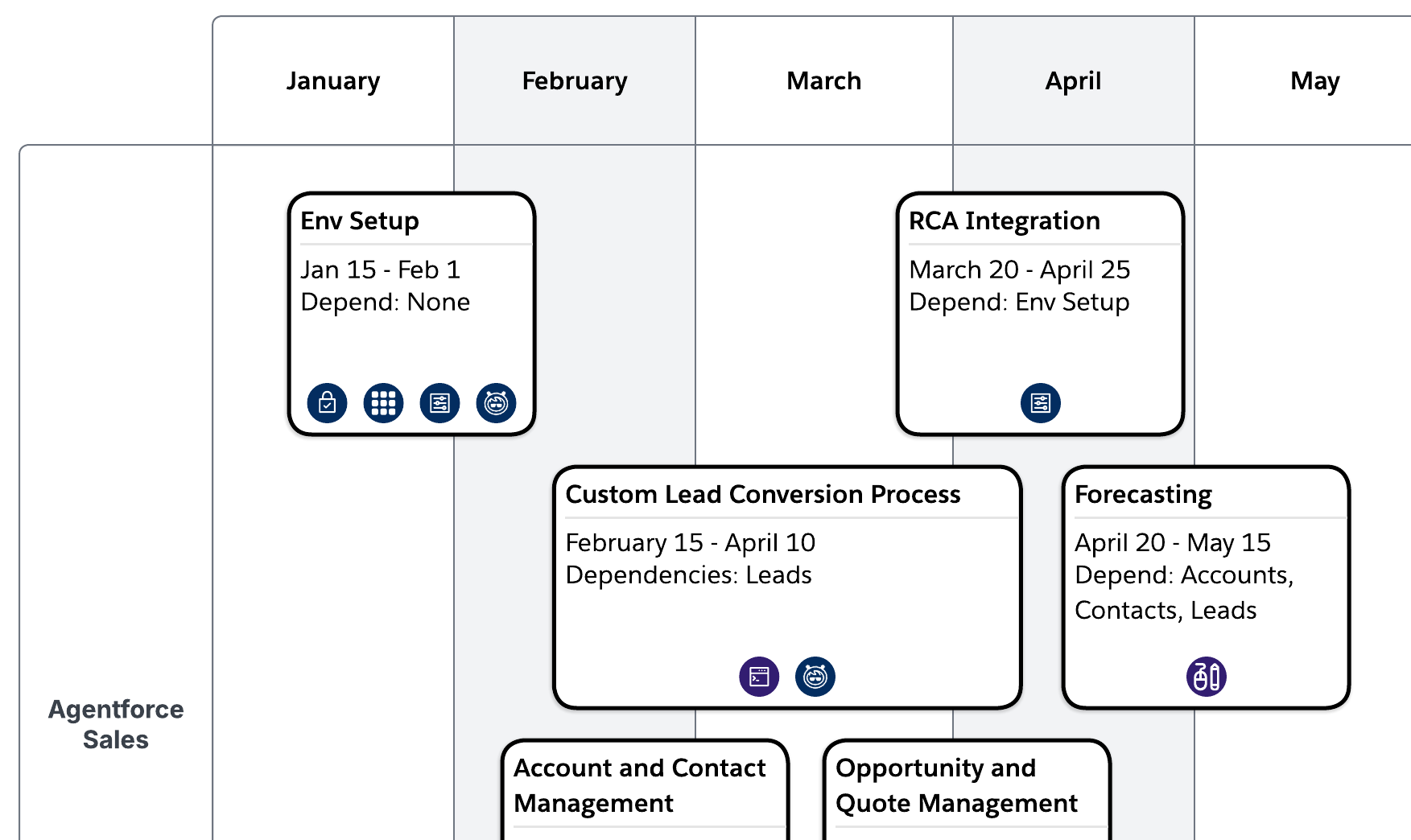
The five diagram types remain the same, the Lucidchart partnership continues, and the underlying approach architects already rely on is still intact. If you’re new to the Salesforce diagramming tools, the How to Build Salesforce Diagrams Guide remains the best place to start. This refresh builds on the existing system with greater fidelity to the current platform rather than replacing it.
The Salesforce Architecture Center includes a quick start guide to help you begin creating Salesforce architectural diagrams quickly and effectively.



Four approaches are commonly used to reduce communication failures in software delivery:
Of these, architectural diagrams are the most effective for creating alignment. A precise diagram functions as a visual contract that teams reference throughout the project lifecycle. It also gives executives, architects, and developers a single reference for discussion and decision-making.
Salesforce Architects use five core diagram types. Each serves a distinct purpose and audience.
Capability Maps: Document the key business capabilities delivered by a solution. Use them to communicate a solution offering to business stakeholders, without surfacing technical implementation details.
Roadmaps: Visualize the strategic implementation of capabilities, components, and features over time. Employ them for timeline-based planning and phased rollouts, to align technical delivery with business milestones.
System Landscapes: Map the products, technical systems, and interconnections within an implementation. Use these to give technical teams a clear view of the entire ecosystem.
Solution Architectures: Detail how systems communicate, interact, and integrate at a technical level. Treat these as the primary reference for implementation teams.
Interaction Process Flows: Document time-based steps, data flows, and interactions using numbered sequences to clarify the operational flow. Use these when teams must align on procedure and execution order.
Match the diagram type to its audience. Implementation teams may need Solution Architectures, while business stakeholders often benefit more from Roadmaps and Capability Maps. Using the wrong artifact for the wrong audience can create confusion and make it harder to align on project goals.
The Salesforce Architecture Center provides diagram templates that help accelerate diagramming with ready-to-use starting points.
Lucidchart provides special shape libraries designed specifically for Salesforce Architects. Three libraries provide the core building blocks:
Salesforce Header: A standardized header framework that establishes diagram context and metadata. Use it to establish consistent, branded diagrams with visual hierarchy that immediately signals to stakeholders that they’re reviewing a diagram built to Salesforce architectural standards.

Salesforce Cards: A set of pre-formatted containers representing Salesforce platform components. Use these to represent functional areas and isolate dependencies.
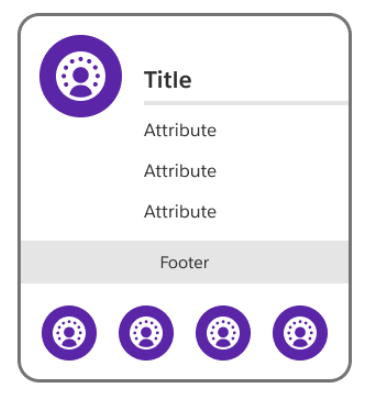
Salesforce Icons: A comprehensive icon set covering the full Salesforce ecosystem, including Agentforce, MuleSoft, Tableau, and Slack. Use these uniform icons to reduce cognitive load on stakeholders by using official logos.

Using these libraries consistently across your organization helps architects immediately orient themselves when they view a diagram. Over time, that consistency becomes even more valuable as projects scale and teams grow.
Do not start from a blank canvas. The Salesforce Reference Architecture Gallery provides prebuilt templates organized by use case, industry, and product. Leveraging these templates accelerates the design process by providing a structured foundation that reflects proven architectural best practices.
If no template matches your use case exactly, start with the closest one. You can still benefit from established layouts, diagram types, and visual conventions.
If you’re new to Salesforce diagramming, begin with Diagramming Essentials on Trailhead. If you’re ready to start building, use the Reference Architecture Gallery to start your project diagrams with a template. Before sharing any diagram with business stakeholders, confirm that your selected artifact matches the audience and purpose.
此内容由惯性聚合(RSS阅读器)自动聚合整理,仅供阅读参考。 原文来自 — 版权归原作者所有。