






For years, “Email-to-Case” has been the backbone of customer service. But as any developer who has managed a high-volume support org knows, raw inbound text is a double-edged sword. Without metadata, your support queue is just a wall of unstructured data that requires manual hours to sort, tag, and route.
In the era of the AI Enterprise, we don’t have to settle for manual triage. Today, we’re looking at how to combine Data 360 Vector Databases, and Foundational LLMs to turn unstructured emails into actionable CRM records in near real-time.
Traditional email rules are brittle. They rely on “if-contains” logic that fails to capture the nuances of human language. If a customer writes, “My system is unresponsive after the latest patch,” a keyword rule might miss the urgency or fail to categorize it as a “Technical Bug.”
This lack of structure creates a massive bottleneck:
To solve this, we’ve moved beyond standard Apex triggers. We are leveraging a multi-layered AI architecture:
The goal is a seamless pipeline that enriches a Case record before it even hits an agent’s view. Here is the technical breakdown:
As emails stream into Data 360, they are instantly analyzed for intent. Unlike standard processing, the system looks at the semantic meaning of the body.
Using LLM-based inference, the system maps the unstructured text to your specific Data Model Objects (DMOs).
By vectorizing the inbound case, the system performs a search against your Knowledge DMO. It doesn’t just find articles; it provides recommendations with confidence scores, attaching them directly to the record.
Here is the end to end workflow of how each Salesforce product integrates together to solve the issue.
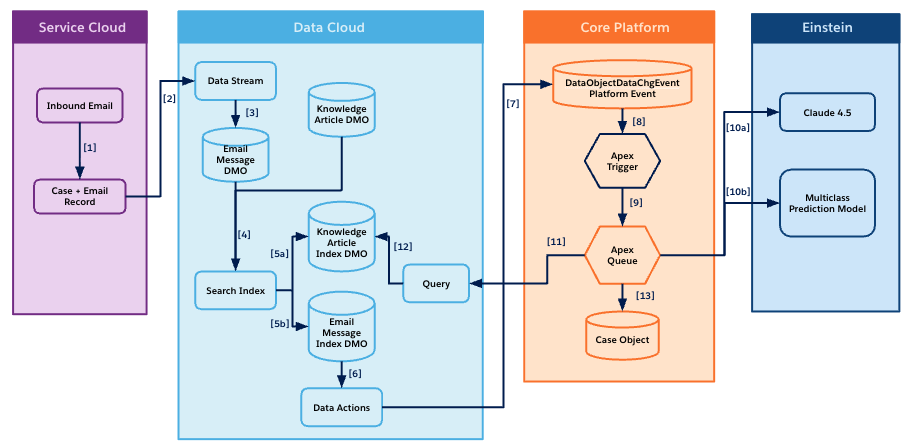
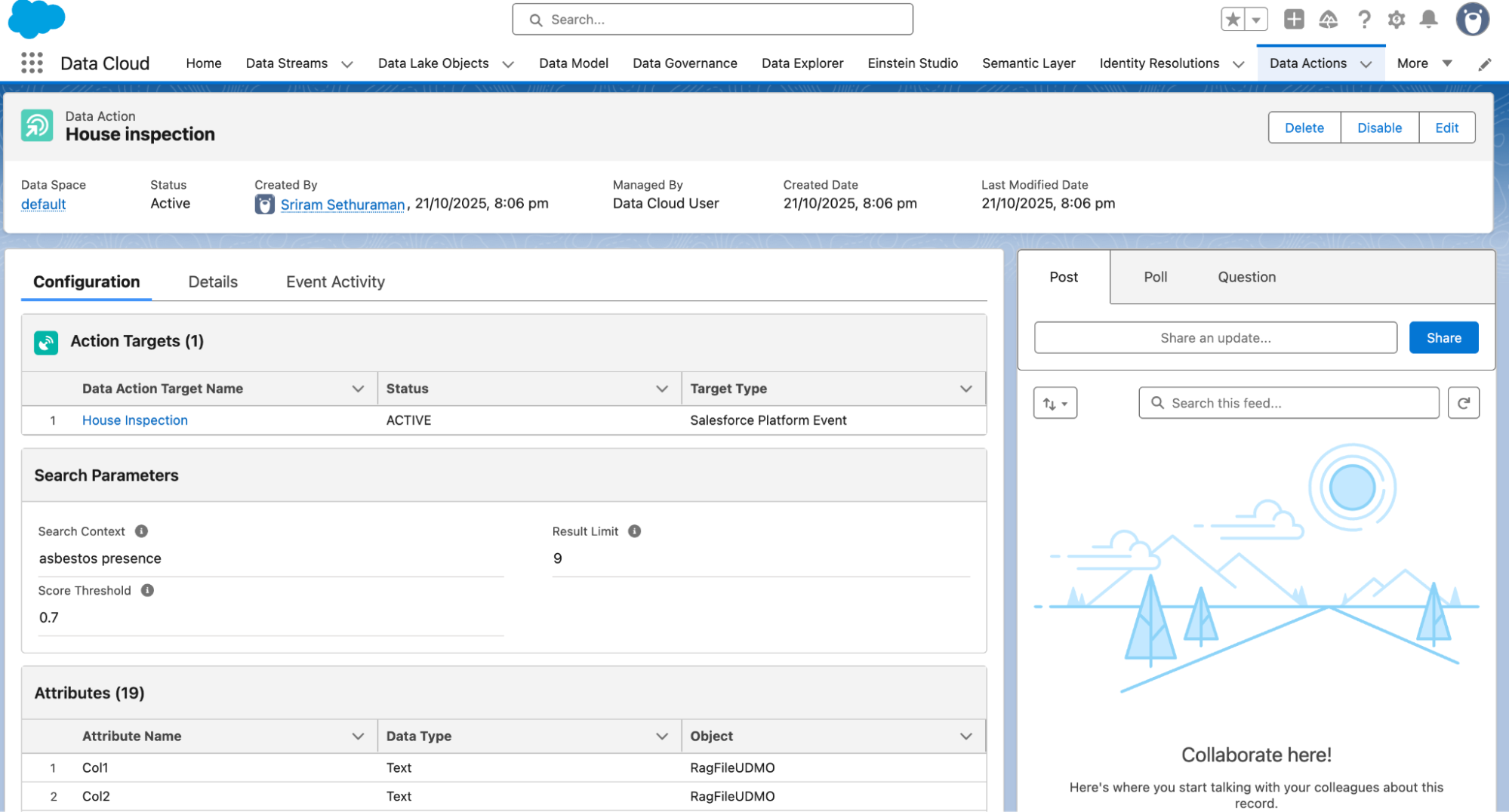
The most powerful feature in this architecture is the Data Action on the Search Index. In a traditional setup, you might be tempted to run an LLM call via Apex. However, by using Data Actions, you offload the heavy lifting to Data 360. When a Search Index identifies a specific pattern (like “High-Severity Technical Issue”), it triggers an automated action.
Here are the core steps involved.
By moving from manual triage to an automated, vector-based workflow, you aren’t just saving time—you’re increasing accuracy. You’re ensuring the right agent gets the right context at exactly the right time.
Ready to get started? Check out our help site for more information
此内容由惯性聚合(RSS阅读器)自动聚合整理,仅供阅读参考。 原文来自 — 版权归原作者所有。