




For all the talk of scale in enterprise AI, it’s ironic that most of us interact with LLMs through an interface designed for doing things one at a time. The humble prompt window has been a productivity boon for knowledge workers thanks in no small part to its radical simplicity: ask almost anything and get an answer. It’s the type of blank canvas perfect for pressure testing campaign ideas, researching new topics or generating personalized sales emails. But while agents and LLM prompts can help hasten these types of tasks, speed is not the same as scale.
What happens when you have an AI workflow that needs to run not once, but hundreds of times? And what if that workflow isn’t a single prompt, but a chain of prompts and agents orchestrated in sequence? How would you design it to be secure, auditable and integrated? Where would you visualize it? How would you funnel the results into other business systems? Whether you’re enriching and scoring leads, QA’ing customer service interactions, or mining cases for insights, scaling the power of LLMs to run across thousands of records in parallel isn’t as simple as asking your agent to “please run my process 1,000 times.”
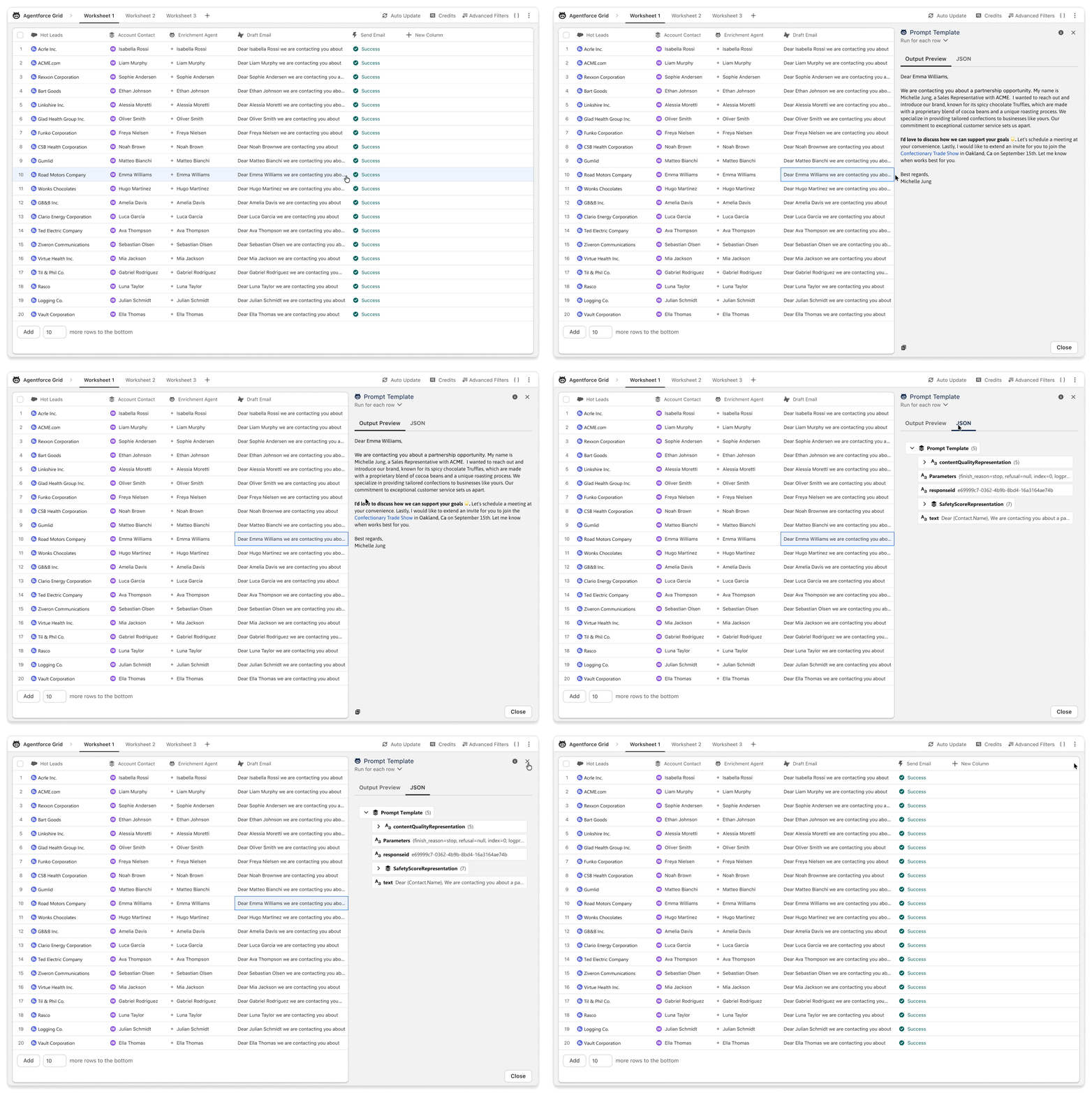
Chaining together AI processes and executing them in bulk requires a new kind of interface, or rather, a spin on a classic. To understand why, let’s look at a customer example.
Earlier this year, a global B2B software company set out to improve forecast accuracy and drive new business. They had thousands of open opportunities in Salesforce and a simple goal: flag at-risk deals and generate the exact next steps a rep should take.
But they soon found that no matter how much they tuned and re-tuned their prompt, it couldn’t handle the full end-to-end workflow. Diagnosing deal risk required one prompt; turning that diagnosis into concrete next steps required another. While an agent could technically orchestrate those steps, it quickly became a black box. There was no way to inspect intermediate outputs, debug failures, or iterate step-by-step across thousands of records.
To do this at scale, they had to pull thousands of records and write a script to run the deal risk prompt on each one, then pass each output to the agent to determine next steps. When the “next step” looked wrong, no one could tell why — was the underlying deal data incomplete? Was the risk analysis flawed? Or did the agent misapply the methodology? Iteration meant rerunning the entire workflow, spot-checking a handful of results, and praying for the best.
By the time they had something they trusted, they had spent more than 50 hours building and debugging a workflow they wanted to run every week.
We know what you’re thinking: surely there’s a better way! Reader, there sure is.
In the example above, it’s easy to overlook the unsung yet crucial role of the CSV file. It’s where we aggregate all of our data only to have to export it into a prompt window to then have to manually copy-and-paste the results into Slack. Imagine how much easier our lives would be if we simply brought our AI agents and LLM prompts directly into the spreadsheet along with really robust data integration.
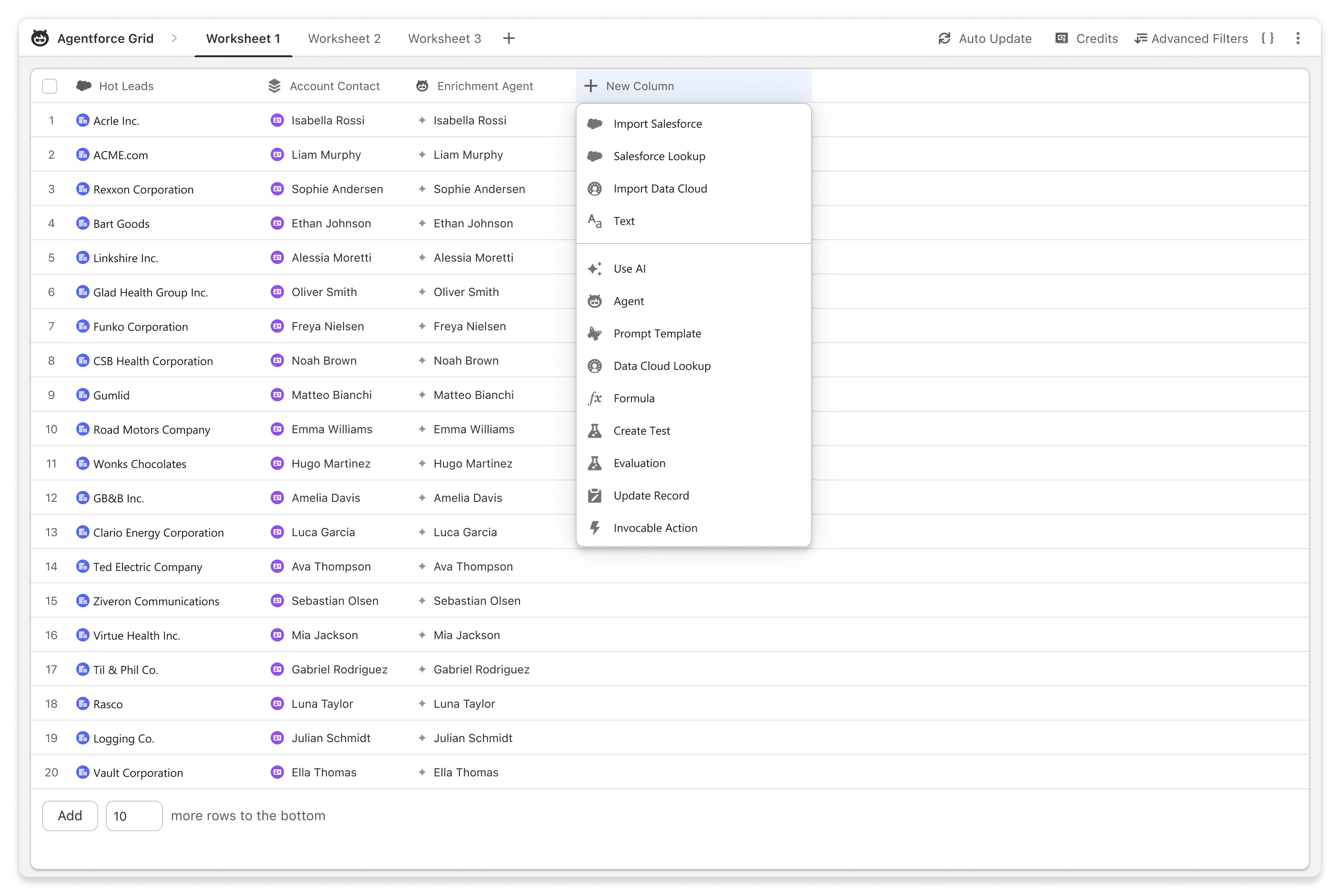
That’s exactly what we’re doing with Agentforce Grid, a new AI workspace built like a spreadsheet that allows you to chain together CRM data, Data 360, LLM prompts, AI agents and actions into high-level AI workflows that run in batch.
Grid delivers two essential capabilities for running AI at scale: bulk execution and compounding workflows. Grid integrates natively with Salesforce CRM and Data 360 to enable you to import thousands of records with just a few clicks. You can quickly specify which objects and metadata fields to pull in, or enter a raw SOQL query to perform lookups or grab related lists. Each record becomes a row in the Grid.
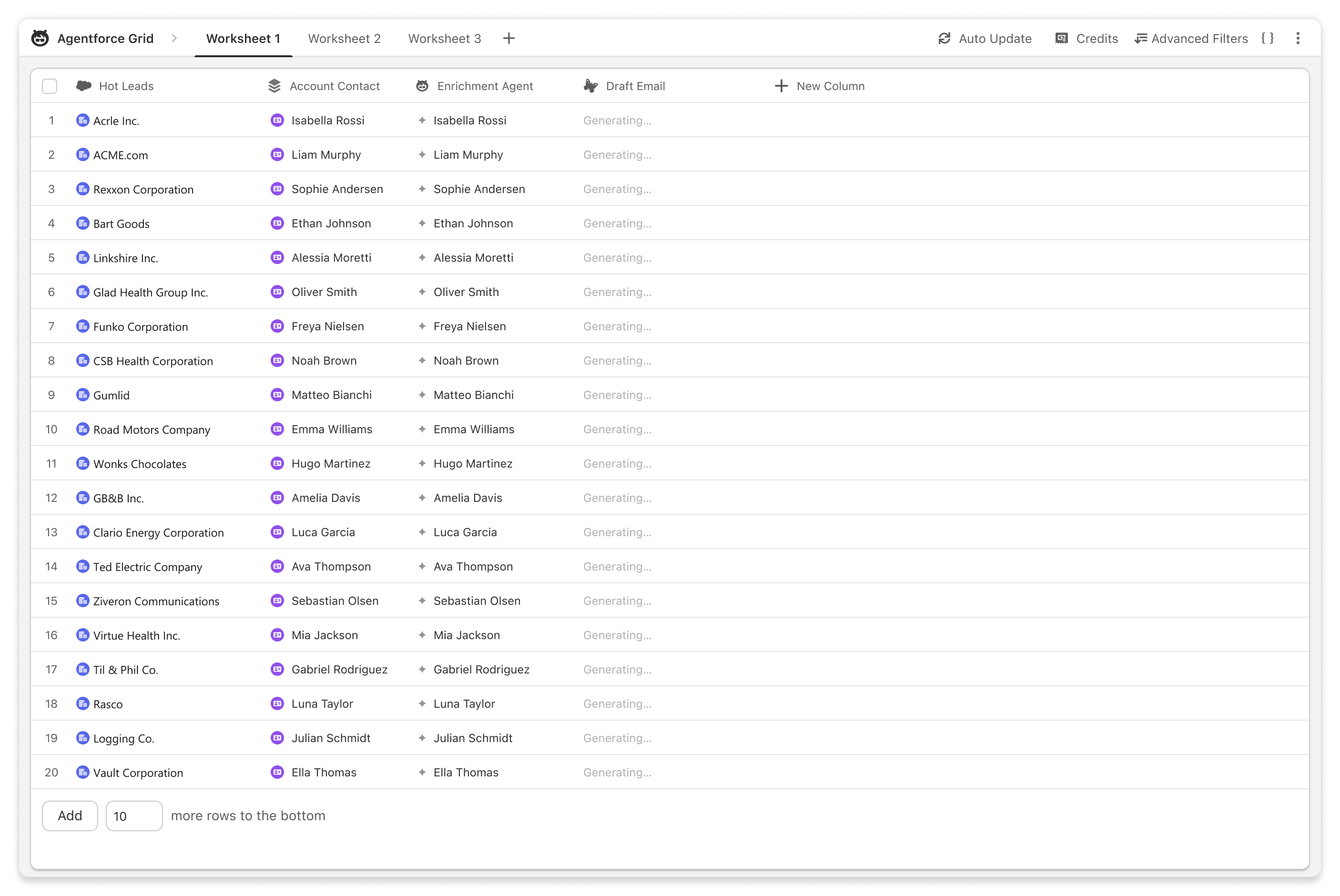
But Grid’s real power lies in its columns. Let’s imagine that for each record in the spreadsheet, you want to apply a prompt template that generates an account summary. Simply add a Prompt Template column or AI column to your spreadsheet, select the prompt template you want to use and point it at the column containing the account data to be summarized. Grid will run the template in parallel with the context from each row, saving countless hours. Think of each column as a discrete step in the workflow, progressively building on the previous step until the work turns into a real outcome, like a personalized email or an update to an opportunity record. And thanks to native integration with CRM, Grid can write these summaries back into your CRM directly via invocable actions, as well as leverage existing prompt templates, agents and flows.
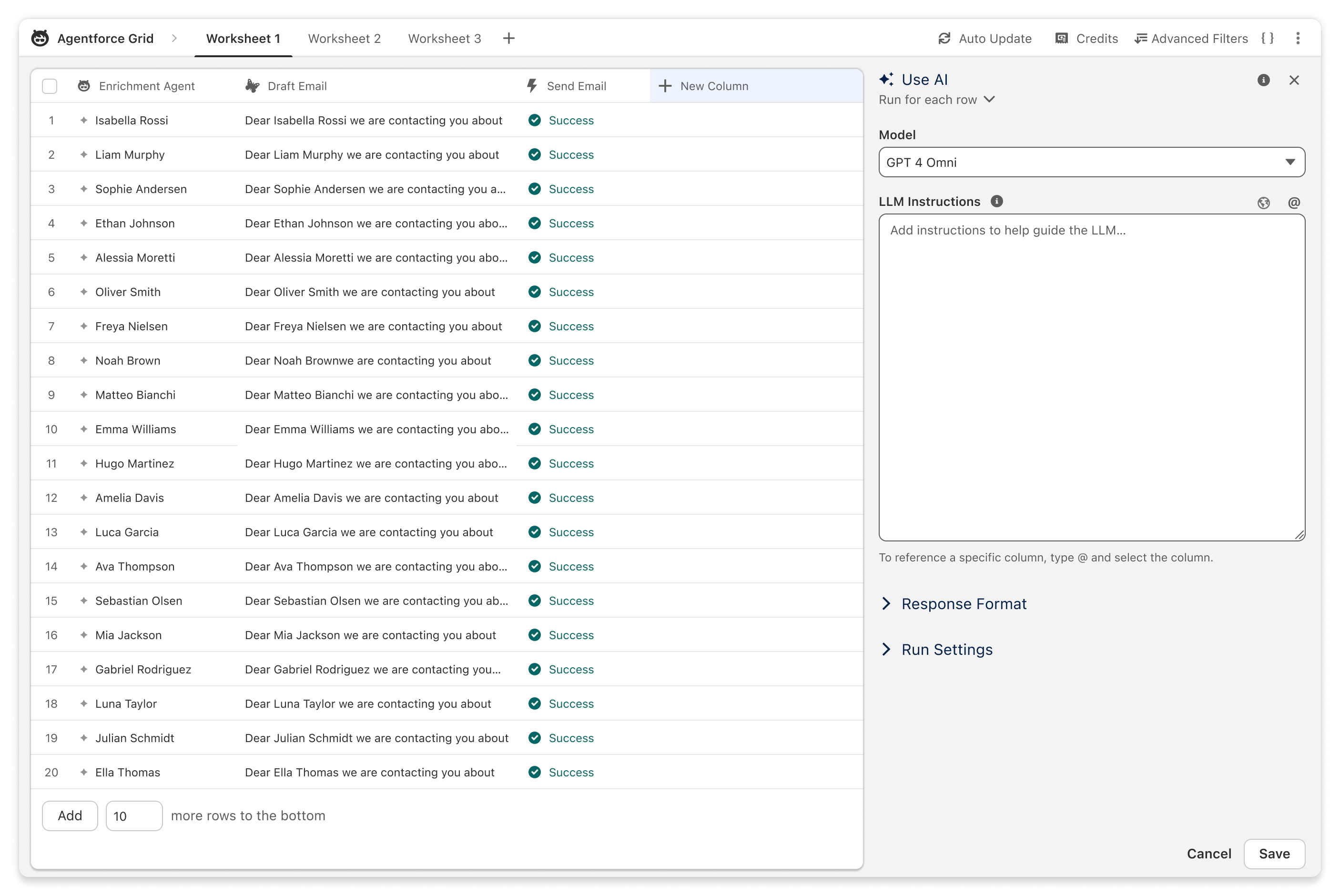
But how can we tell if Grid is doing a good job?
The same prompt can generate a lot of variance across a hundred or thousand different records, so it’s important to validate your outputs before deploying an AI workflow to production. This challenge is even greater when chaining multiple prompts or agents together.This is where Grid’s spreadsheet-style UI really shines, making it easy to compare AI-generated results step-by-step, side-by-side. If a generated output fails an evaluation, pinpointing the problem is as simple as looking back through the previous columns to see where the process went wrong and why.
But this isn’t merely a new interface for batch testing (formal testing should still occur in Testing Center, which is also getting a new spreadsheet-style UI!). Since Grid is where you compose the workflow itself, it’s easy to quickly diagnose what’s happening under the hood and make any necessary tweaks. That makes Grid your new starting point and one-stop shop for prototyping and iterating AI workflows.
While the path to AI at scale is different for every organization, it’s always good to have the right tools for the task at hand. LLMs and AI agents are an essential piece of the puzzle, but chat interfaces alone won’t get us to enterprise scale and reliability. Grid is your new destination for building, chaining and running AI workflows on real data.
To get started, reach out to your AE today.
此内容由惯性聚合(RSS阅读器)自动聚合整理,仅供阅读参考。 原文来自 — 版权归原作者所有。